Tools you put in front of clientsWorks offline

72 match your filters — 68 of them answered our check today.

Watching this group for 20 days · how we check

This week26 new arrivals

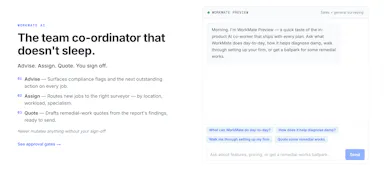
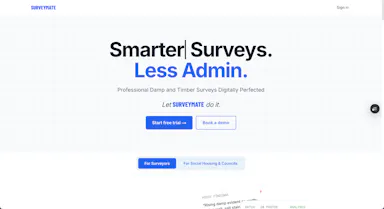
Turns on-site damp and timber survey inspections, captured via photos and voice dictation even offline, into finished reports with client portals and UK compliance tracking.

Domain registered 3 months ago

Works offline
What to know
How it works
Capture findings on-site with photo capture and voice dictation, even offline; AI analyzes the photos and generates branded reports with a client portal, job pipeline, and CRM.
Best for
UK surveyors doing damp and timber inspections who need Awaab's Law compliance built in.

Watched for 7 days · last checked 1d ago
Details →

Lets people use basic web utilities without uploading data instead of sending files to unknown servers.

Works offlineData stays with you
What to know
How it works
Client-side utilities run entirely in the browser.

Watched for 1 day · last checked today

Details →

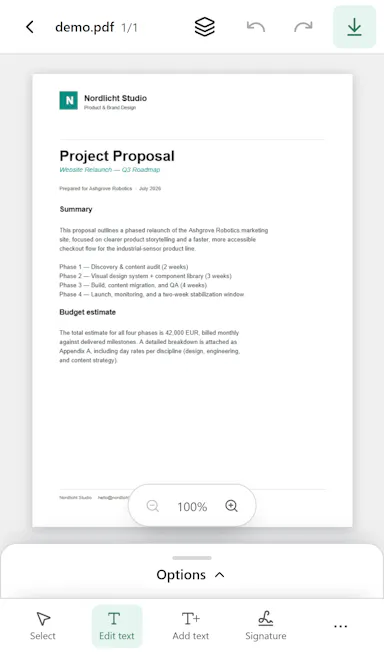
Generates invoices, receipts, and estimates as PDFs on-device in 30 seconds, for freelancers who want an offline, account-free tool instead of a subscription invoicing app.

No sign-upWorks offlineNo subscription
What to know
How it works
Add clients, line items, taxes, notes; choose from four templates; share or print.
Pricing
No account, no subscription, works offline.

Watched for 2 days · last checked 1d ago

Details →

Offline contact manager for filmmakers, musicians, and artists who want client relationships tracked without sales-pipeline clutter.

Works offlineData stays with you
What to know
How it works
Local-first, offline-ready contact storage
Best for
Creative freelancers who don't need a full sales CRM

Watched for 5 days · last checked today

Details →

Lets people run 400+ file tools entirely in the browser instead of uploading files to a server.

FreeWorks offlineData stays with you
What to know
How it works
WebAssembly-based tools for PDFs, images, audio, video, and data; works offline after first visit.
Pricing
free
Watch out
available in 25 languages with real localization

Watched for 1 day · last checked today

Details →

A Windows app that auto-replies to a person's Telegram contacts from their real account, transcribing voice notes and reading photos, instead of the user answering manually.

Works offline
What to know
How it works
Runs locally on Windows, reads incoming Telegram messages, transcribes voice notes, analyzes photos, and sends replies with a typing indicator and natural delay.
Pricing
One-time license from about $1, with a 7-day free trial.
Best for
People fielding many Telegram client messages who want automated replies that look human.
Watch out
Replies are sent from the user's real account without recipients being told it's automated.

Watched for 7 days · last checked 1d ago
Details →

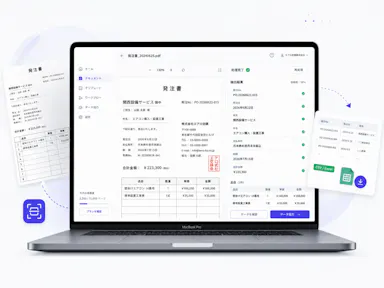
An offline invoice maker for freelancers and field-service workers to build invoices with tax and discount calculations, no account needed.

Works offline
What to know
How it works
Manages clients and invoices offline, calculates tax/discounts, exports a document with no cloud dependency
Best for
Freelancers and field-service pros invoicing right after a job

Watched for 5 days · last checked 4d ago

Details →

Local-first tool for freelancers and creative studios to generate client quotes, payment breakdowns, checklists, and email drafts, connectable to Claude Desktop as an MCP server.

Works offline
What to know
How it works
Runs in the browser, saves data on the user's computer, and can connect to Claude Desktop as an MCP server.
Best for
Freelancers and creative studios producing client-facing quotes and project documents.

Watched for 11 days · last checked 5d ago

Details →

Lets Indian accountants extract bank statements and invoices into clean data with Tally sync instead of manual data entry.

Works offline
What to know
How it works
AI extraction with 96%+ accuracy, automated GSTR-2A/2B reconciliation, 1-click Tally connector
Best for
CAs, accountants and finance teams in India

Watched for 1 day · last checked today

Details →

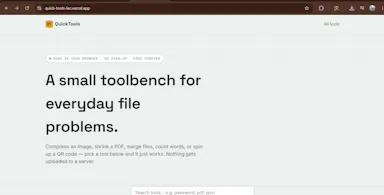
Lets people compress images and PDFs and generate QR codes in the browser instead of uploading files to a server.

FreeWorks offline
What to know
Pricing
free, no sign-up

Watched for 1 day · last checked today

Details →

Task management with photographic proof-of-completion and self-assignment for field/on-site teams, instead of task apps that stop at a checkmark.

Works offline
What to know
How it works
Rich task details with geolocation, proof-of-work camera shots, self-assignment marketplace, map/calendar views
Best for
Teams that work on site and need accountability

Watched for 2 days · last checked 2d ago

Details →

PtyXL

Live

Local-first SSH/SFTP client for developers who want their server keys and configs to never leave their machine.

Works offline
What to know
How it works
multi-grid layout, zero-lag rendering
What's different
local-first, keys never leave the device

Watched for 2 days · last checked 1d ago

Details →

Baery

Live

An offline, on-device app for solo bakers who take orders by text, turning messages into structured orders automatically.

Domain registered 25 days ago

Works offlinePay onceNo subscription
What to know
How it works
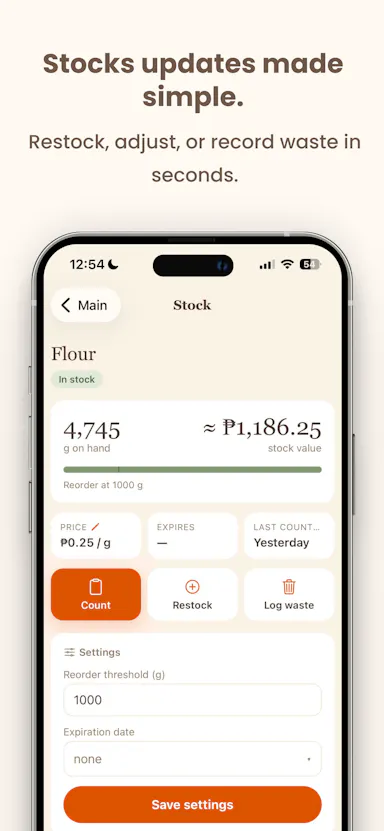
Paste a customer message to auto-draft an order, snap a recipe photo or scan a barcode to update stock
What's different
Offline-first, one-time payment instead of a subscription
Pricing
Pay once, own it forever
Best for
Solo bakers/cake decorators taking orders via DM or text

Watched for 4 days · last checked 3d ago

Details →

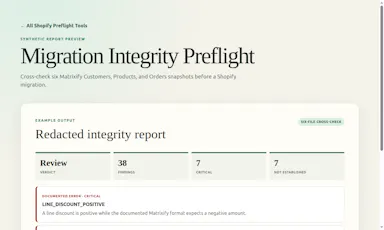
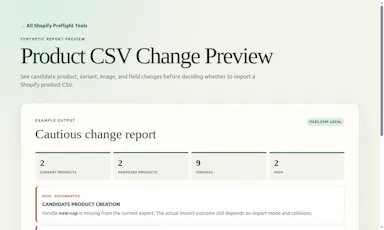
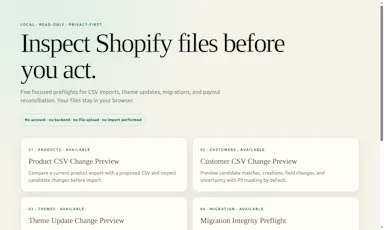
Offline browser tools for Shopify merchants and agencies to preview risky bulk CSV changes (products, customers, theme, migration) before importing.

Works offline
What to know
How it works
runs locally in the browser, produces a bounded report on a CSV before you import it into Shopify
Pricing
$19-29 one-time per English ZIP
Watch out
no Shopify connection or outcome guarantee, independent and not affiliated with Shopify

Watched for 4 days · last checked 3d ago

Details →

A free browser-based tool for converting PowerPoint slides to PDF entirely client-side with no ads or server upload.

FreeWorks offlineNo ads
What to know
How it works
100% client-side conversion of PPT/Slides to PDF
Pricing
free, unlimited conversions
Best for
Anyone needing quick private slide-to-PDF conversion

Watched for 5 days · last checked 4d ago

Details →

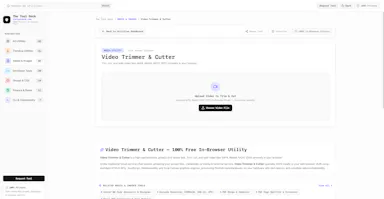
A free suite of in-browser tools (background remover, video trimmer, PDF merger, JSON/regex tools) that process files locally with no uploads.

Domain registered 8 days ago

FreeWorks offlineNo tracking
What to know
How it works
Processing runs entirely client-side in the browser
What's different
Zero server uploads, latency or tracking versus cloud converters
Pricing
free

Watched for 5 days · last checked 4d ago

Details →

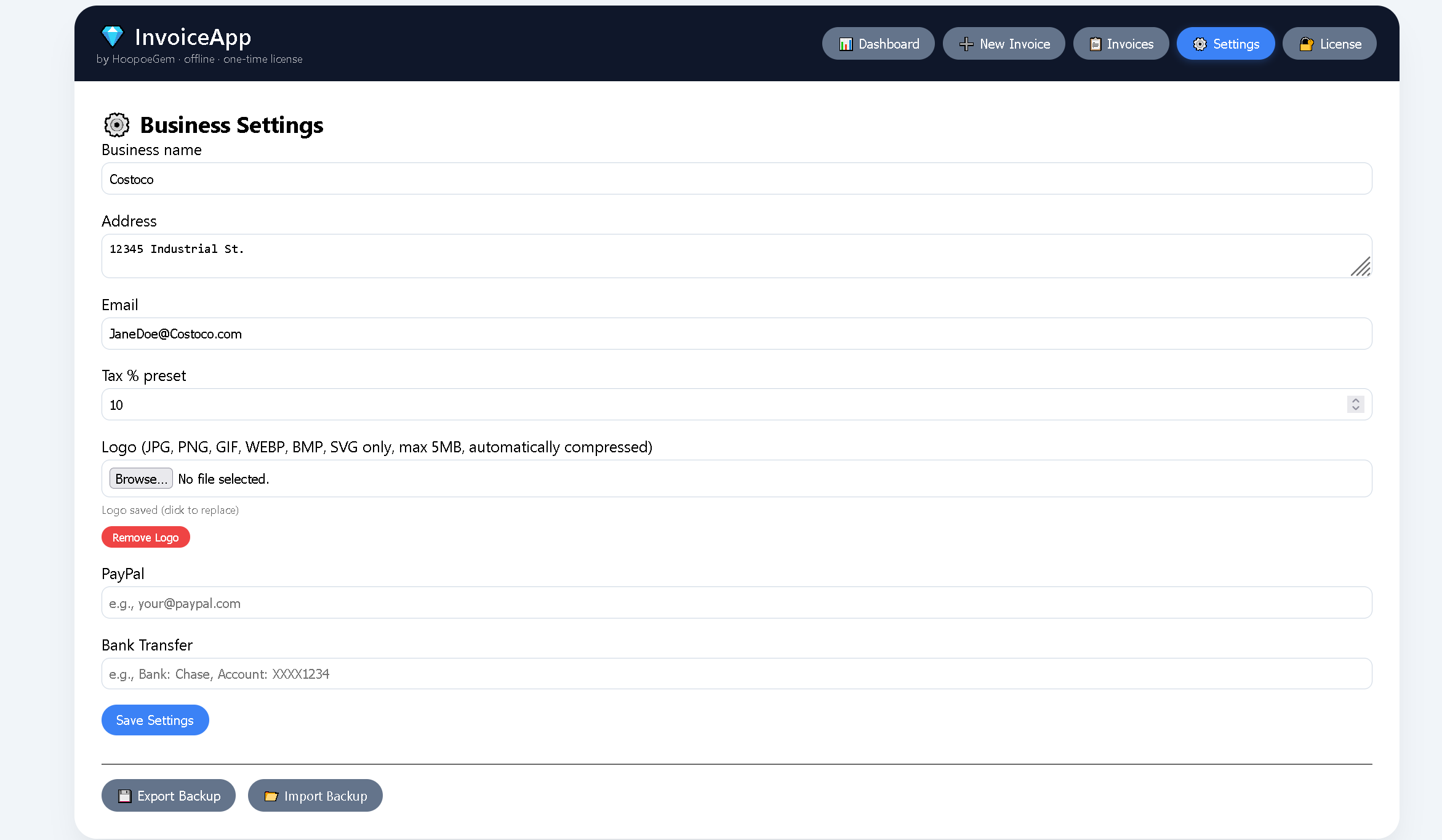
An offline invoice generator with a dark theme, multi-currency support, and one-time payment instead of a subscription.

Works offlinePay onceNo subscriptionCan export my data
What to know
How it works
Enter invoice details for real-time calculation and PDF export, logo upload included.
Pricing
$39 one-time, lifetime access, no subscription.
Best for
Freelancers and small business owners who don't want a recurring invoicing subscription.

Watched for 6 days · last checked 4d ago

Details →

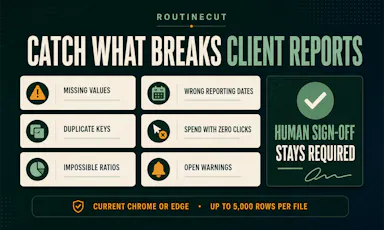
An offline QA workspace for recurring marketing reports that recalculates KPIs from a CSV and requires human sign-off before sending reports to clients.

Domain registered 3 years ago

No sign-upWorks offline
What to know
How it works
Drop in a CSV to recalculate KPIs, summarize channels, and flag missing or suspicious data before requiring human sign-off.
What's different
No account, upload, or tracking.
Best for
Agencies and teams doing QA on client-facing marketing reports.

Watched for 7 days · last checked 5d ago

Details →

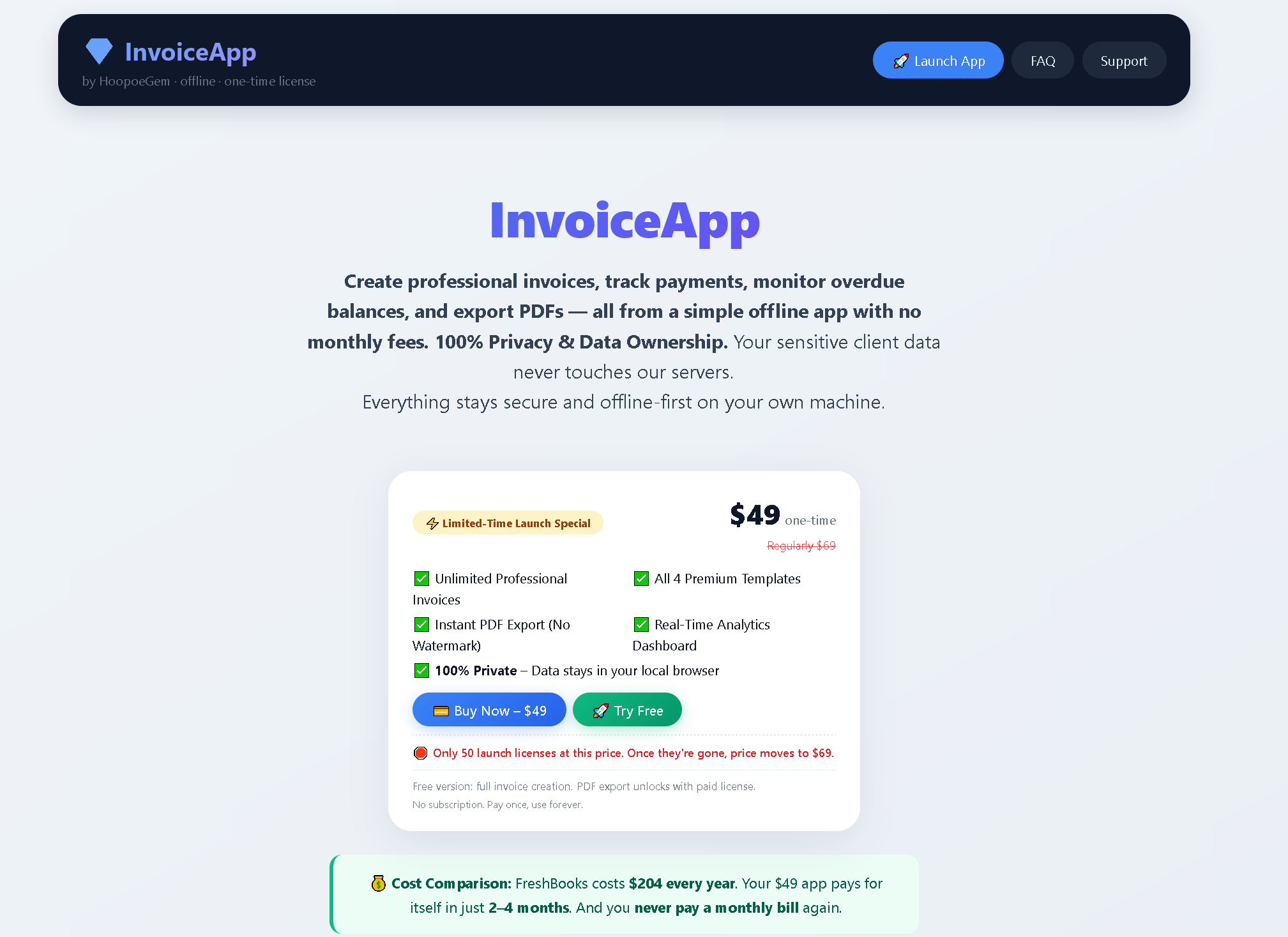
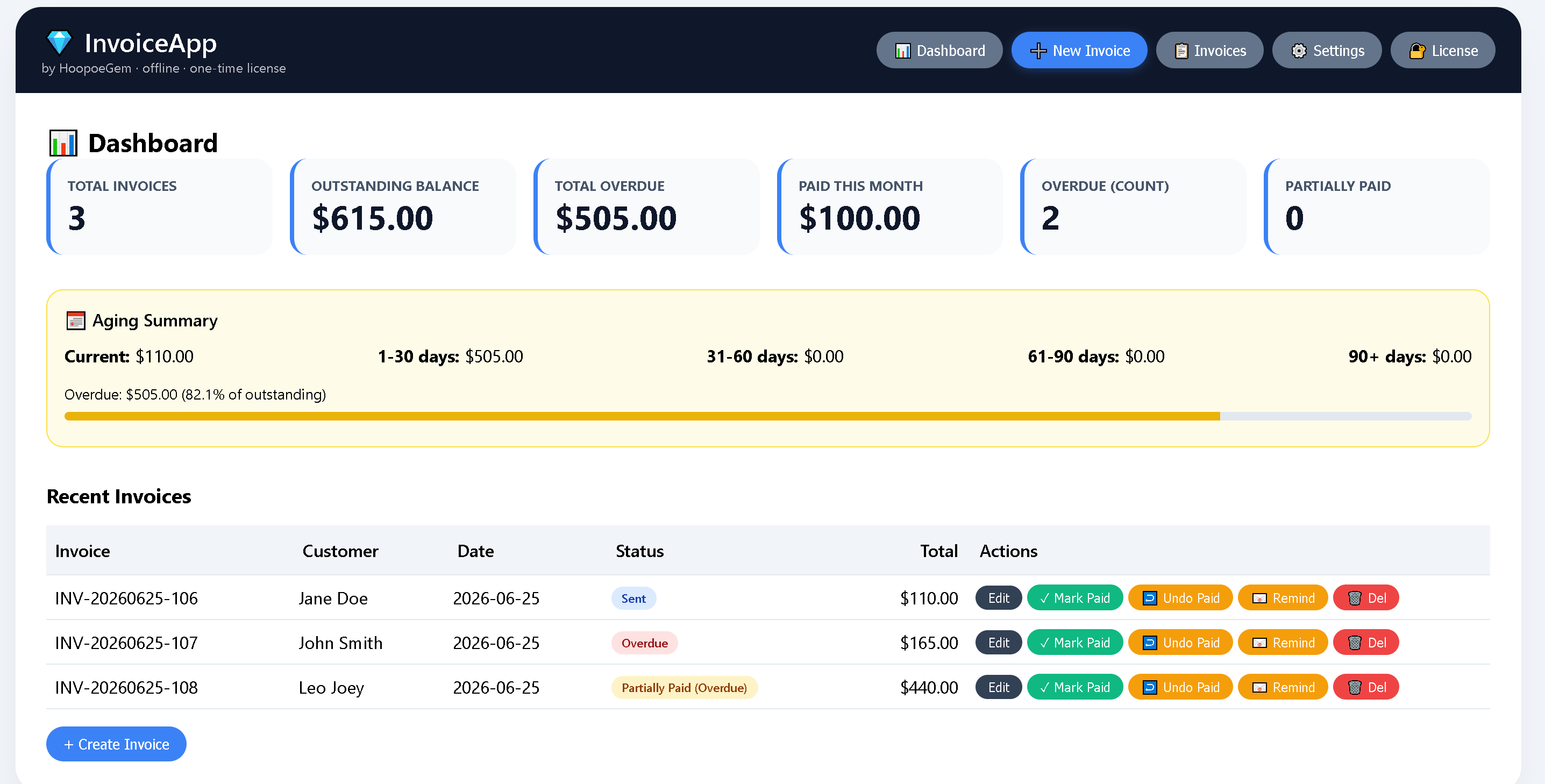
Offline invoicing software for freelancers and small businesses, sold as a one-time purchase instead of a subscription.

Works offlinePay once

Watched for 1 day · last checked 1d ago

Details →

A local-first SQLite manager and CLI for inspecting, editing and exporting SQLite files without a cloud platform, built for developers working with local databases and prototypes.

Works offlineCan export my data
What to know
How it works
A local-first SQLite manager and CLI for inspecting, editing, documenting, visualizing, and exporting SQLite files stored on your machine.
What's different
Runs entirely locally instead of forcing users onto a cloud platform or into a heavyweight enterprise database client.
Best for
Developers and researchers working directly with SQLite files as products, datasets, or prototypes.

Watched for 15 days · last checked today

Details →

A Mac app that watches your posture, eye strain, and stress via webcam while you work and nudges you before it becomes a problem.

Works offlineData stays with you
What to know
How it works
On-device computer vision monitors posture, eye health, and stress signals during screen work
What's different
Focuses on how screen time affects your body, not just how long you've used the screen
Best for
People doing long hours of screen-based work (coding, writing, meetings)
Watch out
Mac only currently, Windows launching soon

Watched for 6 days · last checked today

Details →

Analyzes contracts with AI that runs entirely on your device, so documents never leave your machine or reach a cloud server.

Works offline
What to know
How it works
Analyzes contracts using AI that runs locally on your device, so documents never leave your machine or reach a cloud server.
What's different
Fully offline processing instead of sending documents to a cloud service.
Best for
Anyone reviewing sensitive contracts who wants to keep documents off the cloud.

Watched for 18 days · last checked today

Details →

A browser-based batch image converter and compressor (HEIC/PNG/JPG/WEBP/AVIF) that processes files locally.

FreeWorks offline
What to know
How it works
Converts and compresses images (HEIC, PNG, JPG, WEBP, AVIF) entirely client-side in the browser, with unlimited batches.
What's different
Files never leave the device, with zero server latency.

Watched for 3 days · last checked 2d ago

Details →

Turn photos of your belongings into a shareable home or work inventory with exportable PDF or Excel lists — handy for insurance, moving, or tracking what you've lent out.

Domain registered 11 months ago

No sign-upWorks offlineNo adsCan export my data
What to know
How it works
Snap photos of your belongings, group them into projects (rooms, collections, jobs), then export a polished PDF or XLSX file to share with movers, insurers, family, or colleagues.
What's different
No account, no ads.
Best for
Documenting a home or work inventory for insurance, moving, or tracking items lent out.

Watched for 11 days · last checked 5d ago

Details →

A native (non-Electron) Git GUI for Mac and Windows built for speed and low memory use, positioned against GitKraken, SourceTree, Fork and Tower for developers who find those apps sluggish.

Domain registered 2 months ago

No sign-upWorks offline
What to know
How it works
A native Git GUI for macOS and Windows with a color-coded, virtualized commit graph and infinite scroll. Works fully offline and locally, with no account or cloud dependency.
What's different
Roughly 12 MB and launches in a fraction of a second, versus the 300–500 MB idle RAM and multi-second cold starts of Electron-based clients like GitKraken, SourceTree, Fork, and Tower.
Best for
Developers frustrated with the resource overhead of Electron-based Git clients.

Watched for 11 days · last checked 2d ago

Details →

A tool that replaces raw SQL access for AI database agents with human-approved, scoped business actions instead of full read/write authority.

No sign-upWorks offline
What to know
How it works
tenant-scoped semantic tools like billing.propose_late_fee_waiver; writes need human approval outside the model's reach
What's different
includes a CLI audit command to score an existing MCP setup's risk
Pricing
local-first, open source (Apache-2.0), no account needed

Watched for 5 days · last checked today

Details →

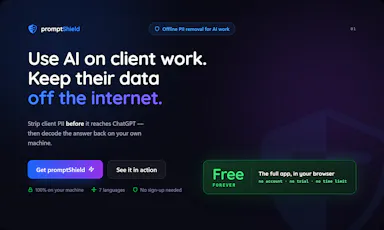
Strips names, emails and other identifying details from documents before you paste them into AI tools, then restores the real values — built for solo professionals, not dev teams.

FreeWorks offline
What to know
How it works
Anonymizes names, emails, IBANs, and other sensitive details in a document across 7 languages before you paste it into any AI tool, then decodes the AI's response to restore the real values — entirely offline.
What's different
Built as a two-minute desktop install for a solo professional, unlike enterprise PII tools that assume a dev team wiring APIs and SDKs into cloud pipelines.
Pricing
Free forever for individuals.
Best for
Solo professionals handling client documents who need to use AI tools without exposing identifying details.

Watched for 17 days · last checked today

Details →

Lead-gen tool that queries Google Places live to find local businesses missing a website or with a lapsed domain.

Domain registered 1 month ago

Works offlinePay onceNo subscription
What to know
How it works
Queries Google's official Places API live to verify businesses are operational, surfacing leads with no website, only a social page, or a lapsed domain.
Pricing
No subscription; pay once, see exact lead count and price before paying, with instant CSV delivery.

Watched for 3 days · last checked 3d ago

Details →

A local gateway that lets every AI coding client share one set of MCP server connections instead of configuring each tool separately, cutting how many tools your agent has to load.

FreeNo sign-upWorks offlineOpen source
What to know
How it works
A local-first, open-source gateway. You set up and authenticate each MCP server once, and every connected AI client — Claude, Cursor, VS Code, Codex — shares that same connection instead of you configuring it per tool.
What's different
Claims up to 91% less tool-token overhead by giving an agent a handful of meta-tools instead of loading hundreds of individual tool definitions; API keys stay in the OS keychain.
Pricing
Free, open source, no sign-up.
Best for
Developers running multiple AI coding clients against the same set of MCP servers who don't want to re-authenticate each one separately.
Watch out
The '91% overhead cut' figure is the product's own claim; we haven't independently benchmarked it.

Watched for 20 days · last checked today

Details →

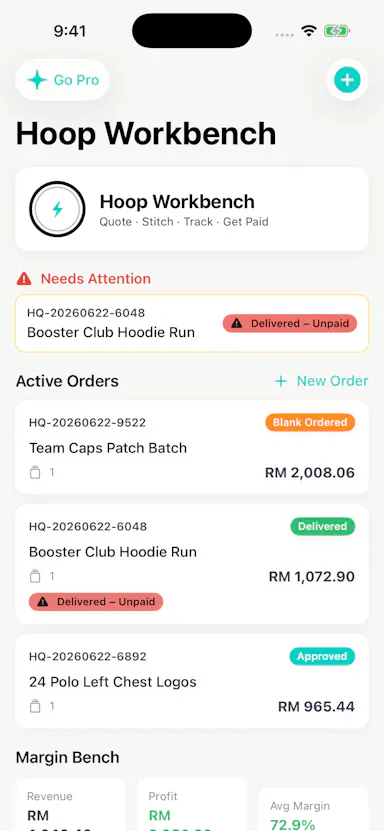
Local-first quoting and workflow app for embroidery shops covering costs, margins, customers and job status.

No sign-upWorks offline
What to know
How it works
Builds garment line items with blank costs, stitch counts, setup fees, shipping, discounts and tax; tracks customers, designs, order status and margin signals; and reuses pricing templates for repeat jobs.
Pricing
No account required for the core local workflow.
Best for
Embroidery shops.
Watch out
An organization tool — it does not guarantee profit, revenue, growth, or business results.

Watched for 3 days · last checked 2d ago

Details →

QoreDB

Live

A local-first Rust database client for developers, unifying SQL and NoSQL access with a secured local vault instead of cloud storage.

Domain registered 6 months ago

Works offline
What to know
How it works
A local-first database client written in Rust that unifies access to SQL and NoSQL databases through a secured local vault instead of the cloud.
Best for
Developers who want a fast, local database client without sending credentials to the cloud.

Watched for 10 days · last checked 4d ago

Details →

Helps online sellers organize evidence and build a PDF response packet for payment disputes, all offline.

No sign-upWorks offlinePay onceNo subscription
What to know
How it works
Organizes receipts, tracking, and messages into a timeline, exports a structured PDF
Pricing
$19 one-time
Best for
Sellers responding to chargebacks
Watch out
Offline workspace, no account or cloud sync

Watched for 6 days · last checked today

Details →

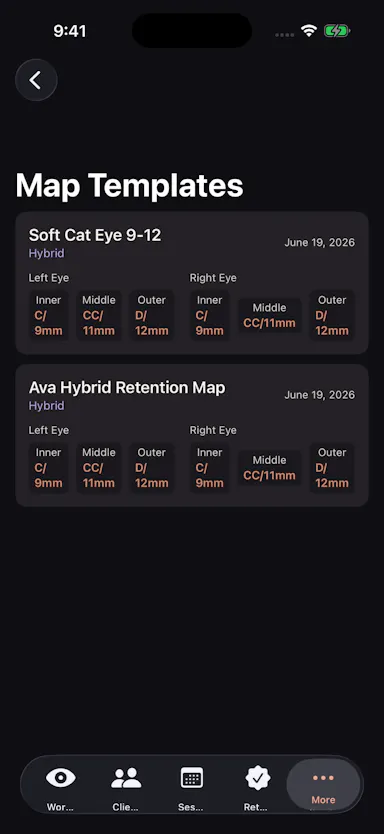
A local-first workspace for lash technicians to manage eye maps, client records, session history, and retention check-ins.

Works offline
What to know
How it works
A local-first workspace for lash technicians giving eye maps, client cards, session history, retention check-ins, reusable templates, and exports.
Best for
Independent lash technicians and small studios.

Watched for 8 days · last checked 6d ago

Details →

A browser-based invoice builder for freelancers and small businesses that keeps client and billing data entirely on your device, no sign-up or cloud sync.

Domain registered 3 years ago

No sign-upWorks offlineData stays with youNo tracking
What to know
How it works
Builds invoices entirely in the browser and exports them as PDF or PNG, with client details, invoice data and branding staying on the user's device.
What's different
No sign-up, no cloud storage and no tracking, unlike most invoicing tools that store data server-side.
Best for
Freelancers, consultants and small businesses who want to create invoices without their client and billing data leaving their device.

Watched for 10 days · last checked 4d ago

Details →

Turns your existing Android contacts into a lightweight personal CRM with interaction logs, follow-up reminders and birthday alerts, no new account or cloud lock-in, and no telemetry.

FreeWorks offlineOpen sourceNo ads
What to know
How it works
Reads directly from your existing Android contacts (via DAVx5, Nextcloud, or any contacts sync) and layers relationship tracking on top: interaction logging, follow-up reminders, birthday alerts, social profile links, and per-contact notes. You can also log interactions with numbers not saved in contacts.
What's different
No new silo or cloud account required — it builds a CRM on top of contacts you already have instead of a separate database.
Pricing
Free.
Best for
Android users who want lightweight relationship tracking without creating a new account or syncing to a third-party cloud.

Watched for 14 days · last checked 8d ago

Details →

An offline tool for validating Saudi e-invoice QR codes, UBL XML files, and PDF/A-3 invoices, with VAT calculation, on-device.

Works offlineData stays with you
What to know
How it works
Validates invoice QR codes, UBL 2.1 XML files, and PDF/A-3 e-invoices, scanning QR codes, inspecting invoice data, and calculating VAT directly on-device with no cloud uploads.
Best for
Businesses, accountants, auditors, and developers handling Saudi e-invoices.
Watch out
Independent application, not affiliated with or endorsed by ZATCA or any government authority.

Watched for 8 days · last checked 6d ago

Details →

Turns your Android phone into a self-hosted MCP server so AI assistants like Claude, Cursor or Perplexity can pull your personal memory without sending data to the cloud. Aimed at developers already using MCP-compatible tools.

Works offlineData stays with youOpen sourceNo subscription
What to know
How it works
Turns an Android phone into a self-hosted MCP (Model Context Protocol) server by installing a Python MCP server inside Termux, with a secure tunnel giving the phone a stable public HTTPS URL that AI clients like Claude, Cursor or Perplexity can connect to for persistent memory.
What's different
Data is stored locally on the user's own phone instead of a vendor's cloud, with no subscription or vendor lock-in.
Pricing
No subscription.
Best for
Developers already using MCP-compatible AI tools who want to own their memory data instead of storing it in the cloud.
Watch out
Relies on a relay tunnel (relay.memplato.com) and requires Termux running on the phone, with a watchdog to restart the server if the phone reboots or Termux closes.

Watched for 10 days · last checked 4d ago

Details →

Free browser-based document template builder that generates downloadable PDFs entirely client-side with no uploads.

FreeNo sign-upWorks offlineData stays with you
What to know
How it works
You pick a template, fill it in, and download a true-vector PDF, entirely client-side with no upload or account.
Pricing
Free, works offline.

Watched for 10 days · last checked 4d ago

Details →

Converts images to PDF and edits them entirely in your browser via WebAssembly, so files never touch a server — worth it if privacy matters more than cloud convenience.

No sign-upWorks offlineData stays with you
What to know
How it works
Converts JPG, PNG, WEBP, HEIC, and BMP images to PDF and edits PDFs entirely in the browser using WebAssembly and local JS, including a suite of 36 tools to merge, split, compress, sign, protect, and decrypt.
What's different
Files never touch a server, work offline, and have no file size or page limits.
Best for
People handling sensitive documents who don't want to upload them to a cloud service.

Watched for 16 days · last checked 10d ago

Details →

Melia

Live

A native Linux desktop email client that connects straight to your IMAP/SMTP mail servers with no cloud relay, middleman account or telemetry, as an alternative to Thunderbird or Evolution.

FreeWorks offlineData stays with youPay once
What to know
How it works
A native Linux desktop email client that connects directly to your mail servers over IMAP and SMTP, storing everything locally in a SQLite database and syncing credentials through the OS keyring so it works fully offline.
What's different
No cloud relay, middleman account, or telemetry — mail stays on your own machine, unlike hosted alternatives.
Pricing
Free for one account with full functionality; a one-time $10 unlock removes the account cap.
Best for
Linux desktop users looking for a native alternative to Thunderbird, Evolution, Geary or Mailspring.

Watched for 18 days · last checked today

Details →

A local MCP server that gives AI assistants like Claude, Cursor and ChatGPT tools to act on your Mac — iMessage, Teams, WhatsApp, Mail, files — with nothing sent to the cloud.

FreeWorks offlineData stays with you
What to know
How it works
A local Model Context Protocol server running on a Mac that gives AI assistants like Claude, Cursor and ChatGPT 143 tools to act on iMessage, local Microsoft Teams chats, WhatsApp, Apple Mail, Calendar, Contacts, Notes, Reminders, Finder files, OneDrive, Outlook and Office documents.
What's different
Runs 100% locally with no cloud connection, reaching apps like iMessage and local Teams chats that cloud-based connectors can't access.
Pricing
Free.
Best for
Mac users who want their AI assistant to act across native apps like iMessage and Mail without sending data to the cloud.

Watched for 18 days · last checked 2d ago

Details →

Reads your Airbnb reservations to count real checkouts and flag same-day turnarounds, so you can check a cleaner's invoice without building your own spreadsheet. Runs locally, nothing uploaded.

FreeWorks offline
What to know
How it works
Reads your Airbnb Reservations page to count real checkouts, flag same-day turnarounds, and track revenue by listing, so you can check a cleaner's invoice without a spreadsheet.
What's different
100% local, zero data collected.
Pricing
Free.
Best for
Airbnb hosts verifying cleaning fees against real reservation data.

Watched for 17 days · last checked 11d ago

Details →

Converts, compresses and edits PDFs, images, audio and video right in your browser — files never leave your device, unlike typical cloud upload tools.

Works offlineData stays with you
What to know
How it works
Converts, compresses and edits PDFs, videos, images and audio entirely inside the browser using WebAssembly and client-side scripts.
What's different
Files never leave your device — no upload, no cloud storage server, works offline with no file-size limits.
Best for
People handling sensitive files who want to avoid uploading them to a cloud service.

Watched for 16 days · last checked 10d ago

Details →

Reusable QR codes you can repoint after printing, plus scan analytics. Good for restaurant menus and flyers, but really a general marketing QR tool.

Works offline
What to know
How it works
Create dynamic QR codes for menus or campaigns and change where they point after printing.
What's different
Editable-after-print QR plus privacy-friendly scan analytics by city and device.
Best for
Venues that reprint often or run marketing beyond a fixed table menu.
Watch out
A general QR tool used across many industries — not restaurant-specific past the menu.

Watched for 18 days · last checked today

Details →

76 separate browser-based, offline, pay-once workspaces built for specific roles like real estate agents, fitness coaches and developers, pitched as an escape from stacked SaaS subscriptions.

Nothing to installWorks offlineData stays with youPay once
What to know
How it works
76 self-contained, browser-based workspaces, each with 8-10 purpose-built modules for a specific role or niche (real estate, fitness coaching, cybersecurity, development, etc.), running 100% offline and locally.
What's different
Data never touches a server (local-first architecture) and it's a one-time purchase instead of a stack of monthly SaaS subscriptions.
Pricing
Pay once, own forever (one-time payment, no subscription).
Best for
Professionals in specific niches who want purpose-built tools without recurring SaaS fees or sending business data to the cloud.

Watched for 14 days · last checked 8d ago

Details →

An offline invoice, quote and receipt generator you buy once and keep forever, with no account or subscription - built for freelancers who want clean client paperwork.

No sign-upWorks offlinePay onceNo subscription
What to know
How it works
A lightweight toolkit with invoice, quote, and receipt generators that work 100% offline in any browser — fill in your details and download a professional PDF.
What's different
One-time purchase that works forever with no account, subscription, or expiry, unlike SaaS billing tools.
Pricing
Buy once, use forever — no subscription.
Best for
Freelancers who need clean client documents without another subscription.

Watched for 14 days · last checked 8d ago

Details →

A single-file customer-support tool for canned replies with variable auto-fill, working fully offline with no account or subscription — a one-time $9 purchase.

No sign-upNothing to installWorks offlineData stays with you
What to know
How it works
A single HTML file for customer support: unlimited canned reply templates organized by category, auto-fill variables like [customer_name] and [order_number], bulk-import from Excel, plus notes, favorites, alarms, and auto-backup — all offline.
What's different
Runs from one local file with no install, account, or subscription, and your data never leaves your machine, unlike SaaS help desks.
Pricing
One-time payment of $9, includes 10 ready-to-use templates.
Best for
Support reps or small teams who want canned replies without signing up for a SaaS help desk.

Watched for 17 days · last checked 11d ago

Details →

12 free single-file HTML tools (notes, invoicing, a CRM, snippets and more) that run in your browser or fully offline, with no account, login or data sent anywhere.

No sign-upWorks offlineNo subscription
What to know
How it works
12 single-file HTML tools — including a list app, notes, database, Markdown editor, URL builder, invoice tool, onboarding, outliner, snippets, stickies, deck and CRM — that you open directly as an HTML file; data saves to your browser or you can download and run them offline.
What's different
No subscriptions, logins, or data sent anywhere — each tool is a standalone HTML file you can keep and run forever.
Pricing
Free.
Best for
Small business owners, freelancers and solo operators who want simple tools without accounts or cloud dependence.

Watched for 16 days · last checked 10d ago

Details →

Offline on-device speech to text for Mac and Windows

No sign-upWorks offlineData stays with you

First seen today · last checked today

Details →

Prabzo

Live

A client management app for solo freelancers, like yoga teachers, tutors and trainers, that replaces chasing payments on WhatsApp and midnight spreadsheet updates with one client history.

FreeWorks offlineCan export my data
What to know
How it works
Gives every client a full profile — contact info, notes, package purchases, session history and payments — so a solo practitioner can see everything in one place instead of switching between a contacts app, spreadsheet and notebook.
What's different
Works offline with no cloud dependency required, and includes birthday reminders and active/lead/inactive filtering.
Pricing
Free.
Best for
Solo freelancers like yoga teachers, tutors and personal trainers who currently chase payments over WhatsApp and update spreadsheets manually.

Watched for 17 days · last checked 11d ago

Details →

A CLI linter that statically checks JSON schemas against each LLM provider's constraints so they don't fail at runtime.

Works offline
What to know
How it works
A CLI that statically lints JSON schemas/tool definitions against each LLM provider's documented constraints (e.g. Anthropic-rejected keywords, missing additionalProperties), pointing to the exact JSON-Pointer path and reason, with a repair pass that emits a best-effort provider-valid variant.
What's different
Makes no model calls, needs no API key, and has zero runtime dependencies.
Best for
Teams whose schemas work on one LLM provider but 400 on another.

Watched for 3 days · last checked 3d ago

Details →

An OCR tool that converts paper forms and handwriting into Excel, Word, and PDF, with cloud or fully local processing.

Works offline
What to know
How it works
Combines AI with OCR to convert paperwork (forms, invoices, handwritten notes) into Excel, DOC, and PDF files.
What's different
Choice between fast cloud processing or 100% local deployment on your own server.
Best for
SMEs wanting to eliminate manual data entry.

Watched for 3 days · last checked 1d ago

Details →

A local, non-AI reference tool that turns Google Search Console warnings into plain-English causes and fix steps across 178 predefined issue states, with client-ready reports. Not an API or AI service.

Works offline
What to know
How it works
A local-first decision library: paste or select a Google Search Console warning and it returns the plain-English meaning, likely cause, fix path, validation step, stop condition, and a client-ready report, drawing on 178 predefined resolver states.
What's different
Runs without AI, crawling, login, or API access — it's a static rule library, not a live analysis service.
Best for
Marketers and agencies who need to explain and fix GSC errors for clients without re-deriving the cause each time.

Watched for 16 days · last checked 10d ago

Details →

Build AI agents entirely in the browser using local open-weight models over WebGPU, no install, no API key, no server, then export the whole thing as a single standalone HTML file. A developer tool for writing agent logic in Python.

Nothing to installWorks offlineCan export my data
What to know
How it works
Lets you build AI agents that run entirely in the browser: open models (Llama, Qwen, Gemma, Phi, DeepSeek) load locally via WebGPU, agent logic is written in Python running through Pyodide, and the whole thing exports as a single standalone HTML file.
What's different
No install, server or API key needed for the local models — prompts and data never leave the tab — and you can optionally bring your own OpenAI/Claude key, encrypted client-side.
Pricing
Free to start.
Best for
Developers who want to write and distribute browser-based AI agents without server infrastructure.

Watched for 10 days · last checked 10d ago

Details →

A lightweight, local-first AI desktop chat client with local history storage and connections to multiple cloud and local models.

Works offline
What to know
How it works
A lightweight, local-first AI chat client built with Tauri v2, React, and TypeScript, offering secure credential storage, local SQLite history persistence, and integrations with multiple cloud and local AI models.

Watched for 10 days · last checked 7d ago

Details →

Suite of client-side browser tools, including a teleprompter and EXIF stripper, that run entirely offline.

Domain registered 2 months ago

Works offlineData stays with you
What to know
How it works
A suite of web utilities (e.g. an auto-scrolling teleprompter, an EXIF metadata stripper) that run entirely offline in the browser using HTML5 and JS APIs.
What's different
100% client-side — no backend uploads or delays.
Best for
Developers and creators wanting privacy-first tools.

Watched for 10 days · last checked 7d ago

Details →

Opsler

Live

Offline-first scheduling, dispatch and invoicing software for field service contractors and trades, with no per-transaction payment processing fees taken by the platform.

Domain registered 6 months ago

Works offline
What to know
How it works
An offline-first Progressive Web App for field service management: technicians manage jobs, check inventory, and build estimates without a connection, syncing once they hit cellular service. Includes Good/Better/Best tiered quoting for estimates.
What's different
0% payment processing fees — businesses can use their own processor or peer-to-peer QR codes instead of standard card fees.
Pricing
Flat pricing model with zero feature-gating.
Best for
Field service contractors and trades who often work without reliable connectivity.

Watched for 11 days · last checked 11d ago

Details →

A Windows hotkey tool that OCRs and copies an IBAN, amount, date or invoice number off your screen, checksum-validating IBANs so you don't paste a wrong account; offline, $14 one-time.

No sign-upWorks offlinePay once
What to know
How it works
A Windows hotkey tool: drag a box over an IBAN, amount, date, or invoice number on screen, and it OCRs that region and copies the text, validating IBANs against their checksum before you paste them.
What's different
Checksum-validates IBANs so you don't paste a wrong account number, and runs 100% offline with no account.
Pricing
$14 one-time, with a 7-day free trial.
Best for
Anyone who regularly copies data like account numbers off invoices.

Watched for 13 days · last checked 11d ago

Details →

Scores potential clients on how well your editing style fits their content, then drafts a cold email. A $29 one-time tool, not free, that runs locally with your own AI API keys.

Works offlinePay onceNo subscription
What to know
How it works
You drop in a screenshot or screen recording of a potential client's content, and it scores how well your editing style fits, then drafts a cold email if it's a real match.
What's different
Runs 100% locally using your own free Groq or Gemini API keys instead of a hosted subscription service.
Pricing
$29 one-time, no subscription; described as a genuine beta.
Best for
Video editors doing cold outreach to creators who want to stop sending generic templates with low reply rates.

Watched for 13 days · last checked 10d ago

Details →

A 46+ tool suite (JSON formatter, JWT decoder, RSA key generator, RegEx tester) that runs entirely in your browser with zero server calls - free and offline, for developers.

FreeWorks offline
What to know
How it works
Runs 46+ developer utilities — JSON formatter, JWT decoder, RSA key generator, RegEx tester — entirely in your browser with zero server communication.
What's different
100% offline and client-side, installable as a PWA, with no logs or data leaks.
Pricing
Free.
Best for
Developers who want common dev tools without sending code or data to a server.

Watched for 14 days · last checked 2d ago

Details →

A CLI and proxy that curates your MCP server config and shares it across Claude, Cursor, VS Code and Windsurf, loading only the tools each agent needs — for developers juggling multiple AI coding clients.

Works offline
What to know
How it works
A local-first CLI and proxy where you write your MCP server configuration once, then it fans that config out to Claude, Cursor, VS Code, and Windsurf, loading only the tools each agent actually needs and resolving secret references instead of hardcoded keys.
What's different
Loads a curated subset of tools per client rather than every configured MCP server, avoiding the context-window overhead of loading them all.
Best for
Developers using multiple AI coding clients who want one MCP config instead of duplicating setup across each tool.

Watched for 16 days · last checked 2d ago

Details →

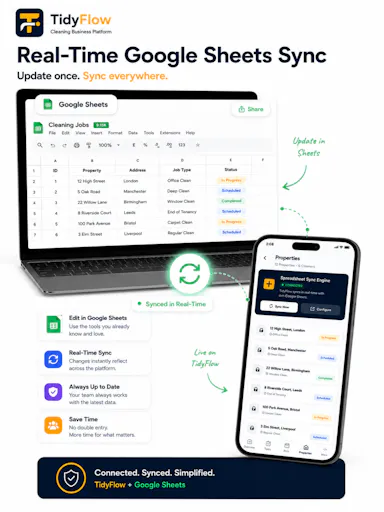
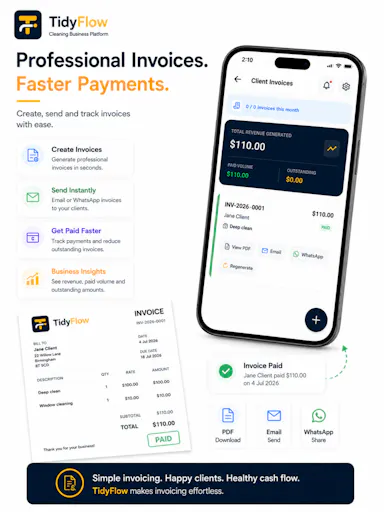
A dispatch, payroll and job-tracking platform built specifically for cleaning companies, with an offline mobile app for field crews and two-way Google Sheets sync.

Works offline
What to know
How it works
An offline iOS and Android field app for cleaning companies covering GPS-verified jobs, two-way Google Sheets sync, AI dispatch, payroll, and client proof of work, in 11 languages.
What's different
Purpose-built for cleaning company operations rather than a general field-service tool.
Best for
Cleaning companies coordinating field crews across jobs and payroll.

Watched for 17 days · last checked 2d ago

Details →

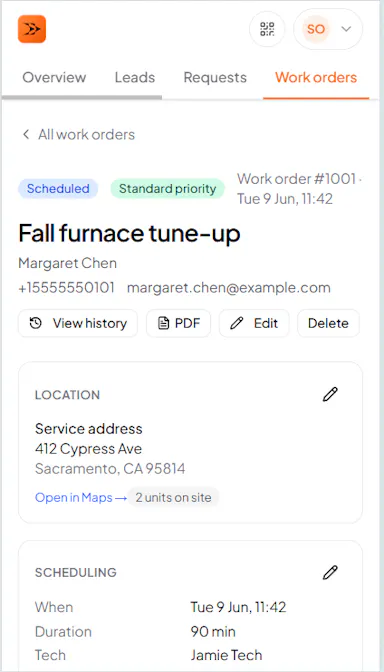
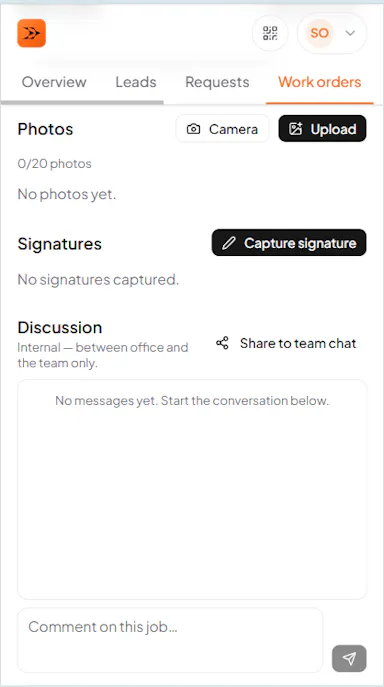
All-in-one HVAC field-service software for work orders, scheduling, dispatch, quotes and invoices that keeps working offline in basements and syncs once back online. Free for a 3-month pilot, not permanently free.

Works offline
What to know
How it works
All-in-one HVAC software for small service shops covering work orders, scheduling, dispatch, quotes, invoices, and customer history; works offline (e.g. in basements) and syncs automatically once back online.
Pricing
3-month free pilot, no card required.
Best for
Small HVAC service teams that need field software that keeps working without signal.

Watched for 18 days · last checked 2d ago

Details →

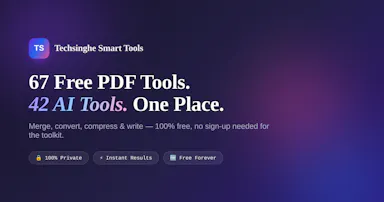
A free bundle of 67 PDF/image tools plus 45 AI tools that all run client-side in the browser, so files never leave your device. No account, no watermarks, works offline once loaded.

FreeNo sign-upWorks offlineData stays with you
What to know
How it works
A bundle of 67 PDF/image tools and 45 AI tools that run 100% client-side in the browser using pdf-lib, pdf.js and JSZip, so files never leave the device.
What's different
Unlike most 'free' PDF tools, processing never touches a server, and it works offline once loaded.
Pricing
Free, no account needed for the core toolkit, no watermarks, no daily caps.
Best for
People who want PDF or image tools without uploading files to a server or hitting usage limits.

Watched for 17 days · last checked 8d ago

Details →

An Austin agency that builds and deploys AI agents, on the open-source OpenClaw framework, for small businesses - a done-for-you service, not self-serve software.

Works offline
What to know
How it works
Builds and deploys AI agents on the open-source OpenClaw framework for small businesses in Austin, TX, handling lead qualification, customer support, and operations automation running inside chat apps like Telegram, WhatsApp, and Slack.
What's different
Agents can run locally on the client's own hardware or cloud, and live inside existing chat apps rather than a new interface.
Best for
Small businesses in the Austin area that want AI agents deployed and managed for them rather than built in-house.
Watch out
This is a done-for-you agency service, not self-serve software.

Watched for 17 days · last checked 8d ago

Details →

Offline ledgers, inventory, billing and POS management in one app for small retail businesses, a general small-business tool rather than one built for a single trade.

Works offline
What to know
How it works
An offline business management app that handles customer ledgers (khata), inventory, sales, billing and reports from a single platform.
Best for
Retailers, sellers and small businesses that want ledger, inventory and POS management in one offline app.

Watched for 17 days · last checked 2d ago

Details →

Logged

Live

A mobile app for solo trade contractors, plumbers, electricians, HVAC techs and roofers, to log a job, send the invoice and get paid in three taps instead of crew-priced tools like Jobber.

FreeWorks offline
What to know
How it works
A native mobile app (iOS and Android) for solo trade contractors to log a job, send an invoice, and collect payment in three taps.
What's different
Mobile-first and priced for a single contractor, unlike crew-priced field-service tools like Jobber, Housecall Pro, or ServiceM8 that cost $50-200+/month.
Pricing
Free tier available.
Best for
Solo plumbers, electricians, HVAC techs, landscapers, cleaners, handymen, painters, roofers, and remodelers.

Watched for 18 days · last checked 11d ago

Details →

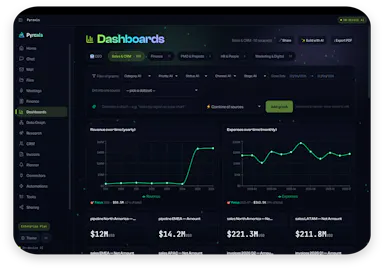
An AI assistant that runs fully offline on your own laptop — no cloud, no data leaving the device — for dashboards, CRM, meeting notes and business finances.

Works offline
What to know
How it works
An AI personal assistant that runs entirely on your own laptop to build dashboards, manage a CRM, summarize meetings, organize finances, and automate repetitive tasks.
What's different
Runs fully on-device with no cloud connection and no data leaving your machine.
Best for
People or small businesses who want AI assistance on sensitive business data without sending it to the cloud.

Watched for 18 days · last checked 9d ago
Details →

One box for every dev utility — runs in your browser

FreeNo sign-upWorks offlineData stays with you

First seen today

Details →

One usage meter for every AI provider you pay for

FreeNo sign-upWorks offlineOpen source

First seen today

Details →

A free, local-first CLI that reads logs already on your machine to estimate spend on AI coding tools like Claude Code and Cursor.

FreeWorks offline
What to know
How it works
A local-first CLI that reads logs already on the machine (no proxy, no traffic in the middle) to estimate spend on AI coding tools like Claude Code, Cursor, and Codex from published model pricing, printing monthly reports and shareable cards.
Pricing
Free; install via 'npx lmspend'. Optional dashboard adds history, budgets, alerts, and team roll-ups.
Best for
Individuals and teams wanting to track AI coding tool costs before the invoice arrives.

Watched for 11 days · last checked today

Details →