Tools for creators — music, video, designWorks offline

22 match your filters — 21 of them answered our check today.

Watching this group for 20 days · how we check

This week6 new arrivals1 stopped answering

A free, browser-based bulk image compressor and format converter that processes files entirely on your device without uploading them to any server.

FreeNothing to installWorks offlineData stays with you
What to know
How it works
compresses and converts images client-side in the browser with no server upload, using lossless optimization
Pricing
completely free
Best for
developers, designers, and creators who need to shrink or convert large batches of images without giving up file privacy

Watched for 7 days · last checked 1d ago

Details →

Turns a single word or image into a full brand identity: palette, name ideas, slogans, fonts, moodboard and brandbook, running free and local in your browser. A branding tool, not a developer API.

FreeNo sign-upWorks offlineData stays with you
What to know
How it works
Enter a word or upload an image and the app generates a full visual identity: color palette, naming ideas, slogans, font pairings, spacing/shadow tokens, animation presets, moodboard, logo prompt and a compact brandbook.
What's different
Runs entirely locally in the browser with no uploads, accounts or API keys required.
Pricing
Free.
Best for
Designers or founders who want a starting brand system from a single word without setting up an account.

Watched for 13 days · last checked 2d ago

Details →

A local-first drawing and note-taking canvas for diagrams, wireframes, study sheets and rough ideas, with layers, brushes and PSD import/export — a one-time $9.99 purchase, no account needed.

No sign-upWorks offlinePay onceNo subscription
What to know
How it works
A cross-platform, local-first canvas for notes, diagrams, study sheets, wireframes and rough ideas, with pressure-sensitive brushes, layers, shapes, text, image transforms, PSD import/export, pan/zoom and keyboard shortcuts.
What's different
Files stay entirely on-device with no account, cloud workspace or subscription required.
Pricing
One-time purchase of $9.99.
Best for
People who want a full-featured drawing/note canvas without a subscription or cloud account.

Watched for 15 days · last checked today

Details →

AVE

Live

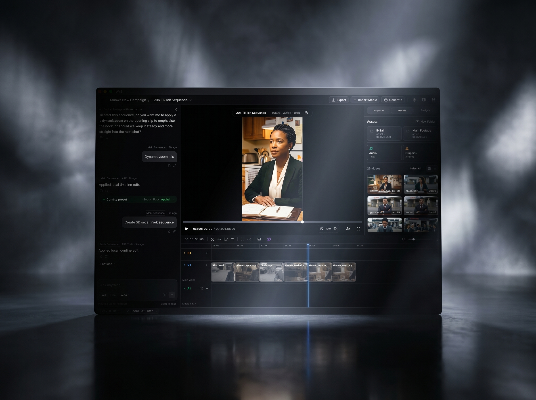
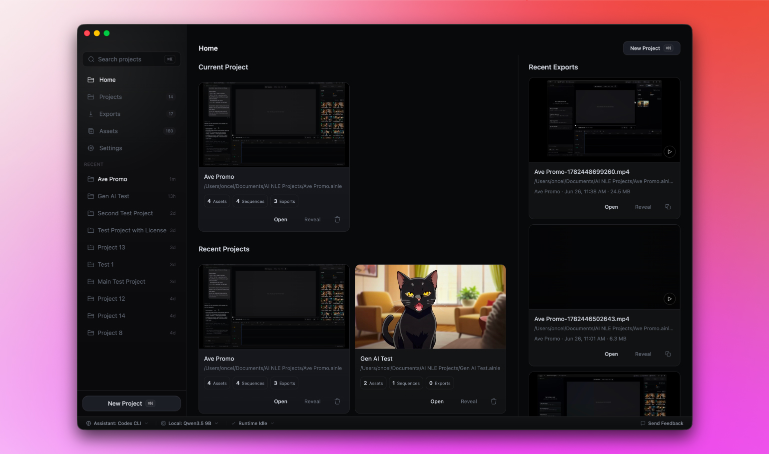
Local-first AI video editor for Mac that searches footage by what's shown or said and assembles it into a timeline.

Domain registered 2 months ago

Works offline
What to know
How it works
Imports footage, analyzes transcripts and visual notes, and lets you search clips by what appears or is said, then assemble them into a timeline.
What's different
Local-first — the project stays on your Mac by default.

Watched for 4 days · last checked today

Details →

Lets streamers get a webcam with real-time eye correction and teleprompter instead of buying expensive hardware webcams.

Works offline
What to know
How it works
Appears as a webcam in Zoom, Meet, Teams, or Discord using your phone camera; everything runs locally with no cloud or accounts.

Watched for 1 day · last checked 1d ago

Details →

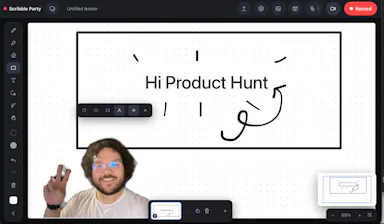
A browser-based whiteboard you can draw on, record yourself over with a live camera bubble, and save straight to your device — nothing uploaded, no account. Built for teachers making lesson recordings, and other creators.

No sign-upNothing to installWorks offline
What to know
How it works
Runs in the browser as an infinite-canvas whiteboard where you draw, place a live camera bubble of yourself with the background cut out, and record the session with your voice; recordings save to your device as you go and it also works offline as an installed app.
What's different
Nothing is ever uploaded and no account or install is required, unlike lesson recorders that require signup and send video to the cloud.
Best for
Teachers making lesson recordings, and other creators who want a local-first whiteboard studio.

Watched for 10 days · last checked 4d ago

Details →

Runs speech and visual AI models locally to auto-generate YouTube chapter timestamps — free, no upload, no signup, built for YouTubers who don't want to type timestamps by hand.

FreeNo sign-upWorks offlineData stays with you
What to know
How it works
You upload a video and it uses Whisper for audio and Moment-DETR for visual analysis to detect natural chapter breaks, then outputs timestamps to paste into a YouTube description.
What's different
Cross-validates chapter breaks using both audio (Whisper) and visual detection, rather than relying on one signal; on a 68-minute test video it got 18 of 19 chapters correct.
Pricing
Free, no signup.
Best for
YouTubers who don't want to manually type out chapter timestamps.
Watch out
The 18/19 accuracy figure comes from a single 68-minute test video, not a broad benchmark.

Watched for 13 days · last checked 7d ago

Details →

An iPhone app that expands and rewrites rough notes using on-device AI, with no account, tracking or server processing. For private note-taking, not a work-team tool.

No sign-upWorks offlineNo tracking
What to know
How it works
An on-device AI on iPhone that expands, reframes and rewrites rough notes into clearer ideas, with no account, tracking or server-side processing — everything stays on the device.
What's different
Draft processing happens entirely on-device rather than being sent to a server.
Best for
People capturing and refining private ideas or notes on iPhone who want them to stay off the cloud.

Watched for 12 days · last checked 6d ago

Details →

A free, open-source desktop app for AI character chat, roleplay and long-form writing, where your data stays in a local database even with a cloud AI backend.

FreeWorks offlineOpen source
What to know
How it works
A desktop AI workspace for character chat, multi-character roleplay, and long-form writing with RAG, LoreBooks, and MCP tools and plugins; you bring your own backend, such as OpenAI-compatible APIs, OpenRouter, LM Studio, Ollama, or KoboldCpp, while chats, characters, projects, and knowledge are stored in a local SQLite database.
What's different
Keeps your data in a local database even when you connect a cloud AI backend, and is free and open source.
Pricing
Free and open source.
Best for
Writers and roleplayers who want to choose their own AI backend while keeping their data local. Native builds are available for macOS, Windows, and Linux.

Watched for 14 days · last checked 2d ago

Details →

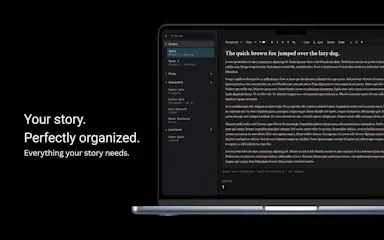
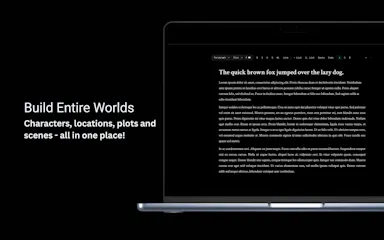
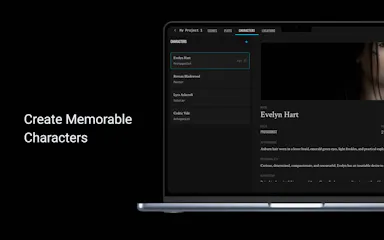
A structured writing workspace for authors to organize characters, plots, locations and scenes across a novel, screenplay or story universe, usable online or offline. Built for fiction writers, not general business use.

Domain registered 14 months ago

Works offline
What to know
How it works
A writing workspace where characters, plots, locations, and scenes are connected in one workspace, usable online or offline.
What's different
Built specifically for structuring fiction — novels, screenplays, or complex story universes — rather than general note-taking.
Best for
Fiction writers planning novels, screenplays, or visual novels who want their worldbuilding organized in one place.

Watched for 14 days · last checked 8d ago

Details →

A free, open-source, local-only app for filmmakers to organize reference frames and moodboards, with on-device AI search — no cloud subscription needed.

FreeWorks offlineData stays with youOpen source
What to know
How it works
A local-only app for filmmakers to organize reference frames, moodboards and production assets, with lightweight on-device AI for natural language search and instant moodboard creation.
What's different
Keeps the entire visual library local instead of requiring a paid cloud subscription.
Pricing
100% free and open-source.
Best for
Filmmakers who want to keep reference and moodboard assets private and local rather than in a cloud subscription tool.

Watched for 15 days · last checked 9d ago

Details →

A local, single-HTML-file tool that analyzes your own past Threads post performance to suggest better posts.

FreeNothing to installWorks offlineData stays with you
What to know
How it works
Reads a local folder via File System Access API and analyzes your actual views/likes/comments
What's different
Your data never uploads; no install or subscription
Pricing
free, bring your own Gemini or OpenRouter API key

Watched for 4 days · last checked 3d ago

Details →

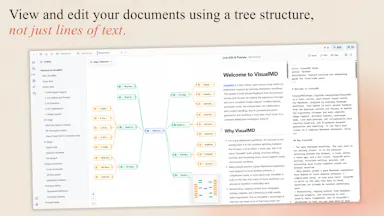
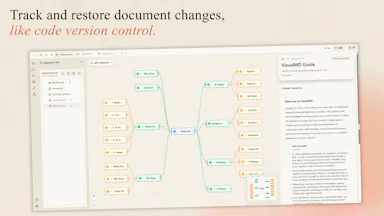
Turns your Markdown files into a visual workspace with outlines and mind maps while keeping the underlying files as plain Markdown — for developers, writers and creators.

Works offlineOpen source
What to know
How it works
Adds a visual layer, outlines, mind maps, multiple views, on top of Markdown files while keeping the underlying files as plain Markdown, combined with AI-assisted writing and Git-based version history.
What's different
Open-source, local-first, and runs in the browser, keeping files as native Markdown rather than locking content into a proprietary format.
Best for
Developers, writers, and creators who want to navigate long Markdown documents visually without leaving the Markdown format.

Watched for 13 days · last checked 2d ago

Details →

An offline Windows app bundling 30+ AI media tools — upscaling, restoration, object removal, audio separation — for photo, video and audio editing, starting at ₹999/year.

Works offline
What to know
How it works
A Windows desktop app bundling 30+ AI media tools for upscaling, restoration, object removal and audio separation, running entirely offline.
What's different
Runs 100% offline rather than processing media in the cloud.
Pricing
Starting ₹999/year.
Best for
Windows users who want offline AI photo, video and audio editing tools without cloud processing.

Watched for 16 days · last checked 2d ago

Details →

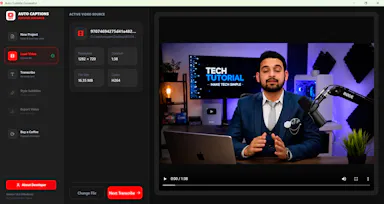
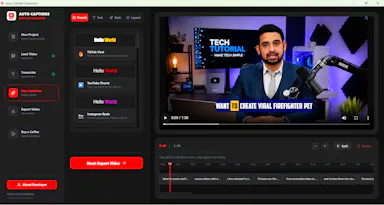
A free, open-source Windows app that auto-generates styled subtitles for your videos using offline Whisper or the cloud Groq API — aimed at YouTube Shorts, TikTok and Reels creators, not developers.

FreeWorks offlineOpen sourceCan export my data
What to know
How it works
A Windows desktop app that automatically transcribes videos into word-level subtitles using either offline OpenAI Whisper or the cloud-based Groq API, then burns captions into the video or exports as SRT/VTT.
What's different
Free and open-source, with styling presets built for YouTube Shorts, TikTok, and Instagram Reels formats.
Pricing
Free.
Best for
YouTube Shorts, TikTok, and Instagram Reels creators who need styled captions on their videos.
Watch out
Windows-only desktop app; cloud transcription option (Groq) requires sending video data off-device, unlike the offline Whisper option.

Watched for 17 days · last checked 2d ago

Details →

Book-writing and typesetting software for authors that works fully offline, then exports press-ready PDF, EPUB and DOCX files when you're done.

Works offlineCan export my data
What to know
How it works
Book-writing and typesetting software that runs offline: plan, write and typeset a book, then export it as press-ready PDF, EPUB, and DOCX.
What's different
Works fully offline rather than requiring a cloud connection, and handles typesetting as well as writing.
Best for
Authors who want to plan, write and typeset a full book without relying on the cloud.

Watched for 17 days · last checked 2d ago

Details →

Lastcard

Not responding

A macOS app that copies camera cards to multiple drives after a shoot and verifies every byte, then produces a DIT report producers accept. Built for working filmmakers on paid jobs, not general students.

Domain registered 19 days ago

Works offlinePay onceNo subscription
What to know
How it works
A macOS app for offloading camera cards after a shoot: copies cards to several drives at once and verifies every byte by reading back from disk rather than RAM, then produces a DIT report (ASC MHL 2.0, PDF or CSV) that producers accept.
What's different
One-time price in a niche where the market leader charges a subscription, with real byte-for-byte verification rather than a plain copy.
Pricing
One-time purchase, no subscription; works fully offline; requires macOS 12+; 14-day trial.
Best for
Filmmakers, videographers, photographers and DITs offloading camera cards on paid jobs.

Watched for 10 days · last checked today

Details →

A local-first SQLite manager and CLI for inspecting, editing and exporting SQLite files without a cloud platform, built for developers working with local databases and prototypes.

Works offlineCan export my data
What to know
How it works
A local-first SQLite manager and CLI for inspecting, editing, documenting, visualizing, and exporting SQLite files stored on your machine.
What's different
Runs entirely locally instead of forcing users onto a cloud platform or into a heavyweight enterprise database client.
Best for
Developers and researchers working directly with SQLite files as products, datasets, or prototypes.

Watched for 15 days · last checked today

Details →

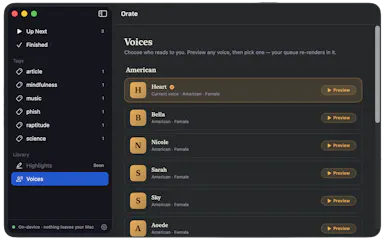
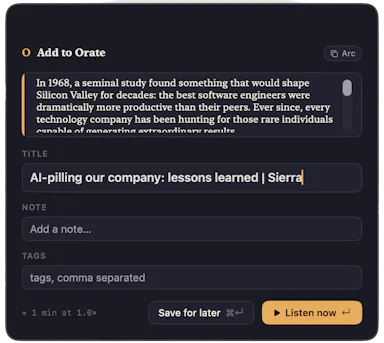
Select text anywhere on your Mac and it reads it aloud in a natural voice, queued like a podcast, with on-device text-to-speech.

No sign-upWorks offlinePay onceNo subscription
What to know
How it works
hotkey reads selected text aloud, queued for later listening
What's different
TTS runs fully on-device, offline, no account
Pricing
$4.99 one-time, 14-day trial

Watched for 6 days · last checked today

Details →

Yotsu

Live

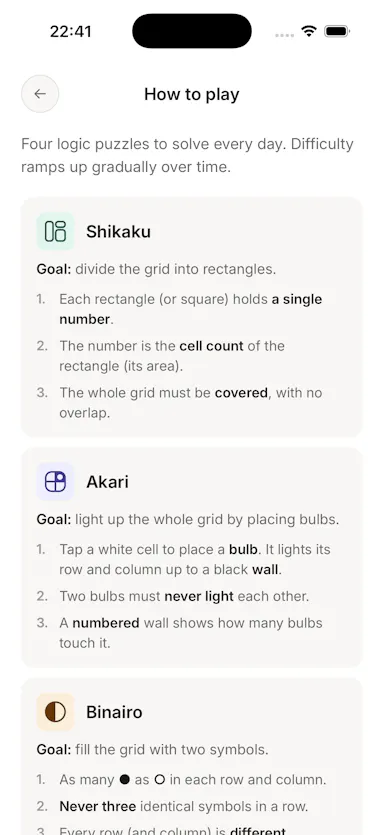
Four daily logic puzzles (Shikaku, Akari, Binairo, Sudoku) with no ads, account or tracking, works offline.

No sign-upWorks offlineData stays with youNo ads
What to know
How it works
Delivers four daily logic puzzles — Shikaku, Akari, Binairo, and Sudoku — and nothing else.
What's different
No ads, no account, no streak manipulation; works fully offline.
Pricing
Free.

Watched for 3 days · last checked 2d ago

Details →

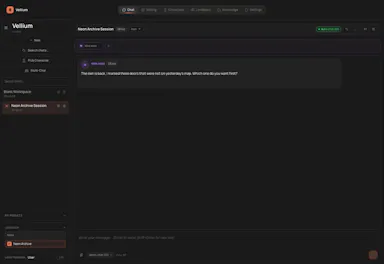
Turns your Android phone into a self-hosted MCP server so AI assistants like Claude, Cursor or Perplexity can pull your personal memory without sending data to the cloud. Aimed at developers already using MCP-compatible tools.

Works offlineData stays with youOpen sourceNo subscription
What to know
How it works
Turns an Android phone into a self-hosted MCP (Model Context Protocol) server by installing a Python MCP server inside Termux, with a secure tunnel giving the phone a stable public HTTPS URL that AI clients like Claude, Cursor or Perplexity can connect to for persistent memory.
What's different
Data is stored locally on the user's own phone instead of a vendor's cloud, with no subscription or vendor lock-in.
Pricing
No subscription.
Best for
Developers already using MCP-compatible AI tools who want to own their memory data instead of storing it in the cloud.
Watch out
Relies on a relay tunnel (relay.memplato.com) and requires Termux running on the phone, with a watchdog to restart the server if the phone reboots or Termux closes.

Watched for 10 days · last checked 4d ago

Details →

A native Windows overlay app that combines clipboard history, encrypted clips, and other utilities in one hotkey-accessible tool, aimed at power users who want to stop juggling separate apps.

FreeNo sign-upWorks offlineNo tracking
What to know
How it works
A native Windows overlay app that bundles five tools into one hotkey-accessible panel: clipboard history search, text-expansion snippets, screen capture with OCR, and others.
What's different
Combines multiple utilities (clipboard manager, text expander, screen capture) into one unified overlay instead of running them as separate apps.
Pricing
Free.
Best for
Windows power users who currently juggle separate clipboard, snippet, and screenshot tools.
Watch out
Runs locally with no cloud sync — clips stay on one machine unless the app supports cross-device sync elsewhere.

Watched for 18 days · last checked 2d ago

Details →