Filter by what founders actually say

We read 638 product pages ourselves and only recorded a claim when the page said it in its own words, with the sentence quoted. This is a small, growing slice of the full catalog, not a replacement for it.

Clear all filters

5 products match every selected criterion

PAI

Live

An early-stage project framing itself as a foundational layer for personal LLM-based computing, with no concrete features described in available text.

Watched for 27 days · last checked 12d ago

Details →

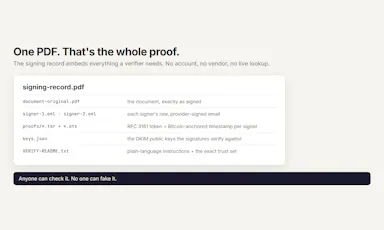
Lets you e-sign a document by forwarding it via email, using your provider's DKIM signature as proof instead of a signing company; open source, self-hosted or hosted, pay-per-document.

No sign-upWorks offlineOpen sourceNo subscription
What to know
How it works
Forward a document to the service and type 'I sign this document' — your email provider's existing DKIM signature becomes the proof of signing, bundled into one self-contained file anyone can verify offline in a browser.
What's different
No third-party signing company is trusted with the signature — the proof relies entirely on infrastructure (DKIM) that already exists and would still verify even if this service disappeared.
Pricing
4 free signatures, then $0.25 per document, no subscription. Open source (Apache-2.0) — self-host or use the hosted version.
Best for
People who need a lightweight, verifiable e-signature for occasional documents without paying for a full e-signature platform subscription.
Watch out
The provider states it never holds a signing key and can't forge or alter documents — that's the product's own security claim, not independently audited.

Watched for 27 days · last checked 12d ago

Details →

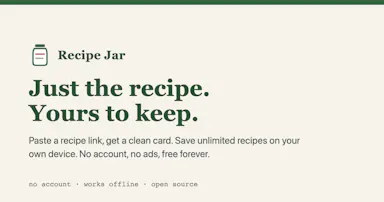
Paste a recipe link and get a clean, ad-free ingredient-and-steps card saved locally in your browser, not on a server; open source, works offline, no account needed.

No sign-upWorks offlineOpen sourceNo ads
What to know
How it works
Paste a recipe link and it strips out everything but the ingredients and steps, saved locally in your browser rather than on a server, with a cook mode that includes step timers.
What's different
Recipes are stored in your browser, not a server — open source (MIT) and works offline.
Pricing
Free, no account, no ads.
Best for
Anyone who wants a clean, ad-free recipe card without scrolling through a blog post to reach the ingredient list.
Watch out
Since recipes are saved in your browser rather than the cloud, they won't sync across devices — the page doesn't mention a sync or export option.

Watched for 27 days · last checked 2d ago
Details →

A local gateway that lets every AI coding client share one set of MCP server connections instead of configuring each tool separately, cutting how many tools your agent has to load.

FreeNo sign-upWorks offlineOpen source
What to know
How it works
A local-first, open-source gateway. You set up and authenticate each MCP server once, and every connected AI client — Claude, Cursor, VS Code, Codex — shares that same connection instead of you configuring it per tool.
What's different
Claims up to 91% less tool-token overhead by giving an agent a handful of meta-tools instead of loading hundreds of individual tool definitions; API keys stay in the OS keychain.
Pricing
Free, open source, no sign-up.
Best for
Developers running multiple AI coding clients against the same set of MCP servers who don't want to re-authenticate each one separately.
Watch out
The '91% overhead cut' figure is the product's own claim; we haven't independently benchmarked it.

Watched for 29 days · last checked 1d ago

Details →

Dim0

Live

An open-source infinite canvas that combines notes, diagrams and an AI agent that writes results directly onto the board — built to replace juggling Notion, Excalidraw and a chat window.

Open sourceSelf-hosted
What to know
How it works
An open-source, real-time collaborative canvas. Notes, hand-drawn diagrams and interactive mini-apps live as nodes on one board; an AI agent reads the board, searches the web, and writes results back as new nodes instead of a chat reply.
What's different
Replaces switching between Notion for notes, Excalidraw for diagrams and a separate AI chat window — everything, including the agent's output, lands on the same canvas.
Best for
Teams and individuals who think visually and want an AI agent's output to live alongside their own notes and diagrams, not in a separate chat log.

Watched for 29 days · last checked 1d ago

Details →