Filter by what founders actually say

We read 360 product pages ourselves and only recorded a claim when the page said it in its own words — no guessing. This is a small, growing slice of the full catalog, not a replacement for it.

25 products match all selected filters

A free flashcard and quiz app using spaced repetition to teach Kubernetes, AI/LLMs, DevOps, and security, with guided certification paths.

Free
What to know
How it works
Uses spaced repetition (SM-2 or FSRS) across 3,000+ flashcards and quizzes in 38 decks covering Kubernetes, AI/LLMs, DevOps, and security, with guided paths toward certifications.
Pricing
Completely free, zero sign-up.
Best for
People studying for certifications like CKA, AWS, or Terraform Associate.

Watched for 26 days · last checked 10d ago

Details →

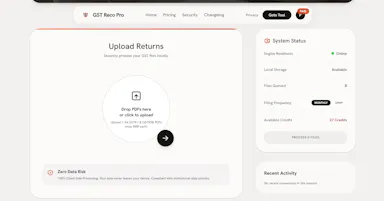
Converts GSTR-1 and GSTR-3B tax PDFs into structured Excel sheets entirely in-browser, so client tax data never leaves the accountant's machine. Built specifically for Indian CAs and tax professionals.

Data stays with you
What to know
How it works
Converts GSTR-1 and GSTR-3B tax PDFs into structured Excel sheets, processing everything client-side in the browser so no data is uploaded to a server.
What's different
100% client-side processing means sensitive client tax data never leaves the accountant's computer.
Best for
Indian CAs and tax professionals who need to bulk-extract GSTR PDF tables into Excel without exposing client data.

Watched for 26 days · last checked 10d ago

Details →

A free suite of browser-based developer tools, JSON formatter, regex tester, cron builder, a WCAG accessibility checker, that runs client-side with no signup, ads, or data sent to a server.

FreeNo sign-upData stays with youNo ads
What to know
How it works
A small suite of browser-based dev tools — JSON formatter, regex tester, cron builder, WCAG contrast checker, and API request tester — that run entirely client-side.
What's different
No accounts, no ads, and no data sent to a server, unlike bookmarked dev-tool sites that get slower and ad-heavier over time.
Pricing
Free.
Best for
Developers who want quick utility tools without signing up or sending data to a server.

Watched for 26 days · last checked 10d ago

Details →

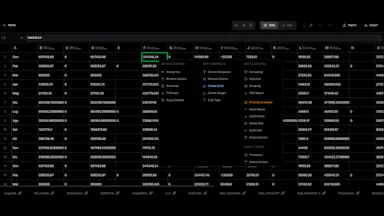
Turns Excel and SQL data into interactive dashboards with AI forecasting, Monte Carlo simulations and Sankey diagrams; processing happens in your browser instead of on a server.

Data stays with you
What to know
How it works
Turns Excel and SQL data into interactive dashboards, with AI-powered forecasting, Monte Carlo scenario modeling, and Sankey diagrams.
What's different
Processing happens in your browser instead of a server, which the product frames as bank-grade privacy.
Best for
People who want to turn spreadsheet or SQL data into dashboards without sending it to an external server.

Watched for 26 days · last checked 10d ago

Details →

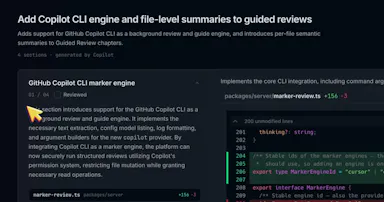
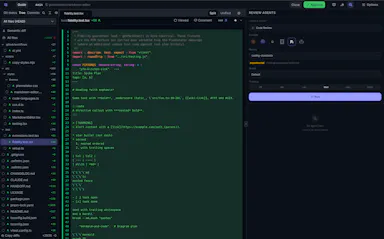
A free, open-source local diff viewer for reviewing AI-agent-written code across git, jj, Perforce and GitHub/GitLab PRs, with optional AI-assisted review - for developers.

FreeOpen sourceSelf-hosted
What to know
How it works
A local diff viewer for reviewing AI-agent-written code, supporting git, jj, Perforce, and GitHub/GitLab pull requests. You annotate lines and files, and those notes feed back into your agent session. An optional AI layer adds inline Q&A, guided reviews and launchable review agents.
What's different
Notes feed directly back into the coding agent's session rather than staying siloed in the review tool.
Pricing
Free, MIT / Apache-2.0 licensed, runs on your machine.
Best for
Developers reviewing large volumes of AI-agent-generated code across multiple version control systems.

Watched for 26 days · last checked 11d ago

Details →

A free browser-based OCR tool that makes scanned PDFs searchable and can translate the extracted text, with all processing done client-side so nothing is uploaded.

FreeWorks offlineData stays with you
What to know
How it works
Makes scanned PDFs searchable using OCR and can translate the extracted text, with all processing done client-side in the browser.
What's different
No upload required — files never leave the browser, with no size limit.
Pricing
Free.
Best for
Anyone needing to make scanned documents searchable or translated without uploading them to a server.

Watched for 26 days · last checked 16d ago

Details →

Split the bills, not the friendships

What to know
How it works
Scan a receipt and AI reads every item; claiming then goes turn-based as you pass the phone around the table, tapping what you had and splitting shared plates, with tips, per-item US tax, and multiple currencies handled automatically before sending a share card with a tap-to-pay link.
Best for
Groups splitting a restaurant bill who want everyone to pay only for what they ate.

Watched for 26 days · last checked 11d ago
Details →

A budgeting app that deliberately skips bank-sync automation — you log expenses by hand, which the maker argues builds more financial awareness than auto-tracked apps.

Data stays with you
What to know
How it works
You manually record each expense rather than connecting your bank, combined with insights, budgets, and forecasting.
What's different
Deliberately skips bank-sync automation, on the premise that financial awareness beats financial automation.
Best for
People who want to build spending awareness through manual logging rather than automated bank tracking.

Watched for 26 days · last checked 11d ago

Details →

Free offline name generator for random names, band names, and song titles that needs no account.

FreeNo sign-upWorks offline
What to know
How it works
Generates and lets you favorite names locally, working offline with no account or cloud connection.
Best for
Anyone wanting quick random names without signing up.

Watched for 26 days · last checked 11d ago

Details →

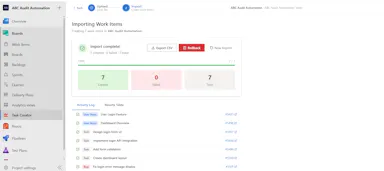
Bulk-imports work items into Azure Boards from an Excel file, with row-level preview and editing, instead of creating each item by hand for a new sprint or backlog migration.

What to know
How it works
Bulk-imports work items into Azure Boards directly from an Excel spreadsheet, with a rich inline editor to preview and edit rows before importing, without leaving Azure DevOps.
What's different
Replaces creating dozens or hundreds of work items by hand when setting up a sprint, migrating a backlog, or onboarding a project.
Best for
Teams setting up a new sprint, migrating a backlog, or onboarding a project in Azure Boards.

Watched for 26 days · last checked 11d ago

Details →

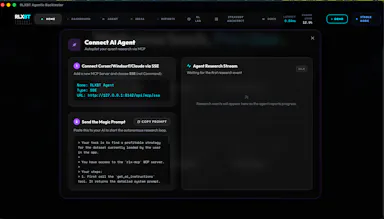
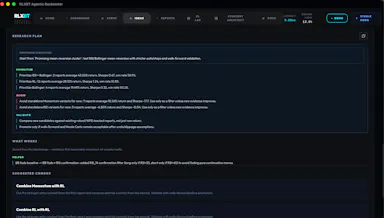
A native macOS app with a Rust backtesting engine for trading strategies, built to be driven by AI coding agents like Claude or Cursor over MCP.

What to know
How it works
A native macOS app with a Rust backtesting engine that connects to Claude, Cursor, or any MCP-compatible agent, letting the agent design, backtest, optimize, and stress-test trading strategies locally.
What's different
Combines a high-performance Rust engine with reinforcement-learning workflows and an AI-native interface built for autonomous agents to iterate on strategies in real time, unlike traditional backtesting tools.
Pricing
Free tier included; Pro unlocks unlimited research.
Best for
Quantitative researchers who want to drive strategy backtesting through an AI coding agent on macOS.

Watched for 26 days · last checked 11d ago

Details →

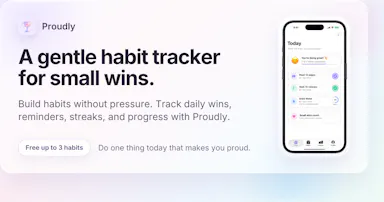
A simple daily habit tracker with streaks and reminders, built around gentle encouragement rather than guilt or gamified pressure.

What to know
How it works
A daily habit tracker for building streaks with reminders, focused on celebrating small wins.
What's different
Frames itself around gentle encouragement rather than guilt or gamified pressure.

Watched for 26 days · last checked 11d ago

Details →

A free set of 17+ client-side developer utilities (JSON/XML/YAML/SQL formatters, regex tester, JWT decoder, hash generator) that run entirely in the browser with nothing sent to a server.

FreeNo sign-upNothing to installData stays with you
What to know
How it works
Provides 17+ browser-based developer tools, JSON/XML/YAML/SQL formatters, a regex tester, a JWT decoder, a hash generator and more, all running client-side so nothing pasted is uploaded or logged.
Pricing
No signup, no rate limits on the core tools.
Best for
Developers who want quick formatting/decoding tools without an account or sending data to a server.

Watched for 26 days · last checked 11d ago

Details →

Allot

Live

An envelope-style budget tracker that imports bank statements and categorizes spending entirely in your browser, for a one-time payment with no subscription and no data upload.

Data stays with youPay onceNo subscription
What to know
How it works
An envelope-style budget tracker that imports bank statements, auto-categorizes spending, and tracks recurring bills, storing everything in the browser.
Pricing
One-time payment, no subscription.

Watched for 26 days · last checked 11d ago

Details →

IAXT

Live

A free macOS menu-bar app that logs everything your AI coding agent (Claude Code, Cursor, Aider, Codex) did in a session, entirely local with no account or cloud.

FreeNo sign-upWorks offline
What to know
How it works
A menu-bar app that passively records what AI coding agents like Claude Code, Cursor, Aider and Codex do on your Mac, every command, file touched, package installed, git operation, and launch agent, then presents it in an Action Log with confidence and severity tiers per agent, with any row copyable as context for another LLM.
Pricing
Free.
Best for
Developers using AI coding agents who want a record of exactly what those agents changed on their machine.

Watched for 26 days · last checked today

Details →

A browser-based wiring planner for hand-soldered perfboards that checks your layout against a rule checker implemented separately in JS and Python and cross-verified in CI, catching shorts, backwards parts, and missing connections before soldering.

FreeNothing to install
What to know
How it works
Drag parts onto a canvas to match your real perfboard while a dual-implemented, CI-verified rule checker flags shorts, backwards parts, and missing connections.
Pricing
Free, single HTML file, no install.

Watched for 26 days · last checked 11d ago

Details →

Hovor

Live

Voice dictation for Mac and iPhone that runs fully on-device so your voice never leaves your hardware, with multilingual support and a lifetime-purchase option instead of a subscription.

Works offlineData stays with youNo subscription
What to know
How it works
Hold a hotkey, speak, and structured text lands where your cursor is in any app on Mac and iPhone, using on-device models that fix punctuation and structure and support multilingual speech, a personal dictionary, snippets and workflows.
What's different
On-device processing means your voice never leaves your hardware.
Pricing
Free tier included, plus lifetime unlocks instead of a forced subscription.
Best for
Mac and iPhone users who want private, offline voice dictation across apps.

Watched for 26 days · last checked 11d ago

Details →

Offline, peer-to-peer voice chat that needs no internet or cell signal — useful anywhere it's loud or dead, like flights and festivals, not restaurant-specific.

1 rating on the App Store

Works offline
What to know
How it works
Maintains a voice chat with your group entirely offline and peer-to-peer, with no internet or access point required.
Best for
People needing to stay in touch in loud or disconnected settings like flights or festivals.

Watched for 26 days · last checked 11d ago

Details →

Munra

Live

A private, offline journal for iOS with on-device encryption, mood check-ins, and an optional AI companion powered by your own API key, every feature is free.

FreeNo sign-upWorks offlineNo subscription
What to know
How it works
A private, offline-first journal for iOS with entries encrypted on-device only, a daily mood check-in, speech-to-text, writing streaks, and an optional AI companion that uses your own API key.
What's different
No account, no cloud sync and no subscription — the optional AI companion runs on your own API key rather than the app's backend.
Pricing
Every feature is free.
Best for
People who want to journal privately without their entries leaving their device or going through a subscription service.

Watched for 26 days · last checked 11d ago

Details →

An open-source Chrome extension that lets an AI agent read and act on the page you're viewing, using whatever model you plug in, with API keys kept local and no telemetry.

No sign-upOpen sourceNo tracking
What to know
How it works
An open-source Chrome extension where an AI agent reads and acts on the page you're viewing, using any model you plug in — OpenRouter, OpenAI, Claude, Gemini, Groq, or a local model.
What's different
Model-agnostic and keeps API keys local in the browser rather than sending them through a vendor's servers.
Pricing
MIT license, no account required.
Best for
Developers who want a browser agent they can point at any LLM provider, including local models, without vendor lock-in.

Watched for 26 days · last checked 11d ago

Details →

Turns your own notes, or Reddit posts, YouTube links, and Instagram reels, into a day-by-day travel itinerary with hotel-to-hotel directions, either AI-assisted from your preferences or built directly from content you drop in, free to use.

Free
What to know
How it works
Builds a full itinerary from AI-generated preferences, or by importing your notes, YouTube links, Reddit posts, or Instagram reels into a day-by-day plan with directions between stops.
Pricing
Free.

Watched for 26 days · last checked 11d ago

Details →

PAI

Live

An early-stage project framing itself as a foundational layer for personal LLM-based computing, with no concrete features described in available text.

Watched for 26 days · last checked 11d ago

Details →

A free, no-account, no-cloud plain-text task manager for macOS built around the todo.txt format, for people who already keep their to-dos in a text file.

FreeNo sign-upWorks offline
What to know
How it works
A native macOS app built around the plain-text todo.txt format, with keyboard shortcuts for everything and no cloud sync.
What's different
For people who already keep tasks in a .txt file — it's built to be faster than editing that file by hand, not to replace it with a database.
Pricing
Free.
Best for
macOS users who manage tasks in a plain text file and want a faster native interface for the same format.

Watched for 26 days · last checked 11d ago

Details →

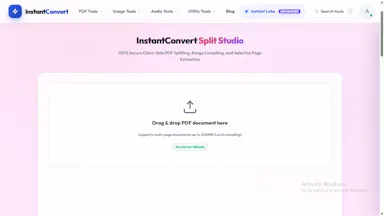
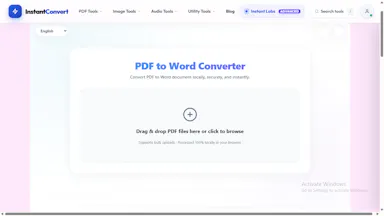
A free collection of browser-based PDF and utility tools that process everything locally so files never leave your device — a mix of general and developer tools.

FreeNo sign-upNothing to installData stays with you
What to know
How it works
A set of browser-based PDF and utility tools — merge, split, convert, plus general developer tools — that process files entirely client-side, so nothing uploads to a server.
What's different
100% local processing is the stated privacy angle: files never leave your device, unlike server-side PDF tools.
Pricing
Free, no registration.
Best for
Anyone who needs quick PDF merging/splitting/converting without creating an account or uploading files to a third party.

Watched for 28 days · last checked 11d ago

Details →

A local gateway that lets every AI coding client share one set of MCP server connections instead of configuring each tool separately, cutting how many tools your agent has to load.

FreeNo sign-upWorks offlineOpen source
What to know
How it works
A local-first, open-source gateway. You set up and authenticate each MCP server once, and every connected AI client — Claude, Cursor, VS Code, Codex — shares that same connection instead of you configuring it per tool.
What's different
Claims up to 91% less tool-token overhead by giving an agent a handful of meta-tools instead of loading hundreds of individual tool definitions; API keys stay in the OS keychain.
Pricing
Free, open source, no sign-up.
Best for
Developers running multiple AI coding clients against the same set of MCP servers who don't want to re-authenticate each one separately.
Watch out
The '91% overhead cut' figure is the product's own claim; we haven't independently benchmarked it.

Watched for 28 days · last checked today

Details →