Filter by what founders actually say

We read 21727 product pages ourselves and only recorded a claim when the page said it in its own words, with the sentence quoted. This is a small, growing slice of the full catalog, not a replacement for it.

105 contact criteria (public email, LinkedIn, country, registered company) are only available to signed-in members.

Clear all filters

24 products match every selected criterion

A Windows desktop app for running and managing multiple Claude Code and Codex coding agents in parallel, crash-safe with a conductor agent.

Domain registered 28 days ago

Free
What to know
How it works
A Windows desktop app for running and managing multiple Claude Code and Codex agents in parallel, with a conductor agent coordinating them; it's crash-safe and restores sessions after every reboot.
Pricing
Free for up to 3 agents; Pro is €5/month.
Best for
Developers running several AI coding agents at once who need a UI to manage and recover them.

Watched for 24 days · last checked 13d ago

Details →

A floating always-on-top Windows window that runs Claude Code with screen awareness, so developers can ask about what's on screen and have it edit files or run commands.

Open source
What to know
How it works
A frameless, always-on-top Windows chat window for Claude Code, summoned by hotkey, that captures and reads your monitors before answering, then can edit files and run commands using your own Claude Code subscription.
What's different
Runs the full Claude Code agent on your existing subscription rather than requiring a separate API key, and has screen awareness rather than just chat.
Pricing
Open source (MIT).
Best for
Developers on Windows who want a floating Claude Code assistant that can see their screen while they work.

Watched for 24 days · last checked 18d ago

Details →

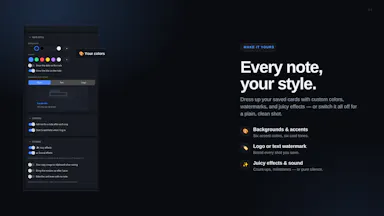
A macOS app to help you notice and resist reflexively reaching for AI tools before trying to solve a problem yourself, a habit and focus tool, not an AI blocker.

Free
What to know
How it works
A macOS app that inserts a moment of reflection before you open an AI tool like ChatGPT or Claude, prompting you to think about what you've already tried, and locally tracks how often you reach for AI versus solve things yourself.
What's different
Encourages more deliberate AI use rather than blocking AI apps outright.
Pricing
Free.
Best for
People who notice themselves reflexively reaching for AI before attempting a problem and want to rebuild the habit of trying first.

Watched for 29 days · last checked 13d ago

Details →

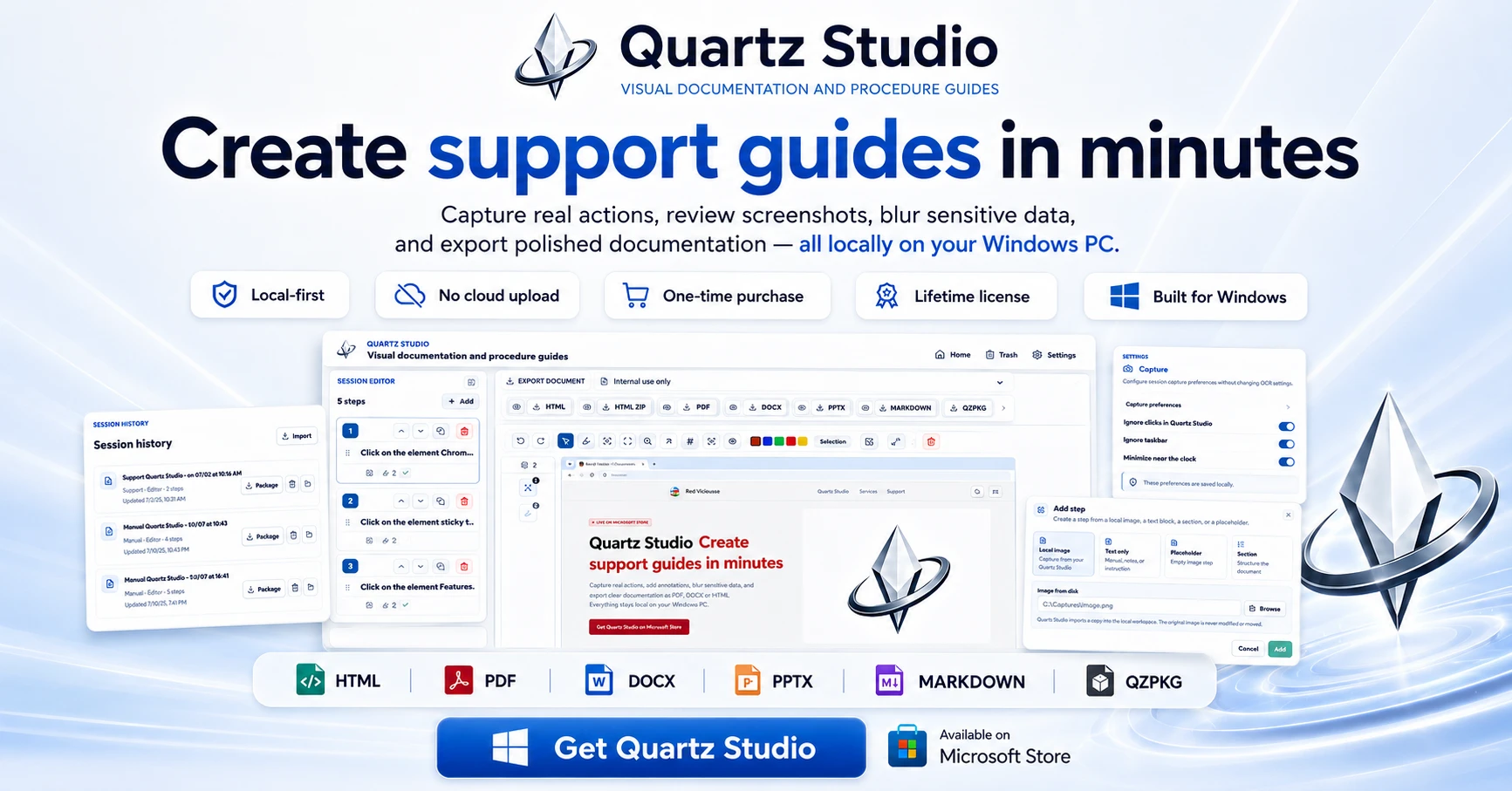
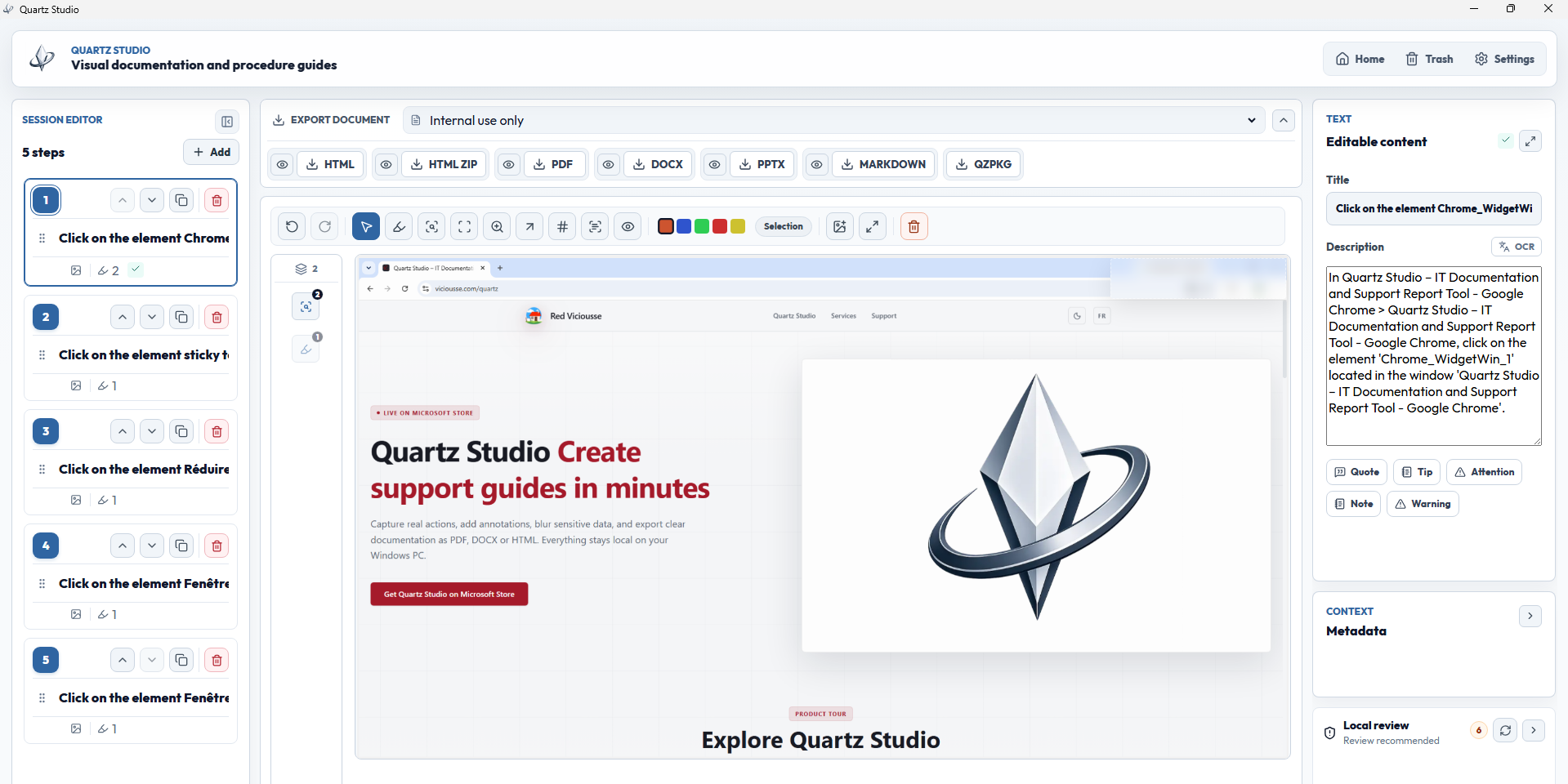
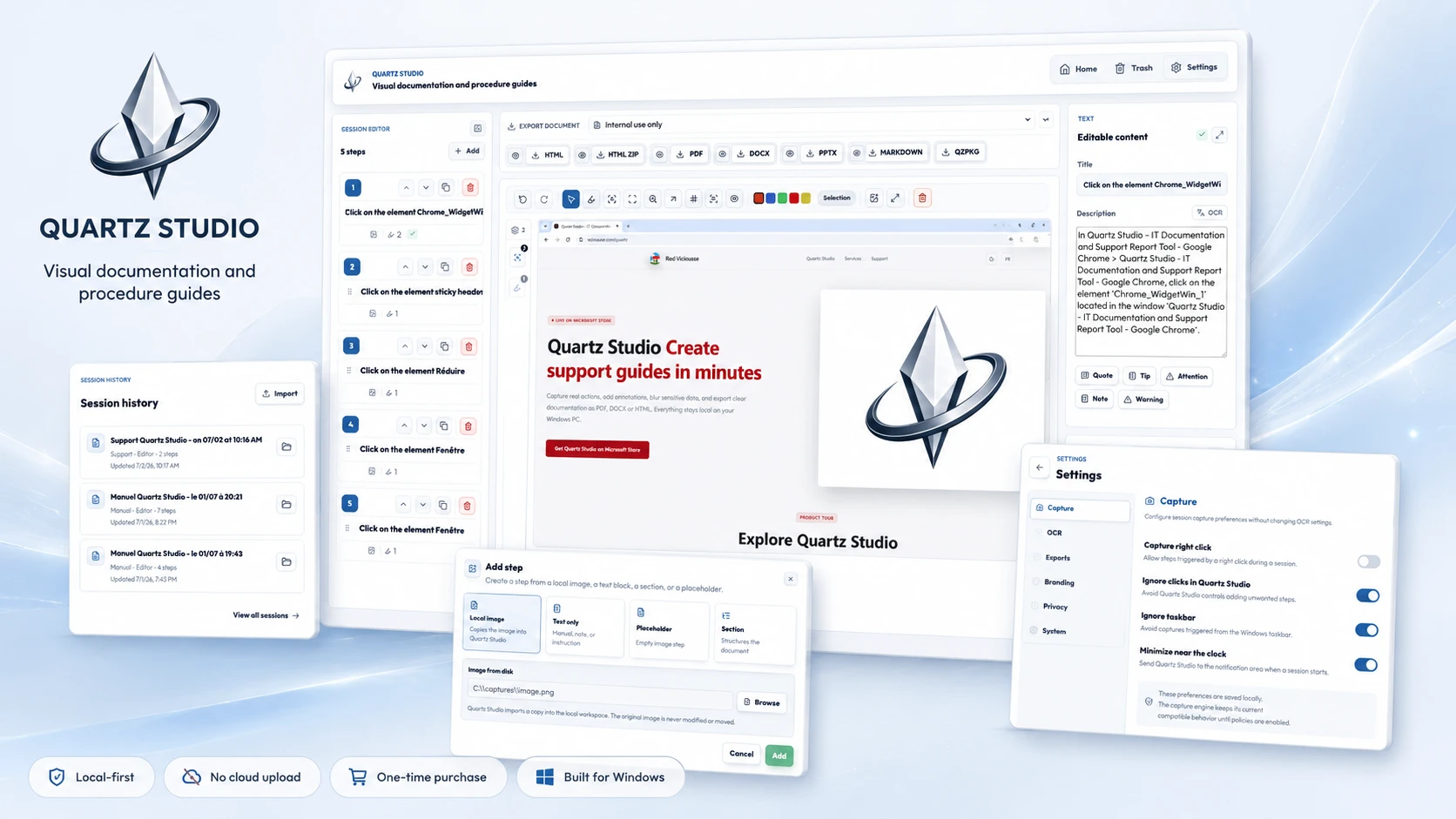
A Windows app that turns real screen actions into annotated step-by-step guides with local OCR and no cloud upload, aimed at IT support, helpdesk and training teams.

Works offlineNo subscriptionCan export my data
What to know
How it works
A local-first Windows app for turning real desktop actions into professional visual guides: it captures clicks and active windows with consent, offers a structured editor, annotations, blur, and local OCR, and exports to PDF, DOCX, HTML, PowerPoint, or Markdown.
What's different
Keeps screenshots, OCR, and documents entirely local on the user's PC, with no SaaS account and no keystroke logging, unlike cloud-based alternatives.
Pricing
Available on Microsoft Store with a one-time lifetime license.
Best for
IT support, helpdesk, QA, operations, and training teams that need step-by-step documentation from real desktop actions.

Watched for 29 days · last checked 4d ago

Details →

Local markdown note-taking app that stores notes as plain .md files on disk for people who want to own their data, instead of a cloud-locked notes app.

Works offline
What to know
How it works
Stores notes as plain text .md files directly on disk; you choose your own sync method or stay fully offline.
Best for
People who want full control of their note files rather than relying on a vendor's cloud storage.

Watched for 29 days · last checked 3d ago

Details →

A local-first AI platform bundling chat, a coding agent, a terminal and uncensored open models, with no cloud or accounts. For technical users, not really a mobile app despite the Android companion.

No sign-upWorks offlineOpen sourceNo subscription
What to know
How it works
A local-first AI platform bundling end-to-end encrypted P2P chat, a bare-metal terminal with real PTY shell access, autonomous coding agents, hybrid RAG, and bundled uncensored Qwen/Gemma models, with a native Android companion app for LAN discovery.
What's different
Runs fully offline with no cloud, accounts, or subscriptions, and ships uncensored model variants with no filters.
Pricing
Open-source (AGPL-3.0).
Best for
Technical users on Linux or Windows who want a self-hosted AI toolkit with no cloud dependency.
Watch out
Ships uncensored models with zero filters — outputs are not moderated.

Watched for 29 days · last checked 13d ago

Details →

A desktop coding harness built specifically around open-weight models like DeepSeek, Qwen and Kimi, instead of bolting them onto a Claude or GPT-first interface as an afterthought.

FreeWorks offline
What to know
How it works
A desktop AI coding harness built around open-weight models (DeepSeek, Qwen, Kimi, MiniMax) instead of Claude/GPT, using a structural + lexical code-retrieval engine (Blueprint) that builds a real dependency graph of the codebase rather than embeddings or a vector DB.
What's different
Built specifically for open-weight models' weaker context discipline, instead of treating them as an afterthought behind a Claude/GPT-first interface.
Pricing
Free.
Best for
Developers who want to use open-weight models like DeepSeek, Qwen, or Kimi for coding with retrieval built for their limitations.
Watch out
Depends on local tools like Ollama and MCP — offline/no-cloud setup requires configuring those dependencies yourself.

Watched for 29 days · last checked 13d ago
Details →

A native Windows overlay app that combines clipboard history, encrypted clips, and other utilities in one hotkey-accessible tool, aimed at power users who want to stop juggling separate apps.

FreeNo sign-upWorks offlineNo tracking
What to know
How it works
A native Windows overlay app that bundles five tools into one hotkey-accessible panel: clipboard history search, text-expansion snippets, screen capture with OCR, and others.
What's different
Combines multiple utilities (clipboard manager, text expander, screen capture) into one unified overlay instead of running them as separate apps.
Pricing
Free.
Best for
Windows power users who currently juggle separate clipboard, snippet, and screenshot tools.
Watch out
Runs locally with no cloud sync — clips stay on one machine unless the app supports cross-device sync elsewhere.

Watched for 29 days · last checked 3d ago

Details →

praetr

Live

A local desktop app that manages the handoff from AI-generated code files to a live website — sorting files, running Git and deploying — for developers tired of doing it by hand.

What to know
How it works
A local desktop app that maps new or updated files (e.g. AI-generated code) to the correct locations in an existing project, lets you review proposed changes before applying them, then runs checks and deploys, tying together Git and hosting dashboards in one window.
What's different
Brings the fragmented post-coding workflow — sorting files, running Git, deploying, confirming the live version — into a single window instead of separate tools.
Best for
Developers, especially those using AI-assisted coding, who want to go from changed files to a live deploy without manually juggling Git and hosting dashboards.

Watched for 29 days · last checked 13d ago

Details →

Cross-platform remote desktop access with SSH terminal, file transfer and session recording, plus a workspace for running local AI coding tools like Claude Code and Codex — aimed at technical teams.

What to know
How it works
Provides remote desktop control, SSH terminal access, and file transfer across Windows, macOS, and Linux in one app, plus a dedicated AI workspace for running local tools like Claude Code and Codex, team administration, and session recording.
Best for
Technical teams that need remote access, SSH, and AI coding tool workspaces consolidated into one platform.

Watched for 29 days · last checked 13d ago

Details →

A Windows desktop app that uses AI to score and rank resumes against a job description entirely on your own machine; free to download but full use requires a paid license.

What to know
How it works
A Windows desktop app that scores and ranks resumes against a job description using AI, running fully on your own machine.
What's different
Runs entirely locally instead of sending resume data to the cloud.
Pricing
Free to download; unlocking full use requires a paid license.
Best for
HR and recruiters who want local resume screening without uploading candidate data to a cloud service.

Watched for 29 days · last checked 20d ago

Details →

A privacy-focused messaging app with end-to-end encryption, AI smart replies and sync across phone, desktop and web. Free with no ads or data collection, built for teams and individual users.

FreeNo adsNo tracking
What to know
How it works
A messaging app with AI-generated smart replies, real-time sync across phone, desktop and web, end-to-end encryption, and drag-and-drop file transfer up to 100MB.
Pricing
Completely free, no ads.
Best for
Teams and individuals who want a private, encrypted alternative to mainstream messaging apps.

Watched for 29 days · last checked 20d ago

Details →

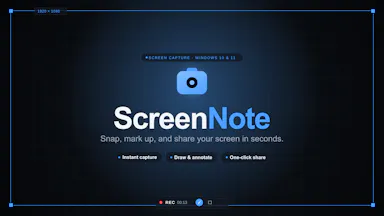
A tool that lets you snip a screenshot and add one note, saving both as a file bundle an AI assistant can read directly, instead of retyping context for the AI each time.

FreeNo sign-upWorks offlineNo subscription
What to know
How it works
Snips a screen region, saves a note baked into the PNG metadata plus a Markdown sidecar and a rolling index file, and works fully offline with no account or telemetry.
Pricing
Free core; one-time $9.99 for Pro, no subscription.

Watched for 29 days · last checked 20d ago

Details →

A free, no-account desktop markdown and text editor with live WYSIWYG formatting and clean markdown export, available now for Windows with macOS and Linux planned. A general writing tool, not developer-specific.

FreeNo sign-upWorks offlineCan export my data
What to know
How it works
A desktop markdown and text editor with WYSIWYG live formatting; edit inline or switch to raw source/preview, then export clean markdown.
Pricing
Free to download and use, including commercial use, no account required.
Best for
General writers who want a simple local markdown editor rather than developers specifically.
Watch out
Windows is available now; macOS and Linux builds are listed as coming soon, not yet available.

Watched for 29 days · last checked 11d ago

Details →

A free, open-source Windows utility that shows real battery health, automatically switches power-saver mode, and adds playful alerts — for any Windows laptop owner, not just developers.

FreeWorks offlineOpen sourceNo tracking
What to know
How it works
A Windows battery companion that shows real battery health (design capacity vs. current capacity), automatically switches power-saver mode, and adds emoji alerts.
What's different
Open-source, runs 100% locally with no tracking.
Pricing
Free forever.
Best for
Any Windows laptop owner who wants to see actual battery health, not just charge percentage.

Watched for 29 days · last checked 20d ago

Details →

MOMO

Live

A desktop AI agent living on your Windows taskbar that does web research, builds Excel/PDF reports, and runs scheduled automations, free if you supply your own NVIDIA API key.

Free
What to know
How it works
A desktop AI agent on the Windows taskbar that takes plain-English requests to research the web, build Excel/PDF reports into your Downloads folder, automate apps, and run scheduled jobs while you're away.
What's different
Risky actions require explicit Allow/Deny confirmation before it acts.
Pricing
Free, but you must supply your own NVIDIA API key.
Best for
Windows users who want an always-on agent handling background research and reporting tasks.

Watched for 29 days · last checked 20d ago

Details →

KB2B

Live

A knowledge platform that turns team meetings, documents, and AI-led interviews into a scored, cited knowledge graph instead of a static file index.

What to know
How it works
Pulls facts from meetings, documents, and AI-led interviews, scores each for certainty, flags contradictions, and builds a live knowledge graph; the Scout agent answers questions with cited sources and a confidence score.
Best for
Fast-growing teams whose decisions and context change weekly.

Watched for 29 days · last checked 13d ago

Details →

A local tool that runs multiple AI models on your own hardware and has them compete or deliberate to pick the best answer, so no data leaves your device.

Works offline
What to know
How it works
Runs 4 AI models locally, routing simple questions to a fast model and complex ones to a full deliberation where models compete; includes Sequential Mode (draft/critique/refine), Compare Mode, and a routing transparency panel.
Pricing
Beta: $3 USD.
Best for
People wanting multi-model AI answers without sending data to the cloud.

Watched for 29 days · last checked 13d ago

Details →

A Mac and Windows desktop app for designing App Store, Google Play and Microsoft Store screenshots -- despite the store names, the tool itself is desktop software, not mobile.

What to know
How it works
A Mac and Windows desktop app for designing App Store, Google Play and Microsoft Store screenshots — despite the store branding, the tool itself runs locally on your computer.
Pricing
$15.99 one-time.
Best for
App developers who need pixel-perfect store screenshots without a subscription design tool.

Watched for 29 days · last checked 13d ago

Details →

Oryn

Live

A desktop AI coding agent for Windows that writes code from plain-language instructions, using your own AI key or a fully local Ollama model.

Works offlinePay onceNo subscription
What to know
How it works
Reads your codebase and writes code from plain-language task descriptions on Windows.
What's different
Works with your own AI key or fully local via Ollama.
Pricing
One-time payment, no subscription.
Best for
Developers on Windows who want a desktop AI coding agent.
Watch out
Windows only.

Watched for 29 days · last checked 15d ago

Details →

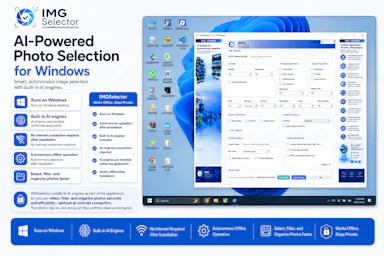
A Windows desktop app that uses offline AI to sort, filter and de-duplicate large photo batches, for photographers, designers and other creators — no cloud needed after install.

Works offline
What to know
How it works
A Windows desktop tool that uses built-in offline AI filters to detect faces, blurry or dark photos, duplicates, people, elements and landscapes, letting photographers and creators sort large photo collections without internet after install.
Pricing
Free 7-day trial.
Best for
Photographers, designers and creators sorting large photo batches who want to keep files off the cloud.

Watched for 29 days · last checked 13d ago

Details →

Coasty

Live

An AI agent that clicks through existing desktop software like a human, automating manual work in healthcare prior-authorization, legacy EHRs, insurance and tax/accounting.

What to know
How it works
An AI agent that operates existing desktop software by clicking through it like a human, end to end, with human takeover and full audit trails — no API integration required.
What's different
Independently verified at 82.81% on the OSWorld Verified benchmark (359 tasks), which the page cites as near the top of that leaderboard.
Best for
Teams automating manual work in healthcare prior-authorization, legacy EHR systems, insurance or tax/accounting where no API exists.
Watch out
The OSWorld benchmark score is cited as independently verified, but we haven't checked the source ourselves.

Watched for 29 days · last checked 3d ago

Details →

Lispr

Live

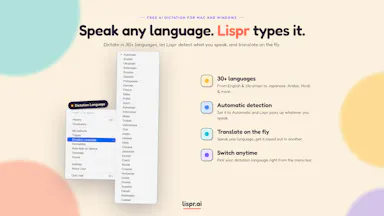
Hold a key, speak, and your words are typed into whatever app is focused — voice dictation and live translation across dozens of languages for Mac and Windows, no audio stored.

FreeNo sign-up
What to know
How it works
Hold a key, speak, release — your words are typed into whatever app your cursor is in. Also supports live translation by holding a separate key.
What's different
Works across roughly 99 languages for dictation and 32 for translation, with the mic only active while the key is held.
Pricing
Free, no account, no model download.
Best for
Mac and Windows users who want fast voice-to-text or live translation without opening a separate app.
Watch out
The 'we never store your audio' claim is the vendor's own statement, not independently verified.

Watched for 29 days · last checked 3d ago

Details →

A local gateway that lets every AI coding client share one set of MCP server connections instead of configuring each tool separately, cutting how many tools your agent has to load.

FreeNo sign-upWorks offlineOpen source
What to know
How it works
A local-first, open-source gateway. You set up and authenticate each MCP server once, and every connected AI client — Claude, Cursor, VS Code, Codex — shares that same connection instead of you configuring it per tool.
What's different
Claims up to 91% less tool-token overhead by giving an agent a handful of meta-tools instead of loading hundreds of individual tool definitions; API keys stay in the OS keychain.
Pricing
Free, open source, no sign-up.
Best for
Developers running multiple AI coding clients against the same set of MCP servers who don't want to re-authenticate each one separately.
Watch out
The '91% overhead cut' figure is the product's own claim; we haven't independently benchmarked it.

Watched for 31 days · last checked 3d ago

Details →