Tools that work with Figma

We're tracking 36 of these, and 34 are still live today. 2 we couldn't reach — we don't claim those are dead.

Watching this group for 18 days · how we check

This week12 new arrivals

LYKN

Live

A Mac overlay that brings an AI assistant with full context on top of whatever app you're working in.

What to know
How it works
A Mac overlay you summon with a hotkey to highlight anything on screen and ask, rewrite, or ship, without switching tabs.
Watch out
Windows version is not yet available.

Watched for 5 days · last checked today

Details →

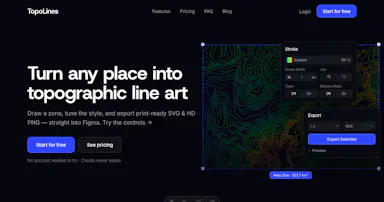
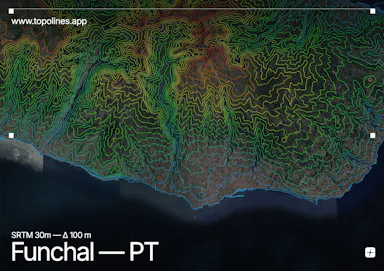
Draw a zone and generate crisp topographic contour lines, exporting print-ready SVG and HD PNG with Figma-ready output.

Can export my data
What to know
How it works
draw a zone, generate contours, export SVG/PNG
Best for
designers making topographic graphics

Watched for 6 days · last checked today

Details →

A library of 136 visual UI styles with design tokens and AI prompts, exportable to Tailwind, shadcn, Figma and IDE configs for consistent AI-generated UI.

Can export my data
What to know
How it works
browse styles with design tokens and component recipes, export to Tailwind/shadcn/Figma/IDE

Watched for 5 days · last checked today

Details →

Color palette workspace for designers building complete brand or product color systems and exporting them to Figma or code.

Can export my data
What to know
How it works
Start from a color or image, explore palette recommendations in Oklch, export to Figma/code
Best for
Designers building color systems for brands or products

Watched for 4 days · last checked today

Details →

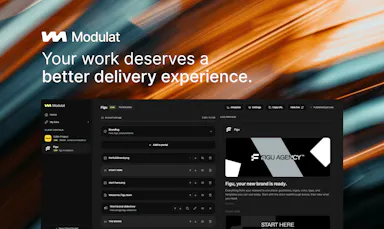
Tool that creates a single branded client-facing page collecting your links, files, and notes instead of scattered messages.

Free
What to know
How it works
One persistent branded URL per client that you can update anytime; content stays current for the client
Pricing
free links to start, portals from $24/mo
Best for
Freelancers and agencies handing off deliverables to clients

Watched for 5 days · last checked today

Details →

Converts a UI screenshot or image into an editable Figma file instead of manually recreating the design.

Watched for 2 days · last checked 2d ago

Details →

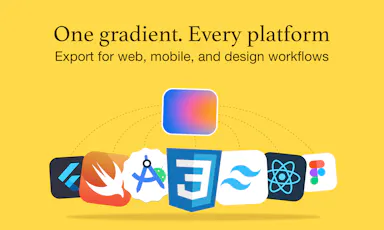
Gradient generator for designers and developers that exports the same gradient across CSS, Tailwind, native app frameworks and design tools.

Can export my data
What to know
How it works
OKLCH interpolation and Display-P3 color with multi-layer gradients and image-to-gradient conversion
What's different
One gradient exports to CSS, React Native, SwiftUI, Figma, Android, Flutter and more
Best for
Designers and developers who need a gradient to work consistently across platforms

Watched for 6 days · last checked today

Details →

Dcyde

Live

Pins the reasoning behind a team decision, pulled from Slack, Figma or its own app, so it doesn't vanish like a forgotten thread - built for any team, technical or not.

What to know
How it works
Lets a team pin a decision and the reasoning behind it, pulled from Slack, Figma, or its own app, so it can be found again later instead of vanishing in a thread.
What's different
Captures the 'why' behind a decision, not just the decision, and pulls it directly from Slack and Figma.
Best for
Teams, technical or not, who lose track of why past decisions were made.

Watched for 15 days · last checked 9d ago

Details →

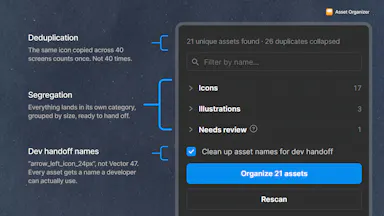
Free Figma plugin that scans a selection to extract, dedupe, and organize icons/images/logos with clean layer names for dev handoff.

FreeNo sign-up
What to know
How it works
Scans a Figma selection to pull out every icon, image, illustration, and logo, collapsing duplicates, grouping by category, and cleaning up layer names for dev handoff; re-running it only shows what's new.
Pricing
Free, no account, runs entirely inside Figma.

Watched for 8 days · last checked 2d ago

Details →

Lets Figma users create branded short links and QR codes for canvas URLs instead of leaving Figma to shorten links.

What to know
How it works
Branded links, dynamic QR codes with logos, and real-time click analytics, all on the Figma canvas.

Watched for 1 day · last checked today

Details →

Runs WCAG accessibility checks on your Figma designs before development, flagging contrast and touch-target issues that would otherwise turn into a costly redesign.

What to know
How it works
Analyzes Figma designs directly inside Figma and flags accessibility issues such as WCAG contrast, typography, touch target size, heading hierarchy, and spacing.
What's different
Runs inside Figma so designers can check accessibility before handing off to development, rather than catching issues after a build.
Best for
Designers and teams who want to catch accessibility problems in Figma before development, to avoid costly redesigns later.

Watched for 11 days · last checked 5d ago

Details →

Daisy

Live

AI design tool that turns a text prompt into mobile app screens in seconds, exportable to Figma, code, or AI agents.

Domain registered 2 months ago

Can export my data
What to know
How it works
Generates mobile app screens from a text prompt and exports them to Figma, code, or AI agents.

Watched for 11 days · last checked 5d ago

Details →

Locks access to your development tools like Cursor, GitHub, and Figma until you complete distribution tasks such as outreach, publishing, or talking to customers, for SaaS founders trying to avoid the 'build trap'.

Domain registered 1 month ago

What to know
How it works
Gamifies go-to-market habits by gating build tools behind completed distribution actions.
Best for
SaaS founders who tend to build before validating distribution.

Watched for 7 days · last checked 5d ago

Details →

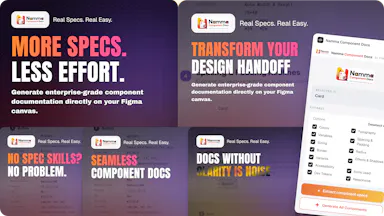
Turns Figma components into enterprise documentation — anatomy, design tokens, WCAG 2.2 accessibility reports and developer handoff notes — exportable to PDF, HTML, Markdown, JSON, CSV or YAML.

Can export my data
What to know
How it works
Turns Figma components into enterprise documentation — component anatomy, visual annotations, design tokens, WCAG 2.2 accessibility reports, color compatibility, and developer handoff notes — exportable to PDF, HTML, Markdown, JSON, CSV, or YAML.
What's different
Built only from real Figma data, with no mock content or assumptions.
Best for
Design systems teams that need developer-ready component documentation.

Watched for 13 days · last checked 7d ago

Details →

A Figma plugin that formats and publishes your shots straight to your Dribbble profile, skipping manual export-and-upload — built for designers.

What to know
How it works
A Figma plugin that creates a 3200x2400 two-artboard Dribbble shot, lets you preview it, add a title/description/tags, and publish it to your own Dribbble profile through a review step.
What's different
Publishes directly from Figma without exporting and manually uploading to Dribbble.
Best for
Designers who post work-in-progress or finished shots to Dribbble regularly.
Watch out
Your Dribbble connection token is stored locally in Figma client storage rather than in the plugin's own database.

Watched for 13 days · last checked 7d ago

Details →

A Figma plugin that turns mood prompts or reference images into structured, ready-to-apply UI color palettes and variables — for designers doing brand and UI color exploration.

What to know
How it works
A Figma plugin that turns mood prompts or uploaded reference images into structured UI color palettes (primary, secondary, accent, neutral), with comparison, regeneration, locking and saving, applied directly as Figma color styles and variables.
Best for
Designers doing brand tuning and UI color exploration inside Figma.

Watched for 12 days · last checked 6d ago

Details →

Turns a Figma frame link into baseline Swift UIKit code for AI coding agents like Cursor, Claude or Codex to build from. An open-source developer tool for iOS engineers, not a mobile app itself.

Open source
What to know
How it works
Give an AI coding agent a Figma frame link and it builds a clean cached design package, then generates baseline Swift UIKit code for Cursor, Claude, or Codex, with support for custom color/font/icon maps, base classes, full-screen coverage gates, and buffering against Figma 429 rate limits.
What's different
Works from a Figma link instead of screenshots or a raw file dump; open source, so you own the wiring for production APIs.
Best for
iOS engineers using AI coding agents to turn Figma designs into UIKit code.

Watched for 13 days · last checked 7d ago

Details →

A Figma plugin that mirrors layouts and handles BiDi text when adapting designs between left-to-right and right-to-left languages, instead of rebuilding screens by hand. For design teams shipping multilingual products.

What to know
How it works
A Figma plugin that mirrors layouts and handles BiDi text when adapting interfaces between left-to-right and right-to-left languages, protecting semantic icons and complex artwork, and creating direction-aware component variants. Can also translate selected text using Google, Gemini, or OpenAI.
What's different
Automates LTR/RTL adaptation instead of requiring teams to rebuild every screen by hand for each direction.
Best for
Design teams shipping multilingual products across both left-to-right and right-to-left languages.

Watched for 16 days · last checked 10d ago

Details →

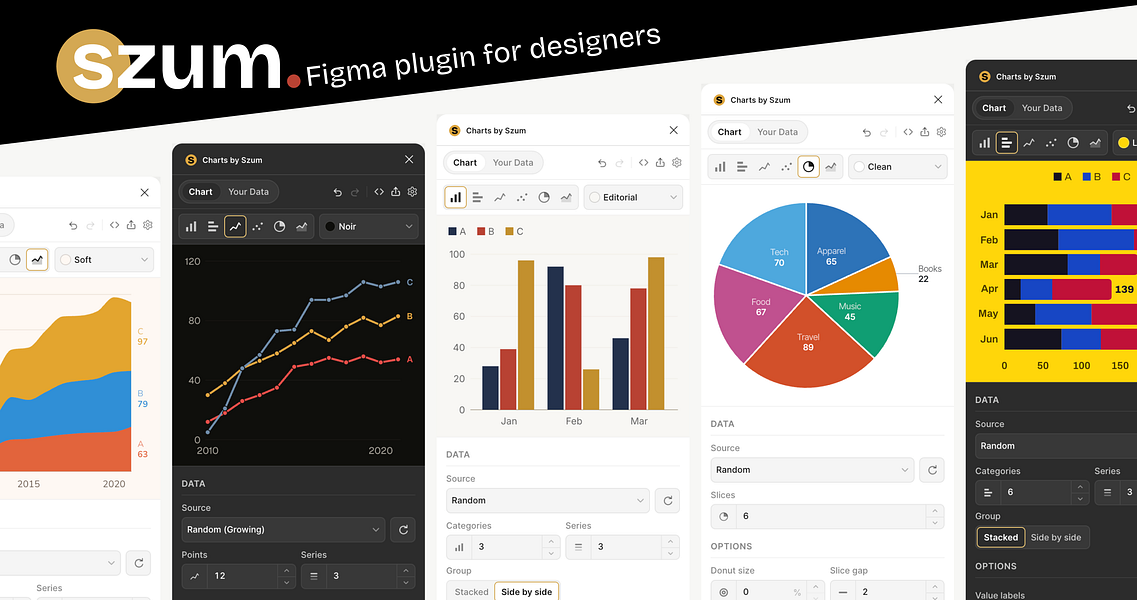
szum

Live

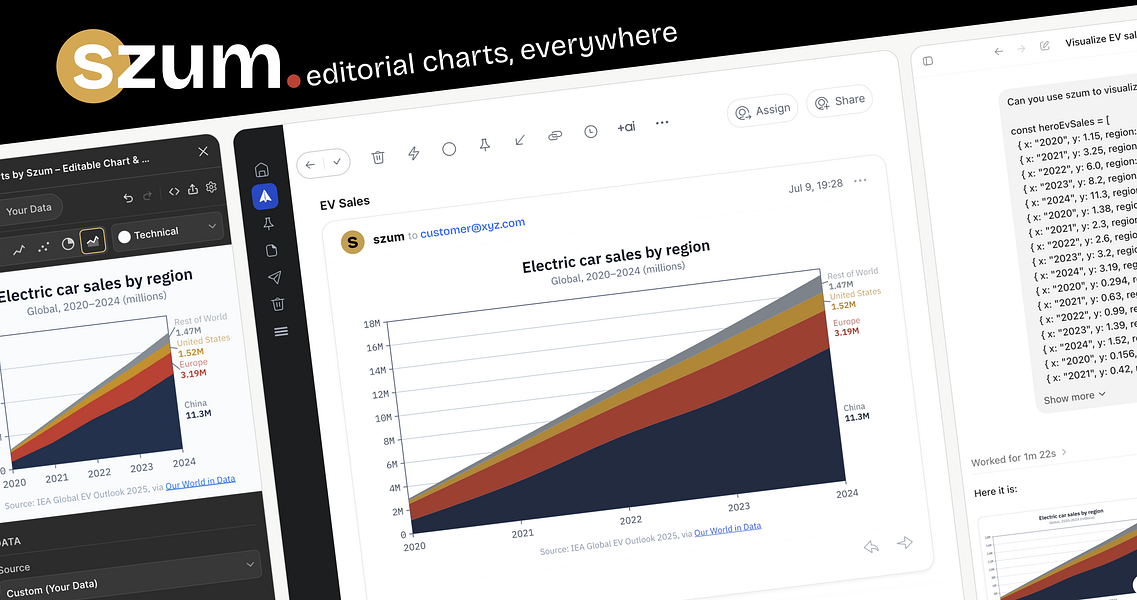
Define a chart once as JSON and render matching PNG/SVG output through an API, a Figma plugin, or an MCP agent, so design and the shipped product never drift apart.

Free
What to know
How it works
Define a chart once using a small JSON grammar, then render it as PNG or SVG through an API, edit and publish it from a Figma plugin, embed it live, or generate it through an MCP-compatible agent.
What's different
The same rendering system and one of six curated themes is used everywhere, so a chart designed in Figma matches what ships in the product.
Pricing
250 free keyless renders per month; no signup required to try it.
Best for
Design and engineering teams that want their charts to stay consistent between Figma and production.

Watched for 13 days · last checked 2d ago

Details →

A browser-based SVG optimizer that compresses files, including Figma exports, by 30% or more without uploading them anywhere.

FreeNothing to install
What to know
How it works
Runs entirely in the browser with a live preview; files never leave the device.
Pricing
Free.

Watched for 12 days · last checked 8d ago

Details →

Turns a text prompt or a pasted URL into editable React and Tailwind UI that runs entirely on your own Mac or PC, with export to Figma when you need it.

Domain registered 1 month ago

Works offlineCan export my data
What to know
How it works
Turns a plain-language prompt or a pasted URL into interactive React + Tailwind UI you can edit inline, running entirely on your own Mac or PC. Includes 140+ design systems, auto-generated journey maps, and measured specs/tokens/redlines, with export to Figma.
What's different
Runs entirely locally with no cloud dependency — designs stay on your machine — unlike hosted design-to-code tools.
Best for
Designers and developers who want to generate real, editable UI from a prompt without sending designs to the cloud.

Watched for 14 days · last checked 8d ago

Details →

Aether

Live

A native iPad design app that can import Figma files for touch and Apple Pencil editing - it replaces desktop design work rather than running alongside it.

What to know
How it works
A native iPad UI design app with a 120fps canvas built for touch and Apple Pencil, supporting native Figma file import, drag manipulation, blend modes, boolean ops and Auto Layout.
What's different
Runs natively on iPad rather than as a scaled-down companion to a desktop app, with native rendering of imported Figma files, components and styles.
Best for
Designers who want to do full UI design work on iPad with Apple Pencil instead of a Mac.

Watched for 18 days · last checked 2d ago

Details →

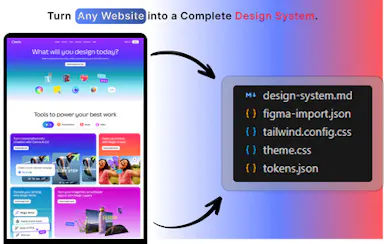
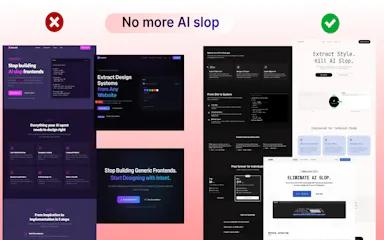
Turns any website into a structured design system so AI coding agents can rebuild it accurately instead of guessing from screenshots.

Watched for 1 day · last checked today

Details →

Captures the reasoning behind team decisions across tools like Jira and Figma and turns it into structured context you can feed to ChatGPT or Claude — a context layer that feeds those tools, not a replacement for them.

Domain registered 6 months ago

What to know
How it works
Captures the reasoning behind team decisions made inside tools like Jira, Figma, Salesforce and HubSpot, and turns it into structured context you can hand to ChatGPT, Claude or your own agents.
What's different
Not just a human audit trail — it's built specifically to feed LLMs, capturing the 'why' behind a decision rather than just the decision itself.
Best for
Teams who want their decision history usable by an LLM instead of buried across multiple tools.

Watched for 13 days · last checked 11d ago

Details →

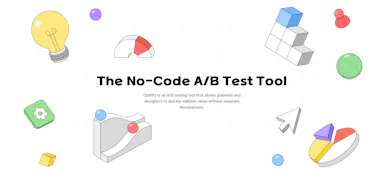
A no-code A/B testing tool that runs on Figma prototypes, showing heatmaps and click data so designers can validate ideas before any code is written.

What to know
How it works
Runs A/B tests directly on Figma prototypes without writing code: share a link, then see how users interact through heatmaps and charts.
What's different
Works on Figma prototypes rather than requiring a coded build, so tests can run before any code is written.
Best for
Designers who want to validate a design decision with real user interaction data before handing it off to engineering.

Watched for 17 days · last checked 2d ago

Details →

Converts a website URL, image, or Figma design into working code including React, aimed at developers who want a faster start than building UI from scratch.

What to know
How it works
Takes a website URL, an image, or a Figma design and converts it into clean code, including URL-to-React conversion, aiming for pixel-perfect UI cloning.
Best for
Developers who want a faster starting point than building UI from scratch.

Watched for 18 days · last checked 11d ago

Details →

Drift

Live

Converts AI-generated (or any) HTML/CSS/JS into editable Figma layers by pasting code or capturing a URL via a Chrome extension, useful when Claude's Figma MCP access is blocked or unavailable.

What to know
How it works
Converts HTML/CSS/JavaScript — including code pasted from AI tools like Claude — into editable Figma layers (text, vector icons, gradients, auto-layout), via pasted code, uploaded files, or a URL captured with a Chrome extension.
What's different
Built specifically for AI-generated prototypes, and works as a fallback when an organization blocks Claude's Figma MCP write access or tokens run out.
Best for
Designers and developers who need AI-generated code turned into editable Figma designs without using Claude's Figma MCP integration.

Watched for 18 days · last checked 9d ago

Details →

An OKLCH color system with a Chrome extension for pulling colors off any site and a Figma plugin for handoff - a designer's tool, not just a palette generator.

What to know
How it works
An OKLCH-based color design system with a palette generator, gradient builder, a brand kit for reusing colors, a Figma plugin for handoff, and a Chrome extension that extracts colors from any website.
What's different
Built on OKLCH rather than RGB/HSL, which the product frames as more perceptually accurate, and ships as a full system (generator plus Figma and Chrome integrations) rather than a standalone palette generator.
Best for
Designers building or maintaining a brand color system.

Watched for 18 days · last checked 2d ago

Details →

A Figma design system paired with a matching React component library; almost nothing else about it is public.

What to know
How it works
A Figma design system paired with a matching React component library.
Best for
Designers and developers who want a design system that stays consistent between Figma and React.

Watched for 15 days · last checked 9d ago

Details →

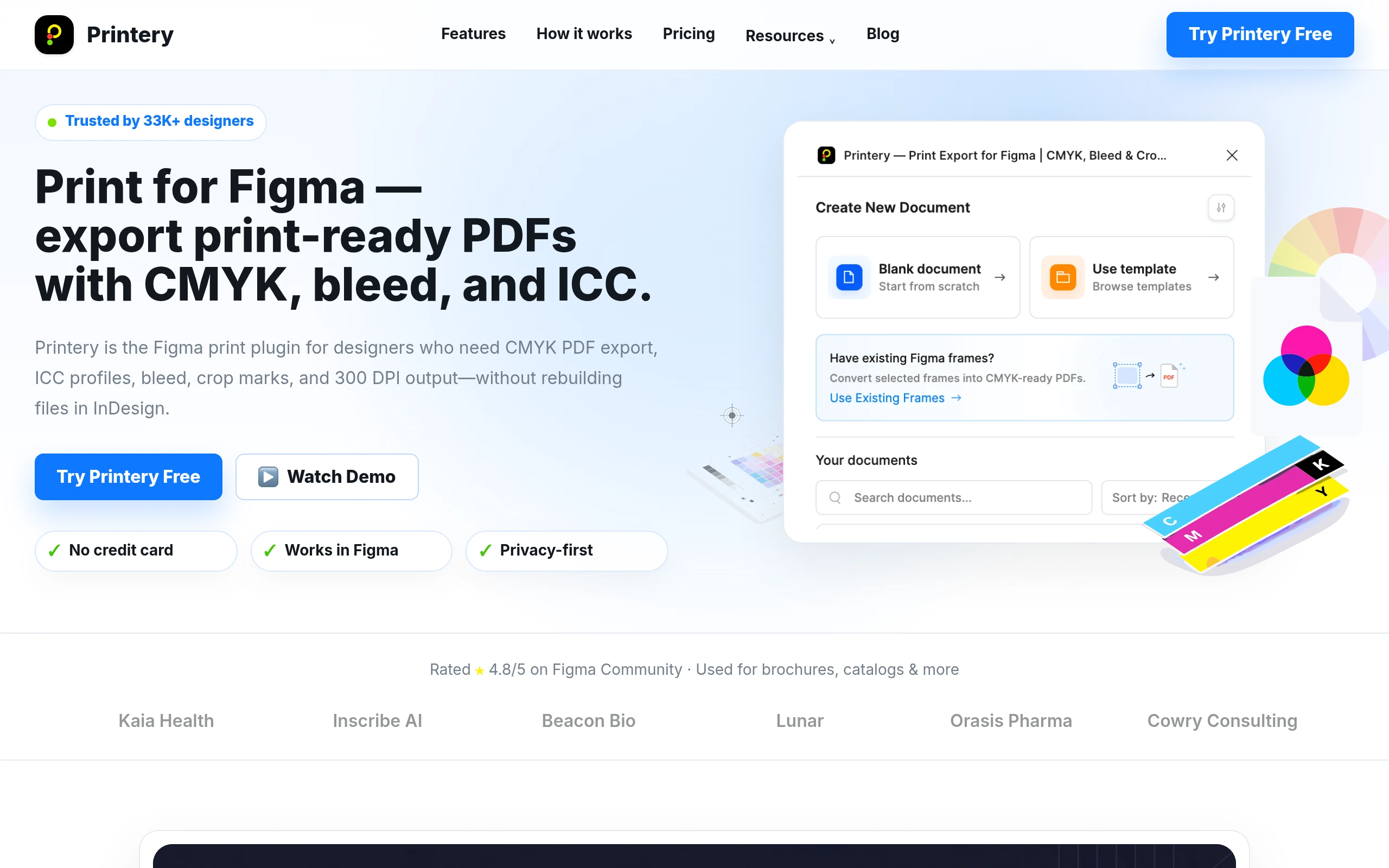
A Figma plugin that exports print-ready PDFs with CMYK color and bleed built in, for designers sending Figma files to a print shop without prepping the file elsewhere.

Can export my data
What to know
How it works
A Figma plugin that exports print-ready PDFs directly from your Figma file, with CMYK color conversion and bleed built in.
Best for
Designers sending Figma files to a print shop without prepping the file in another tool first.

Watched for 15 days · last checked 2d ago

Details →

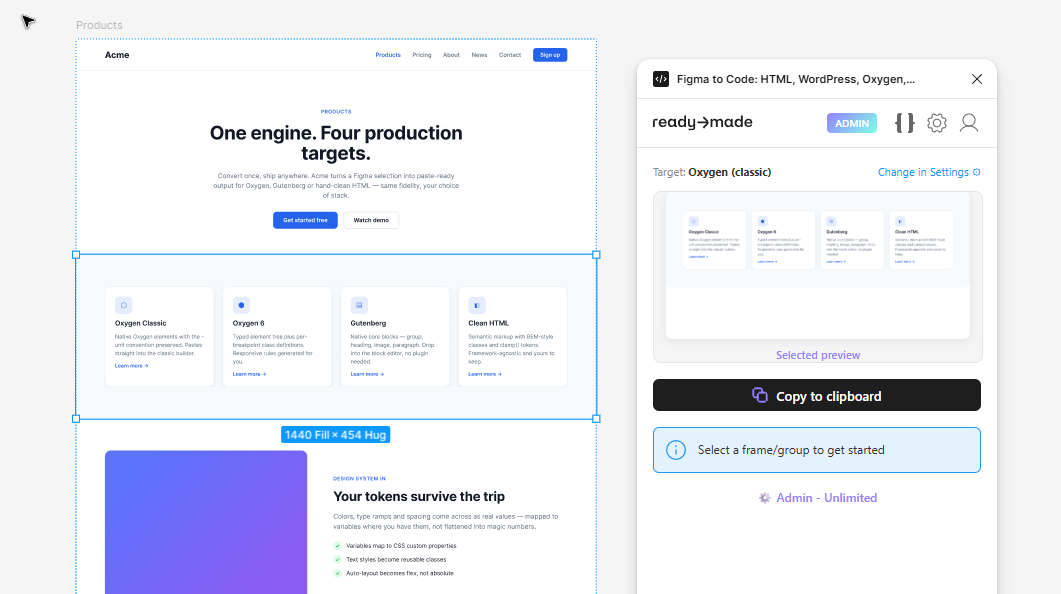
A tool that converts real Figma layouts into clean HTML, WordPress, Oxygen, or Gutenberg code.

Can export my data
What to know
How it works
Reads the actual structure and geometry of a selected Figma frame, section, or component and converts it into production-ready HTML, WordPress, Oxygen, or Gutenberg code with flexbox/grid, class-based CSS, inline SVG, and embedded images.

Watched for 3 days · last checked 3d ago

Details →

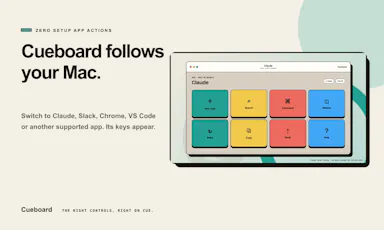
Turns a spare iPad/phone/browser screen into a context-aware control panel that surfaces app-specific shortcuts for your Mac.

Domain registered 12 days ago

What to know
How it works
A companion app detects the app in front of you on your Mac and surfaces context-aware, verified controls on a spare iPad, phone, or browser screen, for apps like Claude, ChatGPT, VS Code, Slack, Chrome, and Figma.

Watched for 3 days · last checked 3d ago

Details →

PinTop

Live

A Mac utility that pins any window as a floating, click-through overlay so you can reference it while working underneath.

What to know
How it works
Pins any Mac window as a live floating, click-through overlay with real-time capture, opacity control, and corner PiP mode, fully keyboard-driven; a native Swift menu bar app at about 2MB.
Pricing
$9.99 once, 30-day refund; 7-day in-app trial after install.

Watched for 9 days · last checked 3d ago

Details →

A Figma plugin that converts left-to-right designs to right-to-left layout and translates them to Arabic.

What to know
How it works
A Figma plugin: select a frame, run Layout to review detected amounts and convert to RTL, then optionally use the Translate tab to translate to Arabic — Layout must run before Translate since translating first undoes alignment during the mirror step.

Watched for 9 days · last checked 7d ago

Details →

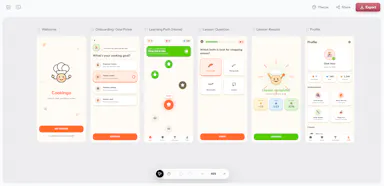
A Figma UI kit with 60+ mobile screens for building an online course/eLearning app.

Domain registered 19 years ago

What to know
How it works
A Figma UI kit with 60+ premium mobile screens covering course discovery, live classes, progress tracking, and certification.
Best for
eLearning platforms, academies, and instructors building a course app.

Watched for 8 days · last checked 6d ago

Details →

Tools that work with Figma — the short answers

Every number here comes from our own daily check — not from a vendor list.

Tools that work with Figma — how many are there?
Tablif is tracking 36 of them. 34 answered our check today, and 2 we couldn't reach — we don't claim those are dead.
Which ones are still maintained?
Tablif knocks on every door once a day and records the answer. 34 of these 36 responded on the latest run, so that number is what "still here" means on this page — not a review score.
Are any of them free?
4 of the live ones say so in their own words, and 1 let you start without making an account. Tablif records the claim the product makes; we don't verify pricing.
Any open-source options?
1 of the live ones on Tablif mention being open source.
What's the newest one?
DesignDNA — Tablif first saw it yesterday.
Did a person actually look at these?
35 of them Tablif opened and read, then wrote a one-line summary in our own words instead of reusing the founder's tagline. The rest carry keyword labels we haven't confirmed by reading yet — and we say so rather than hiding it.