Tools for designersData stays with you

11 match your filters — 11 of them answered our check today.

Watching this group for 18 days · how we check

This week5 new arrivals

A free, browser-based bulk image compressor and format converter that processes files entirely on your device without uploading them to any server.

FreeNothing to installWorks offlineData stays with you
What to know
How it works
compresses and converts images client-side in the browser with no server upload, using lossless optimization
Pricing
completely free
Best for
developers, designers, and creators who need to shrink or convert large batches of images without giving up file privacy

Watched for 7 days · last checked 1d ago

Details →

Lets designers batch-save images from any webpage into organized folders instead of saving them one by one.

FreeData stays with you
What to know
How it works
Hover to save into custom folders, then batch-download as a ZIP.
Pricing
free

Watched for 1 day · last checked today

Details →

An open-source, template-based design tool for building App Store and Play Store screenshots, feature graphics, and preview videos entirely in your browser or desktop app, with no account or upload required.

Domain registered 13 days ago

FreeNo sign-upData stays with youOpen source
What to know
How it works
pick a template, drop in your app screens, and export every required store size, including MP4 previews
What's different
an optional AI agent can build the whole listing from raw screenshots
Best for
app developers and designers preparing store listings

Watched for 7 days · last checked 6d ago

Details →

A free, browser-based batch toolkit for developers and designers — resize/convert files, decode JWTs, and more, entirely client-side with nothing uploaded to a server.

Domain registered 27 days ago

FreeNo sign-upNothing to installData stays with you
What to know
How it works
A browser-based batch toolkit that processes dozens of files at once — resizing/converting/compressing images (PNG, JPG, WebP), converting CSV to JSON, decoding JWTs, and more — entirely client-side.
What's different
Most single-file tools handle one file at a time; this is built to batch-process dozens at once, with nothing uploaded to a server.
Pricing
Free.
Best for
Developers and designers who need to process many files at once without installing software or uploading data.

Watched for 13 days · last checked 2d ago

Details →

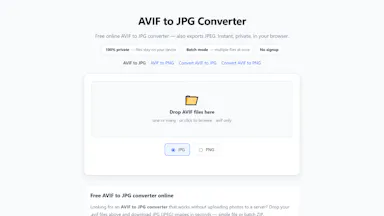
Converts AVIF images to JPG or PNG entirely in your browser with batch ZIP export — no upload or signup, handy for designers whose tools don't support AVIF.

Domain registered 1 month ago
FreeNo sign-upData stays with youCan export my data

What to know
How it works
Converts AVIF images to JPG or PNG entirely in the browser, with a batch mode that exports a ZIP of converted files.
What's different
Files never leave the device — no signup, no watermarks, no server upload.
Pricing
Free.
Best for
Designers and anyone downloading AVIF images from the web who needs JPG for email, CMS, or legacy apps.

Watched for 13 days · last checked 7d ago

Details →

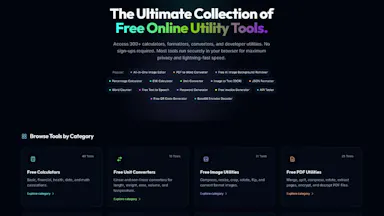
A collection of client-side utility tools — encoding/decoding, text formatting, JSON conversion, hashing, color tools, network lookups — that run entirely in your browser with nothing sent to a server. For developers and designers who want quick one-off utilities.

Data stays with you
What to know
How it works
A collection of client-side utility tools covering encoding/decoding, text formatting, JSON and data conversion, hashing, color design, and network lookups, all running in the browser.
What's different
Fully client-side — no data is sent to a server.
Best for
Developers and designers who need quick one-off utility tools without uploading anything.

Watched for 13 days · last checked 7d ago

Details →

A Chrome extension that takes full-page screenshots entirely in your browser, with no uploads or accounts.

Works offlineData stays with youNo tracking
What to know
How it works
Auto-stitches long pages and hides cookie banners/popups before capture
What's different
Runs 100% locally, no server or account needed
Pricing
Not stated
Best for
Developers and designers who need clean full-page captures privately

Watched for 4 days · last checked 3d ago

Details →

Free browser-based color utilities for format conversion, palettes, gradients and color extraction, with nothing uploaded to a server. For designers and developers who want quick tools, no install.

Domain registered 5 months ago

FreeNothing to installData stays with you
What to know
How it works
A collection of browser-based color utilities: converting between color formats, generating palettes and gradients, extracting colors from images, and analyzing color values, all running client-side.
Pricing
Free.
Best for
Designers and developers who want quick color conversions or palette generation without installing software or uploading files to a server.

Watched for 14 days · last checked 2d ago

Details →

Yotsu

Live

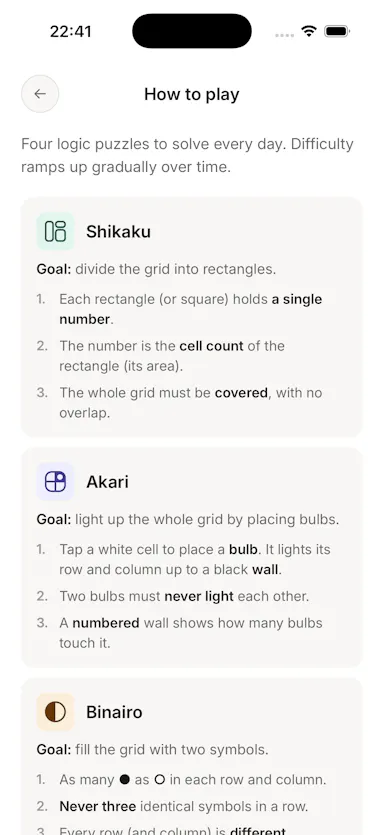
Four daily logic puzzles (Shikaku, Akari, Binairo, Sudoku) with no ads, account or tracking, works offline.

No sign-upWorks offlineData stays with youNo ads
What to know
How it works
Delivers four daily logic puzzles — Shikaku, Akari, Binairo, and Sudoku — and nothing else.
What's different
No ads, no account, no streak manipulation; works fully offline.
Pricing
Free.

Watched for 3 days · last checked 2d ago

Details →

A free bundle of 332 small web utility tools pitched as secure and privacy-first, though the listing gives no detail on what each tool does or how it handles data.

FreeNo sign-upData stays with youNo ads
What to know
How it works
A bundle of 332 free web utility tools, pitched as privacy-first.
Pricing
Free.

Watched for 15 days · last checked 9d ago

Details →

A local-first notebook combining handwriting, rich documents and PDF markup in one workspace, for students and professionals tired of juggling multiple note apps.

Works offlineData stays with youNo adsNo tracking
What to know
How it works
A local-first notebook combining handwriting (ink, pens, highlighters, shapes, lasso selection), rich text boxes, tables, images, audio memos, and PDF import with searchable text, all on a multi-page canvas organized with folders and tags.
What's different
Combines handwriting, structured documents and PDF markup in one workspace instead of forcing a choice between separate apps, without ads or tracking SDKs.
Best for
Students, professionals and creators who currently juggle multiple note apps and want handwriting, documents and PDF annotation in one place.

Watched for 18 days · last checked 2d ago

Details →