Tools for designersI might be non-compliant

5 match your filters — 5 of them answered our check today.

Watching this group for 18 days · how we check

This week2 new arrivals

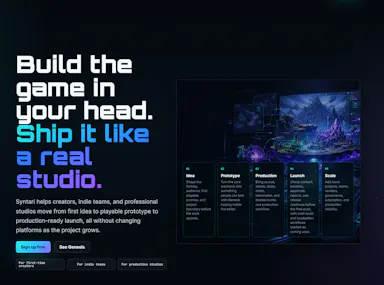
Development infrastructure for game studios that adds one-click multi-platform builds with console compliance, an in-editor AI assistant, and automated QA scanning, inside Unity and other engines.

Domain registered 12 months ago

What to know
How it works
One-click builds for PC/console/mobile with compliance checks, an AI assistant inside the game editor, and a continuous QA engine scanning for bugs and asset issues.
Best for
Game studios needing multi-platform builds and console compliance.

Watched for 7 days · last checked 1d ago
Details →

Runs WCAG accessibility checks on your Figma designs before development, flagging contrast and touch-target issues that would otherwise turn into a costly redesign.

What to know
How it works
Analyzes Figma designs directly inside Figma and flags accessibility issues such as WCAG contrast, typography, touch target size, heading hierarchy, and spacing.
What's different
Runs inside Figma so designers can check accessibility before handing off to development, rather than catching issues after a build.
Best for
Designers and teams who want to catch accessibility problems in Figma before development, to avoid costly redesigns later.

Watched for 11 days · last checked 5d ago

Details →

Caps revision rounds per project and auto-charges once a client goes over, with a no-signup client progress link — built for freelance designers, writers and developers managing scope creep.

What to know
How it works
Lets freelancers and small agencies set fixed edit-round limits per project, share a no-signup link for clients to view progress, and auto-charge extra fees once revision rounds run out.
What's different
Clients can view project progress via a shared link without creating an account, and file storage is GDPR-compliant.
Best for
Freelance designers, writers and developers who keep running into unpaid scope creep from client revisions.

Watched for 13 days · last checked 7d ago

Details →

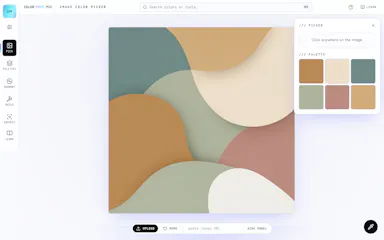
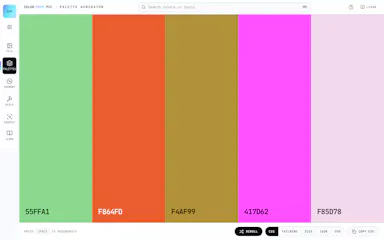
A free AI color toolkit for generating palettes from prompts, extracting colors from images, building gradients, and checking WCAG contrast.

FreeNo sign-up
What to know
How it works
Generates 5-color palettes from a text prompt, extracts colors from any image or website, builds gradients, checks WCAG contrast, simulates color blindness, and converts between HEX, RGB, HSL, and OKLCH.
Pricing
Free, no signup, no watermarks.

Watched for 10 days · last checked 4d ago

Details →

UXtion

Live

Audits Lovable/Cursor-built websites for design and conversion issues and hands you a ready-to-paste fix prompt instead of a report to interpret yourself.

Domain registered 2 months ago

What to know
How it works
Reviews craft, conversion, and accessibility, then outputs a prompt you paste back into your AI builder.
What's different
Gives an actionable fix prompt rather than just a findings report.
Pricing
Free tier includes one full audit, no card required.
Best for
Founders whose AI-built site has plateaued and still looks generic after several iterations.

Watched for 6 days · last checked 4d ago

Details →