Tools for designersI don't trust the cloud

14 match your filters — 13 of them answered our check today.

Watching this group for 18 days · how we check

This week7 new arrivals

A free, browser-based bulk image compressor and format converter that processes files entirely on your device without uploading them to any server.

FreeNothing to installWorks offlineData stays with you
What to know
How it works
compresses and converts images client-side in the browser with no server upload, using lossless optimization
Pricing
completely free
Best for
developers, designers, and creators who need to shrink or convert large batches of images without giving up file privacy

Watched for 7 days · last checked 1d ago

Details →

A Chrome extension that finds and bulk-downloads images from any webpage in one click.

What to know
How it works
Detects every image on a webpage and lets you preview, filter, and download them individually or in bulk with one click.
Best for
Designers, marketers, developers, students, and anyone saving web images quickly.

Watched for 8 days · last checked 2d ago

Details →

Lets designers batch-save images from any webpage into organized folders instead of saving them one by one.

FreeData stays with you
What to know
How it works
Hover to save into custom folders, then batch-download as a ZIP.
Pricing
free

Watched for 1 day · last checked today

Details →

A free collection of 47+ browser-based developer and data tools (JSON/XML formatting, PDF and image compression, resume and invoice parsing, SEO analysis, screenshots, file sharing), many also available as an API.

Free
What to know
How it works
Browser-based tools for formatting, compressing, parsing, and analyzing files and data; many expose APIs for integration into your own applications.
Pricing
Free.
Best for
Developers, designers, and data teams needing quick utility tools.

Watched for 11 days · last checked 5d ago

Details →

A Chrome extension that takes full-page screenshots entirely in your browser, with no uploads or accounts.

Works offlineData stays with youNo tracking
What to know
How it works
Auto-stitches long pages and hides cookie banners/popups before capture
What's different
Runs 100% locally, no server or account needed
Pricing
Not stated
Best for
Developers and designers who need clean full-page captures privately

Watched for 4 days · last checked 3d ago

Details →

A bundle of 15 browser-based creative and dev tools (regex tester, image compressor, kanban board, SVG builder) that run locally with zero cloud servers or subscription fees.

Works offlineNo subscription
What to know
How it works
A bundle of 15 browser-based creative and developer tools — including a regex sandbox, image compressor, kanban tracker, and SVG-to-React builder — that run locally via IndexedDB, plus browser extensions to extract typography and colors from pages.
What's different
Zero cloud servers across all 15 tools, replacing fragmented workflows and separate online converters.
Pricing
No subscription — everything runs locally in the browser.
Best for
Developers, designers, and creators who want to replace a fragmented set of separate online tools with one local suite.

Watched for 17 days · last checked 11d ago
Details →

Free browser-based color utilities for format conversion, palettes, gradients and color extraction, with nothing uploaded to a server. For designers and developers who want quick tools, no install.

Domain registered 5 months ago

FreeNothing to installData stays with you
What to know
How it works
A collection of browser-based color utilities: converting between color formats, generating palettes and gradients, extracting colors from images, and analyzing color values, all running client-side.
Pricing
Free.
Best for
Designers and developers who want quick color conversions or palette generation without installing software or uploading files to a server.

Watched for 14 days · last checked 2d ago

Details →

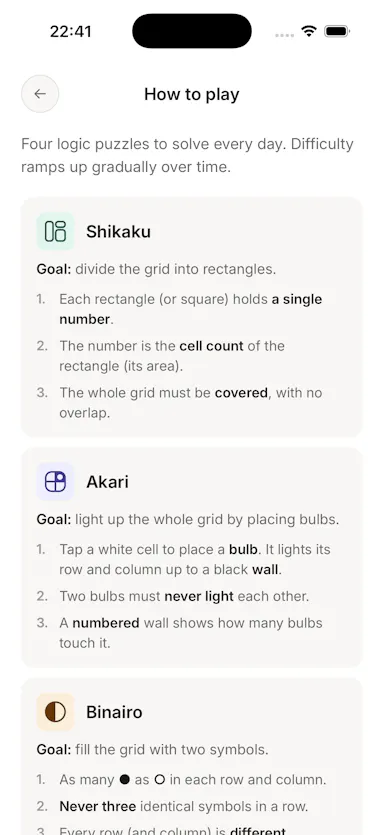
Yotsu

Live

Four daily logic puzzles (Shikaku, Akari, Binairo, Sudoku) with no ads, account or tracking, works offline.

No sign-upWorks offlineData stays with youNo ads
What to know
How it works
Delivers four daily logic puzzles — Shikaku, Akari, Binairo, and Sudoku — and nothing else.
What's different
No ads, no account, no streak manipulation; works fully offline.
Pricing
Free.

Watched for 3 days · last checked 2d ago
Details →

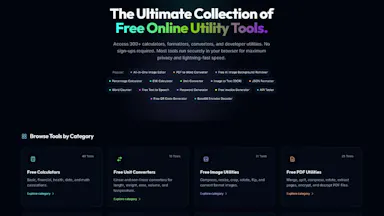
A free bundle of 332 small web utility tools pitched as secure and privacy-first, though the listing gives no detail on what each tool does or how it handles data.

FreeNo sign-upData stays with youNo ads
What to know
How it works
A bundle of 332 free web utility tools, pitched as privacy-first.
Pricing
Free.

Watched for 15 days · last checked 9d ago

Details →

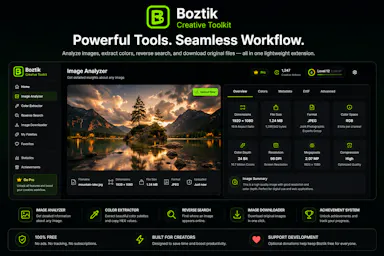
Free Chrome extension for creators to analyze image resolution, extract palettes and reverse-search images.

Free
What to know
How it works
A Chrome extension that analyzes image resolution, extracts color palettes, reverse searches images and downloads original-quality files.
Pricing
Free.
Best for
Photographers, designers and digital creators.

Watched for 3 days · last checked 2d ago

Details →

Browser tool that removes Gemini AI watermarks from images.

Nothing to install
What to know
How it works
A browser-based tool that removes Gemini AI watermarks from images with no software installation.
Best for
Designers, creators, and marketers cleaning up Gemini-generated images.

Watched for 3 days · last checked 2d ago

Details →

A WordPress plugin to design, generate, and let students verify certificates online via QR codes.

Domain registered 15 months ago

What to know
How it works
A WordPress plugin with a drag-and-drop certificate designer, 16 templates, QR code verification, and bulk CSV import.

Watched for 5 days · last checked 3d ago

Details →

A local-first notebook combining handwriting, rich documents and PDF markup in one workspace, for students and professionals tired of juggling multiple note apps.

Works offlineData stays with youNo adsNo tracking
What to know
How it works
A local-first notebook combining handwriting (ink, pens, highlighters, shapes, lasso selection), rich text boxes, tables, images, audio memos, and PDF import with searchable text, all on a multi-page canvas organized with folders and tags.
What's different
Combines handwriting, structured documents and PDF markup in one workspace instead of forcing a choice between separate apps, without ads or tracking SDKs.
Best for
Students, professionals and creators who currently juggle multiple note apps and want handwriting, documents and PDF annotation in one place.

Watched for 18 days · last checked 2d ago

Details →