Tools for developersNo tracking

28 match your filters — 28 of them answered our check today.

Watching this group for 20 days · how we check

This week10 new arrivals

Over two hundred free browser-based utilities for developers, SEO professionals and designers, with no sign-up and no tracking. A broad technical toolkit rather than one purpose-built tool.

Domain registered 2 months ago

FreeNo sign-upNothing to installNo tracking
What to know
How it works
A collection of over two hundred browser-based utility tools for developers, SEO professionals, and designers, accessed directly with no sign-up.
What's different
The entire library is free with no sign-ups, tracking, or upsells.
Pricing
Free, all tools, no sign-up required.
Best for
Developers, SEO professionals, and designers who need quick access to common technical tools without creating accounts.

Watched for 13 days · last checked 2d ago

Details →

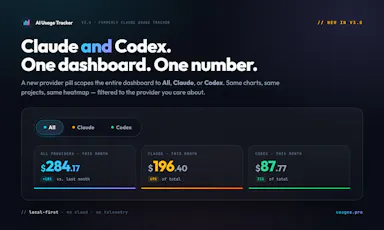
Local-first dashboard that auto-discovers your Claude and Codex spend across 10+ developer tools, with charts and zero telemetry.

Domain registered 2 months ago

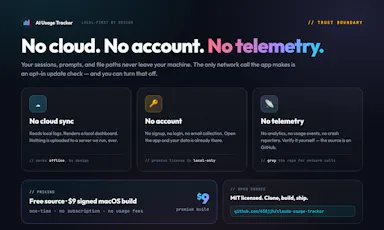
Works offlineData stays with youNo tracking
What to know
How it works
auto-discovers usage across 10+ dev tools locally
What's different
zero telemetry, data stays on your machine
Best for
developers tracking AI tool spend

Watched for 6 days · last checked today

Details →

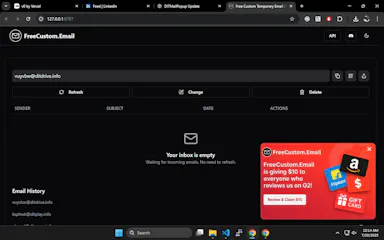
Instant, no-signup temporary email aliases with rotating domains to dodge blacklists, plus a public API for developers who want to build it into their own workflows.

FreeNo sign-upData stays with youOpen source
What to know
How it works
Creates custom, instant temporary email aliases (any inbox name) without sign-up, receiving emails in real-time from multiple rotating domains to avoid blacklists; also offers a public API and open-source frontend.
What's different
Rotating domains to avoid blacklists, plus no popups, timers, or tracking, unlike traditional temp mail tools.
Pricing
Free.
Best for
People needing disposable email for sign-up verifications or testing, and developers who want to build disposable email into their own workflows via the API.

Watched for 14 days · last checked 8d ago

Details →

A feedback widget for your site that captures bug reports along with console logs, network errors and stack traces automatically — built for dev teams, not a general NPS tool.

No tracking
What to know
How it works
A one-script-tag feedback widget for websites that lets visitors submit praise, ideas and bug reports along with automatic developer context: console logs, network errors, JS stack traces, and a click-trail repro summary. Higher plans add AI sentiment summaries, screenshots, and screen recordings, plus webhook routing to Slack or Linear.
What's different
Captures full developer debug context (console logs, failed network calls, stack traces) with every submission, aimed at dev teams rather than general NPS tools.
Best for
Development teams who want bug reports that already include reproducible technical context.

Watched for 12 days · last checked 6d ago

Details →

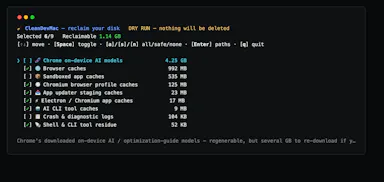
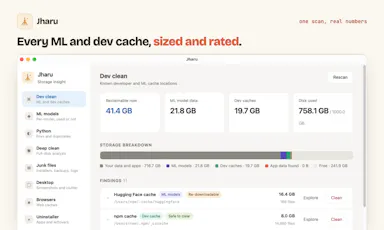
Open-source CLI for developers to find and safely delete dev caches and build junk eating up Mac disk space.

Open sourceNo tracking
What to know
How it works
An open-source macOS CLI that scans for developer caches, build artifacts, Electron junk, and orphaned app data, showing an itemized list before deleting anything.
What's different
Never deletes without showing the itemized list first; pure bash, zero telemetry.
Pricing
Open source, MIT licensed.
Best for
macOS developers whose disk is being eaten by accumulated dev caches and build junk.

Watched for 9 days · last checked 3d ago

Details →

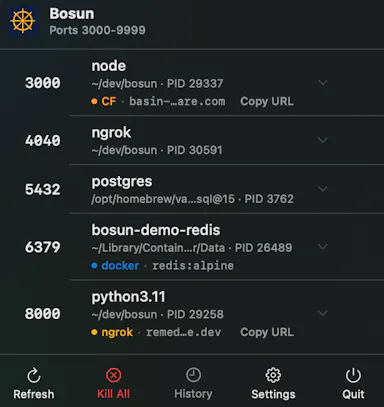
Bosun

Live

A macOS menu bar app that shows every open port, tunnel and container instantly, so developers stop losing time hunting through Terminal or Activity Monitor to find what's using a port.

FreeNo sign-upNo tracking
What to know
How it works
A native macOS menu bar app that shows every listening TCP port, active ngrok/Cloudflare tunnel, and VPN connection status at a glance, grouping multiworker services into single rows.
What's different
Shows what's actually reachable on the machine right now, versus tools like lsof or Activity Monitor that only show a port without full context.
Pricing
Free.
Best for
Developers running local services who need to quickly find which process or container owns a given port.

Watched for 12 days · last checked 5d ago

Details →

15 free browser-based developer tools, JSON formatter, regex tester, encoders, generators, styled with a nostalgic Windows 95 look. Runs in the browser, not installed, nothing uploaded to a server.

Domain registered 9 months ago

FreeNo sign-upNothing to installData stays with you
What to know
How it works
15 free developer and productivity tools — JSON formatter, regex tester, base64/URL encoders, UUID and password generators, unit and color converters — running entirely in the browser with a Windows 95-styled interface.
What's different
Nothing is uploaded to a server; everything runs client-side with no signup, ads or tracking.
Pricing
Free.
Best for
Developers who want quick browser-based utility tools without installing anything.

Watched for 13 days · last checked 7d ago

Details →

Gives engineering teams git tracking, chat, and kanban boards in one offline desktop app instead of juggling separate tools.

Works offlineNo trackingCan export my data

Watched for 1 day · last checked today

Details →

170+ free browser-based calculators, text, PDF, and dev tools that run entirely client-side with nothing sent to a server, instead of ad-heavy online tool sites.

FreeNo sign-upNothing to installNo ads
What to know
Watch out
Built and maintained solo.

Watched for 2 days · last checked 1d ago

Details →

A Chrome extension that takes full-page screenshots entirely in your browser, with no uploads or accounts.

Works offlineData stays with youNo tracking
What to know
How it works
Auto-stitches long pages and hides cookie banners/popups before capture
What's different
Runs 100% locally, no server or account needed
Pricing
Not stated
Best for
Developers and designers who need clean full-page captures privately

Watched for 4 days · last checked 3d ago

Details →

A free client-side calculator for developers doing bitwise math — AND, OR, XOR, NOT, and bit shifts — with step-by-step results in binary, decimal, and hex.

Domain registered 12 days ago

No sign-upNo tracking
What to know
How it works
enter values in any base, see results across all bases plus a 32-bit visualization
What's different
100% client-side, no signup, no tracking, includes calculation history

Watched for 5 days · last checked 4d ago

Details →

An Android app that tracks your free trials and subscriptions on-device and reminds you before you get charged, with no account or bank connection required.

No sign-upData stays with youNo tracking
What to know
How it works
Add trials/subscriptions manually, get reminders before charges hit
What's different
No account, no bank connection, everything stays on-device

Watched for 5 days · last checked 4d ago

Details →

A browser-based collection of developer, DevOps, and text utilities that run locally with no account or data upload.

No sign-upData stays with youNo tracking
What to know
How it works
Runs utilities directly in-browser
What's different
no accounts, no data uploads, no tracking
Best for
developers needing quick utilities without sending data to a server

Watched for 6 days · last checked 4d ago

Details →

A browser-based toolkit for formatting, validating, and converting JSON and other developer file formats, entirely client-side.

Data stays with youNo tracking
What to know
How it works
Runs 100% in the browser with no backend.
What's different
No uploads, tracking, or server-side processing.
Best for
Developers who want quick JSON/data utilities without sending data to a server.

Watched for 6 days · last checked 5d ago

Details →

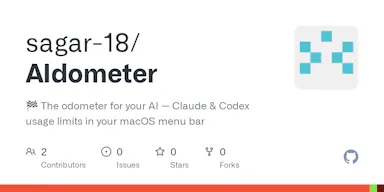
A macOS menu-bar tracker for Claude and Codex AI usage limits that warns you before you hit the cap. Built for developers using Claude Code or Codex CLI.

Open sourceNo tracking
What to know
How it works
A macOS menu-bar app showing live session/weekly/monthly usage windows for Claude and OpenAI Codex, with reset countdowns, a 90% redline warning, and a forecast of when you'll run out at your current pace. It reads the CLI logins you already have.
What's different
One-click switch between providers, 9 themes, 5 layouts, self-updating via GitHub releases, native Swift, essentially one source file, zero telemetry.
Pricing
Open source, MIT licensed.
Best for
Developers using Claude Code or Codex CLI who want to avoid hitting a surprise usage limit mid-task.

Watched for 15 days · last checked 2d ago

Details →

A drop-in CAPTCHA replacement — a short reaction game easy for humans and hard for bots — that collects no visitor IP, fingerprint or tracking data, with an open-source widget.

Open sourceNo tracking
What to know
How it works
Replaces the usual CAPTCHA puzzle with a short reaction-based game; every round is re-checked on the server, so it's easy for humans but hard for bots and AI solvers.
What's different
Collects no IP, fingerprint, or tracking data about visitors, and the widget and games are open source for developers to inspect and restyle.
Best for
Developers who want a privacy-respecting, open-source CAPTCHA alternative for their site.

Watched for 18 days · last checked 10d ago

Details →

React Native developer tool for inspecting and editing MMKV, AsyncStorage and SQLite storage in real time.

Works offlineNo tracking
What to know
How it works
First module, Storage Inspector, lets you inspect and edit MMKV, AsyncStorage, and SQLite in real time for React Native apps.
What's different
Runs entirely locally with no cloud or telemetry; works with Expo, iOS, and Android.
Best for
React Native developers.

Watched for 3 days · last checked 2d ago

Details →

A macOS app storing API keys in the Keychain, unlocked via Touch ID and a hotkey, with a CLI for injecting secrets.

No tracking
What to know
How it works
Press a hotkey (⌃⌥⌘K) anywhere on macOS to open a vault requiring Touch ID for every copy; keys are stored in the macOS Keychain and organized by platform and tag with multi-select copying; ships with a CLI (keyholdr pick / run) to inject secrets as env vars without a .env file.
What's different
Single-purpose, unlike full password managers — no accounts, sync, analytics, or network access.
Watch out
macOS only.

Watched for 9 days · last checked 7d ago

Details →

Format, repair, query and compare JSON locally — no uploads.

FreeWorks offlineNo tracking

First seen today · last checked today

Details →

A native Windows overlay app that combines clipboard history, encrypted clips, and other utilities in one hotkey-accessible tool, aimed at power users who want to stop juggling separate apps.

FreeNo sign-upWorks offlineNo tracking
What to know
How it works
A native Windows overlay app that bundles five tools into one hotkey-accessible panel: clipboard history search, text-expansion snippets, screen capture with OCR, and others.
What's different
Combines multiple utilities (clipboard manager, text expander, screen capture) into one unified overlay instead of running them as separate apps.
Pricing
Free.
Best for
Windows power users who currently juggle separate clipboard, snippet, and screenshot tools.
Watch out
Runs locally with no cloud sync — clips stay on one machine unless the app supports cross-device sync elsewhere.

Watched for 18 days · last checked 2d ago

Details →

A hub of 170+ free browser-based tools (PDF, image, resume/ATS and more) that run client-side, so files never leave your device. A broad utility site, not a specialized tool for one profession.

FreeNo sign-upNothing to installData stays with you
What to know
How it works
A hub of 170+ browser-based tools across 16 categories, including a PDF toolkit (compress/merge/split), an AI resume builder with ATS scoring, and financial calculators for India (GST, PPF, EPF) and the US (401k, HSA).
What's different
Processing happens locally in the browser via WebAssembly, so files never reach a server, and there is no sign-up, daily limit, or watermark.
Pricing
Free, no account required.
Best for
Anyone needing quick PDF, resume/ATS, or financial calculations without installing software or creating an account.

Watched for 14 days · last checked 2d ago

Details →

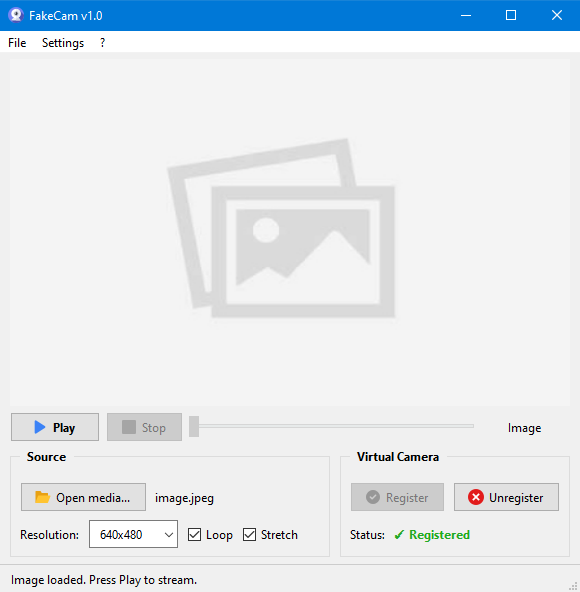
A lightweight Windows app that streams a video or image file as your webcam feed into Zoom, Teams, Skype, Discord or Telegram, running fully offline with no account or tracking.

FreeNo sign-upWorks offlineNo subscription
What to know
How it works
A lightweight virtual webcam app for Windows that streams a video or image file as your camera feed into apps like Zoom, Teams, Skype, Discord and Telegram.
What's different
Runs entirely locally with no account, subscription, ads or tracking — download and run, 25MB portable, works offline.
Pricing
Free for Windows.
Best for
Windows users who want a virtual webcam feed for video call apps without an account or bloatware.

Watched for 18 days · last checked 2d ago

Details →

Copy code blocks from any website in one click.

No sign-upNo tracking

First seen today · last checked today

Details →

A Chrome extension for saving and one-click switching between multiple login sessions on the same site.

Data stays with youNo tracking
What to know
How it works
Saves and restores multiple login sessions for the same website, letting you switch accounts with one click, stored locally with no cloud sync.
Best for
Developers, freelancers, marketers and QA engineers managing multiple accounts on the same site.

Watched for 3 days · last checked 2d ago

Details →

A local-first notebook combining handwriting, rich documents and PDF markup in one workspace, for students and professionals tired of juggling multiple note apps.

Works offlineData stays with youNo adsNo tracking
What to know
How it works
A local-first notebook combining handwriting (ink, pens, highlighters, shapes, lasso selection), rich text boxes, tables, images, audio memos, and PDF import with searchable text, all on a multi-page canvas organized with folders and tags.
What's different
Combines handwriting, structured documents and PDF markup in one workspace instead of forcing a choice between separate apps, without ads or tracking SDKs.
Best for
Students, professionals and creators who currently juggle multiple note apps and want handwriting, documents and PDF annotation in one place.

Watched for 18 days · last checked 2d ago

Details →

A collection of 30+ offline browser-based developer tools that never send data off your machine.

Works offlineNo tracking
What to know
How it works
Provides 30+ developer tools that run locally in the browser with no accounts, tracking, or internet required.
Pricing
Offline, no data leaves the machine.

Watched for 9 days · last checked 6d ago

Details →

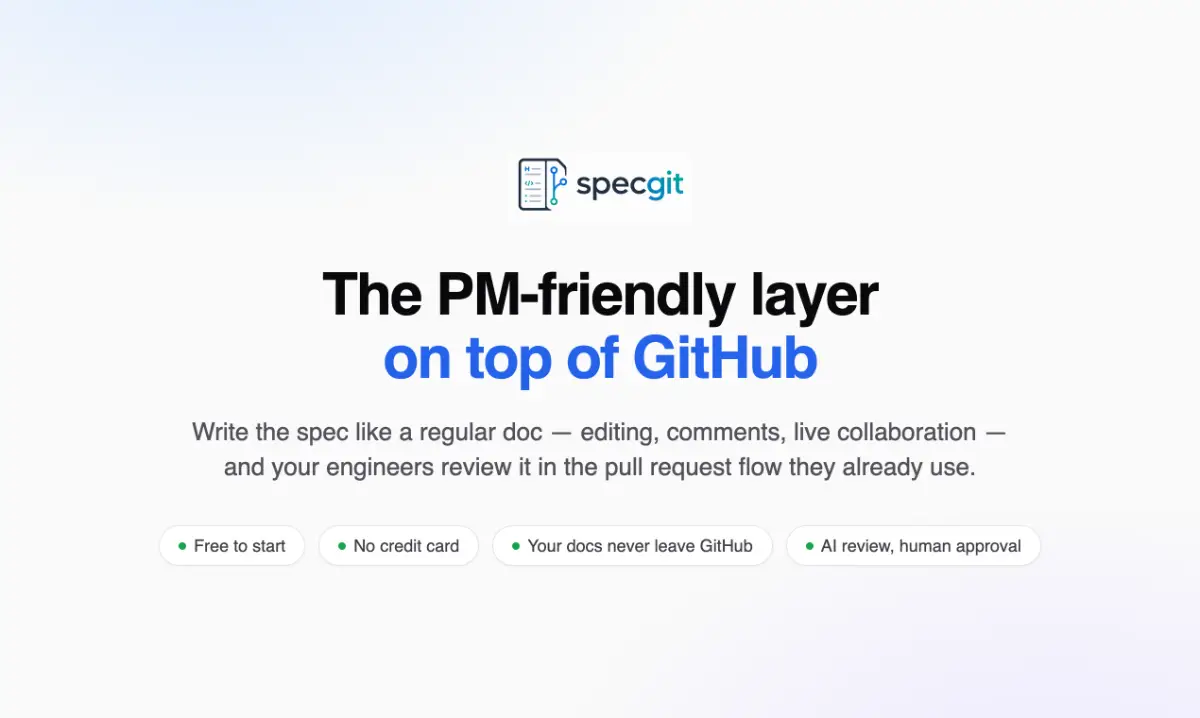
A layer on top of GitHub built for product managers; very little public detail is available beyond that it sits on GitHub.

Domain registered 28 days ago

No tracking
What to know
How it works
A layer on top of GitHub built for product managers.
Best for
Product managers who work alongside engineering teams in GitHub.

Watched for 10 days · last checked 10d ago

Details →