Tools for freelancers and agenciesNo tracking

7 match your filters — 7 of them answered our check today.

Watching this group for 18 days · how we check

This week3 new arrivals

Finds Upwork projects and drafts proposals in your writing style entirely on-device via Chrome's built-in AI — no API keys, no cloud, no FindUp server. Built for freelancers who don't want their data sent anywhere.

FreeWorks offlineNo tracking
What to know
How it works
Search any company and get structured, sourced data extracted with free on-device AI (Gemini Nano); every value links back to the public page it came from with a confidence score and the date it was found.
What's different
Runs AI locally with no sign-in, and omits any value it can't confirm instead of guessing, unlike a chatbot that hands you an unsourced paragraph.
Pricing
Free.
Best for
People researching companies who want sourced, checkable data instead of a chatbot's paraphrase.

Watched for 14 days · last checked 4d ago

Details →

A browser-based invoice builder for freelancers and small businesses that keeps client and billing data entirely on your device, no sign-up or cloud sync.

Domain registered 3 years ago

No sign-upWorks offlineData stays with youNo tracking
What to know
How it works
Builds invoices entirely in the browser and exports them as PDF or PNG, with client details, invoice data and branding staying on the user's device.
What's different
No sign-up, no cloud storage and no tracking, unlike most invoicing tools that store data server-side.
Best for
Freelancers, consultants and small businesses who want to create invoices without their client and billing data leaving their device.

Watched for 10 days · last checked 4d ago

Details →

A privacy-first iOS invoicing app with no login, no analytics and no servers — everything stays on your device. Free for 3 invoices a month; built for freelancers who don't want SaaS bloat.

FreeNo sign-upData stays with youNo tracking
What to know
How it works
An iOS invoicing app that creates professional PDF invoices in under a minute using three templates, with no login and no servers — all data stays on the device.
What's different
No account, no analytics, no servers — invoice data never leaves the device, unlike typical cloud invoicing SaaS.
Pricing
Free tier: 3 invoices/month forever. Plus unlocks unlimited invoices, all templates, logo, reports and CSV export for $5.99/mo or $39.99/yr.
Best for
Freelancers who want simple, private invoicing without SaaS bloat.

Watched for 13 days · last checked 7d ago

Details →

A free invoice generator for UK sole traders that creates branded PDF invoices entirely on-device with no account or data sent to a server.

FreeNo sign-upNo tracking
What to know
How it works
generates PDF invoices locally in the browser
Pricing
free, no signup
Best for
UK sole traders and tradespeople

Watched for 6 days · last checked 5d ago

Details →

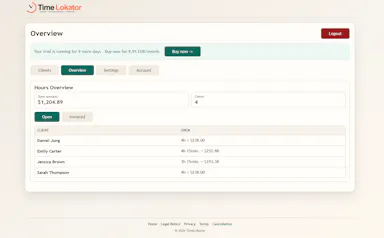
Tracks freelance hours and shares live totals with clients via a single link, with no client account or login required.

Domain registered 4 months ago

No sign-upNo tracking
What to know
How it works
Clients view logged hours, costs and totals through a shared link
What's different
No tracking cookies, hosted in Germany
Best for
Freelancers billing clients who shouldn't need an account

Watched for 6 days · last checked 4d ago

Details →

A native Windows overlay app that combines clipboard history, encrypted clips, and other utilities in one hotkey-accessible tool, aimed at power users who want to stop juggling separate apps.

FreeNo sign-upWorks offlineNo tracking
What to know
How it works
A native Windows overlay app that bundles five tools into one hotkey-accessible panel: clipboard history search, text-expansion snippets, screen capture with OCR, and others.
What's different
Combines multiple utilities (clipboard manager, text expander, screen capture) into one unified overlay instead of running them as separate apps.
Pricing
Free.
Best for
Windows power users who currently juggle separate clipboard, snippet, and screenshot tools.
Watch out
Runs locally with no cloud sync — clips stay on one machine unless the app supports cross-device sync elsewhere.

Watched for 18 days · last checked 2d ago

Details →

A Chrome extension for saving and one-click switching between multiple login sessions on the same site.

Data stays with youNo tracking
What to know
How it works
Saves and restores multiple login sessions for the same website, letting you switch accounts with one click, stored locally with no cloud sync.
Best for
Developers, freelancers, marketers and QA engineers managing multiple accounts on the same site.

Watched for 3 days · last checked 2d ago

Details →