We check every product on this page once a day and record whether it still answers.
A desktop image upscaler that reconstructs existing detail instead of using generative AI, running fully offline for a one-time payment instead of a subscription.
FreeNo sign-upWorks offline
What to know▼
How it works
Runs offline after activation (under 150 MB with models included), CPU-optimized for Apple Silicon and also works on Windows, with batch processing and no per-image limits.
What's different
Positions itself against generative AI upscalers by avoiding hallucinated detail and producing the same result every run.
Pricing
10 free images, no signup, no watermark; early-bird one-time price $39/€39.
Best for
people who want consistent image upscaling without uploading photos to the cloud.
We check every product on this page once a day and record whether it still answers.
Transcribes short voice notes on-device into pattern dashboards, fully offline; data syncs end-to-end encrypted across devices, and you can plug in a local MCP server for your own AI agents.
Works offlineCan export my data
What to know▼
How it works
You speak a short voice note, it's transcribed on-device, and an offline dashboard surfaces patterns over time — repetition, distribution, spikes, changes, and correlations. Data syncs end-to-end encrypted across devices with keys you control, and can be exported/imported or connected to a local MCP server for your own agents to analyze.
What's different
Transcription and analysis happen entirely on-device with end-to-end encrypted sync, and data can be exported anytime to avoid lock-in.
Best for
People who want to track personal patterns from quick voice notes without their data leaving their control.
We check every product on this page once a day and record whether it still answers.
A desktop coding harness built specifically around open-weight models like DeepSeek, Qwen and Kimi, instead of bolting them onto a Claude or GPT-first interface as an afterthought.
Watch out · Depends on local tools like Ollama and MCP — offline/no-cloud setup requires configuring those dependencies yourself.
FreeWorks offline
What to know▼
How it works
A desktop AI coding harness built around open-weight models (DeepSeek, Qwen, Kimi, MiniMax) instead of Claude/GPT, using a structural + lexical code-retrieval engine (Blueprint) that builds a real dependency graph of the codebase rather than embeddings or a vector DB.
What's different
Built specifically for open-weight models' weaker context discipline, instead of treating them as an afterthought behind a Claude/GPT-first interface.
Pricing
Free.
Best for
Developers who want to use open-weight models like DeepSeek, Qwen, or Kimi for coding with retrieval built for their limitations.
Watch out
Depends on local tools like Ollama and MCP — offline/no-cloud setup requires configuring those dependencies yourself.
We check every product on this page once a day and record whether it still answers.
Turns GPS data already embedded in your photos into a private travel map, processing everything on your device so your location history never leaves your phone.
Works offlineData stays with you
What to know▼
How it works
Reads the GPS data already embedded in a user's photos to build a visual map of everywhere they've traveled.
What's different
Processes everything 100% on-device, so location data never leaves the user's control.
Best for
People who want a private travel map built from their existing photo library.
We check every product on this page once a day and record whether it still answers.
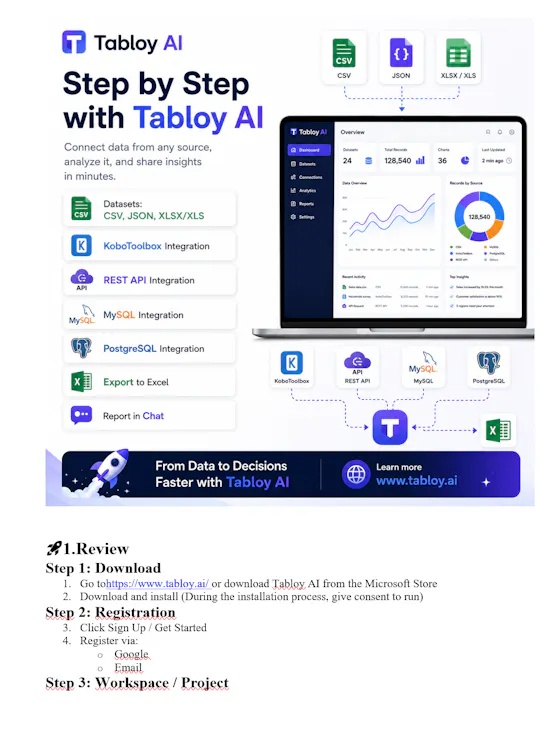
A local-first desktop analytics workspace with AI chat for exploring CSV, Excel, JSON, SQL, and KoboToolbox data.
Works offline
What to know▼
How it works
Local-first dashboards and an AI chat/agent for exploring CSV, Excel, JSON, SQL, and KoboToolbox data, keeping dataset processing local while AI works from schema context.
We check every product on this page once a day and record whether it still answers.
A Windows desktop app that uses offline AI to sort, filter and de-duplicate large photo batches, for photographers, designers and other creators — no cloud needed after install.
Works offline
What to know▼
How it works
A Windows desktop tool that uses built-in offline AI filters to detect faces, blurry or dark photos, duplicates, people, elements and landscapes, letting photographers and creators sort large photo collections without internet after install.
Pricing
Free 7-day trial.
Best for
Photographers, designers and creators sorting large photo batches who want to keep files off the cloud.
We check every product on this page once a day and record whether it still answers.
Compresses images and video (JPG, PNG, TIFF, MP4, GIF) entirely on your device with no upload to a server — for Mac, Windows and Linux, privacy-focused.
Works offlineData stays with you
What to know▼
How it works
Compresses JPG, PNG, TIFF, MP4 and GIF files, processing them locally on-device rather than uploading them to a server, via web tools or a dedicated offline desktop app for Mac, Windows and Linux.
What's different
Local, privacy-focused processing rather than server-side upload-based compression.
Best for
Anyone who wants to compress images or video without sending files to a third-party server.
We check every product on this page once a day and record whether it still answers.
A phone app that simulates shooting real film — 36 exposures per roll, no preview, no delete, results only after a 48-hour develop wait — for people who want photography friction back.
Works offlineNo tracking
What to know▼
How it works
on-device film emulation with a 36-shot roll limit and 48-hour delayed reveal
What's different
no preview, no delete, no accounts or tracking, unlike a normal camera app
Pricing
camera free, film sold by the roll
Best for
people who want deliberate, slow photography instead of instant digital shooting
We check every product on this page once a day and record whether it still answers.
Replaces your browser's new-tab page with a private local dashboard for tasks, a kanban board, quick links and a calendar, works offline and exports your data anytime.
No sign-upWorks offlineData stays with you
What to know▼
How it works
Replaces your browser's new-tab page with a dashboard for tasks, a kanban board, a job tracker, content planners, a screenshot inbox, quick links and a calendar; searchable with Cmd/Ctrl+K and exportable to Markdown, CSV, JSON, or a full backup.
What's different
100% local-first — no account, no cloud, no tracking, works offline, with everything stored on your device.
Best for
People who want a private productivity dashboard on every new tab without creating an account or sending data anywhere.
We check every product on this page once a day and record whether it still answers.
Offline-first field data collection for NGOs, construction, conservation and research teams — collects data without internet, then uses AI to generate ready-to-use reports instantly instead of weeks of manual report-writing.