We check every product on this page once a day and record whether it still answers.
A Mac app that lets you hide specific windows from screen shares while still using them.
Watch out · Everything runs locally on the Mac.
Works offline
What to know▼
How it works
A Mac app that lets you hide specific windows from screen shares while still using them, with a clean presentation desktop and notification guard, working via virtual camera with any meeting app.
We check every product on this page once a day and record whether it still answers.
Turns your Windows or Mac desktop into a customizable workspace with notes, timers, shortcuts and browser views as movable widgets, so you're not scattered across separate folders and apps.
What to know▼
How it works
Pins your most-used files, folders, websites or commands to the desktop or status bar as widgets, bubbles or quick-access icons, and can keep frequently used web pages visible at startup.
What's different
Centralizes shortcuts on the desktop itself instead of requiring you to open folders, apps or browser tabs.
Best for
People who feel scattered across too many open apps and folders and want one-click access to what they use most.
We check every product on this page once a day and record whether it still answers.
A free, open-source tool that applies custom visual skins to Codex Desktop without modifying the app's official bundle.
Watch out · macOS and Windows.
FreeOpen source
What to know▼
How it works
Applies immersive backgrounds and visual styling to Codex Desktop through a local CDP session, without modifying the official app bundle or code signature; restores stock appearance with one click.
We check every product on this page once a day and record whether it still answers.
A macOS menu-bar app that turns your own local video files into live wallpapers, fully offline and open-source with no account or cloud step.
No sign-upWorks offlineOpen source
What to know▼
How it works
A macOS menu bar app that turns local video files into live desktop wallpapers, and converts/patches videos for macOS's native lock screen wallpaper support.
What's different
Fully open-source, offline and private — no accounts, cloud or telemetry — unlike commercial live-wallpaper alternatives.
Best for
macOS users who want live wallpapers from their own video files without sending anything to the cloud.
We check every product on this page once a day and record whether it still answers.
macOS utility that keeps a single browser-style Back/Forward navigation trail across different native apps.
Watch out · macOS only, native Swift.
What to know▼
How it works
Keeps one browser-style Back/Forward navigation trail across macOS apps — press ⌥⌘[ to return to a matching Chromium tab, Finder folder, editor file/line, terminal window, or other app window.
We check every product on this page once a day and record whether it still answers.
Captures screenshots and screen recordings on Mac and Windows with global hotkeys — screenshots sync to a cloud library across devices, but recordings save locally only.
What to know▼
How it works
Captures region, window, fullscreen and scrolling screenshots plus screen recording to MP4 with system audio and mic on Mac and Windows, triggered via global hotkeys with delayed-capture support.
What's different
Screenshots sync to a cloud library across devices, but recordings save only locally to your Movies/Videos folder with no cloud upload.
Best for
Mac and Windows users who want recordings to stay fully local while screenshots stay accessible across devices.
We check every product on this page once a day and record whether it still answers.
A native (non-Electron) Git GUI for Mac and Windows built for speed and low memory use, positioned against GitKraken, SourceTree, Fork and Tower for developers who find those apps sluggish.
No sign-upWorks offline
What to know▼
How it works
A native Git GUI for macOS and Windows with a color-coded, virtualized commit graph and infinite scroll. Works fully offline and locally, with no account or cloud dependency.
What's different
Roughly 12 MB and launches in a fraction of a second, versus the 300–500 MB idle RAM and multi-second cold starts of Electron-based clients like GitKraken, SourceTree, Fork, and Tower.
Best for
Developers frustrated with the resource overhead of Electron-based Git clients.
We check every product on this page once a day and record whether it still answers.
A Mac menu-bar app that displays your Samsung DeX or Pixel desktop mode as a real resizable window, for Galaxy Fold/Flip and Pixel owners who lost official Mac support.
What to know▼
How it works
drives the phone's own desktop mode as a native, resizable macOS window (not screen mirroring)
What's different
replaces discontinued official Samsung DeX-for-Mac support
We check every product on this page once a day and record whether it still answers.
A floating macOS remote that unifies playback controls across Spotify, Apple Music, YouTube Music, and other players into one widget.
Watch out · macOS only.
What to know▼
How it works
A floating macOS remote that unifies play, pause, skip, seek, like, shuffle, repeat, and lyrics controls across Apple Music, Spotify, YouTube Music, SoundCloud, Amazon Music and more via Choral Connector.
What's different
Also supports global shortcuts and scrobbling to Last.fm without switching windows.
We check every product on this page once a day and record whether it still answers.
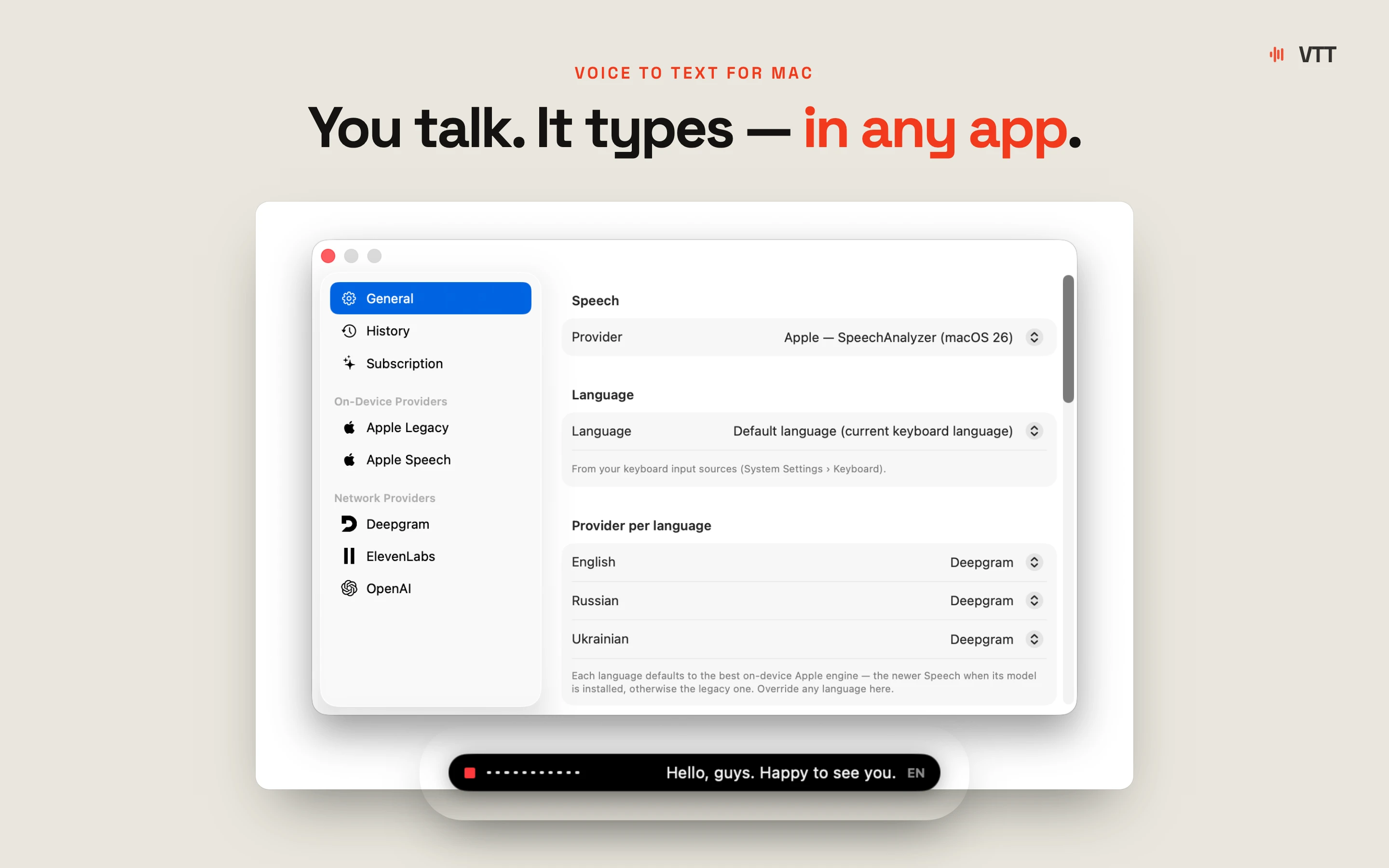
Hold a key, speak, and your words are typed into whatever app is focused — voice dictation and live translation across dozens of languages for Mac and Windows, no audio stored.
Watch out · The 'we never store your audio' claim is the vendor's own statement, not independently verified.
FreeNo sign-up
What to know▼
How it works
Hold a key, speak, release — your words are typed into whatever app your cursor is in. Also supports live translation by holding a separate key.
What's different
Works across roughly 99 languages for dictation and 32 for translation, with the mic only active while the key is held.
Pricing
Free, no account, no model download.
Best for
Mac and Windows users who want fast voice-to-text or live translation without opening a separate app.
Watch out
The 'we never store your audio' claim is the vendor's own statement, not independently verified.
We check every product on this page once a day and record whether it still answers.
A desktop app that snapshots your open apps, windows and files as a named setup, then restores the whole workspace in one click instead of rebuilding it by hand.
What to know▼
How it works
Snapshots your entire desktop workspace — open apps, windows, websites, files and folders — and restores it in one click, without building custom automation workflows.
What's different
Restores a full workspace with one click instead of manually rebuilding it or scripting automation.
Best for
People who switch between multiple work, study or creative setups and want to pick up exactly where they left off.
We check every product on this page once a day and record whether it still answers.
A lightweight, fully offline Mac photo viewer for people who just want to browse folders fast without importing into a library.
Works offline
What to know▼
How it works
Opens a folder of photos instantly without importing into a library, offering instant paging, non-destructive rotate/crop, slideshows, picture-in-picture video, and drag-and-drop file management, fully offline.
What's different
Only accesses folders you explicitly add (unlike Photos.app) and needs zero setup (unlike Lightroom); fully offline, App Sandboxed, with no data collection.
Best for
Mac users who want to browse photo folders quickly without building a library.
We check every product on this page once a day and record whether it still answers.
A real-time animated CRT-style desktop wallpaper generator for macOS, built in Metal, with customizable live controls and power-aware performance.
What to know▼
How it works
Generates a live, customizable desktop background rather than playing a pre-rendered video wallpaper; adapts to power state, screen visibility, and system settings across multiple displays.
We check every product on this page once a day and record whether it still answers.
A pair of privacy-focused desktop utilities for text expansion and clipboard management.
Data stays with you
What to know▼
How it works
Two privacy-first desktop utilities: Snipzilla, a privacy-focused text expander, and Stashzilla, a smart clipboard manager that keeps copied items organized and searchable.
Best for
People who want fast, private tools built by one indie developer.
We check every product on this page once a day and record whether it still answers.
A native desktop app development toolkit with its own markup, state model and renderer, for developers who want to skip Electron or a WebView.
What to know▼
How it works
A toolkit for building native desktop applications with declarative markup, a message-based state model, a component library, and its own native renderer.
What's different
No browser, no WebView involved — it's a fully native renderer rather than a wrapper.
Best for
Developers who want to build desktop apps without going through Electron or a WebView.
We check every product on this page once a day and record whether it still answers.
A clipboard manager for macOS and Windows that copies text the instant you select it, no Ctrl+C needed, plus a searchable history of your last 200 clips.
Watch out · The Windows version is in beta.
FreeNo sign-upWorks offline
What to know▼
How it works
A clipboard manager for macOS and Windows (beta) that copies text the instant you select it — no Ctrl+C/Cmd+C needed — then long-press to paste, or press Cmd/Ctrl+Shift+V to open a searchable history of your last 200 clips.
What's different
Brings the select-to-copy behavior Linux users know from PRIMARY selection to Mac and Windows; traditional clipboard managers only store history after you explicitly press copy.
Pricing
Free.
Best for
macOS and Windows users who want copy-paste without the extra keystroke.
We check every product on this page once a day and record whether it still answers.
Turns any Mac window into a small always-on-top floating picture-in-picture view. Local processing, no cloud.
What to know▼
How it works
Turns the frontmost window on your Mac into a compact, always-on-top picture-in-picture view so you can keep a document, chat, or video visible while working in another app.
What's different
Processing stays on your Mac rather than going through a cloud service.
Best for
People who want reference material or a video visible on top of whatever app they're actively using.
We check every product on this page once a day and record whether it still answers.
A tiny, fast native image viewer for Windows built as a lightweight, open-source alternative to bloated legacy viewers — portable, no install needed.
Nothing to installOpen source
What to know▼
How it works
A portable, sub-10 MB image viewer for Windows built with native C++ and Win32 APIs, supporting modern formats like WebP and JPEG XL, with self-healing registry integration.
What's different
Positioned as a lightweight, hardware-aware alternative to bloated legacy image viewers, with no install required.
Best for
Windows users who want a fast, minimal image viewer instead of a heavier default app.
We check every product on this page once a day and record whether it still answers.
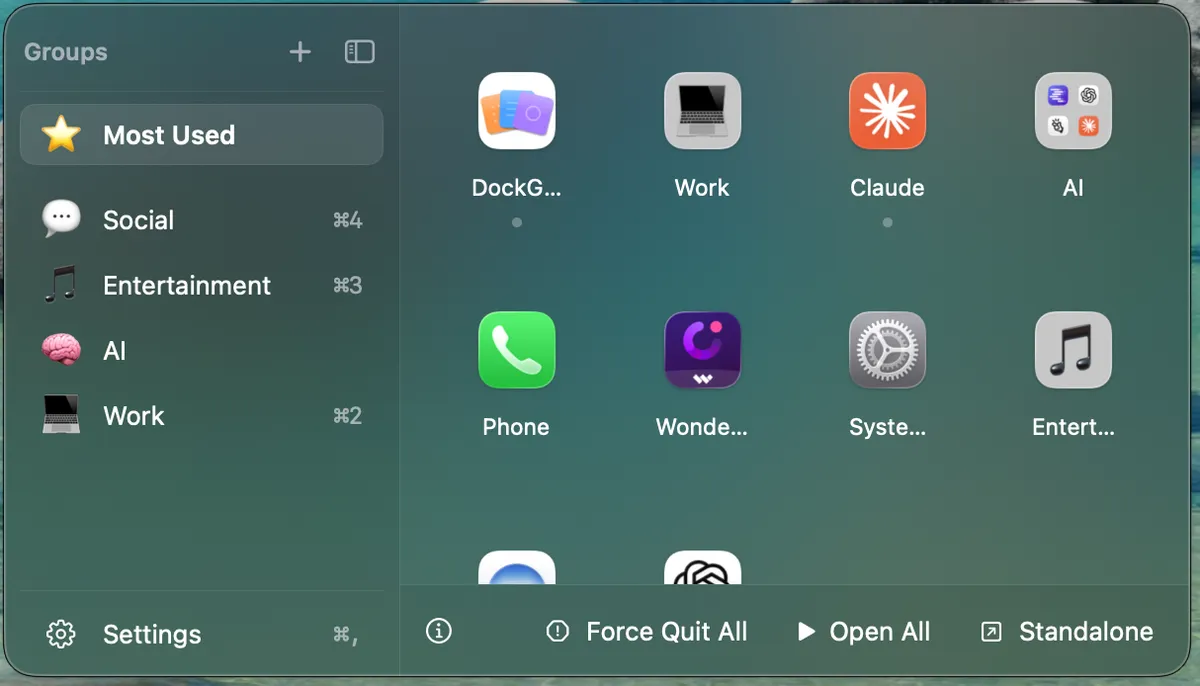
A macOS utility for organizing your Dock apps into named, emoji-labeled groups with a floating quick-access panel.
Works offlineNo tracking
What to know▼
How it works
Organizes Mac Dock apps into named, emoji-labeled groups (by bundle ID) accessed through a floating panel that anchors next to the Dock, wherever it's positioned on screen.
What's different
Group data saves atomically with owner-only permissions and tolerates missing fields, so app updates don't wipe your groups; the panel offers frosted-glass or solid styling with System/Light/Dark themes.
Best for
Mac users with cluttered Docks who want apps organized into custom groups with quick access.
We check every product on this page once a day and record whether it still answers.
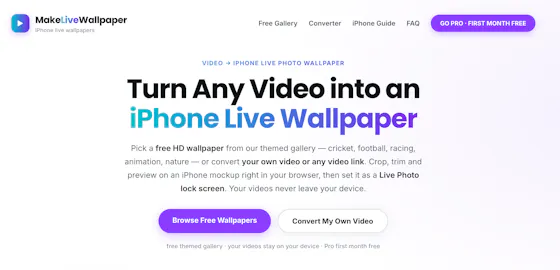
A browser-based tool that turns your own videos into iPhone Live Photo wallpapers entirely on-device with no upload, plus a free gallery of ready-made HD wallpapers.
Watch out · It doesn't create a true Live Photo by itself; it preps the clip and walks you through a manual app step to finish.
FreeWorks offlineData stays with you
What to know▼
How it works
Crop, trim, and preview a video on a phone mockup in the browser, entirely on-device, then follow a one-tap step to set it as your iPhone Live Photo lock screen.
Pricing
Free HD wallpapers from a gallery; you can also convert your own video.
Best for
iPhone users who want a live wallpaper made from their own video without uploading it anywhere.
Watch out
It doesn't create a true Live Photo by itself; it preps the clip and walks you through a manual app step to finish.
We check every product on this page once a day and record whether it still answers.
A macOS menu-bar app that plays short calming soundscapes to help you reset between back-to-back meetings, for people feeling overloaded at work.
What to know▼
How it works
A macOS menu-bar app that plays short calming soundscapes to help you reset after meetings, deep work, or screen overload — pick how you feel and start a sound reset.
Best for
People feeling overloaded between back-to-back meetings at work.
We check every product on this page once a day and record whether it still answers.
Custom Mac layouts that appear when you drag
What to know▼
How it works
A native Mac window manager that snaps windows into custom layouts as you drag, with compact stacked trays, one-click Window Groups, and multi-display support, living in the menu bar.
What's different
Configurations are stored locally.
Pricing
Includes a full 7-day trial.
Best for
Mac users managing many windows across multiple displays who want custom snap layouts.
We check every product on this page once a day and record whether it still answers.
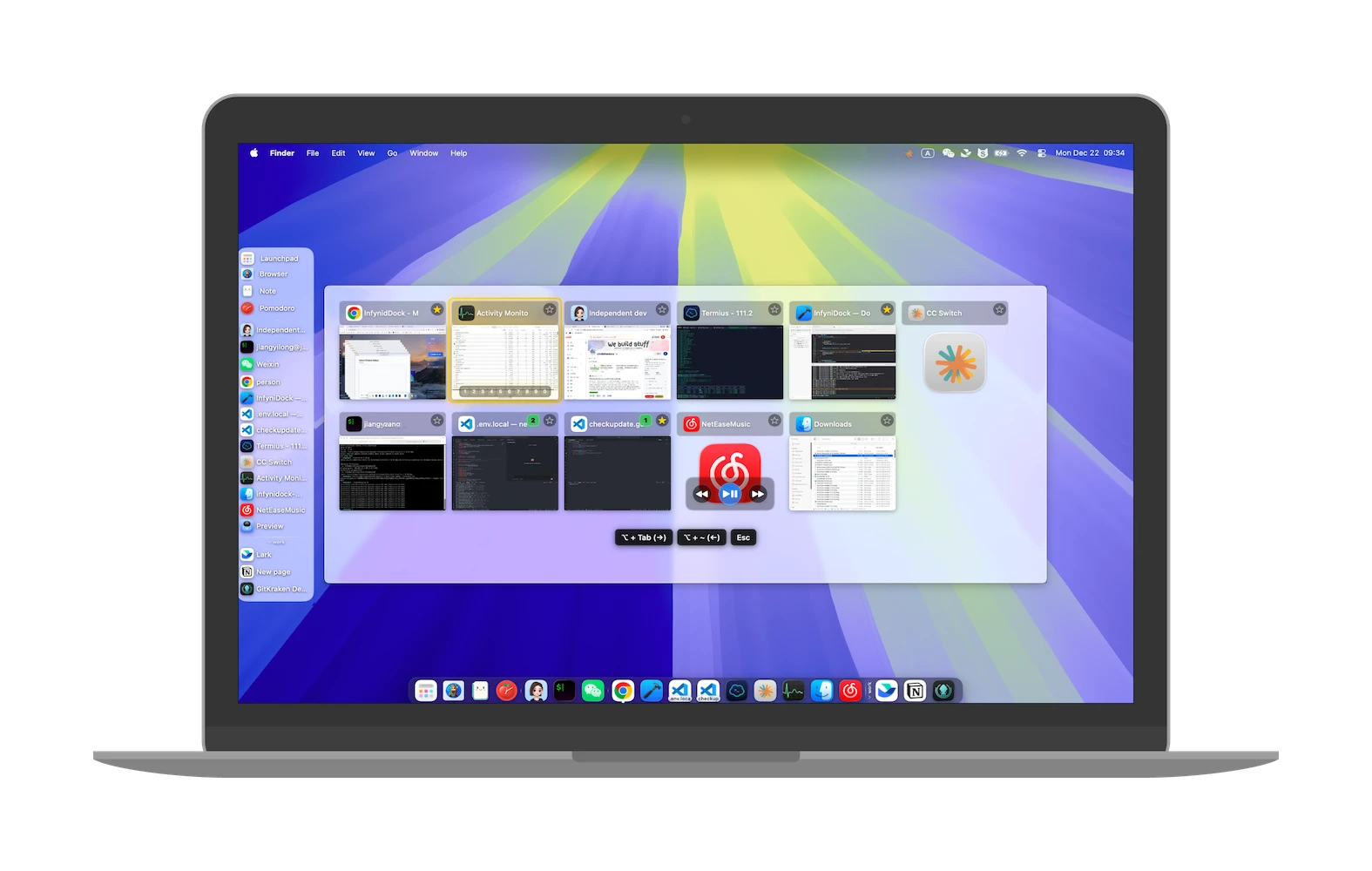
A Mac menu-bar utility that fixes small everyday annoyances like catching screenshots, parking windows, and remembering clipboard history.
What to know▼
How it works
Lives in the MacBook notch to catch screenshots before they hit the desktop, park windows for later, remember clipboard history, save tabs for another day, and keep files one hover away.
We check every product on this page once a day and record whether it still answers.
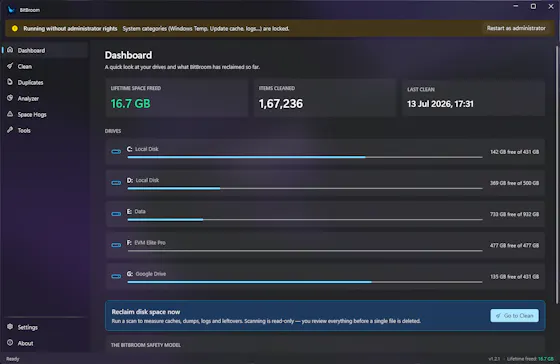
A free, open-source Windows disk cleaner designed to find reclaimable space (old drivers, duplicate files, WSL/Docker disks) without deleting things you need.
FreeOpen sourceNo ads
What to know▼
How it works
Finds reclaimable disk space including WSL/Docker disks, old drivers, and duplicate files, with Recycle Bin safety and a full audit log.
What's different
Engineered so it can't delete what you care about.
We check every product on this page once a day and record whether it still answers.
A Mac utility that pins any window as a floating, click-through overlay so you can reference it while working underneath.
What to know▼
How it works
Pins any Mac window as a live floating, click-through overlay with real-time capture, opacity control, and corner PiP mode, fully keyboard-driven; a native Swift menu bar app at about 2MB.
Pricing
$9.99 once, 30-day refund; 7-day in-app trial after install.
We check every product on this page once a day and record whether it still answers.
A fast, local-first Markdown editor that runs in-browser or as an offline desktop app, for writers who want quick note-taking without cloud lock-in.
FreeWorks offline
What to know▼
How it works
A lightweight Markdown editor that starts as a free web editor for writing, previewing, importing and downloading Markdown, and grows into a local-first Tauri desktop app with native file access, offline work and local history snapshots.
Pricing
Free web editor.
Best for
Writers who want fast Markdown editing without cloud lock-in.
We check every product on this page once a day and record whether it still answers.
An open-source desktop calculator that parses phrases like '20% of 150' plus unit conversion and graphing, a general tool despite the developer-flavored tech stack.
Open source
What to know▼
How it works
A cross-platform desktop calculator that parses natural-language phrases like '20% of 150' or '5 kg in pounds', with unit conversion, function graphing and step-by-step evaluation.
What's different
Built with Go + Wails for a roughly 25 MB binary that starts instantly, versus heavier calculator apps.
We check every product on this page once a day and record whether it still answers.
A lightweight Windows app that streams a video or image file as your webcam feed into Zoom, Teams, Skype, Discord or Telegram, running fully offline with no account or tracking.
FreeNo sign-upWorks offline
What to know▼
How it works
A lightweight virtual webcam app for Windows that streams a video or image file as your camera feed into apps like Zoom, Teams, Skype, Discord and Telegram.
What's different
Runs entirely locally with no account, subscription, ads or tracking — download and run, 25MB portable, works offline.
Pricing
Free for Windows.
Best for
Windows users who want a virtual webcam feed for video call apps without an account or bloatware.
We check every product on this page once a day and record whether it still answers.
A menu-bar app that brings a Rofi-style visual grid for switching Mac wallpapers, for people who want quick access to local and online wallpaper sources.
What to know▼
How it works
open a visual grid with a shortcut, pick from local collections or four online sources
We check every product on this page once a day and record whether it still answers.
App that turns your phone into a Bluetooth HID remote control (keyboard, trackpad, air mouse, macros) for PCs, TVs and projectors with no extra hardware.
What to know▼
How it works
uses Bluetooth HID, not Wi-Fi, so no server software or extra hardware is needed
What's different
works across Windows, Mac, Linux, Chromebook and TVs from one app
Best for
people wanting one remote for multiple devices instead of separate remotes/apps
We check every product on this page once a day and record whether it still answers.
A local Windows file-search app that indexes without sending anything to the cloud or needing an account — built to stay fast even on older, resource-constrained PCs.
No sign-upWorks offline
What to know▼
How it works
A local-first desktop app that indexes files on Windows so you can search for them without digging through folders.
What's different
No cloud, no accounts, and built to run smoothly on older, resource-constrained hardware.
Best for
Windows users, including those on older PCs, who want fast local file search without sending data to the cloud.
We check every product on this page once a day and record whether it still answers.
A free, open-source Mac app for developers that lists every open port and its process, lets you kill busy ports, and fix 'address already in use' errors.
FreeOpen source
What to know▼
How it works
A free, open-source Mac app that lists every open port and the process behind it, lets you kill processes on busy ports, and can block ports via the built-in macOS firewall.
Pricing
Free and open source.
Best for
Developers on macOS troubleshooting 'address already in use' errors or checking what's listening on their ports.
We check every product on this page once a day and record whether it still answers.
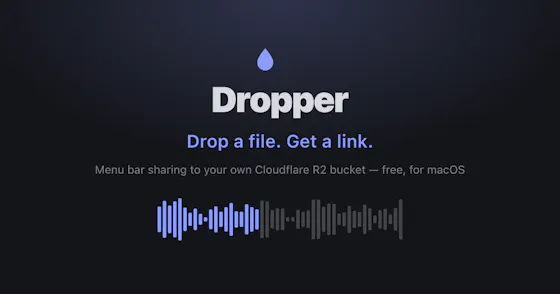
A Mac menu-bar app that uploads dropped files straight to your own Cloudflare R2 bucket and copies a shareable link to your clipboard.
Watch out · macOS only.
No subscription
What to know▼
How it works
Drag a file onto the Mac menu bar app and it uploads to your own Cloudflare R2 bucket, converts web-unfriendly formats, and copies a share page link to your clipboard.
What's different
No middleman or subscription; links keep working even if the app goes away.
We check every product on this page once a day and record whether it still answers.
A utility that lets one Mac use another Mac's webcam over the local network, for people who want a better camera angle or need a camera on a headless Mac.
What to know▼
How it works
Streams a Mac's webcam to another Mac over the local network, encrypted and low-latency.
Best for
Multi-Mac setups, like using an iMac's camera on a MacBook or adding a camera to a headless Mac mini.
We check every product on this page once a day and record whether it still answers.
A free, open-source macOS menu-bar app that gives haptic trackpad feedback whenever your cursor passes over any clickable button, link or menu, system-wide.
FreeOpen source
What to know▼
How it works
Runs in the Mac menu bar and taps the trackpad's haptic engine whenever the cursor passes over any clickable element — buttons, links, menus, tabs — system-wide across any app.
What's different
Works system-wide in any app rather than requiring per-app integration; open source.
Pricing
Free and open-source.
Best for
Mac users who want physical feedback when navigating the interface, not just visual cues.
We check every product on this page once a day and record whether it still answers.
A free, open-source Windows utility that shows real battery health, automatically switches power-saver mode, and adds playful alerts — for any Windows laptop owner, not just developers.
FreeWorks offlineOpen source
What to know▼
How it works
A Windows battery companion that shows real battery health (design capacity vs. current capacity), automatically switches power-saver mode, and adds emoji alerts.
What's different
Open-source, runs 100% locally with no tracking.
Pricing
Free forever.
Best for
Any Windows laptop owner who wants to see actual battery health, not just charge percentage.
We check every product on this page once a day and record whether it still answers.
Turns your iPhone into a trackpad and remote for your Mac, with gesture input, live stats, and one-tap launch or quit of Mac apps from your phone. Free.
Watch out · The iOS app is currently in TestFlight beta.
Free
What to know▼
How it works
Turns an iPhone into a trackpad and remote for a Mac, syncing after a one-time pairing code, with gesture input, live stats, and a dock that can launch or quit Mac apps with a single tap.
What's different
Goes beyond basic phone-as-trackpad apps with seamless persistent pairing, Mac power-user controls, and one-tap app quitting from the phone.
Pricing
Free.
Best for
Mac users who want phone-based remote control with more than basic trackpad functions.
We check every product on this page once a day and record whether it still answers.
A free, portable Windows utility that edits EDID to unlock custom resolutions and refresh rates your monitor or GPU supports but Windows hides.
FreeNothing to install
What to know▼
How it works
A free, portable Windows utility that edits EDID data to create custom display resolutions and refresh rates, letting you add or remove resolutions and adjust FreeSync and refresh-rate settings without installation.
What's different
Unlocks hidden resolutions that your monitor or GPU supports but that don't appear in standard Windows settings.
Pricing
Free, no installation required.
Best for
Gamers and creative professionals using high-definition or ultrawide displays who want to fine-tune refresh rates and reduce screen tearing.
We check every product on this page once a day and record whether it still answers.
Adds Vimium-style keyboard letter-hints to macOS window management so you can jump to or tile any window without touching the mouse.
What to know▼
How it works
Displays a letter hint on every window and screen zone on macOS; pressing it jumps to or tiles that window, similar to how Vimium adds keyboard hints to browser links.
What's different
Brings Vimium-style keyboard-hint navigation to macOS window management, so you never need to touch the mouse to switch or tile windows.
Pricing
14-day free trial.
Best for
Keyboard-centric macOS users who want to manage windows without reaching for the mouse.
We check every product on this page once a day and record whether it still answers.
A free browser-based suite for testing microphones, speakers, headphones, and Bluetooth latency without installing software.
FreeNo sign-up
What to know▼
How it works
Provides web-based tools to test microphones, speakers, and headphones, plus a specialized tool to measure Bluetooth latency, with instant in-browser results.
What's different
No software download or account registration required.
We check every product on this page once a day and record whether it still answers.
A free, open-source, portable tool under 150KB for writing bootable USB drives from ISO images, positioned as a lightweight alternative to Rufus, no install needed.
FreeNothing to installOpen source
What to know▼
How it works
A free, portable, open-source tool for writing bootable USB flash drives from ISO images, under 150KB with no installation required.
What's different
Positioned as a lighter alternative to Rufus.
Pricing
Free.
Best for
People who need to create bootable USB drives without installing extra software.
We check every product on this page once a day and record whether it still answers.
Locks, hides and encrypts apps and folders on your Mac with Touch ID or a password, entirely offline, for a one-time purchase instead of a subscription.
No sign-upWorks offlinePay once
What to know▼
How it works
Locks, hides and encrypts apps and folders on macOS using Touch ID or a password.
What's different
Runs 100% locally with no account and no cloud, and is sold as a one-time purchase rather than a subscription.
Pricing
One-time purchase.
Best for
Mac users who want specific apps and folders locked away from other people using the same machine.
We check every product on this page once a day and record whether it still answers.
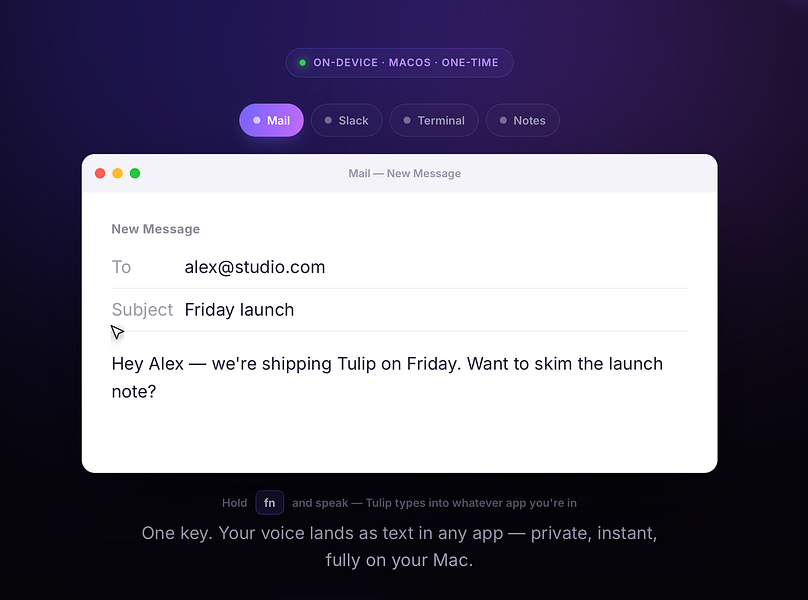
Hold a key and dictate into any Mac app; speech-to-text runs entirely on-device so nothing is sent to a server. One-time purchase, not a subscription.
Works offlinePay onceNo subscription
What to know▼
How it works
Hold the fn key on a Mac, speak, and release to drop clean, punctuated dictated text at your cursor in any app; speech-to-text runs entirely on-device on Apple Silicon and works offline.
What's different
Processes audio fully on-device and never sends it to a server, unlike cloud-based dictation tools.
Pricing
One-time purchase for a lifetime license usable on up to three Macs, with a 2-day free trial and a year of updates included.
Best for
Mac users who want fast, private dictation into any app without a subscription.