We check every product on this page once a day and record whether it still answers.
A Windows download manager that uses an AI engine to manage parallel connections and speed up downloads, sold as a cheaper one-time-payment alternative to IDM.
Watch out · Built and maintained by a solo developer, according to the listing.
Pay onceNo subscription
What to know▼
How it works
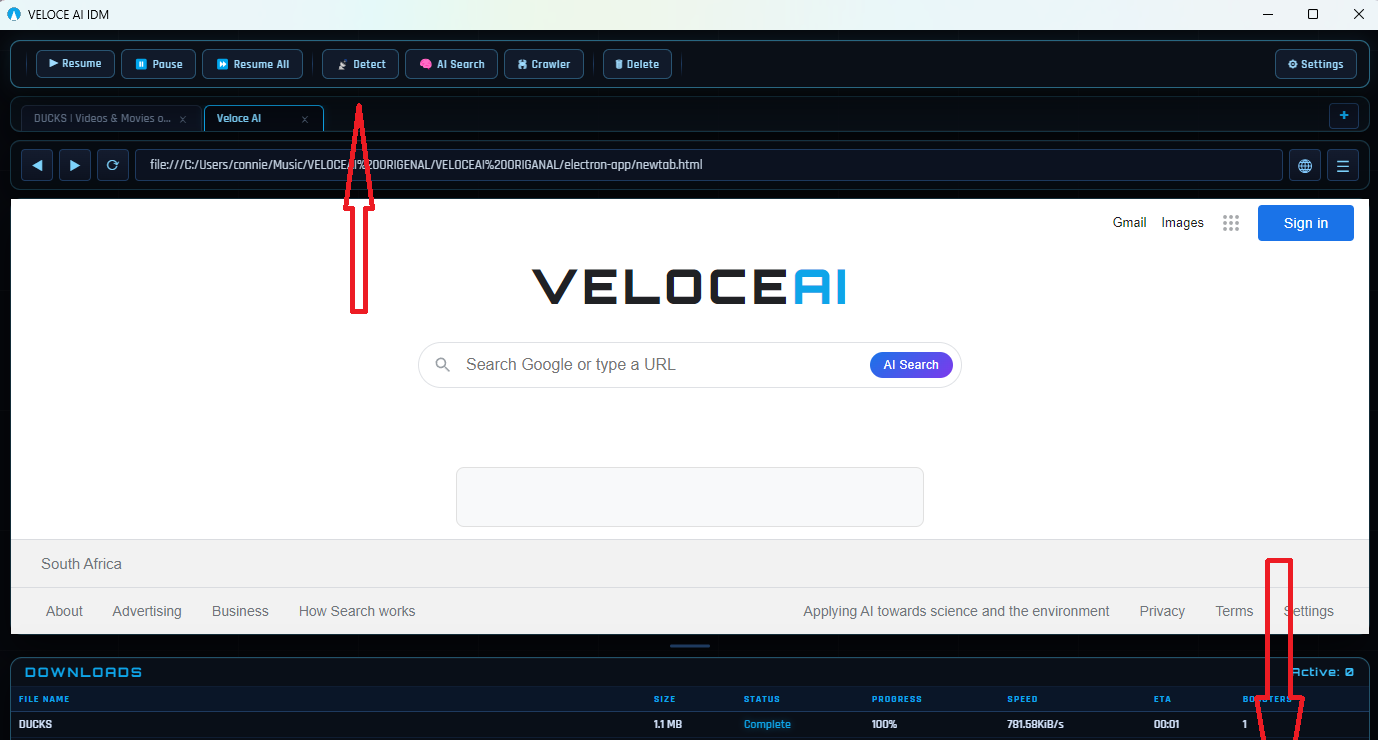
A Windows download manager that runs a real-time AI engine monitoring 32 adaptive connections per download, detecting and replacing slow tunnels automatically; includes a built-in Chromium browser and an AI File Finder that searches archives like GitHub and Archive.org for hard-to-find files.
What's different
Positioned as a cheaper, AI-driven replacement for older fixed-segmentation download managers like IDM, at roughly 5x lower cost.
Pricing
$5 one-time for lifetime access with future updates; free 3-day trial, no credit card required.
Best for
Windows users who download frequently and want faster, adaptive downloads plus a tool to find files that normal search engines miss.
Watch out
Built and maintained by a solo developer, according to the listing.
We check every product on this page once a day and record whether it still answers.
A lightweight Windows app that streams a video or image file as your webcam feed into Zoom, Teams, Skype, Discord or Telegram, running fully offline with no account or tracking.
FreeNo sign-upWorks offline
What to know▼
How it works
A lightweight virtual webcam app for Windows that streams a video or image file as your camera feed into apps like Zoom, Teams, Skype, Discord and Telegram.
What's different
Runs entirely locally with no account, subscription, ads or tracking — download and run, 25MB portable, works offline.
Pricing
Free for Windows.
Best for
Windows users who want a virtual webcam feed for video call apps without an account or bloatware.
We check every product on this page once a day and record whether it still answers.
A Mac menu-bar app that uploads dropped files straight to your own Cloudflare R2 bucket and copies a shareable link to your clipboard.
Watch out · macOS only.
No subscription
What to know▼
How it works
Drag a file onto the Mac menu bar app and it uploads to your own Cloudflare R2 bucket, converts web-unfriendly formats, and copies a share page link to your clipboard.
What's different
No middleman or subscription; links keep working even if the app goes away.
We check every product on this page once a day and record whether it still answers.
An on-device AI writing assistant for Mac that fixes grammar and expands text snippets across every app without sending your text to the cloud, sold as a one-time $39 purchase with no account required.
No sign-upWorks offlineNo subscription
What to know▼
How it works
Runs entirely on-device using local AI to fix grammar, expand snippets, and finish sentences inside any Mac app.
Pricing
One-time $39 payment, no subscription.
Best for
Mac users who want AI writing help without cloud data transmission or recurring fees.
We check every product on this page once a day and record whether it still answers.
Locks, hides and encrypts apps and folders on your Mac with Touch ID or a password, entirely offline, for a one-time purchase instead of a subscription.
No sign-upWorks offlinePay once
What to know▼
How it works
Locks, hides and encrypts apps and folders on macOS using Touch ID or a password.
What's different
Runs 100% locally with no account and no cloud, and is sold as a one-time purchase rather than a subscription.
Pricing
One-time purchase.
Best for
Mac users who want specific apps and folders locked away from other people using the same machine.
We check every product on this page once a day and record whether it still answers.
Hold a key and dictate into any Mac app; speech-to-text runs entirely on-device so nothing is sent to a server. One-time purchase, not a subscription.
Works offlinePay onceNo subscription
What to know▼
How it works
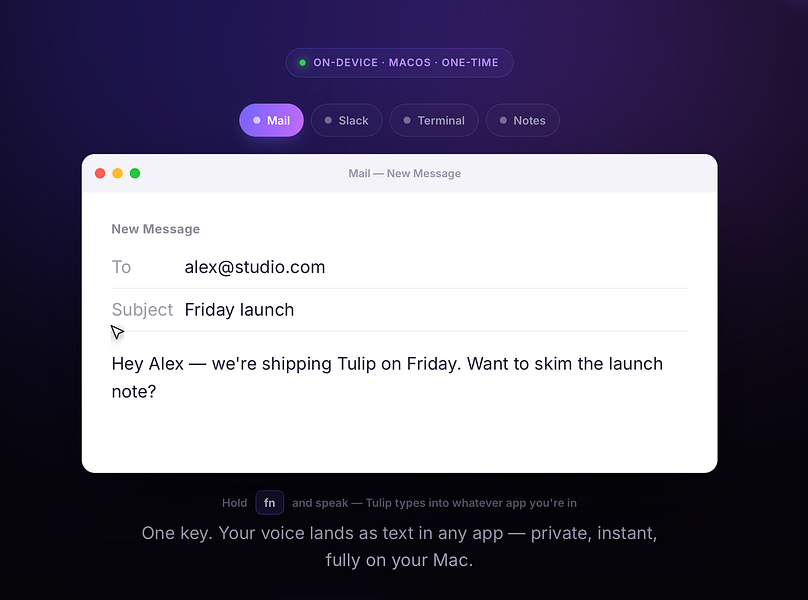
Hold the fn key on a Mac, speak, and release to drop clean, punctuated dictated text at your cursor in any app; speech-to-text runs entirely on-device on Apple Silicon and works offline.
What's different
Processes audio fully on-device and never sends it to a server, unlike cloud-based dictation tools.
Pricing
One-time purchase for a lifetime license usable on up to three Macs, with a 2-day free trial and a year of updates included.
Best for
Mac users who want fast, private dictation into any app without a subscription.
We check every product on this page once a day and record whether it still answers.
A lightweight Windows utility monitors and manages GPU memory temperature during AI inference or gaming, for owners of high-performance laptops trying to avoid thermal throttling.
FreeNo subscription
What to know▼
How it works
Monitors GPU memory junction temperature via low-level hardware telemetry and applies software-defined duty-cycling (millisecond-level pulse throttling) to prevent thermal-driven performance drops during AI inference or gaming.
What's different
Targets memory junction temperature specifically, which standard tools like MSI Afterburner only tune for the GPU core, not the memory hotspot that triggers emergency throttling.
Pricing
Pulse Throttling is free.
Best for
Owners of high-performance gaming or AI laptops running sustained local inference (Stable Diffusion, llama.cpp, Ollama) who see performance drop from memory overheating.
We check every product on this page once a day and record whether it still answers.
A Mac app that brings back the old Launchpad-style app grid via hotkey or gesture; free to try, with a one-time payment unlocking the full Pro version.
Pay onceNo subscription
What to know▼
How it works
Brings back the classic Launchpad-style app grid on modern macOS, opened with a hotkey or trackpad gesture, with apps organized your way.
Pricing
Free to try; Pro is a one-time purchase with lifetime updates.
Best for
Mac users who miss the classic Launchpad app grid.
We check every product on this page once a day and record whether it still answers.
A Mac desktop app that mirrors your Android phone's Google Messages, letting you reply from macOS notifications and auto-copy 2FA codes -- not a mobile app itself.
No subscription
What to know▼
How it works
A macOS app that pairs with an Android phone and mirrors Google Messages, giving you real Mac notifications you can reply to, an unread dock badge, and recent chats in the menu bar.
What's different
Auto-copies 2FA codes to your clipboard the moment they arrive, and lets you set a custom chat wallpaper.
Pricing
$12.99 one-time purchase, no subscription, with a free 3-day trial.
Best for
Android phone + Mac users who don't have iMessage and are tired of texting from a browser tab.