We check every product on this page once a day and record whether it still answers.
A Mac app that lets you hide specific windows from screen shares while still using them.
Watch out · Everything runs locally on the Mac.
Works offline
What to know▼
How it works
A Mac app that lets you hide specific windows from screen shares while still using them, with a clean presentation desktop and notification guard, working via virtual camera with any meeting app.
We check every product on this page once a day and record whether it still answers.
A macOS menu-bar app that turns your own local video files into live wallpapers, fully offline and open-source with no account or cloud step.
No sign-upWorks offlineOpen source
What to know▼
How it works
A macOS menu bar app that turns local video files into live desktop wallpapers, and converts/patches videos for macOS's native lock screen wallpaper support.
What's different
Fully open-source, offline and private — no accounts, cloud or telemetry — unlike commercial live-wallpaper alternatives.
Best for
macOS users who want live wallpapers from their own video files without sending anything to the cloud.
We check every product on this page once a day and record whether it still answers.
A native (non-Electron) Git GUI for Mac and Windows built for speed and low memory use, positioned against GitKraken, SourceTree, Fork and Tower for developers who find those apps sluggish.
No sign-upWorks offline
What to know▼
How it works
A native Git GUI for macOS and Windows with a color-coded, virtualized commit graph and infinite scroll. Works fully offline and locally, with no account or cloud dependency.
What's different
Roughly 12 MB and launches in a fraction of a second, versus the 300–500 MB idle RAM and multi-second cold starts of Electron-based clients like GitKraken, SourceTree, Fork, and Tower.
Best for
Developers frustrated with the resource overhead of Electron-based Git clients.
We check every product on this page once a day and record whether it still answers.
A lightweight, fully offline Mac photo viewer for people who just want to browse folders fast without importing into a library.
Works offline
What to know▼
How it works
Opens a folder of photos instantly without importing into a library, offering instant paging, non-destructive rotate/crop, slideshows, picture-in-picture video, and drag-and-drop file management, fully offline.
What's different
Only accesses folders you explicitly add (unlike Photos.app) and needs zero setup (unlike Lightroom); fully offline, App Sandboxed, with no data collection.
Best for
Mac users who want to browse photo folders quickly without building a library.
We check every product on this page once a day and record whether it still answers.
An offline AI companion app for people who want an ongoing personalized chat relationship without their conversations ever leaving their own computer.
Works offlineData stays with you
What to know▼
How it works
A desktop AI companion for Mac and Windows that runs entirely offline, remembering past interactions and learning about the user over time to build a personalized relationship.
What's different
All processing happens locally on the machine rather than in the cloud.
Pricing
No recurring subscription fees.
Best for
People who want an ongoing personalized AI companion without their conversations leaving their computer.
We check every product on this page once a day and record whether it still answers.
A clipboard manager for macOS and Windows that copies text the instant you select it, no Ctrl+C needed, plus a searchable history of your last 200 clips.
Watch out · The Windows version is in beta.
FreeNo sign-upWorks offline
What to know▼
How it works
A clipboard manager for macOS and Windows (beta) that copies text the instant you select it — no Ctrl+C/Cmd+C needed — then long-press to paste, or press Cmd/Ctrl+Shift+V to open a searchable history of your last 200 clips.
What's different
Brings the select-to-copy behavior Linux users know from PRIMARY selection to Mac and Windows; traditional clipboard managers only store history after you explicitly press copy.
Pricing
Free.
Best for
macOS and Windows users who want copy-paste without the extra keystroke.
We check every product on this page once a day and record whether it still answers.
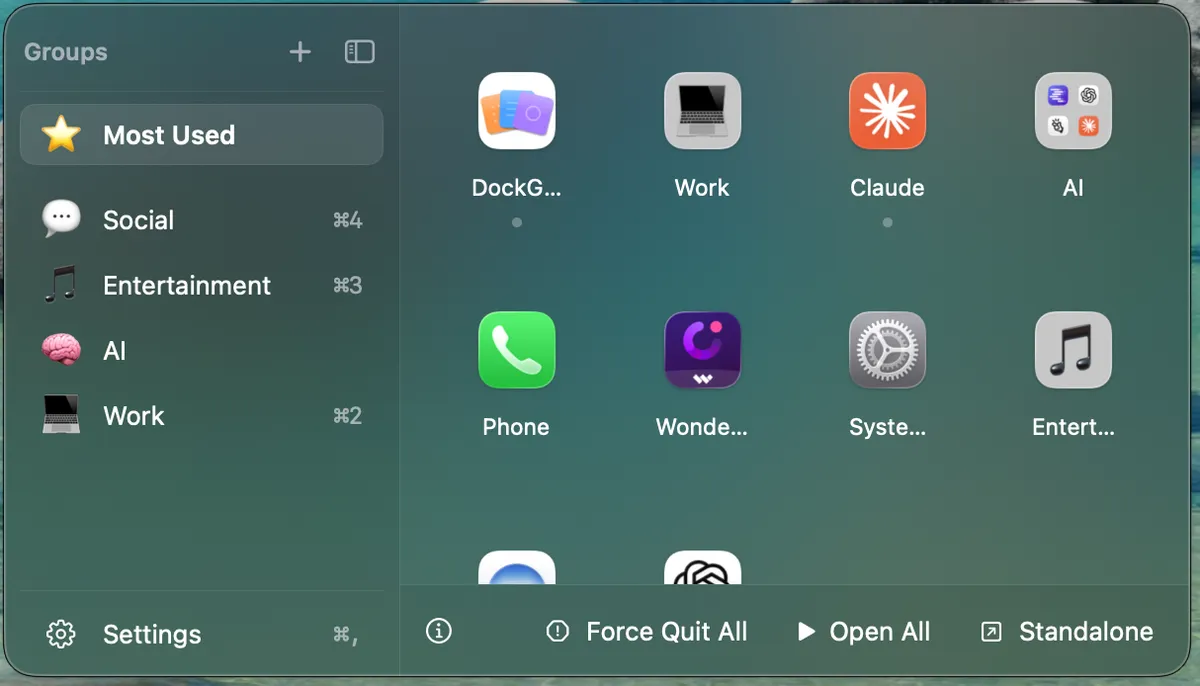
A macOS utility for organizing your Dock apps into named, emoji-labeled groups with a floating quick-access panel.
Works offlineNo tracking
What to know▼
How it works
Organizes Mac Dock apps into named, emoji-labeled groups (by bundle ID) accessed through a floating panel that anchors next to the Dock, wherever it's positioned on screen.
What's different
Group data saves atomically with owner-only permissions and tolerates missing fields, so app updates don't wipe your groups; the panel offers frosted-glass or solid styling with System/Light/Dark themes.
Best for
Mac users with cluttered Docks who want apps organized into custom groups with quick access.
We check every product on this page once a day and record whether it still answers.
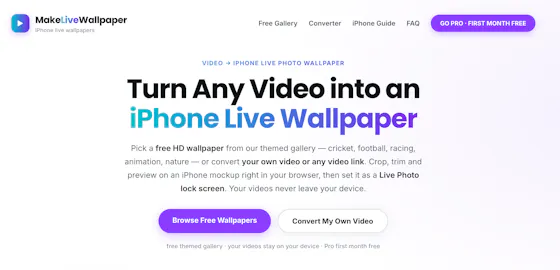
A browser-based tool that turns your own videos into iPhone Live Photo wallpapers entirely on-device with no upload, plus a free gallery of ready-made HD wallpapers.
Watch out · It doesn't create a true Live Photo by itself; it preps the clip and walks you through a manual app step to finish.
FreeWorks offlineData stays with you
What to know▼
How it works
Crop, trim, and preview a video on a phone mockup in the browser, entirely on-device, then follow a one-tap step to set it as your iPhone Live Photo lock screen.
Pricing
Free HD wallpapers from a gallery; you can also convert your own video.
Best for
iPhone users who want a live wallpaper made from their own video without uploading it anywhere.
Watch out
It doesn't create a true Live Photo by itself; it preps the clip and walks you through a manual app step to finish.
We check every product on this page once a day and record whether it still answers.
A fast, local-first Markdown editor that runs in-browser or as an offline desktop app, for writers who want quick note-taking without cloud lock-in.
FreeWorks offline
What to know▼
How it works
A lightweight Markdown editor that starts as a free web editor for writing, previewing, importing and downloading Markdown, and grows into a local-first Tauri desktop app with native file access, offline work and local history snapshots.
Pricing
Free web editor.
Best for
Writers who want fast Markdown editing without cloud lock-in.
We check every product on this page once a day and record whether it still answers.
A lightweight Windows app that streams a video or image file as your webcam feed into Zoom, Teams, Skype, Discord or Telegram, running fully offline with no account or tracking.
FreeNo sign-upWorks offline
What to know▼
How it works
A lightweight virtual webcam app for Windows that streams a video or image file as your camera feed into apps like Zoom, Teams, Skype, Discord and Telegram.
What's different
Runs entirely locally with no account, subscription, ads or tracking — download and run, 25MB portable, works offline.
Pricing
Free for Windows.
Best for
Windows users who want a virtual webcam feed for video call apps without an account or bloatware.
We check every product on this page once a day and record whether it still answers.
A local Windows file-search app that indexes without sending anything to the cloud or needing an account — built to stay fast even on older, resource-constrained PCs.
No sign-upWorks offline
What to know▼
How it works
A local-first desktop app that indexes files on Windows so you can search for them without digging through folders.
What's different
No cloud, no accounts, and built to run smoothly on older, resource-constrained hardware.
Best for
Windows users, including those on older PCs, who want fast local file search without sending data to the cloud.
We check every product on this page once a day and record whether it still answers.
An on-device AI writing assistant for Mac that fixes grammar and expands text snippets across every app without sending your text to the cloud, sold as a one-time $39 purchase with no account required.
No sign-upWorks offlineNo subscription
What to know▼
How it works
Runs entirely on-device using local AI to fix grammar, expand snippets, and finish sentences inside any Mac app.
Pricing
One-time $39 payment, no subscription.
Best for
Mac users who want AI writing help without cloud data transmission or recurring fees.
We check every product on this page once a day and record whether it still answers.
Locks, hides and encrypts apps and folders on your Mac with Touch ID or a password, entirely offline, for a one-time purchase instead of a subscription.
No sign-upWorks offlinePay once
What to know▼
How it works
Locks, hides and encrypts apps and folders on macOS using Touch ID or a password.
What's different
Runs 100% locally with no account and no cloud, and is sold as a one-time purchase rather than a subscription.
Pricing
One-time purchase.
Best for
Mac users who want specific apps and folders locked away from other people using the same machine.
We check every product on this page once a day and record whether it still answers.
Hold a key and dictate into any Mac app; speech-to-text runs entirely on-device so nothing is sent to a server. One-time purchase, not a subscription.
Works offlinePay onceNo subscription
What to know▼
How it works
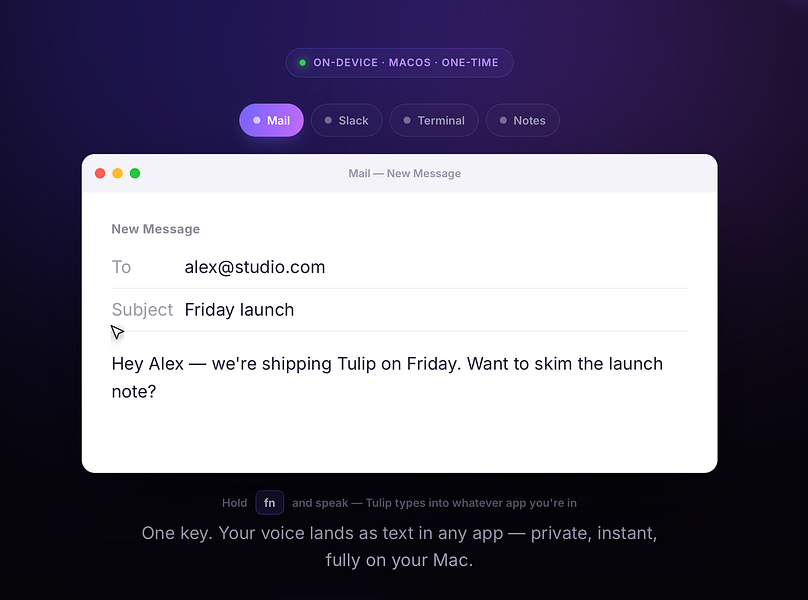
Hold the fn key on a Mac, speak, and release to drop clean, punctuated dictated text at your cursor in any app; speech-to-text runs entirely on-device on Apple Silicon and works offline.
What's different
Processes audio fully on-device and never sends it to a server, unlike cloud-based dictation tools.
Pricing
One-time purchase for a lifetime license usable on up to three Macs, with a 2-day free trial and a year of updates included.
Best for
Mac users who want fast, private dictation into any app without a subscription.
We check every product on this page once a day and record whether it still answers.
A free, open-source Windows utility that shows real battery health, automatically switches power-saver mode, and adds playful alerts — for any Windows laptop owner, not just developers.
FreeWorks offlineOpen source
What to know▼
How it works
A Windows battery companion that shows real battery health (design capacity vs. current capacity), automatically switches power-saver mode, and adds emoji alerts.
What's different
Open-source, runs 100% locally with no tracking.
Pricing
Free forever.
Best for
Any Windows laptop owner who wants to see actual battery health, not just charge percentage.