We check every product on this page once a day and record whether it still answers.
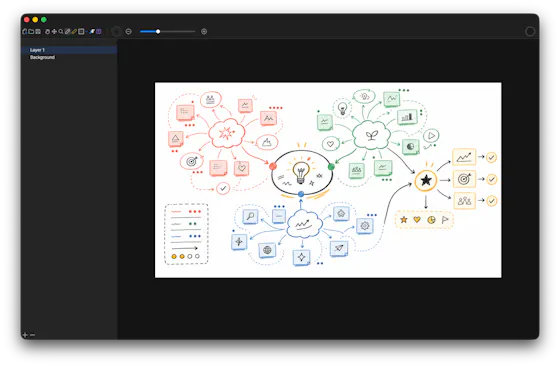
A local-first drawing and note-taking canvas for diagrams, wireframes, study sheets and rough ideas, with layers, brushes and PSD import/export — a one-time $9.99 purchase, no account needed.
No sign-upWorks offlinePay once
What to know▼
How it works
A cross-platform, local-first canvas for notes, diagrams, study sheets, wireframes and rough ideas, with pressure-sensitive brushes, layers, shapes, text, image transforms, PSD import/export, pan/zoom and keyboard shortcuts.
What's different
Files stay entirely on-device with no account, cloud workspace or subscription required.
Pricing
One-time purchase of $9.99.
Best for
People who want a full-featured drawing/note canvas without a subscription or cloud account.
We check every product on this page once a day and record whether it still answers.
A drawing tool that records every brush stroke, not just the final image, so anyone can replay how a doodle was actually made.
What to know▼
How it works
Stores every brush stroke as you draw a doodle, not just the finished image, so anyone can replay the entire creation process from the first stroke to the last, at their own speed.
What's different
Preserves and replays the full drawing process rather than showing only the final image.
We check every product on this page once a day and record whether it still answers.
A browsable, bilingual (English/Chinese) online guide listing 50 hiding spots across 5 maps for the Chameleon Art hiding game, with color tips and difficulty ratings — no signup or download needed. A companion reference for game players, not a general-purpose tool.
No sign-upNothing to install
What to know▼
How it works
A bilingual (English/Chinese) browser guide listing 50 hiding spots across 5 maps for the Chameleon Art hiding game, with color/paint recommendations, RGB/hex references, and difficulty ratings.
Best for
Players of the Chameleon Art hiding game looking up hiding spots and seeker counter-tips.
We check every product on this page once a day and record whether it still answers.
A private, invite-only space for two people to share moods, music, doodles and locked messages away from public feeds, built for couples.
What to know▼
How it works
A private, invite-only space for two people to share moods, music, doodles, daily check-ins, and locked messages meant for future moments, plus home screen widgets to stay connected at a glance.
What's different
No public feed or strangers, and a 'Connection Aura' reflects shared moments rather than tracking daily streaks.
Best for
Couples who want a closer, private connection beyond everyday texting.
We check every product on this page once a day and record whether it still answers.
A hosted, ready-to-use Penpot design workspace in the browser so teams can start UI and prototype work without installing or configuring anything themselves.
What to know▼
How it works
Opens a ready-to-use, hosted Penpot design workspace in the browser so teams can start on UI, prototypes and design systems without installing or setting up anything.
Best for
Design teams who want to start using Penpot immediately without local setup.
We check every product on this page once a day and record whether it still answers.
A free, no-signup browser-based canvas for sketching diagrams, geometry, and notes with a basic SVG editor, for anyone who wants a quick drawing tool, instead of installing dedicated diagramming software.
FreeNo sign-upCan export my data
What to know▼
How it works
Browser-based canvas with grid snapping, shapes, curves, arrows, and fills; also imports, edits, and exports SVG.
We check every product on this page once a day and record whether it still answers.
A free browser-based sketch tool with an infinite canvas, multiple brushes, and local autosave, for quick doodles and annotations without creating an account.
FreeNo sign-upNothing to install
What to know▼
How it works
Saves drawings to localStorage in the browser and offers export options, with no sign-up required.
We check every product on this page once a day and record whether it still answers.
A free online whiteboard for drawing ER diagrams, flowcharts, and sketches with real-time collaboration, for teams that want a simple, distraction-free drawing tool.
Free
What to know▼
How it works
Offers an infinite canvas with real-time multi-user collaboration.
We check every product on this page once a day and record whether it still answers.
A get-paid-to app where you earn money by completing surveys, offers, app installs, and daily tasks.
What to know▼
How it works
An app where you earn money by completing offers, surveys, installing apps, and finishing daily tasks, with earnings tracking and withdrawal through supported payment methods.
Best for
People looking to earn small amounts of money in their spare time by completing simple online tasks.
We check every product on this page once a day and record whether it still answers.
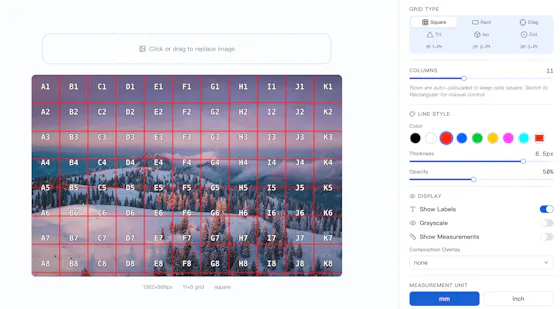
A free, open-source grid tool for artists — perspective grids, composition overlays, an art projector, paint-by-number and an Instagram grid splitter — kept free where other tools paywall them.
FreeNo sign-upOpen source
What to know▼
How it works
A free, open-source grid tool for artists offering 9 grid types, including an Art Projector, Paint by Number, and an Instagram Grid Splitter.
What's different
Keeps perspective grids, composition overlays and diagonal lines free, where competitors paywall them.
Pricing
Free, MIT licensed.
Best for
Artists who want grid tools without paying for features other apps lock behind a paywall.
We check every product on this page once a day and record whether it still answers.
Free online tarot readings with card-by-card interpretations, no account required, offered in multiple languages, an entertainment/interpretation tool, not a productivity one.
FreeNo sign-up
What to know▼
How it works
Draw tarot cards, explore different spreads, and get instant interpretations with an explanation of each card's meaning.
Pricing
Free.
Best for
Anyone curious about tarot, from first-timers to experienced readers, without needing to create an account.
We check every product on this page once a day and record whether it still answers.
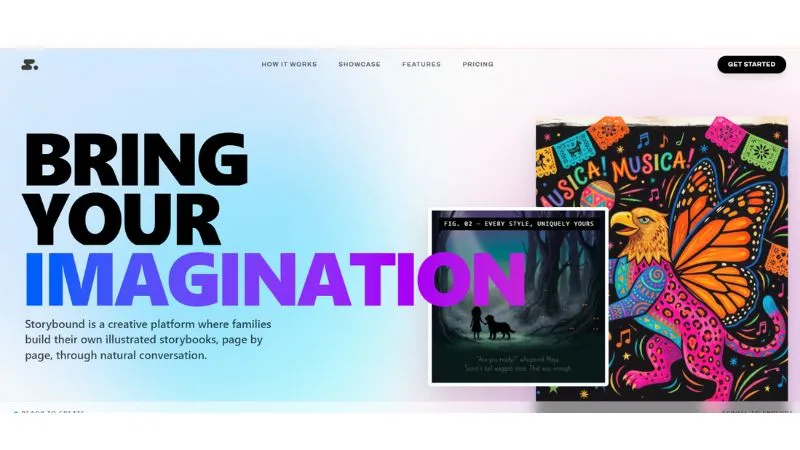
Turns story IP into personalized, shareable digital book experiences instead of a static PDF or ebook — for writers, illustrators and story teams who keep ownership of their work.
What to know▼
How it works
Turns story IP into personalized, shareable digital book products that readers can customize and buy, instead of delivering a static PDF or ebook.
What's different
Creators keep ownership of their work while the platform provides the digital product and personalization layer.
Best for
Writers, illustrators and story teams who want to sell interactive story experiences instead of plain ebooks.
We check every product on this page once a day and record whether it still answers.
A code library giving developers a Canvas-style drawing API for generating and manipulating SVG graphics programmatically; almost nothing else is public beyond the tagline.
What to know▼
How it works
A code library that gives developers a Canvas-style drawing API for generating and manipulating SVG graphics programmatically.
Best for
Developers who want to build SVG graphics with a Canvas-like API instead of raw SVG markup.
We check every product on this page once a day and record whether it still answers.
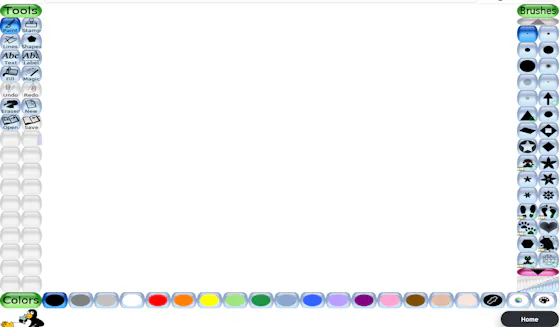
A browser version of the classic kids' drawing program, with no installation required.
Nothing to installOpen source
What to know▼
How it works
Runs the classic open-source drawing program entirely in the browser, keeping artwork on your own device, with brushes, stamps, shapes, text tools, and magic effects.
What's different
No installation required, unlike the original desktop program.