We check every product on this page once a day and record whether it still answers.
A visual commenting tool for WordPress: clients click directly on the live page to leave feedback instead of sending screenshots or emails. Built for web designers and agencies.
FreeNo sign-upData stays with you
What to know▼
How it works
Clients click any element on a live WordPress page and pin a comment there with no login or account; the site owner sees and resolves pins natively inside Bricks, Elementor, or the Gutenberg editor. Includes threaded replies, status tracking, automatic screenshots, PDF sign-off certificates, AI feedback summaries, and Slack/Discord/webhook integrations.
What's different
Built to live inside the page builder itself rather than a separate feedback dashboard, and stores all feedback in the user's own WordPress database.
Pricing
Has a free tier.
Best for
Web designers and agencies collecting client feedback and sign-off on WordPress sites.
We check every product on this page once a day and record whether it still answers.
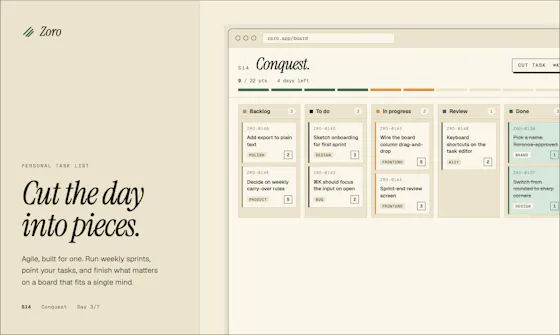
A one-time-purchase task app for solo workers that applies agile concepts like backlog, priority, and kanban to personal work, syncing via CloudKit with no account or server.
FreeNo sign-upData stays with you
What to know▼
How it works
Syncs across iOS, macOS, and web through CloudKit only, with no signup and no backend server.
We check every product on this page once a day and record whether it still answers.
A free browser-based meme generator with no sign-up, watermarks or file uploads — everything is edited locally and images never leave your device.
FreeNo sign-upWorks offline
What to know▼
How it works
A browser-based meme generator: upload an image or paste a URL, add top and bottom text, apply one of 12 filters, and download as PNG or copy to clipboard.
What's different
No uploads to any server — everything is edited locally in the browser.
Pricing
Free, no sign-up, no watermarks, unlimited use.
Best for
Anyone who wants to make memes quickly without creating an account.
We check every product on this page once a day and record whether it still answers.
A free bundle of 332 small web utility tools pitched as secure and privacy-first, though the listing gives no detail on what each tool does or how it handles data.
FreeNo sign-upData stays with you
What to know▼
How it works
A bundle of 332 free web utility tools, pitched as privacy-first.
We check every product on this page once a day and record whether it still answers.
Swipe through your camera roll to keep or delete photos, entirely on-device — no account, no uploads, no cloud scanning. Free to try, in 12 languages.
No sign-upWorks offlineData stays with you
What to know▼
How it works
Swipe through your camera roll — right to keep, left to delete, up to decide later — with Smart Albums, duplicate detection, monthly review and progress tracking to clear storage.
What's different
Runs 100% on-device with no account, no uploads, and no photo tracking.
Pricing
Free to try.
Best for
Anyone wanting to quickly clear phone storage by swiping through photos, in one of 12 supported languages.
We check every product on this page once a day and record whether it still answers.
Tracks TV shows and movies with your watch history, ratings and notes stored only on your device — no account, no cloud, no tracking.
No sign-upWorks offlineData stays with you
What to know▼
How it works
An offline-first Progressive Web App for tracking TV shows and movies — watch history, ratings, notes, and collections are stored only on your device, with no account, cloud, or tracking.
What's different
Unlike traditional trackers, nothing leaves your device.
Best for
People who want a TV/movie tracker without creating an account or syncing data to the cloud.
We check every product on this page once a day and record whether it still answers.
A mobile app that converts video to GIF entirely on-device, with no upload, watermark, or account required, and can share the result to WhatsApp, Telegram, Instagram, Reddit, or X.
No sign-upWorks offlineData stays with you
What to know▼
How it works
Encodes video to GIF on-device with a trim/scrubber editor and FPS/resolution/speed controls.
Pricing
One-time $2.99 premium removes ads and unlocks longer clips and higher quality; no subscription.
Best for
People converting short video clips to GIFs privately without uploading footage.
We check every product on this page once a day and record whether it still answers.
A free, local-first habit and life tracker based on Buddhist teachings that stores all data in your browser with no account, no cloud, and JSON export and import.
FreeWorks offlineData stays with you
What to know▼
How it works
Maps the Mangala Sutta's 38 blessings into daily habit design, stores data 100% locally in your browser cache, with JSON export/import for backups.
Best for
People who want a private, offline habit tracker with no account and no cloud storage.
We check every product on this page once a day and record whether it still answers.
Converts CBZ/ZIP comic archives to PDF entirely in your browser — nothing uploaded, no account needed, good for readers who don't want desktop software or a server touching their files.
No sign-upNothing to installData stays with you
What to know▼
How it works
Converts CBZ and ZIP comic archives into PDF files for tablets, e-readers, printing, or long-term storage, entirely in the browser.
What's different
Everything is processed locally — no uploads and no account needed.
Best for
Comic readers who want their files converted without a desktop app or server ever touching them.
We check every product on this page once a day and record whether it still answers.
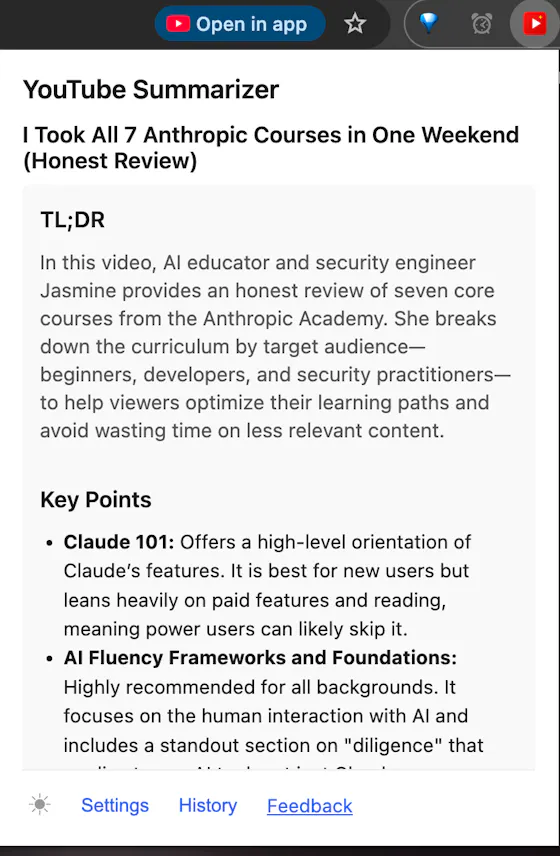
Runs speech and visual AI models locally to auto-generate YouTube chapter timestamps — free, no upload, no signup, built for YouTubers who don't want to type timestamps by hand.
Watch out · The 18/19 accuracy figure comes from a single 68-minute test video, not a broad benchmark.
FreeNo sign-upWorks offline
What to know▼
How it works
You upload a video and it uses Whisper for audio and Moment-DETR for visual analysis to detect natural chapter breaks, then outputs timestamps to paste into a YouTube description.
What's different
Cross-validates chapter breaks using both audio (Whisper) and visual detection, rather than relying on one signal; on a 68-minute test video it got 18 of 19 chapters correct.
Pricing
Free, no signup.
Best for
YouTubers who don't want to manually type out chapter timestamps.
Watch out
The 18/19 accuracy figure comes from a single 68-minute test video, not a broad benchmark.
We check every product on this page once a day and record whether it still answers.
An iOS-only mileage tracker that auto-detects trips and syncs to your own iCloud instead of the maker's servers — no account, no ads, a cheaper privacy-first MileIQ alternative.
No sign-upData stays with youNo ads
What to know▼
How it works
Automatically detects trips on iOS and syncs mileage logs to the user's own iCloud instead of the maker's servers.
What's different
No account, no ads, no third-party servers — data stays in the user's own iCloud, at a fraction of MileIQ's price.
Best for
iPhone users tracking mileage who want a cheaper, privacy-first alternative to MileIQ.
We check every product on this page once a day and record whether it still answers.
A free set of browser-based tools for merging or compressing PDFs, converting images, and running OCR on video, PDF, and photo files, with all processing done locally so files are never uploaded.
FreeNo sign-upData stays with you
What to know▼
How it works
runs entirely inside the browser tab so files never get uploaded; no accounts, tracking, or limits.
We check every product on this page once a day and record whether it still answers.
A browser tool that rewrites text in place across Gmail, LinkedIn, Slack, and other fields in your chosen tone.
Watch out · Supports 30+ languages; privacy-first processing.
FreeNo sign-upData stays with you
What to know▼
How it works
Adds a click-to-rewrite AI button inside text fields you already use — Gmail, LinkedIn, Slack, job applications — letting you pick from 10 tones and get polished text in place.
We check every product on this page once a day and record whether it still answers.
A privacy-first collection of 21+ free browser calculators and converters offered in 8 languages.
Watch out · Available in 8 languages; also includes 16 in-depth tech reviews with comparison tables.
FreeNo sign-upData stays with you
What to know▼
How it works
21+ browser tools — BMI calculator, currency converter with live rates, password generator, loan calculator, unit converter, and more — with all calculations happening on-device.
Pricing
Free forever, no sign-up.
Watch out
Available in 8 languages; also includes 16 in-depth tech reviews with comparison tables.
We check every product on this page once a day and record whether it still answers.
An offline eBook reader for Android — EPUB, PDF, MOBI, comics and more, with AI text-to-speech, synced highlights, and no ads or account. Has optional cloud sync despite the offline-first pitch.
Watch out · Offers optional cloud sync despite the offline-first, no-account pitch.
No sign-upWorks offlineData stays with you
What to know▼
How it works
An offline eBook reader for Android supporting EPUB, PDF, MOBI, FB2, AZW and comics, with offline AI text-to-speech voices synced to text highlighting, bookmarks, notes, a built-in dictionary and OPDS support.
What's different
Fully offline and privacy-first, with no ads, account or subscription required.
Best for
Android readers who want offline reading with AI narration and no account.
Watch out
Offers optional cloud sync despite the offline-first, no-account pitch.
We check every product on this page once a day and record whether it still answers.
A private, offline expense tracker with encrypted storage, no accounts and no telemetry — its optional AI assistant uses your own API key instead of sending data to the company's servers.
No sign-upWorks offlineData stays with you
What to know▼
How it works
An offline-by-default expense tracker with encrypted backup and an optional AI assistant.
What's different
No accounts, no analytics, no telemetry — the optional AI assistant uses your own provider key instead of routing your data through the company's servers.
Best for
People who want to track expenses without creating an account or having their financial data leave their device.
We check every product on this page once a day and record whether it still answers.
A free browser-based bundle of everyday tools — PDF merge/split/compress, image resize/convert, text utilities, and a resume/invoice generator — with nothing uploaded to a server.
FreeNo sign-upNothing to install
What to know▼
How it works
A bundle of browser-based utilities — PDF merge/split/compress/rotate/convert, image compress/resize/crop/convert, text tools like word counter and diff, plus a resume and invoice builder.
What's different
Runs entirely in the browser with no sign-up, no account, and no files uploaded to a server.
Pricing
Free.
Best for
People who need quick everyday file or text utilities without creating an account or uploading files.
We check every product on this page once a day and record whether it still answers.
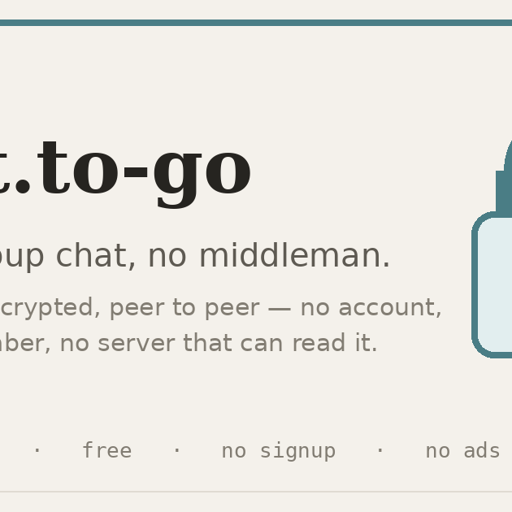
A browser-based group chat that's end-to-end encrypted and peer-to-peer, with no account, no install and no central server — you choose whether messages are kept or vanish.
FreeNo sign-upNothing to install
What to know▼
How it works
A browser-based group chat that is end-to-end encrypted and peer-to-peer — messages travel directly between participants' devices and the room key never leaves your devices, with no central server storing or reading the conversation. One-time invite links admit exactly one device, and you choose whether to keep no history or store it encrypted locally.
What's different
No account, no app install and no phone number required to join a chat.
Pricing
Free, no ads.
Best for
People who want a genuinely private, quick chat room — a one-off huddle or sharing something sensitive briefly — rather than a full Signal or WhatsApp replacement.
We check every product on this page once a day and record whether it still answers.
Offline contract and deadline tracker, running as a single local HTML file, for anyone managing renewals, warranties and recurring costs without cloud storage.
Watch out · free tier capped at 5 entries
FreeWorks offlineData stays with you
What to know▼
How it works
single offline HTML file with automatic deadline calculation and color-coded status
Pricing
free for up to 5 saved entries; local backups included
We check every product on this page once a day and record whether it still answers.
Edits, merges, splits and OCRs PDFs entirely in your browser via WebAssembly, so files never touch a server. Free, no account needed.
FreeNo sign-upWorks offline
What to know▼
How it works
Edits, merges, splits, compresses and OCRs PDFs, plus AI document chat, running entirely inside your browser via WebAssembly so files never touch a server.
What's different
Zero server uploads — every operation, including the AI summary, runs on-device.
Pricing
Completely free, no account, no size limits, no paywalls.
Best for
People handling sensitive PDFs who don't want files leaving their device.
We check every product on this page once a day and record whether it still answers.
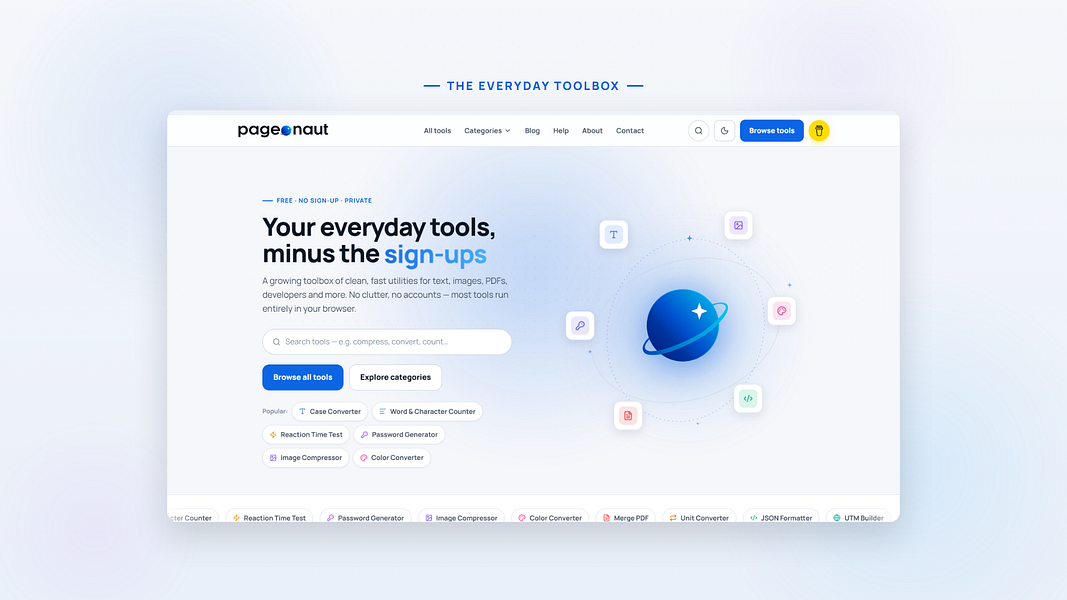
A free, no-signup collection of quick browser utilities — text, image, PDF and calculator tools plus a developer-helpers section — that mostly runs client-side so files don't leave your device.
FreeData stays with you
What to know▼
How it works
A growing collection of free, no-signup browser utilities for text, image, PDF, and developer tasks; most tools run entirely in the browser so files and text never leave the device, with any cloud processing clearly labeled.
What's different
Most processing happens client-side rather than uploading files to a server.
Pricing
Free.
Best for
People who need a quick one-off text, image, PDF, or dev task done without installing software or creating an account.
We check every product on this page once a day and record whether it still answers.
A free, no-login personal finance toolkit for tax, SIP, EMI, HRA, retirement, FIRE, and decisions like Rent vs Buy, with all inputs kept on your device.
FreeNo sign-upData stays with you
What to know▼
How it works
Offers calculators and planning tools for taxes, investments (SIP), loans (EMI), retirement/FIRE, and comparisons like Rent vs Buy or Prepay vs Invest, all without an account and without uploading your data.
Pricing
Free.
Best for
People who want private, no-login personal finance calculators for Indian financial decisions.
We check every product on this page once a day and record whether it still answers.
A privacy-first IP lookup and network diagnostics toolkit (DNS, WHOIS, WebRTC leak checks) with no account and no tracking, aimed at technical users rather than general consumers.
No sign-upData stays with you
What to know▼
How it works
Shows your public IPv4/IPv6 address, approximate location, ISP and ASN, and runs DNS, WHOIS/RDAP, reverse DNS and WebRTC leak checks.
What's different
No account, no marketing trackers, and no persistent raw IP storage in app-controlled systems.
Best for
Technical users who want network diagnostics without creating an account or being tracked.
We check every product on this page once a day and record whether it still answers.
A free collection of 85+ browser-based utility tools (word counter, calculators, JSON formatter, hash and password generators, converters) that run entirely client-side with no file uploads, instead of scattered single-purpose tool sites.
Watch out · PDF tools, image compression, and AI-powered utilities are listed as coming soon, not yet live.
FreeNo sign-upData stays with you
What to know▼
How it works
Everything runs in the browser with no signup and no tracking; files are never stored because there is no upload.
Watch out
PDF tools, image compression, and AI-powered utilities are listed as coming soon, not yet live.
We check every product on this page once a day and record whether it still answers.
A private personal budgeting app that runs entirely locally in your browser with no signup, subscription or data upload, instead of a cloud-based budgeting service.
No sign-upWorks offlineData stays with you
What to know▼
How it works
runs fully locally in the browser, keeping all budgeting data on-device with no account or subscription required.
Best for
individuals who want personal budgeting without sending financial data to a server.
We check every product on this page once a day and record whether it still answers.
Over 168 small utilities — converters, calculators, dev tools — running client-side in your browser with nothing uploaded, no account needed, and offline support once loaded.
FreeNo sign-upNothing to install
What to know▼
How it works
A collection of 168+ browser-based utilities — developer tools, image converters, text analytics, calculators, network utilities and more — that run entirely client-side.
What's different
Every tool runs in your browser so your data never leaves your device, works offline once loaded, and there's no account, paywall or ads on the tools themselves.
Pricing
Free.
Best for
Developers and everyday users who want quick one-off utilities without uploading data or creating an account.
We check every product on this page once a day and record whether it still answers.
A free suite of browser-based developer tools, JSON formatter, regex tester, cron builder, a WCAG accessibility checker, that runs client-side with no signup, ads, or data sent to a server.
FreeNo sign-upData stays with you
What to know▼
How it works
A small suite of browser-based dev tools — JSON formatter, regex tester, cron builder, WCAG contrast checker, and API request tester — that run entirely client-side.
What's different
No accounts, no ads, and no data sent to a server, unlike bookmarked dev-tool sites that get slower and ad-heavier over time.
Pricing
Free.
Best for
Developers who want quick utility tools without signing up or sending data to a server.