We check every product on this page once a day and record whether it still answers.
A Windows screenshot tool that adds designed backgrounds, annotation, and on-device background removal, built as a CleanShot X equivalent for Windows users.
Watch out · Built and maintained by a single solo developer.
Works offlineNo subscription
What to know▼
How it works
Captures a region, applies a styled backdrop and annotations, and removes backgrounds using on-device AI that never uploads images.
Pricing
$9 one-time, lifetime license, no subscription, 30-day money-back guarantee.
We check every product on this page once a day and record whether it still answers.
A macOS app that copies camera cards to multiple drives after a shoot and verifies every byte, then produces a DIT report producers accept. Built for working filmmakers on paid jobs, not general students.
Works offlinePay onceNo subscription
What to know▼
How it works
A macOS app for offloading camera cards after a shoot: copies cards to several drives at once and verifies every byte by reading back from disk rather than RAM, then produces a DIT report (ASC MHL 2.0, PDF or CSV) that producers accept.
What's different
One-time price in a niche where the market leader charges a subscription, with real byte-for-byte verification rather than a plain copy.
Pricing
One-time purchase, no subscription; works fully offline; requires macOS 12+; 14-day trial.
Best for
Filmmakers, videographers, photographers and DITs offloading camera cards on paid jobs.
We check every product on this page once a day and record whether it still answers.
An EV road trip planner that models real battery range with elevation, speed, and weather to insert charging stops, then navigates fully offline with CarPlay.
FreeNo sign-upWorks offline
What to know▼
How it works
Models range across the whole route and inserts the fewest, best charging stops for your car, then navigates offline.
Pricing
Free to download; Pro is a one-time unlock, no subscription.
We check every product on this page once a day and record whether it still answers.
An offline AI companion app for people who want an ongoing personalized chat relationship without their conversations ever leaving their own computer.
Works offlineData stays with you
What to know▼
How it works
A desktop AI companion for Mac and Windows that runs entirely offline, remembering past interactions and learning about the user over time to build a personalized relationship.
What's different
All processing happens locally on the machine rather than in the cloud.
Pricing
No recurring subscription fees.
Best for
People who want an ongoing personalized AI companion without their conversations leaving their computer.
We check every product on this page once a day and record whether it still answers.
An iOS/Apple Watch app that tracks subscriptions and recurring bills with local, private data and reminders to avoid surprise charges.
Watch out · iOS and Apple Watch.
No sign-upWorks offlineData stays with you
What to know▼
How it works
Tracks subscriptions, recurring bills, and automatic payments in one dashboard with smart reminders, widgets, and Apple Watch support, storing data privately on-device.
We check every product on this page once a day and record whether it still answers.
A mobile affirmations app built to avoid gamified or guilt-driven design — on-device, no account, one-time payment instead of a subscription, including a hold-to-mirror mode.
No sign-upWorks offlineNo subscription
What to know▼
How it works
Delivers daily affirmations from a library of 1,000+ research-grounded affirmations across 14 values, matched to the user's life stage; the signature Mirror mode has users hold their phone to a mirror and read an affirmation aloud while meeting their own gaze. Card and Listen (in the user's own recorded voice) modes are also included.
What's different
Designed to avoid the cartoony or guilt-inducing tone of typical affirmation apps, and runs on-device with no account required.
Pricing
One payment, no subscription.
Best for
People put off by gamified or guilt-driven affirmation apps who want a quieter morning ritual.
We check every product on this page once a day and record whether it still answers.
Transcribes audio and video, including YouTube, to text locally using Whisper AI, with no cloud upload, no subscription, and a one-time payment. Good for unlimited, private transcription without ongoing fees.
Works offlinePay onceNo subscription
What to know▼
How it works
Transcribes audio and video, including YouTube videos, playlists and live microphone input, to text entirely on your computer using Whisper AI, in 100+ languages.
What's different
Runs fully offline with no cloud upload, unlimited usage and no subscription.
Pricing
One-time payment, no subscription.
Best for
People who want unlimited, private transcription without ongoing fees or uploading audio to a cloud service.
We check every product on this page once a day and record whether it still answers.
A native Windows/Mac desktop PDF editor (edit, sign, annotate, organize) that keeps files fully offline on your device and is sold as a one-time purchase, not a subscription.
Works offlinePay onceNo subscription
What to know▼
How it works
A native desktop app for Windows 11 and macOS to edit, sign, annotate and organize PDFs, with all editing happening offline on the device.
What's different
Local-first: files never leave your device, and it's sold as a one-time purchase rather than a subscription.
Pricing
Free trial, then one-time payment (positioned as an Adobe Acrobat subscription alternative).
Best for
Windows/Mac users who want a privacy-respecting PDF editor without a recurring subscription.
We check every product on this page once a day and record whether it still answers.
Turns your Android phone into a self-hosted MCP server so AI assistants like Claude, Cursor or Perplexity can pull your personal memory without sending data to the cloud. Aimed at developers already using MCP-compatible tools.
Watch out · Relies on a relay tunnel (relay.memplato.com) and requires Termux running on the phone, with a watchdog to restart the server if the phone reboots or Termux closes.
Works offlineData stays with youOpen source
What to know▼
How it works
Turns an Android phone into a self-hosted MCP (Model Context Protocol) server by installing a Python MCP server inside Termux, with a secure tunnel giving the phone a stable public HTTPS URL that AI clients like Claude, Cursor or Perplexity can connect to for persistent memory.
What's different
Data is stored locally on the user's own phone instead of a vendor's cloud, with no subscription or vendor lock-in.
Pricing
No subscription.
Best for
Developers already using MCP-compatible AI tools who want to own their memory data instead of storing it in the cloud.
Watch out
Relies on a relay tunnel (relay.memplato.com) and requires Termux running on the phone, with a watchdog to restart the server if the phone reboots or Termux closes.
We check every product on this page once a day and record whether it still answers.
Locks, hides and encrypts apps and folders on your Mac with Touch ID or a password, entirely offline, for a one-time purchase instead of a subscription.
No sign-upWorks offlinePay once
What to know▼
How it works
Locks, hides and encrypts apps and folders on macOS using Touch ID or a password.
What's different
Runs 100% locally with no account and no cloud, and is sold as a one-time purchase rather than a subscription.
Pricing
One-time purchase.
Best for
Mac users who want specific apps and folders locked away from other people using the same machine.
We check every product on this page once a day and record whether it still answers.
A one-time-purchase bundle of 9 small offline web apps — Pomodoro timer, habit tracker, notes and more — that store everything on your device with no account needed.
No sign-upWorks offlineData stays with you
What to know▼
How it works
A curated bundle of 9 small productivity web apps — Pomodoro timer, mood journal, markdown editor, habit tracker, water reminder, color picker, focus music player, quick notes — that install once and work fully offline.
Pricing
One-time purchase per app, $1.99–$9.99, no subscriptions.
Best for
People who want a handful of simple offline tools they own outright instead of subscribing to separate apps.
We check every product on this page once a day and record whether it still answers.
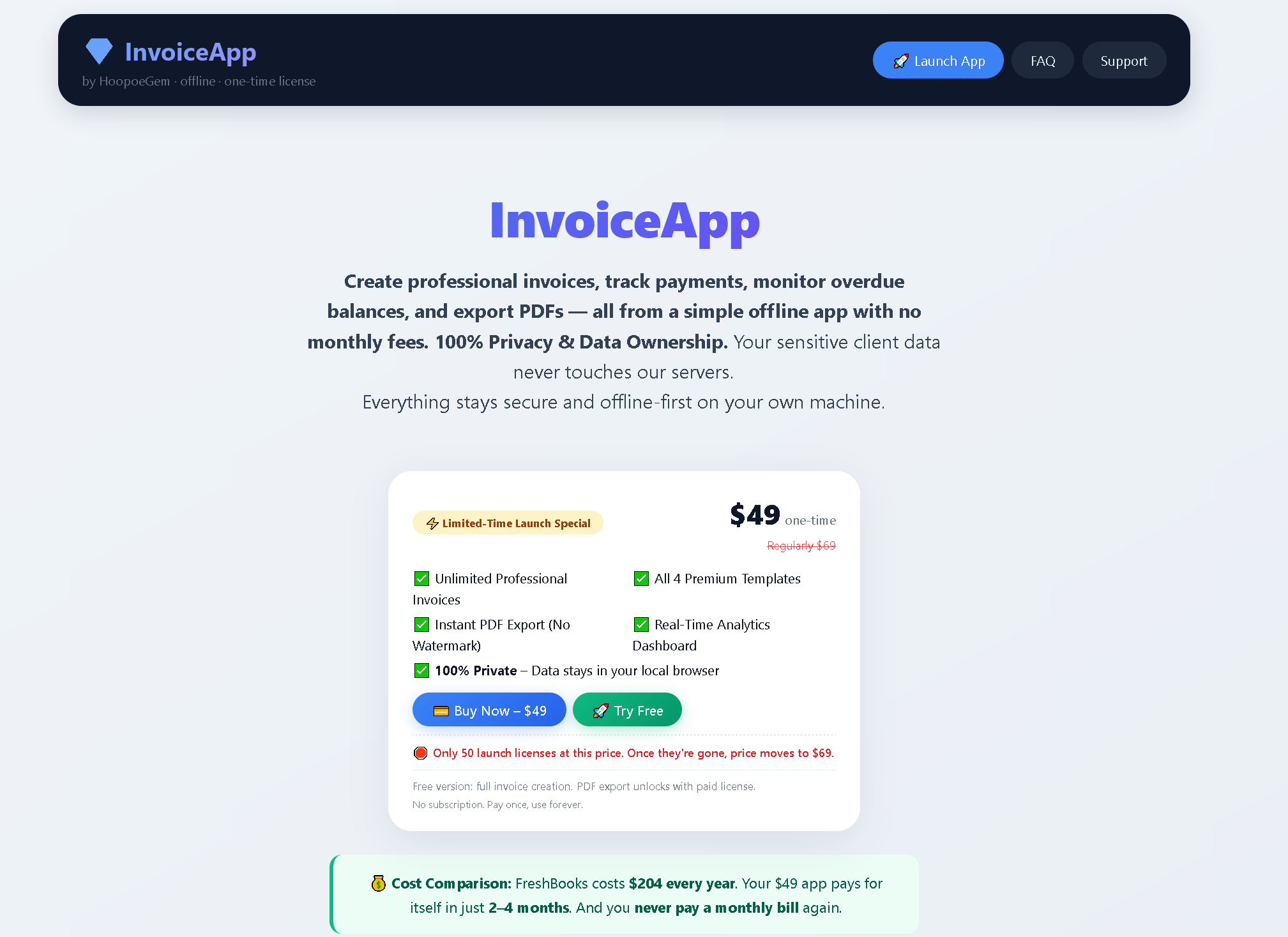
An offline invoice, quote and receipt generator you buy once and keep forever, with no account or subscription - built for freelancers who want clean client paperwork.
No sign-upWorks offlinePay once
What to know▼
How it works
A lightweight toolkit with invoice, quote, and receipt generators that work 100% offline in any browser — fill in your details and download a professional PDF.
What's different
One-time purchase that works forever with no account, subscription, or expiry, unlike SaaS billing tools.
Pricing
Buy once, use forever — no subscription.
Best for
Freelancers who need clean client documents without another subscription.
We check every product on this page once a day and record whether it still answers.
A single-file customer-support tool for canned replies with variable auto-fill, working fully offline with no account or subscription — a one-time $9 purchase.
No sign-upNothing to installWorks offline
What to know▼
How it works
A single HTML file for customer support: unlimited canned reply templates organized by category, auto-fill variables like [customer_name] and [order_number], bulk-import from Excel, plus notes, favorites, alarms, and auto-backup — all offline.
What's different
Runs from one local file with no install, account, or subscription, and your data never leaves your machine, unlike SaaS help desks.
Pricing
One-time payment of $9, includes 10 ready-to-use templates.
Best for
Support reps or small teams who want canned replies without signing up for a SaaS help desk.
We check every product on this page once a day and record whether it still answers.
A privacy-first Chrome extension that tracks which SaaS subscriptions you actually use and their cost-per-hour ROI, so you can cancel the ones wasting money, all processed locally.
Works offlineData stays with you
What to know▼
How it works
A Chrome extension that runs silently in the background to monitor when you're active on SaaS tabs, then shows real-time usage stats, cost-per-hour ROI, and quick cancellation links for underused subscriptions.
What's different
100% local-first processing rather than sending browsing data to a server.
Best for
People who suspect they're paying for SaaS subscriptions they barely use and want data to decide what to cancel.
We check every product on this page once a day and record whether it still answers.
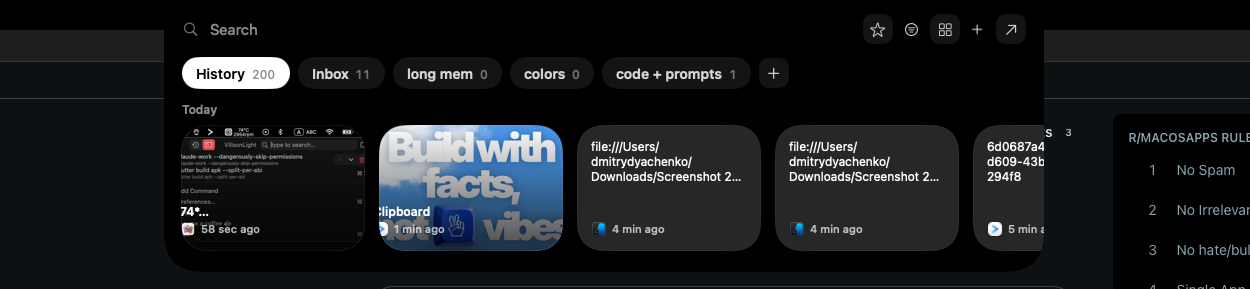
A local-first clipboard and screenshot manager for Mac that keeps a searchable visual history of everything you copy, tagged by source app and time.
Works offlinePay onceNo subscription
What to know▼
How it works
A local-first clipboard and screenshot manager for Mac that keeps a searchable visual history of everything copied, tagged by source app and time, accessible from a menu-bar dropdown. Colors show as live swatches, screenshots are searchable by the text inside them, and sensitive items like passwords are detected and skipped.
What's different
Fully offline with nothing synced to a server, versus clipboard tools that rely on cloud sync.
Pricing
One-time purchase with lifetime updates, no subscription.
Best for
Mac users who want quick access to clipboard and screenshot history without cloud storage.
We check every product on this page once a day and record whether it still answers.
Tracks your subscriptions and renewal dates entirely on your phone, with no account and no tracking, using on-device Apple Intelligence for savings tips.
Watch out · Relies on on-device Apple Intelligence, so its savings suggestions likely depend on Apple Intelligence being available on the device.
No sign-upWorks offlineNo tracking
What to know▼
How it works
Tracks your subscriptions and shows total spend, a renewal calendar, and a reminder before each charge, with on-device Apple Intelligence suggesting where to save.
What's different
Private by design: no accounts, no tracking, nothing leaves your phone.
Best for
iPhone users who want to see and cut recurring subscription spend without linking a bank account or creating an account.
Watch out
Relies on on-device Apple Intelligence, so its savings suggestions likely depend on Apple Intelligence being available on the device.
We check every product on this page once a day and record whether it still answers.
A Chrome screenshot and annotation tool that runs entirely locally with five capture modes and eight annotation tools, instead of uploading screenshots to a cloud service.
Watch out · About 50KB, built with vanilla JS.
FreeNo sign-upWorks offline
What to know▼
How it works
Captures screenshots (visible, full page, region, element, timed) and adds annotations such as arrows, shapes, text, and blur, locally in the browser.
Pricing
Free tier with all modes and tools, no watermark; Pro is a $39 one-time purchase for extra formats and history.