We check every product on this page once a day and record whether it still answers.
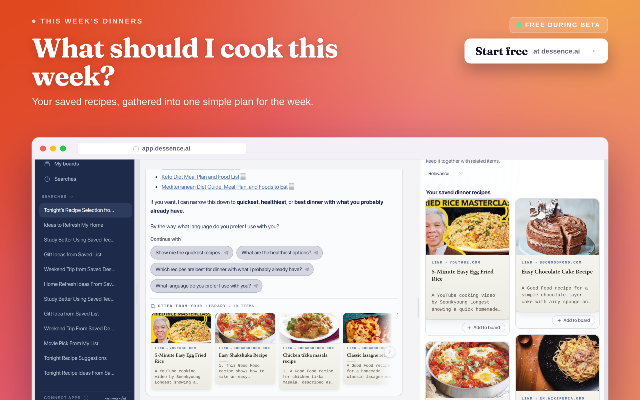
Saves links, articles and videos you send it from the web, Telegram or a Chrome extension, then answers questions about your own saved material with sources shown. Free during beta.
Free
What to know▼
How it works
Saves links, articles, and videos sent from the web, Telegram, or a Chrome extension into one library, then answers questions about that saved material in your own words while showing the original sources. Saves can be grouped into boards.
What's different
Answers are drawn only from your own saved material, with the original source shown behind every answer.
Pricing
Free during beta.
Best for
People who save a lot of links, articles, and videos and want to later find and ask about them in plain language.
We check every product on this page once a day and record whether it still answers.
An AI bookmark manager that captures links, notes, screenshots, files, and voice memos, then makes them searchable and usable inside ChatGPT, Claude, and Cursor.
Free
What to know▼
How it works
Captures links, notes, screenshots, files, and voice memos and makes them searchable and usable in ChatGPT, Claude, and Cursor.
Pricing
Free Starter plan available.
Best for
Users who want captured material fed directly into AI tools like ChatGPT, Claude, and Cursor.
We check every product on this page once a day and record whether it still answers.
A free, open-source clipboard history manager for Windows with image previews and a double-tap-Ctrl shortcut - a general utility despite being open source.
FreeOpen source
What to know▼
How it works
An open-source clipboard history manager for Windows 10/11 built with Rust and Tauri 2, showing text and image previews and letting you paste history with a double-tap of Ctrl.
What's different
Positioned against Windows' built-in Win+V (text-only, no image preview) and Ditto (not modernized), filling the gap for a free, actively developed Windows clipboard manager.
Pricing
Free.
Best for
Windows users who want a fast, private clipboard history tool with image support.
We check every product on this page once a day and record whether it still answers.
Chrome extension that unifies Binance, OKX, and on-chain wallet balances in one read-only dashboard with AI portfolio notes.
Free
What to know▼
How it works
A Chrome extension unifying Binance, OKX, and EVM/Solana wallet balances in one read-only view, with AI portfolio notes and Fear & Greed alerts, using read-only APIs and local storage with no private keys or wallet connection.
We check every product on this page once a day and record whether it still answers.
A free Android ear-training game: listen to sequences of notes played on acoustic instruments and repeat them by ear, with song melodies and a daily streak.
Free
What to know▼
How it works
A musical memory game where you listen to sequences of notes played on acoustic instruments and repeat them by ear, with no visual hints — sound only. Includes 4 instruments, 10 song melodies, bonus tracks, a lives system and a daily streak.
Pricing
Free, with rewarded (optional, never forced) ads.
Best for
Android users wanting to train their ear and musical memory through a game.
We check every product on this page once a day and record whether it still answers.
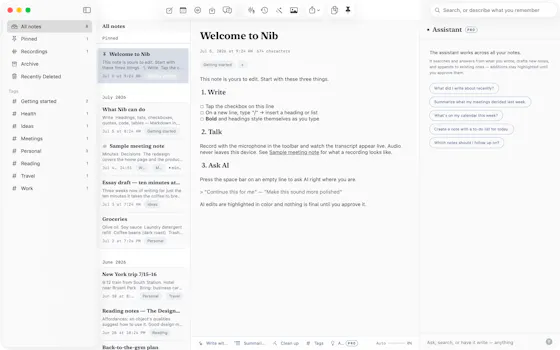
A lightning-fast offline note capture popup (hotkey-triggered, opens in 20ms) for jotting quick thoughts before moving them into Notion or Obsidian, instead of fighting the friction of a full note app.
FreeNo sign-upWorks offline
What to know▼
How it works
Win+Alt+O opens a popup in under 20ms; stays in system tray, no internet or account needed
Best for
People who need to dump quick thoughts without loading a full note-taking app
We check every product on this page once a day and record whether it still answers.
A notes app for iPhone, iPad, and Mac that records and transcribes on-device, then turns meeting audio and handwritten notes into structured minutes with decisions and to-dos you approve as diffs.
FreeWorks offlineData stays with you
What to know▼
How it works
On-device transcription keeps audio local; AI restructures transcripts into minutes with editable, diff-based approval.
Pricing
Recording, transcription, and search are free; cloud AI features require Pro.
We check every product on this page once a day and record whether it still answers.
An end-to-end encrypted personal notes app for tracking birthdays, preferences and past conversations with family, friends and business contacts — free for a handful of notes, paid or self-hosted for more.
FreeSelf-hosted
What to know▼
How it works
An end-to-end encrypted web app for jotting notes on the people in your life — birthdays, preferences, past conversations — pulled up instantly from any device.
Pricing
Free for 5 notes; Premium adds unlimited notes and custom templates for €12/month; self-hosting is also available.
Best for
People who want to remember personal details about family, friends, and business contacts.
We check every product on this page once a day and record whether it still answers.
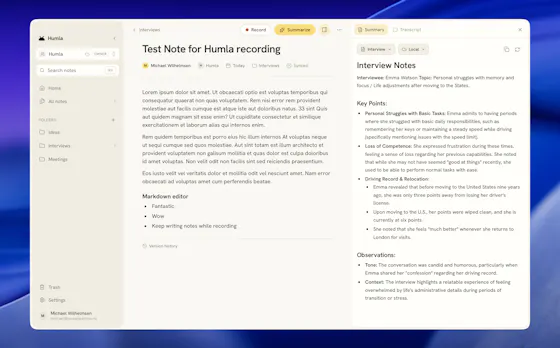
A Mac app that records and transcribes meetings entirely on-device, no bot joins the call. Free and open source, with optional cloud or self-hosted sync for teams.
FreeWorks offlineOpen source
What to know▼
How it works
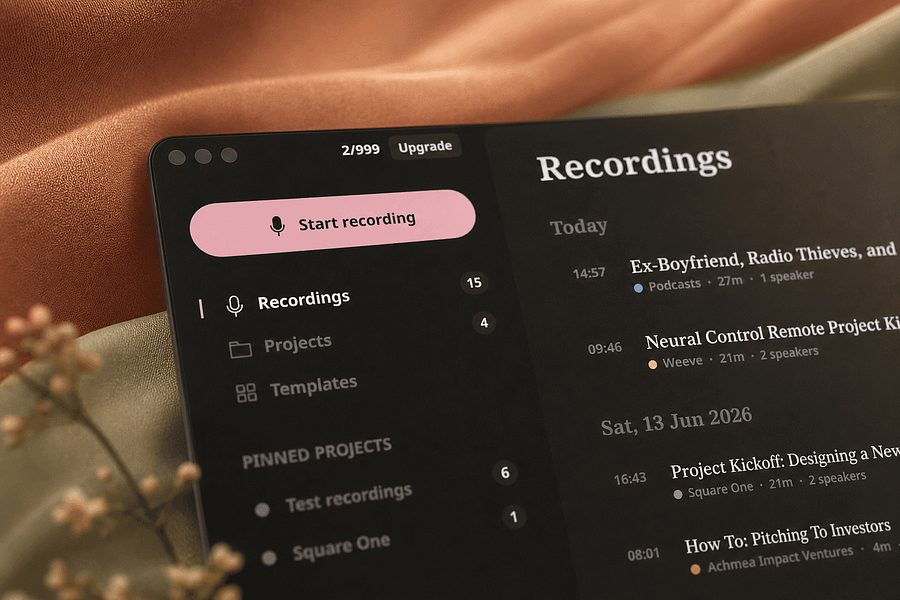
Records mic and call audio directly through macOS with no bot joining the meeting, then transcribes, labels speakers, and writes a summary that fuses your notes with the transcript. Runs fully on-device using Whisper on Apple Silicon, or with your own AI key.
What's different
No bot joins the call, and it can run entirely on-device with local SQLite storage and no telemetry.
Pricing
Free and MIT-licensed, with optional paid team sync via Humla Cloud or self-hosting.
Best for
Mac users who want private, on-device meeting transcription without a bot joining their calls.
We check every product on this page once a day and record whether it still answers.
All-in-one app for engineering students bundling notes, an AI study assistant, project ideas and campus events.
Free
What to know▼
How it works
Bundles curated notes and past-year questions, an AI study assistant that reads PDFs/images, 1000+ project ideas with team collaboration, campus event discovery, calculators and a resume builder.
Pricing
Free.
Best for
Engineering students, built by students, cross-platform on Android, iOS, web and desktop.
We check every product on this page once a day and record whether it still answers.
Browser-based MP3-to-MIDI converter with a piano roll editor for fixing AI transcription mistakes, processed locally.
FreeNo sign-up
What to know▼
How it works
Converts MP3 to MIDI with AI transcription, then lets you fix wrong notes, adjust timing, and tweak velocity in a browser piano-roll editor before downloading a clean MIDI.
We check every product on this page once a day and record whether it still answers.
A free browser-based notepad for writing and saving notes with auto-save, rich formatting and dark mode — no signup needed, a fairly generic note-taking tool.
FreeNo sign-up
What to know▼
How it works
A browser-based notepad for writing, editing and organizing notes with auto-save, rich text formatting and dark mode.
Pricing
Free, no signup required.
Best for
Anyone who wants a quick, no-account notepad in the browser rather than installing a dedicated app.
We check every product on this page once a day and record whether it still answers.
A free personal tracker for saving items you find online — images, notes, status and automatic price history — so you can compare and remember things without a subscription or credit card.
FreeNo subscription
What to know▼
How it works
A personal vault for saving items found online - images, notes, ratings, and status (Wishlist, Watching, Purchased, Rejected) - with automatic price history, plus side-by-side comparison of up to 4 items.
What's different
Tracks price history automatically and lets you compare items side by side, not just bookmark links.
Pricing
Free, no subscription or credit card required.
Best for
People who research purchases online and want to track and compare items instead of losing them in browser tabs.
We check every product on this page once a day and record whether it still answers.
A native Windows overlay app that combines clipboard history, encrypted clips, and other utilities in one hotkey-accessible tool, aimed at power users who want to stop juggling separate apps.
Watch out · Runs locally with no cloud sync — clips stay on one machine unless the app supports cross-device sync elsewhere.
FreeNo sign-upWorks offline
What to know▼
How it works
A native Windows overlay app that bundles five tools into one hotkey-accessible panel: clipboard history search, text-expansion snippets, screen capture with OCR, and others.
What's different
Combines multiple utilities (clipboard manager, text expander, screen capture) into one unified overlay instead of running them as separate apps.
Pricing
Free.
Best for
Windows power users who currently juggle separate clipboard, snippet, and screenshot tools.
Watch out
Runs locally with no cloud sync — clips stay on one machine unless the app supports cross-device sync elsewhere.
We check every product on this page once a day and record whether it still answers.
Records meetings on Mac and generates transcripts, summaries and live translated subtitles, entirely on-device. Dictation is free forever; the full meeting workflow costs a one-time $49.
Watch out · Requires macOS 26 on Apple Silicon, so it won't run on older Macs or other operating systems.
FreeNo sign-upWorks offline
What to know▼
How it works
Records meetings and produces transcripts and summaries entirely on-device, with nothing sent to the cloud; it also shows live subtitles with translation while recording, and offers push-to-talk dictation usable in any app.
What's different
Continues working with Wi-Fi off and requires no bot joining the call, since everything runs on-device.
Pricing
Dictation is free forever; the full meeting workflow is a one-time $49 purchase. No account or subscription required.
Best for
Mac users who want private, on-device meeting notes without a cloud service.
Watch out
Requires macOS 26 on Apple Silicon, so it won't run on older Macs or other operating systems.
We check every product on this page once a day and record whether it still answers.
A free app that turns uploaded sheet music into a rhythm game you play on a connected MIDI piano, with note annotation and progress tracking for piano learners.
Free
What to know▼
How it works
Users upload digital sheet music, which is turned into a playable rhythm game with automatic note, chord, and fingering annotation; connecting a MIDI piano provides timing feedback and recorded play sessions for review.
What's different
Includes an experimental song simplification algorithm that reduces a complicated song into a more playable version, plus experimental MP3-to-sheet-music conversion.
Pricing
Free.
Best for
Piano learners who want to practice sheet music as a rhythm game rather than reading it cold.
We check every product on this page once a day and record whether it still answers.
A free all-in-one productivity app for tasks, notes, projects, and a calendar, with a Pomodoro-style timer and activity heatmap, syncing across devices.
Free
What to know▼
How it works
Organizes tasks, notes, and projects in workspaces, includes a Pomodoro-like timer and a completed-task heatmap, and syncs across web, desktop, and Android.
Pricing
Free to use, with an optional pro plan.
Best for
Individuals and teams wanting one free app instead of separate task, note, and calendar tools.
We check every product on this page once a day and record whether it still answers.
Squirrel It saves and fully reads links from Reddit, YouTube, articles, and Instagram, including video transcripts and captions, so users can later search or ask questions across their saved library instead of re-finding them.
Free
What to know▼
How it works
saves links, reads the full content (threads, transcripts, captions, articles), and answers questions using only the saved content
We check every product on this page once a day and record whether it still answers.
Everything you've saved. Finally doing something.
Free
What to know▼
How it works
Classifies each screenshot you take, works out your intent, and suggests a next action — turning a saved recipe into a meal plan or a workout screenshot into a schedule. Everything stays searchable and surfaces in an evening digest.
What's different
Screenshots are processed then discarded, never used to train AI.
Pricing
Free to start; founding rate £3.99/month for the first 200 members.
Best for
People whose camera roll fills up with screenshotted recipes, reminders, and workouts they never act on.
We check every product on this page once a day and record whether it still answers.
A free, open-source local diff viewer for reviewing AI-agent-written code across git, jj, Perforce and GitHub/GitLab PRs, with optional AI-assisted review - for developers.
FreeOpen sourceSelf-hosted
What to know▼
How it works
A local diff viewer for reviewing AI-agent-written code, supporting git, jj, Perforce, and GitHub/GitLab pull requests. You annotate lines and files, and those notes feed back into your agent session. An optional AI layer adds inline Q&A, guided reviews and launchable review agents.
What's different
Notes feed directly back into the coding agent's session rather than staying siloed in the review tool.
Pricing
Free, MIT / Apache-2.0 licensed, runs on your machine.
Best for
Developers reviewing large volumes of AI-agent-generated code across multiple version control systems.
We check every product on this page once a day and record whether it still answers.
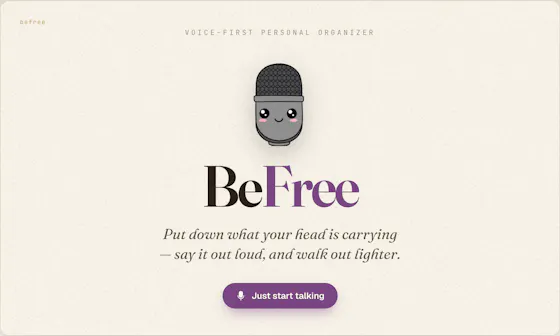
Speak a messy brain dump and it sorts the pieces into tasks, reminders, calendar events and notes. Captures offline on iPhone and syncs to the web; free forever with a paid Pro tier.
FreeWorks offline
What to know▼
How it works
Speak a messy brain dump and it sorts the pieces into tasks, reminders, calendar events, grocery items and notes automatically; captures offline and syncs across iPhone and web.
What's different
No forms or manual sorting — the AI decides where each piece of the brain dump belongs.
Pricing
Free forever; Pro is $49.99/yr or $6.99/mo with a 7-day trial.
Best for
People who want to offload scattered thoughts by voice instead of manually filing them into separate apps.
We check every product on this page once a day and record whether it still answers.
Free, zero-knowledge encrypted notepad that encrypts a note with a user-set password in the browser before it reaches the server, with no account, tracking, or ads.
FreeNo sign-upNo ads
What to know▼
How it works
Encrypts text with AES-256 client-side using a user-set password before sending it to the server.
We check every product on this page once a day and record whether it still answers.
A free, open-source, self-hostable link where a class shares notes, slides and past papers with no accounts, built for students tired of digging through group chats before exams.
FreeOpen sourceSelf-hosted
What to know▼
How it works
Gives a class one shared link where notes, slides, and past papers live; anyone can add or grab files with no account needed. PDFs preview in the browser, a whole section can be downloaded as a zip before exams, and the link can be shared via QR code in a lecture hall.
What's different
Self-hostable and open source, and requires no accounts for anyone using it.
Pricing
Free.
Best for
Students who want a single shared place for class materials instead of digging through group chats before exams.
We check every product on this page once a day and record whether it still answers.
A free, no-signup browser-based canvas for sketching diagrams, geometry, and notes with a basic SVG editor, for anyone who wants a quick drawing tool, instead of installing dedicated diagramming software.
FreeNo sign-upCan export my data
What to know▼
How it works
Browser-based canvas with grid snapping, shapes, curves, arrows, and fills; also imports, edits, and exports SVG.
We check every product on this page once a day and record whether it still answers.
A voice-to-task-list tool using your own Gemini or Groq API key in the browser. It claims data never leaves your device, though voice is actually sent to their cloud to be parsed.
Free
What to know▼
How it works
Converts spoken voice notes into structured, bulleted task lists in the browser, using your own Gemini or Groq API key.
Best for
People who want a quick way to turn a voice note into an action-item list without signing up.
We check every product on this page once a day and record whether it still answers.
A free browser-based story-plotting board where you arrange ideas as cards, available in English and Japanese — a lightweight outlining tool for writers.
Free
What to know▼
How it works
A board-based writing tool where you arrange story ideas as cards on a canvas, similar to sticky notes on a wall, to see the whole plot at a glance.
Pricing
Free, runs in the browser.
Best for
Writers who think visually and want to plot a story by rearranging cards rather than writing linear outlines.
We check every product on this page once a day and record whether it still answers.
An offline, no-signup medication reminder for families, storing everything locally with dose confirmations and low-stock refill alerts; free on Android.
Watch out · Android-only.
FreeNo sign-upWorks offline
What to know▼
How it works
An offline medication tracker with no account required, storing data in a local SQLite database, with haptic dose confirmations, family profiles, and automatic low-stock refill alerts.
Pricing
Free on Android.
Best for
Families who want to track medications for multiple people without a cloud account.
We check every product on this page once a day and record whether it still answers.
On-device AI dictation and meeting notetaker for Mac and iOS that works offline without an account.
Watch out · Windows and Android support are coming soon, not yet available.
FreeNo sign-upWorks offline
What to know▼
How it works
Runs 100% on-device using Gemma and Whisper for push-to-talk dictation into any app, live meeting transcripts, AI rewriting, and asking questions across notes.
What's different
No cloud, no account, no subscription.
Pricing
Free for macOS and iOS.
Watch out
Windows and Android support are coming soon, not yet available.
We check every product on this page once a day and record whether it still answers.
A macOS dictation app that inserts transcribed speech into any app via a hotkey; free local transcription through Apple Speech, with paid higher-accuracy and AI formatting options.
FreeWorks offline
What to know▼
How it works
A macOS dictation app: press a hotkey, speak, and the transcribed text is inserted directly into whatever app is active. Optional AI templates can then reformat the transcript into meeting notes, action items, summaries or to-do lists.
What's different
Supports both free local transcription via Apple Speech and higher-accuracy transcription via OpenAI Whisper, letting users choose speed/privacy versus accuracy.
Pricing
Free local dictation through Apple Speech; higher-accuracy Whisper transcription and AI formatting are paid options.
Best for
macOS users who want to dictate notes, emails or meeting summaries directly into any app without breaking their workflow.
We check every product on this page once a day and record whether it still answers.
A library of notes, past papers and study PDFs for competitive exam prep, with a mix of free and premium materials, aimed at students rather than teachers or schools.
Free
What to know▼
How it works
A library of notes, previous year question papers and study PDFs for competitive exam and academic prep, alongside career guidance and job updates.
Pricing
Mix of free and premium study materials.
Best for
Students preparing for competitive exams who want study materials in one place.