We check every product on this page once a day and record whether it still answers.
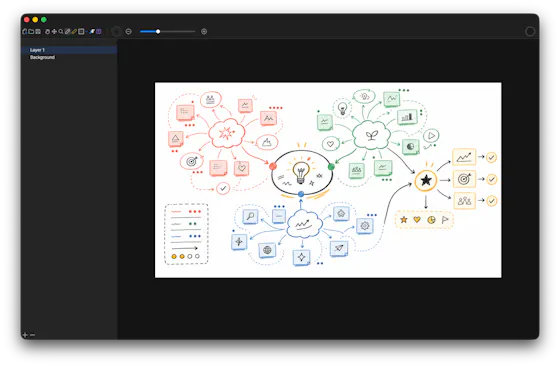
A local-first drawing and note-taking canvas for diagrams, wireframes, study sheets and rough ideas, with layers, brushes and PSD import/export — a one-time $9.99 purchase, no account needed.
No sign-upWorks offlinePay once
What to know▼
How it works
A cross-platform, local-first canvas for notes, diagrams, study sheets, wireframes and rough ideas, with pressure-sensitive brushes, layers, shapes, text, image transforms, PSD import/export, pan/zoom and keyboard shortcuts.
What's different
Files stay entirely on-device with no account, cloud workspace or subscription required.
Pricing
One-time purchase of $9.99.
Best for
People who want a full-featured drawing/note canvas without a subscription or cloud account.
We check every product on this page once a day and record whether it still answers.
A native Mac rich-text notes app that slides out from the screen edge on a shortcut, keeps everything as local Markdown that never leaves your machine, and sells as a one-time lifetime license.
No subscription
What to know▼
How it works
A native macOS rich-text editor that flies out from the screen edge on a shortcut (⌥⌘N) or edge nudge, supporting checklists, reminders, folders, images and code blocks, with iCloud sync; notes are stored as plain Markdown.
What's different
Native macOS app, not Electron, and notes never touch the maker's servers — sync happens via iCloud.
Pricing
Lifetime license with a 7-day free trial; no subscription.
Best for
Mac users who want a quick-access notes app that stays local and exports as plain Markdown.
We check every product on this page once a day and record whether it still answers.
A private EPUB reader for iPhone and iPad that lets readers highlight and export notes to Markdown, for people who want a one-time-purchase reader without an account or tracking.
No subscriptionCan export my data
What to know▼
How it works
Import DRM-free EPUBs, highlight in four colors, add notes, and export everything to clean Markdown for use in any plain-text workflow.
Pricing
Buy once — no subscription.
Best for
iOS readers who keep notes in plain-text tools and don't want a subscription.
We check every product on this page once a day and record whether it still answers.
A lightning-fast offline note capture popup (hotkey-triggered, opens in 20ms) for jotting quick thoughts before moving them into Notion or Obsidian, instead of fighting the friction of a full note app.
FreeNo sign-upWorks offline
What to know▼
How it works
Win+Alt+O opens a popup in under 20ms; stays in system tray, no internet or account needed
Best for
People who need to dump quick thoughts without loading a full note-taking app
We check every product on this page once a day and record whether it still answers.
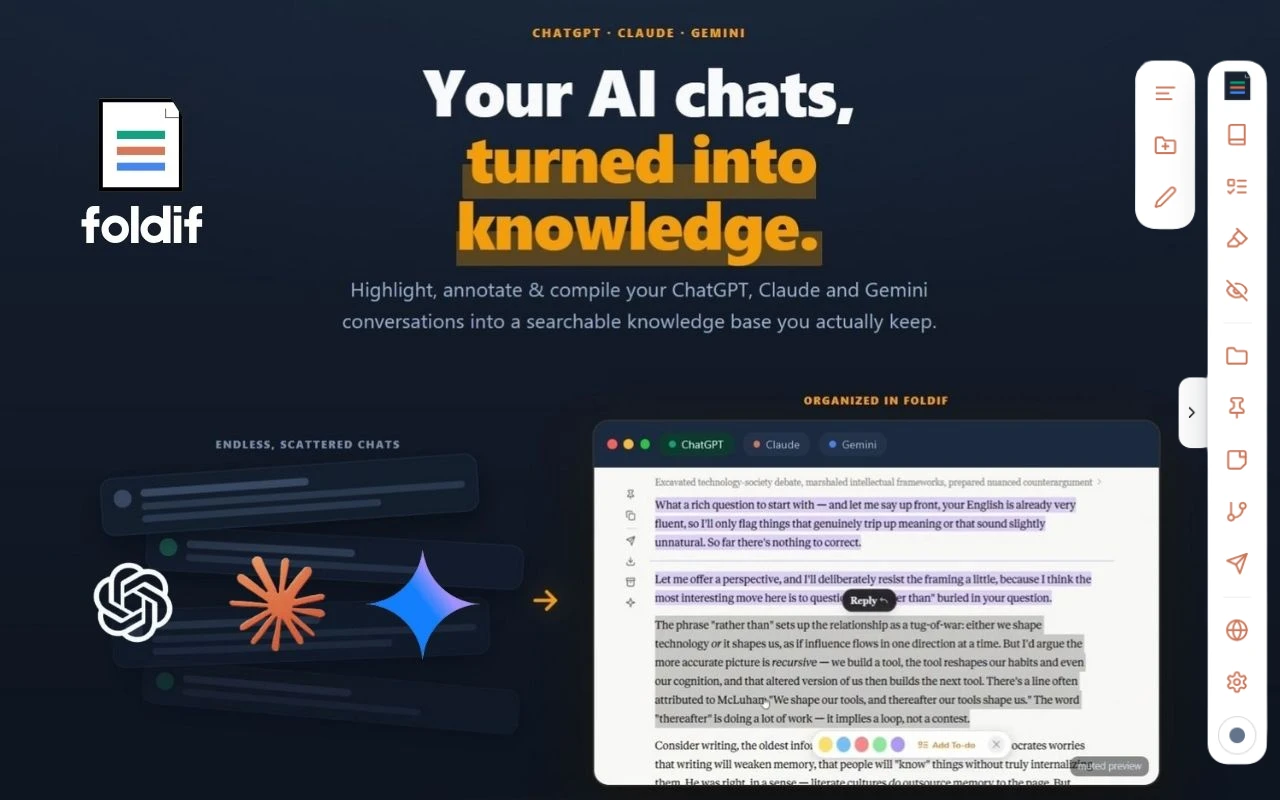
Keeps the good parts of your AI chats. It sits on top of ChatGPT, Claude and Gemini in the browser, lets you highlight answers and annotate them in the margin, then pulls the keepers into a document you can export.
Watch out · Needs an account. Storage is local by default and cloud sync is opt-in and encrypted (the site says AES-256-GCM), but sync still means the data leaves your machine. Every claim here is the product's own — we have not verified the encryption.
No subscription
What to know▼
How it works
Installs as a browser extension (Chrome, Edge, Brave, Arc) and adds highlighting and margin notes directly on the chat pages you already use. Selections collect into a "book" you can export as PDF, HTML, Markdown or PNG.
What's different
Covers three assistants rather than one — a thread can move between ChatGPT, Claude and Gemini. Notes stay on the page where you made them instead of in a separate app you have to remember to open.
Pricing
Free tier: no credit card, no time limit. Pro is $89/year or $249 lifetime; the first 100 buyers get a $79 one-time Founder Lifetime.
Best for
People who use more than one AI assistant every day and keep losing good answers in the scroll-back — researchers, writers, and students who turn answers into flashcards.
Watch out
Needs an account. Storage is local by default and cloud sync is opt-in and encrypted (the site says AES-256-GCM), but sync still means the data leaves your machine. Every claim here is the product's own — we have not verified the encryption.
We check every product on this page once a day and record whether it still answers.
Turns notes or a PDF into an illustrated flashcard deck automatically, paid per deck instead of a subscription — for students who like visual study aids.
No subscription
What to know▼
How it works
Turns pasted notes or an uploaded PDF into a flashcard deck automatically, and an optional VizMagic mode has AI generate a whimsical illustration for each card; tracks a Mastery Score and study progress over time.
What's different
Illustrates each flashcard to help concepts stick, and charges per deck rather than a subscription.
Pricing
Pay-per-deck credits, no subscription.
Best for
Visual learners and students who want illustrated flashcards generated automatically from their notes or PDFs.
We check every product on this page once a day and record whether it still answers.
Android floating clipboard manager that saves copied text and lets AI auto-title and tag clips.
Watch out · Requires bringing your own API key, stored encrypted on-device.
Pay onceNo subscription
What to know▼
How it works
A floating clipboard bubble for Android that saves copied text on tap, lets you long-press to drag a clip into another app, and uses AI to auto-title and tag each clip.
Pricing
One-time purchase unlocks AI features and unlimited tags, no subscription.
Best for
Android users who want their clipboard organized without manual sorting.
Watch out
Requires bringing your own API key, stored encrypted on-device.
We check every product on this page once a day and record whether it still answers.
Saves screenshots and shared content from any app into one categorized, on-device library using Apple Intelligence.
Watch out · Relies on on-device Apple Intelligence.
No sign-upWorks offlineNo subscription
What to know▼
How it works
Lets you share content from any app's share sheet into one place — title and image are grabbed automatically, and on-device Apple Intelligence sorts it into a category; browse by category, add tags, or use 'Daily Review' to resurface saves.
We check every product on this page once a day and record whether it still answers.
A free personal tracker for saving items you find online — images, notes, status and automatic price history — so you can compare and remember things without a subscription or credit card.
FreeNo subscription
What to know▼
How it works
A personal vault for saving items found online - images, notes, ratings, and status (Wishlist, Watching, Purchased, Rejected) - with automatic price history, plus side-by-side comparison of up to 4 items.
What's different
Tracks price history automatically and lets you compare items side by side, not just bookmark links.
Pricing
Free, no subscription or credit card required.
Best for
People who research purchases online and want to track and compare items instead of losing them in browser tabs.
We check every product on this page once a day and record whether it still answers.
Records meetings on Mac and generates transcripts, summaries and live translated subtitles, entirely on-device. Dictation is free forever; the full meeting workflow costs a one-time $49.
Watch out · Requires macOS 26 on Apple Silicon, so it won't run on older Macs or other operating systems.
FreeNo sign-upWorks offline
What to know▼
How it works
Records meetings and produces transcripts and summaries entirely on-device, with nothing sent to the cloud; it also shows live subtitles with translation while recording, and offers push-to-talk dictation usable in any app.
What's different
Continues working with Wi-Fi off and requires no bot joining the call, since everything runs on-device.
Pricing
Dictation is free forever; the full meeting workflow is a one-time $49 purchase. No account or subscription required.
Best for
Mac users who want private, on-device meeting notes without a cloud service.
Watch out
Requires macOS 26 on Apple Silicon, so it won't run on older Macs or other operating systems.
We check every product on this page once a day and record whether it still answers.
Turns your Android phone into a self-hosted MCP server so AI assistants like Claude, Cursor or Perplexity can pull your personal memory without sending data to the cloud. Aimed at developers already using MCP-compatible tools.
Watch out · Relies on a relay tunnel (relay.memplato.com) and requires Termux running on the phone, with a watchdog to restart the server if the phone reboots or Termux closes.
Works offlineData stays with youOpen source
What to know▼
How it works
Turns an Android phone into a self-hosted MCP (Model Context Protocol) server by installing a Python MCP server inside Termux, with a secure tunnel giving the phone a stable public HTTPS URL that AI clients like Claude, Cursor or Perplexity can connect to for persistent memory.
What's different
Data is stored locally on the user's own phone instead of a vendor's cloud, with no subscription or vendor lock-in.
Pricing
No subscription.
Best for
Developers already using MCP-compatible AI tools who want to own their memory data instead of storing it in the cloud.
Watch out
Relies on a relay tunnel (relay.memplato.com) and requires Termux running on the phone, with a watchdog to restart the server if the phone reboots or Termux closes.
We check every product on this page once a day and record whether it still answers.
Pulls your Kindle highlights into a searchable local library and can sync them to Notion or Obsidian - a one-time purchase for readers who want to actually use their highlights.
Works offlinePay onceNo subscription
What to know▼
How it works
Pulls the highlights and notes you've made on Kindle into a searchable, browsable local library, with quote cards, 'on this day' resurfacing, and reading stats.
What's different
No cloud account needed, and auto-syncs to Notion (with Genre/Rating/Status columns and cover art) or an Obsidian vault.
Pricing
One-time purchase, no subscription.
Best for
Readers who want to actually revisit and use the highlights they've made on Kindle.
We check every product on this page once a day and record whether it still answers.
A private personal feed that pulls together your scattered notes, links, photos, voice memos and saved AI answers into one scrollable timeline just for you.
No subscription
What to know▼
How it works
A private personal feed where you manually add ideas, share links from Safari and other iOS apps, attach photos/audio/media, or save AI chat answers into one scrollable timeline.
What's different
Designed as a scroll-based feed for resurfacing ideas rather than a folder-based notes app like Google Keep.
Pricing
No subscription.
Best for
iOS users whose notes, links, screenshots, and AI answers are currently scattered across different apps.
We check every product on this page once a day and record whether it still answers.
12 free single-file HTML tools (notes, invoicing, a CRM, snippets and more) that run in your browser or fully offline, with no account, login or data sent anywhere.
No sign-upWorks offlineNo subscription
What to know▼
How it works
12 single-file HTML tools — including a list app, notes, database, Markdown editor, URL builder, invoice tool, onboarding, outliner, snippets, stickies, deck and CRM — that you open directly as an HTML file; data saves to your browser or you can download and run them offline.
What's different
No subscriptions, logins, or data sent anywhere — each tool is a standalone HTML file you can keep and run forever.
Pricing
Free.
Best for
Small business owners, freelancers and solo operators who want simple tools without accounts or cloud dependence.
We check every product on this page once a day and record whether it still answers.
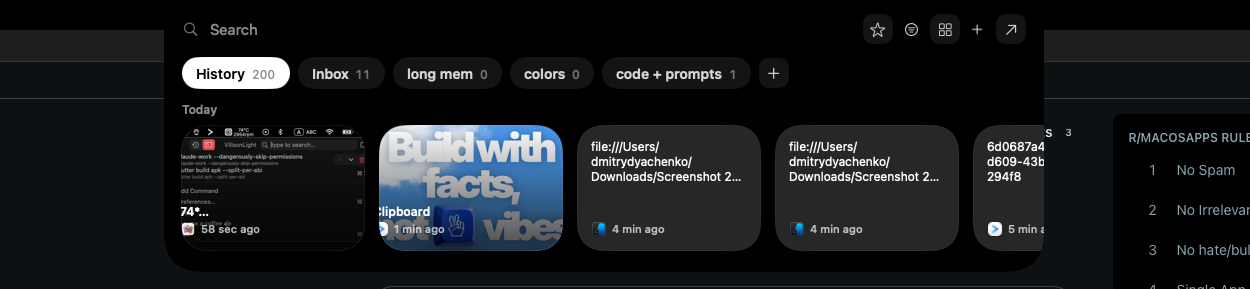
A local-first clipboard and screenshot manager for Mac that keeps a searchable visual history of everything you copy, tagged by source app and time.
Works offlinePay onceNo subscription
What to know▼
How it works
A local-first clipboard and screenshot manager for Mac that keeps a searchable visual history of everything copied, tagged by source app and time, accessible from a menu-bar dropdown. Colors show as live swatches, screenshots are searchable by the text inside them, and sensitive items like passwords are detected and skipped.
What's different
Fully offline with nothing synced to a server, versus clipboard tools that rely on cloud sync.
Pricing
One-time purchase with lifetime updates, no subscription.
Best for
Mac users who want quick access to clipboard and screenshot history without cloud storage.
We check every product on this page once a day and record whether it still answers.
On-device AI dictation and meeting notetaker for Mac and iOS that works offline without an account.
Watch out · Windows and Android support are coming soon, not yet available.
FreeNo sign-upWorks offline
What to know▼
How it works
Runs 100% on-device using Gemma and Whisper for push-to-talk dictation into any app, live meeting transcripts, AI rewriting, and asking questions across notes.
What's different
No cloud, no account, no subscription.
Pricing
Free for macOS and iOS.
Watch out
Windows and Android support are coming soon, not yet available.
We check every product on this page once a day and record whether it still answers.
A Mac clipboard history tool that keeps text, images, colors and file paths stored locally, with no cloud sync and no subscription fee.
Works offlineNo subscription
What to know▼
How it works
A Mac clipboard history app that saves copied text, links, images, screenshots, colors and file paths, then lets you search and paste them back with a global shortcut and numbered quick paste.
Pricing
No subscription.
Best for
Mac users who want clipboard history stored locally without syncing to the cloud.