Topic

Tools for fixing and cleaning up photos · No sign-up

45

match your filters

42

answered today

3

arrived this week

2

stopped answering

Watching this group for 24 days, checked once a day · how we check

Bulk Photo Editor

LiveWatched 14d

A free, local, no-account browser tool for bulk color-editing, resizing, cropping, and renaming large batches of photos at once.

FreeNo sign-upNothing to install
What to know
How it works
Adjusts brightness, contrast, saturation, vibrance, and sharpness in bulk; crops, rotates, and resizes with one photo applied to all then fine-tuned individually; batch-renames with auto-numbering and downloads as a zip.
Pricing
100% free, all local, no upload or account.
Details →

OutfitGen

LiveWatched 6d

One photo. Any look. Same you.

No sign-up
What to know
How it works
Aracı seçip değişikliği düz metinle tarif edersiniz; 3 ücretsiz düzenleme, hesap ya da kart gerekmez.
Details →

Pixora

LiveWatched 12d

42 free browser-based image tools (compress, resize, remove background) that process images on your own device instead of uploading them.

Watch out · limited to the specific tools offered, not a full editor

FreeNo sign-upData stays with you
What to know
How it works
AI background removal and other edits run locally in-browser
Pricing
free, no signup
Watch out
limited to the specific tools offered, not a full editor
Details →

ID Photo Maker

LiveWatched 12d

Free browser tool that crops a photo to official passport/ID photo sizes for 40+ countries and lets you print at home or a pharmacy kiosk.

FreeNo sign-upNothing to install
What to know
How it works
on-device AI segmentation replaces the background client-side, no upload to a server
Pricing
free, no signup, no watermark
Best for
anyone needing a passport or visa photo without a photo studio
Details →

depixelate.ai

LiveWatched 6d

Cleans up old, low-resolution photos with AI — upload, compare before/after, download a watermark-free PNG; no account, images auto-deleted after 24 hours.

Watch out · Processed images are deleted after 24 hours.

No sign-up
What to know
How it works
Upload a photo; AI reduces pixelation and rebuilds detail; compare before/after and download a watermark-free PNG.
Watch out
Processed images are deleted after 24 hours.
Details →

Unblurry

LiveWatched 16d

Upload a blurry photo and AI reconstructs faces, edges and texture rather than just sharpening — useful for rescuing old family photos or product shots; free to try, then one-time credit purchases instead of a subscription.

No sign-upPay onceNo subscription
What to know
How it works
Upload a blurry photo and AI reconstructs faces, edges and texture rather than applying a blanket sharpen — covers out-of-focus portraits, motion blur and grainy scans.
What's different
Before/after slider, full-res download, no watermark.
Pricing
Free to try, no sign-up; one-time credits instead of a subscription.
Best for
People rescuing old family photos, travel shots or product images that came out blurry.
Details →

SpiceRack

LiveWatched 19d

Scan a barcode to track how much of each spice you have and when it expires, with an auto-built shopping list, so you stop rebuying and tossing spices you already own.

No sign-up
What to know
How it works
Scan a barcode to add a spice and track its quantity and expiry; it builds a shopping list automatically from what's low or expired.
What's different
No account needed — everything stays private on the device.
Pricing
Free to start; premium unlocks unlimited spices and extra features.
Best for
Home cooks who keep buying spices they already have or letting jars expire unused.
Details →

Snit Scanner

LiveWatched 11d

Browser tool that recreates the analog scanner-drag glitch-art effect on your photos in real time, with nothing uploaded.

FreeNo sign-upData stays with you
What to know
How it works
Simulates a moving scanline as you drag/zoom/rotate a photo; includes Xerox-style copier grain mode.
What's different
Photo never leaves your device.
Pricing
Free, no signup
Details →

MyCollages

LiveWatched 8d

A free browser-based photo collage maker with local processing, no upload, for people making collages without installing software.

FreeNo sign-upNothing to install
What to know
How it works
100+ templates, edit and export to PNG/JPG/MP4/PDF; photos processed locally, never uploaded
Pricing
Free, no watermark
Details →

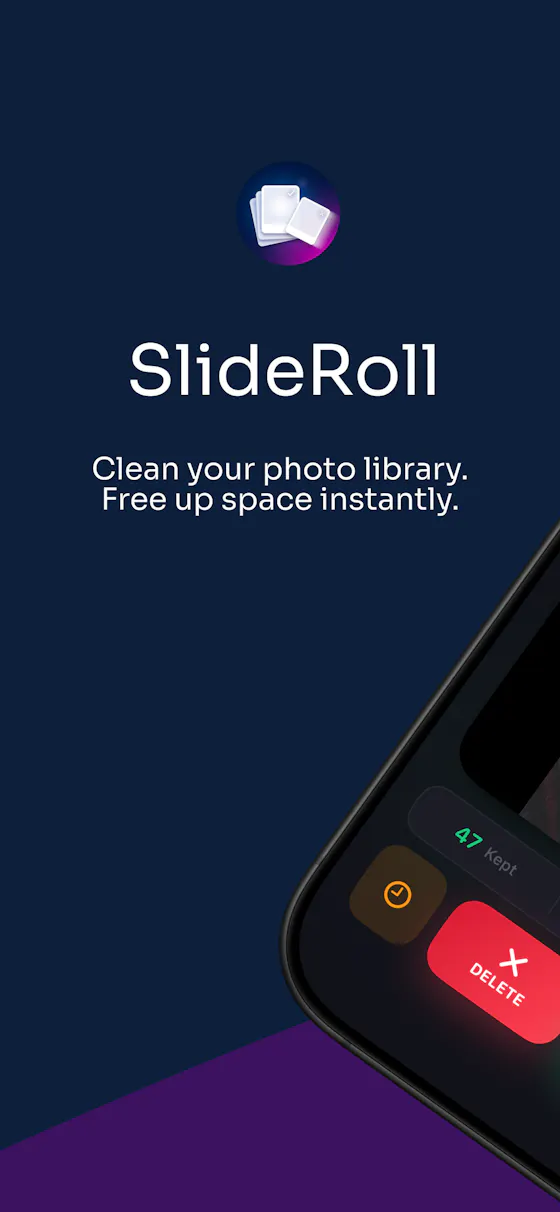
SlideRoll

LiveWatched 19d

Swipe through your camera roll to keep or delete photos, entirely on-device — no account, no uploads, no cloud scanning. Free to try, in 12 languages.

No sign-upWorks offlineData stays with you
What to know
How it works
Swipe through your camera roll — right to keep, left to delete, up to decide later — with Smart Albums, duplicate detection, monthly review and progress tracking to clear storage.
What's different
Runs 100% on-device with no account, no uploads, and no photo tracking.
Pricing
Free to try.
Best for
Anyone wanting to quickly clear phone storage by swiping through photos, in one of 12 supported languages.
Details →

Local Photo Upscaler

LiveWatched 24d

An iPhone and iPad app that upscales, sharpens and denoises photos entirely on-device so nothing is uploaded to a server - for casual users, not professional photo editors.

No sign-upWorks offlineData stays with you
What to know
How it works
An iPhone and iPad app that upscales, sharpens, denoises, and deblurs photos using on-device AI enhancement, with a before/after comparison before saving the result back to Photos.
What's different
All processing happens on-device — no server upload, account, ad, or subscription is required.
Pricing
No subscription and no account required (per the product's own description).
Best for
People restoring old, blurry, or low-resolution personal photos who want to keep them off the cloud.
Details →

Jobs-Radar.com

LiveWatched 22d

A free job search engine that pulls listings directly from company career pages, so stale or fake postings disappear fast; no signup required.

FreeNo sign-up
What to know
How it works
Indexes 320,000+ jobs directly from company career pages; listings that go dead vanish within hours.
What's different
No signup, no paywall, free forever, unlike job boards that charge to see stale or duplicated listings.
Pricing
Free for job seekers, forever.
Best for
Job seekers tired of stale or fake "remote" listings on paid job boards.
Details →

Free Image Scaler

LiveWatched 13d

A free, no-account web tool that upscales images 2x-8x with denoising and sharpening.

FreeNo sign-up
What to know
How it works
Upscales images 2x, 4x, or 8x with denoising and sharpening.
Pricing
Free, no registration.
Details →

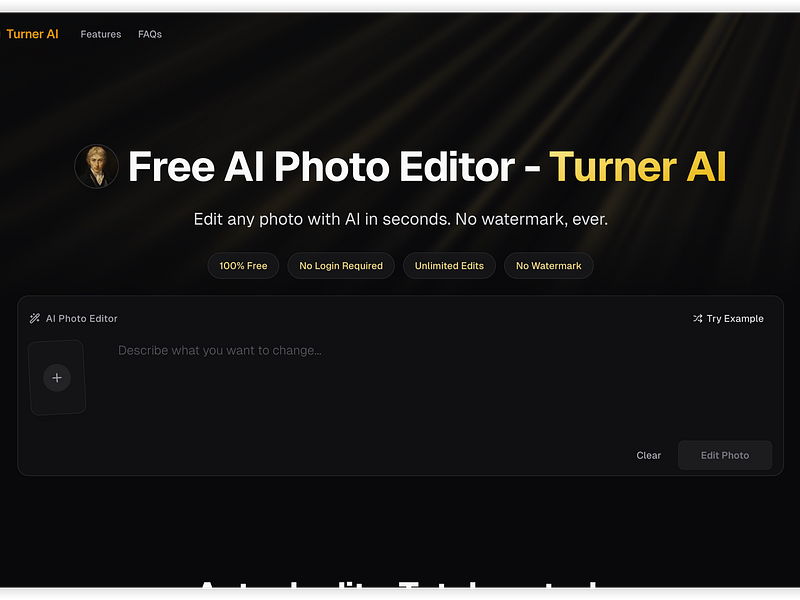
Turner AI

LiveWatched 11d

Free browser-based AI photo editor for making localized edits like background changes or object removal without signup or watermark.

FreeNo sign-upNothing to install
What to know
How it works
Upload a photo, describe the edit in plain words, get a localized result
What's different
No signup and edits aren't stored, unlike most AI photo editors
Pricing
Free, unlimited basic edits, no watermark
Details →

PixelTools

LiveWatched 9d

A free browser-based image toolkit (converter, compressor, background remover, upscaler) that processes files locally without upload.

FreeNo sign-upData stays with you
What to know
How it works
Bundles ten browser-based image tools (format converter, compressor, AI background remover, resizer with social presets, cropper, rotator, image-to-PDF, AI upscaler, watermark tool, screenshot beautifier) using Canvas API and WebAssembly.
What's different
Images never leave the device; no upload, account, or per-file limits; supports batch processing.
Pricing
Free.
Details →

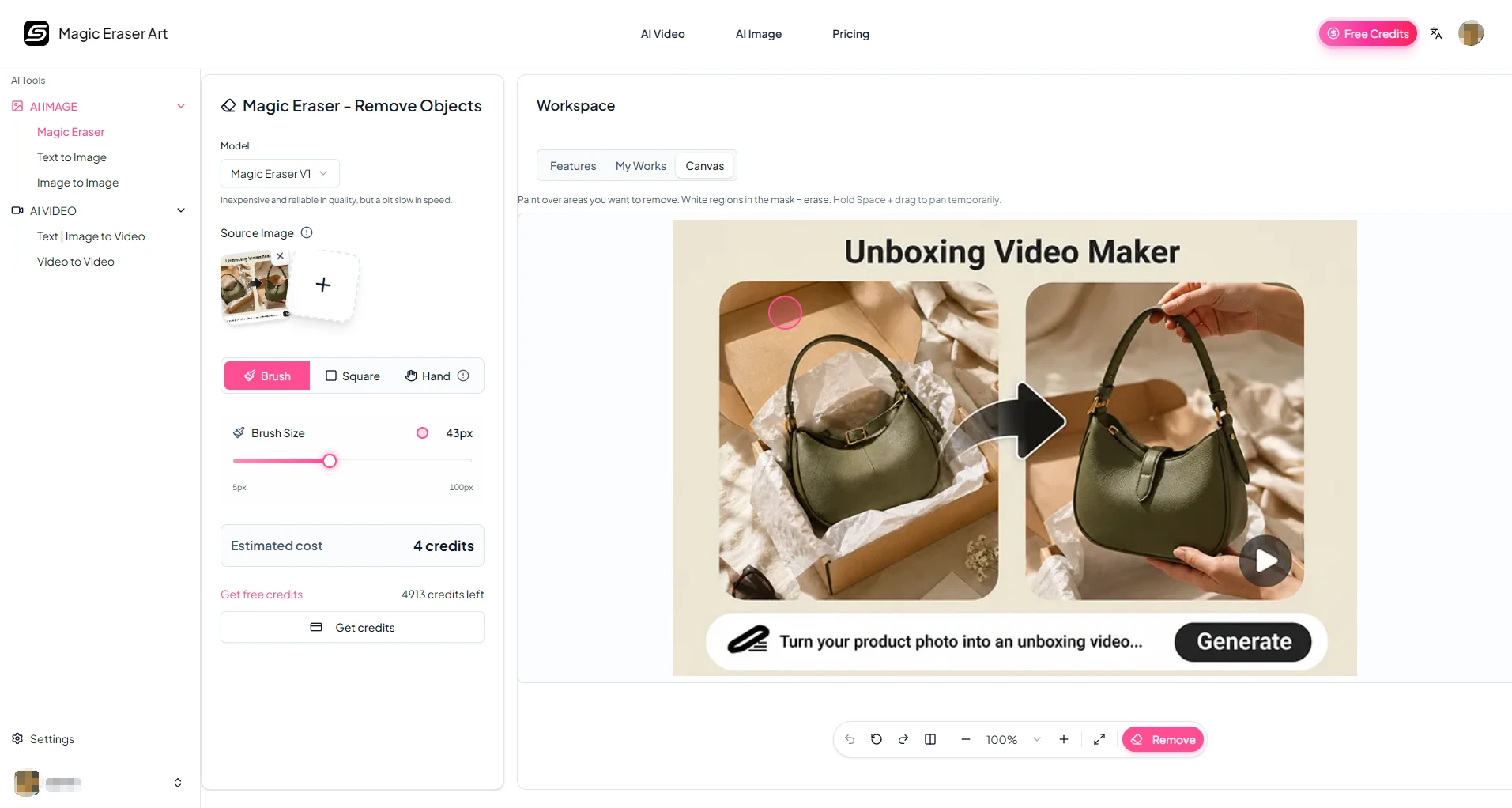
AI Magic Eraser

LiveWatched 14d

AI tool that removes unwanted objects from photos in seconds, replacing manual photo-editing touch-ups.

No sign-up
What to know
How it works
Mark the unwanted element in a photo and the AI reconstructs the area by studying colors, edges, and lighting around it.
What's different
No experience, licenses, or steep learning curve required compared to traditional editing software.
Best for
Quick photo cleanups like removing objects or people.
Details →

Resizes images to an exact file size or pixel dimensions right in the browser, for things like passport photos, without uploading.

FreeNo sign-upData stays with you
What to know
How it works
Client-side resizing by KB target, pixels, or cm; supports bulk resize
Pricing
Free, no account or upload
Details →

Photo Extender

LiveWatched 10d

Extends a photo to any aspect ratio using AI, for free, without an account or watermark.

FreeNo sign-up
What to know
How it works
AI fills in extended image edges to match a new aspect ratio
Pricing
Free, no signup
Best for
Anyone needing to reframe a photo without cropping content out
Details →

remove-bg.io

LiveWatched 11d

A free instant background remover that outputs full-resolution images with no account or signup.

FreeNo sign-up
What to know
How it works
Removes image backgrounds instantly at HD quality
Pricing
free
Best for
Anyone needing quick background removal without signup
Details →

piceditr

LiveWatched 16d

Free AI photo editor that edits, restyles, and merges images using text prompts, no login required.

Watch out · No login required.

FreeNo sign-up
What to know
How it works
Edits, restyles, and merges photos using text prompts to swap backgrounds and transform details.
Pricing
Free.
Watch out
No login required.
Details →

SnapBG

LiveWatched 17d

A free background removal tool that instantly strips the background from an image and lets you manually include or exclude parts of the removal, without requiring an account.

FreeNo sign-up
What to know
How it works
Removes the background from an uploaded image instantly and lets you edit the automatic removal in real time; exports full-quality transparent PNGs.
What's different
Positioned as a free alternative to remove.bg.
Pricing
Free, no charge for downloads.
Best for
Anyone needing quick background removal without signing up.
Details →

Removes Gemini/Nano Banana AI watermarks from images directly in the browser with no signup or stored uploads.

FreeNo sign-upNothing to install
What to know
What's different
No sign-up, uploads not stored
Pricing
Free
Details →

TinyPNG Now

LiveWatched 12d

A free 26-tool browser image suite for compression, background removal, upscaling, and OCR with no uploads or account.

FreeNo sign-upData stays with you
What to know
How it works
26 browser-local tools including compressor, background remover, AI upscaler, OCR, QR code
Pricing
Free, no account, no watermark, no limits
Best for
People needing varied image edits without installing software
Details →

MediaDit

LiveWatched 12d

A free in-browser photo editor with local AI background removal that never uploads your images to a server.

FreeNo sign-upData stays with you
What to know
How it works
Local AI background removal, text overlays, resizing, compression via WebGL in-browser
Pricing
100% free, no login, no watermark
Best for
People editing photos without uploading them anywhere
Details →

CompressFor

LiveWatched 12d

A free browser image compressor that hits an exact file size, converts HEIC to JPG, and generates passport photos for 6+ countries.

FreeNo sign-upNothing to install
What to know
How it works
Compresses to an exact KB target and auto-removes backgrounds for passport photos
Pricing
Free, no signup, no watermark, no server upload
Best for
People uploading photos to exam or government forms with strict size limits
Details →

Blur Background

LiveWatched 12d

A browser tool that blurs the background of a photo automatically, without uploading the image anywhere.

No sign-upWorks offlineData stays with you
What to know
How it works
Detects the subject and blurs the background locally in-browser
What's different
processing stays on-device, nothing uploaded to a server
Pricing
free, no account
Details →

BgRemover

LiveWatched 12d

Strips the background out of a photo automatically and gives you a transparent PNG, no account needed.

FreeNo sign-up
What to know
Pricing
Free during beta.
Best for
Anyone needing a quick cutout image without design software.
Details →

ReactCamera.com

LiveWatched 23d

Cuts you out of a photo or video and drops you into a new scene with captions and stickers, processed on your own device rather than uploaded to a server.

No sign-upWorks offline
What to know
How it works
Cuts you out of a photo or video and drops you into a new scene, then lets you add captions and stickers before sharing.
What's different
Processing happens on-device rather than uploading photos to a server, and no login is required.
Best for
People who want to make reaction-style photo or video edits without creating an account.
Details →

Merge Images

LiveWatched 22d

A no-signup web tool for combining photos side by side or stacked into a collage — a simple image utility, not a full editor.

No sign-up
What to know
How it works
A web tool where you drag and drop photos to arrange them side by side or stacked vertically into a multi-image collage.
Best for
Anyone who wants to quickly combine a few photos into one image without signing up.
Details →

Vertical

LiveWatched 24d

A simple app that turns your phone's camera roll into a swipeable feed you scroll through, double-tapping to favorite the photos worth keeping.

No sign-upWorks offline
What to know
How it works
Turns your camera roll into a one-photo-at-a-time scrollable feed; scrolling past a photo keeps it in your camera roll, double-tapping favorites it into a dedicated Vertical Favorites album. You can filter by album, sort by size, or pick a specific month, and it remembers where you left off.
What's different
Everything runs 100 percent on-device with no account, cloud, or server, and deletions have a safety net so nothing is removed right away.
Best for
People who want to quickly review and favorite photos from a large camera roll without organizing folders manually.
Details →

Imagerry

LiveWatched 5d
FreeNo sign-upNothing to install
Details →

MergeImage

LiveFirst seen today
FreeNo sign-upCan export my data
Details →

Apollodorus

LiveWatched 1d
FreeNo sign-upNothing to install
Details →

Sweep Weasel

LiveWatched 6d

On-device Android photo cleaner — groups duplicates and similar shots, finds blurry/dark photos, surfaces old screenshots and clutter, flags oversized videos; no cloud upload, no account, only one ad.

No sign-upWorks offline
Details →

Removewatermarks.net

LiveWatched 3d
FreeNo sign-up
Details →

mylifeimg

LiveWatched 5d
FreeNo sign-up
Details →

Roomvana

LiveWatched 5d
No sign-up
Details →

Korpiss

LiveWatched 5d
FreeNo sign-up
Details →

PDF & Image Tools

LiveWatched 7d

Lets anyone edit PDFs and images entirely in-browser instead of uploading files to a server.

FreeNo sign-upWorks offline
Details →

iHateImages

LiveWatched 1d
FreeNo sign-upData stays with you
Details →

NeumoStudio AI

LiveWatched 4d
FreeNo sign-up
Details →
No sign-upNothing to install
Details →

Tool Buny

Watched 11d

A free browser-based image and document utility (compress/convert, resize) that runs entirely locally without uploading files.

FreeNo sign-upWorks offline
What to know
How it works
Runs 100% locally in the browser to compress and resize images and adjust document dimensions.
What's different
Files never leave the browser or touch external cloud servers.
Pricing
Free.
Details →

Inpainty

Not respondingWatched 11d

Lets you edit the text inside a screenshot directly in your browser — AI detects text blocks, you rewrite them, and it regenerates matching the original font and color — without needing Photoshop.

FreeNo sign-up
What to know
How it works
AI detects text regions in an image, regenerates edited text matching original formatting

Pricing
Free, no signup
Details →

RendrFlow: Ai Photo Editor

Not respondingWatched 17d

An offline AI photo editor for upscaling, colorizing, and background removal, all processed on-device.

No sign-upWorks offline
What to know
How it works
Edits photos completely offline using on-device AI: upscaling, colorizing black-and-white photos, removing backgrounds and unwanted objects, plus crop, resize, filters, text, drawing, batch conversion, PDF/ZIP creation, and QR scan/generate.
What's different
All processing happens locally on the device with no account and no cloud uploads.
Best for
People who want AI photo editing without sending images to the cloud.
Details →