We check every product on this page once a day and record whether it still answers.
An ad-free Android digital wallet app that stores loyalty, ID, transit, and business cards with auto logo recognition and PIN or biometric protection, as a one-time purchase instead of a subscription.
No subscriptionNo ads
What to know▼
How it works
Scan once, present with a tap; auto logo recognition for 500+ brands, vCard QR codes, expiration alerts, full backup.
Pricing
one-time Pro purchase, no subscription.
Best for
people who want all their cards in one app across 8 languages.
We check every product on this page once a day and record whether it still answers.
A free, local, no-account browser tool for bulk color-editing, resizing, cropping, and renaming large batches of photos at once.
FreeNo sign-upNothing to install
What to know▼
How it works
Adjusts brightness, contrast, saturation, vibrance, and sharpness in bulk; crops, rotates, and resizes with one photo applied to all then fine-tuned individually; batch-renames with auto-numbering and downloads as a zip.
We check every product on this page once a day and record whether it still answers.
A camera app that shoots portrait and landscape simultaneously and previews film-style color grading live in the viewfinder, instead of applying filters after the fact.
What to know▼
How it works
Dual-ratio capture with 35 live film-inspired presets, plus dual-ratio video and a photo editor for applying looks retroactively.
We check every product on this page once a day and record whether it still answers.
Scan a barcode to track how much of each spice you have and when it expires, with an auto-built shopping list, so you stop rebuying and tossing spices you already own.
No sign-up
What to know▼
How it works
Scan a barcode to add a spice and track its quantity and expiry; it builds a shopping list automatically from what's low or expired.
What's different
No account needed — everything stays private on the device.
Pricing
Free to start; premium unlocks unlimited spices and extra features.
Best for
Home cooks who keep buying spices they already have or letting jars expire unused.
We check every product on this page once a day and record whether it still answers.
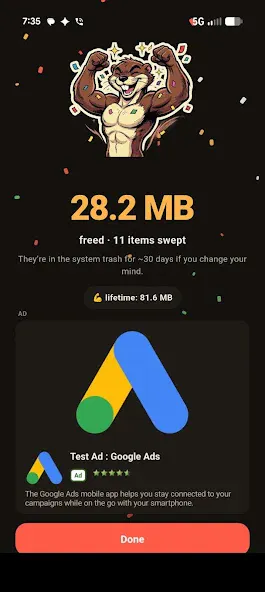
Swipe through your camera roll to keep or delete photos, entirely on-device — no account, no uploads, no cloud scanning. Free to try, in 12 languages.
No sign-upWorks offlineData stays with you
What to know▼
How it works
Swipe through your camera roll — right to keep, left to delete, up to decide later — with Smart Albums, duplicate detection, monthly review and progress tracking to clear storage.
What's different
Runs 100% on-device with no account, no uploads, and no photo tracking.
Pricing
Free to try.
Best for
Anyone wanting to quickly clear phone storage by swiping through photos, in one of 12 supported languages.
We check every product on this page once a day and record whether it still answers.
A Windows reference-image tool that keeps floating images above other apps, with background removal and OCR.
Watch out · Windows only.
What to know▼
How it works
Keeps reference images floating above other apps on Windows, with drag-and-drop, screenshot/web import, a local asset library, background removal, OCR, text boxes, line art, and image-to-SVG conversion.
We check every product on this page once a day and record whether it still answers.
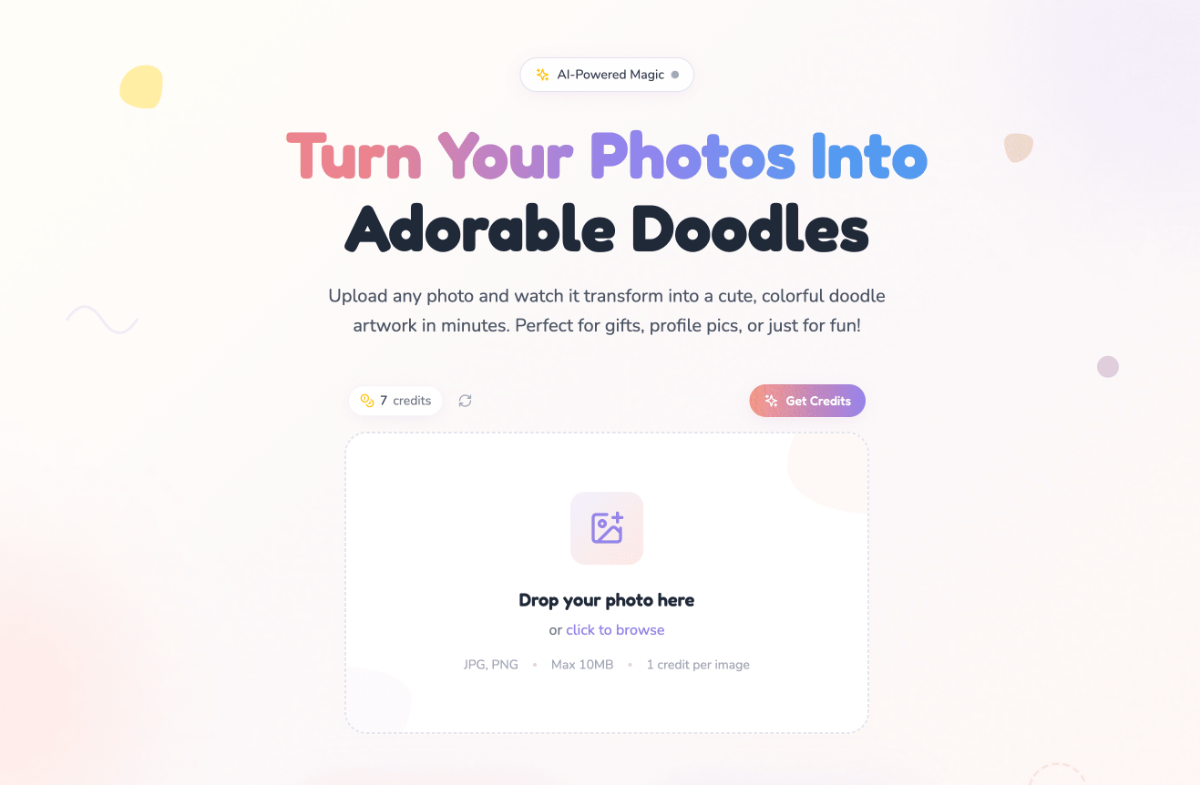
A free browser-based tool that crops, splits, and captions photos into Instagram-ready formats, for creators preparing image posts without images ever leaving their device.
Watch out · Images never leave your device (no upload).
FreeNothing to installCan export my data
What to know▼
How it works
Offers crop, carousel-split, and info-card modes for single or bulk photos, all processed in the browser.
We check every product on this page once a day and record whether it still answers.
A browser extension for marking, editing, compressing, and bulk-downloading images while browsing.
What to know▼
How it works
Right-click any image on the web to mark it; a toolbar badge shows how many are marked, then open the workspace to filter, edit, compress (WASM plus optional TinyPNG), preview, and batch-download the set.
What's different
Avoids bouncing between tabs or separate online tools.
We check every product on this page once a day and record whether it still answers.
Turns photos into stylized camera frames displaying their EXIF metadata like camera model, lens, and settings.
Can export my data
What to know▼
How it works
Transforms photos into camera-style frames using their EXIF metadata, displaying camera model, lens, focal length, aperture, shutter speed, ISO, date, and location with customizable templates.
We check every product on this page once a day and record whether it still answers.
Turns a still image into a wobbly animated GIF or video by letting you paint which area should move, entirely in your browser without uploading the image.
Works offlineCan export my data
What to know▼
How it works
Paint the area to animate, pick a motion style, export as GIF/MP4/WebM
We check every product on this page once a day and record whether it still answers.
A browser-based bulk editor for Google Photos: delete, download, enhance, or convert thousands of photos at once.
Free
What to know▼
How it works
Lets you select thousands of Google Photos at once to delete, download, enhance, filter, crop, rotate, or convert live photos to stills, with custom presets and revertible edits.
What's different
Provides bulk management that Google Photos itself doesn't offer.
We check every product on this page once a day and record whether it still answers.
A free background removal tool that instantly strips the background from an image and lets you manually include or exclude parts of the removal, without requiring an account.
FreeNo sign-up
What to know▼
How it works
Removes the background from an uploaded image instantly and lets you edit the automatic removal in real time; exports full-quality transparent PNGs.
What's different
Positioned as a free alternative to remove.bg.
Pricing
Free, no charge for downloads.
Best for
Anyone needing quick background removal without signing up.
We check every product on this page once a day and record whether it still answers.
Connects to your bank via Plaid to detect recurring streaming subscriptions, tells you when to pause or resubscribe around show release dates, and flags duplicate household subscriptions.
What to know▼
How it works
Links your bank account through Plaid, auto-detects streaming subscriptions, tracks show return dates, and has a household mode to catch duplicate subscriptions between partners.
Best for
people paying for streaming services they don't consistently watch.
We check every product on this page once a day and record whether it still answers.
A photo gallery cleanup app where you swipe to keep or delete photos, with a Smart Clean mode that finds duplicates and burst shots processed locally on your device.
FreeWorks offlineNo ads
What to know▼
How it works
Swipe right to keep, left to delete; Smart Clean scans for exact duplicates, burst shots, and low-detail photos in one pass.
What's different
Everything runs locally on-device; no photos are uploaded.
Pricing
Free to use, with a Pro tier unlocking Smart Clean's advanced modes.
We check every product on this page once a day and record whether it still answers.
A paid service that turns three of your own photos into six classical Chinese costume portraits, finished by a human designer and emailed within 1-2 days.
What to know▼
How it works
You send three reference photos and pick a theme (hanfu, Tang/Ming/Song dynasty, qipao, empress, wuxia and more), and receive six coherent classical Chinese portraits by email within 24-48 hours.
What's different
Portraits are hand-finished by a professional visual designer rather than delivered as raw AI output, with no studio, costume or travel needed.
We check every product on this page once a day and record whether it still answers.
Cuts you out of a photo or video and drops you into a new scene with captions and stickers, processed on your own device rather than uploaded to a server.
No sign-upWorks offline
What to know▼
How it works
Cuts you out of a photo or video and drops you into a new scene, then lets you add captions and stickers before sharing.
What's different
Processing happens on-device rather than uploading photos to a server, and no login is required.
Best for
People who want to make reaction-style photo or video edits without creating an account.
We check every product on this page once a day and record whether it still answers.
A dashboard that tracks every lifetime deal you've bought from AppSumo, PitchGround, and StackSocial, flags duplicates, and reminds you before refund windows close.
What to know▼
How it works
centralizes lifetime deal purchases, flags duplicate buys, tracks return on investment, and sends refund-window reminders
Best for
people who've bought many lifetime software deals and are losing track of them
We check every product on this page once a day and record whether it still answers.
A mobile app for iPhone and Android that recreates the viral 'pixel stretch' photo effect by letting you pull a strip of color into a smooth ribbon, no desktop editor needed.
What to know▼
How it works
You pick a strip of color in a photo and pull it into a smooth ribbon, recreating the pixel stretch effect entirely on your phone.
What's different
Does the effect natively on iPhone or Android without needing Photoshop or a desktop editor.
Best for
Mobile users who want to recreate the viral pixel stretch trend without desktop software.
We check every product on this page once a day and record whether it still answers.
A simple app that turns your phone's camera roll into a swipeable feed you scroll through, double-tapping to favorite the photos worth keeping.
No sign-upWorks offline
What to know▼
How it works
Turns your camera roll into a one-photo-at-a-time scrollable feed; scrolling past a photo keeps it in your camera roll, double-tapping favorites it into a dedicated Vertical Favorites album. You can filter by album, sort by size, or pick a specific month, and it remembers where you left off.
What's different
Everything runs 100 percent on-device with no account, cloud, or server, and deletions have a safety net so nothing is removed right away.
Best for
People who want to quickly review and favorite photos from a large camera roll without organizing folders manually.
We check every product on this page once a day and record whether it still answers.
A retro-filter camera app for iPhone that adds VHS/CCD/disposable-camera looks to photos and video. A consumer nostalgia app, not a restaurant tool.
What to know▼
How it works
Turns an iPhone into a retro camera with real-time digicam, VHS, CCD and disposable-camera looks, adding date stamps and camera-style overlays, and can collect shots into film rolls or turn clips into daily movies.
What's different
Shoots photos and video with the retro look applied live, rather than filtering them afterward.
Best for
iPhone users who want nostalgic, 2000s-style everyday photos and videos.
We check every product on this page once a day and record whether it still answers.
A local Indian digital services shop for passport photos, Aadhaar card cropping, PVC card printing, and image/PDF editing, done instantly with no software install.
What to know▼
How it works
A local digital services shop offering instant passport-size photos, Aadhaar card cropping, PVC smart card printing, image compression, PDF editing and ZIP file security, with no software install.
Best for
People needing quick document/photo prep for Indian government paperwork without installing software.
We check every product on this page once a day and record whether it still answers.
A Mac cleanup utility that scans caches, duplicates and large files and lets you review each one before deleting — a straightforward storage tool, not a power-user disk suite.
What to know▼
How it works
A Mac utility that scans for caches, temporary files, large and old files, and duplicates, and lets you review results before deleting; also uninstalls apps along with leftover files.
What's different
Presents cleanup results in a structured, easy-to-review interface rather than a complex power-user tool.
Best for
Mac users who want a simple storage cleanup, not a full disk-management suite.
We check every product on this page once a day and record whether it still answers.
Scans your accounts-payable export in the browser for duplicate vendor payments, and the file never leaves the tab. Built for finance teams doing AP audits, not general spreadsheet work.
Watch out · The reported result (found $38,125 of planted duplicates, 5/5, with zero false alarms) comes from a blind test the vendor ran itself, not an independent audit.
Data stays with youCan export my data
What to know▼
How it works
Scans an AP export (CSV/Excel) in the browser for suspected duplicate vendor payments — same invoice paid twice, invoice number variants, duplicate payment references, unapplied credits — and produces a CFO-ready HTML report plus Excel export.
What's different
Runs entirely in the browser under CSP that blocks outbound requests, so the file never leaves the tab.
Best for
Finance teams running accounts-payable audits.
Watch out
The reported result (found $38,125 of planted duplicates, 5/5, with zero false alarms) comes from a blind test the vendor ran itself, not an independent audit.
We check every product on this page once a day and record whether it still answers.
Free, no-sign-up photo collage maker that runs entirely in your browser — 29 layouts, blurred backgrounds or frames, exports a watermark-free high-res PNG. Photos never leave your device.
We check every product on this page once a day and record whether it still answers.
On-device Android photo cleaner — groups duplicates and similar shots, finds blurry/dark photos, surfaces old screenshots and clutter, flags oversized videos; no cloud upload, no account, only one ad.