We check every product on this page once a day and record whether it still answers.
Screenshot an entire website in one click.
FreeNo sign-up
What to know▼
How it works
Sitenin sitemap'ini okur, her sayfayı iki boyutta yakalar, URL'den dosya adlandırır; hiçbir şey yüklenmez, kayıt gerekmez. Her sayfanın metnini Markdown olarak da dışa aktarır.
We check every product on this page once a day and record whether it still answers.
A no-signup browser tool to download public X/Twitter videos as MP4, convert to MP3, or generate clean post screenshots, limited to public content only.
Watch out · Does not access protected, deleted, login-only, or region-restricted media.
Free
What to know▼
How it works
Download MP4, browser-local MP3 conversion, batch-resolve up to 10 URLs, clean screenshots.
Watch out
Does not access protected, deleted, login-only, or region-restricted media.
We check every product on this page once a day and record whether it still answers.
Turns any public webpage into a scrolling MP4 video without screen recording or a browser extension, for making promo clips from launch pages or portfolios.
What to know▼
How it works
Paste a URL, choose framing and scroll pace, it captures the page in an isolated browser and renders an MP4.
What's different
Auto-dismisses cookie popups and waits for lazy-loaded content before capturing.
We check every product on this page once a day and record whether it still answers.
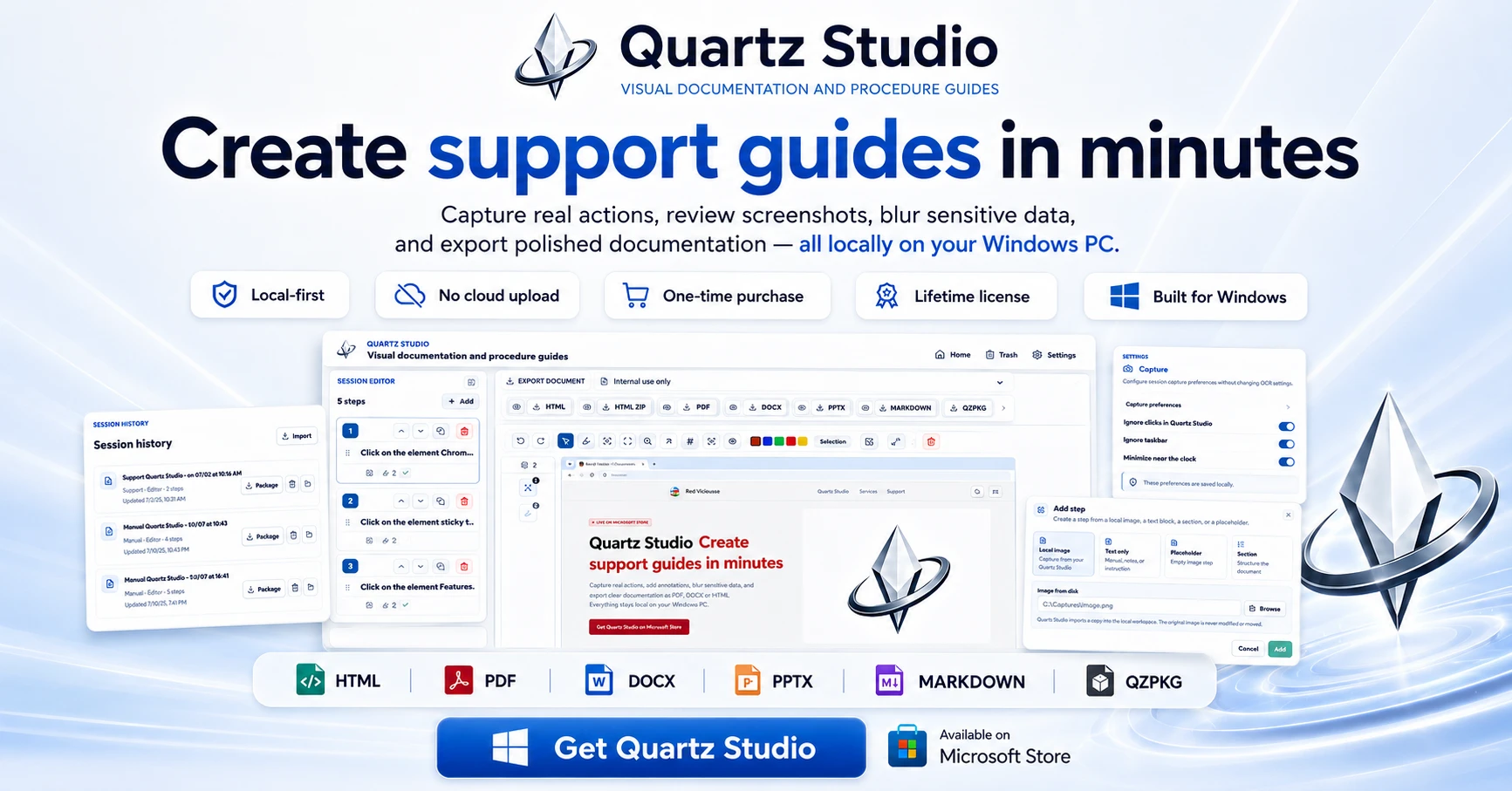
A Windows app that turns real screen actions into annotated step-by-step guides with local OCR and no cloud upload, aimed at IT support, helpdesk and training teams.
Works offlineNo subscriptionCan export my data
What to know▼
How it works
A local-first Windows app for turning real desktop actions into professional visual guides: it captures clicks and active windows with consent, offers a structured editor, annotations, blur, and local OCR, and exports to PDF, DOCX, HTML, PowerPoint, or Markdown.
What's different
Keeps screenshots, OCR, and documents entirely local on the user's PC, with no SaaS account and no keystroke logging, unlike cloud-based alternatives.
Pricing
Available on Microsoft Store with a one-time lifetime license.
Best for
IT support, helpdesk, QA, operations, and training teams that need step-by-step documentation from real desktop actions.
We check every product on this page once a day and record whether it still answers.
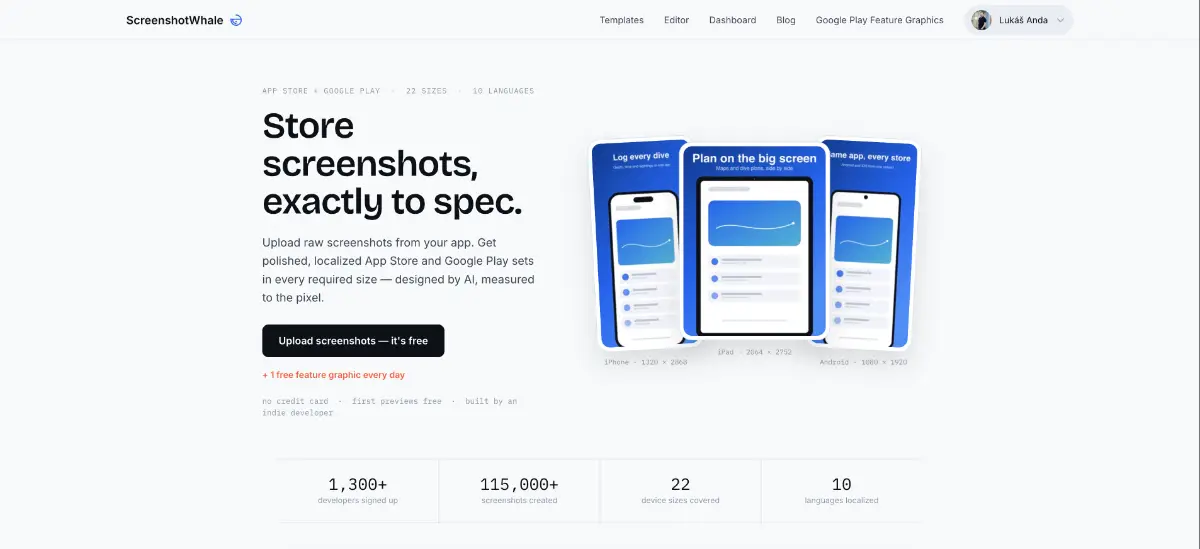
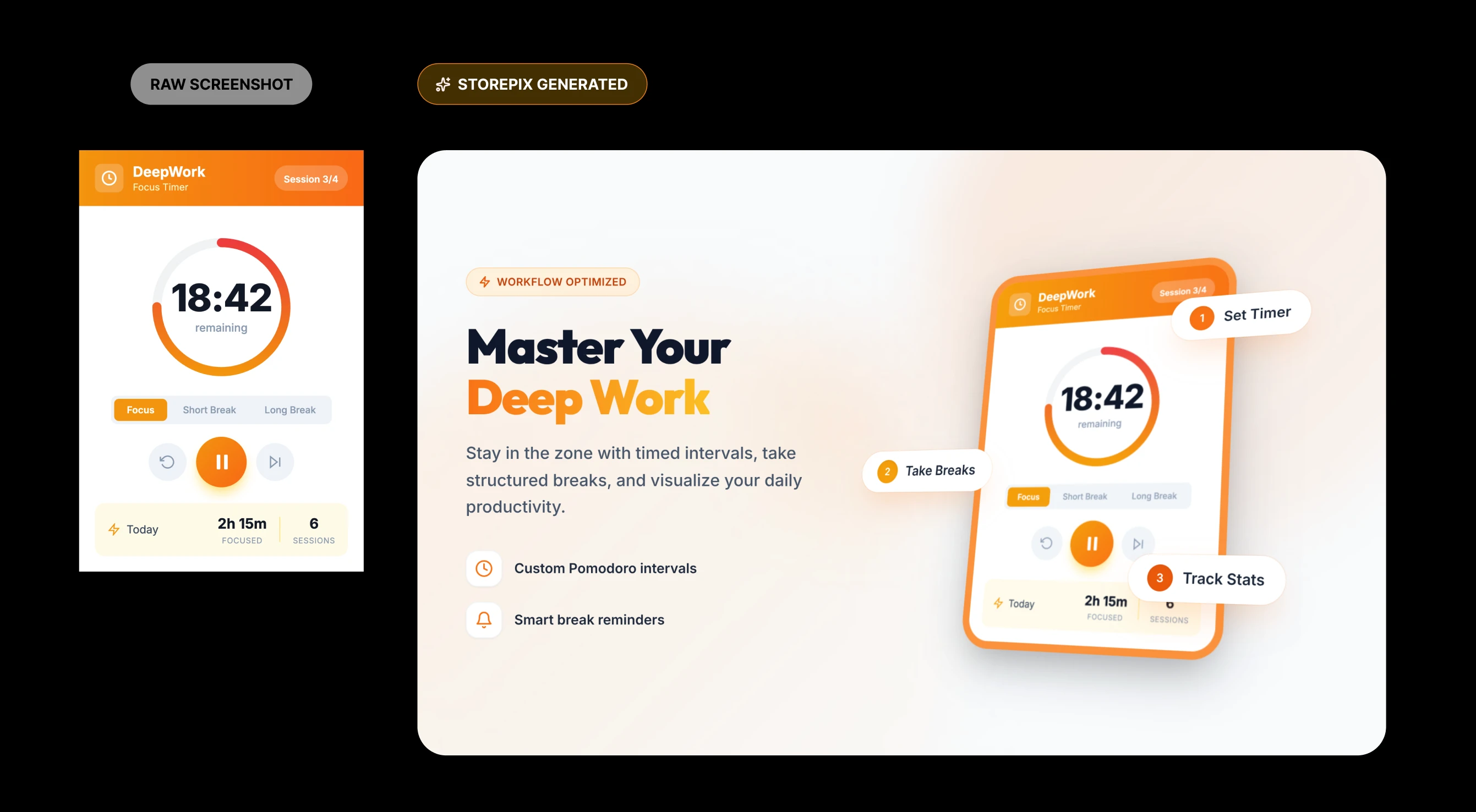
Generates App Store and Play Store screenshot sets to boost app-page conversions, aimed at app makers who don't want to hire a designer, sold as one-time credit packs.
Pay once
What to know▼
How it works
Generates professional App Store and Play Store screenshot sets in minutes, aimed at lifting app-page conversion rates.
Pricing
Sold as one-time credit packs rather than a subscription.
Best for
App makers who want conversion-optimized store screenshots without hiring a designer.
We check every product on this page once a day and record whether it still answers.
A free Chrome extension for screen and webcam recording, screenshots, and on-page annotation that runs entirely in your browser with no signup or uploads.
FreeNo sign-upWorks offline
What to know▼
How it works
A Chrome extension for recording your screen or webcam, taking full-page and region screenshots, and annotating directly on the page.
What's different
No signup, no watermark, no upload — everything runs locally in the browser.
Pricing
Free.
Best for
Anyone who wants quick screen capture and annotation without creating an account or uploading footage anywhere.
We check every product on this page once a day and record whether it still answers.
Tool that converts screen-recording videos of a workflow into interactive click-by-click practice exercises for training staff, with usage evidence exports.
FreeWorks offlineCan export my data
What to know▼
How it works
turns an MP4 recording into offline browser-based practice, tracks anonymous baseline/follow-up rounds, exports CSV/report
Pricing
public demo free, $1,500 Founding Pilot for 3 workflows/50 learners/30-day cycle
We check every product on this page once a day and record whether it still answers.
A Mac menu-bar utility that fixes small everyday annoyances like catching screenshots, parking windows, and remembering clipboard history.
What to know▼
How it works
Lives in the MacBook notch to catch screenshots before they hit the desktop, park windows for later, remember clipboard history, save tabs for another day, and keep files one hover away.
We check every product on this page once a day and record whether it still answers.
Tool for creating polished App Store and Google Play screenshots from templates with device frames and batch export.
Watch out · No design skills required.
No subscriptionCan export my data
What to know▼
How it works
Provides ready-to-use templates, iPhone and Android device frames, custom text/fonts/colors/backgrounds, high-resolution export, and batch generation for App Store and Google Play screenshots.
Pricing
Free to start; Pro available as a one-time lifetime purchase.
We check every product on this page once a day and record whether it still answers.
A free browser quiz where players identify games from Steam store screenshots, solo or in multiplayer rooms.
Free
What to know▼
How it works
A browser quiz challenging players to identify games from Steam store screenshots; play solo, in rooms up to 8 players, try beta 1v1 matchmaking, or create curated Game Shelves that double as playable quizzes.
We check every product on this page once a day and record whether it still answers.
A lightweight Windows screenshot tool with fast capture, 10+ annotation tools and local-only storage, built for a clean everyday screenshot flow rather than heavy workflows.
Works offlineData stays with you
What to know▼
How it works
A Windows screenshot tool with fast capture modes for screen, window or selected area, plus 10+ annotation tools, automatic clipboard copy and local saving.
What's different
A floating capture panel designed not to steal focus from work or games, with local-first storage — screenshots stay on the device.
Best for
Windows users who want a clean, everyday screenshot flow without a heavy or noisy tool.
We check every product on this page once a day and record whether it still answers.
Turns app screenshots into animated mockups and generates localized App Store screenshot sets across 80+ languages and required device sizes — a marketing-asset tool for app developers, not itself a mobile app.
What to know▼
How it works
Turns app screenshots into animated GIF or WebM mockups and generates localized App Store screenshot sets across 80+ languages, covering required Apple and Google device sizes, using a library of templates and device frames.
Best for
App developers preparing store listings and localized marketing screenshots.
We check every product on this page once a day and record whether it still answers.
A desktop app that scans your screenshots and blacks out sensitive data like API keys, card numbers and IDs before you share them, processed entirely on your machine. Useful for anyone who screenshots for support tickets or docs.
Works offlineOpen source
What to know▼
How it works
An on-device tool that scans screenshots and detects and redacts sensitive data — API keys, IBANs, payment cards, national IDs and emails — before you share them.
What's different
Processing happens entirely on your machine, built with TypeScript, Tauri and Tesseract OCR; nothing is uploaded.
Best for
Developers and anyone who shares screenshots for support tickets or documentation and wants to avoid accidentally exposing secrets or personal data.
We check every product on this page once a day and record whether it still answers.
A free macOS app that captures, annotates and merges multiple screenshots into a single PDF, or exports PNG and JPEG, working fully offline with no account required.
Watch out · Works fully offline with no account, so nothing is uploaded to a server.
FreeNo sign-upWorks offline
What to know▼
How it works
A free macOS app that captures a screen area, lets you annotate it, and merges multiple screenshots into a single PDF, also exporting as PNG or JPEG.
Pricing
Free.
Best for
Mac users who want to turn screenshots into a shareable PDF without an account or internet connection.
Watch out
Works fully offline with no account, so nothing is uploaded to a server.
We check every product on this page once a day and record whether it still answers.
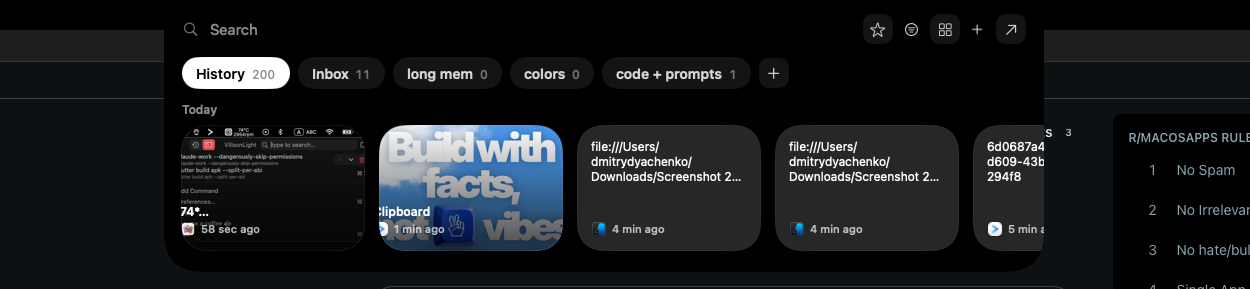
A local-first clipboard and screenshot manager for Mac that keeps a searchable visual history of everything you copy, tagged by source app and time.
Works offlinePay onceNo subscription
What to know▼
How it works
A local-first clipboard and screenshot manager for Mac that keeps a searchable visual history of everything copied, tagged by source app and time, accessible from a menu-bar dropdown. Colors show as live swatches, screenshots are searchable by the text inside them, and sensitive items like passwords are detected and skipped.
What's different
Fully offline with nothing synced to a server, versus clipboard tools that rely on cloud sync.
Pricing
One-time purchase with lifetime updates, no subscription.
Best for
Mac users who want quick access to clipboard and screenshot history without cloud storage.
We check every product on this page once a day and record whether it still answers.
A free browser tool for mocking up realistic Instagram DM screenshots, with iPhone or Android status-bar styling for the fake conversation — not a real messaging app.
No sign-upNothing to installWorks offline
What to know▼
How it works
A browser tool for creating realistic Instagram DM screenshot mockups in Instagram's exact dark theme — including photos, GIFs, voice notes, replies, story replies, reactions, seen receipts and typing indicators, with iPhone or Android status-bar framing.
What's different
Everything runs locally in the browser, nothing is uploaded or saved, and exports have no watermark.
Pricing
Free, no sign-up.
Best for
Anyone mocking up fake Instagram DM conversations for content, mockups or presentations.
We check every product on this page once a day and record whether it still answers.
A Mac and Windows desktop app for designing App Store, Google Play and Microsoft Store screenshots -- despite the store names, the tool itself is desktop software, not mobile.
What to know▼
How it works
A Mac and Windows desktop app for designing App Store, Google Play and Microsoft Store screenshots — despite the store branding, the tool itself runs locally on your computer.
Pricing
$15.99 one-time.
Best for
App developers who need pixel-perfect store screenshots without a subscription design tool.
We check every product on this page once a day and record whether it still answers.
A Windows app for turning plain screenshots into nicer-looking images; the listing is thin but it's a straightforward screenshot beautifier, nothing more.
What to know▼
How it works
A Windows app that turns plain screenshots into more polished-looking images.
Best for
Windows users who want nicer-looking screenshots without a full editing app.
We check every product on this page once a day and record whether it still answers.
macOS app for searching, organizing, and renaming screenshots using natural-language search and text recognition, for people who lose track of saved screenshots, instead of scrolling through a screenshots folder.
What to know▼
How it works
Search screenshots with natural language, recognize text inside images, find similar screenshots, and auto-rename files, all processed locally on macOS.
Best for
Mac users who save many screenshots and can't find them again.
We check every product on this page once a day and record whether it still answers.
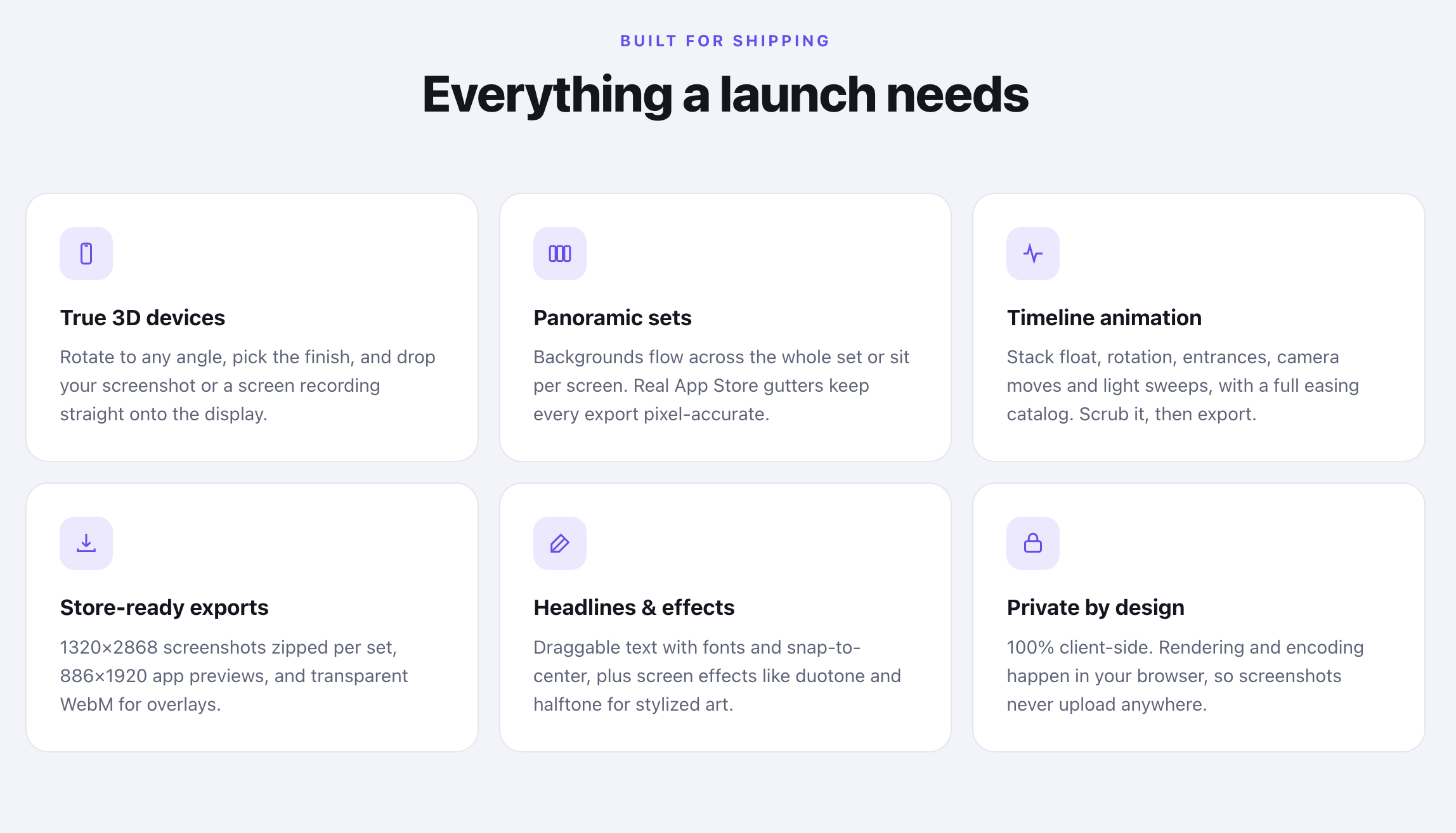
A native macOS tool that auto-generates App Store screenshot mockups with 3D device framing and fast export, for app makers who don't want a full design suite.
Can export my data
What to know▼
How it works
A native macOS app that frames app screenshots in device bezels (Mac, iPhone, iPad, Apple Watch), rotates them in 3D, and exports them for App Store listings, without opening a full design suite.
What's different
Native macOS app with saved layout projects and memory-optimized export, instead of using a heavy design suite for screenshot mockups.
Best for
App makers who need App Store screenshot assets without learning design software.
We check every product on this page once a day and record whether it still answers.
A tool that turns plain screenshots into polished mockup visuals with customizable gradients, 3D effects and layouts, for people who need presentable product images.
What to know▼
How it works
Turns plain screenshots into polished visuals with customizable gradients, 3D effects, and layouts.
Best for
People who need presentable product images for marketing or portfolios.
We check every product on this page once a day and record whether it still answers.
Wraps app screenshots in device frames and backgrounds, exporting every size needed for iPhone, iPad, Android and Mac stores in one click. A one-time-purchase desktop app (not mobile), runs fully offline.
Works offlinePay onceNo subscription
What to know▼
How it works
Takes a plain app screenshot and wraps it in device frames, backgrounds, and text layers, exporting every size required for iPhone, iPad, Android, and Mac app stores from one project in one click.
What's different
Runs completely offline on macOS, Windows, or Linux, keeping data private, unlike browser-based mockup tools.
Pricing
$19 one-time payment, no subscription.
Best for
App developers preparing store screenshots who want to skip manually recreating frames in Figma or Photoshop.
We check every product on this page once a day and record whether it still answers.
A Chrome screenshot and annotation tool that runs entirely locally with five capture modes and eight annotation tools, instead of uploading screenshots to a cloud service.
Watch out · About 50KB, built with vanilla JS.
FreeNo sign-upWorks offline
What to know▼
How it works
Captures screenshots (visible, full page, region, element, timed) and adds annotations such as arrows, shapes, text, and blur, locally in the browser.
Pricing
Free tier with all modes and tools, no watermark; Pro is a $39 one-time purchase for extra formats and history.
We check every product on this page once a day and record whether it still answers.
Upload a screenshot and it identifies the fonts used, then suggests free Google Font matches, CSS/Tailwind code and color palettes — a design utility, not itself confirmed free.
What to know▼
How it works
Upload a screenshot and Fontter identifies the fonts used in it, then suggests free Google Font alternatives along with generated CSS and Tailwind code and matching color palettes.
Best for
Designers and developers who want to replicate typography and colors from a screenshot without manually identifying fonts.
We check every product on this page once a day and record whether it still answers.
A browsable gallery of real PC desk setups where every visible part is tagged and linked to buy — skips the reverse-image-search hunt for someone's exact monitor or keyboard.
FreeNo sign-up
What to know▼
How it works
A gallery of real PC and desk setups where every part is tagged directly on the photo — clicking a component shows the brand, price, and a direct buy link.
What's different
Replaces reverse-image-searching someone's monitor or digging through comments with a one-click shoppable parts list.
Pricing
Free to browse, no account required.
Best for
People who see a desk setup they like and want to find and buy the exact gear.
We check every product on this page once a day and record whether it still answers.
Locally blurs emails, API keys, tokens and other sensitive data before you screen-share or record — useful for anyone showing their screen, not just developers.
Data stays with you
What to know▼
How it works
Detects and locally blurs sensitive browser-page content — emails, phone numbers, API keys, tokens, IP addresses, and custom keywords — before you screen-share, record, or screenshot, with support for WhatsApp Web, manual area selection, saved rules, temporary reveal, and an emergency hide.
What's different
All scanning happens locally in the browser; page content is never uploaded.
Best for
Anyone doing screen shares, recordings, or live demos who needs to hide sensitive data on the fly, not just developers.
We check every product on this page once a day and record whether it still answers.
A tool that generates polished, framed screenshots for app store listings, for app developers instead of manually designing screenshot frames in a design app.
What to know▼
How it works
Generates polished, framed screenshots for app store listings.
We check every product on this page once a day and record whether it still answers.
Turns screenshots from textbooks, lectures, websites and chats into organized, searchable study notes — on-device text extraction, summaries and key points, source image plus OCR text kept together, save from any app via Shortcuts.


















.png?auto=format%2Ccompress&fit=max&w=560)