We check every product on this page once a day and record whether it still answers.
A tool that pulls your calendar availability from Outlook and Google in one keystroke, adjusted to the recipient's timezone, running privately on your machine.
Watch out · Only connects to Outlook and Google calendars.
What to know▼
How it works
Pulls your calendar availability from connected calendars with a single keystroke, converted to the recipient's timezone, and handles multiple execs.
What's different
Runs privately and locally on your machine rather than in the cloud.
We check every product on this page once a day and record whether it still answers.
A typing practice tool that analyzes per-keystroke timing to find and drill your specific weak key patterns, for typists who want targeted improvement instead of a generic speed test.
FreeNo sign-upWorks offline
What to know▼
How it works
Analyzes context-dependent weak spots (e.g. being slow at one letter only after another), builds drills from real words containing your problem patterns, and retires each drill once you've fixed it. Includes finger heatmaps, metronome rhythm training, multiplayer races, and a co-op arcade mode.
Pricing
Free, no ads, works offline, no account needed to try.
We check every product on this page once a day and record whether it still answers.
Structured typing lessons and speed tests built on 8 years of development, used by students, professionals and schools alike for touch-typing practice.
What to know▼
How it works
Structured typing lessons, guided practice, typing tests, and progress tracking to improve speed and accuracy, built on over 8 years of development and more than 1 million completed sessions.
Best for
Students, professionals, and schools working on touch-typing skills.
We check every product on this page once a day and record whether it still answers.
A minimal scratchpad for jotting quick notes, meeting notes, and tasks in one keystroke, built for fast general-purpose capture rather than any specific job.
What to know▼
How it works
A minimal scratchpad for capturing ideas, meeting notes and daily tasks in a single keystroke, with no load times or complex menus.
Best for
Fast thinkers who want frictionless, instant note capture rather than a structured notes app.
We check every product on this page once a day and record whether it still answers.
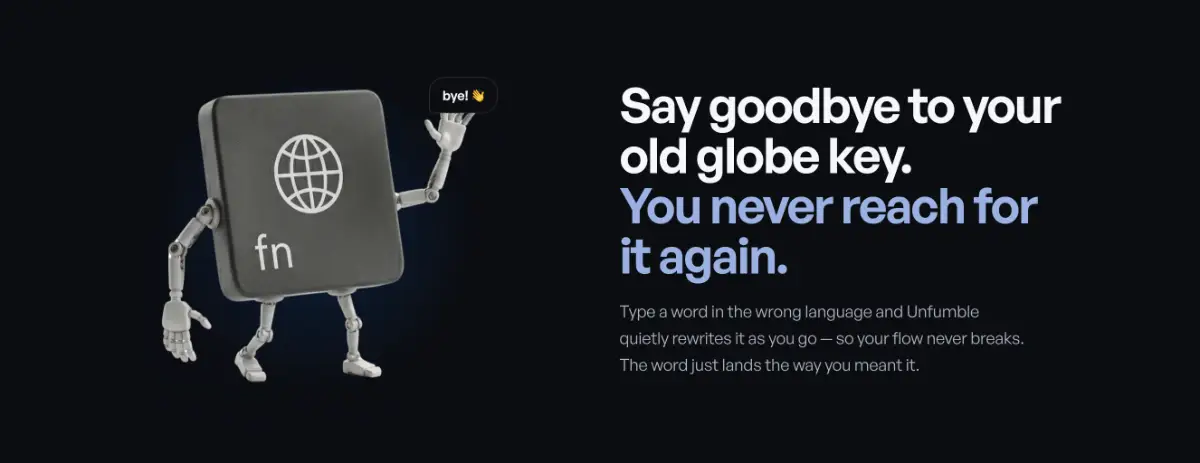
A macOS utility that instantly fixes text typed with the wrong keyboard input source, so you don't have to delete and retype it.
What to know▼
How it works
A macOS utility that, on a keyboard shortcut, converts text typed with the wrong keyboard language or input source into what you meant to type, preserving your original keystrokes without requiring you to retype.
Best for
macOS users who regularly switch between keyboard languages and end up typing garbled text in the wrong input source.
We check every product on this page once a day and record whether it still answers.
A free Android keyboard whose keys resize based on what you're likely to type next, with AI-powered suggestions and 8 skins — no subscription.
FreeNo subscription
What to know▼
How it works
A free Android keyboard whose keys physically resize based on what you're likely to type next, with AI-powered suggestions, 8 skins and a built-in notebook.
Pricing
Free, no subscription.
Best for
Android users wanting a predictive keyboard with visual key resizing.
We check every product on this page once a day and record whether it still answers.
Free, no-signup typing practice — 15/30/60-second tests in English, Hinglish, code, business text, bigrams and trigrams, with live WPM, accuracy, no-backspace mode, personal bests and history.
Tools for typing and keyboards — the short answers
Every number here comes from our own daily check — not from a vendor list.
Tools for typing and keyboards — how many are there?
Tablif is tracking 26 of them. 25 answered our check today.
Which ones are still maintained?
Tablif knocks on every door once a day and records the answer. 25 of these 26 responded on the latest run, so that number is what "still here" means on this page — not a review score.
Are any of them free?
15 of the live ones say so in their own words, and 4 let you start without making an account. Tablif records the claim the product makes; we don't verify pricing.
Any open-source options?
1 of the live ones on Tablif mention being open source.
What's the newest one?
Rail Typing — Tablif first saw it 2 days ago.
Did a person actually look at these?
26 of them Tablif opened and read, then wrote a one-line summary in our own words instead of reusing the founder's tagline. The rest carry keyword labels we haven't confirmed by reading yet — and we say so rather than hiding it.