We check every product on this page once a day and record whether it still answers.
Lead-gen tool that queries Google Places live to find local businesses missing a website or with a lapsed domain.
Works offlinePay onceNo subscription
What to know▼
How it works
Queries Google's official Places API live to verify businesses are operational, surfacing leads with no website, only a social page, or a lapsed domain.
Pricing
No subscription; pay once, see exact lead count and price before paying, with instant CSV delivery.
We check every product on this page once a day and record whether it still answers.
Strips names, emails and other identifying details from documents before you paste them into AI tools, then restores the real values — built for solo professionals, not dev teams.
FreeWorks offline
What to know▼
How it works
Anonymizes names, emails, IBANs, and other sensitive details in a document across 7 languages before you paste it into any AI tool, then decodes the AI's response to restore the real values — entirely offline.
What's different
Built as a two-minute desktop install for a solo professional, unlike enterprise PII tools that assume a dev team wiring APIs and SDKs into cloud pipelines.
Pricing
Free forever for individuals.
Best for
Solo professionals handling client documents who need to use AI tools without exposing identifying details.
We check every product on this page once a day and record whether it still answers.
Windows music-video editor that auto-cuts footage to the beat with lyric captions and stem separation, fully offline, $49 one-time.
Watch out · Runs on PC, offline.
Works offlineNo subscriptionCan export my data
What to know▼
How it works
Cuts footage to the beat automatically, generates word-by-word karaoke auto-lyrics, separates vocal and drum stems, and adds audio visualizers and lo-fi atmosphere effects.
Pricing
Free demo has a watermark and 60s export cap; $49 one-time unlocks clean exports with no subscription.
We check every product on this page once a day and record whether it still answers.
Opus Clip| Turn videos into viral TikToks, Reels & Shorts
FreeWorks offlineNo subscription
What to know▼
How it works
AI öne çıkan an bulma, kelime düzeyi transkript ve animasyonlu altyazı yerelde çalışır; kendi OpenAI/Groq anahtarınızı kullanabilir ya da ücretsiz çevrimdışı Whisper transkripsiyonuna geçebilirsiniz.
Pricing
Tek seferlik 20$, ömür boyu, filigran ve sınır yok.
We check every product on this page once a day and record whether it still answers.
Free, open-source tool that extracts the best moments from full movies and reformats them as vertical Shorts/TikToks/Reels — AI scene scoring, computer-vision face tracking, 9:16 cropping and word-level subtitles, all running locally with no cloud or subscription.
FreeWorks offlineOpen source
What to know▼
How it works
Built on PySceneDetect, faster-whisper, OpenCV and FFmpeg; runs on Python with full control over output.
We check every product on this page once a day and record whether it still answers.
A browser-based invoice builder for freelancers and small businesses that keeps client and billing data entirely on your device, no sign-up or cloud sync.
No sign-upWorks offlineData stays with you
What to know▼
How it works
Builds invoices entirely in the browser and exports them as PDF or PNG, with client details, invoice data and branding staying on the user's device.
What's different
No sign-up, no cloud storage and no tracking, unlike most invoicing tools that store data server-side.
Best for
Freelancers, consultants and small businesses who want to create invoices without their client and billing data leaving their device.
We check every product on this page once a day and record whether it still answers.
Local-first tool for freelancers and creative studios to generate client quotes, payment breakdowns, checklists, and email drafts, connectable to Claude Desktop as an MCP server.
Works offline
What to know▼
How it works
Runs in the browser, saves data on the user's computer, and can connect to Claude Desktop as an MCP server.
Best for
Freelancers and creative studios producing client-facing quotes and project documents.
We check every product on this page once a day and record whether it still answers.
An Android app that hard-blocks Instagram Reels, TikTok and YouTube Shorts once your daily time limit is hit, with no snooze or override to talk yourself out of it.
FreeWorks offlineNo tracking
What to know▼
How it works
Lets you set a hard daily time limit on Instagram Reels, TikTok and YouTube Shorts; once the limit is hit, the feed is blocked for the rest of the day with no override or snooze button. Also supports scheduled app blocking, quick focus sessions, and custom block lists.
What's different
Positioned against blockers that let you snooze or override the block — here the block holds, with tamper protection against quietly uninstalling.
Pricing
Free.
Best for
Android users, including students, who want to stop short-form video scrolling and have found softer blockers easy to bypass.
We check every product on this page once a day and record whether it still answers.
An open-source AI workspace bridging terminal, a local-first desktop app and mobile remote control using your own API keys for Anthropic, OpenAI or Gemini — built for developers wanting provider flexibility.
Works offlineOpen source
What to know▼
How it works
An open-source AI workspace where you bring your own API keys for Anthropic, OpenAI, or Gemini, bridging a terminal, a local-first desktop app, and mobile remote control with a command approval mechanism.
What's different
Open-source and provider-independent — no lock-in to a single AI model provider — with a secure command approval step for agent actions.
Best for
Developers who want to run AI agents across terminal, desktop, and mobile using their own API keys instead of a single vendor's app.
We check every product on this page once a day and record whether it still answers.
Turns a live webpage into a cinematic AI-produced motion-design video locally on your Mac, replacing manual motion design work or hired freelancers.
Works offlineCan export my data
What to know▼
How it works
Captures a real webpage — its actual fonts and brand — and has an AI agent turn it into a cinematic video with camera work, kinetic type, sound effects, and music, run locally on your Mac.
What's different
Runs local-first on your own Mac using your own Claude Code or Codex agent, rather than a cloud rendering pipeline.
Best for
People who want a launch video produced in minutes instead of the weeks a manual motion-design process takes.
We check every product on this page once a day and record whether it still answers.
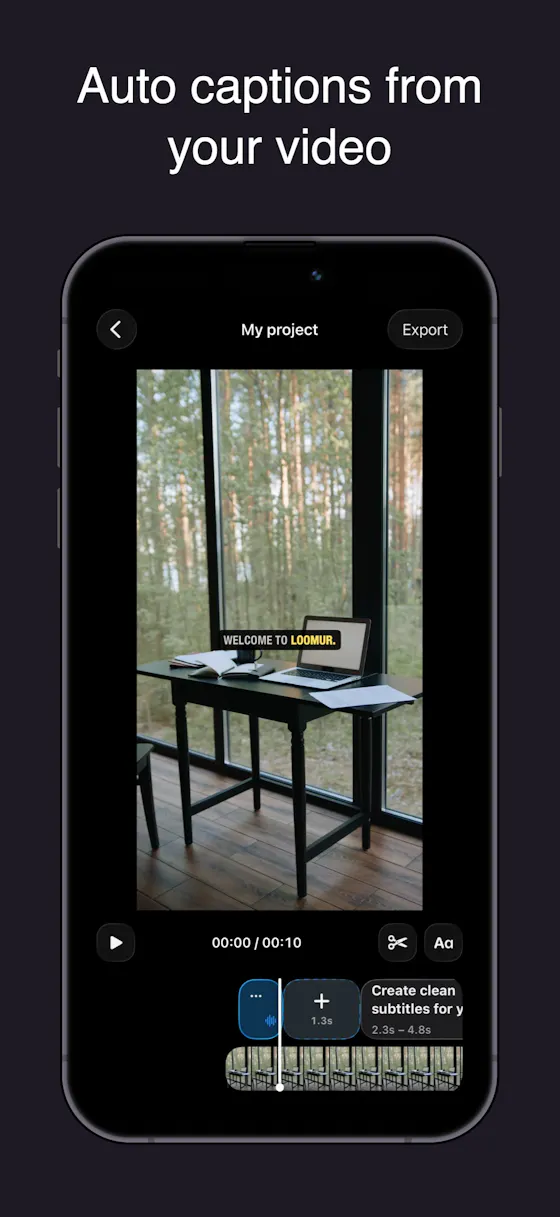
Auto-generates styled subtitles for short vertical videos directly on your iPhone using on-device AI — nothing is uploaded to a server.
Works offlineData stays with you
What to know▼
How it works
Generates stylish subtitles for short-form vertical videos directly on iPhone using on-device AI transcription; lets you edit text, highlight keywords, choose caption styles, and adjust placement before sharing.
What's different
Transcription happens entirely on-device, so no video is uploaded to a server.
Best for
Creators making stories, vlogs, or social content who want captions without uploading footage anywhere.
We check every product on this page once a day and record whether it still answers.
An offline invoice, quote and receipt generator you buy once and keep forever, with no account or subscription - built for freelancers who want clean client paperwork.
No sign-upWorks offlinePay once
What to know▼
How it works
A lightweight toolkit with invoice, quote, and receipt generators that work 100% offline in any browser — fill in your details and download a professional PDF.
What's different
One-time purchase that works forever with no account, subscription, or expiry, unlike SaaS billing tools.
Pricing
Buy once, use forever — no subscription.
Best for
Freelancers who need clean client documents without another subscription.
We check every product on this page once a day and record whether it still answers.
12 free single-file HTML tools (notes, invoicing, a CRM, snippets and more) that run in your browser or fully offline, with no account, login or data sent anywhere.
No sign-upWorks offlineNo subscription
What to know▼
How it works
12 single-file HTML tools — including a list app, notes, database, Markdown editor, URL builder, invoice tool, onboarding, outliner, snippets, stickies, deck and CRM — that you open directly as an HTML file; data saves to your browser or you can download and run them offline.
What's different
No subscriptions, logins, or data sent anywhere — each tool is a standalone HTML file you can keep and run forever.
Pricing
Free.
Best for
Small business owners, freelancers and solo operators who want simple tools without accounts or cloud dependence.
We check every product on this page once a day and record whether it still answers.
An offline QA workspace for recurring marketing reports that recalculates KPIs from a CSV and requires human sign-off before sending reports to clients.
No sign-upWorks offline
What to know▼
How it works
Drop in a CSV to recalculate KPIs, summarize channels, and flag missing or suspicious data before requiring human sign-off.
What's different
No account, upload, or tracking.
Best for
Agencies and teams doing QA on client-facing marketing reports.
We check every product on this page once a day and record whether it still answers.
A local-only teleprompter and selfie video recorder for TikTok and Reels with no account or cloud sync — everything stays on your phone.
No sign-upWorks offline
What to know▼
How it works
A local-first teleprompter and selfie recorder: write or choose a saved script, set text size and speed, preview the read, then record over your selfie camera for TikTok, Reels, Shorts or talking-head videos.
What's different
No account, no backend, no cloud sync — scripts, settings and clips stay on your device.
Best for
Creators recording short-form talking-head videos who want a teleprompter without giving up an account or cloud data.
We check every product on this page once a day and record whether it still answers.
A free, ad-free calculator that estimates your net profit and tax bracket as a freelancer or side-hustler, with all math run locally in your browser. No signup or credit card needed.
FreeNo sign-upWorks offline
What to know▼
How it works
Calculates live revenue, deductible business expenses, estimated tax rate and true net profit as you type, with all calculations run locally in the browser.
Pricing
Free, no credit card or signup.
Best for
Freelancers and side-hustlers who want a quick, private estimate of their net profit and tax bracket.
We check every product on this page once a day and record whether it still answers.
Scores potential clients on how well your editing style fits their content, then drafts a cold email. A $29 one-time tool, not free, that runs locally with your own AI API keys.
Works offlinePay onceNo subscription
What to know▼
How it works
You drop in a screenshot or screen recording of a potential client's content, and it scores how well your editing style fits, then drafts a cold email if it's a real match.
What's different
Runs 100% locally using your own free Groq or Gemini API keys instead of a hosted subscription service.
Pricing
$29 one-time, no subscription; described as a genuine beta.
Best for
Video editors doing cold outreach to creators who want to stop sending generic templates with low reply rates.
We check every product on this page once a day and record whether it still answers.
14 private, local-first video tools in one Windows workspace — join/blend clips, loop and pace footage, swap audio, find Shorts highlights, caption with local Whisper, upscale video, convert formats, and automate repeatable work with Projects, Jobs and Pipelines. Core processing stays on your PC; AI upscaling is optional.