Tools that are freeScreenshots

38 match your filters — 36 of them answered our check today.

Watching this group for 20 days · how we check

This week22 new arrivals1 stopped answering

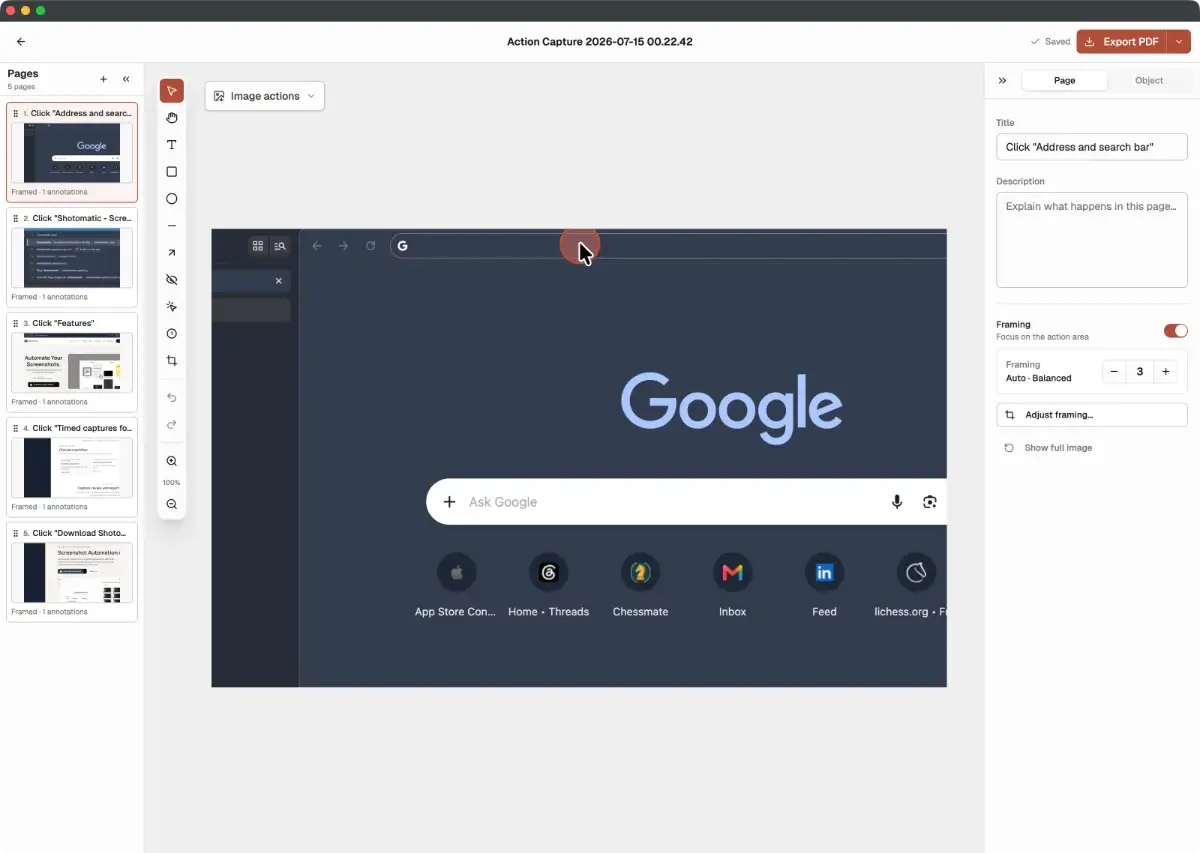
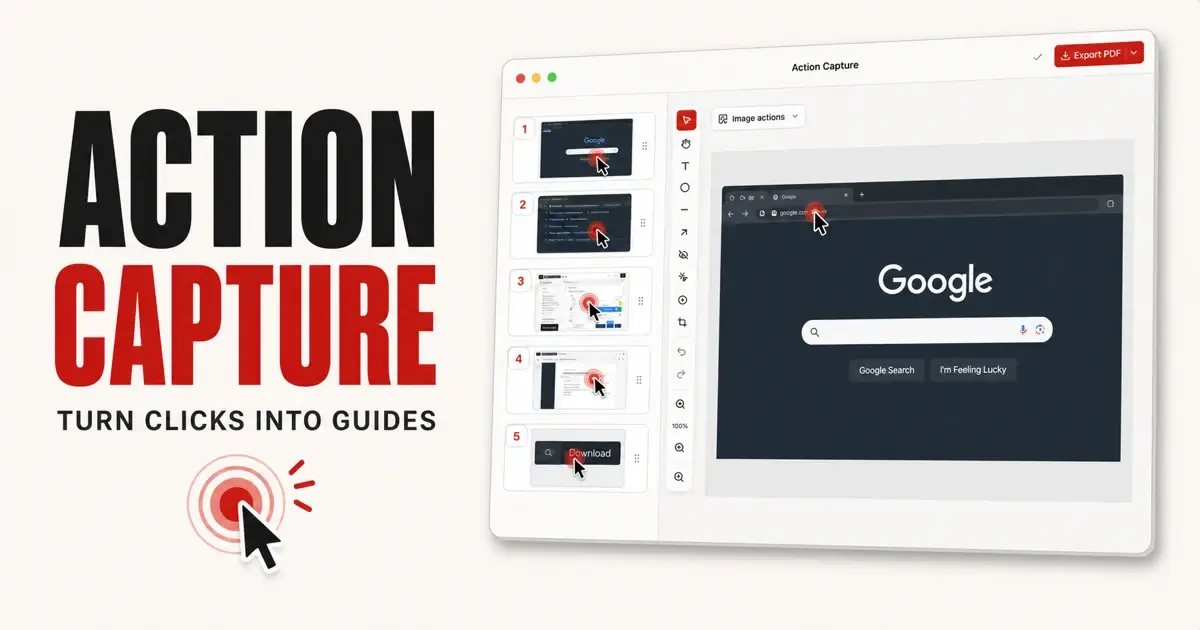
Turns a sequence of Mac clicks into an editable step-by-step screenshot guide instead of manually taking and annotating screenshots.

FreeCan export my data
What to know
How it works
Action Capture saves state before each click; reorder pages, add titles/annotations, export as PDF/PNG/JPG/WebP/ZIP
Pricing
Free supports 5 saved steps per session; Pro removes limit and watermark
Watch out
Screenshots and documents stay on the Mac

Watched for 2 days · last checked 2d ago
Details →

Lets makers turn plain screenshots into polished product videos in-browser instead of using a full video editor.

FreeOpen sourceCan export my data
What to know
How it works
Client-native WASM video generation with animated templates and auto-generated gradient backgrounds.
Pricing
free, open-source, watermark-free export

Watched for 1 day · last checked 1d ago

Details →

Notate

Live

A free Chrome extension that turns a click on a broken webpage element into a structured bug report (with screenshot, browser/OS context, console errors) pushed straight to Linear or Jira, instead of a back-and-forth email/Slack explanation.

FreeNo sign-up
What to know
How it works
Click to pin an element, captures CSS selector, coordinates, browser/OS/viewport/console errors, one click sends to tracker
What's different
Works anywhere Chrome can open a page, including localhost and behind VPN, no dashboard/account needed

Watched for 2 days · last checked 2d ago

Details →

A no-signup browser tool to download public X/Twitter videos as MP4, convert to MP3, or generate clean post screenshots, limited to public content only.

Free
What to know
How it works
Download MP4, browser-local MP3 conversion, batch-resolve up to 10 URLs, clean screenshots.
Watch out
Does not access protected, deleted, login-only, or region-restricted media.

Watched for 2 days · last checked 1d ago

Details →

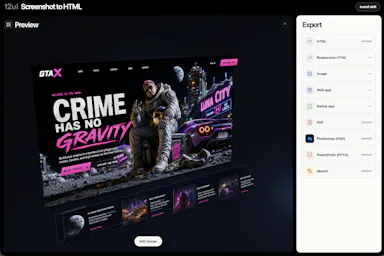
Converts a screenshot into editable, responsive HTML in about 60 seconds, for designers or developers turning AI-generated UI images into real code.

Domain registered 4 months ago

Free
What to know
How it works
Turns an image into production-quality editable layers with 2x DPI assets
What's different
95% average pixel accuracy claimed, free release
Pricing
free, possible future paid plan around $0.20/conversion

Watched for 6 days · last checked today

Details →

Analyzes uploaded ads (text, images, video) across copywriting and design to score conversion barriers.

Free
What to know
How it works
Behavioral-science audit scoring ad content across six lenses like copywriting and visual design
Pricing
Overall score free, full audit report with rewrites purchased separately

Watched for 6 days · last checked today

Details →

Turns photos and screenshots of signs, menus, books, or text into a saved, reviewable vocabulary list for language learners.

Free
What to know
How it works
OCR converts photographed or screenshotted text into vocabulary candidates you can save and review later.
Pricing
Free to try; Plus tier adds more OCR credits and a larger wordbook.
Best for
Language learners who encounter foreign text in photos.

Watched for 7 days · last checked 5d ago

Details →

An AI bookmark manager that captures links, notes, screenshots, files, and voice memos, then makes them searchable and usable inside ChatGPT, Claude, and Cursor.

Free
What to know
How it works
Captures links, notes, screenshots, files, and voice memos and makes them searchable and usable in ChatGPT, Claude, and Cursor.
Pricing
Free Starter plan available.
Best for
Users who want captured material fed directly into AI tools like ChatGPT, Claude, and Cursor.

Watched for 7 days · last checked 1d ago

Details →

A free browser tool that turns a screenshot or website URL into a polished device-frame mockup for Dribbble-style presentations.

Free
What to know
How it works
Turn any screenshot or website URL into a mockup with device frames, smart backgrounds, and alignment guides.
Pricing
Free in your browser.

Watched for 7 days · last checked 1d ago

Details →

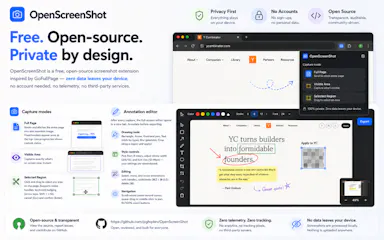
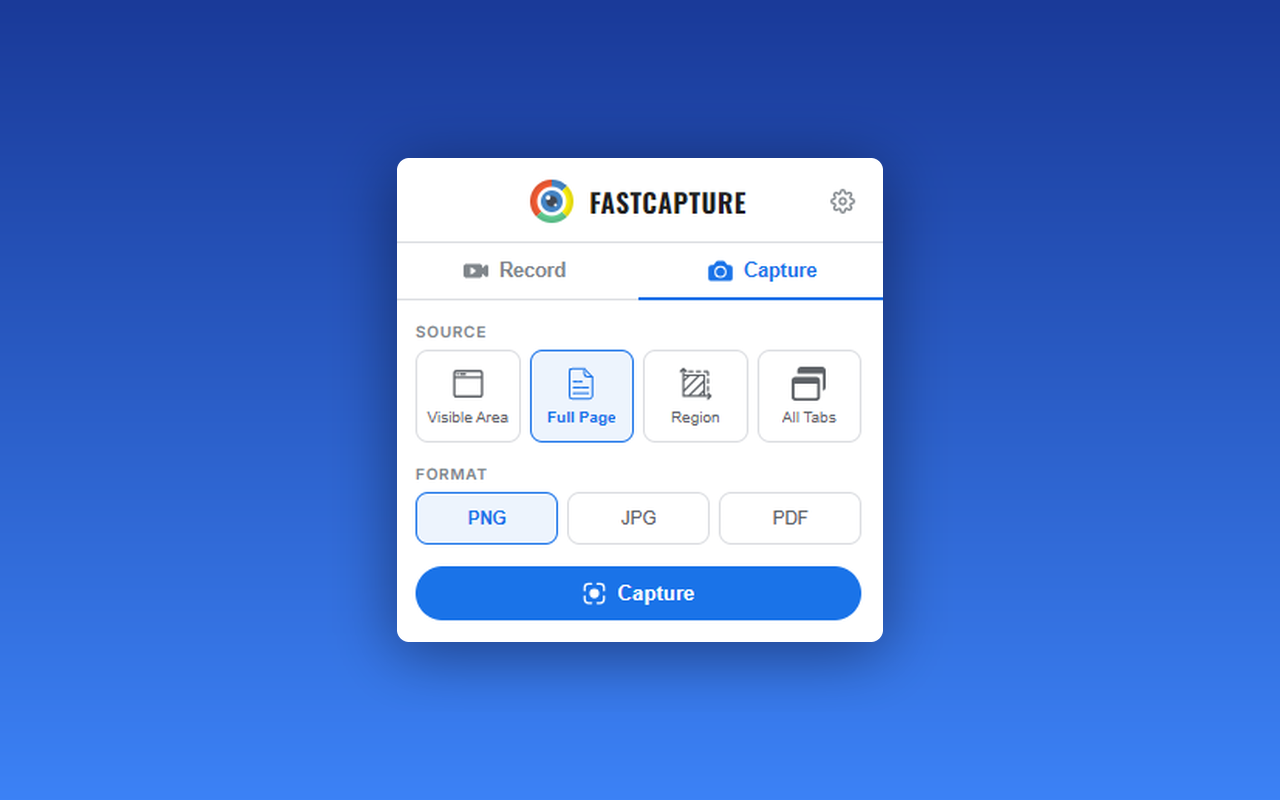
Free Chrome extension for taking full-page or region screenshots with an annotation editor, processed entirely on your device.

FreeData stays with youOpen sourceCan export my data
What to know
How it works
capture full-page, region, or visible-area screenshots, then annotate with undo/redo and export to PDF
Pricing
free, open source
Watch out
Chrome extension only

Watched for 6 days · last checked today

Details →

Extracts an event's title, date, time, and location from pasted text or a screenshot and saves it to your calendar in one tap, instead of typing calendar entries by hand.

FreeNo adsNo tracking
What to know
How it works
Paste text or a screenshot of a flyer, email, or ticket; it extracts event details and saves them to your calendar.
Pricing
Free for 50 events/month with sign-in, or use your own OpenAI key.

Watched for 13 days · last checked 7d ago

Details →

An open-source, template-based design tool for building App Store and Play Store screenshots, feature graphics, and preview videos entirely in your browser or desktop app, with no account or upload required.

Domain registered 13 days ago

FreeNo sign-upData stays with youOpen source
What to know
How it works
pick a template, drop in your app screens, and export every required store size, including MP4 previews
What's different
an optional AI agent can build the whole listing from raw screenshots
Best for
app developers and designers preparing store listings

Watched for 7 days · last checked 6d ago

Details →

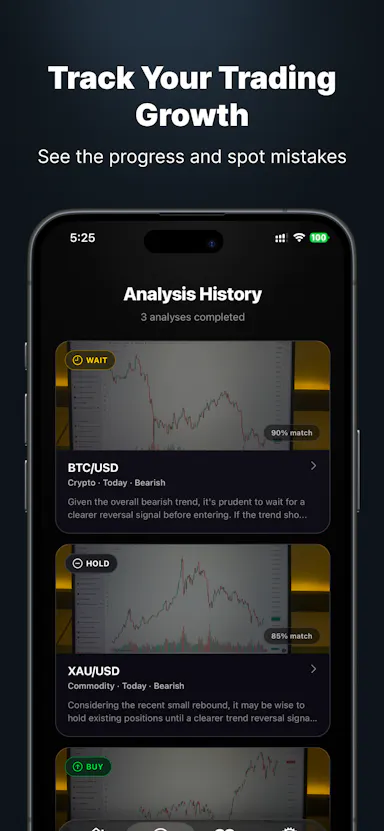
Upload a chart screenshot and get pattern recognition, a confidence score and a trade plan for stocks, forex or crypto, with 12 free analyses a month and a built-in trade journal.

Free
What to know
How it works
Upload or snap a chart screenshot and get a breakdown of trend, pattern recognition, a confidence score, and a trade plan with entry/exit and risk levels, across stocks, forex and crypto.
What's different
Includes 27 pattern guides and a built-in trade journal to track what's actually working.
Pricing
12 free analyses every month, no card required.
Best for
Traders who want a structured read on a chart instead of guessing at patterns.

Watched for 10 days · last checked 4d ago

Details →

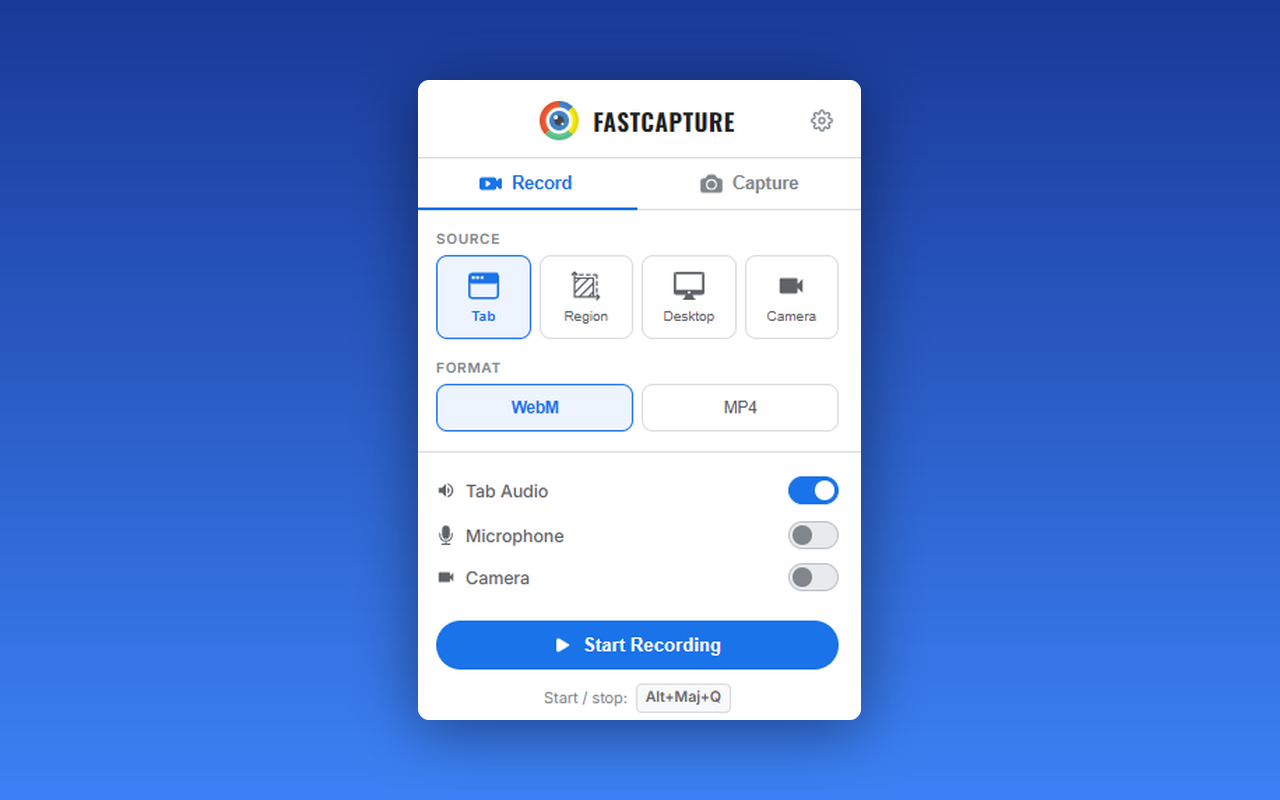
A free Chrome extension for screen and webcam recording, screenshots, and on-page annotation that runs entirely in your browser with no signup or uploads.

FreeNo sign-upWorks offlineData stays with you
What to know
How it works
A Chrome extension for recording your screen or webcam, taking full-page and region screenshots, and annotating directly on the page.
What's different
No signup, no watermark, no upload — everything runs locally in the browser.
Pricing
Free.
Best for
Anyone who wants quick screen capture and annotation without creating an account or uploading footage anywhere.

Watched for 18 days · last checked 9d ago

Details →

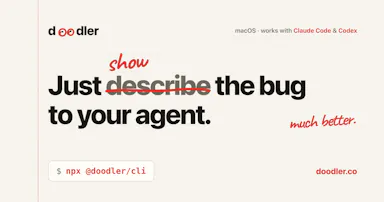
A free, on-device tool that lets you draw and talk over your screen so your AI coding agent sees exactly what you mean — built for Claude Code, Cursor and Codex users.

FreeNo sign-upWorks offline
What to know
How it works
Draw directly on your screen and talk while your coding agent watches, then get back annotated screenshots, a voice transcript, and a timeline of what you pointed at, all combined together.
What's different
Runs 100% on-device and works with Claude Code, Codex, and Cursor.
Pricing
Free, no account required.
Best for
Developers who need to show an AI coding agent a visual bug or layout idea instead of describing it in words.

Watched for 13 days · last checked 7d ago

Details →

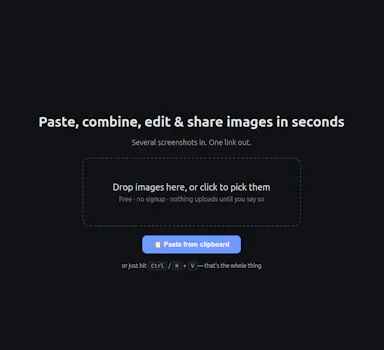
A free, no-signup screenshot editor that runs entirely in your browser with nothing uploaded, letting you paste, annotate, crop and remove backgrounds in seconds.

FreeNo sign-upData stays with you
What to know
How it works
Paste a screenshot into the browser, edit it, and get a shareable link instantly — stack multiple screenshots into one image, annotate, crop, and remove backgrounds with AI running locally.
What's different
The background-removal AI runs 100% in the browser, so images are never uploaded — full resolution with no watermark.
Pricing
Free, no signup.
Best for
People who want to quickly edit and share a screenshot without an account or upload step.

Watched for 13 days · last checked 7d ago

Details →

Elio

Live

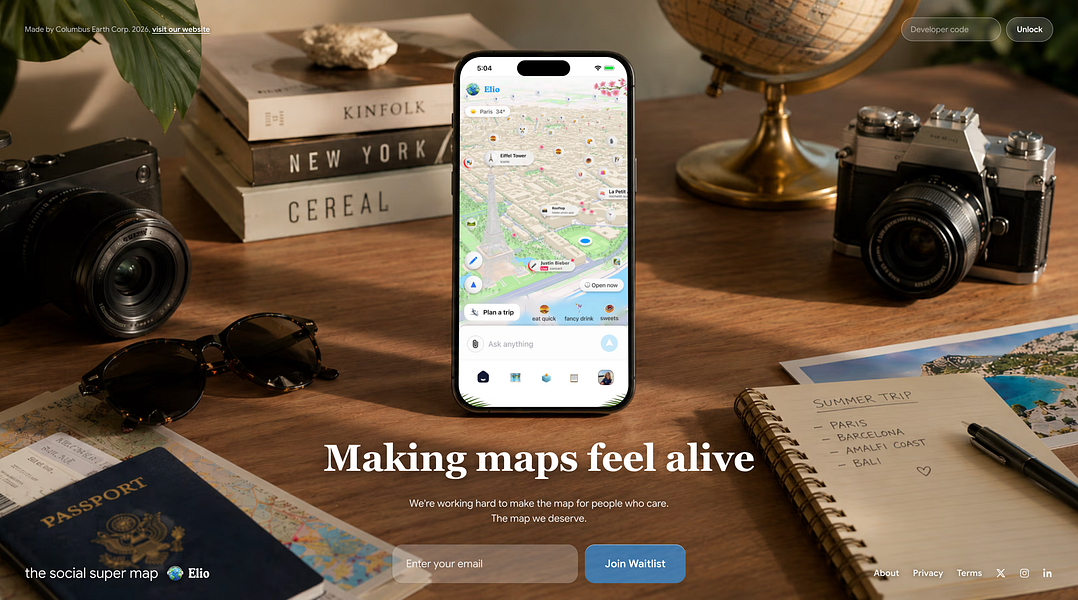
Elio (MapsGPT) is a conversational map that recommends places and plans multi-day trips from natural-language requests, and can turn spots saved as screenshots into map locations.

Free
What to know
How it works
ask for a place in natural language (e.g. a mood or vibe) or a trip request; runs on a custom geospatial model; converts saved screenshots into map pins; trips can be shared and voted on with friends
Pricing
free, with a waitlist
Best for
people planning trips or looking for places matching a specific vibe instead of manual searching

Watched for 14 days · last checked 2d ago

Details →

Identifies a movie, show, or anime from a screenshot using a vision model, instead of you searching by memory of a scene.

Free
What to know
How it works
Vision model recognises characters, costumes, lighting, on-screen text and set design.
What's different
Also returns ratings, trailer, cast, director and streaming availability.

Watched for 2 days · last checked 1d ago

Details →

Free browser tool that adds device frames, gradients, and shadows to screenshots without uploading them anywhere.

FreeNo sign-upOpen sourceCan export my data
What to know
How it works
Runs entirely in-browser via html2canvas, no server uploads
What's different
100% client-side processing, open source
Pricing
free, no signup

Watched for 4 days · last checked 2d ago

Details →

Turns a few screenshots into a clickable product demo exported as one self-contained HTML file, no upload or hosting needed.

FreeNo sign-upData stays with youPay once
What to know
How it works
Draw hotspots on screenshots, link them, export a single HTML file
What's different
No account or upload required
Pricing
Free up to 3 steps, $89 once for more

Watched for 6 days · last checked 5d ago

Details →

A Chrome screenshot and annotation tool that runs entirely locally with five capture modes and eight annotation tools, instead of uploading screenshots to a cloud service.

FreeNo sign-upWorks offlineData stays with you
What to know
How it works
Captures screenshots (visible, full page, region, element, timed) and adds annotations such as arrows, shapes, text, and blur, locally in the browser.
Pricing
Free tier with all modes and tools, no watermark; Pro is a $39 one-time purchase for extra formats and history.
Watch out
About 50KB, built with vanilla JS.

Watched for 13 days · last checked 9d ago

Details →

A free macOS app that captures, annotates and merges multiple screenshots into a single PDF, or exports PNG and JPEG, working fully offline with no account required.

FreeNo sign-upWorks offline
What to know
How it works
A free macOS app that captures a screen area, lets you annotate it, and merges multiple screenshots into a single PDF, also exporting as PNG or JPEG.
Pricing
Free.
Best for
Mac users who want to turn screenshots into a shareable PDF without an account or internet connection.
Watch out
Works fully offline with no account, so nothing is uploaded to a server.

Watched for 18 days · last checked 2d ago

Details →

A screenshot API that turns any URL or HTML into a PNG, JPEG or PDF in one request, with a JSON-driven template mode for social share images. Built for developers; free for the first 200 screenshots a month.

Free
What to know
How it works
A single API call (curl + API key) turns any URL or HTML into a pixel-perfect PNG, JPEG or PDF screenshot; a JSON-plus-template mode also generates OG social share images without needing HTML/CSS skills.
What's different
No SDK or complex setup required, and screenshots run on a managed Chromium pool with no cold starts or timeouts.
Pricing
Free during beta — 200 screenshots per month, no credit card required.
Best for
Developers who need a screenshot or OG-image API without managing their own rendering infrastructure.

Watched for 17 days · last checked 8d ago

Details →

A tool that lets you snip a screenshot and add one note, saving both as a file bundle an AI assistant can read directly, instead of retyping context for the AI each time.

FreeNo sign-upWorks offlineNo subscription
What to know
How it works
Snips a screen region, saves a note baked into the PNG metadata plus a Markdown sidecar and a rolling index file, and works fully offline with no account or telemetry.
Pricing
Free core; one-time $9.99 for Pro, no subscription.

Watched for 18 days · last checked 9d ago

Details →

Inpainty

Not responding

Lets you edit the text inside a screenshot directly in your browser — AI detects text blocks, you rewrite them, and it regenerates matching the original font and color — without needing Photoshop.

FreeNo sign-up
What to know
How it works
AI detects text regions in an image, regenerates edited text matching original formatting
Pricing
Free, no signup

Watched for 5 days · last checked today

Details →

Reviso

Live

A visual commenting tool for WordPress: clients click directly on the live page to leave feedback instead of sending screenshots or emails. Built for web designers and agencies.

FreeNo sign-upData stays with you
What to know
How it works
Clients click any element on a live WordPress page and pin a comment there with no login or account; the site owner sees and resolves pins natively inside Bricks, Elementor, or the Gutenberg editor. Includes threaded replies, status tracking, automatic screenshots, PDF sign-off certificates, AI feedback summaries, and Slack/Discord/webhook integrations.
What's different
Built to live inside the page builder itself rather than a separate feedback dashboard, and stores all feedback in the user's own WordPress database.
Pricing
Has a free tier.
Best for
Web designers and agencies collecting client feedback and sign-off on WordPress sites.

Watched for 12 days · last checked today

Details →

An app that turns UPI payment screenshots or bank debit SMS into categorized expense logs, for people in India who don't want to link their bank account.

Domain registered 29 days ago

Free
What to know
How it works
extracts amount, merchant and date from PhonePe/GPay/Paytm screenshots or SMS using AI
What's different
no bank account linking required
Pricing
free guest mode to try

Watched for 5 days · last checked today

Details →

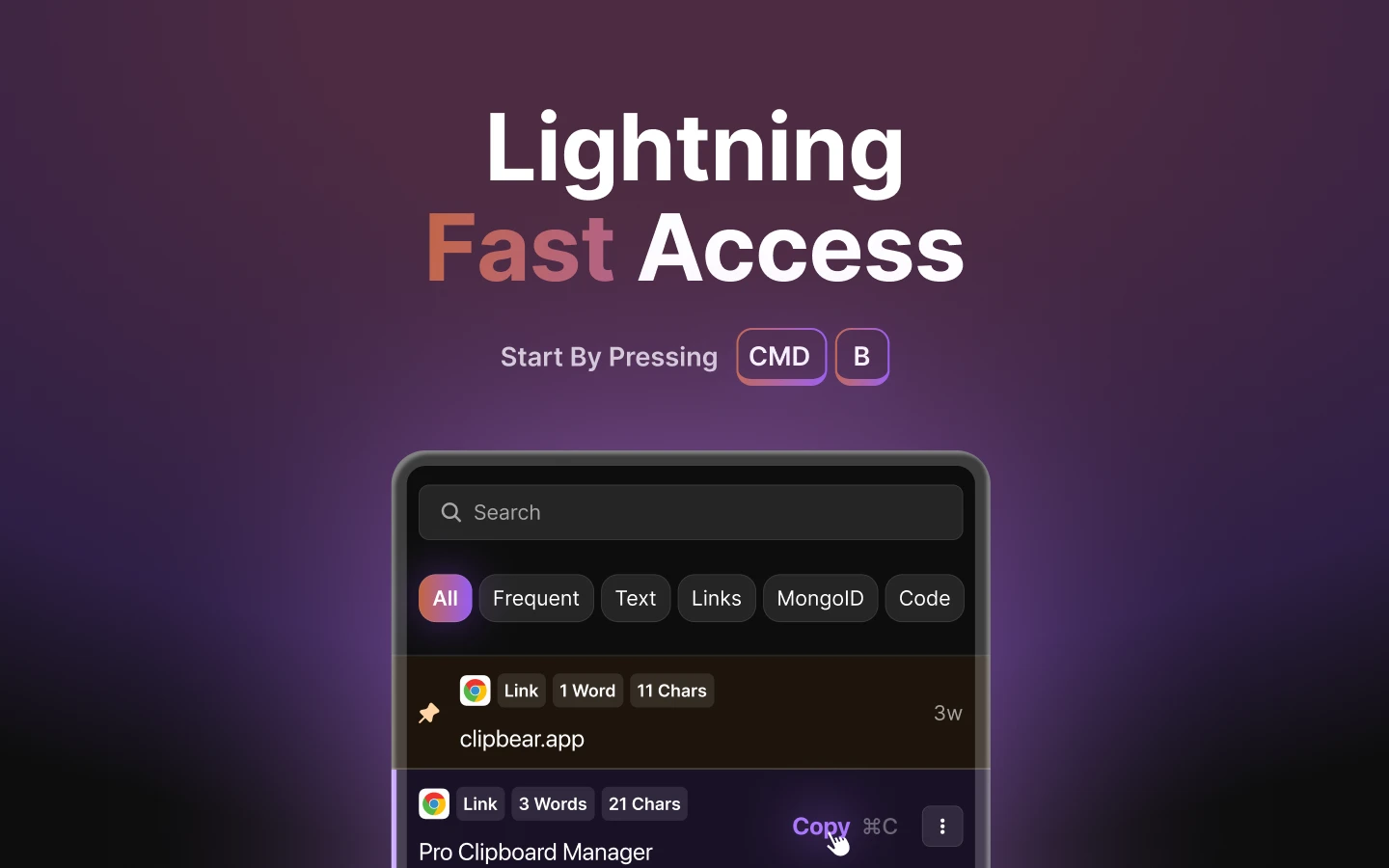
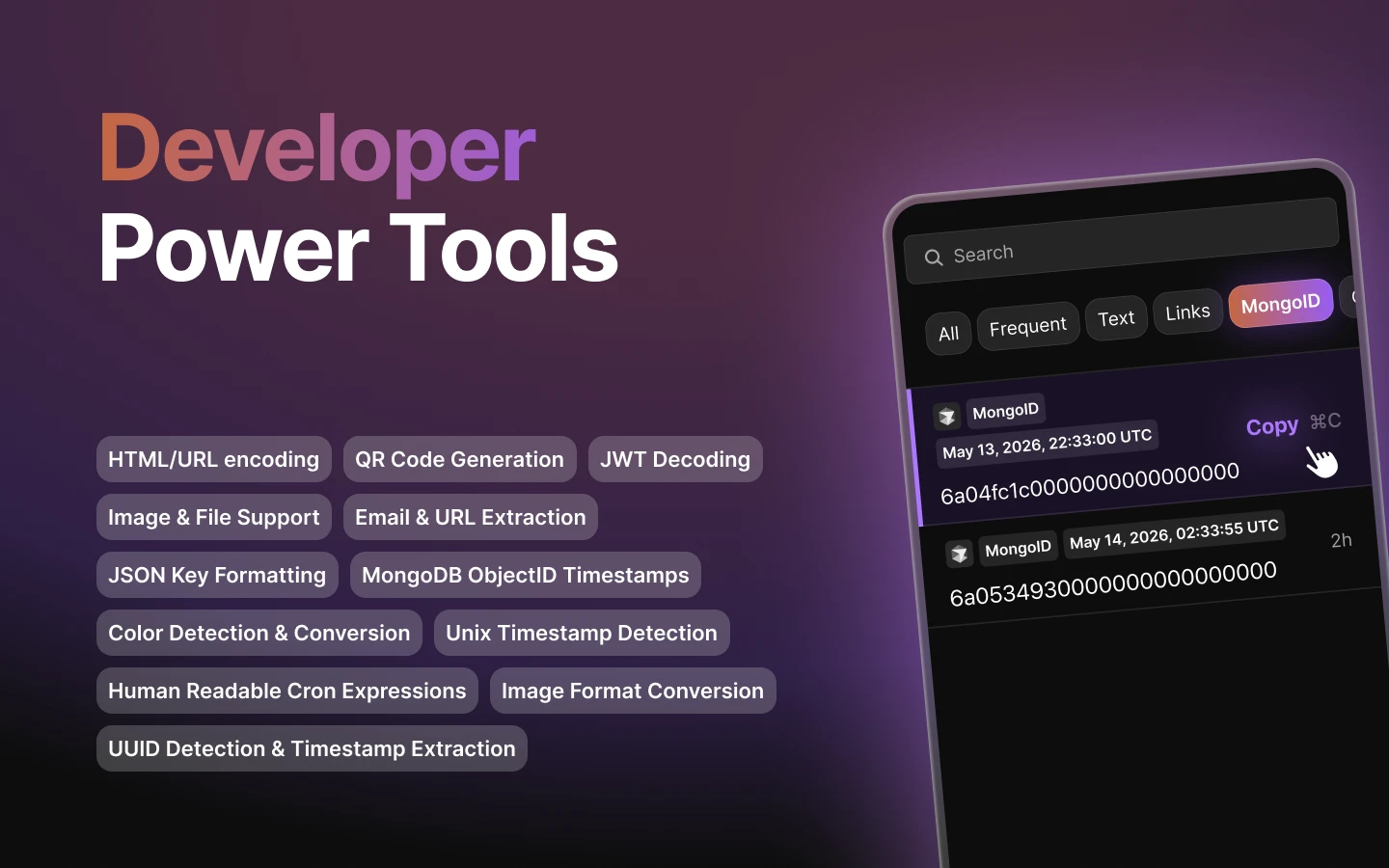
Mac clipboard manager tuned for developer content such as code snippets.

FreeNo sign-upWorks offline
What to know
How it works
Mac clipboard manager tuned for developer content such as code snippets.
Best for
Developers.

Watched for 8 days · last checked 2d ago
Details →

A browser tool that frames screenshots with gradients and shadows and exports a launch-ready image, with nothing uploaded.

Domain registered 2 years ago

FreeNo sign-upCan export my data
What to know
How it works
Users drop in a raw screenshot, wrap it in a gradient background with padding and drop shadow, and export a launch-ready PNG, entirely in the browser.
What's different
Nothing uploaded, no account, no watermark.
Pricing
Free.
Best for
Makers creating X launch posts, changelogs, docs, and App Store shots.

Watched for 9 days · last checked today

Details →

A native Windows overlay app that combines clipboard history, encrypted clips, and other utilities in one hotkey-accessible tool, aimed at power users who want to stop juggling separate apps.

FreeNo sign-upWorks offlineNo tracking
What to know
How it works
A native Windows overlay app that bundles five tools into one hotkey-accessible panel: clipboard history search, text-expansion snippets, screen capture with OCR, and others.
What's different
Combines multiple utilities (clipboard manager, text expander, screen capture) into one unified overlay instead of running them as separate apps.
Pricing
Free.
Best for
Windows power users who currently juggle separate clipboard, snippet, and screenshot tools.
Watch out
Runs locally with no cloud sync — clips stay on one machine unless the app supports cross-device sync elsewhere.

Watched for 18 days · last checked 2d ago

Details →

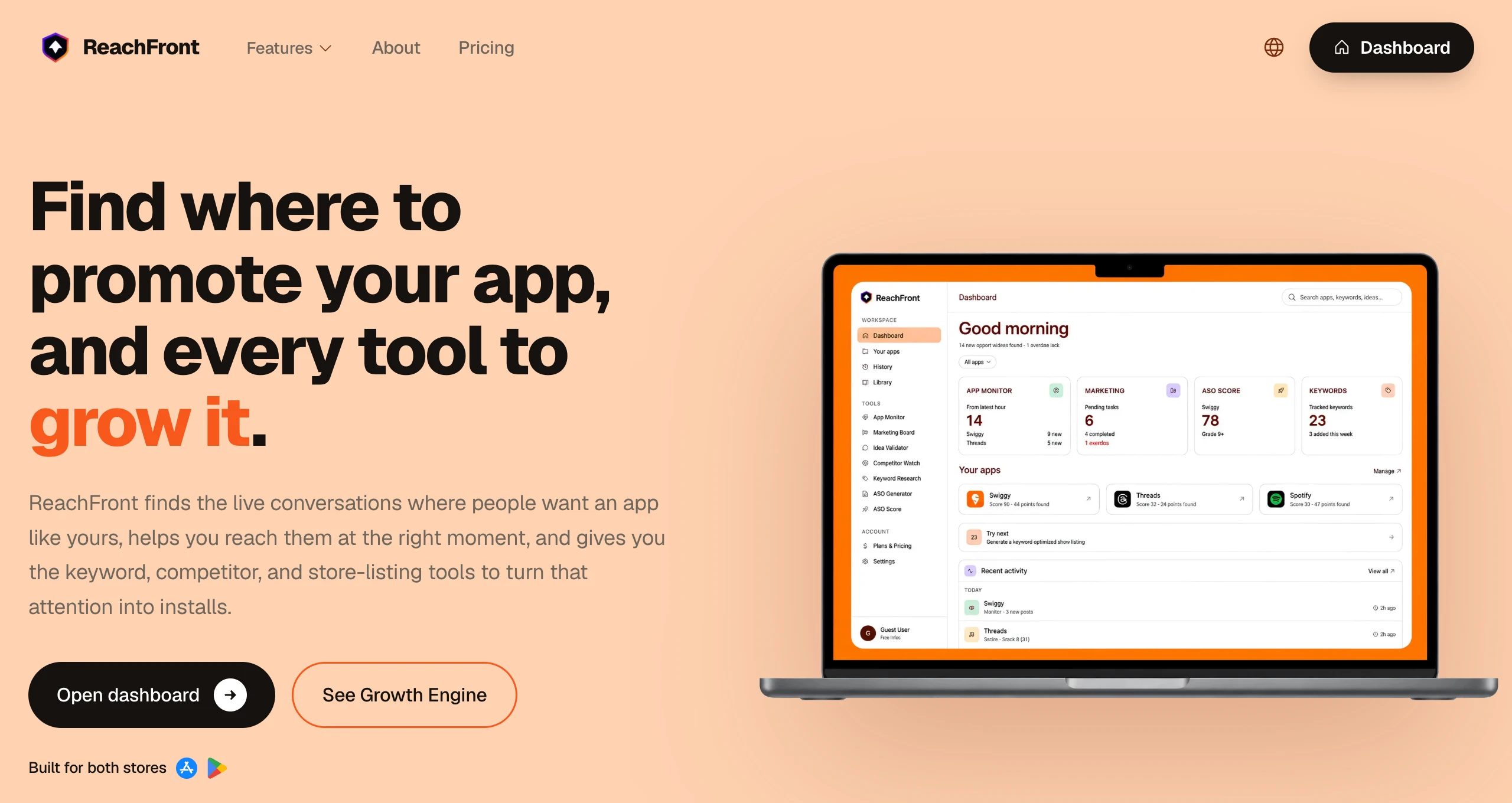
Tracks app store keyword rankings and monitors competitor listings automatically, so indie app developers don't need an expensive ASO agency.

Free
What to know
How it works
Automated keyword rank tracking and competitor listing scraping
What's different
Replaces manual tracking or a $5k/mo agency
Pricing
Free tier available
Best for
Indie developers marketing an app post-launch

Watched for 6 days · last checked 6d ago

Details →

A trading journal that logs your trades, sessions and behavior and reviews your own history and strategy performance, rather than predicting future trades.

Free
What to know
How it works
A trading journal that logs trades, sessions, targets and behavior, reviews binary options expiry patterns with Time and Flag modes, compares your own strategy performance across assets and sessions, and includes TRInk, a local Windows tool for annotating chart screenshots.
What's different
Built explicitly around reviewing your own logged trading history rather than providing signals, predictions, or automated trade execution.
Pricing
Free core journal, with a paid Supporter plan unlocking Assistant insights and Strategy review features.
Best for
Traders who want to review what actually happened in their own trades rather than get predictions or signals.
Watch out
Explicitly not a signal provider, prediction tool, trading bot, or source of financial advice.

Watched for 18 days · last checked 2d ago

Details →

A free browser-based image toolkit (converter, compressor, background remover, upscaler) that processes files locally without upload.

FreeNo sign-upData stays with you
What to know
How it works
Bundles ten browser-based image tools (format converter, compressor, AI background remover, resizer with social presets, cropper, rotator, image-to-PDF, AI upscaler, watermark tool, screenshot beautifier) using Canvas API and WebAssembly.
What's different
Images never leave the device; no upload, account, or per-file limits; supports batch processing.
Pricing
Free.

Watched for 3 days · last checked 3d ago

Details →

Free browser tool that stitches and aligns pasted screenshots into a single image with no upload.

FreeNo sign-up
What to know
How it works
Paste images and snap-align them with magnetic guides into a single stitched PNG screenshot collage.
Pricing
Free, zero upload, no account required.

Watched for 3 days · last checked 2d ago

Details →

App Store/Play Store screenshot generator with 800+ templates and an AI Codex integration for automated exports.

FreeCan export my data
What to know
How it works
Creates App Store and Play Store screenshot sets from 800+ templates with AI copy and a Custom Studio, exporting high-res PNG ZIPs; also includes a SKILL.md pack so OpenAI Codex can search templates and author packs.
Pricing
Free tier with clean exports within a monthly quota (preview signature in editor only); Pro/Max unlock volume and an agent API.

Watched for 3 days · last checked 2d ago

Details →

U2C

Live

Turns prompts or screenshots into editable React/Tailwind UI that stays consistent with your saved design system across screens.

Free
What to know
How it works
Saves your colors, typography, and components as reusable 'Design DNA' bound to a project
What's different
Keeps generated screens consistent instead of drifting after the first one
Pricing
Free website audit

Watched for 6 days · last checked 4d ago

Details →

A free vision-board app that turns your own images into daily replay videos with affirmations and reminders.

Domain registered 5 months ago

Free
What to know
How it works
Users create vision boards from their own images, screenshots, gifs, or photos, then turn them into short Daily Replay videos with healing frequency soundtracks or their own music (Pro), with custom reminders, affirmations, homescreen widgets, and lunar guidance.
What's different
Built for repetition rather than one-time creation.
Pricing
Free forever, not a trial.

Watched for 10 days · last checked 7d ago

Details →

A Chrome extension that records screen, webcam, and audio in one click and generates a shareable link with no account.

FreeNo sign-upNothing to install
What to know
How it works
A Chrome extension that records screen, webcam, and audio in one click and generates a shareable link, with built-in screenshot annotation (blur, highlight, draw, crop).
Pricing
Free to try.
Watch out
No account or app install needed.

Watched for 3 days · last checked 3d ago

Details →