Tools you can use without making an accountWorks with Zoom

4 match your filters — 4 of them answered our check today.

Watching this group for 20 days · how we check

This week1 new arrival

Narrow it down

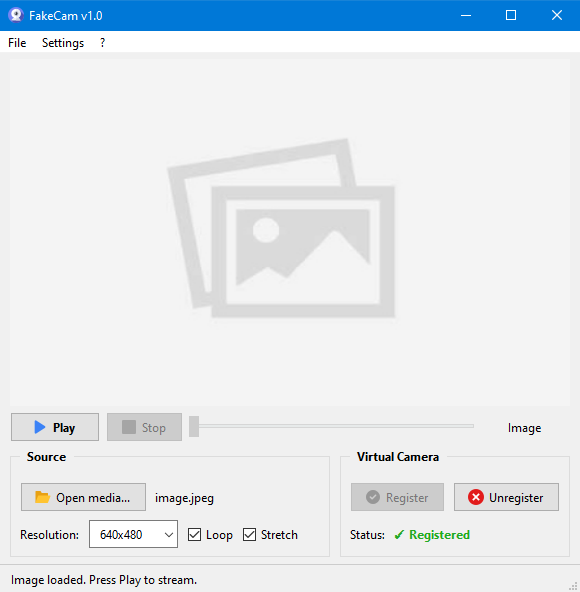
A lightweight Windows app that streams a video or image file as your webcam feed into Zoom, Teams, Skype, Discord or Telegram, running fully offline with no account or tracking.

FreeNo sign-upWorks offlineNo subscription
What to know
How it works
A lightweight virtual webcam app for Windows that streams a video or image file as your camera feed into apps like Zoom, Teams, Skype, Discord and Telegram.
What's different
Runs entirely locally with no account, subscription, ads or tracking — download and run, 25MB portable, works offline.
Pricing
Free for Windows.
Best for
Windows users who want a virtual webcam feed for video call apps without an account or bloatware.

Watched for 18 days · last checked 2d ago

Details →

Corder

Live

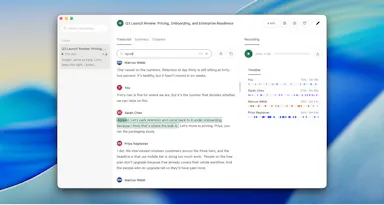
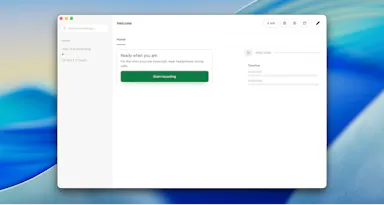
Records your Mac's mic and system audio directly with no bot joining the call, and transcribes on-device so recordings never leave your machine. Free to start, no account needed.

Domain registered 2 months ago

FreeNo sign-upWorks offline
What to know
How it works
Records your Mac's microphone and system audio as two separate tracks at the OS level, so nothing joins the call as a bot — works in Zoom, Meet, Teams, Discord or any browser tab. Transcription runs on-device.
What's different
No bot tile appears in the meeting, so it works even where bot-based recorders are blocked, and transcripts never leave your Mac.
Pricing
Free, no account needed to start.
Best for
People in companies that block meeting-recorder bots who still want private, local transcripts.

Watched for 13 days · last checked 7d ago

Details →

Turns calendar meetings into full-screen iOS alarms that ring through Silent/Focus with one-tap join, instead of missing meetings from silenced notifications, with your calendar never leaving the device.

No sign-upData stays with youNo tracking

Watched for 2 days · last checked 1d ago

Details →

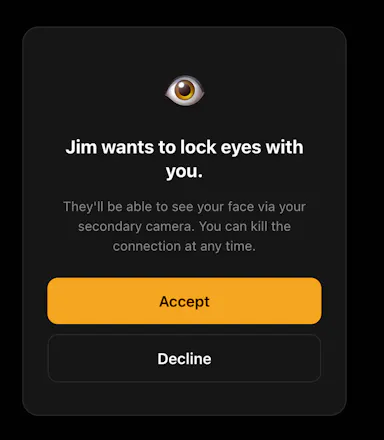
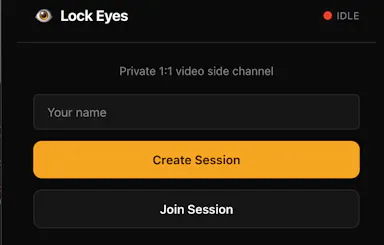
A private side-channel video window you can open inside any Zoom, Meet or Teams call, invisible to everyone else on the call, no accounts needed, just a 4-letter code.

No sign-up
What to know
How it works
Opens a small, always-on private video window inside an existing Zoom, Meet, or Teams call using a second camera, visible only to the one person you share a 4-letter code with.
What's different
Runs as an invisible side-channel to everyone else on the call rather than a separate meeting tool, with no accounts or integrations required.
Best for
People who want a private glance with one specific person during a group call without anyone else noticing.

Watched for 17 days · last checked 9d ago

Details →