Tools you can use without making an accountRuns on Mac

65 match your filters — 65 of them answered our check today.

Watching this group for 20 days · how we check

This week28 new arrivals

A free, no-account desktop markdown and text editor with live WYSIWYG formatting and clean markdown export, available now for Windows with macOS and Linux planned. A general writing tool, not developer-specific.

FreeNo sign-upWorks offlineCan export my data
What to know
How it works
A desktop markdown and text editor with WYSIWYG live formatting; edit inline or switch to raw source/preview, then export clean markdown.
Pricing
Free to download and use, including commercial use, no account required.
Best for
General writers who want a simple local markdown editor rather than developers specifically.
Watch out
Windows is available now; macOS and Linux builds are listed as coming soon, not yet available.

Watched for 18 days · last checked today

Details →

A macOS menu-bar app that turns your own local video files into live wallpapers, fully offline and open-source with no account or cloud step.

No sign-upWorks offlineOpen sourceNo tracking
What to know
How it works
A macOS menu bar app that turns local video files into live desktop wallpapers, and converts/patches videos for macOS's native lock screen wallpaper support.
What's different
Fully open-source, offline and private — no accounts, cloud or telemetry — unlike commercial live-wallpaper alternatives.
Best for
macOS users who want live wallpapers from their own video files without sending anything to the cloud.

Watched for 13 days · last checked 2d ago

Details →

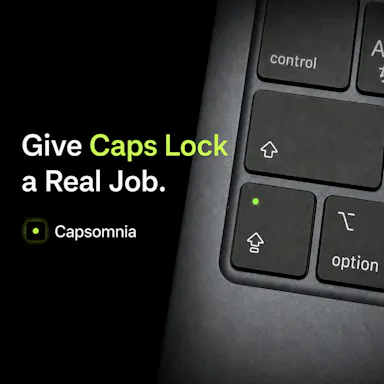
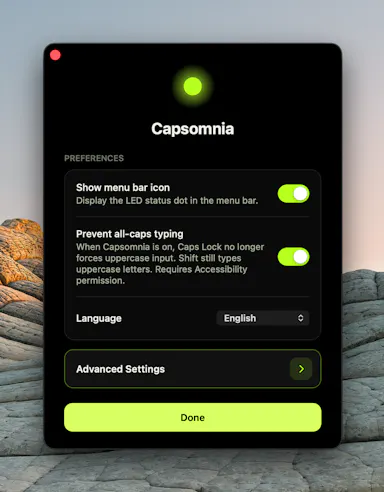
Repurposes the Caps Lock key as a physical sleep-prevention switch so long-running builds, agents, or SSH sessions survive a closed MacBook lid.

FreeNo sign-upOpen source
What to know
How it works
Turns Caps Lock into a physical switch that keeps your MacBook awake; light shows active state.
Pricing
Free and open source.
Watch out
Requires Caps Lock not already assigned to something else.

Watched for 2 days · last checked 2d ago

Details →

Oats

Live

A free, fully on-device meeting note-taker that transcribes and blends your typed notes without ever sending audio to the cloud or requiring an account, unlike most paid cloud notetakers.

FreeNo sign-upWorks offlineNo subscription
What to know
How it works
On-device transcription blended with your typed notes into a write-up; optional bring-your-own model key or fully offline.
What's different
Most competitors still upload audio to their cloud and cost $18+/mo; this doesn't and is free.
Pricing
Free.

Watched for 2 days · last checked 2d ago

Details →

Free open-source Mac dictation app that types cleaned-up text into any app entirely on-device, no account needed.

FreeNo sign-upWorks offlineOpen source
What to know
How it works
Hold a key, speak, on-device model transcribes and cleans up fillers/self-corrections
What's different
100% on-device, no account or server required
Pricing
Free, MIT-licensed

Watched for 4 days · last checked today

Details →

Zoro

Live

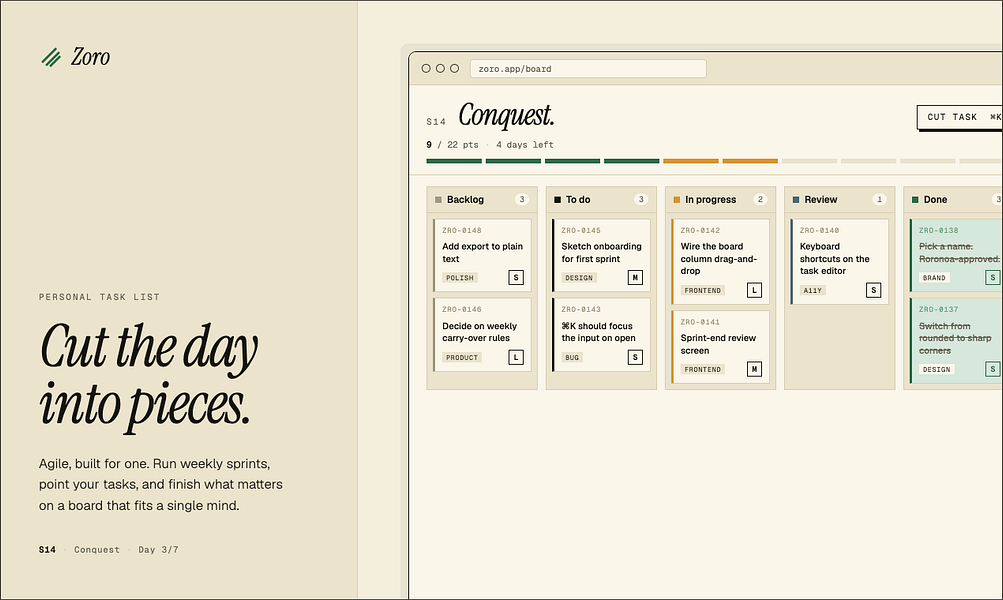
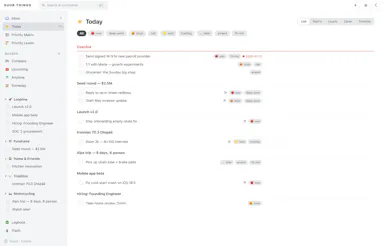
A one-time-purchase task app for solo workers that applies agile concepts like backlog, priority, and kanban to personal work, syncing via CloudKit with no account or server.

Domain registered 2 months ago

FreeNo sign-upData stays with youNo subscription
What to know
How it works
Syncs across iOS, macOS, and web through CloudKit only, with no signup and no backend server.
Pricing
One-time purchase of $59.99 for lifetime use.

Watched for 7 days · last checked 1d ago

Details →

tterm

Live

macOS cockpit for working with Claude Code: stacked rows of explorer, Claude, and file viewer with a built-in Chromium browser and diff review.

FreeNo sign-upNo tracking
What to know
How it works
each project is a row of explorer, Claude pane, and file viewer
What's different
real browser inside, no editor; you review diffs and commit
Pricing
free for hobbyists on Apple silicon

Watched for 6 days · last checked today

Details →

A Mac dictation tool that turns speech into clean text anywhere via a hotkey, with recognition running locally, evolving into an on-device AI assistant you can hand tasks to. No cloud or account required.

Domain registered 1 month ago

FreeNo sign-upWorks offline
What to know
How it works
Hold a key, speak a sentence, and it appears as text in any Mac app; select existing text, press a key, and say what's wrong with it to have it rewritten in place. Speech recognition runs entirely on the Mac.
What's different
No audio ever leaves the device -- recognition and rewriting both run locally.
Pricing
Free trial.
Best for
Mac users who think faster than they type and want to dictate or fix text without leaving their current app.

Watched for 10 days · last checked 4d ago

Details →

A local-first trading journal with an offline AI coach that reviews your trades and notes to flag costly habits, for traders who don't want their data on someone else's server.

No sign-upWorks offlineNo tracking
What to know
How it works
stores trades and notes in a single local file; AI coach runs against a local model (Ollama, LM Studio)
What's different
open source so the no-cloud claim is verifiable, plus a 'Leak Finder' that prices out bad habits
Best for
prop-firm traders needing drawdown and payout tracking

Watched for 5 days · last checked today

Details →

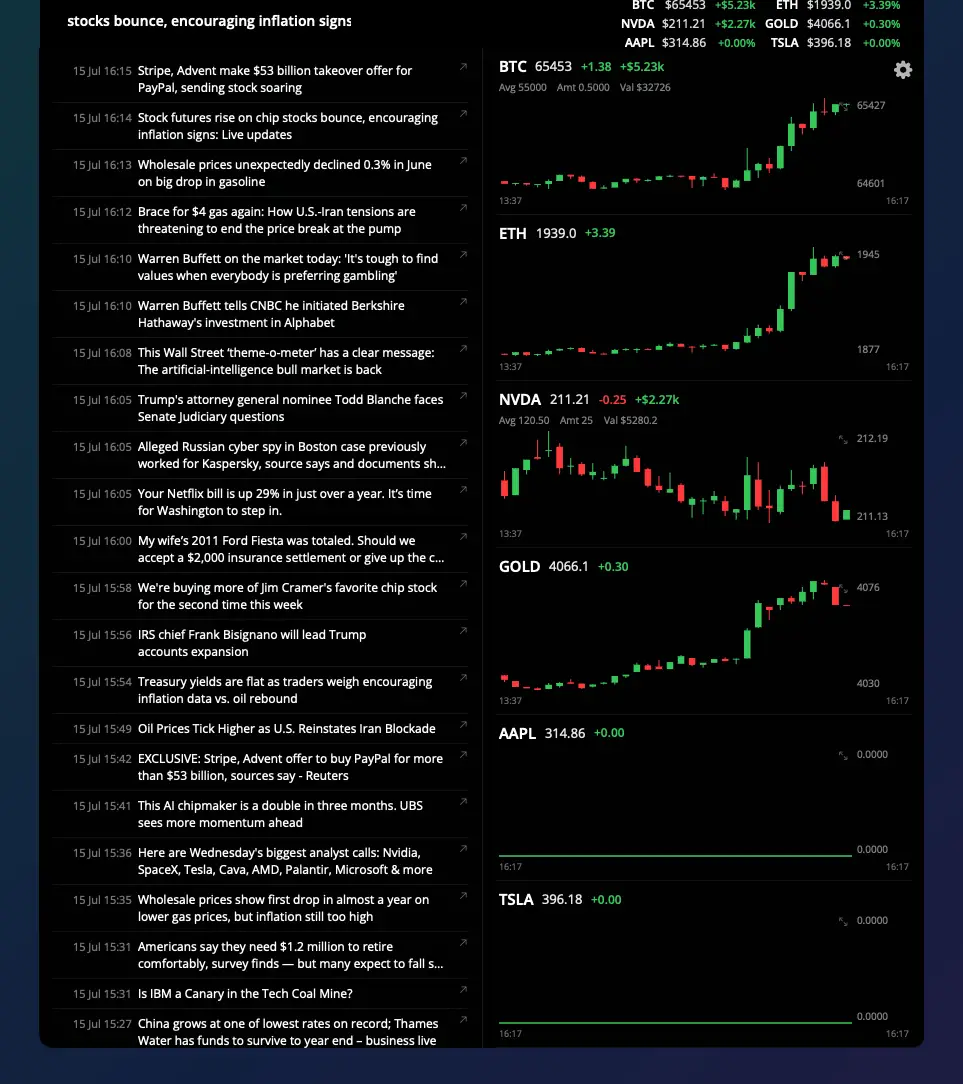
Shows live stock and crypto ticker prices in a MacBook's notch, for traders who want their watchlist visible without opening an app.

Domain registered 2 months ago

FreeNo sign-upNo subscription
What to know
How it works
Notch shows watchlist P&L on one side, scrolling news on the other
What's different
click a ticker for a candlestick chart with indicators
Pricing
7-day trial, then free forever with limits; Pro $5/mo or $40 lifetime

Watched for 6 days · last checked today

Details →

A free, open-source MCP server that lets AI agents safely read and write your Things 3 tasks, plus adds Kanban, matrix and time-blocking views Things 3 lacks.

FreeNo sign-upWorks offlineOpen source
What to know
How it works
reads are read-only, writes go only through Things' official URL scheme so agents can't corrupt data
Pricing
free, open source (MIT), no cloud or account
Best for
Things 3 users on macOS who want AI task management without risking their data

Watched for 5 days · last checked today

Details →

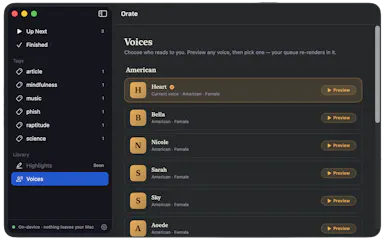
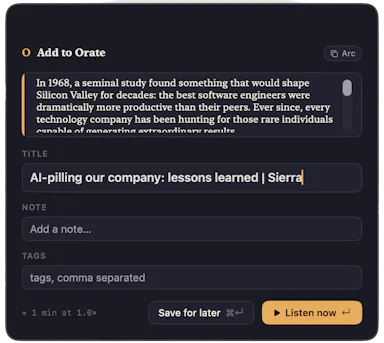
Select text anywhere on your Mac and it reads it aloud in a natural voice, queued like a podcast, with on-device text-to-speech.

No sign-upWorks offlinePay onceNo subscription
What to know
How it works
hotkey reads selected text aloud, queued for later listening
What's different
TTS runs fully on-device, offline, no account
Pricing
$4.99 one-time, 14-day trial

Watched for 6 days · last checked today

Details →

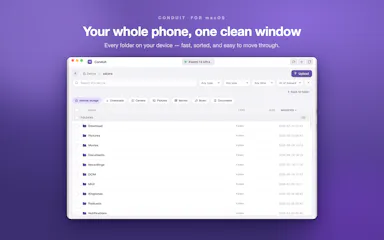
Mac app for privacy-conscious users to see and block what each installed app sends over the network.

Domain registered 4 months ago

No sign-upWorks offline
What to know
How it works
Monitors outgoing connections per app, flags trackers, blocks with one click
What's different
Runs 100% locally, no account required
Best for
Mac users who want visibility into which apps phone home

Watched for 5 days · last checked today

Details →

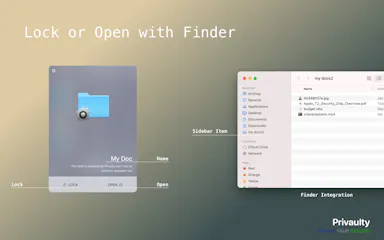
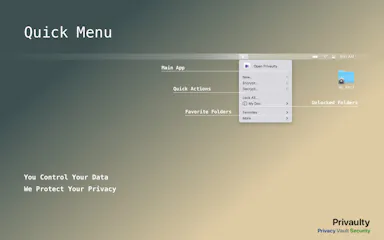
Locks selected Mac folders into a local AES-256 encrypted vault, verifying copies before moving originals to Trash.

FreeNo sign-up
What to know
How it works
encrypts folders into sparsebundle vaults, unlocks in Finder, relocks by unmounting
Pricing
free macOS beta via TestFlight
Watch out
beta software, test only with disposable sample folders; no recovery backdoor if you lose access

Watched for 4 days · last checked today

Details →

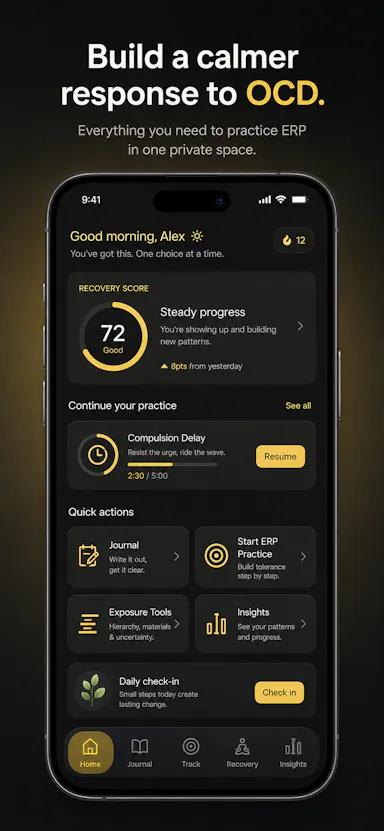
Private OCD/ERP tracker across desktop and mobile that logs obsessions, compulsions, triggers and exposure practice with no cloud sync.

Domain registered 20 days ago

No sign-upWorks offlineData stays with youNo ads
What to know
How it works
Tracks obsessions, compulsions, mood and exposure exercises across iOS/Android/desktop
What's different
No accounts, no cloud sync — data stays on-device
Best for
People doing ERP therapy who want a private tracking journal

Watched for 6 days · last checked today

Details →

A personal wiki for capturing notes and step-by-step instructions with templates instead of Markdown - for individuals who want a simple notebook, not a full wiki platform.

No sign-up
What to know
How it works
Captures notes and step-by-step instructions on your device using structured section templates instead of Markdown syntax, with a clean reading mode for looking things up later.
Pricing
No subscriptions.
Best for
Individuals who want a simple personal notebook for instructions and knowledge, not a full team wiki.
Watch out
No login and no server installation required, so notes stay device-local.

Watched for 18 days · last checked today

Details →

An open-source, template-based design tool for building App Store and Play Store screenshots, feature graphics, and preview videos entirely in your browser or desktop app, with no account or upload required.

Domain registered 13 days ago

FreeNo sign-upData stays with youOpen source
What to know
How it works
pick a template, drop in your app screens, and export every required store size, including MP4 previews
What's different
an optional AI agent can build the whole listing from raw screenshots
Best for
app developers and designers preparing store listings

Watched for 7 days · last checked 6d ago

Details →

A desktop Firestore GUI for macOS and Windows that backs up every write — inline edits, bulk updates, deletes, CSV imports — before executing it, with diff-preview restores and undo, for developers managing Firestore data.

Domain registered 24 days ago

No sign-up
What to know
How it works
Every write goes through confirm, backup, execute, and audit log, enforced in Electron's main process; production writes require typing the project ID.
Pricing
14-day full trial, no signup or card.

Watched for 7 days · last checked 5d ago

Details →

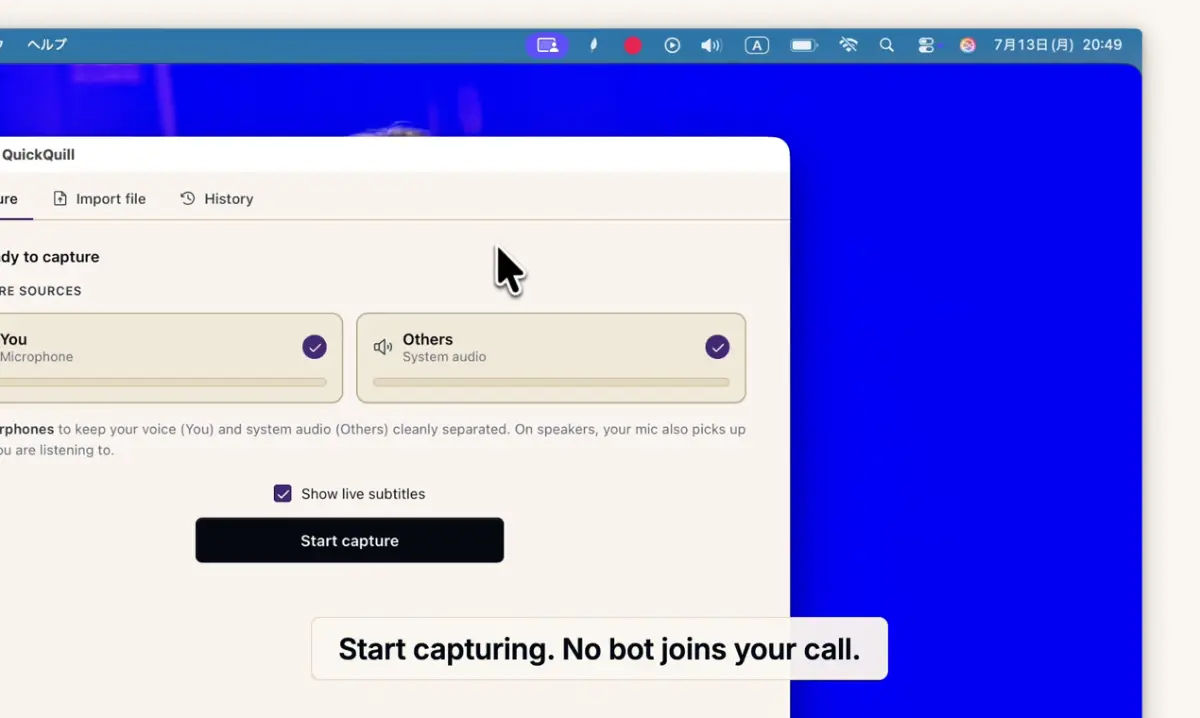
Records meetings on Mac and generates transcripts, summaries and live translated subtitles, entirely on-device. Dictation is free forever; the full meeting workflow costs a one-time $49.

Domain registered 1 month ago

FreeNo sign-upWorks offlinePay once
What to know
How it works
Records meetings and produces transcripts and summaries entirely on-device, with nothing sent to the cloud; it also shows live subtitles with translation while recording, and offers push-to-talk dictation usable in any app.
What's different
Continues working with Wi-Fi off and requires no bot joining the call, since everything runs on-device.
Pricing
Dictation is free forever; the full meeting workflow is a one-time $49 purchase. No account or subscription required.
Best for
Mac users who want private, on-device meeting notes without a cloud service.
Watch out
Requires macOS 26 on Apple Silicon, so it won't run on older Macs or other operating systems.

Watched for 12 days · last checked 6d ago

Details →

Notvex

Live

Fully local, zero-knowledge encrypted notes app for people who want their notes to never touch a server or sync account.

No sign-up
What to know
How it works
A fully-local, zero-knowledge encrypted notes app for Windows, macOS, and Linux with no account, no server, and no sync.
What's different
Notes are encrypted and stay entirely on-device instead of syncing through a server.
Best for
People who want their notes to never touch a server or a sync account.

Watched for 9 days · last checked 3d ago

Details →

A desktop entity-resolution tool that matches and deduplicates records in a CSV locally on your machine, free up to 100k records, with an MCP server for AI coding assistants.

FreeNo sign-upWorks offline
What to know
How it works
Loads a CSV and resolves duplicate records live using the same real-time matching engine as Tilores' cloud product, running entirely on your machine; a local MCP server also lets Claude Code, Codex and other AI assistants search, import and steer it against your data.
What's different
Skips the usual enterprise entity-resolution sales process (demo, contract) — nothing leaves your laptop, and it's free up to 100k records.
Pricing
Free up to 100,000 records.
Best for
Teams who want to deduplicate and match records locally, including via AI coding assistants, without a cloud enterprise contract.

Watched for 10 days · last checked 4d ago

Details →

IAXT

Live

A free macOS menu-bar app that logs everything your AI coding agent (Claude Code, Cursor, Aider, Codex) did in a session, entirely local with no account or cloud.

FreeNo sign-upWorks offline
What to know
How it works
A menu-bar app that passively records what AI coding agents like Claude Code, Cursor, Aider and Codex do on your Mac, every command, file touched, package installed, git operation, and launch agent, then presents it in an Action Log with confidence and severity tiers per agent, with any row copyable as context for another LLM.
Pricing
Free.
Best for
Developers using AI coding agents who want a record of exactly what those agents changed on their machine.

Watched for 18 days · last checked today

Details →

Feeds any audio file through 37 sound-shaping modules to generate hours of unique ambient atmosphere, running fully offline on Mac or Windows with no subscription.

FreeNo sign-upWorks offlinePay once
What to know
How it works
Takes any audio file, stretches, layers and reshapes it into long, evolving ambient soundscapes using 37 sound-shaping modules and 18 presets. Includes a seed system to reproduce or vary a render.
What's different
Runs fully native and offline on macOS and Windows with no account, subscription or cloud upload, and every render is unique with no looping.
Pricing
No subscription, tagged as free / one-time payment.
Best for
Musicians and sound designers who want long, non-repeating ambient atmospheres exportable for music, games, film or meditation.

Watched for 18 days · last checked 11d ago

Details →

Flowky

Live

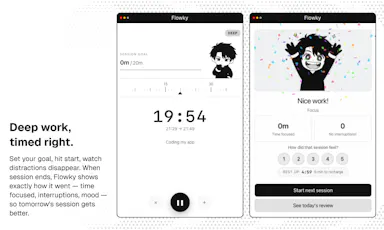
A native macOS focus timer that reacts when you drift off task, runs fully locally with no account needed.

No sign-upWorks offline
What to know
How it works
A native macOS focus timer that reacts when you drift off task, running fully locally with no account required.
Best for
Mac users who want a local, offline focus timer without creating an account.

Watched for 14 days · last checked 2d ago

Details →

Corder

Live

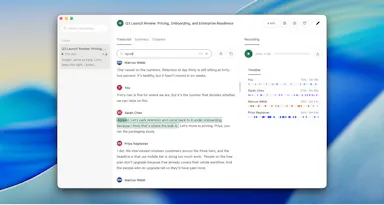
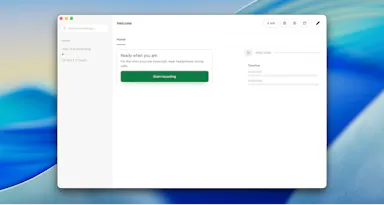
Records your Mac's mic and system audio directly with no bot joining the call, and transcribes on-device so recordings never leave your machine. Free to start, no account needed.

Domain registered 2 months ago

FreeNo sign-upWorks offline
What to know
How it works
Records your Mac's microphone and system audio as two separate tracks at the OS level, so nothing joins the call as a bot — works in Zoom, Meet, Teams, Discord or any browser tab. Transcription runs on-device.
What's different
No bot tile appears in the meeting, so it works even where bot-based recorders are blocked, and transcripts never leave your Mac.
Pricing
Free, no account needed to start.
Best for
People in companies that block meeting-recorder bots who still want private, local transcripts.

Watched for 13 days · last checked 7d ago

Details →

A locked-down macOS code editor for C, C++ and Java exams that blocks copy-paste, app-switching and internet access with a timer — built for students taking proctored tests.

FreeNo sign-up
What to know
How it works
A macOS code editor for C, C++ and Java with an Exam Mode that locks copy/paste, blocks switching apps, cuts internet access, runs a countdown timer, and caps compile/run attempts.
Pricing
Free, no signup required.
Best for
Students taking proctored coding exams, and schools wanting enforced exam conditions.

Watched for 14 days · last checked 8d ago

Details →

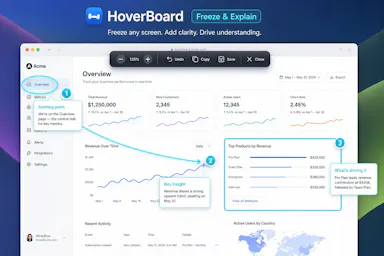
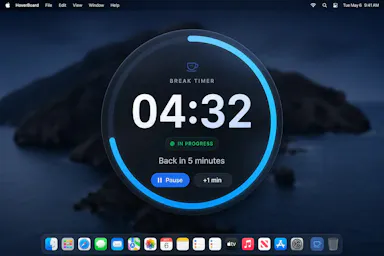
A macOS menu bar app that gives presenters five hotkey-triggered tools — draw, freeze-and-explain, whiteboard, break timer, and cursor highlight — over Zoom, Meet, or Teams.

Domain registered 1 month ago

No sign-upWorks offlineData stays with you
What to know
How it works
Runs as a native macOS menu bar app with global hotkeys for its five presenting tools; keeps data on the Mac with no account or cloud.
Best for
People presenting over video calls who want lightweight on-screen annotation tools.

Watched for 12 days · last checked 6d ago

Details →

A free screen recording app for Windows, macOS, Linux, and web that automatically zooms the cursor on clicks, processing everything on-device without upload.

FreeNo sign-upWorks offlineData stays with you
What to know
How it works
Highlights the cursor and auto-zooms on clicks during recording, with no upload or account required to start.
Pricing
Free.
Best for
People who want a directed-looking screen recording without manual editing or cloud upload.

Watched for 12 days · last checked 6d ago

Details →

Ortu

Live

A cross-platform clipboard manager with full history, search and secret masking for anyone who copy-pastes constantly - handy for developers managing API keys, but useful for any heavy copy-paste workflow.

No sign-upWorks offlineOpen source
What to know
How it works
Remembers everything you copy - text, images, files - across macOS, Windows and Linux, with full-text search, a paste stack, secret masking with encryption, and smart auto-grouping.
What's different
Runs 100% locally with no account, and is open source.
Pricing
Not stated beyond being open source.
Best for
Developers and anyone who copy-pastes constantly, including people managing API keys via clipboard.

Watched for 16 days · last checked 10d ago

Details →

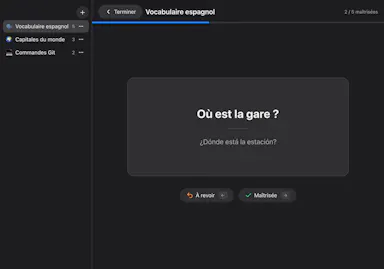
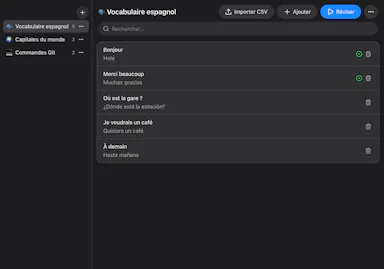
A free, open-source Mac flashcard app modeled on Anki but with zero setup — no account or cloud, cards stay on your Mac, fully keyboard-driven review.

FreeNo sign-upWorks offlineOpen source
What to know
How it works
Brings spaced-repetition flashcards to macOS with fully keyboard-driven review (Space to reveal, arrows to grade) and CSV import.
What's different
Zero setup compared to Anki — no account, no cloud, no scheduler to configure; cards stay on your Mac.
Pricing
Free and open source (MIT).
Best for
Mac users who want Anki's spaced-repetition power without its setup complexity.

Watched for 16 days · last checked 10d ago

Details →

Cloak

Live

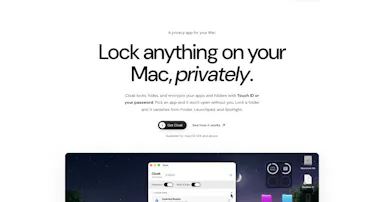
Locks, hides and encrypts apps and folders on your Mac with Touch ID or a password, entirely offline, for a one-time purchase instead of a subscription.

Domain registered 1 month ago

No sign-upWorks offlinePay onceNo subscription
What to know
How it works
Locks, hides and encrypts apps and folders on macOS using Touch ID or a password.
What's different
Runs 100% locally with no account and no cloud, and is sold as a one-time purchase rather than a subscription.
Pricing
One-time purchase.
Best for
Mac users who want specific apps and folders locked away from other people using the same machine.

Watched for 13 days · last checked 7d ago

Details →

A free, no-account, no-cloud plain-text task manager for macOS built around the todo.txt format, for people who already keep their to-dos in a text file.

FreeNo sign-upWorks offline
What to know
How it works
A native macOS app built around the plain-text todo.txt format, with keyboard shortcuts for everything and no cloud sync.
What's different
For people who already keep tasks in a .txt file — it's built to be faster than editing that file by hand, not to replace it with a database.
Pricing
Free.
Best for
macOS users who manage tasks in a plain text file and want a faster native interface for the same format.

Watched for 18 days · last checked 2d ago

Details →

Lets Mac users encrypt sensitive folders locally instead of trusting cloud storage or third-party vault apps.

No sign-up

Watched for 1 day · last checked today

Details →

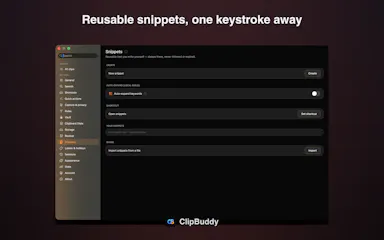
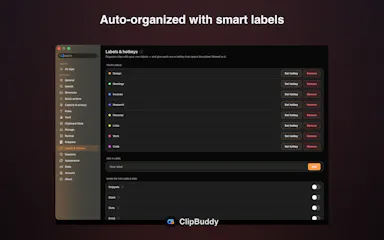
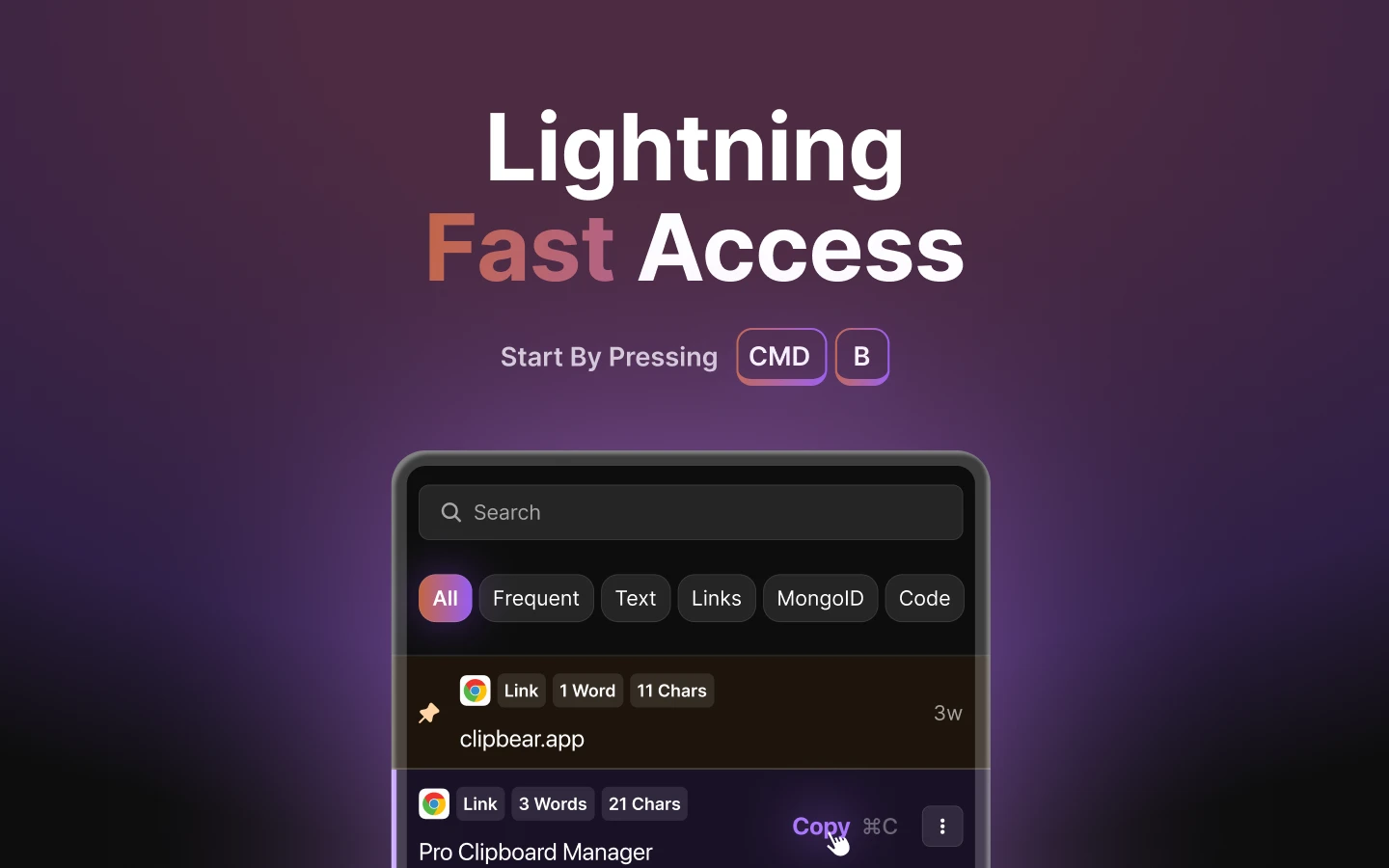
A native macOS clipboard manager that lets you search your entire copy history by meaning and OCR text out of screenshots, instead of cloud clipboard tools that leave your Mac.

No sign-upWorks offline
What to know
How it works
Search by meaning, OCR screenshots, reusable snippets, Stack & Slots organization, built-in dev tools.
Pricing
Free to start; Pro unlocks full toolkit.

Watched for 2 days · last checked 1d ago

Details →

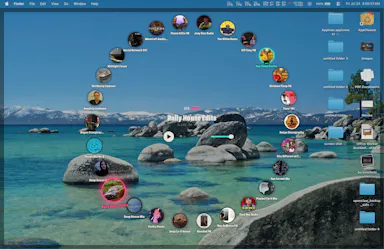
Turns YouTube videos/playlists into a GTA-style desktop radio for macOS users who want music without leaving their workflow.

No sign-upNo tracking
What to know
How it works
drop YouTube links into 26 station slots, hotkey overlay dial to switch stations
What's different
no API key, no account, no downloads, no telemetry

Watched for 2 days · last checked 1d ago

Details →

Extracts and translates text from screenshots on Mac entirely on-device, for people who don't want to upload images anywhere.

Domain registered 9 months ago

No sign-upWorks offlineData stays with youNo tracking
What to know
How it works
Uses macOS Vision locally; press a hotkey to extract text then translate/export
What's different
Runs fully local, no account or upload
Pricing
Free
Watch out
macOS only

Watched for 4 days · last checked 3d ago

Details →

Ainto

Live

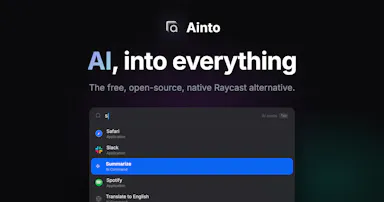
An open-source, offline-first macOS launcher for app search, clipboard history, snippets, and AI text commands billed to your own Claude Code plan.

Domain registered 3 months ago

No sign-upWorks offlineOpen sourceNo tracking
What to know
How it works
A native macOS launcher offering app search, clipboard history, snippets, and AI commands for selected text.
What's different
No telemetry, no accounts, and works offline except for AI commands.
Pricing
AI runs through an agent CLI (Claude Code) already on your Mac, billed to your own plan, no API key stored.
Watch out
AI commands require an agent CLI like Claude Code to be installed; macOS only.

Watched for 6 days · last checked 4d ago

Details →

Turns speech into punctuated text anywhere on a Mac with one key press, and reads text back, fully on-device.

Domain registered 24 days ago

No sign-upWorks offlinePay onceNo subscription
What to know
How it works
Press a key, speak, text appears at the cursor; also reads text aloud
What's different
No cloud, no account, no subscription
Pricing
$39.99 one-time

Watched for 6 days · last checked 4d ago

Details →

A free, open-source macOS menu bar app showing live CPU, GPU, memory, storage, network, and battery stats in one glance.

FreeNo sign-upOpen sourceNo tracking
What to know
How it works
Menu bar panel with real-time system vitals
What's different
Balances instant awareness without overwhelming detail or hidden menus
Pricing
Free and open source
Watch out
Requires macOS 26+

Watched for 6 days · last checked 5d ago

Details →

A macOS menu-bar app that stops accidental Command-Q app quits by intercepting the keystroke with configurable rules per app.

Domain registered 1 month ago

FreeNo sign-upPay onceNo subscription
What to know
How it works
Sets per-app rules (confirm, hold, double-press, allow, never-quit) to intercept Command-Q
Pricing
free protects one app forever; $9.99 one-time for unlimited rules
Best for
Mac users who frequently quit apps by accident
Watch out
macOS only

Watched for 6 days · last checked 5d ago

Details →

A free, open-source macOS menu-bar app that translates whatever you're typing into natural, professional language and pastes it back at your cursor.

FreeNo sign-upOpen sourceNo subscription
What to know
How it works
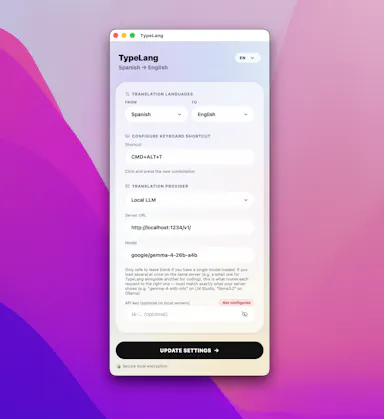
Type in your own language, press a shortcut, and the fluent translation is auto-pasted; use your own API key (Claude, GPT, Gemini) or run fully local via LM Studio.
Pricing
Free and open source, no subscription.
Best for
People writing in a non-native language across any macOS app.

Watched for 11 days · last checked 8d ago

Details →

A native Mac app for transferring files to and from an Android phone over USB or Wi-Fi, as an alternative to Google's discontinued Android File Transfer.

No sign-upNo ads
What to know
How it works
Opens an Android phone in a native Mac window over USB or Wi-Fi to copy, preview, search, and delete files.
Best for
Mac users transferring files to and from an Android phone.
Watch out
Despite "Android" appearing in its tags, this is a Mac app, not an Android app.

Watched for 12 days · last checked 9d ago

Details →

A macOS menu bar app that pins your current task in view so you don't lose focus. Local-first with no account, subscription or tracking.

Domain registered 14 months ago

No sign-upWorks offlineNo subscriptionNo tracking
What to know
How it works
A lightweight macOS menu bar app that keeps your current task pinned in view at all times, local-first and keyboard-friendly.
Pricing
No account, no subscription.
Best for
People who get easily distracted and want their current task always visible in the menu bar.

Watched for 13 days · last checked 11d ago

Details →

A free browser tool that plays calibrated tones to shake water or dust out of a phone or laptop speaker — works for iPhone, Samsung, Pixel and MacBook, no app needed.

Domain registered 5 months ago

FreeNo sign-upNothing to install
What to know
How it works
A free browser tool that plays calibrated 165Hz and 200Hz sound waves to eject water and dust from phone or laptop speakers, covering iPhone, Samsung, Pixel, JBL, AirPods and MacBook.
Pricing
Free.
Best for
Anyone with a water-damaged or dusty phone/laptop speaker who wants a quick browser fix with no app install.

Watched for 14 days · last checked 2d ago

Details →

A free macOS app that captures, annotates and merges multiple screenshots into a single PDF, or exports PNG and JPEG, working fully offline with no account required.

FreeNo sign-upWorks offline
What to know
How it works
A free macOS app that captures a screen area, lets you annotate it, and merges multiple screenshots into a single PDF, also exporting as PNG or JPEG.
Pricing
Free.
Best for
Mac users who want to turn screenshots into a shareable PDF without an account or internet connection.
Watch out
Works fully offline with no account, so nothing is uploaded to a server.

Watched for 18 days · last checked 2d ago

Details →

Sends files and folders directly between your own devices with end-to-end encryption, paired by QR code or a 6-digit code — no account, no cloud storage. Works across Android, iOS, desktop and web.

No sign-up
What to know
How it works
Sends files and folders directly between your own devices with end-to-end encryption, pairing devices via a QR code or a 6-digit code; uses local network discovery on the same Wi-Fi and falls back to an encrypted relay when direct connections are blocked.
What's different
No account and no cloud storage — files move device-to-device instead of sitting on someone else's server.
Best for
People moving files between their own Android, iOS, macOS, Windows or Linux devices without signing up for cloud storage.

Watched for 17 days · last checked 9d ago

Details →

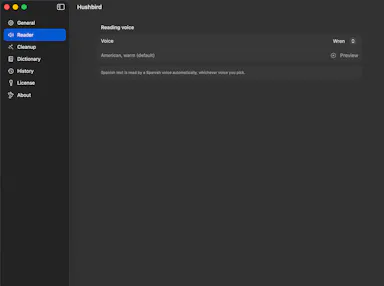
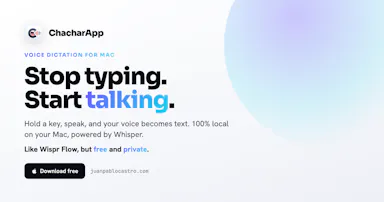
A free, open-source, on-device dictation app for Mac — hold a key, speak, text appears in any app. No cloud, no accounts, no tracking; a private alternative to Wispr Flow.

FreeNo sign-upWorks offlineOpen source
What to know
How it works
A voice dictation app for macOS: hold a key, speak, and the words appear in any app, running entirely on the Apple Neural Engine (every Mac since the M1, 2020).
What's different
No cloud, no tracking, no accounts and no weekly limits, positioned as a private, on-device alternative to Wispr Flow. Supports custom vocabulary for jargon, names and technical terms.
Pricing
Free and open-source.
Best for
Mac users who want fast voice dictation without their speech leaving the device.

Watched for 18 days · last checked 9d ago

Details →

A native (non-Electron) Git GUI for Mac and Windows built for speed and low memory use, positioned against GitKraken, SourceTree, Fork and Tower for developers who find those apps sluggish.

Domain registered 2 months ago

No sign-upWorks offline
What to know
How it works
A native Git GUI for macOS and Windows with a color-coded, virtualized commit graph and infinite scroll. Works fully offline and locally, with no account or cloud dependency.
What's different
Roughly 12 MB and launches in a fraction of a second, versus the 300–500 MB idle RAM and multi-second cold starts of Electron-based clients like GitKraken, SourceTree, Fork, and Tower.
Best for
Developers frustrated with the resource overhead of Electron-based Git clients.

Watched for 11 days · last checked 2d ago

Details →

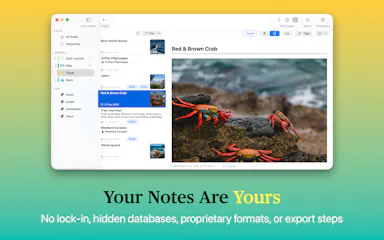
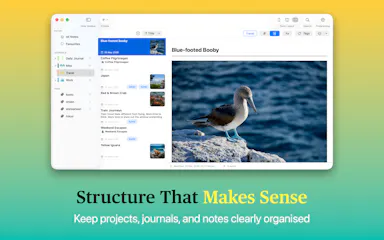
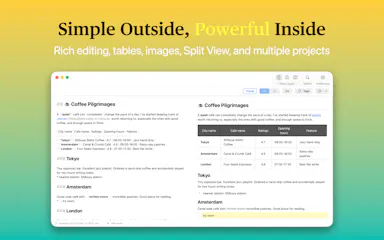
Private native macOS notes and journal app built on local plain-Markdown files, no account or database.

No sign-upWorks offline
What to know
How it works
A native macOS notes and journal app built on plain Markdown files, with projects, journals, tags, fast search, and automatic image organization.
Watch out
No database, no account, no vendor lock-in.

Watched for 3 days · last checked 3d ago

Details →

Native, fully offline macOS video editor for trimming, joining and blurring clips, with no cloud or network access.

No sign-upWorks offlineCan export my data
What to know
How it works
A native macOS editor to trim, join, and blur clips and export up to 4K, with no account, cloud, or network access at all.
What's different
Deliberately focused on four things — trim, join, blur, export — instead of being a cloud tool or bloated suite.

Watched for 3 days · last checked 1d ago

Details →

Rekody

Live

Free on-device macOS dictation app that types text at the cursor via a hold-to-talk hotkey.

Domain registered 3 months ago

FreeNo sign-upWorks offlineOpen source
What to know
How it works
Hold Option + Space and speak, and text lands at your cursor in any app, with a personal dictionary that learns your words.
Pricing
Free.
Watch out
On-device by default, no account or subscription; the CLI is open source (MIT).

Watched for 3 days · last checked 3d ago

Details →

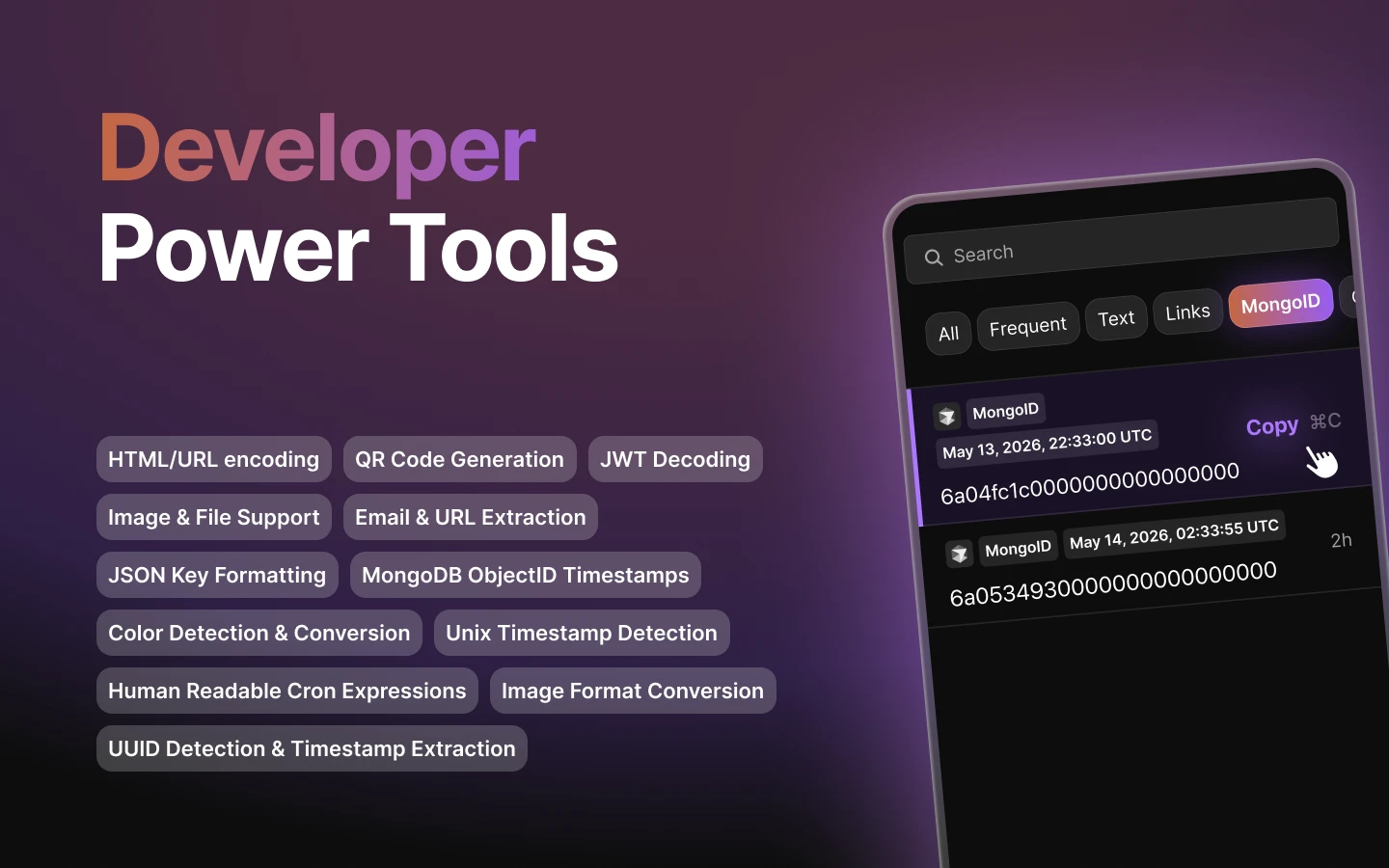
Mac clipboard manager tuned for developer content such as code snippets.

FreeNo sign-upWorks offline
What to know
How it works
Mac clipboard manager tuned for developer content such as code snippets.
Best for
Developers.

Watched for 8 days · last checked 2d ago

Details →

whetū

Live

Fast, zero-config cross-shell terminal prompt written in Zig, with no network or telemetry.

No sign-upNo tracking
What to know
How it works
Zero-config cross-shell prompt (fish, bash, zsh) written in Zig, showing git branch/state/status, toolchain versions for 39 languages, and a syntax-highlighted history picker on the up arrow.
What's different
Single compiled binary with no config file, no network or telemetry, rendering in about 2ms.
Watch out
macOS and Linux only.

Watched for 3 days · last checked 2d ago

Details →

A spatial nature-sound mixer (rain, fire, ocean, wind, birds) for Mac and iPhone with iCloud sync, an ambient sound app for focus or relaxation.

FreeNo sign-upWorks offlinePay once
What to know
How it works
Lets you drag sound layers — rain, ocean, fire, wind, birds, thunder and more — onto a canvas and position them spatially around you; with supported AirPods, head tracking anchors the soundscape to the room.
What's different
Places sound layers in three-dimensional space rather than playing a single flat loop, and supports AirPods head tracking.
Pricing
One-time purchase, no subscription.
Best for
Mac and iPhone users who want an ambient soundscape for focus, rest or sleep.

Watched for 16 days · last checked 5d ago

Details →

A Raycast-style launchbar that groups your tabs, apps, links and notes into project workspaces instead of one generic list, for people juggling several projects through their full lifecycle.

Domain registered 11 months ago

No sign-upOpen source
What to know
How it works
A launchbar for browser and desktop that organizes tabs, apps, links and notes into project workspaces, with AI Spotlight Search to jump to anything instantly.
What's different
Organizes around project lifecycle rather than being a generic launcher like Raycast, and pulls native desktop apps into the same workspaces via a companion app.
Best for
People juggling several projects who want their tabs, apps and notes grouped by project instead of scattered.

Watched for 13 days · last checked 7d ago

Details →

Pluks

Live

A clipboard manager for macOS and Windows that copies text the instant you select it, no Ctrl+C needed, plus a searchable history of your last 200 clips.

FreeNo sign-upWorks offline
What to know
How it works
A clipboard manager for macOS and Windows (beta) that copies text the instant you select it — no Ctrl+C/Cmd+C needed — then long-press to paste, or press Cmd/Ctrl+Shift+V to open a searchable history of your last 200 clips.
What's different
Brings the select-to-copy behavior Linux users know from PRIMARY selection to Mac and Windows; traditional clipboard managers only store history after you explicitly press copy.
Pricing
Free.
Best for
macOS and Windows users who want copy-paste without the extra keystroke.
Watch out
The Windows version is in beta.

Watched for 18 days · last checked 2d ago

Details →

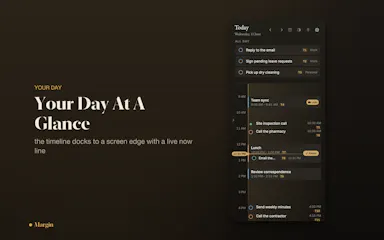
macOS menu-bar app that turns a typed sentence into a calendar event or reminder and shows a live day timeline.
No sign-up
What to know
How it works
A macOS menu-bar app: press Option+Space, type a plain sentence in English or Arabic, and it becomes an Apple Reminder or Calendar event, shown on a slim live timeline docked to the screen edge with two-way EventKit sync.
Watch out
macOS only; no account required.

Watched for 9 days · last checked 6d ago

Details →

Bosun

Live

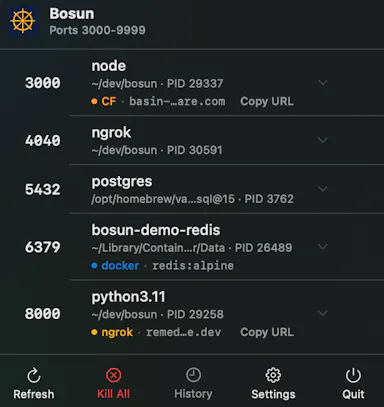
A macOS menu bar app that shows every open port, tunnel and container instantly, so developers stop losing time hunting through Terminal or Activity Monitor to find what's using a port.

FreeNo sign-upNo tracking
What to know
How it works
A native macOS menu bar app that shows every listening TCP port, active ngrok/Cloudflare tunnel, and VPN connection status at a glance, grouping multiworker services into single rows.
What's different
Shows what's actually reachable on the machine right now, versus tools like lsof or Activity Monitor that only show a port without full context.
Pricing
Free.
Best for
Developers running local services who need to quickly find which process or container owns a given port.

Watched for 12 days · last checked 5d ago

Details →

A free, open-source macOS ghost-text autocomplete tool powered by an on-device local LLM.

FreeNo sign-upWorks offlineOpen source
What to know
How it works
Adds Cotypist-style ghost-text autocomplete to every Mac app using a local MLX-based LLM that runs 100% on-device.
Pricing
Free and MIT-licensed.
Watch out
macOS only; no cloud, no account, no keystroke leaves the machine.

Watched for 8 days · last checked 6d ago

Details →

A desktop PDF toolkit with 27 tools — merge, compress, sign, encrypt, OCR, redact — that all run locally without uploading files.

FreeNo sign-upWorks offline
What to know
How it works
Runs 27 PDF tools — merge, compress, convert, sign, encrypt, OCR, redact — 100% locally on your machine with no file uploads.
What's different
Aimed at confidential work like legal contracts, medical records, financial statements, and ID documents; available on macOS, Windows, and Linux.
Pricing
The Merge tool is free forever with no account; Pro unlocks the other 26 tools.

Watched for 10 days · last checked 4d ago

Details →

Voice-to-sticky-note Mac app that surfaces your note again at the right time, with no account or cloud sync.

No sign-upWorks offline
What to know
How it works
Tap the right Command key and speak; Saydown turns speech into a sticky note on your Mac desktop and surfaces it again when it's due.
Watch out
No account, no cloud, nothing collected; Mac desktop only.

Watched for 10 days · last checked 7d ago

Details →

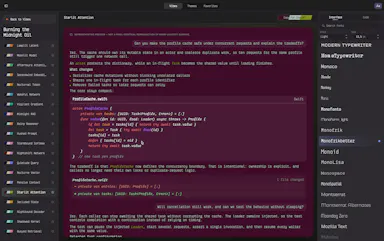
A native macOS app for browsing and importing 200 visual themes into the Codex coding tool.

No sign-upWorks offline
What to know
How it works
Lets you browse, preview and import 200 original visual themes for the Codex coding tool, comparing chat, code, diffs and fonts before applying.
Best for
Codex users on macOS wanting to customize their theme.
Watch out
macOS only, runs locally with no account, analytics or network access.

Watched for 3 days · last checked 2d ago

Details →

Free runtime CVE scanner that matches installed software or scan results against known vulnerabilities and suggests patches.

FreeNo sign-up
What to know
How it works
Scans installed software, nmap XML output, or a public site, matches products to CPEs and CVEs against the NVD, and helps you find official patches.
Pricing
Free.
Best for
Security-conscious users on Mac, Linux, or Windows checking for known vulnerabilities.

Watched for 3 days · last checked 1d ago

Details →

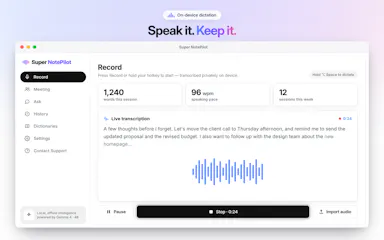
On-device AI dictation and meeting notetaker for Mac and iOS that works offline without an account.

Domain registered 1 month ago

FreeNo sign-upWorks offlineNo subscription
What to know
How it works
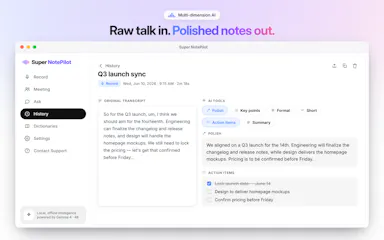
Runs 100% on-device using Gemma and Whisper for push-to-talk dictation into any app, live meeting transcripts, AI rewriting, and asking questions across notes.
What's different
No cloud, no account, no subscription.
Pricing
Free for macOS and iOS.
Watch out
Windows and Android support are coming soon, not yet available.

Watched for 10 days · last checked 7d ago

Details →

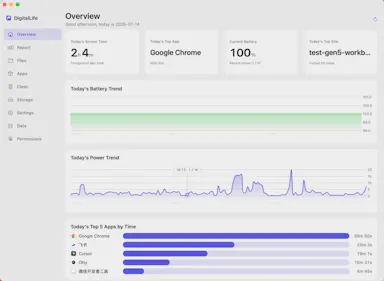
Privacy-first macOS activity monitor tracking app usage, energy draw, and disk space entirely on-device.

FreeNo sign-upWorks offlineData stays with you
What to know
How it works
A macOS menu-bar app tracking app usage time, file activity, per-app energy draw, and disk-space usage, entirely on-device.
What's different
No cloud, no account, no login — data stays local and optionally encrypted, unlike trackers that push data to a subscription-based server.
Pricing
Free for personal use.
Watch out
macOS only; supports 8 languages.

Watched for 10 days · last checked 7d ago

Details →