Tools you can use without making an accountAudio & voice

56 match your filters — 56 of them answered our check today.

Watching this group for 20 days · how we check

This week23 new arrivals

A free open-source browser music lab that detects chords from audio and separates vocals from instrumentals, for musicians learning songs by ear.

Domain registered 6 months ago

FreeNo sign-upOpen source
What to know
How it works
AI chord recognition on MP3/WAV and stateless vocal/instrumental separation
Pricing
free, open source, no registration
Best for
musicians learning or transcribing songs

Watched for 6 days · last checked today

Details →

A transcription tool for YouTube videos that falls back to transcribing the audio when captions aren't available, giving clean text from a link with no signup.

Domain registered 10 days ago

No sign-up
What to know
How it works
Uses existing captions when present, otherwise transcribes the audio track directly.

Watched for 7 days · last checked 1d ago

Details →

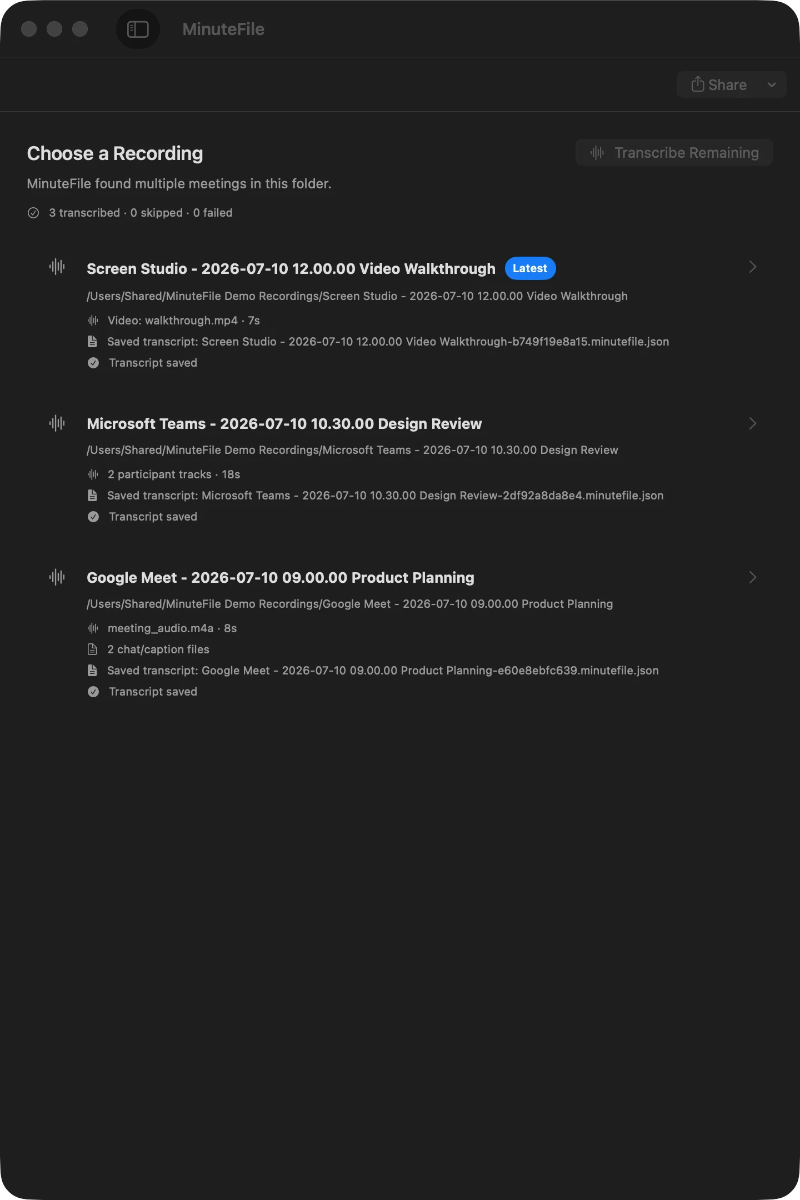
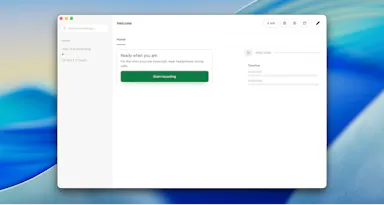
Turns local meeting recording folders into private, searchable transcripts on your Mac — everything stays on your machine, with no account, no upload, no meeting bot, and no subscription.

No sign-upData stays with youNo subscription
What to know
How it works
Turns local meeting recording folders on your Mac into private, searchable transcripts.
What's different
Everything stays on your machine — no account, upload, meeting bot, or subscription required.
Pricing
No account or subscription required.
Best for
Mac users who record meetings locally and want searchable transcripts without sending recordings to the cloud.

Watched for 14 days · last checked 2d ago

Details →

Oats

Live

A free, fully on-device meeting note-taker that transcribes and blends your typed notes without ever sending audio to the cloud or requiring an account, unlike most paid cloud notetakers.

FreeNo sign-upWorks offlineNo subscription
What to know
How it works
On-device transcription blended with your typed notes into a write-up; optional bring-your-own model key or fully offline.
What's different
Most competitors still upload audio to their cloud and cost $18+/mo; this doesn't and is free.
Pricing
Free.

Watched for 2 days · last checked 2d ago

Details →

Free open-source Mac dictation app that types cleaned-up text into any app entirely on-device, no account needed.

FreeNo sign-upWorks offlineOpen source
What to know
How it works
Hold a key, speak, on-device model transcribes and cleans up fillers/self-corrections
What's different
100% on-device, no account or server required
Pricing
Free, MIT-licensed

Watched for 4 days · last checked today

Details →

A Mac dictation tool that turns speech into clean text anywhere via a hotkey, with recognition running locally, evolving into an on-device AI assistant you can hand tasks to. No cloud or account required.

Domain registered 1 month ago

FreeNo sign-upWorks offline
What to know
How it works
Hold a key, speak a sentence, and it appears as text in any Mac app; select existing text, press a key, and say what's wrong with it to have it rewritten in place. Speech recognition runs entirely on the Mac.
What's different
No audio ever leaves the device -- recognition and rewriting both run locally.
Pricing
Free trial.
Best for
Mac users who think faster than they type and want to dictate or fix text without leaving their current app.

Watched for 10 days · last checked 4d ago

Details →

Free online file converter that runs entirely in your browser so files never get uploaded to a server.

Domain registered 1 month ago

FreeNo sign-upWorks offlineData stays with you
What to know
How it works
converts PDFs, images, docs, audio and video locally via WebAssembly
What's different
no upload, works offline, no daily limits
Pricing
free

Watched for 6 days · last checked today

Details →

Lispr

Live

Hold a key, speak, and your words are typed into whatever app is focused — voice dictation and live translation across dozens of languages for Mac and Windows, no audio stored.

FreeNo sign-up
What to know
How it works
Hold a key, speak, release — your words are typed into whatever app your cursor is in. Also supports live translation by holding a separate key.
What's different
Works across roughly 99 languages for dictation and 32 for translation, with the mic only active while the key is held.
Pricing
Free, no account, no model download.
Best for
Mac and Windows users who want fast voice-to-text or live translation without opening a separate app.
Watch out
The 'we never store your audio' claim is the vendor's own statement, not independently verified.

Watched for 18 days · last checked today

Details →

Turns an audio clip into a captioned waveform video for social platforms entirely in-browser, with auto-captions from local Whisper AI, so audio never leaves the device.

FreeNo sign-upData stays with youCan export my data
What to know
How it works
In-browser reactive waveform visualizer plus Whisper-based auto-captions; exports MP4.
Pricing
Free, no signup, no watermark.
Best for
Podcasters making audiogram clips for Instagram/TikTok/YouTube.

Watched for 2 days · last checked 1d ago

Details →

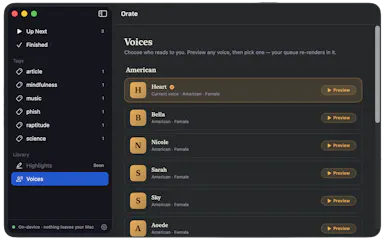
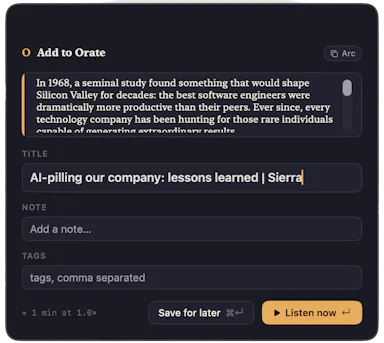
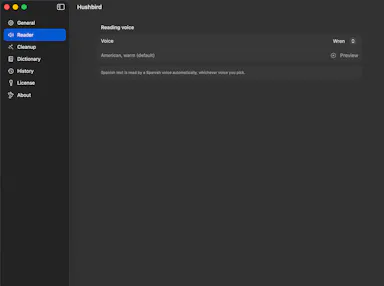
Select text anywhere on your Mac and it reads it aloud in a natural voice, queued like a podcast, with on-device text-to-speech.

No sign-upWorks offlinePay onceNo subscription
What to know
How it works
hotkey reads selected text aloud, queued for later listening
What's different
TTS runs fully on-device, offline, no account
Pricing
$4.99 one-time, 14-day trial

Watched for 6 days · last checked today

Details →

A free, ad-free, account-free podcast player spanning Apple and Android devices with smart playback and organization tools, built for daily podcast listeners rather than casual ones.

Domain registered 2 months ago

FreeNo sign-upNo ads
What to know
How it works
Organize episodes with lists and an Up Next queue, download with per-podcast rules, and use Smart Speed, Voice Boost, chapters, and timestamped transcripts, across iPhone, iPad, Android, Mac, Apple Watch, CarPlay, Android Auto, and web.
Pricing
Core player is free, no account, no ads or third-party trackers; optional AI tools require PulsarCast Ultra.

Watched for 8 days · last checked 2d ago

Details →

Meldio

Live

Turns a written script into a fully voiced, multi-character audio production without hiring voice actors.

Domain registered 1 month ago

FreeNo sign-up
What to know
How it works
Auto-detects characters in a pasted script and casts distinct AI voices for each
Pricing
Free quick version with no signup; deeper controls require requesting access

Watched for 5 days · last checked today

Details →

Lynote

Live

Free browser tools for detecting AI-written text and images, plus a humanizer to rewrite text past detectors, and separate YouTube transcript and summary tools. No sign-up needed, but a bundle of loosely related utilities.

Domain registered 8 months ago

FreeNo sign-upCan export my data
What to know
How it works
A set of free, no-signup browser tools: an AI text detector with sentence-level highlighting across 50+ languages, an AI humanizer that rewrites text to get past detectors like GPTZero and Originality.ai, an AI image detector using C2PA/EXIF metadata, and separate YouTube transcript and video-summary generators.
Pricing
Free tier available with no account required to start.
Best for
Students, teachers, and marketers who want quick, no-signup checks on AI-generated text or images, or fast YouTube transcripts.
Watch out
The stated '99% accuracy' for the AI detector is the vendor's own claim, and the bundled humanizer is explicitly built to help text evade other detection tools.

Watched for 13 days · last checked 7d ago

Details →

Converts images, video, audio and documents online across 120+ format pairs without an account.

Domain registered 1 month ago

FreeNo sign-up
What to know
How it works
Browser-based file conversion, files deleted from server after delivery
Pricing
Free, no account, no watermark
Watch out
Upload limit 2GB per file

Watched for 6 days · last checked today

Details →

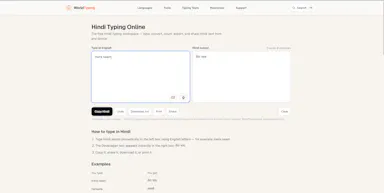
A free browser-based typing tool for 23 languages including Hindi, Arabic, Chinese, Japanese, and Korean, offering phonetic typing, voice dictation, and on-screen keyboards without an account.

Domain registered 24 days ago

FreeNo sign-upNothing to install
What to know
How it works
Provides phonetic typing, voice dictation, and on-screen keyboards for 23 languages directly in the browser; text stays local.
Pricing
Free, no login.
Best for
people who need to type in a non-native-keyboard language without installing anything.

Watched for 12 days · last checked today

Details →

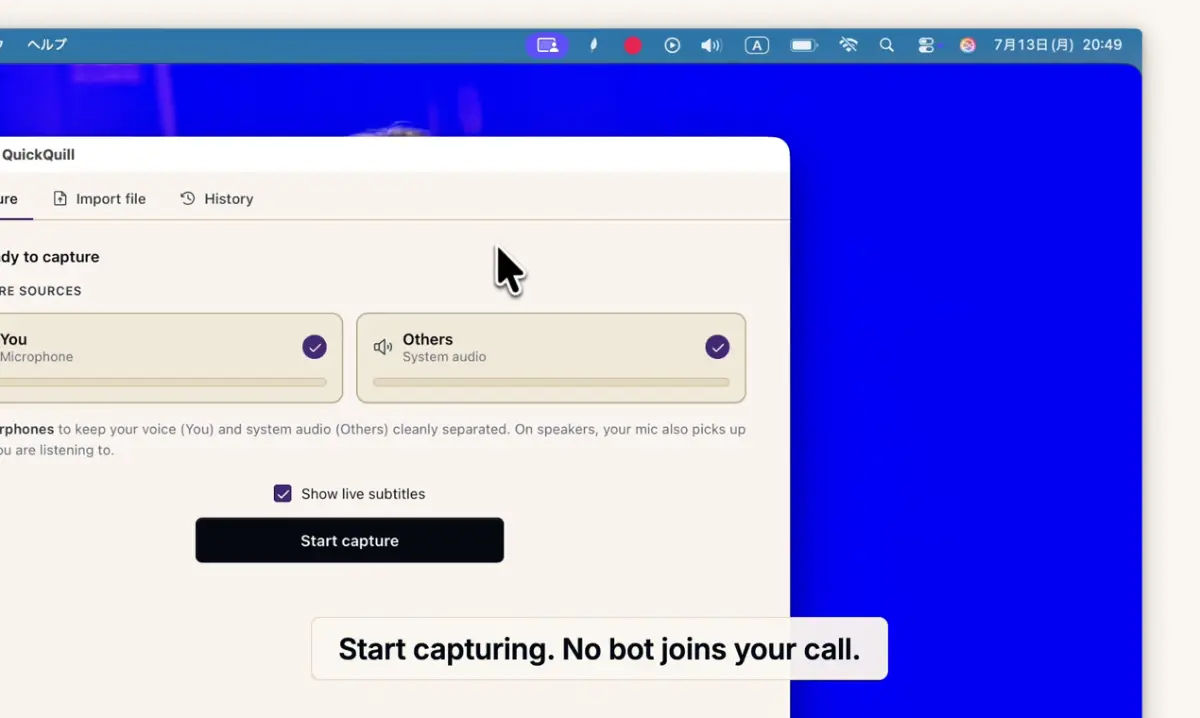
Records meetings on Mac and generates transcripts, summaries and live translated subtitles, entirely on-device. Dictation is free forever; the full meeting workflow costs a one-time $49.

Domain registered 1 month ago

FreeNo sign-upWorks offlinePay once
What to know
How it works
Records meetings and produces transcripts and summaries entirely on-device, with nothing sent to the cloud; it also shows live subtitles with translation while recording, and offers push-to-talk dictation usable in any app.
What's different
Continues working with Wi-Fi off and requires no bot joining the call, since everything runs on-device.
Pricing
Dictation is free forever; the full meeting workflow is a one-time $49 purchase. No account or subscription required.
Best for
Mac users who want private, on-device meeting notes without a cloud service.
Watch out
Requires macOS 26 on Apple Silicon, so it won't run on older Macs or other operating systems.

Watched for 12 days · last checked 6d ago

Details →

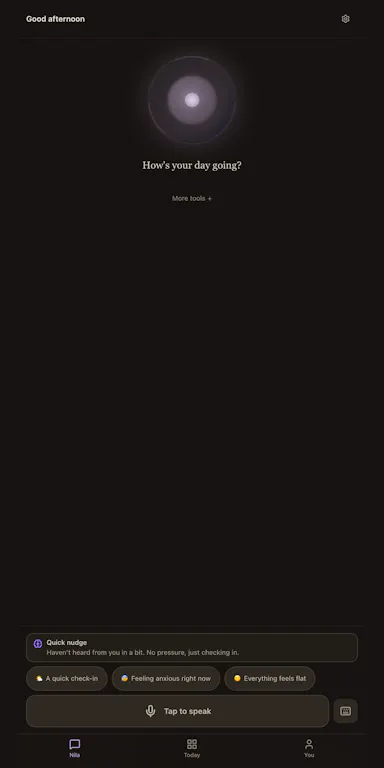
An Android app built around an AI companion for everyday emotional support, with crisis-safety checks and research-backed protocols. The model, transcription and data all stay on your phone.

No sign-upWorks offlineNo trackingCan export my data
What to know
How it works
An Android app built around an AI companion, Nila, for everyday emotional support by voice or text, with crisis-safety checks, a private diary, and clinician PDF export.
What's different
The AI model, transcription and all data stay fully on-device — no account, backend, or analytics by default.
Best for
People wary of sending emotional or mental-health data to a cloud service who still want an AI companion with structured, research-backed protocols like Relapse Prevention and Mindfulness.
Watch out
It is a support companion with crisis-safety checks, not a substitute for a licensed therapist.

Watched for 11 days · last checked 5d ago

Details →

Converts speech to text entirely on your Windows PC — no cloud, no account required, works even with WiFi off. For users who want dictation without sending audio anywhere.

No sign-upWorks offlineData stays with youPay once
What to know
How it works
Converts speech to text directly on a Windows PC using one shortcut: hold, speak, release, and the text lands wherever your cursor is, in any app.
What's different
Works entirely offline with no cloud processing, no account, and no subscription — it keeps working even with WiFi off.
Pricing
One-time payment, no subscription.
Best for
Windows users who want dictation in any app (email, chat, notes, code editors) without their voice data leaving the device.

Watched for 16 days · last checked 10d ago

Details →

BirDJ

Live

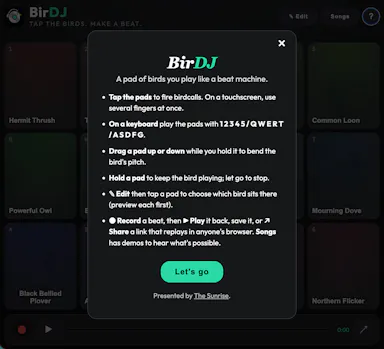
Turns real birdsong recordings into a playable beat machine you tap or trigger from the keyboard, with beats recordable and shareable as a browser link, free with no account needed.

FreeNo sign-up
What to know
How it works
Tap a grid of birds (or use your keyboard) to trigger birdsong samples, sustain and pitch-bend them, then record a beat and share it as a link that replays in a browser.
Pricing
Free.

Watched for 18 days · last checked 2d ago

Details →

y2keep

Live

A free browser-based converter that turns YouTube, TikTok, and SoundCloud links into downloadable MP3 or MP4 files, with no signup or installation.

Domain registered 1 month ago

FreeNo sign-upNothing to install
What to know
How it works
Converts YouTube, TikTok, and SoundCloud links to MP3 or MP4 files entirely in the browser.
Pricing
Free, no signup.

Watched for 14 days · last checked 2d ago

Details →

Corder

Live

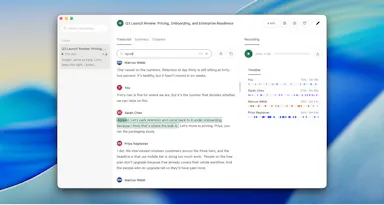
Records your Mac's mic and system audio directly with no bot joining the call, and transcribes on-device so recordings never leave your machine. Free to start, no account needed.

Domain registered 2 months ago

FreeNo sign-upWorks offline
What to know
How it works
Records your Mac's microphone and system audio as two separate tracks at the OS level, so nothing joins the call as a bot — works in Zoom, Meet, Teams, Discord or any browser tab. Transcription runs on-device.
What's different
No bot tile appears in the meeting, so it works even where bot-based recorders are blocked, and transcripts never leave your Mac.
Pricing
Free, no account needed to start.
Best for
People in companies that block meeting-recorder bots who still want private, local transcripts.

Watched for 13 days · last checked 7d ago

Details →

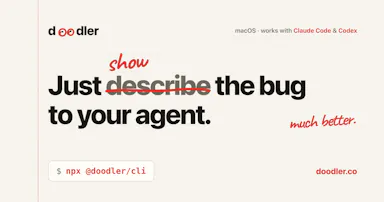
A free, on-device tool that lets you draw and talk over your screen so your AI coding agent sees exactly what you mean — built for Claude Code, Cursor and Codex users.

FreeNo sign-upWorks offline
What to know
How it works
Draw directly on your screen and talk while your coding agent watches, then get back annotated screenshots, a voice transcript, and a timeline of what you pointed at, all combined together.
What's different
Runs 100% on-device and works with Claude Code, Codex, and Cursor.
Pricing
Free, no account required.
Best for
Developers who need to show an AI coding agent a visual bug or layout idea instead of describing it in words.

Watched for 13 days · last checked 7d ago

Details →

Kexva

Live

Free YouTube transcript extractor with timestamps, no sign-up, supports multiple languages. Handy for writers, students and researchers who need the text fast.

Domain registered 1 month ago

FreeNo sign-up
What to know
How it works
Paste a YouTube link and get the full transcript with timestamps, as clean text you can copy or download.
Pricing
Free, no sign-up, no limits.
Best for
Writers, students, and researchers who need a video's text quickly.

Watched for 14 days · last checked 8d ago

Details →

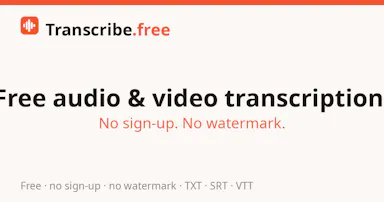
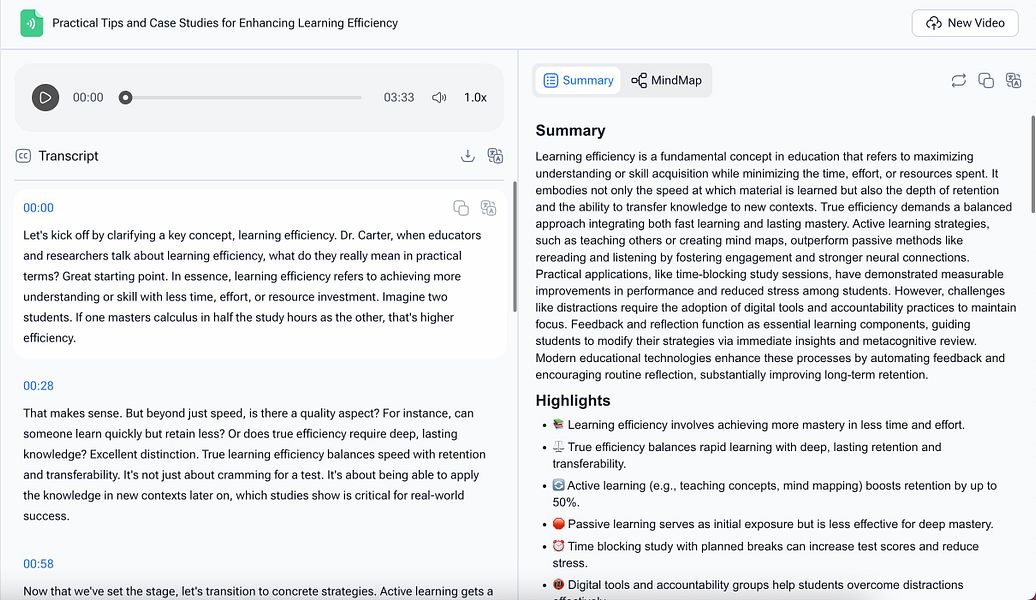
A free browser tool that transcribes audio or video files into text, for anyone needing a quick transcript without creating an account.

FreeNo sign-upCan export my data
What to know
How it works
Converts up to 3 files a day (30 minutes each) into text with TXT, SRT, and VTT export.
Pricing
Free, limited to 3 files a day.
Watch out
Files are deleted after 24 hours.

Watched for 17 days · last checked 11d ago

Details →

Munra

Live

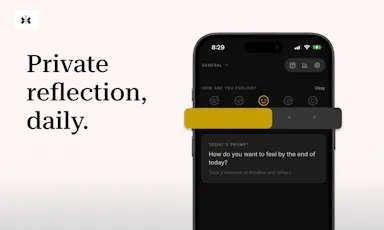
A private, offline journal for iOS with on-device encryption, mood check-ins, and an optional AI companion powered by your own API key, every feature is free.

FreeNo sign-upWorks offlineNo subscription
What to know
How it works
A private, offline-first journal for iOS with entries encrypted on-device only, a daily mood check-in, speech-to-text, writing streaks, and an optional AI companion that uses your own API key.
What's different
No account, no cloud sync and no subscription — the optional AI companion runs on your own API key rather than the app's backend.
Pricing
Every feature is free.
Best for
People who want to journal privately without their entries leaving their device or going through a subscription service.

Watched for 18 days · last checked 2d ago

Details →

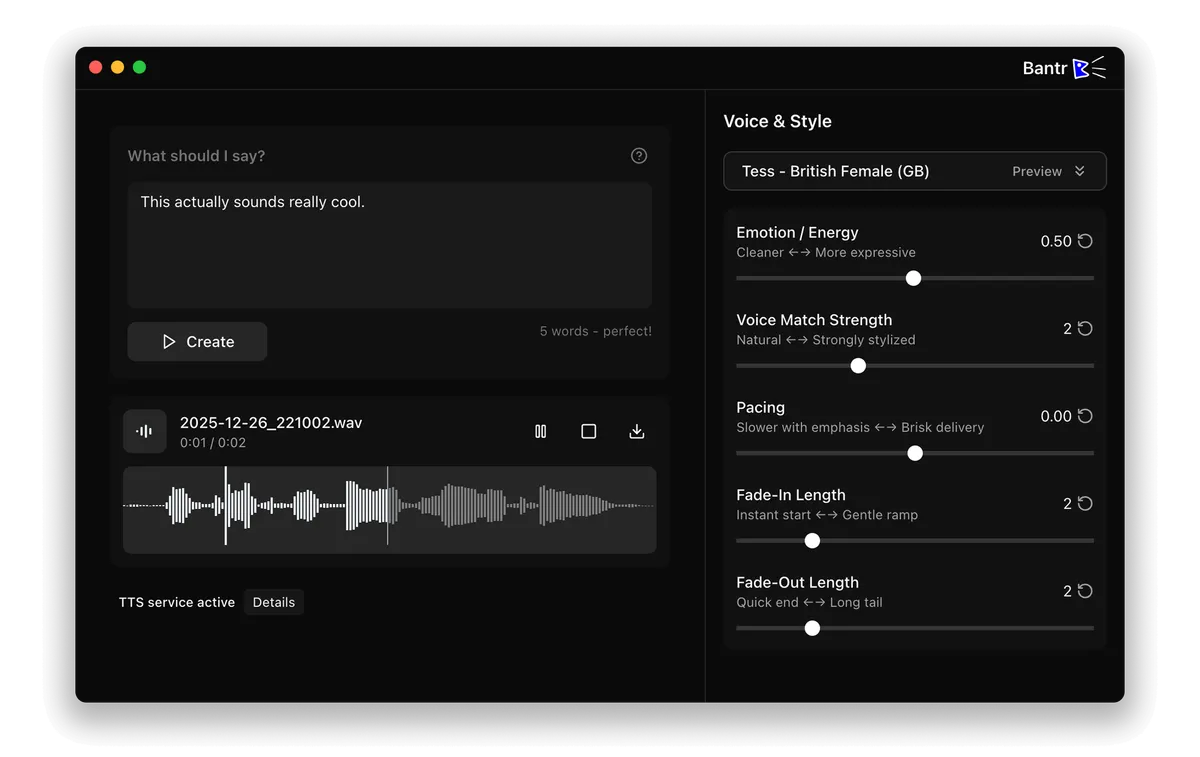
Offline Mac text-to-speech app with 150+ voices, one-time purchase instead of a cloud subscription TTS service.

No sign-upWorks offlineNo subscription
What to know
How it works
runs entirely on-device via Apple's MLX framework
Pricing
buy once, no subscription

Watched for 1 day · last checked 1d ago

Details →

Free AI stem separator plus BPM/key finder for DJs and producers, instead of paid stem-splitting software.

FreeNo sign-up
What to know
How it works
separates songs into stems, detects BPM/key/Camelot notation
Pricing
free, no signup

Watched for 2 days · last checked 1d ago

Details →

A free, no-signup library of royalty-free (CC BY) music tracks for creators' videos and streams.

FreeNo sign-up
What to know
Pricing
Free, CC BY licensed, no accounts required.

Watched for 5 days · last checked 4d ago

Details →

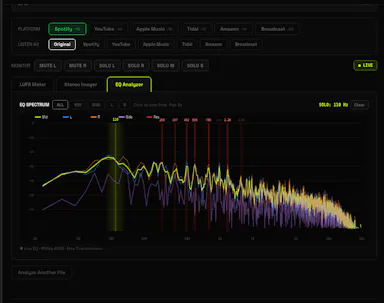
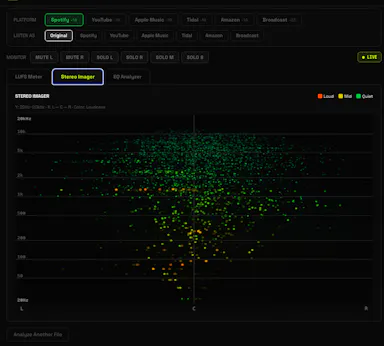
A free browser-based LUFS meter, stereo imager and EQ analyzer that processes audio locally with no upload or account, plus a preview mode simulating Spotify or YouTube playback. Built for musicians, not developers.

FreeNo sign-upNothing to installWorks offline
What to know
How it works
A browser-based audio mastering analyzer with real-time LUFS metering, stereo imaging, and EQ analysis with resonance detection, plus a preview mode that simulates how a track sounds on Spotify, YouTube, or Apple Music.
What's different
Processes audio 100% locally via the Web Audio API — no upload, account, or server involved.
Pricing
Free.
Best for
Musicians mastering tracks who want quick loudness and EQ checks without uploading audio anywhere.

Watched for 17 days · last checked 11d ago

Details →

Turns speech into punctuated text anywhere on a Mac with one key press, and reads text back, fully on-device.

Domain registered 24 days ago

No sign-upWorks offlinePay onceNo subscription
What to know
How it works
Press a key, speak, text appears at the cursor; also reads text aloud
What's different
No cloud, no account, no subscription
Pricing
$39.99 one-time

Watched for 6 days · last checked 4d ago

Details →

A free text-to-speech tool with 300+ voices in 82 languages, no account required.

Domain registered 1 month ago

FreeNo sign-up
What to know
How it works
Converts typed text into spoken audio using natural voice models
Pricing
free, no account
Best for
accessibility, language learning, and narration

Watched for 6 days · last checked 4d ago

Details →

A tool that splits songs (or YouTube/SoundCloud/Spotify links) into separate vocal, drum, bass and other stems for custom backing tracks.

Domain registered 2 months ago

FreeNo sign-upCan export my data
What to know
How it works
Separates audio into stems with a waveform editor to mute/solo parts, exports WAV/MP3/FLAC
Pricing
free 5-minute trial, no signup or card
Best for
musicians wanting backing tracks or remixes from existing songs

Watched for 6 days · last checked 5d ago

Details →

Generates a clean, timestamped transcript from any YouTube video or playlist link, with translation and export options.

FreeNo sign-upCan export my data
What to know
How it works
Paste a link to get a transcript exportable as TXT, SRT, VTT, PDF, or Word; supports whole playlists as one combined document.
Pricing
Free, no signup, no stored data.
Best for
People needing text transcripts of YouTube videos or courses for reading or reference.

Watched for 6 days · last checked 4d ago

Details →

Converts images, PDFs, videos, and audio files entirely inside your browser without uploading them anywhere.

Domain registered 1 month ago

No sign-upData stays with you
What to know
How it works
Local browser-based conversion, batch up to 1,000 files at once.
What's different
No uploads, no accounts, no watermarks.
Best for
Anyone converting large batches of media files who doesn't want to upload personal files to a server.

Watched for 6 days · last checked 5d ago

Details →

Automatically masters audio to Spotify's -14 LUFS loudness standard right in your browser, no upload or account needed — for musicians and producers self-releasing to streaming platforms.

No sign-upWorks offlineData stays with you
What to know
How it works
Drop a WAV, MP3 or FLAC file and it masters the audio to exactly -14 LUFS with -1 dBTP True Peak using deterministic DSP (ITU-R BS.1770-4), running entirely in the browser.
What's different
No server upload and no account required — processing happens 100% locally in the browser.
Best for
Musicians, producers and freelancers self-releasing tracks to Spotify, Apple Music, DistroKid, CD Baby, Tunecore or LANDR who want the loudness standard hit automatically.

Watched for 18 days · last checked 2d ago

Details →

A free, in-browser toolkit of 70+ tools for PDF, image, audio, and document tasks like merging, compressing, and converting, without uploading files or creating an account.

FreeNo sign-up
What to know
How it works
Offers merge, compress, convert, resize, and trim operations for PDF, image, audio, and document files, processed entirely in-browser.
Best for
Anyone who needs quick file conversion or editing without signing up or uploading files.

Watched for 11 days · last checked 8d ago

Details →

A free, browser-based platform that turns real-time microphone audio into 3D particle artwork, with all processing done client-side and no account required.

FreeNo sign-upData stays with you
What to know
How it works
Processes microphone audio frequencies in real time entirely inside the browser to generate 3D particle visuals, with no upload or account needed.
Pricing
Free.

Watched for 12 days · last checked 8d ago

Details →

A free, no-login browser tool that batch-removes vocals from multiple audio files for karaoke, remixes, or podcast editing.

Domain registered 1 month ago

FreeNo sign-up
What to know
How it works
Upload multiple audio files and process them in batches to separate vocals from instrumentals.
Pricing
Free, no registration.
Best for
Content creators and musicians making karaoke tracks, remixes, or edited podcasts.

Watched for 12 days · last checked 8d ago

Details →

Over 130 free browser tools — PDF editing, image compression, OCR, converters and more — that run locally with no sign-up or uploads, replacing a pile of separate tool sites.

FreeNo sign-upData stays with you
What to know
How it works
Bundles 130+ browser-based tools, including a PDF editor, AI background remover, screen recorder, image compressor, OCR, JSON/SQL formatters, QR code generator, and audio/video editors, all processed locally on your device.
What's different
No sign-up, no file uploads, no watermarks, and no daily limits since everything runs client-side.
Pricing
Free.
Best for
People who want to replace a dozen separate single-purpose tool sites with one bookmark.

Watched for 16 days · last checked 2d ago

Details →

A browser-based ambient soundscape generator that builds mood-matched, non-melodic audio for focus or relaxation, using binaural beats and Pomodoro cycles.

FreeNo sign-up
What to know
How it works
Asks what you're doing and how you feel, then generates a layered ambient soundscape using a live audio engine, binaural beats, and Pomodoro cycles.
Pricing
Free to try in the browser, no signup required.
Best for
People who want non-melodic background audio for focus, relaxation, or mood matching.

Watched for 18 days · last checked 2d ago

Details →

A free, open-source, on-device dictation app for Mac — hold a key, speak, text appears in any app. No cloud, no accounts, no tracking; a private alternative to Wispr Flow.

FreeNo sign-upWorks offlineOpen source
What to know
How it works
A voice dictation app for macOS: hold a key, speak, and the words appear in any app, running entirely on the Apple Neural Engine (every Mac since the M1, 2020).
What's different
No cloud, no tracking, no accounts and no weekly limits, positioned as a private, on-device alternative to Wispr Flow. Supports custom vocabulary for jargon, names and technical terms.
Pricing
Free and open-source.
Best for
Mac users who want fast voice dictation without their speech leaving the device.

Watched for 18 days · last checked 9d ago

Details →

Zero Paywalls. Zero Registrations. Just Flaweless Video Inte

FreeNo sign-up
What to know
How it works
A video transcription tool.
Pricing
Free, with no paywalls or registration required.

Watched for 15 days · last checked 9d ago

Details →

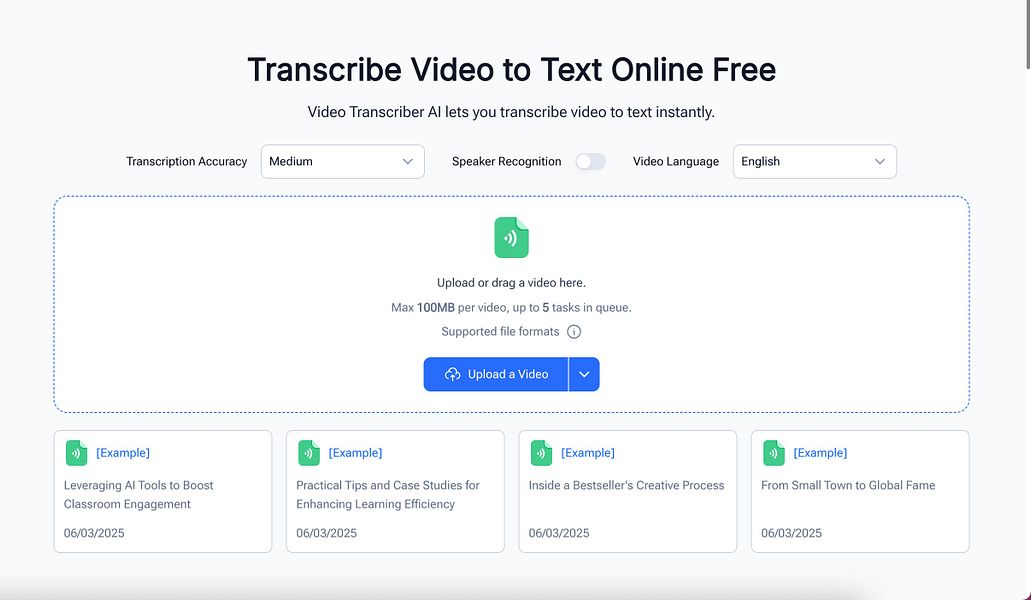
A free AI tool that transcribes video and audio files without requiring an account, for anyone who needs a quick transcript, instead of paid transcription services with usage limits.

FreeNo sign-up
What to know
How it works
Uploads a video or audio file and returns a transcript, no account required.

Watched for 17 days · last checked 8d ago

Details →

Rekody

Live

Free on-device macOS dictation app that types text at the cursor via a hold-to-talk hotkey.

Domain registered 3 months ago

FreeNo sign-upWorks offlineOpen source
What to know
How it works
Hold Option + Space and speak, and text lands at your cursor in any app, with a personal dictionary that learns your words.
Pricing
Free.
Watch out
On-device by default, no account or subscription; the CLI is open source (MIT).

Watched for 3 days · last checked 3d ago

Details →

LINE-native Thai job board with 2-tap applications and instant AI voice interviews, guaranteeing employer replies within 48 hours.

FreeNo sign-up
What to know
How it works
Candidates apply inside LINE with 2 taps and no forms, then get an instant Thai AI voice interview instead of scheduling one; employers get scored applicants and interview transcripts with a guaranteed 48-hour reply.
What's different
17,000+ live jobs across 17 industries.
Pricing
Free for candidates; campaign pricing, not commission, for employers.

Watched for 3 days · last checked 2d ago

Details →

The Loom alternative where viewers are always free

FreeNo sign-up

First seen today · last checked today

Details →

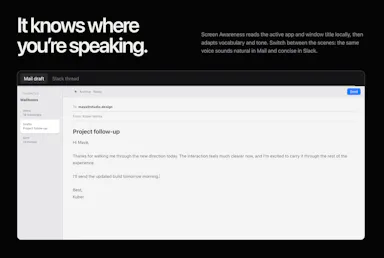
Offline on-device speech to text for Mac and Windows

No sign-upWorks offlineData stays with you

First seen today · last checked today
Details →

Free TikTok transcript generator and caption extractor, no signup required.

FreeNo sign-up
What to know
How it works
Converts TikTok videos to text, extracting transcripts and captions from a public TikTok URL.
Pricing
Free, no signup.
Best for
People analyzing TikTok video scripts.

Watched for 3 days · last checked 2d ago

Details →

Free private online file converter for documents, images, video, audio and PDFs, no signup required.

FreeNo sign-up
What to know
How it works
Converts documents, images, video, audio, and PDFs online.
What's different
Private by design.
Pricing
Free, no signup required.

Watched for 3 days · last checked 1d ago

Details →

Browser-based MP3-to-MIDI converter with a piano roll editor for fixing AI transcription mistakes, processed locally.

FreeNo sign-up
What to know
How it works
Converts MP3 to MIDI with AI transcription, then lets you fix wrong notes, adjust timing, and tweak velocity in a browser piano-roll editor before downloading a clean MIDI.
What's different
All processing stays local — nothing is uploaded.
Pricing
Free, no signup.

Watched for 3 days · last checked 1d ago

Details →

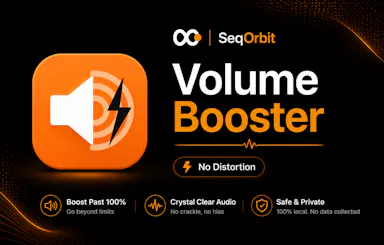
Browser tool that boosts audio volume up to 600% beyond the browser cap with an anti-distortion limiter, private and account-free.

No sign-upNo tracking
What to know
How it works
Boosts browser audio volume up to 600% past the browser's normal cap, with a built-in anti-distortion limiter.
Pricing
Free, no account, no tracking.

Watched for 3 days · last checked 2d ago

Details →

WebVox

Live

Reads web articles, blogs and pages aloud in a clean, ad-free listening mode using Android's built-in text-to-speech. A general read-it-later/listen tool for anyone, not developer-specific despite the tag.

No sign-upOpen source
What to know
How it works
Converts web articles, blogs and pages into a clean reader-mode layout and reads them aloud using Android's built-in text-to-speech engine, stripping ads, popups and banners; users paste a URL or share directly from the browser to start.
Best for
Anyone on Android who wants to listen to web articles instead of reading them, not developers specifically despite the extraction-tool angle.

Watched for 18 days · last checked 2d ago

Details →

parry

Live

An AI assistant that turns a message you paste, screenshot or speak into four ready-to-send replies in a tone you pick.

No sign-up
What to know
How it works
You paste, screenshot, or speak a message, pick a tone, and it generates four ready-to-send reply options you can copy and send or regenerate.
What's different
Automatically figures out whether you're replying to someone or asking for writing help, so there's no mode to switch, and lets you create custom tones.
Pricing
No account or credit card required.
Best for
People who want quick reply options for texts, DMs, dating apps, work emails, Slack, or negotiations.

Watched for 18 days · last checked 2d ago

Details →

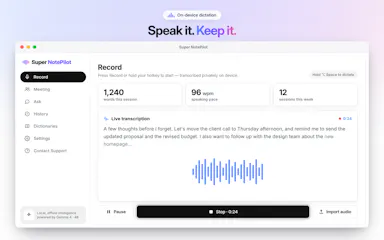
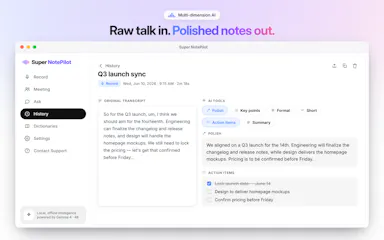
On-device AI dictation and meeting notetaker for Mac and iOS that works offline without an account.

Domain registered 1 month ago

FreeNo sign-upWorks offlineNo subscription
What to know
How it works
Runs 100% on-device using Gemma and Whisper for push-to-talk dictation into any app, live meeting transcripts, AI rewriting, and asking questions across notes.
What's different
No cloud, no account, no subscription.
Pricing
Free for macOS and iOS.
Watch out
Windows and Android support are coming soon, not yet available.

Watched for 10 days · last checked 7d ago

Details →

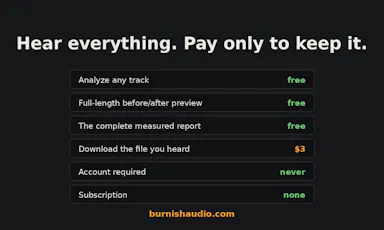
Measures and repairs mix issues in AI-generated music tracks, then masters them to streaming loudness with a full change log.

FreeNo sign-upNo subscription
What to know
How it works
Measures an AI-generated music track for issues like a hard high-end cutoff, hazy highs, low-mid mud, and a narrow stereo image, repairs only what it finds, then masters to streaming loudness; every master ships with a full recipe of the loudness, true peak, EQ, and compression changes in dB.
What's different
Same file in, same master out — no randomness.
Pricing
Free to analyze and hear in full, no account; one credit unlocks the download, no subscription.

Watched for 10 days · last checked 7d ago

Details →

Voizy

Live

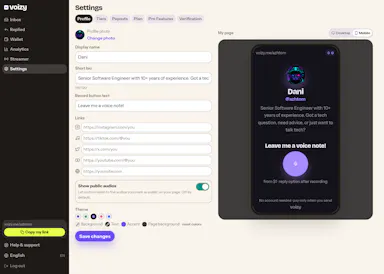
Turns a personal link into a paid voice-message inbox for streamers, with an OBS overlay to play messages live.

No sign-up
What to know
How it works
Turns a personal link into a paid voice-message inbox where anyone can record and send a voice note.
What's different
Includes an OBS overlay to play messages live on stream, with AI transcription and moderation.
Pricing
Senders pay from $1; no account needed to send.
Best for
Streamers and creators.

Watched for 17 days · last checked 1d ago

Details →