Tools that don't mention AIWorks with Cursor

6 match your filters — 6 of them answered our check today.

Watching this group for 20 days · how we check

This week1 new arrival

Narrow it down

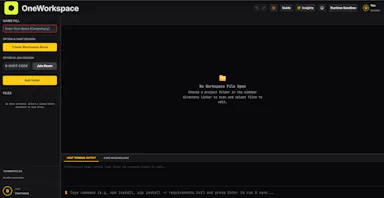
A background sync service that keeps a project's files live-synced across a team's editors in real time without git commits.

Domain registered 9 days ago

What to know
How it works
Background service syncs files automatically as you code, works with VS Code, Cursor, Windsurf
What's different
Shared terminals and live dev server sharing, avoiding merge conflicts entirely
Best for
Teams pair-coding on the same project without constant git pushes

Watched for 6 days · last checked 5d ago
Details →

Diploi

Live

A cloud platform that spins up ready-to-code dev, staging and production environments in minutes, aimed at engineering teams onboarding new developers fast.

What to know
How it works
Spins up ready-to-code cloud development environments in minutes, giving each developer an instant environment and each project a consistent path from development through staging to production.
What's different
Lets teams skip local installs entirely and onboard new developers with a single click, while integrating with tools like Cursor, GitHub, and VS Code.
Best for
Engineering teams that want to onboard developers quickly and standardize environments from dev to production.

Watched for 18 days · last checked today

Details →

Shows small sponsored text ads in your IDE sidebar (VS Code, Cursor, Windsurf) and pays you for it — passive income for developers, not an ad-buying tool.

What to know
How it works
Displays small sponsored text cards in the Explorer sidebar of VS Code, Cursor, and Windsurf, and pays developers for showing them.
What's different
Plain text ads matching the editor's look, not banners or popups.
Best for
Developers who spend hours in their IDE and want to earn passive income from sidebar space.

Watched for 18 days · last checked today

Details →

Pluks

Live

A clipboard manager for macOS and Windows that copies text the instant you select it, no Ctrl+C needed, plus a searchable history of your last 200 clips.

FreeNo sign-upWorks offline
What to know
How it works
A clipboard manager for macOS and Windows (beta) that copies text the instant you select it — no Ctrl+C/Cmd+C needed — then long-press to paste, or press Cmd/Ctrl+Shift+V to open a searchable history of your last 200 clips.
What's different
Brings the select-to-copy behavior Linux users know from PRIMARY selection to Mac and Windows; traditional clipboard managers only store history after you explicitly press copy.
Pricing
Free.
Best for
macOS and Windows users who want copy-paste without the extra keystroke.
Watch out
The Windows version is in beta.

Watched for 18 days · last checked 2d ago

Details →

A real SSH client with full PTY support that works the same way in the browser, on desktop and on mobile, so engineers stop juggling PuTTY on one device and a separate mobile app.

What to know
How it works
A real SSH client with full PTY support, resize and keepalive handling, that works the same way in the browser, on desktop (Electron), and on Android/iOS, connecting via WebSocket relay or direct connection.
What's different
Host credentials and identity keys are encrypted at rest with XChaCha20-Poly1305 (libsodium) rather than stored in plaintext, and it replaces juggling separate tools (PuTTY plus a mobile app) with one client.
Best for
Engineers who connect to remote servers from more than one device and want the same SSH experience everywhere.

Watched for 18 days · last checked 2d ago

Details →

Lets you control and view your Mac's terminal, including shells inside VS Code, Zed or Cursor, from your iPhone or iPad remotely — no SSH, open ports or account needed.

No sign-up
What to know
How it works
Lets you control and observe any terminal on your Mac from an iPhone or iPad, attaching directly to existing shells including those running inside VS Code, Zed and Cursor, over an end-to-end encrypted connection.
What's different
Zero-config networking with no SSH, open ports, port forwarding, or account creation required.
Best for
Developers who want to check on or drive a Mac terminal session remotely from a phone or tablet.

Watched for 18 days · last checked 10d ago

Details →