Tools that don't mention AIWorks with Firefox

11 match your filters — 8 of them answered our check today.

Watching this group for 20 days · how we check

This week6 new arrivals

Narrow it down

A free browser extension that lets you highlight, annotate, and sticky-note any webpage without creating an account, for research or design feedback.

Domain registered 15 months ago

FreeNo sign-up
What to know
How it works
Highlight text, add sticky notes, draw, and add arrows to annotate and share any webpage.
Pricing
Free Chrome and Firefox extension, no account needed.
Best for
Deep research or design feedback.

Watched for 8 days · last checked 2d ago

Details →

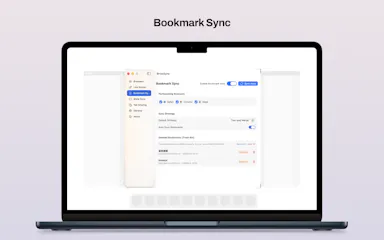
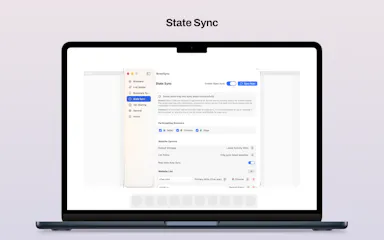
A native macOS app that syncs bookmarks, tabs, cookies, and browser state across Safari, Firefox, and Chromium-based browsers, and routes links to the right browser by rule, keeping all data local through a local daemon.

Works offline
What to know
How it works
Connects Safari, Chromium-based browsers, and Firefox to sync bookmarks, tabs, cookies, and state, and routes links by rule; everything runs locally through a local daemon so data never leaves the Mac.
Best for
People who regularly use more than one browser on macOS.

Watched for 7 days · last checked 1d ago

Details →

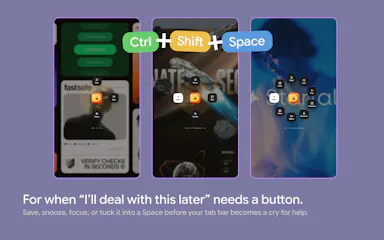
A bookmarks and tabs manager built for productivity

FreeWorks offline
What to know
How it works
Açık sekmeleri Spaces'e dönüştürür, linkleri erteler, tek kısayolla odaklanır; kaydedilen link/görev/notların göründüğü özelleştirilebilir yeni sekme sayfası sunar.

First seen today

Details →

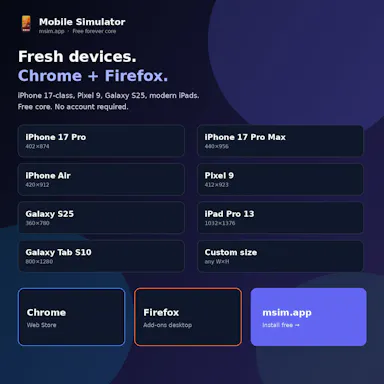
Frames your web page inside a real iPhone, Pixel, Galaxy or iPad simulation in your browser — true viewport, pixel density and touch signals, running 100% locally so localhost and logged-in pages just work.

Free
What to know
How it works
Runs entirely in-browser against 93 verified device profiles; includes screenshots, recording, side-by-side compare and environment spoofing.
Pricing
Free on Chrome, Edge and Firefox.
Best for
Developers and QA testing responsive design without physical devices.

First seen today

Details →

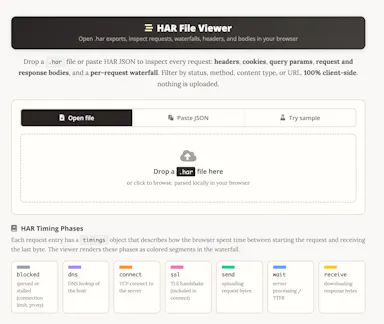
A free HAR file viewer that runs entirely client-side (nothing uploaded) and lets you inspect requests, headers and timing waterfalls — a real developer debugging tool.

FreeData stays with you
What to know
How it works
Opens HAR exports from Chrome, Firefox, Safari, or Edge and lets you inspect requests, headers, cookies, request/response bodies, query params, and a timing waterfall, with filtering by status, method, type, or URL and redaction of sensitive headers.
What's different
Runs 100% client-side, so no captured network data leaves your browser.
Pricing
Free.
Best for
Developers debugging network requests and performance.

Watched for 14 days · last checked today

Details →

Automates re-pasting browser-extension store listing text into Chrome, Edge, and Firefox developer dashboards across 15-20 languages, instead of doing it by hand on every update.

What to know
How it works
Takes one local multilingual JSON and drives your own browser to fill store dashboards language by language, saving drafts only.
Watch out
Only saves drafts and uploads nothing — you still review and publish yourself.

Watched for 2 days · last checked 1d ago

Details →

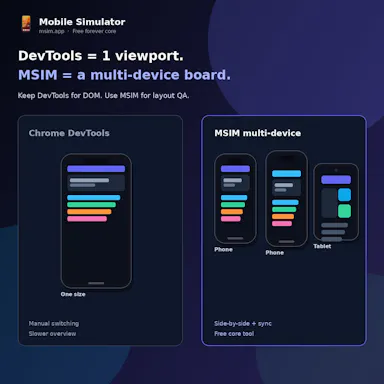
Free side-by-side multi-device website preview tool for Chrome and Firefox with synced scrolling.

FreeNo sign-up
What to know
How it works
Opens phones and tablets side by side in Chrome and Firefox with synced scroll and rotation to catch responsive bugs.
Pricing
Free core, no account required.
Best for
Web developers testing responsive designs.

Watched for 3 days · last checked 1d ago

Details →

8Dfy

Live

A free browser extension that turns YouTube audio into immersive 8D spatial sound.

Domain registered 3 months ago

FreeCan export my data
What to know
How it works
Transforms YouTube audio into immersive 8D spatial sound with multi-band surround, HRTF 3D positioning, and binaural beats, with shareable clips and lossless export.
Pricing
Free.
Watch out
Chrome and Firefox extension; no downloads or DAWs needed.

Watched for 8 days · last checked 6d ago

Details →

A password manager built on the open, KeePass-compatible KDBX format, storing logins, passkeys, cards and TOTP codes in one encrypted vault with Face ID autofill.

Domain registered 3 months ago

Data stays with youNo adsNo tracking
What to know
How it works
Stores logins, passkeys, credit cards, secure notes and TOTP codes in an encrypted vault, built on the open KDBX format compatible with KeePass and KeePassXC, with one-tap AutoFill and Face ID across iPhone, iPad, Mac, Windows and Linux.
What's different
Uses the open KDBX format instead of a proprietary vault, so you're not locked into one vendor, with zero-knowledge on-device encryption before sync.
Best for
People wanting a KeePass-compatible password vault across Apple, Windows and Linux devices without vendor lock-in.

Watched for 13 days · last checked 2d ago

Details →

A Chrome/Firefox extension that converts prices you see while browsing into hours of work needed to earn them, based on your wage — a Brazilian-market tool for cost awareness.

What to know
How it works
A Chrome/Firefox browser extension that converts prices you see while browsing into the number of work-hours needed to earn them, based on your wage.
Best for
Shoppers who want a quick gut-check on whether a purchase is worth the hours it costs.

Watched for 16 days · last checked 2d ago

Details →