Tools without a subscriptionRuns on Mac

52 match your filters — 47 of them answered our check today.

Watching this group for 18 days · how we check

This week21 new arrivals1 stopped answering

Narrow it down

A voice-following teleprompter for live calls/webinars that adapts scroll speed to your actual speech instead of a fixed rate or foot pedal.

Works offlinePay onceNo subscription
What to know
How it works
Listens to your voice and scrolls to match, works live inside Zoom/Meet/Teams/OBS and stays hidden during screen-share.
What's different
On-device processing, one-time price instead of subscription.
Pricing
One-time price, no subscription.

Watched for 2 days · last checked 2d ago

Details →

An audio tag editor for macOS and iOS that automatically fixes missing artist/album metadata using acoustic fingerprint matching.

4.2112 ratings on the App Store

FreePay onceNo subscription
What to know
How it works
Listens to audio files and matches metadata and album art via acoustic fingerprinting
Pricing
Lifetime access free for launch period, then presumably paid

Watched for 5 days · last checked today

Details →

Oats

Live

A free, fully on-device meeting note-taker that transcribes and blends your typed notes without ever sending audio to the cloud or requiring an account, unlike most paid cloud notetakers.

FreeNo sign-upWorks offlineNo subscription
What to know
How it works
On-device transcription blended with your typed notes into a write-up; optional bring-your-own model key or fully offline.
What's different
Most competitors still upload audio to their cloud and cost $18+/mo; this doesn't and is free.
Pricing
Free.

Watched for 2 days · last checked 2d ago

Details →

Tidy

Live

Mac menu-bar app that auto-archives and renames screenshots, ejects/trashes installers, and sorts Downloads, all on-device.

Domain registered 16 days ago

Works offlinePay onceNo subscription
What to know
How it works
on-device OCR and Apple Intelligence rename and sort new files
What's different
only touches new files, never deletes
Pricing
$9 one-time, no subscription

Watched for 6 days · last checked today

Details →

Gives every Mac notification its own sound by app, channel, person, or keyword, so you know who's pinging before you look.

Domain registered 22 months ago

Works offlinePay onceNo subscription
What to know
How it works
rules by app/channel/person/keyword, 70+ sounds or your own
Pricing
$19.99 one-time, lifetime, free trial

Watched for 6 days · last checked today

Details →

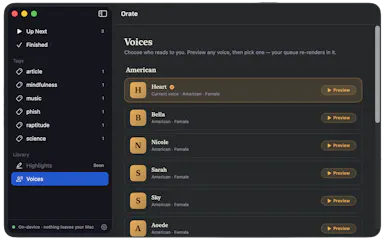
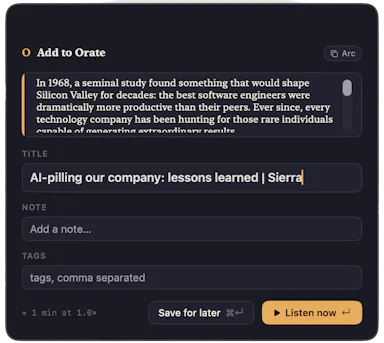
Select text anywhere on your Mac and it reads it aloud in a natural voice, queued like a podcast, with on-device text-to-speech.

No sign-upWorks offlinePay onceNo subscription
What to know
How it works
hotkey reads selected text aloud, queued for later listening
What's different
TTS runs fully on-device, offline, no account
Pricing
$4.99 one-time, 14-day trial

Watched for 6 days · last checked today

Details →

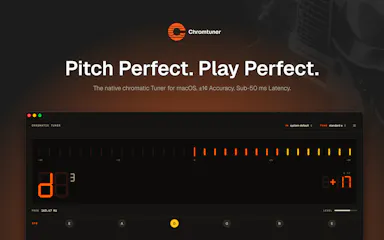
A native chromatic tuner for Mac and iPhone with historical temperaments and offline precision tuning, built for serious musicians as a one-time purchase.

Domain registered 2 months ago

Works offlinePay onceNo subscription
What to know
How it works
A native chromatic tuner for macOS and iPhone with YIN-based pitch detection accurate to ±0.14 cents, 8 historical temperaments, LED and strobe display modes, and instrument presets for guitar, bass, violin, ukulele, and more.
What's different
Supports 8 historical temperaments alongside standard tuning and works fully offline.
Pricing
One-time purchase, lifetime updates.
Best for
Musicians who want precision tuning, including historical temperaments, without a subscription.

Watched for 11 days · last checked 5d ago

Details →

Laura

Live

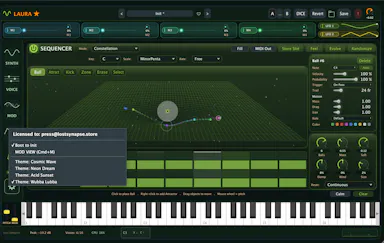
A one-time-purchase software synthesizer plugin for musicians who want deep sound design without a subscription.

Domain registered 2 months ago

No subscriptionNo tracking
What to know
How it works
A polysynth VST3/AU/Standalone plugin for macOS and Windows combining wavetable (with a full editor), FM, classic analog, and fractal synthesis, with a four-mode sequencer, a mod matrix with MSEG, a 15-module FX rack, and 283 factory presets.
What's different
Fractal oscillators and a built-in wavetable editor alongside multiple synthesis engines in one plugin.
Pricing
One-time $69 through August 11 (normally $149), lifetime license, no subscription.
Best for
Musicians and sound designers who want deep synthesis options without a subscription.

Watched for 9 days · last checked 3d ago

Details →

Mac dictation app that turns speech into text system-wide via a hotkey, runs locally for privacy, and is sold as a one-time purchase instead of a subscription.

No subscription
What to know
How it works
System-wide dictation on macOS activated by a customizable push-to-talk key, converting speech to text in any app.
What's different
Runs entirely locally on the Mac for privacy.
Pricing
Lifetime license, one-time purchase.
Watch out
macOS only.

Watched for 8 days · last checked 2d ago

Details →

A local-first bookmark and file library for Mac that saves links, images and PDFs with on-device AI sorting, for a one-time payment. For individuals who want a private personal archive, not team use.

Works offlinePay onceNo subscription
What to know
How it works
A local-first personal library on Mac that saves links, images and PDFs, with on-device AI sorting them automatically.
Pricing
One-time payment.
Best for
Individuals wanting a private personal archive, not a team tool.

Watched for 17 days · last checked 9d ago

Details →

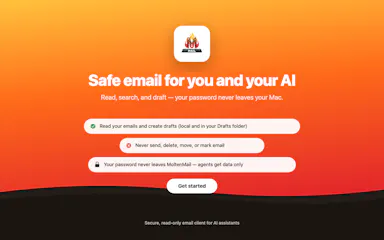
A native Mac email app where your local AI agent can read and draft emails but never send or delete anything, kept private and on-device. One-time $9.99, not a subscription.

Works offlinePay onceNo subscription
What to know
How it works
A native macOS email app where a local AI agent (like Claude, Cursor, or Codex) can read your inbox and draft emails, but is structurally prevented from ever sending or deleting anything.
What's different
Read-and-draft-only by design, and fully local with no cloud processing.
Pricing
Free to try, then a one-time $9.99 for unlimited server drafts — no subscription.
Best for
People who want AI help with email but don't want to hand an agent the ability to send or delete messages.

Watched for 11 days · last checked 5d ago

Details →

EQK

Live

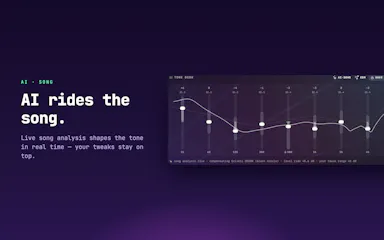
A Mac app with a per-song adaptive AI equalizer, per-app EQ profiles, headphone correction from 3,985+ AutoEq profiles, and a built-in FLAC player — runs 100% locally with no subscription or tracking.

Domain registered 3 months ago

FreeWorks offlineNo subscriptionNo tracking
What to know
How it works
An equalizer that re-tunes itself per song in real time using AI, with per-app EQ profiles, headphone correction from 3,985+ AutoEq profiles, a per-app limiter, full signal-chain metering, and a built-in FLAC player with synced lyrics — all via native macOS audio capture.
What's different
Adjusts dynamically per song rather than using one static EQ curve, and needs no virtual audio drivers.
Pricing
Free, no subscription.
Best for
Mac users who want tailored, per-app audio tuning and headphone correction.

Watched for 12 days · last checked 6d ago

Details →

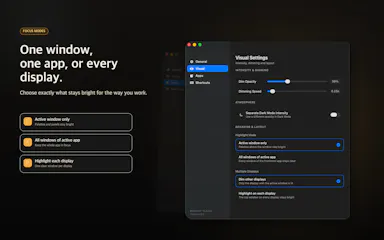
A macOS app that dims every window except the one you're actively working in, for people who lose focus to visual clutter.

Pay onceNo subscription
What to know
How it works
Dims inactive windows, highlights the active one
Pricing
One-time purchase, no subscription
Best for
Developers, writers, designers on macOS

Watched for 5 days · last checked 4d ago

Details →

Flyout

Live

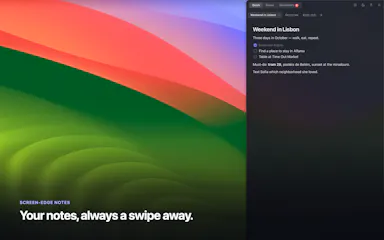
A native Mac rich-text notes app that slides out from the screen edge on a shortcut, keeps everything as local Markdown that never leaves your machine, and sells as a one-time lifetime license.

No subscription
What to know
How it works
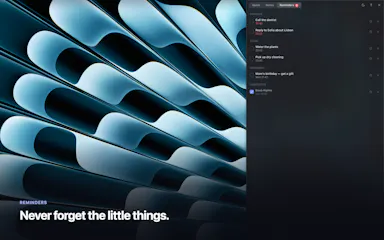
A native macOS rich-text editor that flies out from the screen edge on a shortcut (⌥⌘N) or edge nudge, supporting checklists, reminders, folders, images and code blocks, with iCloud sync; notes are stored as plain Markdown.
What's different
Native macOS app, not Electron, and notes never touch the maker's servers — sync happens via iCloud.
Pricing
Lifetime license with a 7-day free trial; no subscription.
Best for
Mac users who want a quick-access notes app that stays local and exports as plain Markdown.

Watched for 13 days · last checked 7d ago

Details →

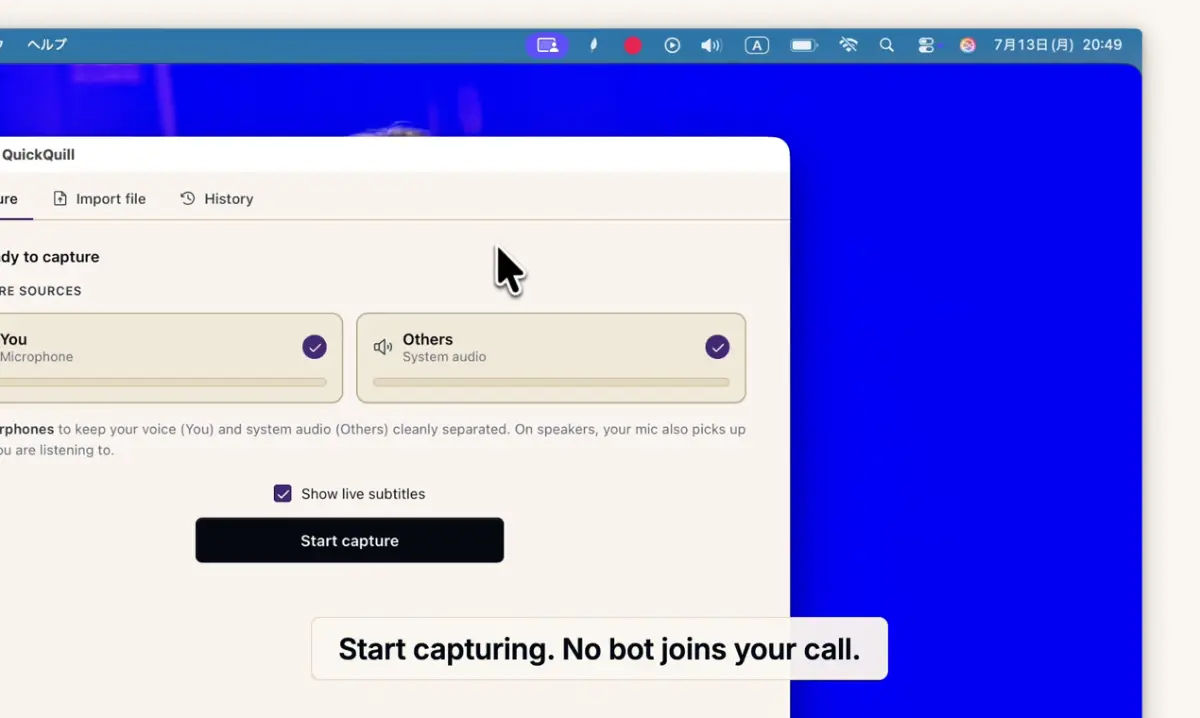
Records meetings on Mac and generates transcripts, summaries and live translated subtitles, entirely on-device. Dictation is free forever; the full meeting workflow costs a one-time $49.

Domain registered 1 month ago

FreeNo sign-upWorks offlinePay once
What to know
How it works
Records meetings and produces transcripts and summaries entirely on-device, with nothing sent to the cloud; it also shows live subtitles with translation while recording, and offers push-to-talk dictation usable in any app.
What's different
Continues working with Wi-Fi off and requires no bot joining the call, since everything runs on-device.
Pricing
Dictation is free forever; the full meeting workflow is a one-time $49 purchase. No account or subscription required.
Best for
Mac users who want private, on-device meeting notes without a cloud service.
Watch out
Requires macOS 26 on Apple Silicon, so it won't run on older Macs or other operating systems.

Watched for 12 days · last checked 6d ago

Details →

A native Mac cleanup app that bundles junk removal, uninstaller, optimizer, analyzer and monitor, showing every file before deleting it. One-time $9 purchase, not a subscription.

Domain registered 23 days ago

Pay onceNo subscriptionNo tracking
What to know
How it works
A native macOS maintenance app bundling five tools — clean, uninstall, optimize, analyze and monitor — and shows every file before deleting anything.
What's different
No telemetry, and files are shown before any action is taken on them.
Pricing
One-time $9 purchase, no subscription.
Best for
Mac users who want a transparent cleanup tool without committing to a subscription.

Watched for 12 days · last checked 6d ago

Details →

A macOS menu bar app showing multiple time zones, meeting times and a mini calendar at a glance, with click-to-set time conversion. One-time purchase, not a subscription.

Data stays with youPay onceNo subscription
What to know
How it works
A macOS menu bar app showing multiple time zones and a mini calendar day view at a glance, with click-to-set time conversion and airport-code zone search.
What's different
DST-proof UTC offset zones and auto-hiding zones when you travel — handles edge cases that usually break simple time-zone widgets.
Pricing
One-time purchase with a free 7-day trial — not a subscription.
Best for
People who regularly schedule meetings across time zones and want a persistent menu bar reference instead of a web converter.

Watched for 18 days · last checked 2d ago

Details →

A macOS menu bar color picker for developers that copies colors directly in Tailwind, SCSS or SwiftUI format.

Domain registered 1 month ago

FreeNo subscription
What to know
How it works
Pick a color from anywhere, copy in your target code format, paste
Pricing
4 formats free, 8 formats for $19 lifetime (Pro)
Best for
Developers who copy colors from design into Tailwind/SCSS/SwiftUI code

Watched for 5 days · last checked 4d ago

Details →

A one-time-payment macOS tool for quickly setting up an audio patch for streaming, podcasting or live music, without a subscription; the marketing copy is rough around the edges.

Pay onceNo subscription
What to know
How it works
A macOS audio patch tool that sets up a sound chain with effects for streaming, podcasting, or playing music live in seconds; a how-to video is emailed after purchase.
Pricing
One-time payment, currently 50% off, no subscription.
Watch out
Requires macOS 14 Sonoma or later; setup instructions are delivered by email, so check spam if it doesn't arrive.

Watched for 16 days · last checked 10d ago

Details →

Feeds any audio file through 37 sound-shaping modules to generate hours of unique ambient atmosphere, running fully offline on Mac or Windows with no subscription.

FreeNo sign-upWorks offlinePay once
What to know
How it works
Takes any audio file, stretches, layers and reshapes it into long, evolving ambient soundscapes using 37 sound-shaping modules and 18 presets. Includes a seed system to reproduce or vary a render.
What's different
Runs fully native and offline on macOS and Windows with no account, subscription or cloud upload, and every render is unique with no looping.
Pricing
No subscription, tagged as free / one-time payment.
Best for
Musicians and sound designers who want long, non-repeating ambient atmospheres exportable for music, games, film or meditation.

Watched for 18 days · last checked 11d ago

Details →

A native Windows/Mac desktop PDF editor (edit, sign, annotate, organize) that keeps files fully offline on your device and is sold as a one-time purchase, not a subscription.

Domain registered 1 month ago

Works offlinePay onceNo subscription
What to know
How it works
A native desktop app for Windows 11 and macOS to edit, sign, annotate and organize PDFs, with all editing happening offline on the device.
What's different
Local-first: files never leave your device, and it's sold as a one-time purchase rather than a subscription.
Pricing
Free trial, then one-time payment (positioned as an Adobe Acrobat subscription alternative).
Best for
Windows/Mac users who want a privacy-respecting PDF editor without a recurring subscription.

Watched for 14 days · last checked 2d ago

Details →

Cloak

Live

Locks, hides and encrypts apps and folders on your Mac with Touch ID or a password, entirely offline, for a one-time purchase instead of a subscription.

Domain registered 1 month ago

No sign-upWorks offlinePay onceNo subscription
What to know
How it works
Locks, hides and encrypts apps and folders on macOS using Touch ID or a password.
What's different
Runs 100% locally with no account and no cloud, and is sold as a one-time purchase rather than a subscription.
Pricing
One-time purchase.
Best for
Mac users who want specific apps and folders locked away from other people using the same machine.

Watched for 13 days · last checked 7d ago

Details →

Tulip

Live

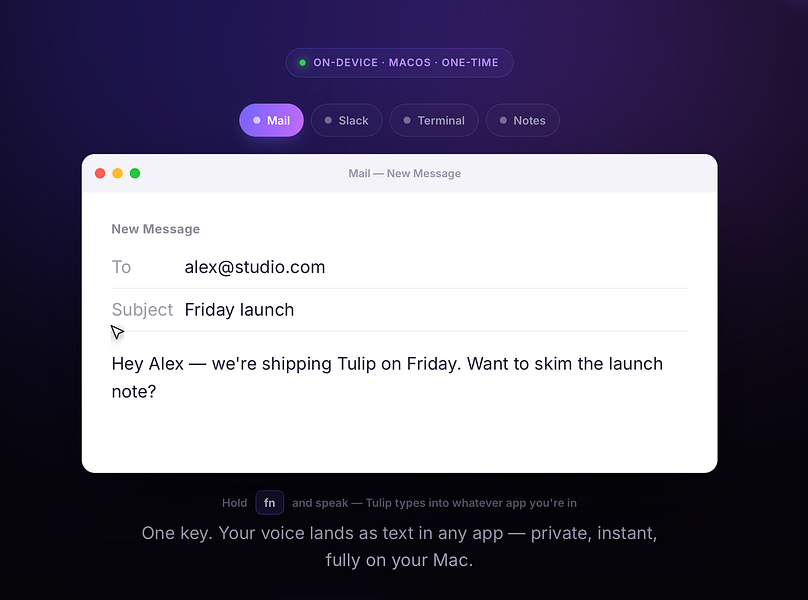
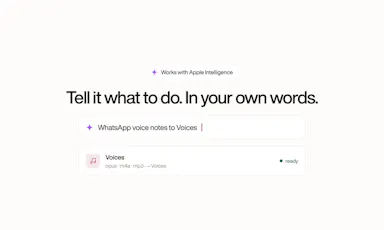
Hold a key and dictate into any Mac app; speech-to-text runs entirely on-device so nothing is sent to a server. One-time purchase, not a subscription.

Works offlinePay onceNo subscription
What to know
How it works
Hold the fn key on a Mac, speak, and release to drop clean, punctuated dictated text at your cursor in any app; speech-to-text runs entirely on-device on Apple Silicon and works offline.
What's different
Processes audio fully on-device and never sends it to a server, unlike cloud-based dictation tools.
Pricing
One-time purchase for a lifetime license usable on up to three Macs, with a 2-day free trial and a year of updates included.
Best for
Mac users who want fast, private dictation into any app without a subscription.

Watched for 13 days · last checked 2d ago
Details →

Scans your Mac for node_modules folders and package caches eating disk space, with one-click cleanup to Trash. Scanning is free; cleanup needs a one-time fee.

FreeOpen sourcePay onceNo subscription
What to know
How it works
Lives in the macOS menu bar and shows what dev projects cost in disk space: every node_modules folder, the pnpm store, and every installed package with versions and security advisories. One-click cleanup always moves files to Trash rather than deleting with rm -rf.
Pricing
Scanning is free forever; one-click cleanup is a one-time 19 euro lifetime license at the founding price.
Best for
Developers whose Mac disk is filling up with node_modules and package caches across projects.

Watched for 18 days · last checked 2d ago

Details →

Records what you say and turns it into an organized project log automatically on your own device. Aimed at solo builders and founders who have no one else tracking their progress.

FreeWorks offlinePay onceNo subscription
What to know
How it works
Records spoken audio and turns it into an organized project history and devlog automatically, processed on your own device.
What's different
Runs fully on-device rather than relying on manual note-taking or a cloud service.
Pricing
Free to use with full functionality, no subscription; a paid Pro tier unlocks Labs and unlimited weekly processing.
Best for
Solo builders and founders who track their own progress by talking rather than writing, with no one else keeping a project record for them.

Watched for 18 days · last checked 2d ago

Details →

Turns speech into punctuated text anywhere on a Mac with one key press, and reads text back, fully on-device.

Domain registered 24 days ago

No sign-upWorks offlinePay onceNo subscription
What to know
How it works
Press a key, speak, text appears at the cursor; also reads text aloud
What's different
No cloud, no account, no subscription
Pricing
$39.99 one-time

Watched for 6 days · last checked 4d ago

Details →

A French rental-property management app storing all tenant, lease, and receipt data locally on-device with no cloud or subscription.

Domain registered 1 month ago

Works offlinePay onceNo subscriptionNo tracking
What to know
How it works
Encrypted local storage on your device, works offline, no server or account
What's different
One-click ALUR-compliant receipts, signed leases with timestamped photos
Pricing
19.99 EUR one-time; free on Linux
Best for
French landlords wanting rental management without sending data to a cloud

Watched for 6 days · last checked 5d ago

Details →

A macOS menu-bar app that stops accidental Command-Q app quits by intercepting the keystroke with configurable rules per app.

Domain registered 1 month ago

FreeNo sign-upPay onceNo subscription
What to know
How it works
Sets per-app rules (confirm, hold, double-press, allow, never-quit) to intercept Command-Q
Pricing
free protects one app forever; $9.99 one-time for unlimited rules
Best for
Mac users who frequently quit apps by accident
Watch out
macOS only

Watched for 6 days · last checked 5d ago

Details →

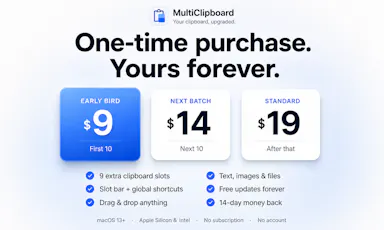
Adds nine clipboard slots to macOS so you can copy several things and paste any of them back later — a native, one-time-purchase utility.

Pay onceNo subscription
What to know
How it works
Adds nine clipboard slots to macOS, reachable with one shortcut, so you can copy several things and paste any of them back.
What's different
Native macOS utility that keeps everything local rather than routing clipboard data through a cloud service.
Pricing
One-time purchase, no subscription.
Best for
macOS users who regularly need to copy and paste more than one item at a time.

Watched for 18 days · last checked 2d ago

Details →

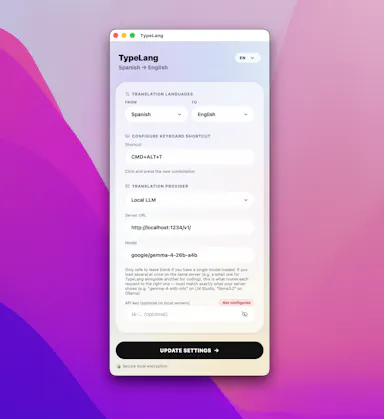
A free, open-source macOS menu-bar app that translates whatever you're typing into natural, professional language and pastes it back at your cursor.

FreeNo sign-upOpen sourceNo subscription
What to know
How it works
Type in your own language, press a shortcut, and the fluent translation is auto-pasted; use your own API key (Claude, GPT, Gemini) or run fully local via LM Studio.
Pricing
Free and open source, no subscription.
Best for
People writing in a non-native language across any macOS app.

Watched for 11 days · last checked 8d ago

Details →

A Mac app that brings back the old Launchpad-style app grid via hotkey or gesture; free to try, with a one-time payment unlocking the full Pro version.

Domain registered 4 months ago

Pay onceNo subscription
What to know
How it works
Brings back the classic Launchpad-style app grid on modern macOS, opened with a hotkey or trackpad gesture, with apps organized your way.
Pricing
Free to try; Pro is a one-time purchase with lifetime updates.
Best for
Mac users who miss the classic Launchpad app grid.

Watched for 13 days · last checked 2d ago

Details →

A macOS menu bar app that pins your current task in view so you don't lose focus. Local-first with no account, subscription or tracking.

Domain registered 14 months ago

No sign-upWorks offlineNo subscriptionNo tracking
What to know
How it works
A lightweight macOS menu bar app that keeps your current task pinned in view at all times, local-first and keyboard-friendly.
Pricing
No account, no subscription.
Best for
People who get easily distracted and want their current task always visible in the menu bar.

Watched for 13 days · last checked 11d ago

Details →

Gleam

Live

Wraps app screenshots in device frames and backgrounds, exporting every size needed for iPhone, iPad, Android and Mac stores in one click. A one-time-purchase desktop app (not mobile), runs fully offline.

Domain registered 19 days ago

Works offlinePay onceNo subscription
What to know
How it works
Takes a plain app screenshot and wraps it in device frames, backgrounds, and text layers, exporting every size required for iPhone, iPad, Android, and Mac app stores from one project in one click.
What's different
Runs completely offline on macOS, Windows, or Linux, keeping data private, unlike browser-based mockup tools.
Pricing
$19 one-time payment, no subscription.
Best for
App developers preparing store screenshots who want to skip manually recreating frames in Figma or Photoshop.

Watched for 13 days · last checked 11d ago

Details →

A Mac desktop app that mirrors your Android phone's Google Messages, letting you reply from macOS notifications and auto-copy 2FA codes -- not a mobile app itself.

No subscription
What to know
How it works
A macOS app that pairs with an Android phone and mirrors Google Messages, giving you real Mac notifications you can reply to, an unread dock badge, and recent chats in the menu bar.
What's different
Auto-copies 2FA codes to your clipboard the moment they arrive, and lets you set a custom chat wallpaper.
Pricing
$12.99 one-time purchase, no subscription, with a free 3-day trial.
Best for
Android phone + Mac users who don't have iMessage and are tired of texting from a browser tab.

Watched for 15 days · last checked 2d ago

Details →

Lastcard

Not responding

A macOS app that copies camera cards to multiple drives after a shoot and verifies every byte, then produces a DIT report producers accept. Built for working filmmakers on paid jobs, not general students.

Domain registered 19 days ago

Works offlinePay onceNo subscription
What to know
How it works
A macOS app for offloading camera cards after a shoot: copies cards to several drives at once and verifies every byte by reading back from disk rather than RAM, then produces a DIT report (ASC MHL 2.0, PDF or CSV) that producers accept.
What's different
One-time price in a niche where the market leader charges a subscription, with real byte-for-byte verification rather than a plain copy.
Pricing
One-time purchase, no subscription; works fully offline; requires macOS 12+; 14-day trial.
Best for
Filmmakers, videographers, photographers and DITs offloading camera cards on paid jobs.

Watched for 10 days · last checked today

Details →

Live desktop orbs for Claude, Codex & Antigravity

FreeWorks offlineNo subscription
What to know
How it works
Kalan kullanım hakkı ve sıfırlanma zamanını yerelde izler, yalnız sağlayıcıların kendi servisleriyle konuşur; kaynak denetime açık.
Pricing
İlk 100 kullanıcıya ücretsiz ömür boyu kişisel lisans fırsatı.

First seen today

Details →

The beautiful Mac break reminder that stays out of your way

Works offlinePay onceNo subscription
What to know
How it works
Özelleştirilebilir aralıklarla tam ekran mola hatırlatması ve boşta algılama sunar; abonelik yok, tek seferlik satın alma.

First seen today

Details →

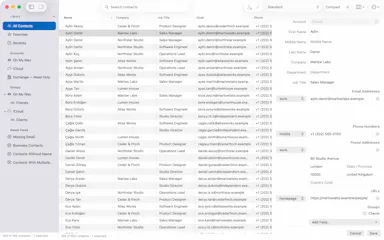
A fast, focused table for your Mac contacts

Pay onceNo subscription
What to know
How it works
Kişileri yoğun tabloda tarar, yerelde arar, filtre/düzenleri Kaydedilmiş Görünüm olarak saklar; yinelenen inceleme salt okunur.
Pricing
12,99$ tek seferlik satın alma.

First seen today

Details →

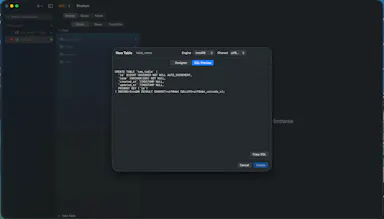
A native, non-Electron macOS GUI for browsing and editing MySQL, MariaDB, PostgreSQL, and SQLite databases.

Pay onceNo subscription
What to know
How it works
A native Swift macOS database GUI for MySQL, MariaDB, PostgreSQL, and SQLite, with a visual table browser, schema designer, query editor with autocomplete, iCloud sync, and one-click import from TablePlus.
Pricing
One-time purchase, no subscription; free during beta.

Watched for 10 days · last checked 2d ago
Details →

Reminds solo Mac users on-device to take real breaks instead of generic timers that ignore meetings and calls.

Works offlineNo subscription
What to know
What's different
waits through meetings/calls/screen recordings and never requests Accessibility permission
Pricing
7-day free trial, then $3.99 one-time

Watched for 1 day · last checked 1d ago

Details →

Zoro

Live

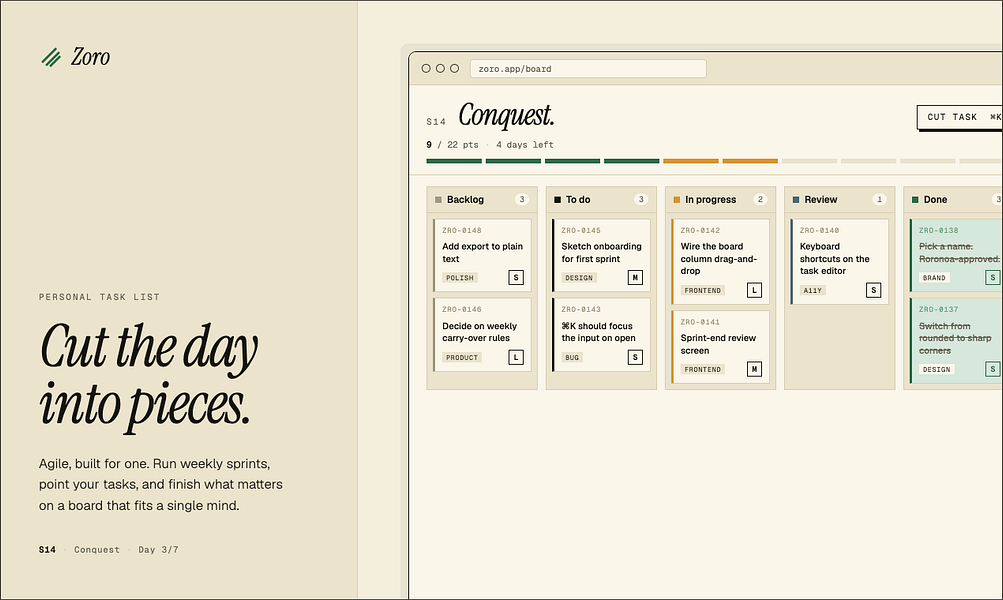
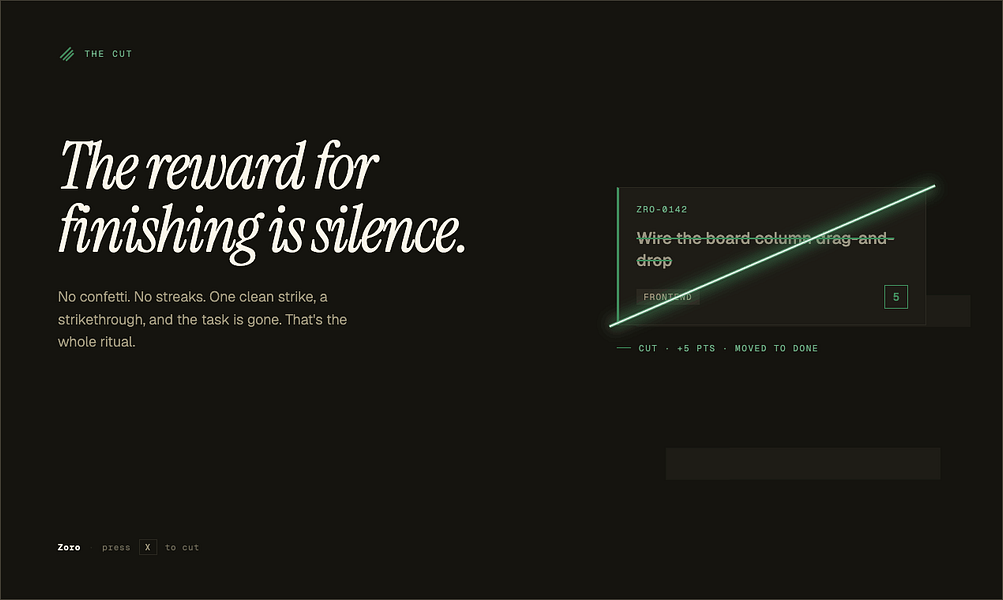
A one-time-purchase task app for solo workers that applies agile concepts like backlog, priority, and kanban to personal work, syncing via CloudKit with no account or server.

Domain registered 2 months ago

FreeNo sign-upData stays with youNo subscription
What to know
How it works
Syncs across iOS, macOS, and web through CloudKit only, with no signup and no backend server.
Pricing
One-time purchase of $59.99 for lifetime use.

Watched for 7 days · last checked 1d ago

Details →

Rekody

Live

Free on-device macOS dictation app that types text at the cursor via a hold-to-talk hotkey.

Domain registered 3 months ago

FreeNo sign-upWorks offlineOpen source
What to know
How it works
Hold Option + Space and speak, and text lands at your cursor in any app, with a personal dictionary that learns your words.
Pricing
Free.
Watch out
On-device by default, no account or subscription; the CLI is open source (MIT).

Watched for 3 days · last checked 3d ago

Details →

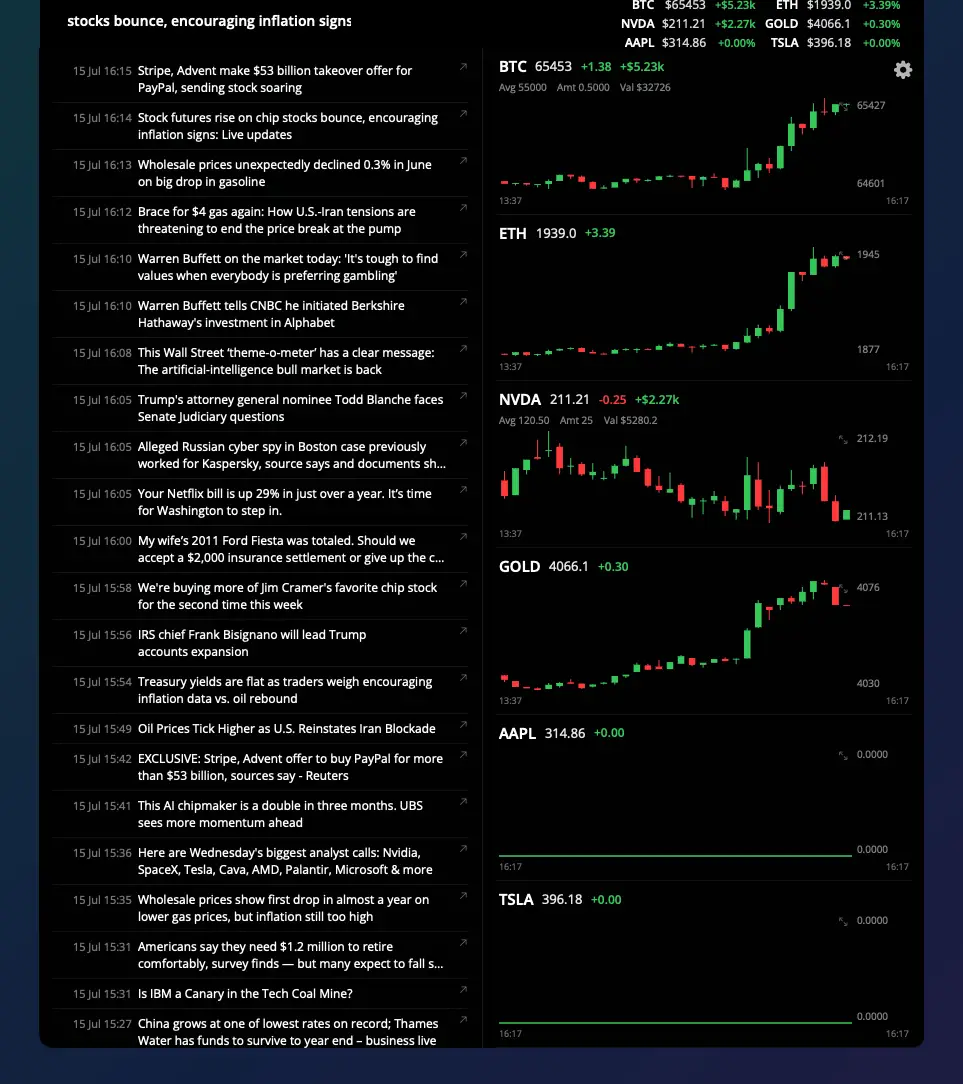
Shows live stock and crypto ticker prices in a MacBook's notch, for traders who want their watchlist visible without opening an app.

Domain registered 2 months ago

FreeNo sign-upNo subscription
What to know
How it works
Notch shows watchlist P&L on one side, scrolling news on the other
What's different
click a ticker for a candlestick chart with indicators
Pricing
7-day trial, then free forever with limits; Pro $5/mo or $40 lifetime

Watched for 6 days · last checked today

Details →

A native Mac app that does local AI semantic photo search, storing embeddings on-device so search works even with drives disconnected.

Pay onceNo subscription
What to know
How it works
A native macOS app that does local AI semantic photo search using CoreML, storing embedding vectors and previews on-device so search still works with external drives disconnected. Includes a 'Semantic Bridge' to find the conceptual link between two images and 'Constellation' auto-grouping.
What's different
No data ever leaves the computer.
Watch out
macOS only.

Watched for 3 days · last checked 3d ago

Details →

A spatial nature-sound mixer (rain, fire, ocean, wind, birds) for Mac and iPhone with iCloud sync, an ambient sound app for focus or relaxation.

FreeNo sign-upWorks offlinePay once
What to know
How it works
Lets you drag sound layers — rain, ocean, fire, wind, birds, thunder and more — onto a canvas and position them spatially around you; with supported AirPods, head tracking anchors the soundscape to the room.
What's different
Places sound layers in three-dimensional space rather than playing a single flat loop, and supports AirPods head tracking.
Pricing
One-time purchase, no subscription.
Best for
Mac and iPhone users who want an ambient soundscape for focus, rest or sleep.

Watched for 16 days · last checked 5d ago

Details →

Yerd

Live

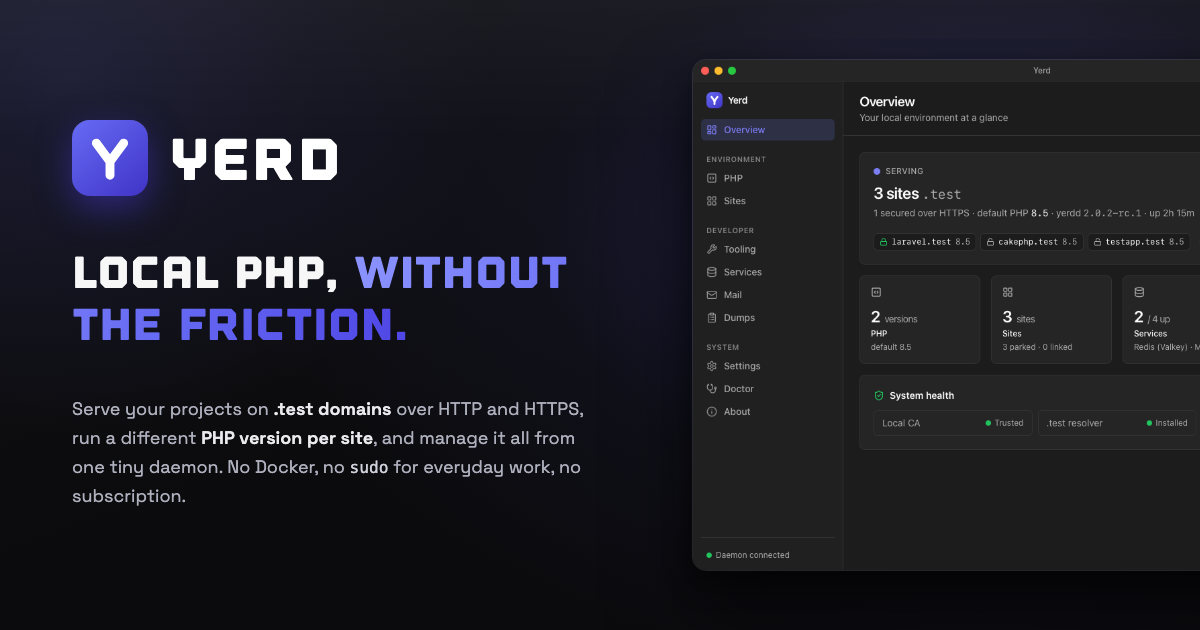
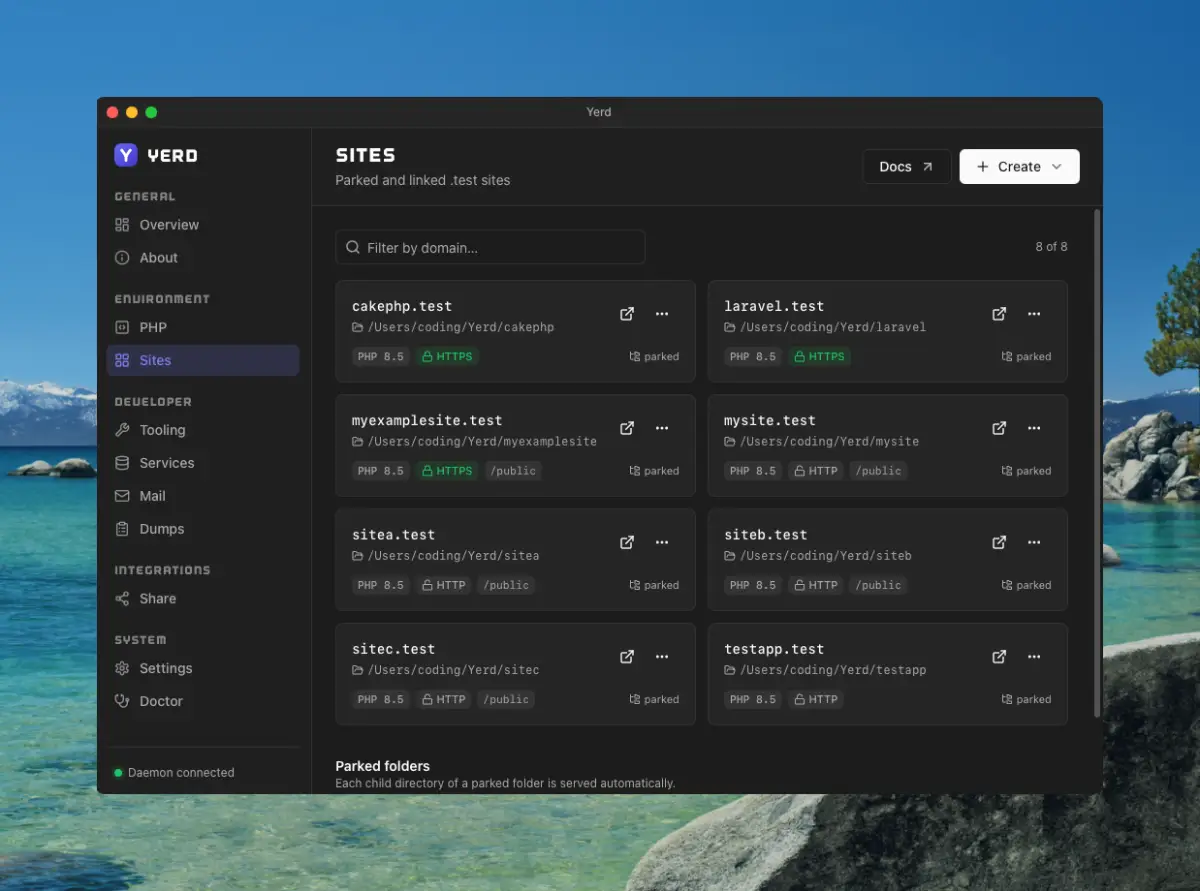
An open-source, Docker-free local PHP environment for macOS and Linux — automatic HTTPS, per-site PHP versions, zero-config sites. A direct alternative to Laravel Herd for developers.

Open sourceNo subscription
What to know
How it works
A local PHP development environment: park a folder and every project inside becomes instantly live at .test; issues per-site HTTPS certificates automatically; installs multiple PHP versions side by side, pinned per site; runs MySQL, MariaDB, PostgreSQL, Redis and an SMTP catcher as native processes supervised by one daemon; streams Laravel dump()/dd(), queries, jobs and requests to a dedicated window.
What's different
Open-source, rootless and Docker-free — a direct alternative to Laravel Herd, MIT licensed with every feature included.
Pricing
Open-source, no subscription.
Best for
macOS and Linux developers running local PHP/Laravel projects who want to avoid Docker.

Watched for 18 days · last checked 2d ago

Details →

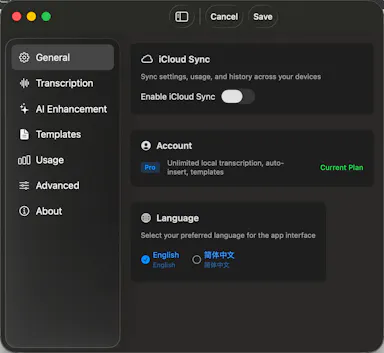
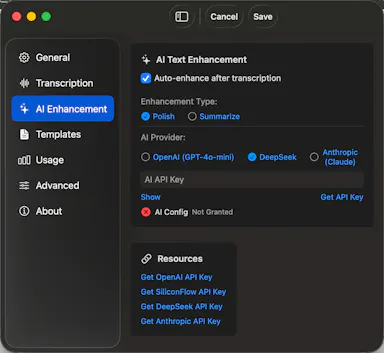
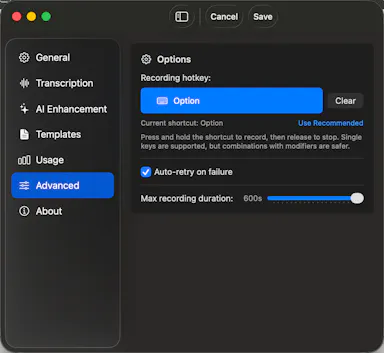
A Mac hold-to-talk voice typing tool that transcribes on-device for privacy.

Domain registered 4 months ago

FreeWorks offlineNo subscription
What to know
How it works
Hold Option, speak, release, and text appears at the cursor; SenseVoice transcription runs on-device for free, offline, private use, or bring your own OpenAI Whisper or SiliconFlow key for cloud accuracy.
What's different
Strong on mixed Chinese-English transcription.
Pricing
Free to start; one-time Pro purchase plus optional AI Plus.
Watch out
Requires macOS 14.6 or later.

Watched for 9 days · last checked 6d ago
Details →

A Mac menu-bar app that uploads dropped files straight to your own Cloudflare R2 bucket and copies a shareable link to your clipboard.

Domain registered 16 days ago

No subscription
What to know
How it works
Drag a file onto the Mac menu bar app and it uploads to your own Cloudflare R2 bucket, converts web-unfriendly formats, and copies a share page link to your clipboard.
What's different
No middleman or subscription; links keep working even if the app goes away.
Pricing
No subscription.
Watch out
macOS only.

Watched for 10 days · last checked 7d ago

Details →

macOS menu-bar app that throws a full-screen alert before calendar meetings, for people who lose track of time in deep focus work.

Pay onceNo subscriptionNo tracking
What to know
How it works
Full-screen takeover with event title and countdown before each meeting
Pricing
One-time payment, no subscription
Best for
People who miss meetings while heads-down in focused work

Watched for 5 days · last checked 5d ago
Details →

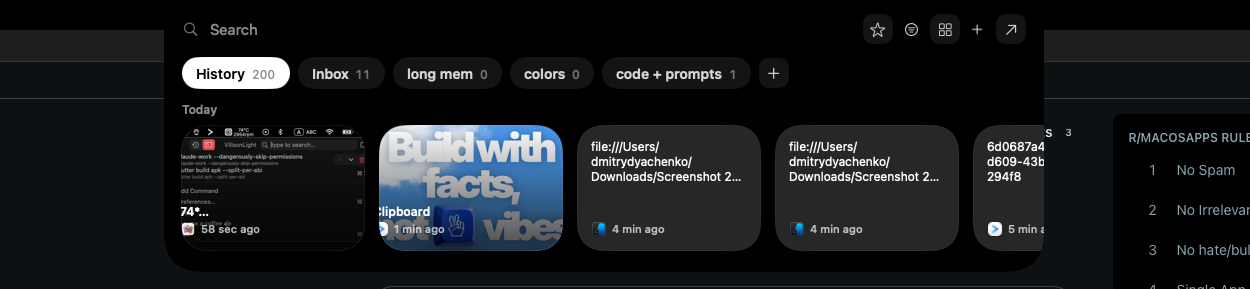
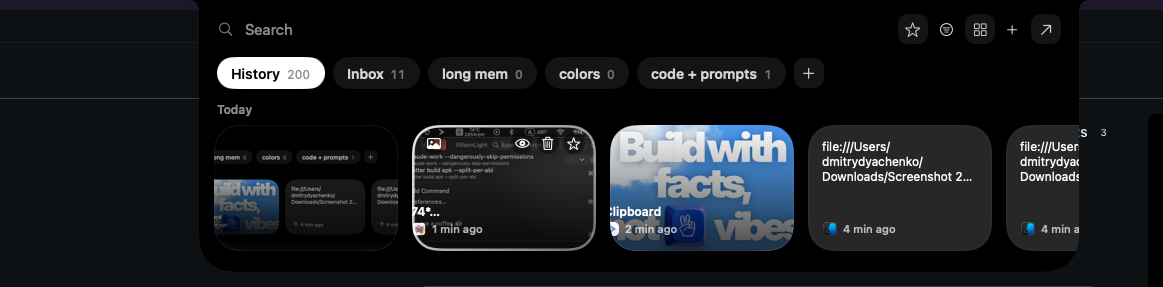
A local-first clipboard and screenshot manager for Mac that keeps a searchable visual history of everything you copy, tagged by source app and time.

Domain registered 9 months ago
Works offlinePay onceNo subscription
What to know
How it works
A local-first clipboard and screenshot manager for Mac that keeps a searchable visual history of everything copied, tagged by source app and time, accessible from a menu-bar dropdown. Colors show as live swatches, screenshots are searchable by the text inside them, and sensitive items like passwords are detected and skipped.
What's different
Fully offline with nothing synced to a server, versus clipboard tools that rely on cloud sync.
Pricing
One-time purchase with lifetime updates, no subscription.
Best for
Mac users who want quick access to clipboard and screenshot history without cloud storage.

Watched for 10 days · last checked 10d ago

Details →

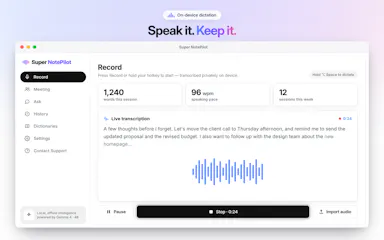
On-device AI dictation and meeting notetaker for Mac and iOS that works offline without an account.

Domain registered 1 month ago

FreeNo sign-upWorks offlineNo subscription
What to know
How it works
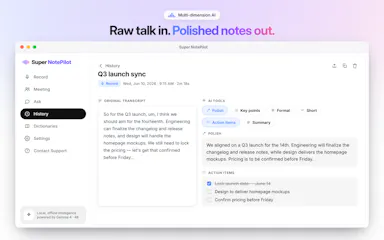
Runs 100% on-device using Gemma and Whisper for push-to-talk dictation into any app, live meeting transcripts, AI rewriting, and asking questions across notes.
What's different
No cloud, no account, no subscription.
Pricing
Free for macOS and iOS.
Watch out
Windows and Android support are coming soon, not yet available.

Watched for 10 days · last checked 7d ago
Details →