Tools without a subscriptionRuns on Windows

35 match your filters — 35 of them answered our check today.

Watching this group for 18 days · how we check

This week13 new arrivals

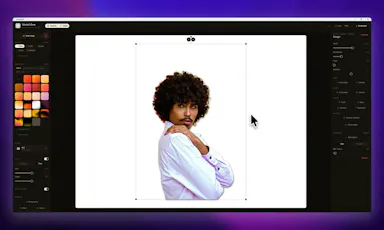
A Windows screenshot tool that adds designed backgrounds, annotation, and on-device background removal, built as a CleanShot X equivalent for Windows users.

Works offlineNo subscription
What to know
How it works
Captures a region, applies a styled backdrop and annotations, and removes backgrounds using on-device AI that never uploads images.
Pricing
$9 one-time, lifetime license, no subscription, 30-day money-back guarantee.
Watch out
Built and maintained by a single solo developer.

Watched for 7 days · last checked 1d ago

Details →

A desktop image upscaler that reconstructs existing detail instead of using generative AI, running fully offline for a one-time payment instead of a subscription.

Domain registered 4 months ago

FreeNo sign-upWorks offlinePay once
What to know
How it works
Runs offline after activation (under 150 MB with models included), CPU-optimized for Apple Silicon and also works on Windows, with batch processing and no per-image limits.
What's different
Positions itself against generative AI upscalers by avoiding hallucinated detail and producing the same result every run.
Pricing
10 free images, no signup, no watermark; early-bird one-time price $39/€39.
Best for
people who want consistent image upscaling without uploading photos to the cloud.

Watched for 12 days · last checked today

Details →

A voice-following teleprompter for live calls/webinars that adapts scroll speed to your actual speech instead of a fixed rate or foot pedal.

Works offlinePay onceNo subscription
What to know
How it works
Listens to your voice and scrolls to match, works live inside Zoom/Meet/Teams/OBS and stays hidden during screen-share.
What's different
On-device processing, one-time price instead of subscription.
Pricing
One-time price, no subscription.

Watched for 2 days · last checked 2d ago

Details →

Oats

Live

A free, fully on-device meeting note-taker that transcribes and blends your typed notes without ever sending audio to the cloud or requiring an account, unlike most paid cloud notetakers.

FreeNo sign-upWorks offlineNo subscription
What to know
How it works
On-device transcription blended with your typed notes into a write-up; optional bring-your-own model key or fully offline.
What's different
Most competitors still upload audio to their cloud and cost $18+/mo; this doesn't and is free.
Pricing
Free.

Watched for 2 days · last checked 2d ago

Details →

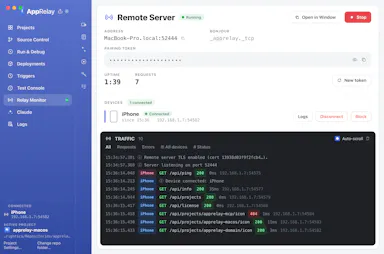
A personal AI assistant that runs fully on your own machine via local models, chatting through Telegram with Gmail/Calendar access.

Open sourceNo subscription
What to know
How it works
local models handle chat, memory and web search; cloud used only as a fallback
What's different
requires human approval for actions and runs in a Docker sandbox
Pricing
no subscription, open source (Apache 2.0)
Best for
Windows users wanting a private, local AI assistant

Watched for 5 days · last checked today

Details →

A free open-source Windows dashboard that shows your Codex usage quota, reset timers, and token counts at a glance.

FreeOpen sourceNo subscription
What to know
How it works
Displays weekly quota, reset time, reset-credit cards, and lifetime token usage for Codex
Pricing
Free and open-source

Watched for 4 days · last checked today

Details →

A one-time-purchase Windows desktop app for bulk-checking URLs and exporting SEO/QA audit reports.

Domain registered 1 month ago

Pay onceNo subscriptionCan export my data
What to know
How it works
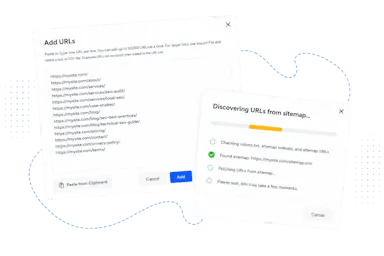
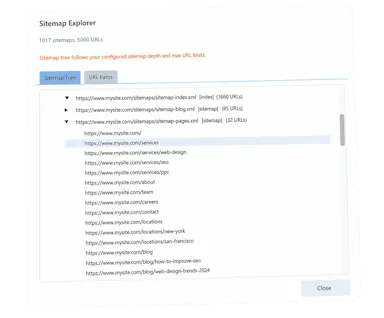
Bulk-checks HTTP status codes, redirects, page titles, meta descriptions, canonical URLs, robots.txt, TLS certificates, and XML sitemaps; imports from CSV, TXT, websites, or sitemaps and exports detailed reports.
Pricing
One-time purchase with lifetime updates.
Watch out
Native Windows application.

Watched for 8 days · last checked 2d ago

Details →

A one-click film-negative-to-positive converter for Mac and Windows that removes the orange mask and batch-converts scanned 35mm and medium-format rolls, instead of using Lightroom.

No subscription
What to know
How it works
Converts and inverts scanned negatives, corrects the orange mask, and batch-processes whole rolls of film.
Pricing
€19.99 one-time, no subscription.
Best for
Film photographers scanning their own negatives who don't want a Lightroom subscription.

Watched for 7 days · last checked 1d ago
Details →

Laura

Live

A one-time-purchase software synthesizer plugin for musicians who want deep sound design without a subscription.

Domain registered 2 months ago

No subscriptionNo tracking
What to know
How it works
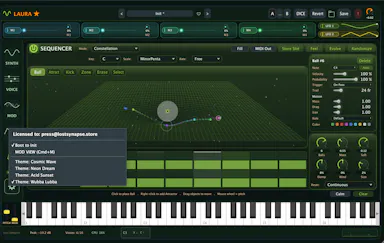
A polysynth VST3/AU/Standalone plugin for macOS and Windows combining wavetable (with a full editor), FM, classic analog, and fractal synthesis, with a four-mode sequencer, a mod matrix with MSEG, a 15-module FX rack, and 283 factory presets.
What's different
Fractal oscillators and a built-in wavetable editor alongside multiple synthesis engines in one plugin.
Pricing
One-time $69 through August 11 (normally $149), lifetime license, no subscription.
Best for
Musicians and sound designers who want deep synthesis options without a subscription.

Watched for 9 days · last checked 3d ago

Details →

A local Windows security suite with antivirus, AI ransomware detection, a DNS shield, VPN, identity monitoring, and a telemetry blocker that stops manufacturers from phoning home.

No sign-upWorks offlineData stays with youNo subscription
What to know
How it works
100% local, one-time payment, no cloud, no subscription, no account required; data never leaves the machine.
Watch out
blocks telemetry from Microsoft, AMD, HP, NVIDIA, and Intel.

Watched for 7 days · last checked 6d ago

Details →

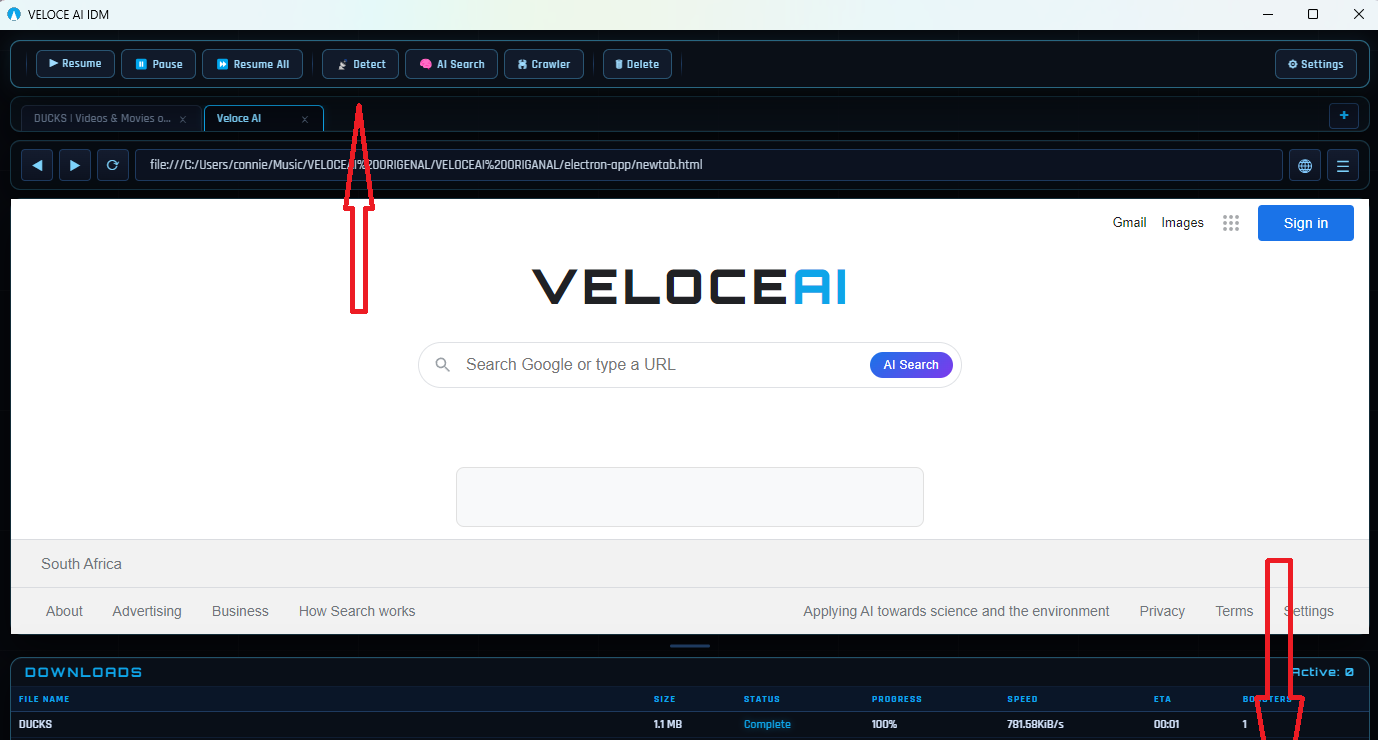
A Windows download manager that uses an AI engine to manage parallel connections and speed up downloads, sold as a cheaper one-time-payment alternative to IDM.

Pay onceNo subscription
What to know
How it works
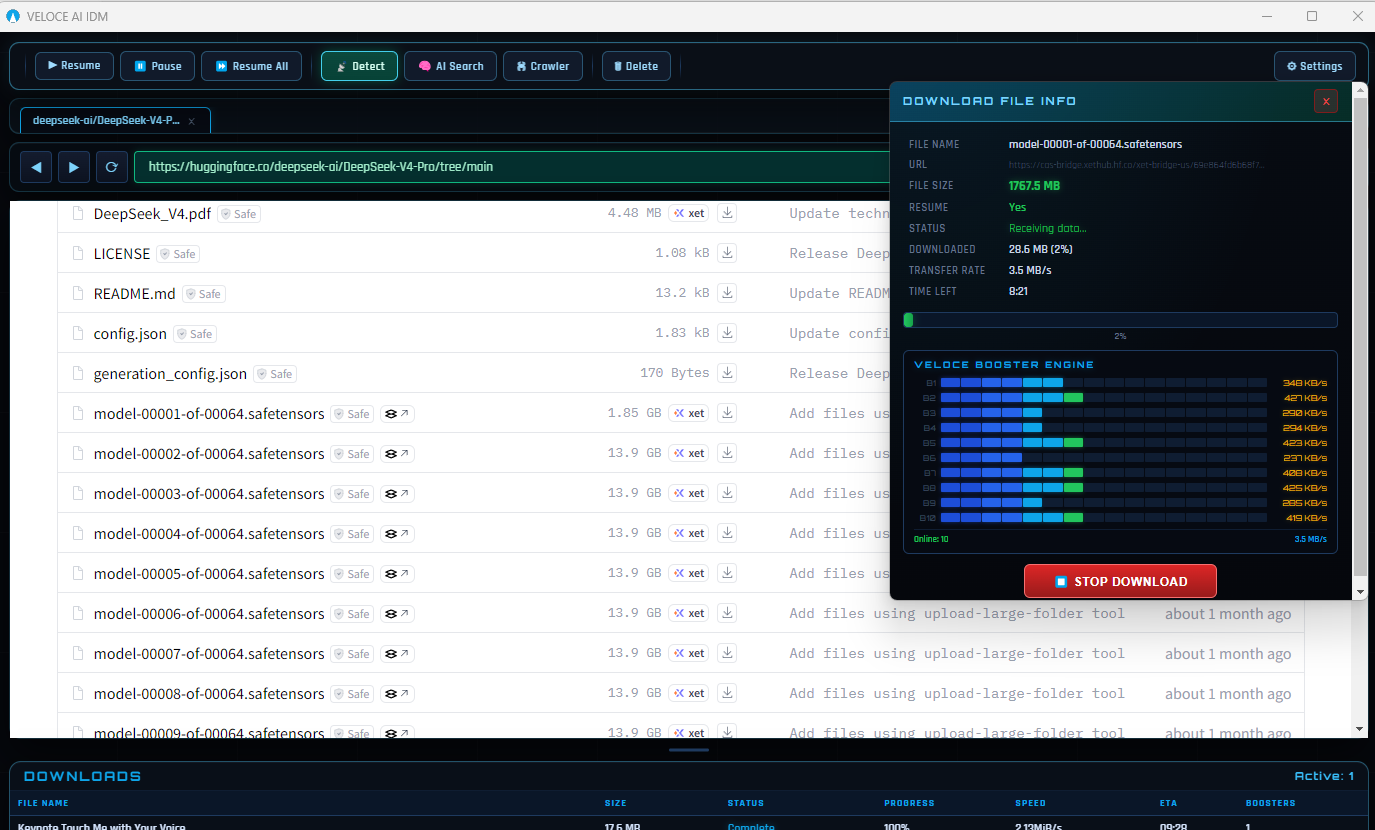
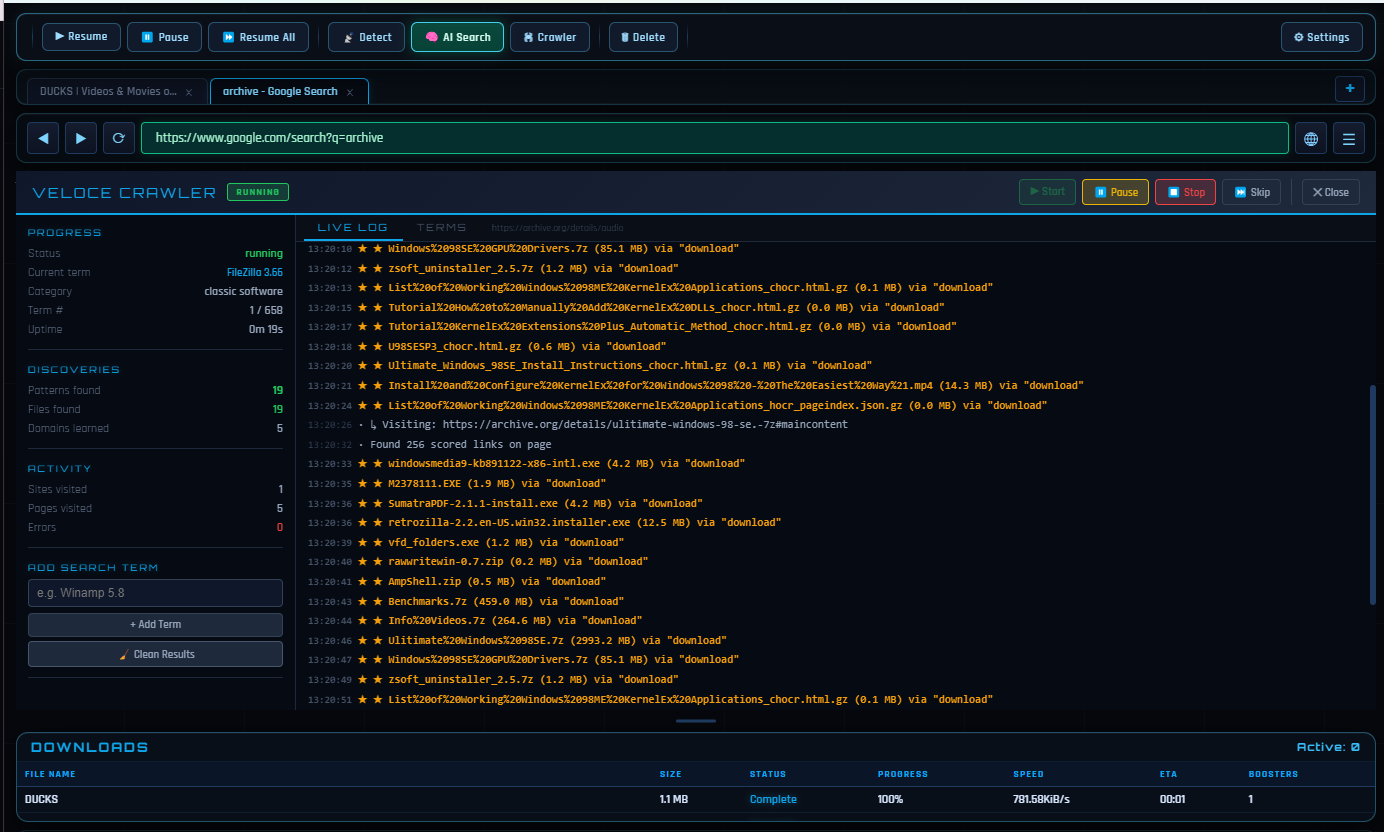
A Windows download manager that runs a real-time AI engine monitoring 32 adaptive connections per download, detecting and replacing slow tunnels automatically; includes a built-in Chromium browser and an AI File Finder that searches archives like GitHub and Archive.org for hard-to-find files.
What's different
Positioned as a cheaper, AI-driven replacement for older fixed-segmentation download managers like IDM, at roughly 5x lower cost.
Pricing
$5 one-time for lifetime access with future updates; free 3-day trial, no credit card required.
Best for
Windows users who download frequently and want faster, adaptive downloads plus a tool to find files that normal search engines miss.
Watch out
Built and maintained by a solo developer, according to the listing.

Watched for 11 days · last checked 5d ago

Details →

A Windows network scanner with 26 IT tools for discovering, monitoring and managing devices — a free tier exists, but the full toolset is a $79 one-time Pro purchase, aimed at IT admins.

No subscription
What to know
How it works
Scans your network to discover, monitor and manage every connected device, with 26 IT tools, real-time radar, an encrypted credential vault, and 1,451 hostname patterns for identification.
Pricing
Free tier available; Pro is a $79 one-time purchase with no subscription.
Best for
IT admins and power users managing devices on a Windows network.

Watched for 13 days · last checked 7d ago

Details →

Converts speech to text entirely on your Windows PC — no cloud, no account required, works even with WiFi off. For users who want dictation without sending audio anywhere.

No sign-upWorks offlineData stays with youPay once
What to know
How it works
Converts speech to text directly on a Windows PC using one shortcut: hold, speak, release, and the text lands wherever your cursor is, in any app.
What's different
Works entirely offline with no cloud processing, no account, and no subscription — it keeps working even with WiFi off.
Pricing
One-time payment, no subscription.
Best for
Windows users who want dictation in any app (email, chat, notes, code editors) without their voice data leaving the device.

Watched for 16 days · last checked 10d ago

Details →

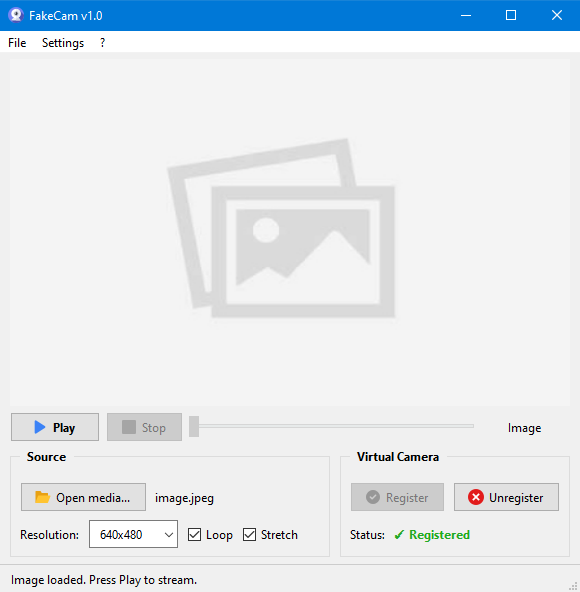
A lightweight Windows app that streams a video or image file as your webcam feed into Zoom, Teams, Skype, Discord or Telegram, running fully offline with no account or tracking.

FreeNo sign-upWorks offlineNo subscription
What to know
How it works
A lightweight virtual webcam app for Windows that streams a video or image file as your camera feed into apps like Zoom, Teams, Skype, Discord and Telegram.
What's different
Runs entirely locally with no account, subscription, ads or tracking — download and run, 25MB portable, works offline.
Pricing
Free for Windows.
Best for
Windows users who want a virtual webcam feed for video call apps without an account or bloatware.

Watched for 18 days · last checked 2d ago

Details →

Feeds any audio file through 37 sound-shaping modules to generate hours of unique ambient atmosphere, running fully offline on Mac or Windows with no subscription.

FreeNo sign-upWorks offlinePay once
What to know
How it works
Takes any audio file, stretches, layers and reshapes it into long, evolving ambient soundscapes using 37 sound-shaping modules and 18 presets. Includes a seed system to reproduce or vary a render.
What's different
Runs fully native and offline on macOS and Windows with no account, subscription or cloud upload, and every render is unique with no looping.
Pricing
No subscription, tagged as free / one-time payment.
Best for
Musicians and sound designers who want long, non-repeating ambient atmospheres exportable for music, games, film or meditation.

Watched for 18 days · last checked 11d ago

Details →

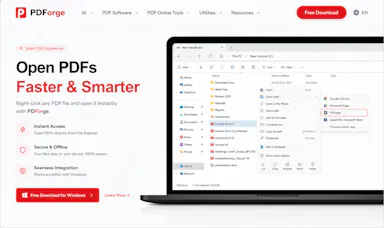
A native Windows/Mac desktop PDF editor (edit, sign, annotate, organize) that keeps files fully offline on your device and is sold as a one-time purchase, not a subscription.

Domain registered 1 month ago

Works offlinePay onceNo subscription
What to know
How it works
A native desktop app for Windows 11 and macOS to edit, sign, annotate and organize PDFs, with all editing happening offline on the device.
What's different
Local-first: files never leave your device, and it's sold as a one-time purchase rather than a subscription.
Pricing
Free trial, then one-time payment (positioned as an Adobe Acrobat subscription alternative).
Best for
Windows/Mac users who want a privacy-respecting PDF editor without a recurring subscription.

Watched for 14 days · last checked 2d ago

Details →

Rivlet

Live

A free Windows download manager that splits files across connections for faster downloads, with no ads, telemetry or subscription. Pitches itself as a modern, better-looking alternative to IDM.

FreeNo subscriptionNo adsNo tracking
What to know
How it works
Splits each download across multiple connections to finish large files faster, and connects to Chrome or Edge to grab downloads including full-res video in one click, with control over quality and save location.
What's different
No ads, telemetry or subscription, and a modern light/dark interface, positioned against older download managers like IDM.
Pricing
Free.
Best for
Windows 11 users who want faster downloads without ads or a subscription.

Watched for 12 days · last checked 6d ago

Details →

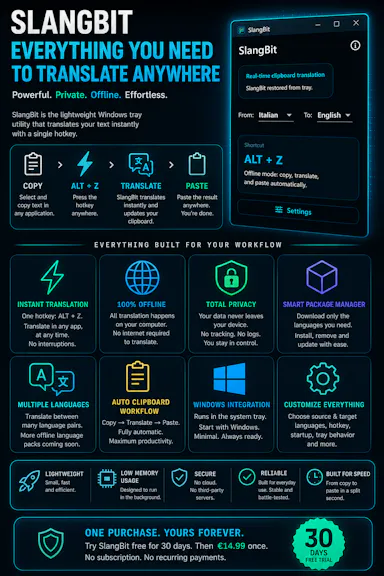
Select text in any Windows app, press Alt+Z, and get it translated using local AI models — nothing leaves your device. No subscription; 30-day free trial.

Domain registered 1 month ago

Works offlineData stays with youNo subscription
What to know
How it works
Select text in any Windows app and press Alt+Z to have it translated locally and pasted back automatically.
What's different
Runs entirely offline using local AI models, so text never leaves the device.
Pricing
No subscriptions; includes a 30-day free trial.
Best for
Windows users who want in-place translation without switching apps or sending text to the cloud.

Watched for 12 days · last checked 6d ago

Details →

A local-first AI platform bundling chat, a coding agent, a terminal and uncensored open models, with no cloud or accounts. For technical users, not really a mobile app despite the Android companion.

No sign-upWorks offlineOpen sourceNo subscription
What to know
How it works
A local-first AI platform bundling end-to-end encrypted P2P chat, a bare-metal terminal with real PTY shell access, autonomous coding agents, hybrid RAG, and bundled uncensored Qwen/Gemma models, with a native Android companion app for LAN discovery.
What's different
Runs fully offline with no cloud, accounts, or subscriptions, and ships uncensored model variants with no filters.
Pricing
Open-source (AGPL-3.0).
Best for
Technical users on Linux or Windows who want a self-hosted AI toolkit with no cloud dependency.
Watch out
Ships uncensored models with zero filters — outputs are not moderated.

Watched for 18 days · last checked 2d ago

Details →

Records what you say and turns it into an organized project log automatically on your own device. Aimed at solo builders and founders who have no one else tracking their progress.

FreeWorks offlinePay onceNo subscription
What to know
How it works
Records spoken audio and turns it into an organized project history and devlog automatically, processed on your own device.
What's different
Runs fully on-device rather than relying on manual note-taking or a cloud service.
Pricing
Free to use with full functionality, no subscription; a paid Pro tier unlocks Labs and unlimited weekly processing.
Best for
Solo builders and founders who track their own progress by talking rather than writing, with no one else keeping a project record for them.

Watched for 18 days · last checked 2d ago

Details →

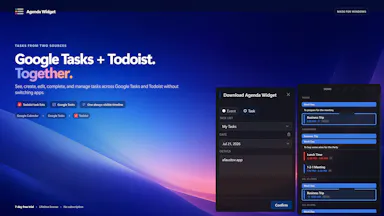
Keeps Google Calendar, Google Tasks and Todoist visible in a compact always-on Windows desktop timeline, instead of switching between browser tabs to check your day.

Pay onceNo subscription
What to know
How it works
Dark/light/transparent themes, always-on-top or desktop widget.
Pricing
7-day free trial, then $9.99 one-time purchase, no subscription.

Watched for 2 days · last checked 1d ago

Details →

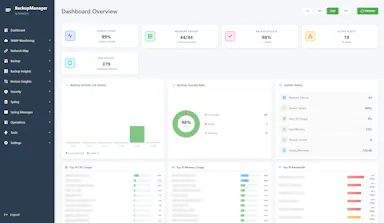
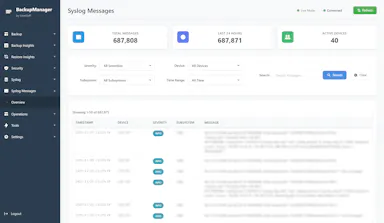
Free self-hosted Windows tool that backs up network device configs and monitors SNMP/syslog for network engineers managing multi-vendor hardware.

Domain registered 8 months ago

FreeWorks offlineNo subscriptionSelf-hosted
What to know
How it works
backs up configs for 30+ device types across 7 vendors, SNMP monitoring, built-in syslog server, LLDP-based topology mapping
Pricing
free forever, no cloud or subscription
Best for
network engineers managing Cisco/Juniper/HP/Dell/Arista gear
Watch out
provided as-is with no warranty

Watched for 5 days · last checked 3d ago

Details →

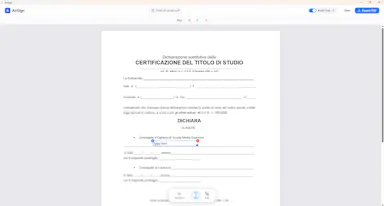
A Windows desktop app for signing PDFs by hand, entirely offline, so sensitive documents never touch the cloud.

Domain registered 7 days ago

Works offlineData stays with youPay onceNo subscription
What to know
How it works
Drag and drop a PDF/image, draw a signature, add text — all processed locally
What's different
Zero cloud upload, one-time purchase instead of subscription
Pricing
One-time purchase
Best for
Professionals who don't want to upload contracts to third-party e-signature sites

Watched for 6 days · last checked 5d ago

Details →

A French rental-property management app storing all tenant, lease, and receipt data locally on-device with no cloud or subscription.

Domain registered 1 month ago

Works offlinePay onceNo subscriptionNo tracking
What to know
How it works
Encrypted local storage on your device, works offline, no server or account
What's different
One-click ALUR-compliant receipts, signed leases with timestamped photos
Pricing
19.99 EUR one-time; free on Linux
Best for
French landlords wanting rental management without sending data to a cloud

Watched for 6 days · last checked 5d ago

Details →

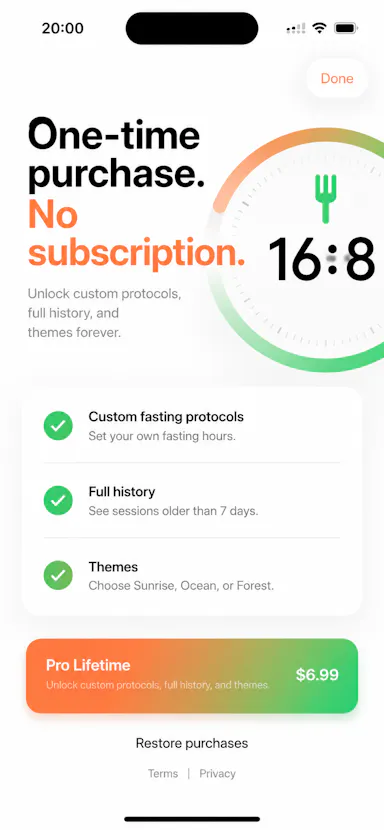
A no-frills iPhone timer for intermittent fasting (16:8, OMAD, custom windows) that works offline with no account; the Pro unlock is a one-time purchase, not a subscription.

No sign-upWorks offlinePay onceNo subscription
What to know
How it works
Tracks intermittent fasting windows (16:8, 18:6, 20:4, OMAD, or custom) on iPhone, with offline use, local history, Live Activities, Dynamic Island, widgets, reminders and streaks.
Pricing
Pro is a one-time purchase, not a subscription.
Best for
iPhone users who want a fasting timer without an account or ongoing subscription.

Watched for 13 days · last checked 10d ago

Details →

Gleam

Live

Wraps app screenshots in device frames and backgrounds, exporting every size needed for iPhone, iPad, Android and Mac stores in one click. A one-time-purchase desktop app (not mobile), runs fully offline.

Domain registered 19 days ago

Works offlinePay onceNo subscription
What to know
How it works
Takes a plain app screenshot and wraps it in device frames, backgrounds, and text layers, exporting every size required for iPhone, iPad, Android, and Mac app stores from one project in one click.
What's different
Runs completely offline on macOS, Windows, or Linux, keeping data private, unlike browser-based mockup tools.
Pricing
$19 one-time payment, no subscription.
Best for
App developers preparing store screenshots who want to skip manually recreating frames in Figma or Photoshop.

Watched for 13 days · last checked 11d ago

Details →

Native Mac and Windows console that builds, tests, signs, and publishes apps across 27 distribution destinations without cloud or account.

No sign-upWorks offlineNo subscription
What to know
How it works
Point it at a folder and it auto-detects 25 toolchains; one build fans out to 27 distribution destinations including App Store, Play, and Vercel, all handled from a native Mac and Windows console including build, test, signing, and release.
What's different
Runs 100% locally with no account, cloud, or subscription required.
Best for
Developers who need to ship apps across many platforms without cloud dependency.
Watch out
iOS and Android companion apps are included but the core console runs on Mac and Windows.

Watched for 9 days · last checked 3d ago

Details →

A Windows app that turns real screen actions into annotated step-by-step guides with local OCR and no cloud upload, aimed at IT support, helpdesk and training teams.

Works offlineNo subscriptionCan export my data
What to know
How it works
A local-first Windows app for turning real desktop actions into professional visual guides: it captures clicks and active windows with consent, offers a structured editor, annotations, blur, and local OCR, and exports to PDF, DOCX, HTML, PowerPoint, or Markdown.
What's different
Keeps screenshots, OCR, and documents entirely local on the user's PC, with no SaaS account and no keystroke logging, unlike cloud-based alternatives.
Pricing
Available on Microsoft Store with a one-time lifetime license.
Best for
IT support, helpdesk, QA, operations, and training teams that need step-by-step documentation from real desktop actions.

Watched for 18 days · last checked today

Details →

Ncored

Live

A desktop PDF editor built to stay smooth on huge CAD and construction drawing exports from AutoCAD, Revit and ArchiCAD, running fully offline so drawings never leave your machine.

FreeNo sign-upWorks offlineNo subscription
What to know
How it works
A desktop PDF editor for Windows and Mac built to stay smooth on scroll, zoom and pan across heavy AutoCAD, Revit and ArchiCAD exports and project sets of 50-200MB or more. It runs locally on the user's machine.
What's different
Targets the specific failure mode of general PDF tools — stalling and stuttering on dense CAD/construction drawings with heavy vector line work and hatches — and processes files fully offline.
Best for
Architects, structural/civil engineers, MEP professionals and construction teams working with large, heavy drawing sets.

Watched for 18 days · last checked 2d ago

Details →

A Windows utility that puts a customizable neon glow border around the currently focused window.

Pay onceNo subscription
What to know
How it works
Puts a soft neon glow around whichever window has focus on Windows, with 3 themes and 6 glow animations, adjustable brightness/thickness/spread.
Pricing
One-time purchase, no subscription; free trial on the Microsoft Store.
Best for
People running multiple terminals side by side, like parallel AI coding agents or streaming setups.

Watched for 3 days · last checked 1d ago

Details →

A Windows digital audio workstation with recording, MIDI editing, VST3 support, and AI stem separation, sold as one-time purchase.

No subscription
What to know
How it works
A Windows digital audio workstation with recording, MIDI editing, VST3 support, AI stem separation, audio-to-MIDI and vocal tuning.
Pricing
One-time lifetime license.
Best for
Musicians and producers on Windows wanting a one-time-purchase DAW.

Watched for 3 days · last checked 2d ago

Details →

Oryn

Live

A desktop AI coding agent for Windows that writes code from plain-language instructions, using your own AI key or a fully local Ollama model.

Works offlinePay onceNo subscription
What to know
How it works
Reads your codebase and writes code from plain-language task descriptions on Windows.
What's different
Works with your own AI key or fully local via Ollama.
Pricing
One-time payment, no subscription.
Best for
Developers on Windows who want a desktop AI coding agent.
Watch out
Windows only.

Watched for 18 days · last checked 4d ago

Details →

A lightweight Windows utility monitors and manages GPU memory temperature during AI inference or gaming, for owners of high-performance laptops trying to avoid thermal throttling.

Domain registered 5 months ago

FreeNo subscription
What to know
How it works
Monitors GPU memory junction temperature via low-level hardware telemetry and applies software-defined duty-cycling (millisecond-level pulse throttling) to prevent thermal-driven performance drops during AI inference or gaming.
What's different
Targets memory junction temperature specifically, which standard tools like MSI Afterburner only tune for the GPU core, not the memory hotspot that triggers emergency throttling.
Pricing
Pulse Throttling is free.
Best for
Owners of high-performance gaming or AI laptops running sustained local inference (Stable Diffusion, llama.cpp, Ollama) who see performance drop from memory overheating.

Watched for 9 days · last checked 9d ago
Details →

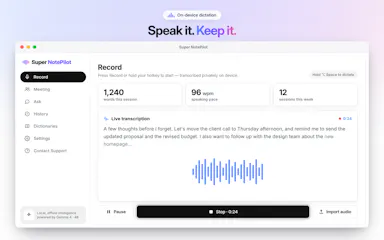
On-device AI dictation and meeting notetaker for Mac and iOS that works offline without an account.

Domain registered 1 month ago

FreeNo sign-upWorks offlineNo subscription
What to know
How it works
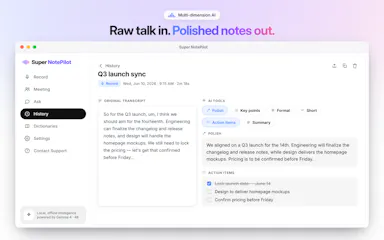
Runs 100% on-device using Gemma and Whisper for push-to-talk dictation into any app, live meeting transcripts, AI rewriting, and asking questions across notes.
What's different
No cloud, no account, no subscription.
Pricing
Free for macOS and iOS.
Watch out
Windows and Android support are coming soon, not yet available.

Watched for 10 days · last checked 7d ago

Details →

Tracks how your brand is mentioned versus competitors inside AI answers from ChatGPT, Claude, Gemini, Perplexity and others — a competitive-intelligence tool for marketers, not a ChatGPT alternative.

FreeNo subscription
What to know
How it works
Monitors how a brand is mentioned versus competitors inside AI-generated answers from 10 platforms (ChatGPT, Claude, Gemini, AI Overviews, AI Mode, Perplexity, Grok, Meta AI, DeepSeek, Mistral AI), using a four-phase methodology of Detect, Diagnose, Displace, and Prove, with daily automated monitoring tracking 7 AISO metrics.
What's different
Tracks AI-generated answers directly, where traditional SEO tools only track Google rankings.
Pricing
Free, no credit card, no subscription mentioned as an entry tier.
Best for
Marketers who want to know what AI platforms say about their brand versus competitors.

Watched for 12 days · last checked 2d ago
Details →