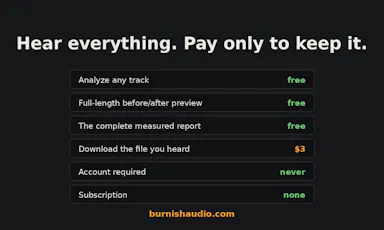
Tools without a subscriptionAudio & voice

35 match your filters — 33 of them answered our check today.

Watching this group for 18 days · how we check

This week14 new arrivals

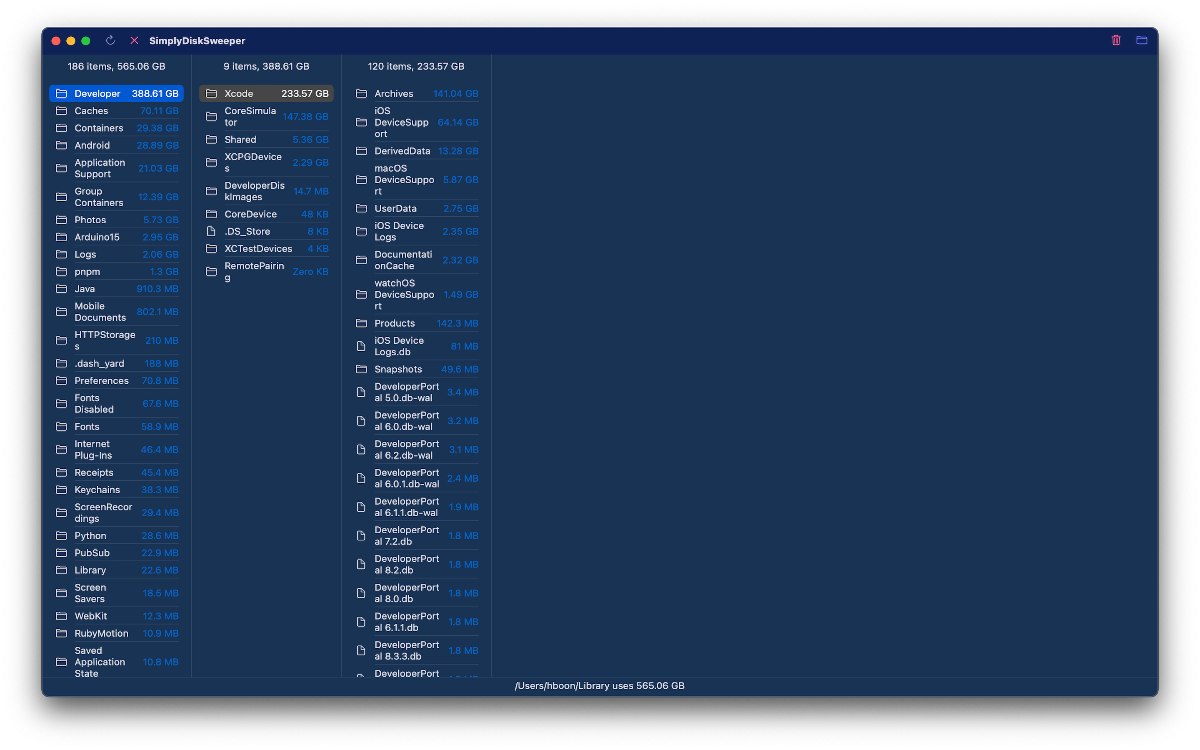
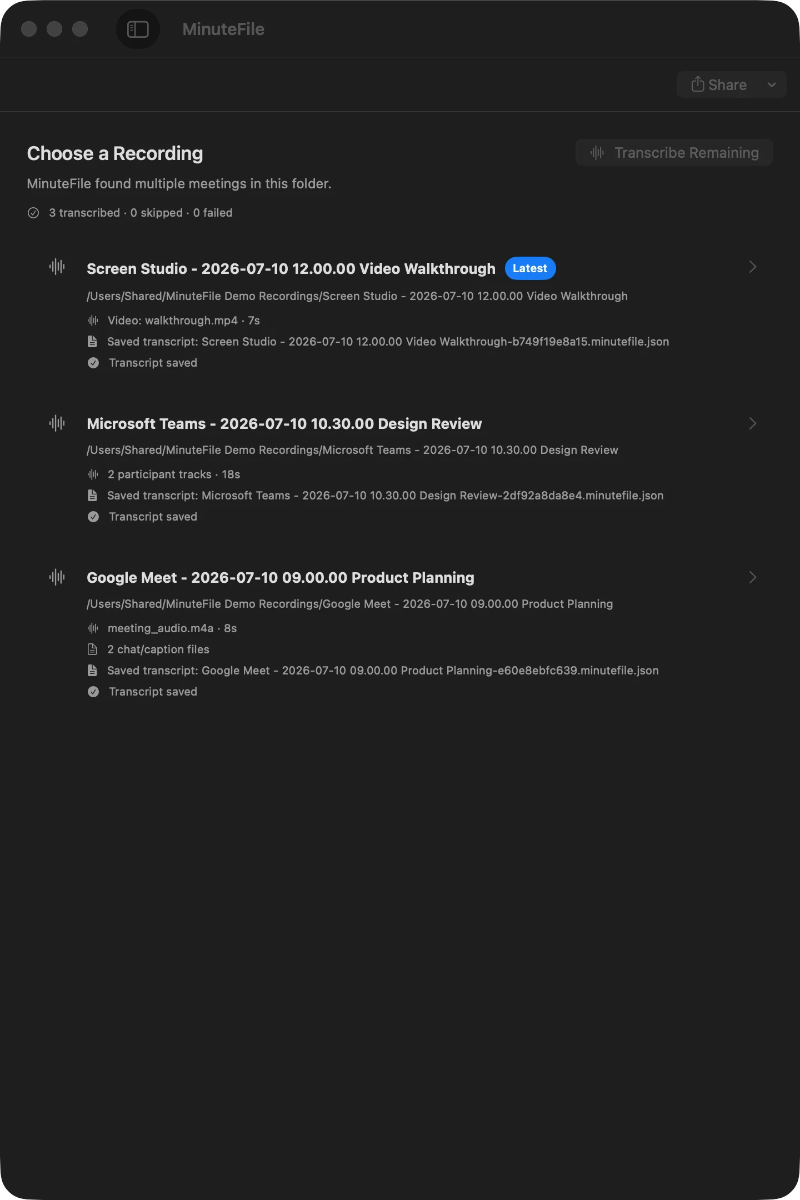
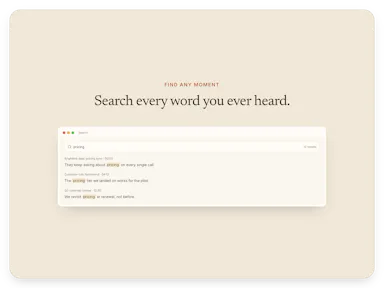
Turns local meeting recording folders into private, searchable transcripts on your Mac — everything stays on your machine, with no account, no upload, no meeting bot, and no subscription.

No sign-upData stays with youNo subscription
What to know
How it works
Turns local meeting recording folders on your Mac into private, searchable transcripts.
What's different
Everything stays on your machine — no account, upload, meeting bot, or subscription required.
Pricing
No account or subscription required.
Best for
Mac users who record meetings locally and want searchable transcripts without sending recordings to the cloud.

Watched for 14 days · last checked 2d ago
Details →

Echo

Live

A 7-minute morning routine app that plays back your own voice affirmations and logs evidence toward a 90-day personal goal.

No subscription
What to know
How it works
A 7-minute morning ritual built around one desire per 90-day season, playing your own voice back as an affirmation and logging one line of evidence each day.
Pricing
No subscription; optional AI scripting features are a one-time purchase.

Watched for 4 days · last checked today

Details →

An audio tag editor for macOS and iOS that automatically fixes missing artist/album metadata using acoustic fingerprint matching.

4.2112 ratings on the App Store

FreePay onceNo subscription
What to know
How it works
Listens to audio files and matches metadata and album art via acoustic fingerprinting
Pricing
Lifetime access free for launch period, then presumably paid

Watched for 5 days · last checked today

Details →

Oats

Live

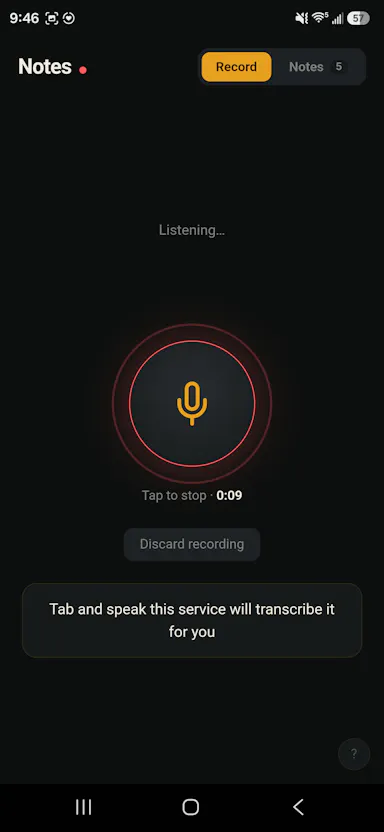
A free, fully on-device meeting note-taker that transcribes and blends your typed notes without ever sending audio to the cloud or requiring an account, unlike most paid cloud notetakers.

FreeNo sign-upWorks offlineNo subscription
What to know
How it works
On-device transcription blended with your typed notes into a write-up; optional bring-your-own model key or fully offline.
What's different
Most competitors still upload audio to their cloud and cost $18+/mo; this doesn't and is free.
Pricing
Free.

Watched for 2 days · last checked 2d ago

Details →

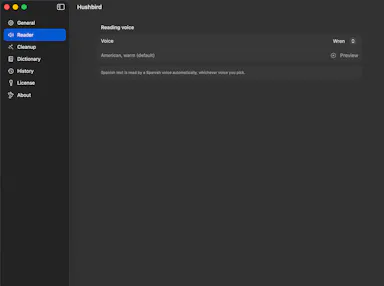
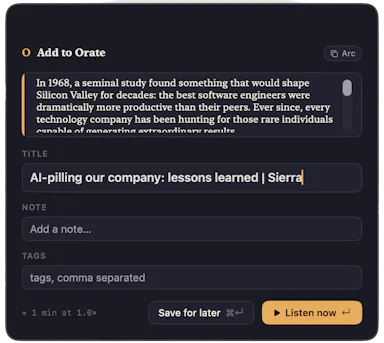
Select text anywhere on your Mac and it reads it aloud in a natural voice, queued like a podcast, with on-device text-to-speech.

No sign-upWorks offlinePay onceNo subscription
What to know
How it works
hotkey reads selected text aloud, queued for later listening
What's different
TTS runs fully on-device, offline, no account
Pricing
$4.99 one-time, 14-day trial

Watched for 6 days · last checked today

Details →

Lets people get a timestamped transcript with speaker labels instead of paying for a subscription transcription SaaS.

No subscriptionCan export my data
What to know
How it works
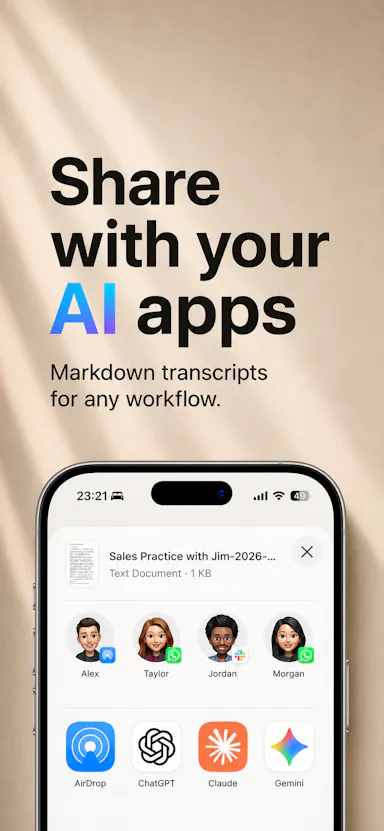
Record the room, export a Markdown transcript.
Pricing
pay-as-you-go: $0.99/hr, $7.99/20hrs, $29.99/100hrs

Watched for 1 day · last checked today

Details →

Mac dictation app that turns speech into text system-wide via a hotkey, runs locally for privacy, and is sold as a one-time purchase instead of a subscription.

No subscription
What to know
How it works
System-wide dictation on macOS activated by a customizable push-to-talk key, converting speech to text in any app.
What's different
Runs entirely locally on the Mac for privacy.
Pricing
Lifetime license, one-time purchase.
Watch out
macOS only.

Watched for 8 days · last checked 2d ago

Details →

Converts speech to text notes entirely on-device, for unlimited voice notes without a subscription or cloud processing.

Domain registered 5 years ago

No subscription
What to know
How it works
On-device speech recognition transcribes voice into notes without sending data to a server.
Pricing
No subscription.

Watched for 7 days · last checked 5d ago

Details →

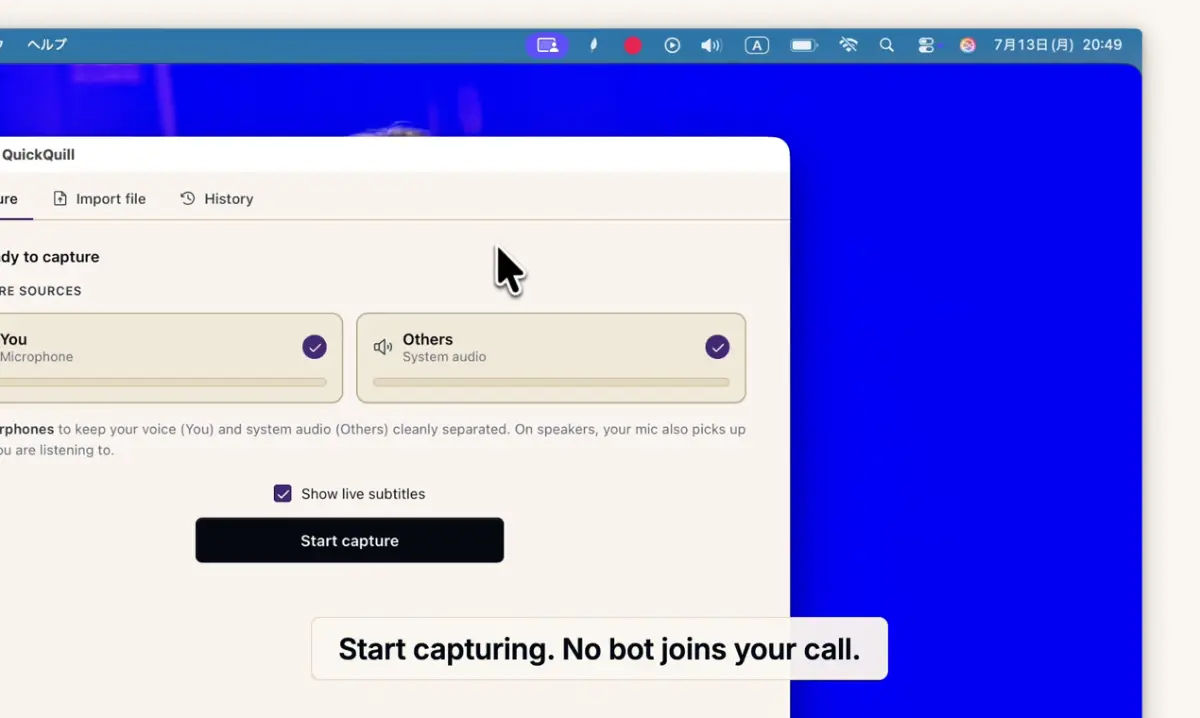
Records meetings on Mac and generates transcripts, summaries and live translated subtitles, entirely on-device. Dictation is free forever; the full meeting workflow costs a one-time $49.

Domain registered 1 month ago

FreeNo sign-upWorks offlinePay once
What to know
How it works
Records meetings and produces transcripts and summaries entirely on-device, with nothing sent to the cloud; it also shows live subtitles with translation while recording, and offers push-to-talk dictation usable in any app.
What's different
Continues working with Wi-Fi off and requires no bot joining the call, since everything runs on-device.
Pricing
Dictation is free forever; the full meeting workflow is a one-time $49 purchase. No account or subscription required.
Best for
Mac users who want private, on-device meeting notes without a cloud service.
Watch out
Requires macOS 26 on Apple Silicon, so it won't run on older Macs or other operating systems.

Watched for 12 days · last checked 6d ago

Details →

Uses Whisper and Microsoft MAI to transcribe audio, video or links into text and subtitles, with 10 free minutes then a paid service, and auto-deletes uploads within 24 hours.

FreeNo subscriptionNo ads
What to know
How it works
Uses OpenAI Whisper and Microsoft MAI to turn audio, video, or links into text with speaker diarisation, summaries, and action lists, plus free tools to convert SRT/VTT subtitles, edit subtitle files, and shift timestamps.
What's different
Uploads and transcripts are auto-deleted after 24 hours, or instantly on request, by default.
Pricing
10 free transcription minutes, then paid; no subscription, no ads.

Watched for 14 days · last checked 8d ago

Details →

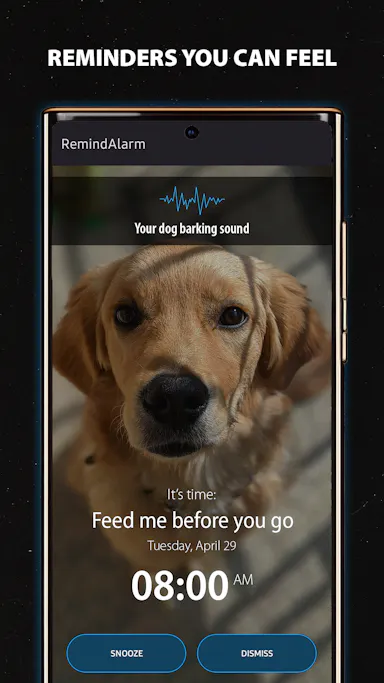
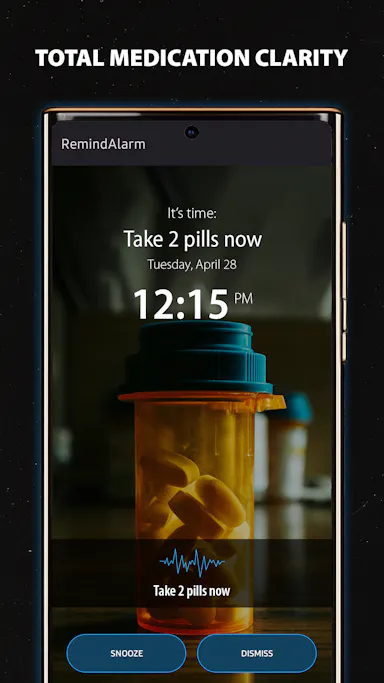
A one-time-purchase reminder app that uses photos and voice notes instead of plain text, shown on your lock screen, for everyday reminders like medication or shopping rather than a clinical tool.

Works offlineNo subscriptionNo ads
What to know
How it works
Create reminders using photos and optional voice recordings instead of plain text; they appear on your lock screen at the set time. Works offline.
What's different
Uses photos and voice instead of text notifications, which the product argues are easier to ignore.
Pricing
One-time purchase, no ads.
Best for
People with notification fatigue who need reminders for things like medication, shopping, or daily routines.

Watched for 15 days · last checked 9d ago

Details →

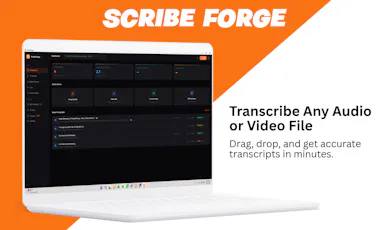
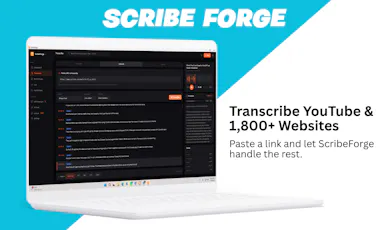
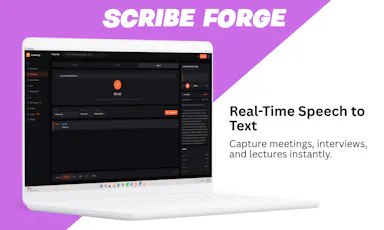
Transcribes audio and video, including YouTube, to text locally using Whisper AI, with no cloud upload, no subscription, and a one-time payment. Good for unlimited, private transcription without ongoing fees.

Works offlinePay onceNo subscription
What to know
How it works
Transcribes audio and video, including YouTube videos, playlists and live microphone input, to text entirely on your computer using Whisper AI, in 100+ languages.
What's different
Runs fully offline with no cloud upload, unlimited usage and no subscription.
Pricing
One-time payment, no subscription.
Best for
People who want unlimited, private transcription without ongoing fees or uploading audio to a cloud service.

Watched for 18 days · last checked 2d ago

Details →

Converts speech to text entirely on your Windows PC — no cloud, no account required, works even with WiFi off. For users who want dictation without sending audio anywhere.

No sign-upWorks offlineData stays with youPay once
What to know
How it works
Converts speech to text directly on a Windows PC using one shortcut: hold, speak, release, and the text lands wherever your cursor is, in any app.
What's different
Works entirely offline with no cloud processing, no account, and no subscription — it keeps working even with WiFi off.
Pricing
One-time payment, no subscription.
Best for
Windows users who want dictation in any app (email, chat, notes, code editors) without their voice data leaving the device.

Watched for 16 days · last checked 10d ago

Details →

Clone a voice from a short audio sample and generate voiceovers for videos, ads, course narration or game characters, paid with one-time credits instead of a subscription.

No subscription
What to know
How it works
Clones a voice from a short WAV or MP3 sample plus a written script, generating voiceover audio for video, ads, course narration, localization drafts or game character tests, with a preview before publishing.
Pricing
One-time credits, no subscription.
Best for
Content teams and creators who need consistent voiceover output without recording every line manually.

Watched for 17 days · last checked today

Details →

Tulip

Live

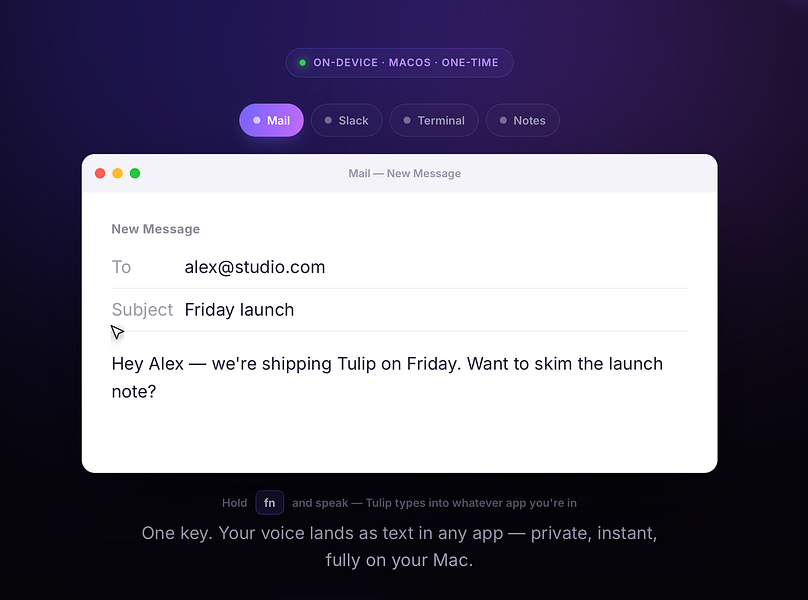
Hold a key and dictate into any Mac app; speech-to-text runs entirely on-device so nothing is sent to a server. One-time purchase, not a subscription.

Works offlinePay onceNo subscription
What to know
How it works
Hold the fn key on a Mac, speak, and release to drop clean, punctuated dictated text at your cursor in any app; speech-to-text runs entirely on-device on Apple Silicon and works offline.
What's different
Processes audio fully on-device and never sends it to a server, unlike cloud-based dictation tools.
Pricing
One-time purchase for a lifetime license usable on up to three Macs, with a 2-day free trial and a year of updates included.
Best for
Mac users who want fast, private dictation into any app without a subscription.

Watched for 13 days · last checked 2d ago

Details →

Hovor

Live

Voice dictation for Mac and iPhone that runs fully on-device so your voice never leaves your hardware, with multilingual support and a lifetime-purchase option instead of a subscription.

Works offlineData stays with youNo subscription
What to know
How it works
Hold a hotkey, speak, and structured text lands where your cursor is in any app on Mac and iPhone, using on-device models that fix punctuation and structure and support multilingual speech, a personal dictionary, snippets and workflows.
What's different
On-device processing means your voice never leaves your hardware.
Pricing
Free tier included, plus lifetime unlocks instead of a forced subscription.
Best for
Mac and iPhone users who want private, offline voice dictation across apps.

Watched for 18 days · last checked 2d ago

Details →

Munra

Live

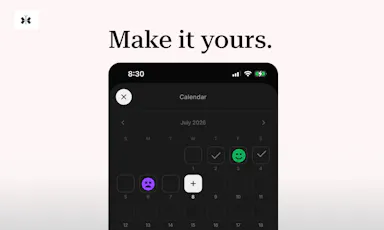
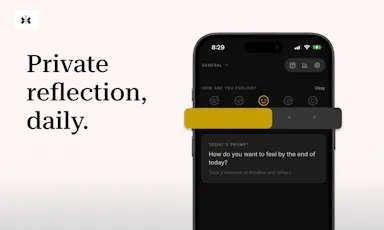
A private, offline journal for iOS with on-device encryption, mood check-ins, and an optional AI companion powered by your own API key, every feature is free.

FreeNo sign-upWorks offlineNo subscription
What to know
How it works
A private, offline-first journal for iOS with entries encrypted on-device only, a daily mood check-in, speech-to-text, writing streaks, and an optional AI companion that uses your own API key.
What's different
No account, no cloud sync and no subscription — the optional AI companion runs on your own API key rather than the app's backend.
Pricing
Every feature is free.
Best for
People who want to journal privately without their entries leaving their device or going through a subscription service.

Watched for 18 days · last checked 2d ago

Details →

Browser-based MP3-to-text transcription with TXT/SRT export, pay-per-credit instead of subscription.

Nothing to installNo subscriptionCan export my data
What to know
Pricing
one-time credit packs, no subscription, credits never expire

Watched for 1 day · last checked 1d ago

Details →

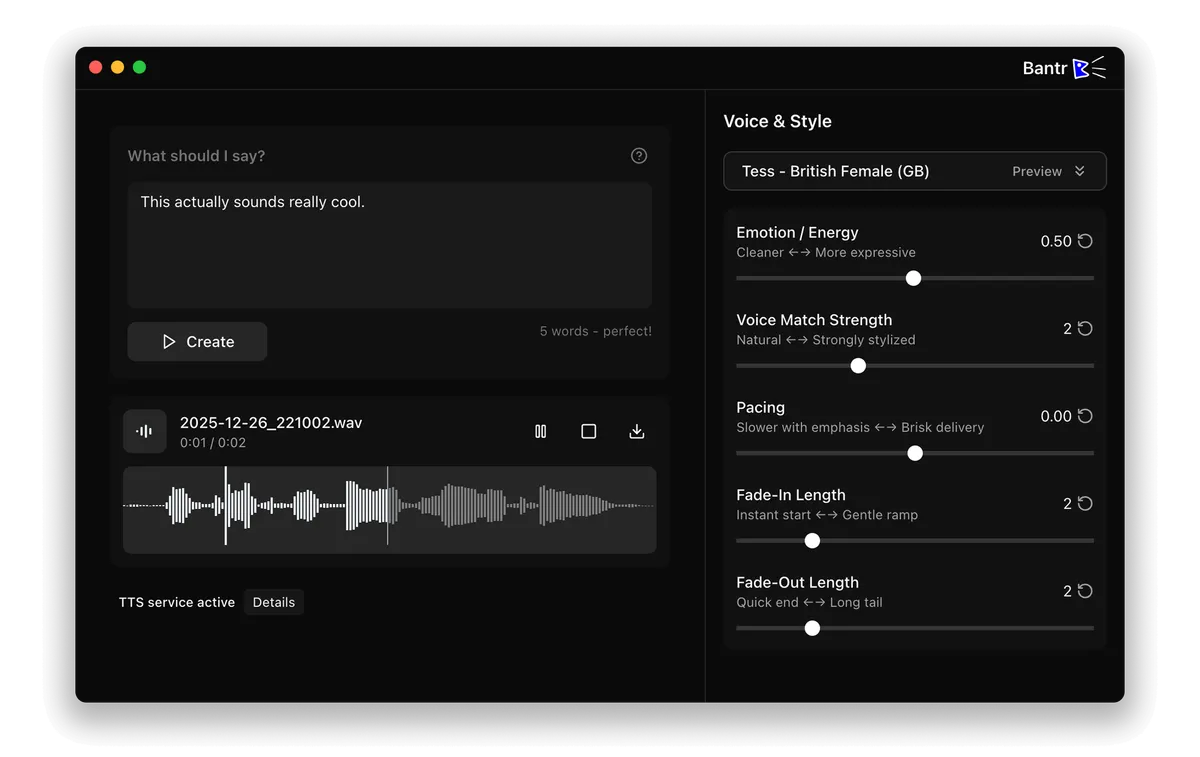
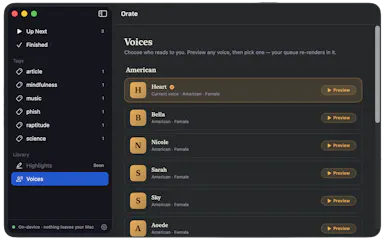
Offline Mac text-to-speech app with 150+ voices, one-time purchase instead of a cloud subscription TTS service.

No sign-upWorks offlineNo subscription
What to know
How it works
runs entirely on-device via Apple's MLX framework
Pricing
buy once, no subscription

Watched for 1 day · last checked 1d ago

Details →

Records what you say and turns it into an organized project log automatically on your own device. Aimed at solo builders and founders who have no one else tracking their progress.

FreeWorks offlinePay onceNo subscription
What to know
How it works
Records spoken audio and turns it into an organized project history and devlog automatically, processed on your own device.
What's different
Runs fully on-device rather than relying on manual note-taking or a cloud service.
Pricing
Free to use with full functionality, no subscription; a paid Pro tier unlocks Labs and unlimited weekly processing.
Best for
Solo builders and founders who track their own progress by talking rather than writing, with no one else keeping a project record for them.

Watched for 18 days · last checked 2d ago

Details →

Saves recipes found on social media or recipe sites into one searchable, tag-and-ingredient-searchable collection, even pulling recipes out of YouTube videos that have no written recipe.

No subscription
What to know
How it works
Saves recipes found on social media and recipe websites into one searchable collection, organized by tags and ingredients, and can extract recipes from YouTube videos even when they aren't in the caption or transcript. Includes Siri-assisted cooking and recipe translation, with sharing between friends who also use the app.
What's different
Uses point-based pricing (200 recipes for a set price) instead of a subscription or one-time purchase, and pulls recipes out of YouTube videos with no written recipe text.
Pricing
Point-based: 200 recipes for $3.49, no subscription required.
Best for
People who collect recipes from social media and video and want them organized and searchable in one place.

Watched for 18 days · last checked 2d ago

Details →

Sounds

Live

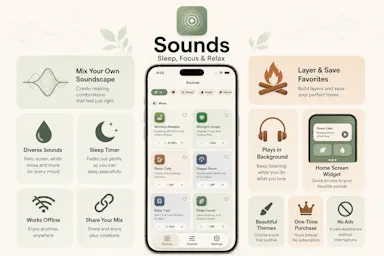
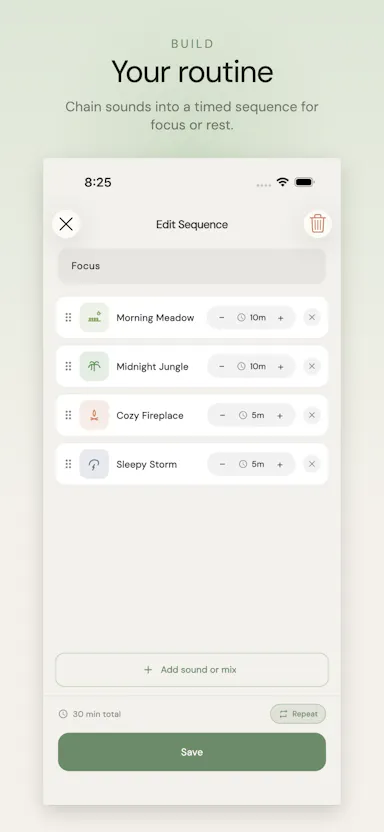
An ambient soundscape mixer for sleep and focus that lets you layer and time-sequence sounds like rain, fire and wind.

No subscription
What to know
How it works
Layer 100+ ambient loops with per-sound volume and timed fade sequences
Pricing
one-time unlock, no subscription

Watched for 5 days · last checked 4d ago

Details →

Turns speech into punctuated text anywhere on a Mac with one key press, and reads text back, fully on-device.

Domain registered 24 days ago

No sign-upWorks offlinePay onceNo subscription
What to know
How it works
Press a key, speak, text appears at the cursor; also reads text aloud
What's different
No cloud, no account, no subscription
Pricing
$39.99 one-time

Watched for 6 days · last checked 4d ago

Details →

A pay-once tool that generates unlimited AI voiceovers in 70+ voices and 20 languages, aimed at creators tired of subscription credits.

Pay onceNo subscription
What to know
How it works
Text-to-speech with speed/pitch control, instant MP3 download
Pricing
$29.99 one-time, price rises later
Best for
YouTubers, podcasters, and course creators

Watched for 6 days · last checked 5d ago

Details →

Replay

Live

A one-time-purchase Mac app that records and transcribes video calls on-device without bots joining or data leaving the machine, for people who want to own a private, searchable meeting archive.

Domain registered 1 month ago

FreeWorks offlinePay onceNo subscription
What to know
How it works
Records meetings from Zoom, Meet, Teams or Webex on a Mac and transcribes them on-device, learning speaker names across meetings, without bots joining calls or data touching the cloud; saves transcripts as video, JSON and Markdown.
Pricing
One-time purchase, free to try.
Best for
People who want a private, searchable meeting record they own, without a subscription.

Watched for 12 days · last checked 8d ago

Details →

Turns Telegram voice notes into text and drafts into speech. Pay-as-you-go credit packs instead of a subscription.

No subscription
What to know
How it works
A Telegram-based service: send a voice note and get text back, or paste a draft and get natural speech back.
What's different
Pay-as-you-go credit packs instead of a subscription.
Pricing
Free tier every month; one-time credit packs from $5 that never expire, no subscription required.
Best for
Telegram users who want quick speech-to-text or text-to-speech without a recurring subscription.

Watched for 15 days · last checked 2d ago
Details →

A one-time-purchase 36-minute sleep audio session combining your own recorded affirmations with a layered 8D soundscape.

Pay onceNo subscription
What to know
How it works
A 36-minute lossless FLAC audio track built from seven personal affirmations recorded in your own voice, layered with an 8D wind-down mix.
Pricing
One-time purchase, lifetime access, no subscription.

Watched for 18 days · last checked 9d ago

Details →

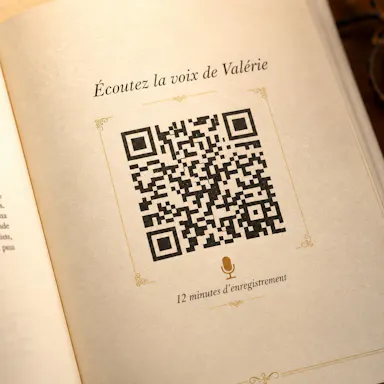
Turns WhatsApp voice notes from your parents or grandparents into a printed memoir book with playable audio via QR code.

Domain registered 3 months ago

Pay onceNo subscription
What to know
How it works
Sends French-language questions via WhatsApp, transcribes voice replies into a hardcover book with QR codes linking to original audio
Pricing
One-time 99€, no subscription
Best for
French-speaking families wanting a keepsake memoir

Watched for 6 days · last checked today

Details →

Rekody

Live

Free on-device macOS dictation app that types text at the cursor via a hold-to-talk hotkey.

Domain registered 3 months ago

FreeNo sign-upWorks offlineOpen source
What to know
How it works
Hold Option + Space and speak, and text lands at your cursor in any app, with a personal dictionary that learns your words.
Pricing
Free.
Watch out
On-device by default, no account or subscription; the CLI is open source (MIT).

Watched for 3 days · last checked 3d ago

Details →

Extracts text via OCR from scanned documents, then lets AI summarize them, flag contract risks, and translate into 51 languages — all on your Android phone.

Domain registered 4 months ago

FreeData stays with youNo subscriptionCan export my data
What to know
How it works
Scans documents on an Android phone, extracts text via OCR (Google ML Kit), and lets AI summarize them, extract key facts, flag contract risks, generate to-do lists, chat with the document, or translate into 51 languages.
What's different
Goes beyond producing a plain PDF — the AI layer analyzes and translates the scanned content directly on the device.
Pricing
Scanning and OCR are free for everyone; deeper AI features (summaries, contract-risk analysis, translation) are part of a Premium tier billed without a subscription.
Best for
Android users, including freelancers and students, who want to digitize and understand documents like invoices, contracts and notes.

Watched for 14 days · last checked 8d ago

Details →

An AI music stem-separation tool that extracts vocals, drums, bass, and instruments from a song, priced per minute with no subscription.

FreeNo subscription
What to know
How it works
Extracts vocals, drums, bass, and instruments from any song using AI stem separation.
Pricing
30 minutes free, then ₹10 per 5 minutes, no subscription.

Watched for 10 days · last checked 7d ago

Details →

A Windows digital audio workstation with recording, MIDI editing, VST3 support, and AI stem separation, sold as one-time purchase.

No subscription
What to know
How it works
A Windows digital audio workstation with recording, MIDI editing, VST3 support, AI stem separation, audio-to-MIDI and vocal tuning.
Pricing
One-time lifetime license.
Best for
Musicians and producers on Windows wanting a one-time-purchase DAW.

Watched for 3 days · last checked 2d ago
Details →

On-device AI dictation and meeting notetaker for Mac and iOS that works offline without an account.

Domain registered 1 month ago

FreeNo sign-upWorks offlineNo subscription
What to know
How it works
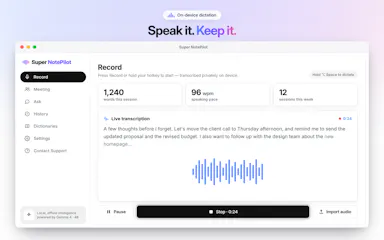
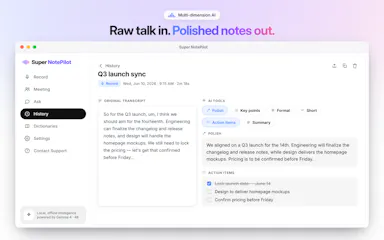
Runs 100% on-device using Gemma and Whisper for push-to-talk dictation into any app, live meeting transcripts, AI rewriting, and asking questions across notes.
What's different
No cloud, no account, no subscription.
Pricing
Free for macOS and iOS.
Watch out
Windows and Android support are coming soon, not yet available.

Watched for 10 days · last checked 7d ago
Details →

Measures and repairs mix issues in AI-generated music tracks, then masters them to streaming loudness with a full change log.

FreeNo sign-upNo subscription
What to know
How it works
Measures an AI-generated music track for issues like a hard high-end cutoff, hazy highs, low-mid mud, and a narrow stereo image, repairs only what it finds, then masters to streaming loudness; every master ships with a full recipe of the loudness, true peak, EQ, and compression changes in dB.
What's different
Same file in, same master out — no randomness.
Pricing
Free to analyze and hear in full, no account; one credit unlocks the download, no subscription.

Watched for 10 days · last checked 7d ago

Details →

Opus Clip| Turn videos into viral TikToks, Reels & Shorts

FreeWorks offlineNo subscriptionCan export my data

First seen today

Details →