Tools without a subscriptionPDFs

27 match your filters — 27 of them answered our check today.

Watching this group for 18 days · how we check

This week7 new arrivals

Turns personalized names, dates, and inside jokes into a printable custom crossword or word search with a live preview, for weddings, baby showers, and office events.

Domain registered 22 months ago

No sign-upPay onceNo subscription
What to know
How it works
Type words and clues, watch the grid build in a live preview, then choose from 36 backgrounds and four print sizes.
Pricing
One-time payment, no account or subscription; delivers a print-ready PDF bundle with answer key.

Watched for 14 days · last checked 8d ago

Details →

A free Chrome extension that converts PDFs to editable Excel spreadsheets in one click. Text PDFs are parsed locally, while scanned or image PDFs use cloud-based AI table extraction.

FreeNo sign-upNo subscription
What to know
How it works
A Chrome extension that converts a PDF into an editable Excel spreadsheet in one click; text-based PDFs are parsed instantly and locally, while scanned or image PDFs go through AI-powered table extraction over HTTPS.
Pricing
Free, no login or subscription, no size limits.
Best for
Anyone who needs a quick, no-signup way to turn PDF tables into editable spreadsheets.
Watch out
Text PDFs stay local, but scanned or image-based PDFs are sent over HTTPS for cloud AI extraction rather than processed on-device.

Watched for 10 days · last checked 4d ago

Details →

Writes a finished travel journal report from a 3-minute daily note you enter while traveling.

Domain registered 5 months ago

FreeNo subscriptionCan export my data
What to know
How it works
Capture each day in ~3 minutes, AI writes a full daily report in 4 styles and 6 languages, exports as PDF
Pricing
Free reports and PDF export, 5 starter credits, no subscription

Watched for 6 days · last checked today

Details →

Turns notes or a PDF into an illustrated flashcard deck automatically, paid per deck instead of a subscription — for students who like visual study aids.

Domain registered 1 month ago

No subscription
What to know
How it works
Turns pasted notes or an uploaded PDF into a flashcard deck automatically, and an optional VizMagic mode has AI generate a whimsical illustration for each card; tracks a Mastery Score and study progress over time.
What's different
Illustrates each flashcard to help concepts stick, and charges per deck rather than a subscription.
Pricing
Pay-per-deck credits, no subscription.
Best for
Visual learners and students who want illustrated flashcards generated automatically from their notes or PDFs.

Watched for 11 days · last checked 5d ago

Details →

LiBook

Live

An iOS ebook reader that imports EPUB, PDF, and TXT files with bookmarks, highlights, search, text-to-speech, and a character-tracking feature that jumps to every scene a named character appears in.

No subscriptionNo ads
What to know
How it works
Organizes an imported library with bookmarks/highlights/search; character tracking lets a user tap a name, save it, and jump between its appearances; includes TTS with sleep timer and speed control.
Pricing
No ads, no subscription, no in-app purchases.
Best for
iOS readers wanting one app for EPUB/PDF/TXT files with detailed character tracking.

Watched for 11 days · last checked 8d ago

Details →

Converts and merges files into PDFs with a genuinely usable free tier and clearly stated limits, plus a one-time day-pass option instead of a subscription.

Pay onceNo subscriptionNo ads
What to know
How it works
Converts and merges files into PDFs, with file merging built in from the start.
What's different
Keeps a genuinely usable free tier with real limits stated upfront, plus a one-time day pass for occasional use instead of forcing a subscription.
Pricing
Free tier plus a one-time day-pass option; no required subscription, no watermarks, no ads.
Best for
People who need PDF conversion or merging occasionally without committing to a subscription.

Watched for 17 days · last checked 11d ago

Details →

Edit text and images inside a PDF on your iPhone, entirely offline with no account or subscription — real local PDF editing without cloud uploads.

No sign-upWorks offlineData stays with youNo subscription
What to know
How it works
Edits PDF text, images and vector objects directly on the iPhone: tap text to move or retype it, drag handles to resize images, merge multiple PDFs, delete pages from a thumbnail grid, and open or password-protect encrypted PDFs.
What's different
All processing happens locally on the device — no cloud upload, subscription or sign-in required.
Best for
iPhone users who need to genuinely edit PDF text and images without uploading files to a cloud service.

Watched for 18 days · last checked 2d ago

Details →

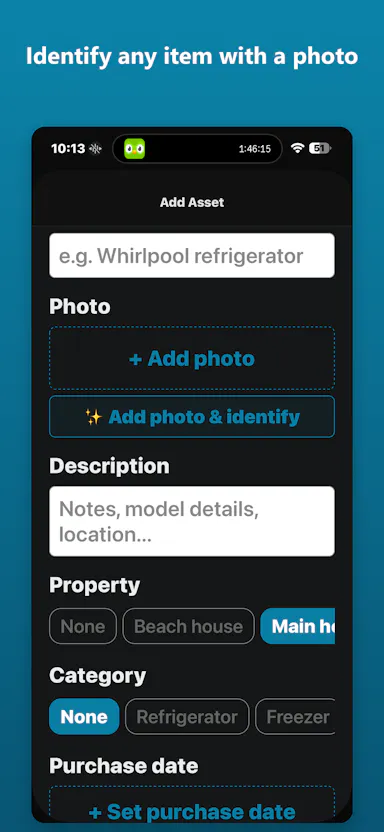
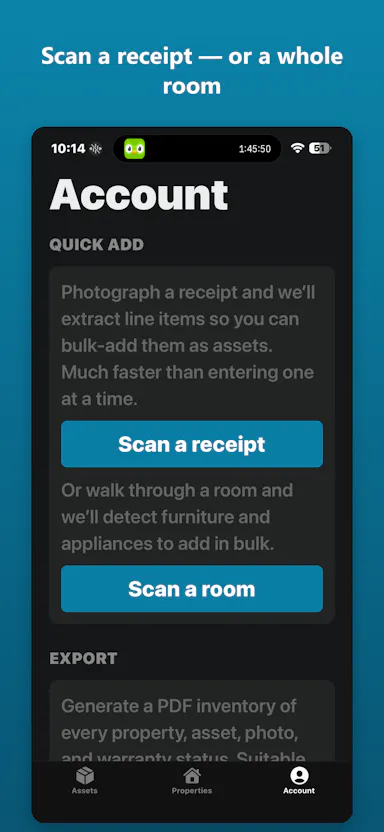
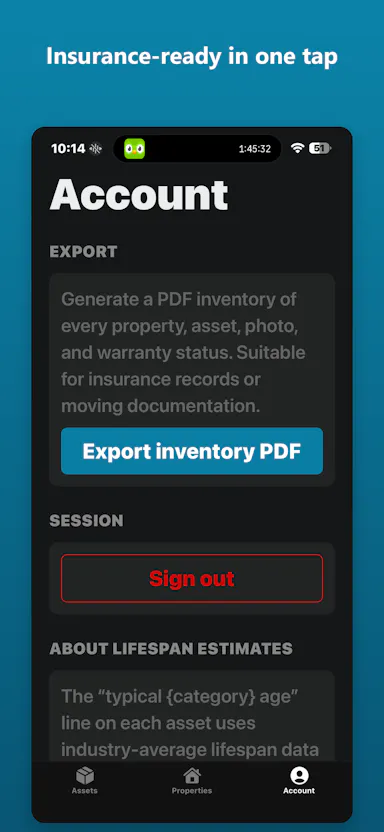
A photo-first home inventory app for iPhone that uses AI to auto-fill item details and exports an insurance-ready PDF — built for households, unlike business-focused rivals like Sortly.

FreeNo subscriptionCan export my data
What to know
How it works
A photo-first home inventory app for iPhone: snap a photo and AI fills in name, brand and value, scan a receipt to bulk-add items, or scan a room with LiDAR; tracks warranties across multiple properties and exports a one-tap insurance-ready PDF.
What's different
Built for households rather than businesses (unlike Sortly) or insurer-tied tools (unlike Encircle), and not locked behind a subscription.
Pricing
Free download; $9.99 one-time payment unlocks unlimited AI.
Best for
Homeowners building an inventory for insurance purposes.

Watched for 18 days · last checked 2d ago

Details →

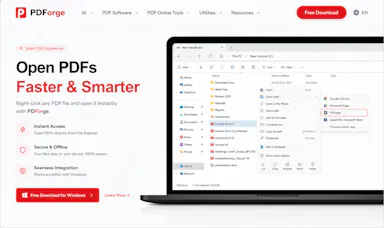
A native Windows/Mac desktop PDF editor (edit, sign, annotate, organize) that keeps files fully offline on your device and is sold as a one-time purchase, not a subscription.

Domain registered 1 month ago

Works offlinePay onceNo subscription
What to know
How it works
A native desktop app for Windows 11 and macOS to edit, sign, annotate and organize PDFs, with all editing happening offline on the device.
What's different
Local-first: files never leave your device, and it's sold as a one-time purchase rather than a subscription.
Pricing
Free trial, then one-time payment (positioned as an Adobe Acrobat subscription alternative).
Best for
Windows/Mac users who want a privacy-respecting PDF editor without a recurring subscription.

Watched for 14 days · last checked 2d ago

Details →

An offline invoice, quote and receipt generator you buy once and keep forever, with no account or subscription - built for freelancers who want clean client paperwork.

No sign-upWorks offlinePay onceNo subscription
What to know
How it works
A lightweight toolkit with invoice, quote, and receipt generators that work 100% offline in any browser — fill in your details and download a professional PDF.
What's different
One-time purchase that works forever with no account, subscription, or expiry, unlike SaaS billing tools.
Pricing
Buy once, use forever — no subscription.
Best for
Freelancers who need clean client documents without another subscription.

Watched for 14 days · last checked 8d ago

Details →

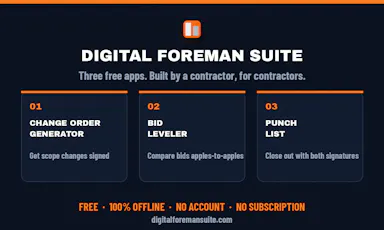
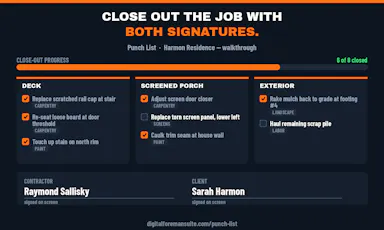
Three offline apps for contractors to generate change orders, level sub bids, and run punch lists, no account needed.

Domain registered 1 month ago

FreeNo sign-upWorks offlineNo subscription
What to know
How it works
Change Order Generator, Bid Leveler, and Punch List apps working fully offline on the phone
Pricing
free, Pro one-time $29.99 adds logo
Best for
contractors and trades running jobs from their phone
Watch out
offline-only, no team sync mentioned

Watched for 4 days · last checked 3d ago

Details →

A Windows desktop app for signing PDFs by hand, entirely offline, so sensitive documents never touch the cloud.

Domain registered 7 days ago

Works offlineData stays with youPay onceNo subscription
What to know
How it works
Drag and drop a PDF/image, draw a signature, add text — all processed locally
What's different
Zero cloud upload, one-time purchase instead of subscription
Pricing
One-time purchase
Best for
Professionals who don't want to upload contracts to third-party e-signature sites

Watched for 6 days · last checked 5d ago

Details →

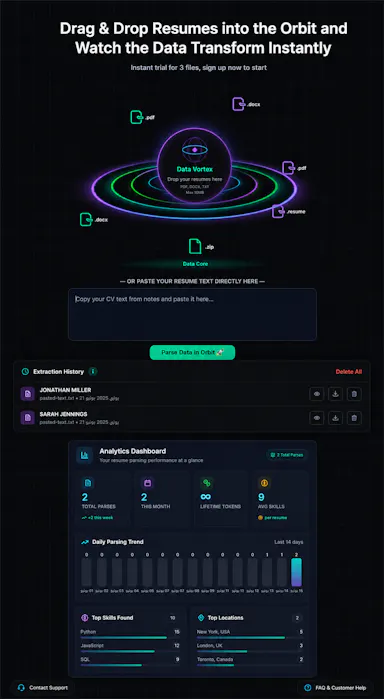
Extracts names, contacts, skills and experience from bulk PDF/Word resumes into a structured Excel export.

FreeNo subscription
What to know
How it works
Bulk parses resumes into a structured data matrix
Pricing
5 free parses, then pay-per-analysis, lifetime tokens

Watched for 6 days · last checked 5d ago

Details →

Victor

Live

A browser extension that reads the page you're on automatically so you can ask questions about it right away, without copy-pasting.

Domain registered 9 days ago

No sign-upNo subscription
What to know
How it works
Works across Chrome, Edge, and Firefox; highlight text to ask about it; reads PDFs natively.
What's different
Reads the page automatically instead of requiring copy-paste like other AI extensions.
Pricing
No account, no API key, no subscription.
Best for
People who want quick AI Q&A on whatever page they're reading.

Watched for 6 days · last checked 5d ago

Details →

A desktop tool that extracts vendor, date, and line-item data from invoice PDFs into JSON or CSV, entirely offline, for accountants and freelancers.

Works offlinePay onceNo subscription
What to know
How it works
Extracts vendor, date, line items, and totals from invoice PDFs into JSON or CSV, processed entirely offline.
Pricing
One-time purchase, no subscription.
Best for
Accountants and freelancers handling invoice data without cloud uploads.

Watched for 12 days · last checked 9d ago

Details →

A browser tool that captures full-length screenshots of pages with lazy-loaded content, then lets you annotate and export as PNG or PDF, instead of a screenshot that stops at the visible fold.

Domain registered 17 days ago

No subscriptionCan export my data
What to know
How it works
Pre-scrolls the entire page before capturing so lazy-loaded content is included, stitches it into one screenshot, and offers built-in annotation.
Pricing
$19.99 one-time, lifetime licence
Best for
capturing long web pages accurately

Watched for 13 days · last checked 10d ago

Details →

Riqa

Live

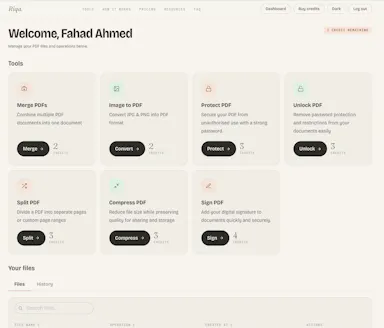
A pay-per-use PDF tool for merging, protecting, converting and unlocking documents — buy credits once instead of a subscription.

Domain registered 29 days ago

No subscription
What to know
How it works
Merge, protect, convert, and unlock PDF documents in seconds.
Pricing
Buy credits once and pay only for what you use — no subscription, no expiry.
Best for
People who need occasional PDF editing without committing to a subscription.

Watched for 14 days · last checked 2d ago

Details →

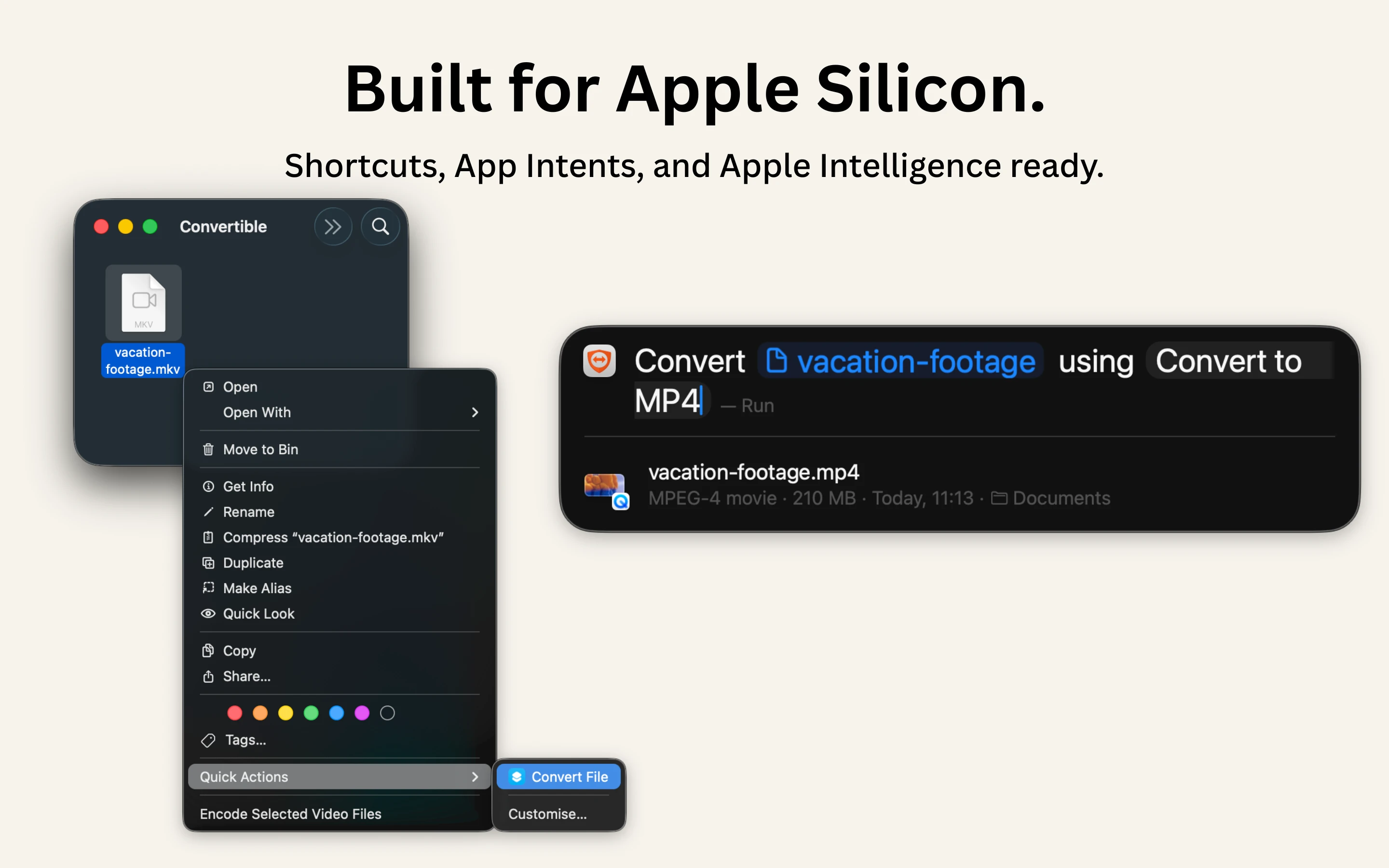
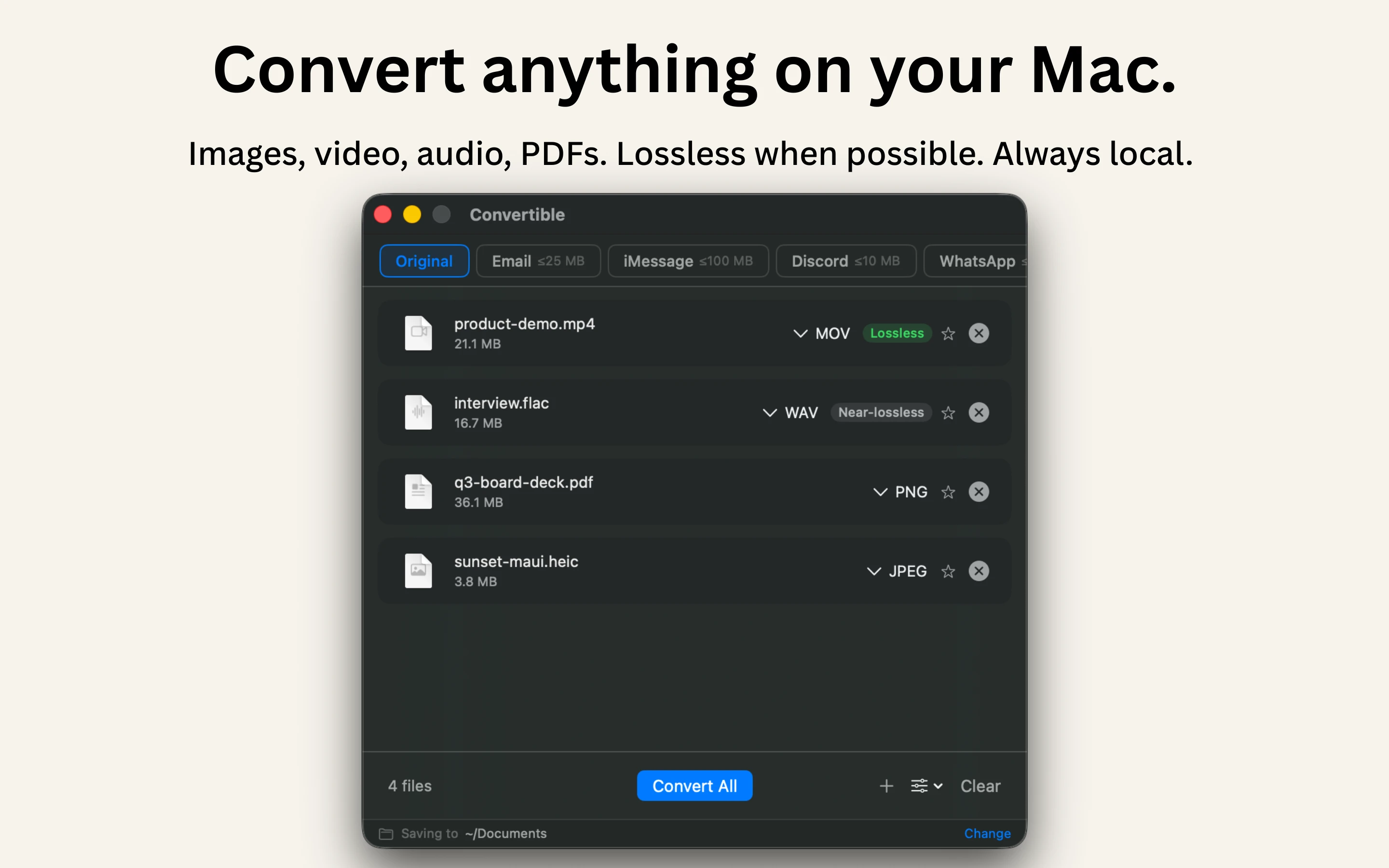
A native Mac file converter that compresses images, video, audio and PDFs entirely on-device with Shortcuts and Finder integration, for people who don't want files touching the cloud.

Works offlineData stays with youPay onceNo subscription
What to know
How it works
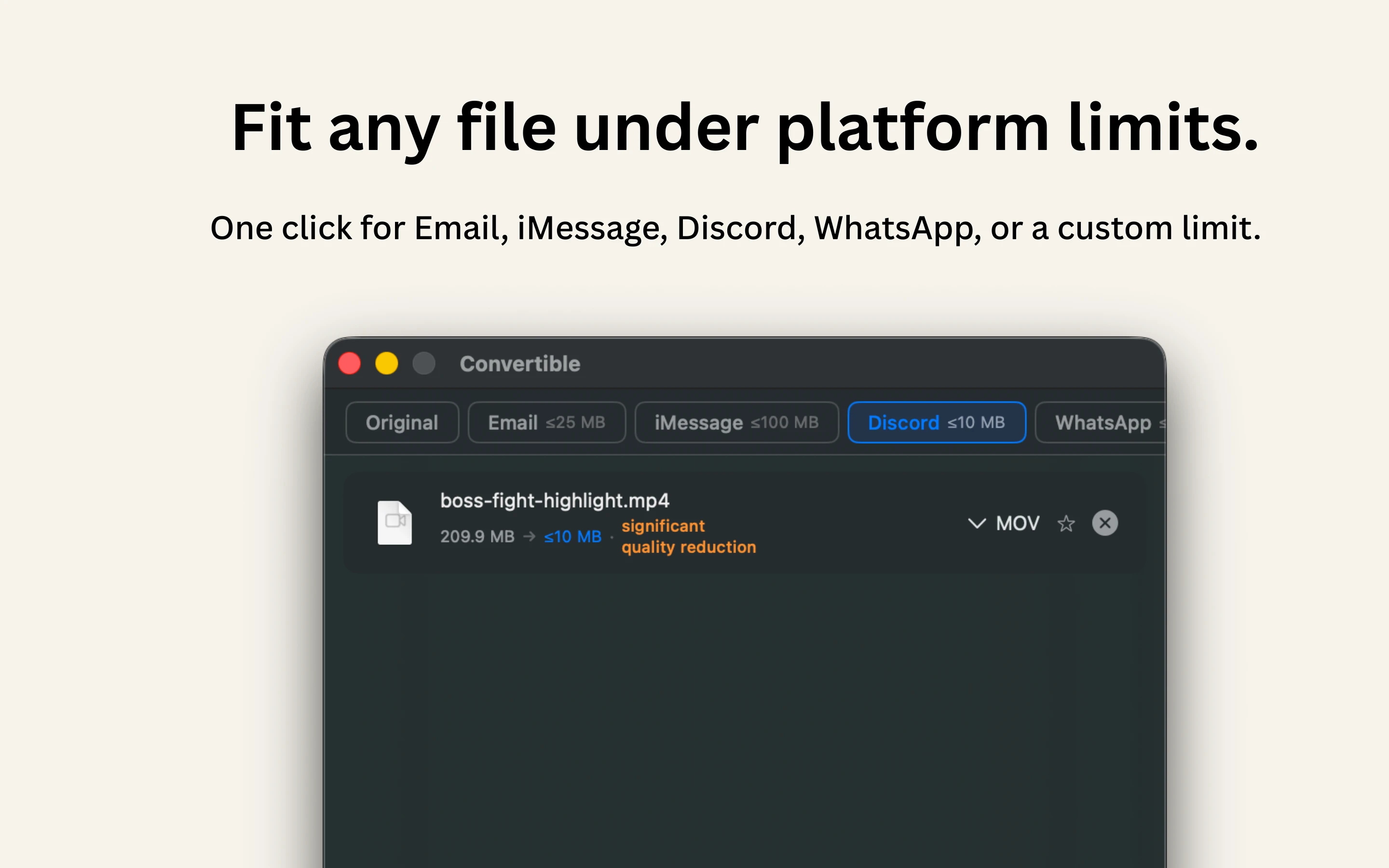
Converts and compresses images, video, audio and PDFs entirely on-device on Mac, including hard-to-open formats like MKV, WebM and HEIC, and can shrink files to a target size limit in one click.
What's different
Runs 100% locally with no cloud upload or telemetry, and integrates with Shortcuts, Finder's right-click menu, Spotlight and scheduled automations.
Pricing
One-time purchase, no subscription.
Best for
Mac users who want to convert or compress files without sending them to the cloud.

Watched for 15 days · last checked 2d ago

Details →

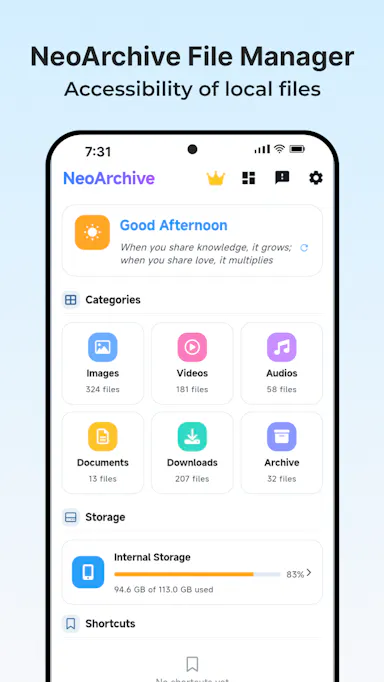
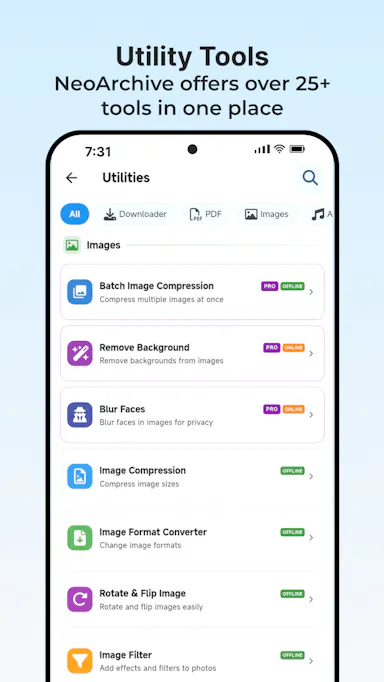
An Android app bundling 50+ file, PDF, video, audio and image tools in one place, with most tools running offline and a private vault for sensitive files.

FreeWorks offlineNo subscription
What to know
How it works
Bundles 50+ file, PDF, video, audio and image tools into one Android app, with most tools running fully offline and a private Vault plus Recycle Bin for sensitive files.
What's different
Packs dozens of single-purpose tools into one lightweight app that mostly works offline, instead of installing separate apps for each task.
Pricing
Free core app with a one-time premium purchase — no subscription.
Best for
Android users who want file, PDF, and media tools without their files leaving the device.

Watched for 17 days · last checked 8d ago

Details →

A self-hosted client, project and invoice tracker you deploy yourself for a one-time $49 instead of paying HoneyBook or Bonsai monthly. Built for developer-comfortable freelancers, not a no-code SaaS pick.

Open sourcePay onceNo subscriptionCan export my data
What to know
How it works
Manage clients, projects, and invoices in one place: track billable hours, generate invoice PDFs, and monitor monthly revenue with a built-in chart. Self-hosted on your own Railway + Supabase stack, built with React 19, Express 5, PostgreSQL, and Drizzle ORM, deployable in under 15 minutes.
What's different
Sold as a one-time $49 purchase with full source code (MIT licensed) instead of paying HoneyBook ($19/month) or Bonsai ($25/month) recurring fees.
Pricing
One-time $49 purchase, no recurring fees.
Best for
Freelance developers, designers, and consultants at $0-$5k/month who want a real CRM before paying for Bonsai.

Watched for 18 days · last checked 11d ago

Details →

An offline home inventory and warranty tracker — photograph belongings, receipts and insurance records, stored privately on your device with no account needed. For homeowners and renters preparing for insurance claims.

No sign-upWorks offlineData stays with youPay once
What to know
How it works
Lets you document belongings, receipts, and insurance records room by room with photos, prices, brands, and notes, track warranties and service details with expiry reminders, and generate/share PDF inventory reports.
What's different
Runs fully offline with no account required, all data stored privately on the device, and supports export/restore backups.
Best for
Homeowners and renters preparing for an insurance claim or documenting valuables.

Watched for 18 days · last checked 2d ago

Details →

Extracts text via OCR from scanned documents, then lets AI summarize them, flag contract risks, and translate into 51 languages — all on your Android phone.

Domain registered 4 months ago

FreeData stays with youNo subscriptionCan export my data
What to know
How it works
Scans documents on an Android phone, extracts text via OCR (Google ML Kit), and lets AI summarize them, extract key facts, flag contract risks, generate to-do lists, chat with the document, or translate into 51 languages.
What's different
Goes beyond producing a plain PDF — the AI layer analyzes and translates the scanned content directly on the device.
Pricing
Scanning and OCR are free for everyone; deeper AI features (summaries, contract-risk analysis, translation) are part of a Premium tier billed without a subscription.
Best for
Android users, including freelancers and students, who want to digitize and understand documents like invoices, contracts and notes.

Watched for 14 days · last checked 8d ago

Details →

Ncored

Live

A desktop PDF editor built to stay smooth on huge CAD and construction drawing exports from AutoCAD, Revit and ArchiCAD, running fully offline so drawings never leave your machine.

FreeNo sign-upWorks offlineNo subscription
What to know
How it works
A desktop PDF editor for Windows and Mac built to stay smooth on scroll, zoom and pan across heavy AutoCAD, Revit and ArchiCAD exports and project sets of 50-200MB or more. It runs locally on the user's machine.
What's different
Targets the specific failure mode of general PDF tools — stalling and stuttering on dense CAD/construction drawings with heavy vector line work and hatches — and processes files fully offline.
Best for
Architects, structural/civil engineers, MEP professionals and construction teams working with large, heavy drawing sets.

Watched for 18 days · last checked 2d ago

Details →

A hosted private PDF workspace with 50+ tools (merge, sign, OCR, redact) that auto-deletes files after use.

FreeNo subscription
What to know
How it works
A hosted, private PDF workspace with 50+ tools (merge, split, convert, sign, OCR, redact, compress) that auto-deletes files after the job.
Pricing
Free forever for light use; Pro from $6/mo, or $149 one-time for lifetime.

Watched for 3 days · last checked 1d ago

Details →

CV/cover-letter builder with 15 templates and live preview, free to build and pay once only to export the PDF.

FreePay onceNo subscriptionCan export my data
What to know
How it works
Pick from 15 CV templates, fill in details with a live preview, add a photo, and export straight to PDF, keeping separate tailored versions per job application.
Pricing
Free to build and preview; pay once only to export the PDF, via Apple Pay or Google Pay.

Watched for 3 days · last checked 2d ago
Details →

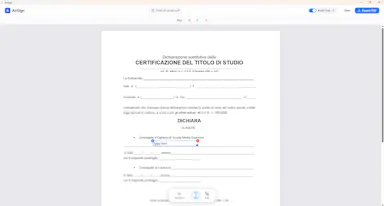
Free browser-based PDF editor for fixing dates, numbers, and text with no logins, uploads, or ads.

FreeNo sign-upNo subscriptionNo ads
What to know
How it works
Edit PDFs directly in your browser to fix dates, numbers, and text errors.
Pricing
Free.
Watch out
No registration, no subscription, no file uploads to servers.

Watched for 9 days · last checked 7d ago
Details →

QR code platform offering permanent, editable QR codes for a one-time payment instead of a subscription.

Domain registered 6 months ago

Pay onceNo subscription
What to know
How it works
Create permanent, editable QR codes for websites, PDFs, business cards, Wi-Fi, menus, and social media, with scan tracking from a dashboard.
Pricing
Pay once, no recurring subscription.
Best for
Individuals, creators, and businesses wanting permanent QR codes.

Watched for 9 days · last checked 6d ago

Details →