Tools that work offline, on your own deviceDesktop windows

4 match your filters — 4 of them answered our check today.

Watching this group for 22 days · how we check

This weekno new arrivals

Local-first data recovery software for Windows and macOS that scans internal, external, USB, and SD drives and previews recoverable files before restoring.

Domain registered 4 months ago

FreeWorks offline
What to know
How it works
Scans drives across NTFS, FAT32, exFAT, and APFS filesystems and lets you preview files before recovering them.
Pricing
Free to restore up to 500 MB before paying.
Best for
People recovering lost files from a drive without sending data to a cloud service.

Watched for 14 days · last checked 8d ago

Details →

A free Pashto typing test and practice tool, available online or as an offline Windows app, for improving Pashto keyboard speed and accuracy.

FreeWorks offline
What to know
How it works
Offers a browser-based typing test and a downloadable Windows typing trainer that works without internet.
Pricing
Free.
Best for
People learning or practicing Pashto-language typing.

Watched for 14 days · last checked 8d ago

Details →

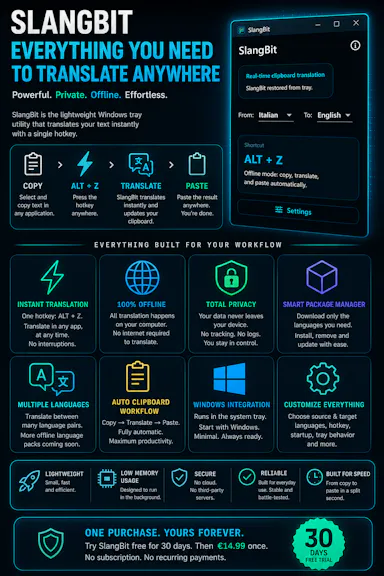
Select text in any Windows app, press Alt+Z, and get it translated using local AI models — nothing leaves your device. No subscription; 30-day free trial.

Domain registered 1 month ago

Works offlineData stays with youNo subscription
What to know
How it works
Select text in any Windows app and press Alt+Z to have it translated locally and pasted back automatically.
What's different
Runs entirely offline using local AI models, so text never leaves the device.
Pricing
No subscriptions; includes a 30-day free trial.
Best for
Windows users who want in-place translation without switching apps or sending text to the cloud.

Watched for 14 days · last checked 8d ago

Details →

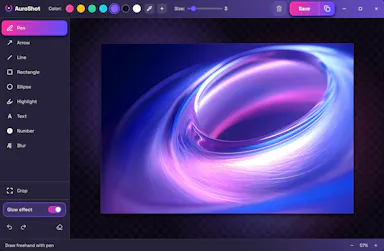
A lightweight Windows screenshot tool with fast capture, 10+ annotation tools and local-only storage, built for a clean everyday screenshot flow rather than heavy workflows.

Works offlineData stays with you
What to know
How it works
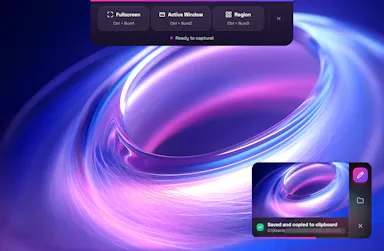
A Windows screenshot tool with fast capture modes for screen, window or selected area, plus 10+ annotation tools, automatic clipboard copy and local saving.
What's different
A floating capture panel designed not to steal focus from work or games, with local-first storage — screenshots stay on the device.
Best for
Windows users who want a clean, everyday screenshot flow without a heavy or noisy tool.

Watched for 14 days · last checked 8d ago

Details →