Tools that work offline, on your own deviceWorks with VS Code

8 match your filters — 8 of them answered our check today.

Watching this group for 20 days · how we check

This week2 new arrivals

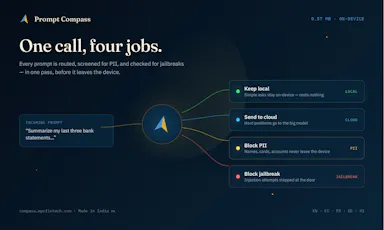
Routes each AI prompt to the cheapest capable model and blocks PII/jailbreak attempts locally, cutting AI API costs for developers.

Domain registered 4 months ago

Works offline
What to know
How it works
On-device ~5ms routing decision per prompt
What's different
Claims up to 96% cost cut by avoiding always-expensive-model routing
Pricing
Free tier, npm SDK and VS Code/Cursor extension

Watched for 6 days · last checked 5d ago

Details →

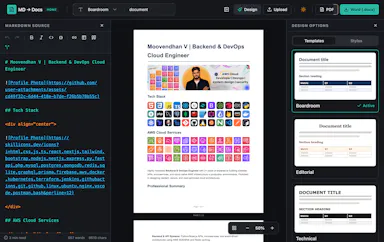
Converts Markdown files into styled Word and PDF documents, usable fully offline or inside VS Code.

Works offline
What to know
How it works
Renders markdown into formatted .docx/.pdf, in a web editor or a VS Code extension
What's different
fully offline compatible
Best for
writers who draft in markdown but need polished Word/PDF output

Watched for 6 days · last checked 5d ago
Details →

A free local VS Code/Cursor extension that turns your Claude Code session files into a browsable dashboard with full transcripts, tool calls, sub-agents and per-response token and cost tracking.

FreeWorks offline
What to know
How it works
A VS Code/Cursor/VSCodium extension that turns local Claude Code session files into a browsable workspace with full transcripts, tool calls, sub-agents, per-response token and cost tracking, an analytics dashboard, and a CLAUDE.md memory view.
What's different
100% local-first — nothing leaves your machine.
Pricing
Free.
Best for
Developers using Claude Code who want to review sessions, costs and tool calls without a CLI-only cost counter.

Watched for 13 days · last checked 11d ago

Details →

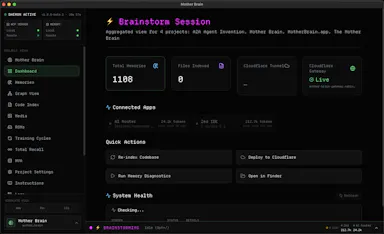
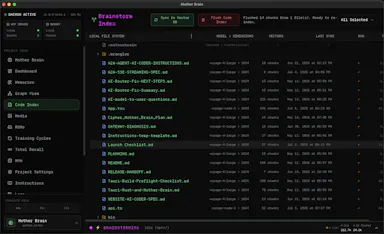
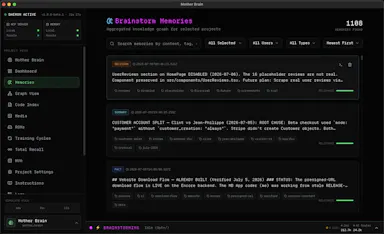
Gives AI coding tools like Cursor and VS Code persistent local memory of your codebase, running on your own machine - priced at $25/year, not one-time, apart from a limited beta deal.

Works offline
What to know
How it works
Gives AI coding assistants persistent memory: it indexes your codebase with vector search, saves every conversation, and connects to Zed, Cursor, VS Code and other MCP-compatible tools, running on embedded PostgreSQL + pgvector.
What's different
100% local-first with no cloud required, unlike most AI memory tools.
Pricing
$25/year, no tiers; beta testers get lifetime access for a $25 one-time payment.
Best for
Developers using AI coding assistants who want persistent, local memory of their codebase across sessions and team members.

Watched for 15 days · last checked 2d ago

Details →

A native (non-Electron) Git GUI for Mac and Windows built for speed and low memory use, positioned against GitKraken, SourceTree, Fork and Tower for developers who find those apps sluggish.

Domain registered 2 months ago

No sign-upWorks offline
What to know
How it works
A native Git GUI for macOS and Windows with a color-coded, virtualized commit graph and infinite scroll. Works fully offline and locally, with no account or cloud dependency.
What's different
Roughly 12 MB and launches in a fraction of a second, versus the 300–500 MB idle RAM and multi-second cold starts of Electron-based clients like GitKraken, SourceTree, Fork, and Tower.
Best for
Developers frustrated with the resource overhead of Electron-based Git clients.

Watched for 11 days · last checked 2d ago

Details →

A local gateway that lets every AI coding client share one set of MCP server connections instead of configuring each tool separately, cutting how many tools your agent has to load.

FreeNo sign-upWorks offlineOpen source
What to know
How it works
A local-first, open-source gateway. You set up and authenticate each MCP server once, and every connected AI client — Claude, Cursor, VS Code, Codex — shares that same connection instead of you configuring it per tool.
What's different
Claims up to 91% less tool-token overhead by giving an agent a handful of meta-tools instead of loading hundreds of individual tool definitions; API keys stay in the OS keychain.
Pricing
Free, open source, no sign-up.
Best for
Developers running multiple AI coding clients against the same set of MCP servers who don't want to re-authenticate each one separately.
Watch out
The '91% overhead cut' figure is the product's own claim; we haven't independently benchmarked it.

Watched for 20 days · last checked today

Details →

Offline on-device speech to text for Mac and Windows

No sign-upWorks offlineData stays with you

First seen today · last checked today

Details →

A CLI and proxy that curates your MCP server config and shares it across Claude, Cursor, VS Code and Windsurf, loading only the tools each agent needs — for developers juggling multiple AI coding clients.

Works offline
What to know
How it works
A local-first CLI and proxy where you write your MCP server configuration once, then it fans that config out to Claude, Cursor, VS Code, and Windsurf, loading only the tools each agent actually needs and resolving secret references instead of hardcoded keys.
What's different
Loads a curated subset of tools per client rather than every configured MCP server, avoiding the context-window overhead of loading them all.
Best for
Developers using multiple AI coding clients who want one MCP config instead of duplicating setup across each tool.

Watched for 16 days · last checked 2d ago

Details →