Tools that work offline, on your own deviceRuns on Windows

101 match your filters — 95 of them answered our check today.

Watching this group for 20 days · how we check

This week38 new arrivals

Desktop teleprompter for presenters that overlays a click-through script on any app while staying invisible in screen recordings.

Domain registered 10 months ago

Works offline
What to know
How it works
Floating click-through script overlay with voice-activated auto-scroll
What's different
Invisible in screen recordings and to viewers, unlike normal teleprompters
Best for
People presenting demos, webinars, or interviews on camera

Watched for 5 days · last checked today

Details →

Skim

Live

Free, open-source, minimal, local-first email client for Windows with a native Rust core and optional bring-your-own-key AI drafting.

FreeWorks offlineOpen sourceNo tracking
What to know
How it works
native Rust/Tauri core, ~5MB installer, instant full-text search
What's different
minimal by design, zero telemetry, bring your own AI key
Pricing
free (MIT)
Best for
Windows users wanting a fast local email client

Watched for 6 days · last checked today

Details →

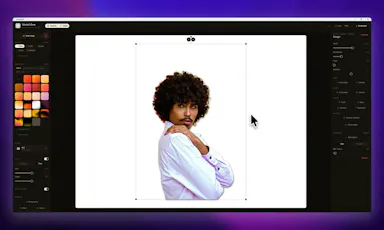
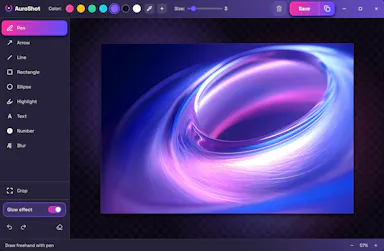
A Windows screenshot tool that adds designed backgrounds, annotation, and on-device background removal, built as a CleanShot X equivalent for Windows users.

Works offlineNo subscription
What to know
How it works
Captures a region, applies a styled backdrop and annotations, and removes backgrounds using on-device AI that never uploads images.
Pricing
$9 one-time, lifetime license, no subscription, 30-day money-back guarantee.
Watch out
Built and maintained by a single solo developer.

Watched for 7 days · last checked 1d ago

Details →

A desktop image upscaler that reconstructs existing detail instead of using generative AI, running fully offline for a one-time payment instead of a subscription.

Domain registered 4 months ago

FreeNo sign-upWorks offlinePay once
What to know
How it works
Runs offline after activation (under 150 MB with models included), CPU-optimized for Apple Silicon and also works on Windows, with batch processing and no per-image limits.
What's different
Positions itself against generative AI upscalers by avoiding hallucinated detail and producing the same result every run.
Pricing
10 free images, no signup, no watermark; early-bird one-time price $39/€39.
Best for
people who want consistent image upscaling without uploading photos to the cloud.

Watched for 12 days · last checked today

Details →

A voice-following teleprompter for live calls/webinars that adapts scroll speed to your actual speech instead of a fixed rate or foot pedal.

Works offlinePay onceNo subscription
What to know
How it works
Listens to your voice and scrolls to match, works live inside Zoom/Meet/Teams/OBS and stays hidden during screen-share.
What's different
On-device processing, one-time price instead of subscription.
Pricing
One-time price, no subscription.

Watched for 2 days · last checked 2d ago

Details →

Pandia

Live

Native desktop app for opening and editing multi-gigabyte JSON files instantly, for developers who hit size limits in browser-based JSON viewers.

FreeWorks offlineData stays with youOpen source
What to know
How it works
Opens huge files with no upload, shows JSON as Tree, Code, Grid, Graph, or Compare views, generates types for 9 languages.
What's different
Handles multi-gigabyte files offline where most JSON tools choke or require upload.
Pricing
Free
Watch out
Desktop-only (macOS, Windows, Linux).

Watched for 5 days · last checked today

Details →

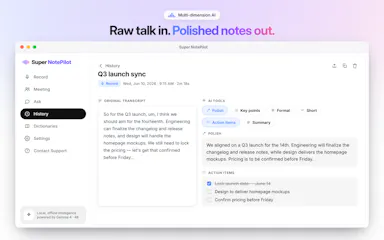
Oats

Live

A free, fully on-device meeting note-taker that transcribes and blends your typed notes without ever sending audio to the cloud or requiring an account, unlike most paid cloud notetakers.

FreeNo sign-upWorks offlineNo subscription
What to know
How it works
On-device transcription blended with your typed notes into a write-up; optional bring-your-own model key or fully offline.
What's different
Most competitors still upload audio to their cloud and cost $18+/mo; this doesn't and is free.
Pricing
Free.

Watched for 2 days · last checked 2d ago

Details →

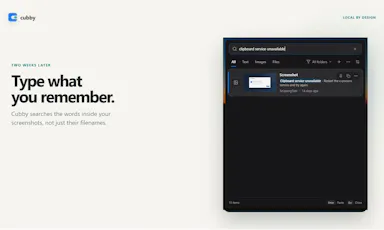
Windows clipboard history tool that lets you search past screenshots by the text visible inside them, all stored locally.

No sign-upWorks offline
What to know
How it works
Offline OCR indexes screenshot text so it's searchable; encrypted local storage
What's different
No account, cloud, or telemetry, unlike most clipboard managers

Watched for 4 days · last checked today

Details →

Lets people encrypt files with PGP without a GnuPG install instead of using command-line-only tools.

Works offlineOpen sourceNo tracking
What to know
What's different
compatible with GPG, Kleopatra, and Thunderbird
Pricing
free, MIT license

Watched for 1 day · last checked 1d ago

Details →

A Mac dictation tool that turns speech into clean text anywhere via a hotkey, with recognition running locally, evolving into an on-device AI assistant you can hand tasks to. No cloud or account required.

Domain registered 1 month ago

FreeNo sign-upWorks offline
What to know
How it works
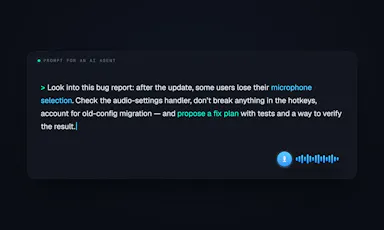
Hold a key, speak a sentence, and it appears as text in any Mac app; select existing text, press a key, and say what's wrong with it to have it rewritten in place. Speech recognition runs entirely on the Mac.
What's different
No audio ever leaves the device -- recognition and rewriting both run locally.
Pricing
Free trial.
Best for
Mac users who think faster than they type and want to dictate or fix text without leaving their current app.

Watched for 10 days · last checked 4d ago

Details →

Nudge

Live

A free, no-account, peer-to-peer file-sharing tool that works browser-to-browser across any device, unlike AirDrop which is locked to Apple hardware.

FreeNo sign-upWorks offline
What to know
How it works
Browser-to-browser WebRTC transfer with peer-to-peer encryption.
What's different
Cross-platform (Android, Windows, Mac, iOS) unlike AirDrop.
Pricing
Free, unlimited file size, no account.

Watched for 2 days · last checked 2d ago

Details →

A local-first trading journal with an offline AI coach that reviews your trades and notes to flag costly habits, for traders who don't want their data on someone else's server.

No sign-upWorks offlineNo tracking
What to know
How it works
stores trades and notes in a single local file; AI coach runs against a local model (Ollama, LM Studio)
What's different
open source so the no-cloud claim is verifiable, plus a 'Leak Finder' that prices out bad habits
Best for
prop-firm traders needing drawdown and payout tracking

Watched for 5 days · last checked today

Details →

Generates private text-to-speech voiceovers locally on a Windows PC in 23 languages, for creators who don't want to upload scripts to a cloud service.

Domain registered 9 months ago

Works offlineCan export my data
What to know
How it works
Runs locally on your PC, no per-character cloud fees
What's different
private, offline processing, no script upload
Best for
creators making voiceovers for videos, courses, or games

Watched for 6 days · last checked today

Details →

Windows tool that shows what's consuming your disk space before deleting anything, with a 7-day undo window for anything removed.

Works offline
What to know
How it works
Scans multiple drives, labels consequences of deletion, simulates cleanup before running it
What's different
Deleted files go to a 7-day Safe Undo Vault instead of being removed immediately
Watch out
Runs locally with no telemetry sent

Watched for 4 days · last checked today

Details →

A Windows app that enforces regular work breaks with a full-screen overlay across all monitors, running 100% locally with no account, network, or tracking.

Domain registered 14 days ago

No sign-upWorks offlineNo tracking
What to know
How it works
Full-screen overlay on every monitor after focused work, with three protection levels up to hard-to-skip, entirely local.
Best for
People who keep skipping breaks and need a hard-to-avoid enforcement mechanism.

Watched for 7 days · last checked 1d ago

Details →

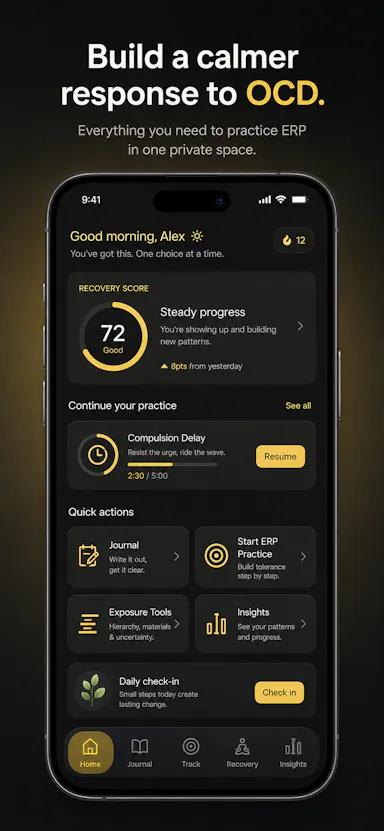
Private OCD/ERP tracker across desktop and mobile that logs obsessions, compulsions, triggers and exposure practice with no cloud sync.

Domain registered 20 days ago

No sign-upWorks offlineData stays with youNo ads
What to know
How it works
Tracks obsessions, compulsions, mood and exposure exercises across iOS/Android/desktop
What's different
No accounts, no cloud sync — data stays on-device
Best for
People doing ERP therapy who want a private tracking journal

Watched for 6 days · last checked today

Details →

A local Windows app bundling agent automation, a code editor and a local LLM runner as a one-price replacement for a stack of $100/month cloud tools.

Works offline
What to know
How it works
Bundles AI agents (via Krew), trigger-based automation, a code editor, a local LLM runner, DNS protection, and a content studio into one local Windows app.
What's different
Replaces roughly 8 separate $100/month cloud tools with one price and nothing sent to the cloud.
Watch out
Windows only.

Watched for 8 days · last checked 2d ago

Details →

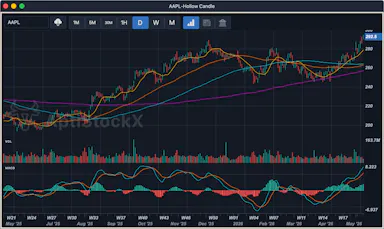
A local-first desktop stock charting app for Windows, macOS, and Linux that keeps your data, watchlists, and credentials on your machine.

Domain registered 21 years ago

Works offline
What to know
How it works
Native charting app storing charts, watchlists, and provider credentials locally
Best for
Traders who want charting data kept off the cloud

Watched for 5 days · last checked today

Details →

Kaptur

Live

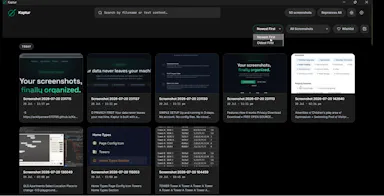
Local screenshot manager for Windows that OCRs every screenshot so you can search them by text later, with nothing uploaded to the cloud.

Works offlineData stays with you
What to know
How it works
Watches folders, extracts text via OCR, makes screenshots searchable.
What's different
100% local, no cloud upload or subscription.
Watch out
Windows only.

Watched for 5 days · last checked today

Details →

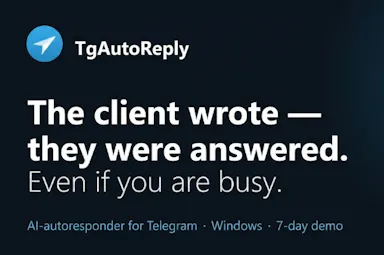
A Windows app that auto-replies to a person's Telegram contacts from their real account, transcribing voice notes and reading photos, instead of the user answering manually.

Works offline
What to know
How it works
Runs locally on Windows, reads incoming Telegram messages, transcribes voice notes, analyzes photos, and sends replies with a typing indicator and natural delay.
Pricing
One-time license from about $1, with a 7-day free trial.
Best for
People fielding many Telegram client messages who want automated replies that look human.
Watch out
Replies are sent from the user's real account without recipients being told it's automated.

Watched for 7 days · last checked 1d ago

Details →

An offline AI companion app for people who want an ongoing personalized chat relationship without their conversations ever leaving their own computer.

Domain registered 2 months ago

Works offlineData stays with you
What to know
How it works
A desktop AI companion for Mac and Windows that runs entirely offline, remembering past interactions and learning about the user over time to build a personalized relationship.
What's different
All processing happens locally on the machine rather than in the cloud.
Pricing
No recurring subscription fees.
Best for
People who want an ongoing personalized AI companion without their conversations leaving their computer.

Watched for 9 days · last checked 9d ago

Details →

A local Windows security suite with antivirus, AI ransomware detection, a DNS shield, VPN, identity monitoring, and a telemetry blocker that stops manufacturers from phoning home.

No sign-upWorks offlineData stays with youNo subscription
What to know
How it works
100% local, one-time payment, no cloud, no subscription, no account required; data never leaves the machine.
Watch out
blocks telemetry from Microsoft, AMD, HP, NVIDIA, and Intel.

Watched for 7 days · last checked 6d ago

Details →

AI Noise Cancellation for your meetings and calls.

Domain registered 1 month ago

Works offline
What to know
How it works
A real-time, on-device noise and echo cancellation app for Windows and Linux that creates a clean virtual microphone for apps like Zoom, Google Meet, Teams, and Discord.
What's different
Audio is processed entirely on-device and never uploaded.
Pricing
Free to start, no sign-in required.
Best for
People who want background noise removed from calls without sending audio to the cloud.

Watched for 9 days · last checked 3d ago

Details →

A desktop entity-resolution tool that matches and deduplicates records in a CSV locally on your machine, free up to 100k records, with an MCP server for AI coding assistants.

FreeNo sign-upWorks offline
What to know
How it works
Loads a CSV and resolves duplicate records live using the same real-time matching engine as Tilores' cloud product, running entirely on your machine; a local MCP server also lets Claude Code, Codex and other AI assistants search, import and steer it against your data.
What's different
Skips the usual enterprise entity-resolution sales process (demo, contract) — nothing leaves your laptop, and it's free up to 100k records.
Pricing
Free up to 100,000 records.
Best for
Teams who want to deduplicate and match records locally, including via AI coding assistants, without a cloud enterprise contract.

Watched for 10 days · last checked 4d ago

Details →

Local-first data recovery software for Windows and macOS that scans internal, external, USB, and SD drives and previews recoverable files before restoring.

Domain registered 4 months ago

FreeWorks offline
What to know
How it works
Scans drives across NTFS, FAT32, exFAT, and APFS filesystems and lets you preview files before recovering them.
Pricing
Free to restore up to 500 MB before paying.
Best for
People recovering lost files from a drive without sending data to a cloud service.

Watched for 12 days · last checked 6d ago

Details →

A native Mac app for viewing and editing local Markdown files — READMEs, docs, notes — entirely offline, no GitHub connection required.

Works offline
What to know
How it works
A native macOS app that opens local Markdown and plain-text files (.md, .markdown, .mdown, .mkd, .txt), lets you browse folders of related documents, renders them in a dedicated viewer, and provides source editing, search, task-list updates and typography controls.
What's different
Documents are processed entirely locally on the Mac — no account and no upload of Markdown content.
Best for
People working with local Markdown notes, READMEs, technical documentation or project specs on macOS.

Watched for 16 days · last checked 10d ago

Details →

A Windows app that turns real screen actions into annotated step-by-step guides with local OCR and no cloud upload, aimed at IT support, helpdesk and training teams.

Works offlineNo subscriptionCan export my data
What to know
How it works
A local-first Windows app for turning real desktop actions into professional visual guides: it captures clicks and active windows with consent, offers a structured editor, annotations, blur, and local OCR, and exports to PDF, DOCX, HTML, PowerPoint, or Markdown.
What's different
Keeps screenshots, OCR, and documents entirely local on the user's PC, with no SaaS account and no keystroke logging, unlike cloud-based alternatives.
Pricing
Available on Microsoft Store with a one-time lifetime license.
Best for
IT support, helpdesk, QA, operations, and training teams that need step-by-step documentation from real desktop actions.

Watched for 18 days · last checked today

Details →

A free, open-source resume builder with a live side-by-side preview and ATS-friendly PDF export that runs entirely in your browser instead of behind a paywall.

FreeWorks offlineData stays with youOpen source
What to know
How it works
granular typography and color controls, everything processed locally; standalone Windows apps also available
Pricing
free
Best for
job seekers who want a private, no-paywall resume builder

Watched for 11 days · last checked 5d ago

Details →

Converts speech to text entirely on your Windows PC — no cloud, no account required, works even with WiFi off. For users who want dictation without sending audio anywhere.

No sign-upWorks offlineData stays with youPay once
What to know
How it works
Converts speech to text directly on a Windows PC using one shortcut: hold, speak, release, and the text lands wherever your cursor is, in any app.
What's different
Works entirely offline with no cloud processing, no account, and no subscription — it keeps working even with WiFi off.
Pricing
One-time payment, no subscription.
Best for
Windows users who want dictation in any app (email, chat, notes, code editors) without their voice data leaving the device.

Watched for 16 days · last checked 10d ago

Details →

Compresses images and video (JPG, PNG, TIFF, MP4, GIF) entirely on your device with no upload to a server — for Mac, Windows and Linux, privacy-focused.

Works offlineData stays with you
What to know
How it works
Compresses JPG, PNG, TIFF, MP4 and GIF files, processing them locally on-device rather than uploading them to a server, via web tools or a dedicated offline desktop app for Mac, Windows and Linux.
What's different
Local, privacy-focused processing rather than server-side upload-based compression.
Best for
Anyone who wants to compress images or video without sending files to a third-party server.

Watched for 18 days · last checked 11d ago

Details →

Ncored

Live

A desktop PDF editor built to stay smooth on huge CAD and construction drawing exports from AutoCAD, Revit and ArchiCAD, running fully offline so drawings never leave your machine.

FreeNo sign-upWorks offlineNo subscription
What to know
How it works
A desktop PDF editor for Windows and Mac built to stay smooth on scroll, zoom and pan across heavy AutoCAD, Revit and ArchiCAD exports and project sets of 50-200MB or more. It runs locally on the user's machine.
What's different
Targets the specific failure mode of general PDF tools — stalling and stuttering on dense CAD/construction drawings with heavy vector line work and hatches — and processes files fully offline.
Best for
Architects, structural/civil engineers, MEP professionals and construction teams working with large, heavy drawing sets.

Watched for 18 days · last checked 2d ago

Details →

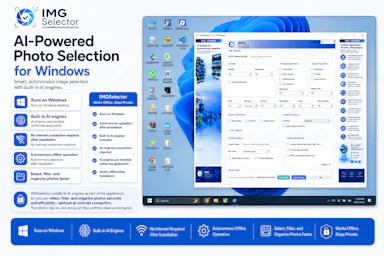
A Windows desktop app that uses offline AI to sort, filter and de-duplicate large photo batches, for photographers, designers and other creators — no cloud needed after install.

Works offline
What to know
How it works
A Windows desktop tool that uses built-in offline AI filters to detect faces, blurry or dark photos, duplicates, people, elements and landscapes, letting photographers and creators sort large photo collections without internet after install.
Pricing
Free 7-day trial.
Best for
Photographers, designers and creators sorting large photo batches who want to keep files off the cloud.

Watched for 18 days · last checked 2d ago

Details →

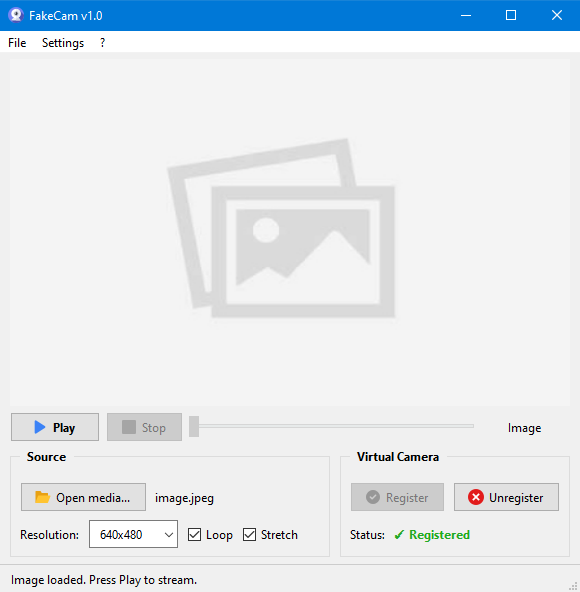
A lightweight Windows app that streams a video or image file as your webcam feed into Zoom, Teams, Skype, Discord or Telegram, running fully offline with no account or tracking.

FreeNo sign-upWorks offlineNo subscription
What to know
How it works
A lightweight virtual webcam app for Windows that streams a video or image file as your camera feed into apps like Zoom, Teams, Skype, Discord and Telegram.
What's different
Runs entirely locally with no account, subscription, ads or tracking — download and run, 25MB portable, works offline.
Pricing
Free for Windows.
Best for
Windows users who want a virtual webcam feed for video call apps without an account or bloatware.

Watched for 18 days · last checked 2d ago

Details →

Feeds any audio file through 37 sound-shaping modules to generate hours of unique ambient atmosphere, running fully offline on Mac or Windows with no subscription.

FreeNo sign-upWorks offlinePay once
What to know
How it works
Takes any audio file, stretches, layers and reshapes it into long, evolving ambient soundscapes using 37 sound-shaping modules and 18 presets. Includes a seed system to reproduce or vary a render.
What's different
Runs fully native and offline on macOS and Windows with no account, subscription or cloud upload, and every render is unique with no looping.
Pricing
No subscription, tagged as free / one-time payment.
Best for
Musicians and sound designers who want long, non-repeating ambient atmospheres exportable for music, games, film or meditation.

Watched for 18 days · last checked 11d ago

Details →

A local Windows file-search app that indexes without sending anything to the cloud or needing an account — built to stay fast even on older, resource-constrained PCs.

No sign-upWorks offline
What to know
How it works
A local-first desktop app that indexes files on Windows so you can search for them without digging through folders.
What's different
No cloud, no accounts, and built to run smoothly on older, resource-constrained hardware.
Best for
Windows users, including those on older PCs, who want fast local file search without sending data to the cloud.

Watched for 17 days · last checked today

Details →

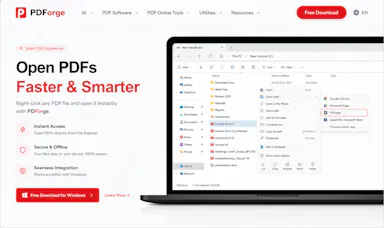
A native Windows/Mac desktop PDF editor (edit, sign, annotate, organize) that keeps files fully offline on your device and is sold as a one-time purchase, not a subscription.

Domain registered 1 month ago

Works offlinePay onceNo subscription
What to know
How it works
A native desktop app for Windows 11 and macOS to edit, sign, annotate and organize PDFs, with all editing happening offline on the device.
What's different
Local-first: files never leave your device, and it's sold as a one-time purchase rather than a subscription.
Pricing
Free trial, then one-time payment (positioned as an Adobe Acrobat subscription alternative).
Best for
Windows/Mac users who want a privacy-respecting PDF editor without a recurring subscription.

Watched for 14 days · last checked 2d ago

Details →

A free Pashto typing test and practice tool, available online or as an offline Windows app, for improving Pashto keyboard speed and accuracy.

FreeWorks offline
What to know
How it works
Offers a browser-based typing test and a downloadable Windows typing trainer that works without internet.
Pricing
Free.
Best for
People learning or practicing Pashto-language typing.

Watched for 12 days · last checked 6d ago

Details →

A free screen recording app for Windows, macOS, Linux, and web that automatically zooms the cursor on clicks, processing everything on-device without upload.

FreeNo sign-upWorks offlineData stays with you
What to know
How it works
Highlights the cursor and auto-zooms on clicks during recording, with no upload or account required to start.
Pricing
Free.
Best for
People who want a directed-looking screen recording without manual editing or cloud upload.

Watched for 12 days · last checked 6d ago

Details →

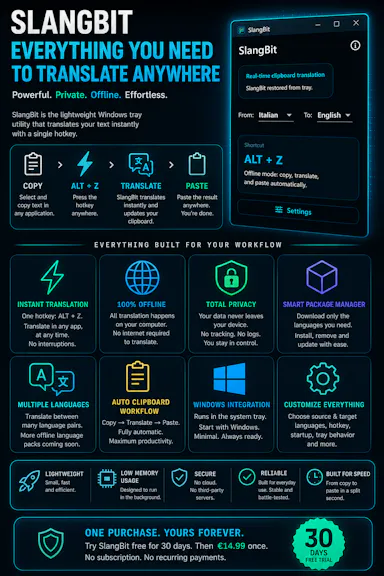
Select text in any Windows app, press Alt+Z, and get it translated using local AI models — nothing leaves your device. No subscription; 30-day free trial.

Domain registered 1 month ago

Works offlineData stays with youNo subscription
What to know
How it works
Select text in any Windows app and press Alt+Z to have it translated locally and pasted back automatically.
What's different
Runs entirely offline using local AI models, so text never leaves the device.
Pricing
No subscriptions; includes a 30-day free trial.
Best for
Windows users who want in-place translation without switching apps or sending text to the cloud.

Watched for 12 days · last checked 6d ago

Details →

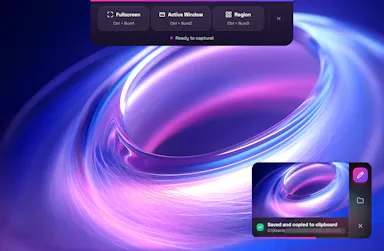
A lightweight Windows screenshot tool with fast capture, 10+ annotation tools and local-only storage, built for a clean everyday screenshot flow rather than heavy workflows.

Works offlineData stays with you
What to know
How it works
A Windows screenshot tool with fast capture modes for screen, window or selected area, plus 10+ annotation tools, automatic clipboard copy and local saving.
What's different
A floating capture panel designed not to steal focus from work or games, with local-first storage — screenshots stay on the device.
Best for
Windows users who want a clean, everyday screenshot flow without a heavy or noisy tool.

Watched for 12 days · last checked 6d ago

Details →

Ortu

Live

A cross-platform clipboard manager with full history, search and secret masking for anyone who copy-pastes constantly - handy for developers managing API keys, but useful for any heavy copy-paste workflow.

No sign-upWorks offlineOpen source
What to know
How it works
Remembers everything you copy - text, images, files - across macOS, Windows and Linux, with full-text search, a paste stack, secret masking with encryption, and smart auto-grouping.
What's different
Runs 100% locally with no account, and is open source.
Pricing
Not stated beyond being open source.
Best for
Developers and anyone who copy-pastes constantly, including people managing API keys via clipboard.

Watched for 16 days · last checked 10d ago

Details →

A local-first AI platform bundling chat, a coding agent, a terminal and uncensored open models, with no cloud or accounts. For technical users, not really a mobile app despite the Android companion.

No sign-upWorks offlineOpen sourceNo subscription
What to know
How it works
A local-first AI platform bundling end-to-end encrypted P2P chat, a bare-metal terminal with real PTY shell access, autonomous coding agents, hybrid RAG, and bundled uncensored Qwen/Gemma models, with a native Android companion app for LAN discovery.
What's different
Runs fully offline with no cloud, accounts, or subscriptions, and ships uncensored model variants with no filters.
Pricing
Open-source (AGPL-3.0).
Best for
Technical users on Linux or Windows who want a self-hosted AI toolkit with no cloud dependency.
Watch out
Ships uncensored models with zero filters — outputs are not moderated.

Watched for 18 days · last checked 2d ago

Details →

Lets Outlook users recover OST mailbox data into PST format instead of losing access to corrupted files.

Works offlineCan export my data

Watched for 1 day · last checked 1d ago

Details →

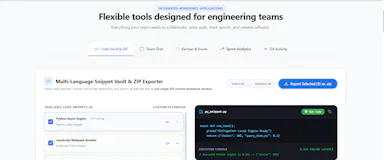
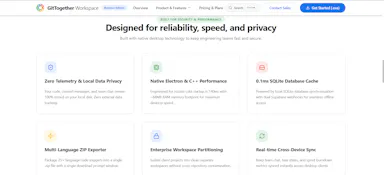
Gives engineering teams git tracking, chat, and kanban boards in one offline desktop app instead of juggling separate tools.

Works offlineNo trackingCan export my data

Watched for 1 day · last checked today

Details →

Records what you say and turns it into an organized project log automatically on your own device. Aimed at solo builders and founders who have no one else tracking their progress.

FreeWorks offlinePay onceNo subscription
What to know
How it works
Records spoken audio and turns it into an organized project history and devlog automatically, processed on your own device.
What's different
Runs fully on-device rather than relying on manual note-taking or a cloud service.
Pricing
Free to use with full functionality, no subscription; a paid Pro tier unlocks Labs and unlimited weekly processing.
Best for
Solo builders and founders who track their own progress by talking rather than writing, with no one else keeping a project record for them.

Watched for 18 days · last checked 2d ago

Details →

A Windows app that scans local image files for adult and NSFW content entirely offline, with no cloud uploads. For individuals and enterprise IT wanting to audit stored images without sending them off-device.

Works offline
What to know
How it works
Scans JPG, JPEG, PNG, WEBP and BMP files across selected folders (recursively in Retail and Enterprise editions) using on-device AI models to detect explicit and nude images, with results reviewable in a gallery and exportable to CSV; GPU acceleration via NVIDIA CUDA or DirectML is used automatically when available.
What's different
Entirely offline with no cloud uploads or third-party processing of scanned images.
Pricing
Available as a free trial, a one-time Retail license, or an Enterprise subscription.
Best for
Individuals and enterprise IT teams on Windows 10/11 who want to audit stored images for adult content without sending them off-device.

Watched for 16 days · last checked 10d ago

Details →

Offline, privacy-focused distraction-free Markdown writing app for Windows storing files locally.

Works offline
What to know
How it works
works offline, local file storage, Markdown support

Watched for 2 days · last checked 1d ago

Details →

A local version-history safety net for chosen Windows folders that undoes accidental deletes, renames, and bad saves, without any cloud backup service.

FreeNo sign-upWorks offlineOpen source
What to know
How it works
Continuous version history for folders you choose, running fully locally.
Pricing
Free, open source.
Best for
Any Windows user worried about accidental file loss, not just developers.

Watched for 2 days · last checked 1d ago

Details →

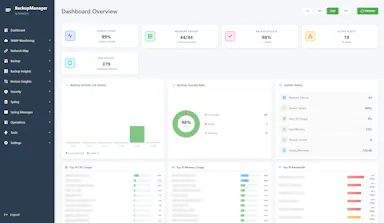
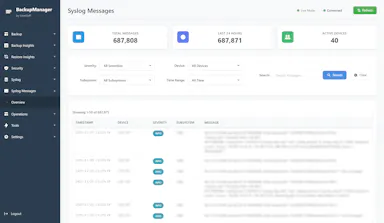
Free self-hosted Windows tool that backs up network device configs and monitors SNMP/syslog for network engineers managing multi-vendor hardware.

Domain registered 8 months ago

FreeWorks offlineNo subscriptionSelf-hosted
What to know
How it works
backs up configs for 30+ device types across 7 vendors, SNMP monitoring, built-in syslog server, LLDP-based topology mapping
Pricing
free forever, no cloud or subscription
Best for
network engineers managing Cisco/Juniper/HP/Dell/Arista gear
Watch out
provided as-is with no warranty

Watched for 5 days · last checked 3d ago

Details →

A local Windows tray soundboard that routes meme sounds through your mic into Discord calls, games, and streams via VB-CABLE, with no cloud processing.

Works offline
What to know
How it works
A local Windows tray soundboard that lets you search, import and organize meme sounds, assign hotkeys, and route them through your mic into Discord calls, games or streams via VB-CABLE.
What's different
Runs locally with no cloud processing, and supports optional voice passthrough alongside the sound clips.
Best for
Streamers and gamers who want to trigger meme sounds through their mic during Discord calls or streams.

Watched for 17 days · last checked 11d ago

Details →

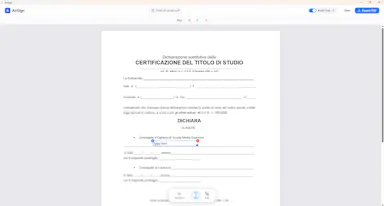
A Windows desktop app for signing PDFs by hand, entirely offline, so sensitive documents never touch the cloud.

Domain registered 7 days ago

Works offlineData stays with youPay onceNo subscription
What to know
How it works
Drag and drop a PDF/image, draw a signature, add text — all processed locally
What's different
Zero cloud upload, one-time purchase instead of subscription
Pricing
One-time purchase
Best for
Professionals who don't want to upload contracts to third-party e-signature sites

Watched for 6 days · last checked 5d ago

Details →

Batch-normalizes audio loudness to a target LUFS level entirely offline on Windows, without a DAW.

Domain registered 13 years ago

Works offline
What to know
How it works
Processes files locally to a chosen LUFS target
What's different
100% local, no cloud upload
Pricing
Windows desktop utility
Best for
Podcasters and musicians preparing files for streaming

Watched for 6 days · last checked 5d ago

Details →

A French rental-property management app storing all tenant, lease, and receipt data locally on-device with no cloud or subscription.

Domain registered 1 month ago

Works offlinePay onceNo subscriptionNo tracking
What to know
How it works
Encrypted local storage on your device, works offline, no server or account
What's different
One-click ALUR-compliant receipts, signed leases with timestamped photos
Pricing
19.99 EUR one-time; free on Linux
Best for
French landlords wanting rental management without sending data to a cloud

Watched for 6 days · last checked 5d ago

Details →

A fast file manager for macOS and Windows with built-in media previews and local compression/conversion tools.

Works offline
What to know
How it works
Preview images, PSDs, and videos instantly; compress/convert/edit media in the explorer
What's different
Everything runs locally, no extra apps needed
Best for
People juggling media files who want previews and edits without opening separate apps

Watched for 6 days · last checked 5d ago

Details →

A local-first notebook combining handwriting, rich documents and PDF markup in one workspace, for students and professionals tired of juggling multiple note apps.

Works offlineData stays with youNo adsNo tracking
What to know
How it works
A local-first notebook combining handwriting (ink, pens, highlighters, shapes, lasso selection), rich text boxes, tables, images, audio memos, and PDF import with searchable text, all on a multi-page canvas organized with folders and tags.
What's different
Combines handwriting, structured documents and PDF markup in one workspace instead of forcing a choice between separate apps, without ads or tracking SDKs.
Best for
Students, professionals and creators who currently juggle multiple note apps and want handwriting, documents and PDF annotation in one place.

Watched for 18 days · last checked 2d ago

Details →

Cross-platform hardware monitoring with real-time stats, history and benchmarking for Windows, Linux, macOS and Android, with all data processed locally and no telemetry upload.

Works offlineOpen source
What to know
How it works
Monitors CPU, GPU, memory, disk and network in real time, with historical analytics, process management, local benchmarking, and gaming session detection, across Windows, Linux, macOS (Apple Silicon), and Android.
What's different
All monitoring data is processed on-device with local SQLite storage; no telemetry or benchmark results are uploaded.
Best for
Users who want cross-platform hardware monitoring without sending data to the cloud.

Watched for 12 days · last checked 2d ago

Details →

A Windows hotkey tool that OCRs and copies an IBAN, amount, date or invoice number off your screen, checksum-validating IBANs so you don't paste a wrong account; offline, $14 one-time.

No sign-upWorks offlinePay once
What to know
How it works
A Windows hotkey tool: drag a box over an IBAN, amount, date, or invoice number on screen, and it OCRs that region and copies the text, validating IBANs against their checksum before you paste them.
What's different
Checksum-validates IBANs so you don't paste a wrong account number, and runs 100% offline with no account.
Pricing
$14 one-time, with a 7-day free trial.
Best for
Anyone who regularly copies data like account numbers off invoices.

Watched for 13 days · last checked 11d ago

Details →

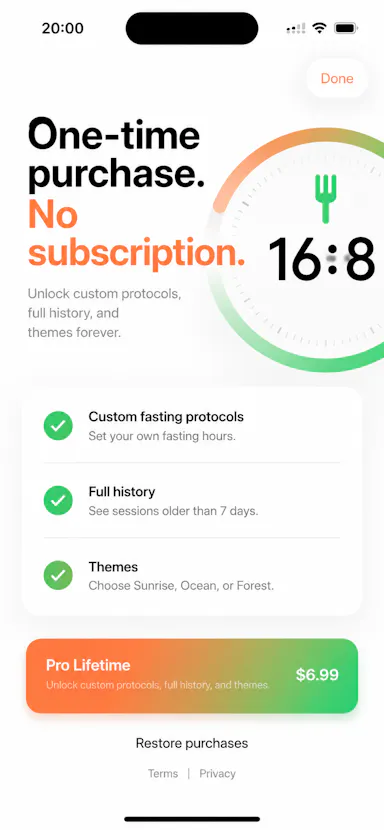
A no-frills iPhone timer for intermittent fasting (16:8, OMAD, custom windows) that works offline with no account; the Pro unlock is a one-time purchase, not a subscription.

No sign-upWorks offlinePay onceNo subscription
What to know
How it works
Tracks intermittent fasting windows (16:8, 18:6, 20:4, OMAD, or custom) on iPhone, with offline use, local history, Live Activities, Dynamic Island, widgets, reminders and streaks.
Pricing
Pro is a one-time purchase, not a subscription.
Best for
iPhone users who want a fasting timer without an account or ongoing subscription.

Watched for 13 days · last checked 10d ago

Details →

Gleam

Live

Wraps app screenshots in device frames and backgrounds, exporting every size needed for iPhone, iPad, Android and Mac stores in one click. A one-time-purchase desktop app (not mobile), runs fully offline.

Domain registered 19 days ago

Works offlinePay onceNo subscription
What to know
How it works
Takes a plain app screenshot and wraps it in device frames, backgrounds, and text layers, exporting every size required for iPhone, iPad, Android, and Mac app stores from one project in one click.
What's different
Runs completely offline on macOS, Windows, or Linux, keeping data private, unlike browser-based mockup tools.
Pricing
$19 one-time payment, no subscription.
Best for
App developers preparing store screenshots who want to skip manually recreating frames in Figma or Photoshop.

Watched for 13 days · last checked 11d ago

Details →

An offline Windows app bundling 30+ AI media tools — upscaling, restoration, object removal, audio separation — for photo, video and audio editing, starting at ₹999/year.

Works offline
What to know
How it works
A Windows desktop app bundling 30+ AI media tools for upscaling, restoration, object removal and audio separation, running entirely offline.
What's different
Runs 100% offline rather than processing media in the cloud.
Pricing
Starting ₹999/year.
Best for
Windows users who want offline AI photo, video and audio editing tools without cloud processing.

Watched for 16 days · last checked 2d ago

Details →

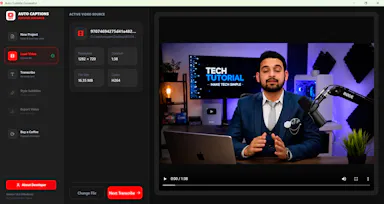
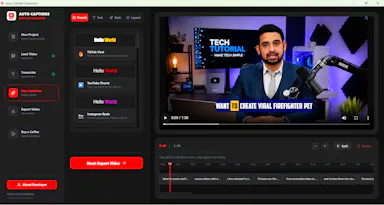
A free, open-source Windows app that auto-generates styled subtitles for your videos using offline Whisper or the cloud Groq API — aimed at YouTube Shorts, TikTok and Reels creators, not developers.

FreeWorks offlineOpen sourceCan export my data
What to know
How it works
A Windows desktop app that automatically transcribes videos into word-level subtitles using either offline OpenAI Whisper or the cloud-based Groq API, then burns captions into the video or exports as SRT/VTT.
What's different
Free and open-source, with styling presets built for YouTube Shorts, TikTok, and Instagram Reels formats.
Pricing
Free.
Best for
YouTube Shorts, TikTok, and Instagram Reels creators who need styled captions on their videos.
Watch out
Windows-only desktop app; cloud transcription option (Groq) requires sending video data off-device, unlike the offline Whisper option.

Watched for 17 days · last checked 2d ago

Details →

A Windows desktop app that tracks your activity locally and guards your focus, marketed as an AI-style assistant ('Jarvis') for staying on task.

Works offline
What to know
How it works
A Windows desktop companion that tracks your activity locally, guards your focus in a reversible way, and helps you recover context when you get distracted.
What's different
Local-first activity tracking rather than sending data to the cloud.
Best for
Windows users who want a focus assistant without their activity data leaving their machine.

Watched for 17 days · last checked 2d ago

Details →

A local-first desktop app that extracts details from PDF journal articles and builds a synthesis matrix comparing frameworks across papers. Built for researchers and PhD candidates doing literature reviews.

Works offline
What to know
How it works
Imports a PDF journal article and automatically extracts the title, authors, summary, research gap, theoretical frameworks, key constructs, methodology and findings into a structured card, then builds a synthesis matrix comparing constructs and frameworks across multiple papers.
What's different
Runs local-first on the desktop, so article data is not sent to the cloud.
Best for
Researchers, PhD candidates and academics doing literature reviews who need to compare frameworks across many papers.

Watched for 18 days · last checked 11d ago

Details →

A free, open-source Windows utility that shows real battery health, automatically switches power-saver mode, and adds playful alerts — for any Windows laptop owner, not just developers.

FreeWorks offlineOpen sourceNo tracking
What to know
How it works
A Windows battery companion that shows real battery health (design capacity vs. current capacity), automatically switches power-saver mode, and adds emoji alerts.
What's different
Open-source, runs 100% locally with no tracking.
Pricing
Free forever.
Best for
Any Windows laptop owner who wants to see actual battery health, not just charge percentage.

Watched for 18 days · last checked 9d ago

Details →

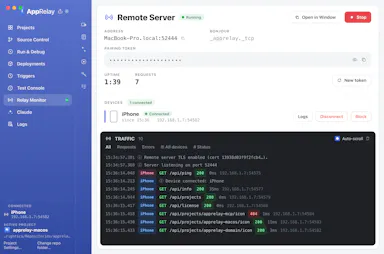
Your phone, a remote deck for your Windows laptop

Works offline
What to know
How it works
Uygulama başlatıcı, touchpad, klavye, canlı ekran görünümü ve medya/güç kontrolünü kendi ağınız üzerinden sağlar; opsiyonel Tailscale ile uzaktan erişim.
Pricing
Tek npm start komutu, bulut ya da hesap gerekmez.

First seen today

Details →

Muster

Live

Desktop app that runs each AI coding-agent task in its own isolated git worktree with DB tooling and PR review, offline-first.

Domain registered 16 days ago

Works offline
What to know
How it works
Runs each AI coding-agent task in its own isolated git worktree, with database access through MCP, hunk review, PR creation, SSH, a five-engine DB studio, and Linear/Jira/GitHub imports.
Pricing
$39 one-time per device.
Watch out
Offline-first: code and credentials never leave your machine. Available on macOS, Linux, Windows.

Watched for 3 days · last checked 2d ago

Details →

Private, fully offline Windows app that searches local files by meaning rather than filename.

Works offline
What to know
How it works
Press Ctrl+K to find Windows files by meaning rather than filename, using on-device AI.
Pricing
Free 14-day trial.
Watch out
100% private and offline.

Watched for 3 days · last checked 3d ago

Details →

Prizmi

Live

An AI assistant that drafts messages, organizes files, and fills out forms and flight check-ins on its own, installed on your computer for everyday tasks.

Works offlineData stays with you
What to know
How it works
You message Prizmi in plain language and it acts on your phone or computer — drafting texts and emails, organizing files, filling out web forms and flight check-ins, and running scheduled tasks — while proactively reaching out when it notices something matters.
What's different
Takes action directly on your connected devices rather than just answering questions, but never clicks Submit or Pay itself, keeping the user in control of final actions.
Best for
Anyone wanting a proactive assistant that runs tasks on their own Mac, Windows or Linux machine, described as built for grandparents through developers.

Watched for 18 days · last checked today

Details →

A free, no-account desktop markdown and text editor with live WYSIWYG formatting and clean markdown export, available now for Windows with macOS and Linux planned. A general writing tool, not developer-specific.

FreeNo sign-upWorks offlineCan export my data
What to know
How it works
A desktop markdown and text editor with WYSIWYG live formatting; edit inline or switch to raw source/preview, then export clean markdown.
Pricing
Free to download and use, including commercial use, no account required.
Best for
General writers who want a simple local markdown editor rather than developers specifically.
Watch out
Windows is available now; macOS and Linux builds are listed as coming soon, not yet available.

Watched for 18 days · last checked today

Details →

A native (non-Electron) Git GUI for Mac and Windows built for speed and low memory use, positioned against GitKraken, SourceTree, Fork and Tower for developers who find those apps sluggish.

Domain registered 2 months ago

No sign-upWorks offline
What to know
How it works
A native Git GUI for macOS and Windows with a color-coded, virtualized commit graph and infinite scroll. Works fully offline and locally, with no account or cloud dependency.
What's different
Roughly 12 MB and launches in a fraction of a second, versus the 300–500 MB idle RAM and multi-second cold starts of Electron-based clients like GitKraken, SourceTree, Fork, and Tower.
Best for
Developers frustrated with the resource overhead of Electron-based Git clients.

Watched for 11 days · last checked 2d ago

Details →

Native Mac and Windows console that builds, tests, signs, and publishes apps across 27 distribution destinations without cloud or account.

No sign-upWorks offlineNo subscription
What to know
How it works
Point it at a folder and it auto-detects 25 toolchains; one build fans out to 27 distribution destinations including App Store, Play, and Vercel, all handled from a native Mac and Windows console including build, test, signing, and release.
What's different
Runs 100% locally with no account, cloud, or subscription required.
Best for
Developers who need to ship apps across many platforms without cloud dependency.
Watch out
iOS and Android companion apps are included but the core console runs on Mac and Windows.

Watched for 9 days · last checked 3d ago

Details →

Sonora

Live

Offline Windows speech studio offering local text-to-speech, speech-to-text and system-wide dictation with a local API.

Works offlineData stays with you
What to know
How it works
A Windows speech studio offering multi-engine local TTS with custom voices, speech-to-text with speaker labels, global hotkey dictation into any field, and a localhost HTTP API for scripts and AI agents.
Watch out
Runs fully offline after models download; works on GPU or CPU.

Watched for 3 days · last checked 3d ago

Details →

A free, fully offline voice-to-text tool that types what you say into any app on Windows or Mac, running locally with no cloud upload.

Domain registered 30 days ago

FreeWorks offline
What to know
How it works
hold a key, speak, text appears at cursor in any app; runs locally on CPU
Pricing
free forever
Best for
privacy-conscious users who don't want cloud-based voice typing

Watched for 5 days · last checked today

Details →

Fully offline local semantic file search for Windows powered by embedded local AI models.

Works offlineData stays with you
What to know
How it works
100% local semantic search for Windows files, powered by embedded local AI models, searching by context and meaning instead of exact filenames.
What's different
Completely offline — zero data leaves the machine.

Watched for 3 days · last checked 2d ago

Details →

Pluks

Live

A clipboard manager for macOS and Windows that copies text the instant you select it, no Ctrl+C needed, plus a searchable history of your last 200 clips.

FreeNo sign-upWorks offline
What to know
How it works
A clipboard manager for macOS and Windows (beta) that copies text the instant you select it — no Ctrl+C/Cmd+C needed — then long-press to paste, or press Cmd/Ctrl+Shift+V to open a searchable history of your last 200 clips.
What's different
Brings the select-to-copy behavior Linux users know from PRIMARY selection to Mac and Windows; traditional clipboard managers only store history after you explicitly press copy.
Pricing
Free.
Best for
macOS and Windows users who want copy-paste without the extra keystroke.
Watch out
The Windows version is in beta.

Watched for 18 days · last checked 2d ago

Details →

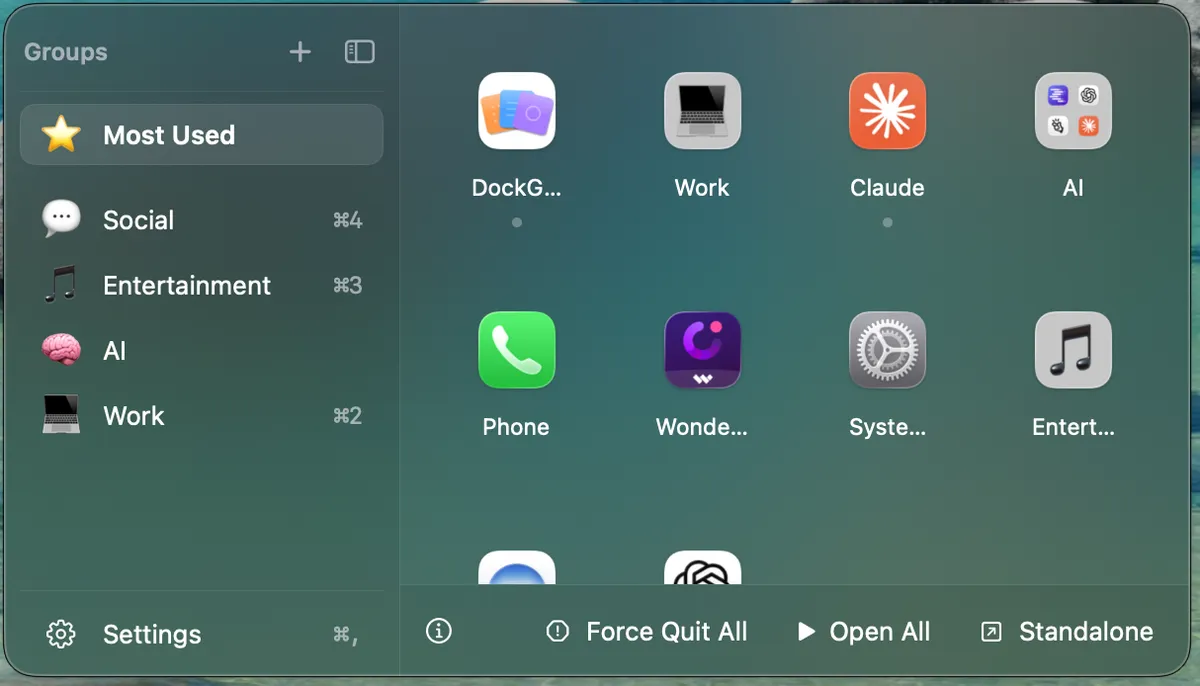
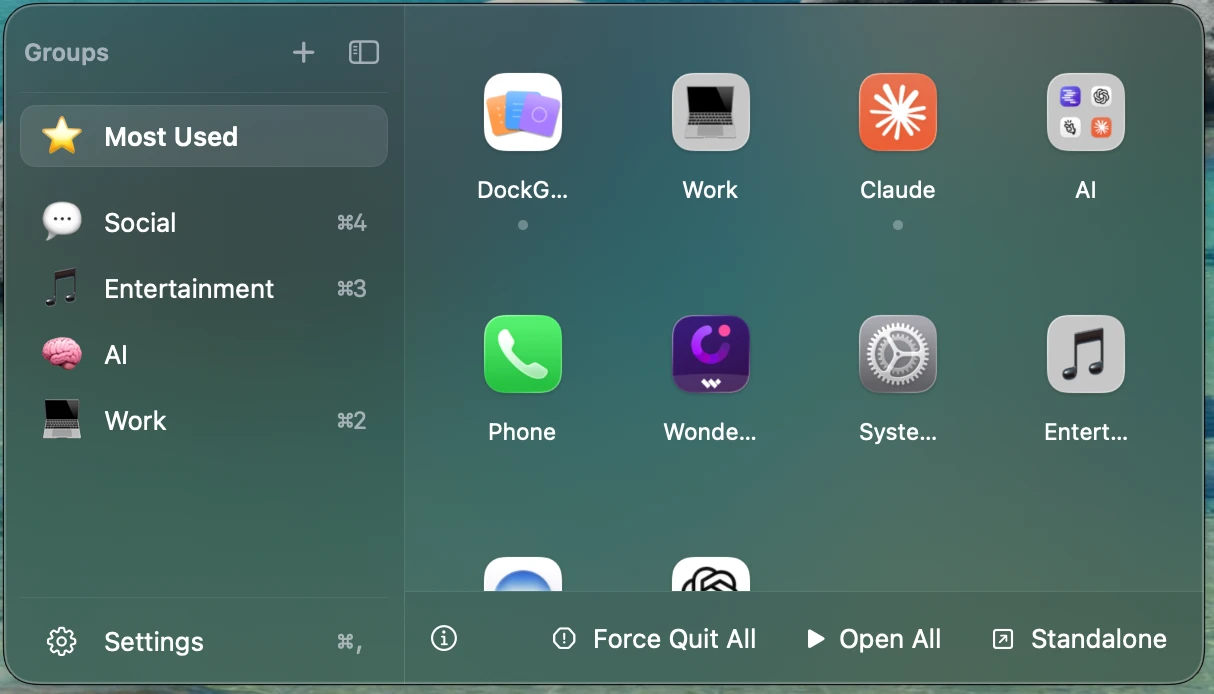
A macOS utility for organizing your Dock apps into named, emoji-labeled groups with a floating quick-access panel.

Works offlineNo tracking
What to know
How it works
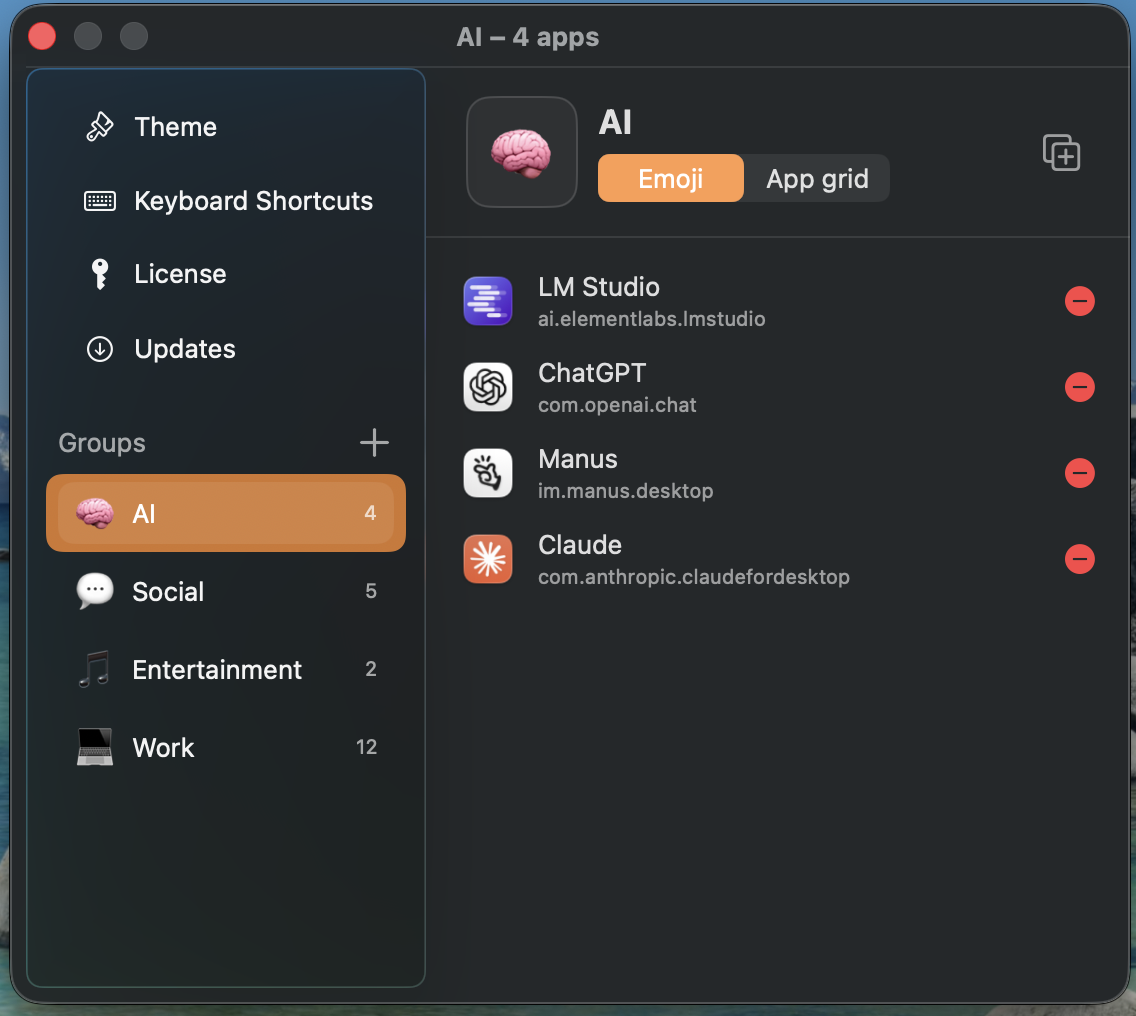
Organizes Mac Dock apps into named, emoji-labeled groups (by bundle ID) accessed through a floating panel that anchors next to the Dock, wherever it's positioned on screen.
What's different
Group data saves atomically with owner-only permissions and tolerates missing fields, so app updates don't wipe your groups; the panel offers frosted-glass or solid styling with System/Light/Dark themes.
Best for
Mac users with cluttered Docks who want apps organized into custom groups with quick access.

Watched for 18 days · last checked 2d ago

Details →

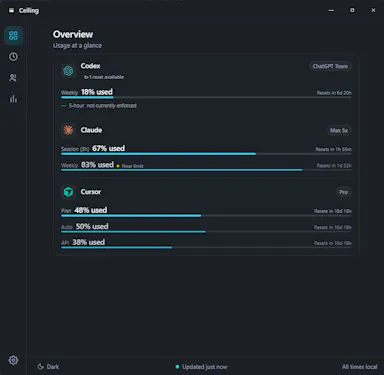
A Windows taskbar utility that tracks remaining usage limits and reset times across Claude, Codex, Cursor, and other AI tools.

FreeWorks offline
What to know
How it works
Keeps your remaining AI capacity and reset times visible above the Windows taskbar, alerting you when a limit comes back early or partially restores; hovering shows per-model and per-project breakdowns and an equivalent API cost.
Pricing
Free and local-first.
Watch out
Windows only; works with Claude, Codex, Cursor, Gemini, and Copilot.

Watched for 8 days · last checked 6d ago

Details →

An Apple Watch app that senses REM sleep and cues lucid dreaming with gentle haptics, running entirely on-device.

Domain registered 20 days ago

FreeWorks offline
What to know
How it works
Senses REM sleep from heart-rate dynamics and wrist stillness on your Apple Watch, then plays a gentle haptic rhythm to cue lucid dreams, with a nightly map of REM windows, cues, trends, and a dream journal.
What's different
100% on-device — no servers, no accounts; you train the rhythm by day through reality checks.
Pricing
3 months free via a Product Hunt exclusive promo code.

Watched for 10 days · last checked 4d ago

Details →

A desktop PDF toolkit with 27 tools — merge, compress, sign, encrypt, OCR, redact — that all run locally without uploading files.

FreeNo sign-upWorks offline
What to know
How it works
Runs 27 PDF tools — merge, compress, convert, sign, encrypt, OCR, redact — 100% locally on your machine with no file uploads.
What's different
Aimed at confidential work like legal contracts, medical records, financial statements, and ID documents; available on macOS, Windows, and Linux.
Pricing
The Merge tool is free forever with no account; Pro unlocks the other 26 tools.

Watched for 10 days · last checked 4d ago

Details →

Format, repair, query and compare JSON locally — no uploads.

FreeWorks offlineNo tracking

First seen today · last checked today

Details →

A desktop coding harness built specifically around open-weight models like DeepSeek, Qwen and Kimi, instead of bolting them onto a Claude or GPT-first interface as an afterthought.

FreeWorks offline
What to know
How it works
A desktop AI coding harness built around open-weight models (DeepSeek, Qwen, Kimi, MiniMax) instead of Claude/GPT, using a structural + lexical code-retrieval engine (Blueprint) that builds a real dependency graph of the codebase rather than embeddings or a vector DB.
What's different
Built specifically for open-weight models' weaker context discipline, instead of treating them as an afterthought behind a Claude/GPT-first interface.
Pricing
Free.
Best for
Developers who want to use open-weight models like DeepSeek, Qwen, or Kimi for coding with retrieval built for their limitations.
Watch out
Depends on local tools like Ollama and MCP — offline/no-cloud setup requires configuring those dependencies yourself.

Watched for 18 days · last checked 2d ago

Details →

A native Windows overlay app that combines clipboard history, encrypted clips, and other utilities in one hotkey-accessible tool, aimed at power users who want to stop juggling separate apps.

FreeNo sign-upWorks offlineNo tracking
What to know
How it works
A native Windows overlay app that bundles five tools into one hotkey-accessible panel: clipboard history search, text-expansion snippets, screen capture with OCR, and others.
What's different
Combines multiple utilities (clipboard manager, text expander, screen capture) into one unified overlay instead of running them as separate apps.
Pricing
Free.
Best for
Windows power users who currently juggle separate clipboard, snippet, and screenshot tools.
Watch out
Runs locally with no cloud sync — clips stay on one machine unless the app supports cross-device sync elsewhere.

Watched for 18 days · last checked 2d ago

Details →

A Windows desktop app that automatically detects and blurs faces across video frames, processing entirely offline with no upload.

No sign-upWorks offlineData stays with you
What to know
How it works
Drop in one video or fifty; AI detects and blurs every face across all frames, with tracking to keep faces covered when they turn or leave and re-enter frame, without keyframing or masks.
What's different
Runs entirely locally on Windows with no upload, cloud, or account.
Watch out
Windows only.

Watched for 10 days · last checked 7d ago

Details →

A free, open-source desktop app for AI character chat, roleplay and long-form writing, where your data stays in a local database even with a cloud AI backend.

FreeWorks offlineOpen source
What to know
How it works
A desktop AI workspace for character chat, multi-character roleplay, and long-form writing with RAG, LoreBooks, and MCP tools and plugins; you bring your own backend, such as OpenAI-compatible APIs, OpenRouter, LM Studio, Ollama, or KoboldCpp, while chats, characters, projects, and knowledge are stored in a local SQLite database.
What's different
Keeps your data in a local database even when you connect a cloud AI backend, and is free and open source.
Pricing
Free and open source.
Best for
Writers and roleplayers who want to choose their own AI backend while keeping their data local. Native builds are available for macOS, Windows, and Linux.

Watched for 14 days · last checked 2d ago

Details →

Offline on-device speech to text for Mac and Windows

No sign-upWorks offlineData stays with you

First seen today · last checked today

Details →

A free offline Windows encryption tool that auto-encrypts a vault with one login and supports secure file sharing.

FreeNo sign-upWorks offlineCan export my data
What to know
How it works
An offline Windows tool that auto-encrypts/decrypts a vault after one login using multi-layer encryption (AES-256-GCM, ChaCha20, rotor cipher) with Argon2id key derivation, and can share files securely with a confirmed contact.
Pricing
Free.
Best for
Windows users wanting local file encryption without per-file passwords.
Watch out
Windows only, no cloud, no account.

Watched for 3 days · last checked 2d ago

Details →

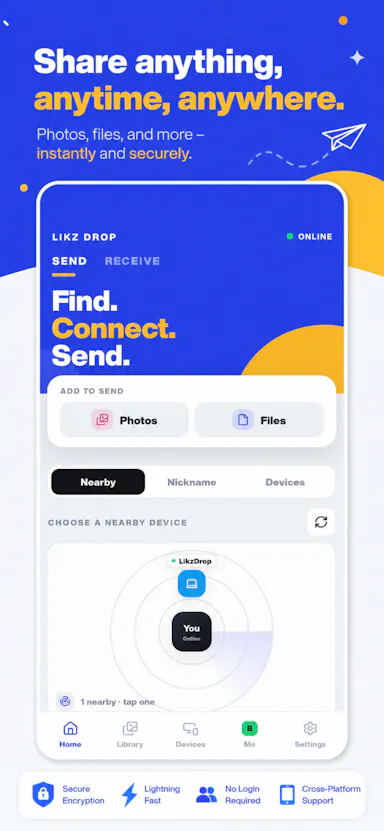
Cross-platform AirDrop-style app for transferring files directly between devices without cloud or account.

No sign-upWorks offline
What to know
How it works
Sends files directly between Windows, Mac, Android and iPhone over Wi-Fi or across networks, end-to-end encrypted, with no size limit.
What's different
No cloud, no account, works even without internet.
Best for
People wanting a cross-platform AirDrop alternative.

Watched for 3 days · last checked 2d ago

Details →

Windows app combining Google and Microsoft calendars into one view with offline access.

Works offline
What to know
How it works
Combines Google and Microsoft calendars into one Windows view, managing events, recurring schedules, and daily tasks, with offline access.
Watch out
Windows only.

Watched for 3 days · last checked 2d ago

Details →

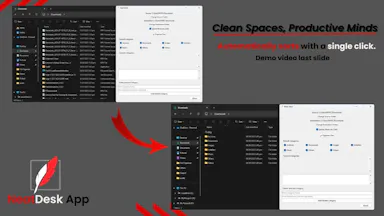
One-click Windows app that automatically sorts a messy Downloads folder into organized categories, fully offline.

Works offline
What to know
How it works
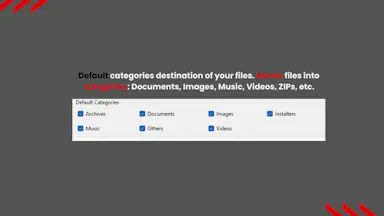
One click automatically sorts a Windows Downloads folder into organized folders by file type — documents, images, videos, music, ZIPs.
Pricing
Offline.
Best for
Students, office workers, virtual assistants, and freelancers.

Watched for 3 days · last checked 2d ago

Details →

An open-source, self-hostable desktop workbench for scientific research that logs experiment data, agent sessions, and provenance locally.

Works offlineOpen sourceSelf-hosted
What to know
How it works
Local-first desktop app for macOS/Windows/Linux storing experiment runs and provenance
What's different
Self-hosted alternative to Claude Science, extensible via Skills and MCP
Pricing
Open source
Best for
Researchers wanting to keep experiment data and computation local

Watched for 6 days · last checked 5d ago

Details →

Turns a numpad into a 44-button control deck for OBS scenes, volume, macros, and app launching while streaming or gaming.

FreeWorks offlineNo ads
What to know
How it works
Num Lock switches between two 44-action layers mapped to OBS controls, volume, sounds, and app launches.
Pricing
Free for personal non-commercial use.
Best for
Streamers and gamers on Windows who want a cheap dedicated control deck using a numpad.

Watched for 6 days · last checked 4d ago

Details →

Oryn

Live

A desktop AI coding agent for Windows that writes code from plain-language instructions, using your own AI key or a fully local Ollama model.

Works offlinePay onceNo subscription
What to know
How it works
Reads your codebase and writes code from plain-language task descriptions on Windows.
What's different
Works with your own AI key or fully local via Ollama.
Pricing
One-time payment, no subscription.
Best for
Developers on Windows who want a desktop AI coding agent.
Watch out
Windows only.

Watched for 18 days · last checked 4d ago

Details →

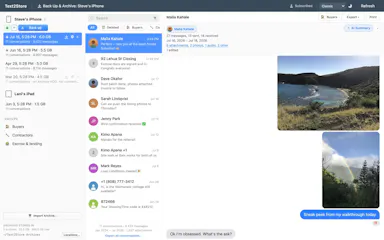
A desktop app that backs up iPhone text messages locally over USB or WiFi for browsing, searching, and exporting, with no cloud.

Works offlineCan export my data
What to know
How it works
Backs up iPhone text messages locally over USB or WiFi, then lets you browse, search, archive, and export them.
What's different
No cloud, no per-device fees — one plan covers every iPhone, iPad, and computer you own.
Watch out
Desktop app for macOS and Windows.

Watched for 8 days · last checked 6d ago

Details →

Runs AI agents that playtest a Roblox game, catch bugs, and patch the source code locally.

Works offline
What to know
How it works
AI agents playtest a Roblox game inside the workflow, catch runtime errors, write fixes in Luau source, and verify them live in Studio.
Pricing
Free plan includes Exploit Guard, an audit of every RemoteEvent with server-side fix suggestions; no card required.
Watch out
Runs locally on Windows and macOS.

Watched for 9 days · last checked 6d ago

Details →

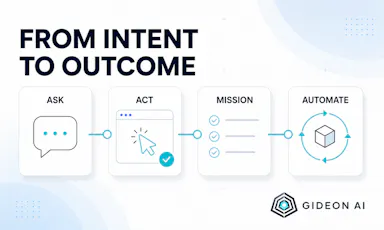
An open-source Windows desktop AI agent that performs approved computer actions and automations while keeping data and model choice under the user's control.

Works offlineOpen source
What to know
How it works
An open-source Windows desktop agent for secure conversations, approved computer actions, durable missions, and reusable automation, letting users bring their own model provider.
What's different
Keeps credentials, data, and control in the user's hands, open source.

Watched for 10 days · last checked 7d ago

Details →

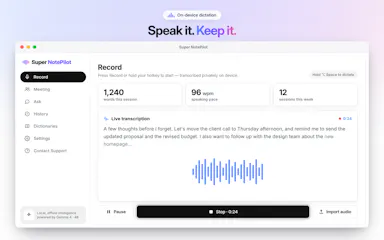
On-device AI dictation and meeting notetaker for Mac and iOS that works offline without an account.

Domain registered 1 month ago

FreeNo sign-upWorks offlineNo subscription
What to know
How it works
Runs 100% on-device using Gemma and Whisper for push-to-talk dictation into any app, live meeting transcripts, AI rewriting, and asking questions across notes.
What's different
No cloud, no account, no subscription.
Pricing
Free for macOS and iOS.
Watch out
Windows and Android support are coming soon, not yet available.

Watched for 10 days · last checked 7d ago

Details →

Fast, modern notes for people who prefer the keyboard

Works offline

First seen today

Details →

Your AI agent team, living on your own computer LOCAL

Works offline

First seen today

Details →

Open, organize, and explore almost any file

Works offline

First seen today

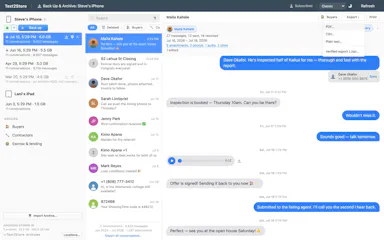
Details →