Tools that work offline, on your own deviceI don't trust the cloud

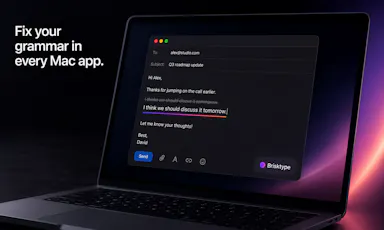
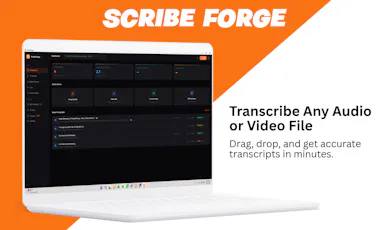
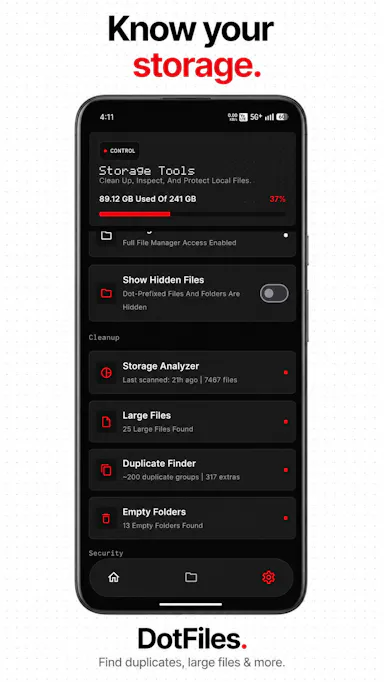
200 match your filters — 200 of them answered our check today.

Watching this group for 20 days · how we check

This week172 new arrivals6 stopped answering

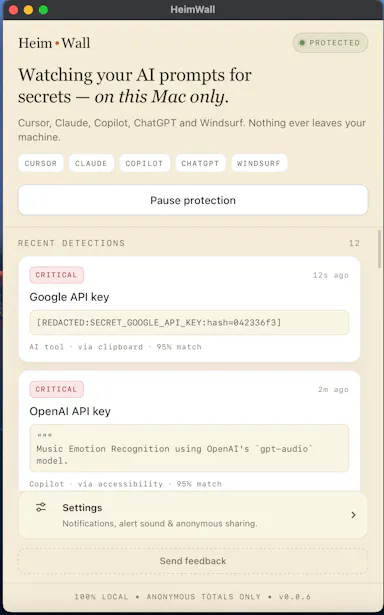
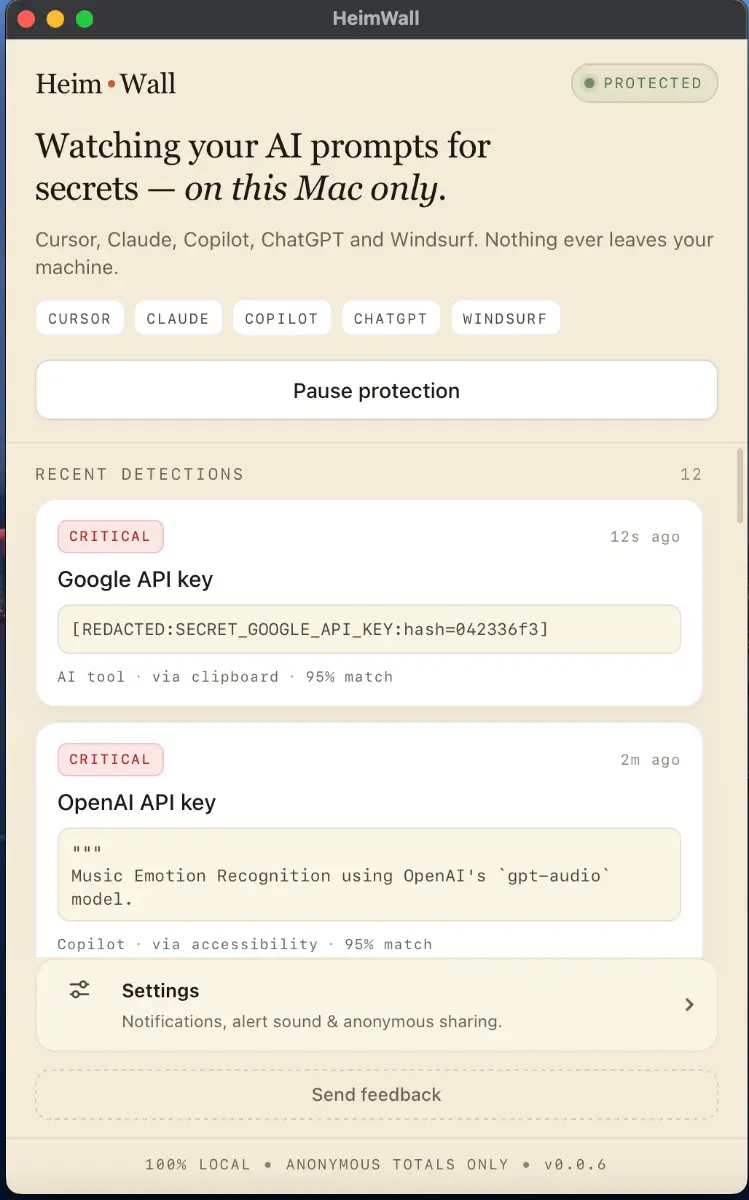
Local macOS scanner that blocks secrets and PII from leaking into AI coding-tool prompts, for engineers who don't want to rely on cloud DLP.

Domain registered 4 months ago

FreeWorks offline
What to know
How it works
A macOS app that scans prompts in real time before they reach AI coding tools like Cursor, Claude Code, and Copilot, flagging leaked API keys, credentials, and PII using 47 local detection rules in under 50ms.
What's different
Detection happens on-device before data leaves the machine, and uses soft notifications instead of hard blocks so it doesn't interrupt the coding flow.
Pricing
Free 15MB macOS application for engineers; an early-access dashboard is offered separately for organizations.
Best for
Engineers using AI coding assistants who want to avoid pasting live secrets into prompts.

Watched for 9 days · last checked 2d ago

Details →

Dencho

Live

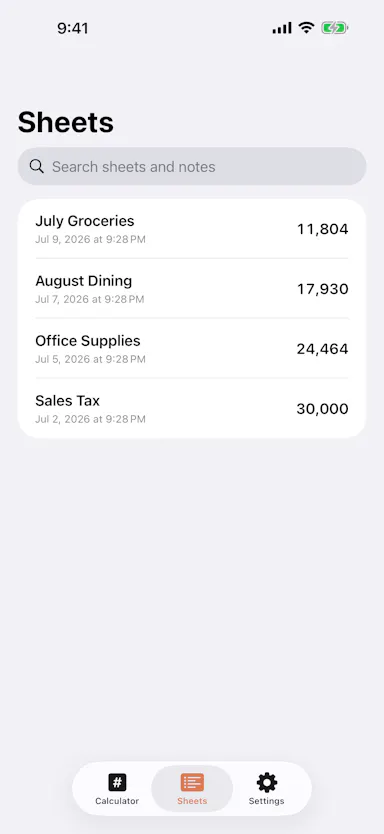
Editable-tape calculator app where changing one line recomputes everything below it, for people who need to fix mistakes mid-calculation.

Works offlineNo ads
What to know
How it works
Tap any line to edit; full-precision decimal math with per-sheet rounding and tax.
What's different
Recalculates downstream lines when you edit an earlier one, unlike a static receipt-tape calculator.
Pricing
One-time $4.99

Watched for 5 days · last checked today

Details →

A Mac app that watches your posture, eye strain, and stress via webcam while you work and nudges you before it becomes a problem.

Works offlineData stays with you
What to know
How it works
On-device computer vision monitors posture, eye health, and stress signals during screen work
What's different
Focuses on how screen time affects your body, not just how long you've used the screen
Best for
People doing long hours of screen-based work (coding, writing, meetings)
Watch out
Mac only currently, Windows launching soon

Watched for 6 days · last checked today

Details →

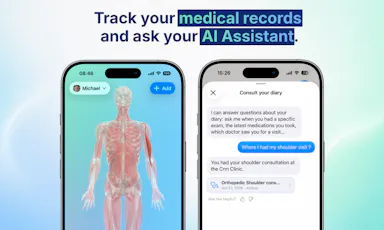
A private, offline AI journaling app that now adds AI-generated PDF exports of your reflections.

No sign-upWorks offlineNo trackingCan export my data
What to know
How it works
A private, offline AI journaling app that now adds AI-generated PDF exports of your reflections, including an AI-generated retrospective based on your own journal entries.
What's different
Available in 7 languages.
Watch out
Fully offline processing, no account, no cloud, no tracking.

Watched for 6 days · last checked today

Details →

Open-source malware scanner and runtime guard for AI agents

Domain registered 4 months ago

FreeWorks offlineOpen source
What to know
How it works
Vets AI agent skills and MCP servers for malicious behavior before install, scans what's already installed, and blocks hijack attempts at runtime, using 768 open ATR rules.
What's different
Scanned 96,096 published skills and found 751 malicious; rules already merged into Microsoft, Cisco, MISP, and OWASP tooling.
Pricing
Free, MIT licensed, fully on-device.

Watched for 8 days · last checked 2d ago

Details →

drifty

Live

An automatic, no-manual-timer time tracker for Mac that uses AI to distinguish focus from distraction and nudges you back on task.

Works offline
What to know
How it works
Automatically tracks activity and context, visualizes workflow, detects sustained distraction and nudges you back.
Pricing
Runs locally for privacy, with optional cloud use.
Best for
Individuals wanting visibility into where their workday goes without manual timers.

Watched for 2 days · last checked 2d ago

Details →

An on-device spam call/SMS filter that learns from calls you reject and quietly sorts unwanted messages, without sending any data off your phone.

FreeNo sign-upWorks offline
What to know
How it works
Learns from rejected/short calls, recognizes repeat and rotating spam numbers, sorts suspicious SMS into a Quieted folder.
Pricing
Free, no account required.
Best for
Anyone wanting spam-call/SMS protection without cloud data sharing.

Watched for 2 days · last checked 2d ago

Details →

Lumli

Live

A browser-based privacy-first toolkit for editing images and PDFs entirely on your device, with no cloud uploads or accounts required.

Works offlineData stays with you
What to know
How it works
local, zero-server processing for image compression, upscaling, and background removal plus PDF editing
Best for
people who want to edit sensitive photos or PDFs without sending files to a server

Watched for 7 days · last checked today

Details →

MIMIC

Live

A daily 60-second face-mimicking game played against friends via on-device iPhone face tracking, for people who want a quick, shareable daily habit like Wordle.

No sign-upWorks offline
What to know
How it works
Every day the whole world gets the same 5 emoji; you have 3 seconds to make each face and your iPhone scores the match 0-100 using on-device face tracking. You build a streak and share the photo strip or a spoiler-free grid.
What's different
Scoring runs entirely with on-device face tracking, with no account and nothing uploaded off the phone.
Best for
People who want a quick, shareable daily habit game like Wordle.

Watched for 9 days · last checked 2d ago
Details →

Analyzes contracts with AI that runs entirely on your device, so documents never leave your machine or reach a cloud server.

Works offline
What to know
How it works
Analyzes contracts using AI that runs locally on your device, so documents never leave your machine or reach a cloud server.
What's different
Fully offline processing instead of sending documents to a cloud service.
Best for
Anyone reviewing sensitive contracts who wants to keep documents off the cloud.

Watched for 18 days · last checked today

Details →

Typer

Live

Ask your Mac anything. Free AI, no cloud, no account

Domain registered 6 months ago

FreeNo sign-upWorks offline
What to know
How it works
A local AI assistant on Mac that answers questions without sending data to the cloud or requiring an account.
Pricing
Free.

Watched for 9 days · last checked today

Details →

An offline flashcard app for iOS built for students, covering code, formulas and vocabulary, with a single lifetime purchase and no cloud sync or tracking.

Works offlinePay onceNo subscriptionNo tracking
What to know
How it works
An offline flashcard app for iOS covering multiple subjects, including code, formulas and vocabulary.
Pricing
Single lifetime purchase.
Best for
Students who want offline flashcards without cloud sync or tracking.

Watched for 10 days · last checked today

Details →

JobFlo

Live

An on-device job-search tracker that organizes applications and uses a 'Ghost Detector' to flag likely-fake job postings, so you don't waste time chasing dead ends. Your data stays private and isn't shared or resold.

1 rating on the App Store

Works offlineData stays with you
What to know
How it works
A native, on-device job-search tracker that organizes applications and progress, with a 'Ghost Detector' and 'Vibe Check' system to flag likely-fake job postings.
What's different
Runs on-device and keeps personal data private, never shared or resold to third parties, unlike typical cloud-based trackers.
Best for
Job seekers who want to avoid wasting time on ghost job postings while keeping their application data private.

Watched for 15 days · last checked 2d ago

Details →

SASYA

Live

Offline on-device plant identification app focused on Indian and Southeast Asian species, with no photo upload required.

Domain registered 1 month ago

FreeWorks offlineData stays with you
What to know
How it works
Runs a vision model entirely on-device to identify plants in under a second, even offline
What's different
India/SE-Asia-first plant database with regional names in 9+ languages; photos never leave the phone
Pricing
free on iOS, Android coming soon
Best for
Hikers or gardeners in India/SE Asia needing offline plant ID

Watched for 4 days · last checked 4d ago

Details →

Neuro

Live

An on-device reading companion for dyslexia, ADHD and visual differences, with OCR scanning and a local AI reading coach — no accounts or cloud. Built by a student contestant, not aimed at students.

No sign-upWorks offline
What to know
How it works
A reading companion for dyslexia, ADHD and visual differences offering customizable text transformation, camera OCR scanning, 8 gamified training exercises, and an AI reading coach called Lexi.
What's different
Runs 100% on-device, with no accounts or trackers — all AI and OCR processing happens locally rather than in the cloud.
Best for
People with dyslexia, ADHD or other visual reading differences.
Watch out
Built as an Apple Swift Student Challenge project (2026 winner), a student project rather than a funded company product.

Watched for 10 days · last checked today

Details →

A free, browser-based bulk image compressor and format converter that processes files entirely on your device without uploading them to any server.

FreeNothing to installWorks offlineData stays with you
What to know
How it works
compresses and converts images client-side in the browser with no server upload, using lossless optimization
Pricing
completely free
Best for
developers, designers, and creators who need to shrink or convert large batches of images without giving up file privacy

Watched for 7 days · last checked 1d ago

Details →

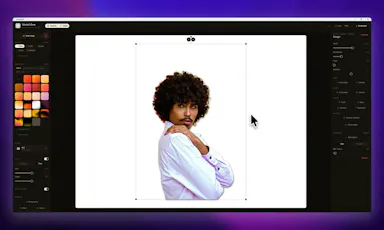
A Windows screenshot tool that adds designed backgrounds, annotation, and on-device background removal, built as a CleanShot X equivalent for Windows users.

Works offlineNo subscription
What to know
How it works
Captures a region, applies a styled backdrop and annotations, and removes backgrounds using on-device AI that never uploads images.
Pricing
$9 one-time, lifetime license, no subscription, 30-day money-back guarantee.
Watch out
Built and maintained by a single solo developer.

Watched for 7 days · last checked 1d ago

Details →

Local-first AI tooling for finance teams' monthly close (bank reconciliation, CSV sorting, PDF parsing, cash forecasting) that keeps sensitive financial data off cloud AI services.

Domain registered 2 months ago

Works offlineData stays with you
What to know
How it works
Local-first AI tools for finance teams' monthly close — bank reconciliation, sorting CSV line items, parsing PDFs, and building 90-day cash forecasts — without uploading sensitive financial data to cloud AI services.

Watched for 8 days · last checked 2d ago

Details →

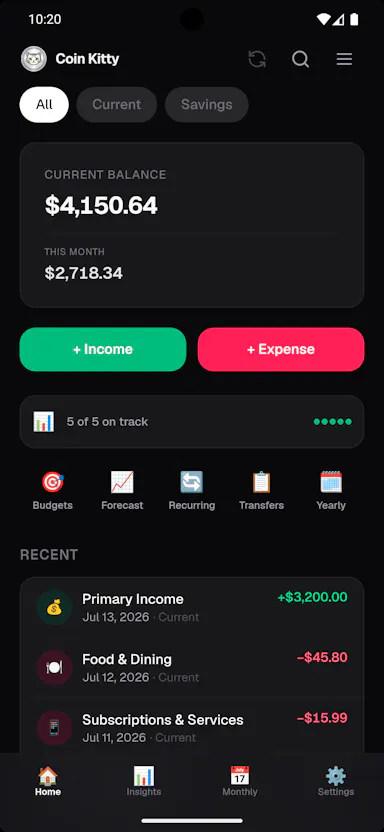
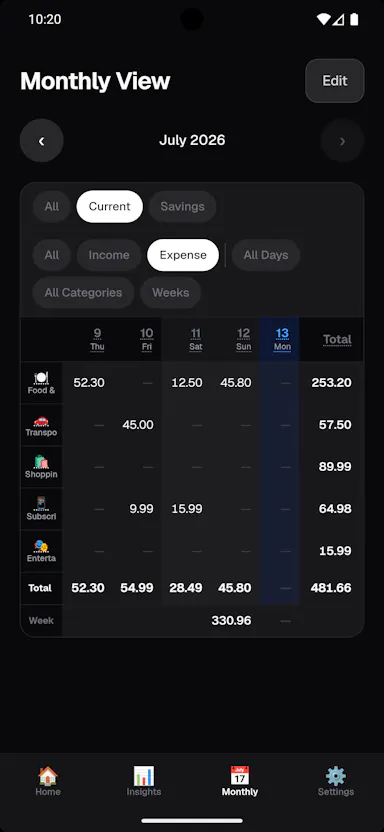
A budget tracker that runs its AI models entirely on your Android phone, so your spending and income never leave the device — free, no account, no ads, no tracking.

Domain registered 18 days ago

FreeNo sign-upWorks offlineNo ads
What to know
How it works
Tracks income and spending using five AI models that run entirely on the Android device itself, from a 135M-parameter model up to Phi-4 Mini 3.8B, plus a tax engine covering 45 countries.
What's different
Unlike other AI finance apps that send your salary and spending to a server, the models run on-device so financial data never leaves the phone.
Pricing
Free on Android.
Best for
Android users who want AI-assisted budgeting without sending financial data to a company's server.

Watched for 12 days · last checked today

Details →

A free, open-source Chrome extension that cleans up copied web text into compact prompts, processing everything on-device rather than a server. For anyone who pastes a lot of text into AI chat tools.

Domain registered 24 days ago

FreeWorks offlineOpen source
What to know
How it works
A Chrome extension that compacts messy web copy into clean AI prompts, processing everything on-device.
What's different
Free, open source, and 100% on-device rather than sending text to a server; optional Gemini Nano support.
Pricing
Free.
Best for
People who frequently paste web text into AI chat tools and want it cleaned up first.

Watched for 12 days · last checked today

Details →

A local-network chat app for people who want to avoid cloud servers entirely and keep conversations on their own LAN.

Domain registered 18 days ago

Nothing to installWorks offlineOpen source
What to know
How it works
Peer-to-peer terminal chat over UDP on the local network — run it, pick a username, and other users on the same WiFi/LAN show up automatically.
What's different
No server, no accounts, no setup; messages never leave the local network.
Pricing
Open-source, MIT licensed.
Best for
LAN parties, offices, workshops, and hackathons.

Watched for 8 days · last checked today

Details →

LeLuca

Live

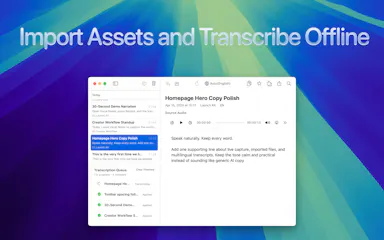
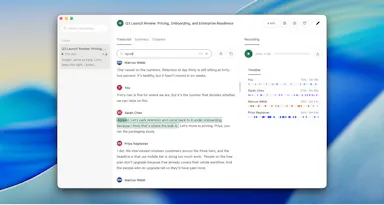
Records and transcribes Mac meetings entirely on-device, then turns them into searchable AI notes, for people who don't want audio leaving their machine.

FreeWorks offlineData stays with youCan export my data
What to know
How it works
records mic+system audio, transcribes locally with Whisper, generates TL;DR/decisions/action items
What's different
100% on-device transcription, optional bring-your-own ChatGPT/Claude for notes
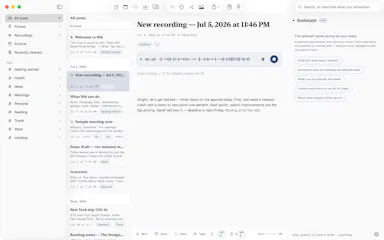
Pricing
free on Mac App Store
Best for
Mac users who need private meeting notes

Watched for 4 days · last checked today

Details →

A voice-following teleprompter for live calls/webinars that adapts scroll speed to your actual speech instead of a fixed rate or foot pedal.

Works offlinePay onceNo subscription
What to know
How it works
Listens to your voice and scrolls to match, works live inside Zoom/Meet/Teams/OBS and stays hidden during screen-share.
What's different
On-device processing, one-time price instead of subscription.
Pricing
One-time price, no subscription.

Watched for 2 days · last checked 2d ago

Details →

A macOS menu-bar app that turns your own local video files into live wallpapers, fully offline and open-source with no account or cloud step.

No sign-upWorks offlineOpen sourceNo tracking
What to know
How it works
A macOS menu bar app that turns local video files into live desktop wallpapers, and converts/patches videos for macOS's native lock screen wallpaper support.
What's different
Fully open-source, offline and private — no accounts, cloud or telemetry — unlike commercial live-wallpaper alternatives.
Best for
macOS users who want live wallpapers from their own video files without sending anything to the cloud.

Watched for 13 days · last checked 2d ago

Details →

An offline AI coach for coding interviews — DSA, system design and mock interviews — running locally via llama.cpp/Qwen with no API keys, cloud or subscription.

Works offlineNo subscription
What to know
How it works
An offline AI coach for coding interviews covering DSA, low-level design, and mock interviews, running locally via llama.cpp and Qwen.
What's different
Runs fully offline with no API keys or cloud dependency, unlike most AI interview-prep tools.
Pricing
No subscription; runs locally with no API keys required.
Best for
Developers preparing for coding interviews who want a local, private practice tool.

Watched for 14 days · last checked today

Details →

Free Android app for internet radio and podcasts with on-device song recognition and Android Auto support, and no account or tracking.

Domain registered 3 months ago

FreeNo sign-upWorks offlineNo tracking
What to know
How it works
Streams 45,000+ stations from radio-browser.info, identifies songs as you listen, supports offline downloads.
Pricing
Free
Watch out
Android/Wear OS only.

Watched for 5 days · last checked today

Details →

Finds Upwork projects and drafts proposals in your writing style entirely on-device via Chrome's built-in AI — no API keys, no cloud, no FindUp server. Built for freelancers who don't want their data sent anywhere.

FreeWorks offlineNo tracking
What to know
How it works
Search any company and get structured, sourced data extracted with free on-device AI (Gemini Nano); every value links back to the public page it came from with a confidence score and the date it was found.
What's different
Runs AI locally with no sign-in, and omits any value it can't confirm instead of guessing, unlike a chatbot that hands you an unsourced paragraph.
Pricing
Free.
Best for
People researching companies who want sourced, checkable data instead of a chatbot's paraphrase.

Watched for 14 days · last checked 4d ago

Details →

Transcribes short voice notes on-device into pattern dashboards, fully offline; data syncs end-to-end encrypted across devices, and you can plug in a local MCP server for your own AI agents.

Domain registered 1 month ago

Works offlineCan export my data
What to know
How it works
You speak a short voice note, it's transcribed on-device, and an offline dashboard surfaces patterns over time — repetition, distribution, spikes, changes, and correlations. Data syncs end-to-end encrypted across devices with keys you control, and can be exported/imported or connected to a local MCP server for your own agents to analyze.
What's different
Transcription and analysis happen entirely on-device with end-to-end encrypted sync, and data can be exported anytime to avoid lock-in.
Best for
People who want to track personal patterns from quick voice notes without their data leaving their control.

Watched for 11 days · last checked 5d ago

Details →

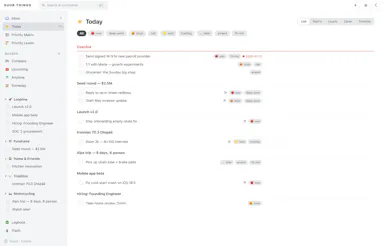
A local-first, paid-once daily planner for people who keep their life in plain text files, currently available on macOS.

Domain registered 1 month ago

Works offlineCan export my data
What to know
How it works
A local-first planner using plain text files, with daily/time-based planning and a today-focused view.
Pricing
Paid once.
Best for
People who keep their life in plain text files, currently on macOS.

Watched for 12 days · last checked 2d ago

Details →

A weather and emergency alert app that caches maps offline and delivers geofenced storm warnings without ads, subscriptions, or tracking.

1 rating on the App Store

Works offlineNo subscriptionNo ads
What to know
How it works
Caches maps locally and cross-analyzes live data feeds and scanner patterns for localized threat profiles.
Pricing
Single lifetime license, no subscription.

Watched for 7 days · last checked 1d ago

Details →

A free voice-to-structured-markdown notes app that runs entirely offline on Mac/iOS using a local LLM, for people who don't want their dictation sent to the cloud.

FreeWorks offline
What to know
How it works
Global dictation shortcut, live markdown editor with on-the-fly LLM fixes, all local.
Pricing
Free.
Watch out
Local LLM only — no cloud/API-key option mentioned, unlike some competitors.

Watched for 2 days · last checked 2d ago

Details →

Oats

Live

A free, fully on-device meeting note-taker that transcribes and blends your typed notes without ever sending audio to the cloud or requiring an account, unlike most paid cloud notetakers.

FreeNo sign-upWorks offlineNo subscription
What to know
How it works
On-device transcription blended with your typed notes into a write-up; optional bring-your-own model key or fully offline.
What's different
Most competitors still upload audio to their cloud and cost $18+/mo; this doesn't and is free.
Pricing
Free.

Watched for 2 days · last checked 2d ago

Details →

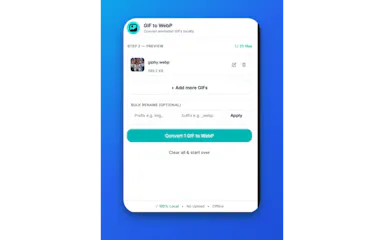
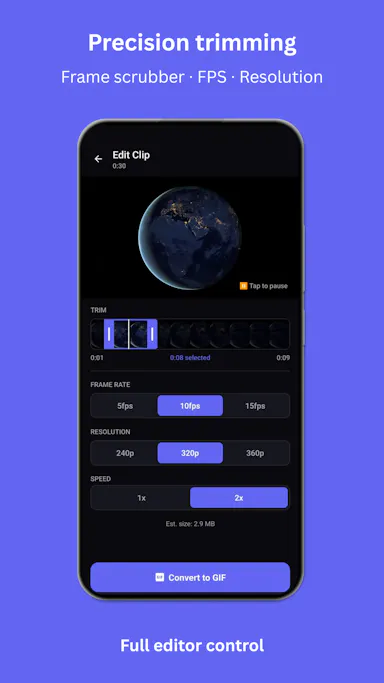
Browser tool that converts animated GIFs to WebP entirely offline with no uploads or accounts.

Works offline
What to know
How it works
Runs conversion locally in the browser
Pricing
free
Best for
People wanting to convert GIFs without uploading files anywhere

Watched for 5 days · last checked today

Details →

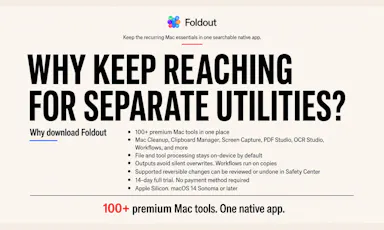
Bundle of 100+ Mac utility tools (cleanup, PDFs, file conversion) in one native app instead of installing separate apps for each.

Domain registered 1 month ago

Works offline
What to know
How it works
all processing happens on-device
Best for
Mac users who'd otherwise collect many small single-purpose utilities
Watch out
Mac only

Watched for 6 days · last checked today

Details →

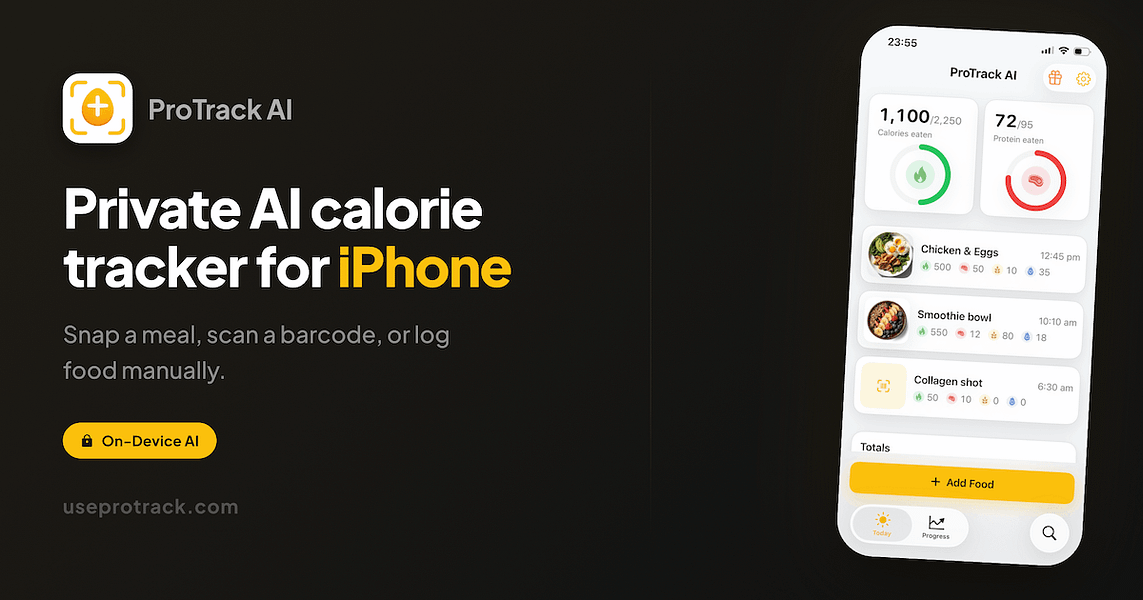
Snap a meal photo and get calorie and macro estimates from on-device AI, no account, no cloud upload, built for privacy-conscious dieters on iPhone.

No sign-upWorks offline
What to know
How it works
Snap a photo of a meal and get calorie, protein, carb and fat estimates from on-device AI; also supports barcode scanning packaged foods or manual logging.
What's different
Offline-first and private — meal photos and food diary stay on the device, no account required.
Best for
Privacy-conscious iPhone users tracking calories and macros for weight loss, high-protein, keto or low-carb goals.

Watched for 15 days · last checked 2d ago

Details →

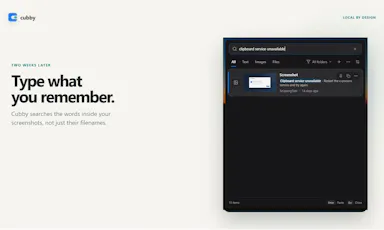
Windows clipboard history tool that lets you search past screenshots by the text visible inside them, all stored locally.

No sign-upWorks offline
What to know
How it works
Offline OCR indexes screenshot text so it's searchable; encrypted local storage
What's different
No account, cloud, or telemetry, unlike most clipboard managers

Watched for 4 days · last checked today

Details →

Free open-source Mac dictation app that types cleaned-up text into any app entirely on-device, no account needed.

FreeNo sign-upWorks offlineOpen source
What to know
How it works
Hold a key, speak, on-device model transcribes and cleans up fillers/self-corrections
What's different
100% on-device, no account or server required
Pricing
Free, MIT-licensed

Watched for 4 days · last checked today

Details →

Lets people encrypt files with PGP without a GnuPG install instead of using command-line-only tools.

Works offlineOpen sourceNo tracking
What to know
What's different
compatible with GPG, Kleopatra, and Thunderbird
Pricing
free, MIT license

Watched for 1 day · last checked 1d ago

Details →

Lets Chrome users open saved bookmarks with a keyboard shortcut instead of digging through bookmark menus.

FreeWorks offlineOpen source
What to know
How it works
Type a short code to open a page or a whole folder as a tab group; on-device AI adds tags and semantic search by default.
Pricing
free, open source

Watched for 1 day · last checked 1d ago

Details →

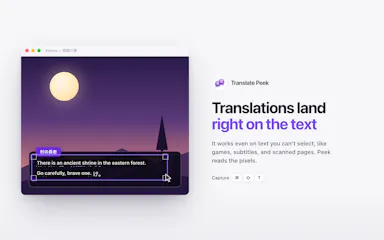
Lets Mac users translate on-screen text like manga or menus in place instead of retyping it into a separate translator, fully offline.

Works offline
What to know
What's different
strong Japanese, Korean, and Chinese support; live mode keeps translating a changing region in real time

Watched for 1 day · last checked 1d ago

Details →

A Mac dictation tool that turns speech into clean text anywhere via a hotkey, with recognition running locally, evolving into an on-device AI assistant you can hand tasks to. No cloud or account required.

Domain registered 1 month ago

FreeNo sign-upWorks offline
What to know
How it works
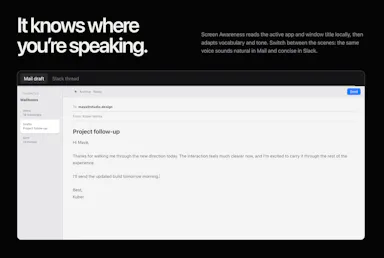
Hold a key, speak a sentence, and it appears as text in any Mac app; select existing text, press a key, and say what's wrong with it to have it rewritten in place. Speech recognition runs entirely on the Mac.
What's different
No audio ever leaves the device -- recognition and rewriting both run locally.
Pricing
Free trial.
Best for
Mac users who think faster than they type and want to dictate or fix text without leaving their current app.

Watched for 10 days · last checked 4d ago

Details →

Nudge

Live

A free, no-account, peer-to-peer file-sharing tool that works browser-to-browser across any device, unlike AirDrop which is locked to Apple hardware.

FreeNo sign-upWorks offline
What to know
How it works
Browser-to-browser WebRTC transfer with peer-to-peer encryption.
What's different
Cross-platform (Android, Windows, Mac, iOS) unlike AirDrop.
Pricing
Free, unlimited file size, no account.

Watched for 2 days · last checked 2d ago

Details →

An iPhone break-timer app that uses phone sensors to verify you actually moved — squats, steps, stretches — instead of just reminding you.

Works offlineData stays with you
What to know
How it works
uses iPhone sensors to confirm completion of movement challenges; on-device AI guides neck-roll stretches
What's different
all motion/vision processing stays on-device

Watched for 5 days · last checked today

Details →

Koiven

Live

Turns tracking your water intake into a game where an on-screen aquarium fills and a fish swims as you log drinks.

FreeNo sign-upWorks offlineData stays with you
What to know
How it works
logging a drink raises the on-screen aquarium water level
Pricing
free; Pro unlocks more fish, themes and drink slots
Watch out
offline and private by design, no account; iOS planned but not yet available

Watched for 5 days · last checked today

Details →

Tidy

Live

Mac menu-bar app that auto-archives and renames screenshots, ejects/trashes installers, and sorts Downloads, all on-device.

Domain registered 16 days ago

Works offlinePay onceNo subscription
What to know
How it works
on-device OCR and Apple Intelligence rename and sort new files
What's different
only touches new files, never deletes
Pricing
$9 one-time, no subscription

Watched for 6 days · last checked today

Details →

A local-first trading journal with an offline AI coach that reviews your trades and notes to flag costly habits, for traders who don't want their data on someone else's server.

No sign-upWorks offlineNo tracking
What to know
How it works
stores trades and notes in a single local file; AI coach runs against a local model (Ollama, LM Studio)
What's different
open source so the no-cloud claim is verifiable, plus a 'Leak Finder' that prices out bad habits
Best for
prop-firm traders needing drawdown and payout tracking

Watched for 5 days · last checked today

Details →

Stoop

Live

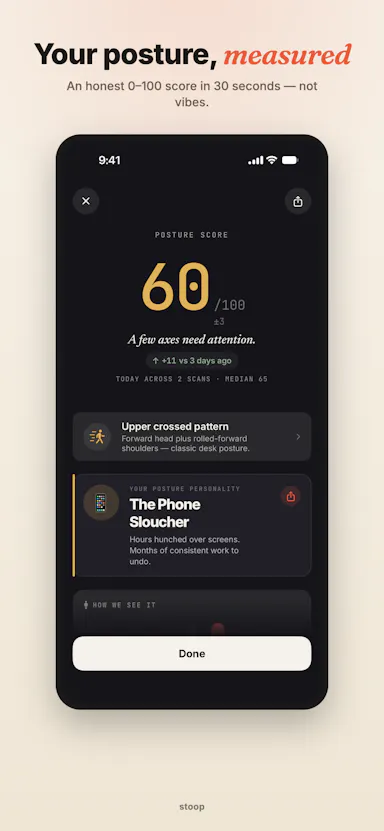
Scans your posture with your phone camera in under a minute, fully on-device, and gives a personalized daily exercise routine.

FreeNo sign-upWorks offline
What to know
How it works
On-device analysis via Apple's Vision framework measures neck tilt and trunk lean, tracks trends over time
Pricing
Free scan forever, no account
Watch out
Fully on-device, 6 languages

Watched for 6 days · last checked today

Details →

Obolos

Live

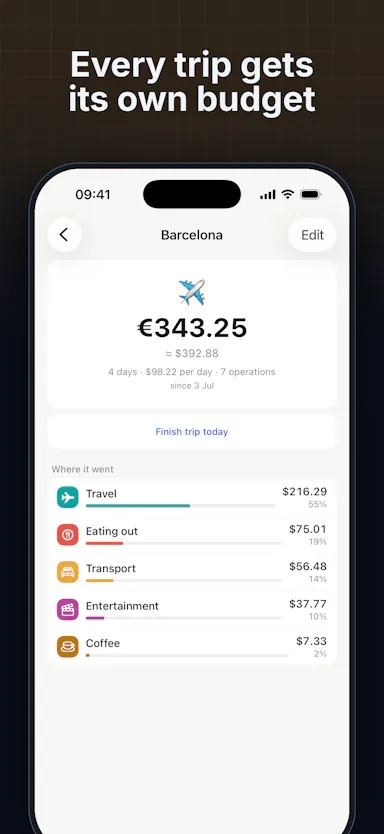
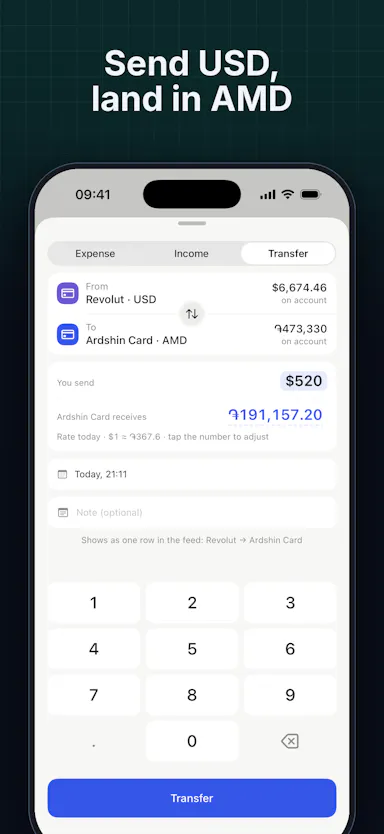
Expense tracker for expats and travelers with accounts in 159 currencies, per-trip budgets, real-rate transfers, and on-device receipt/voice input.

FreeWorks offlineCan export my data
What to know
How it works
per-trip budgets, real-rate currency transfers, on-device receipt input
Pricing
free; Premium $2.99/mo
Best for
expats, nomads, and frequent travelers

Watched for 6 days · last checked today

Details →

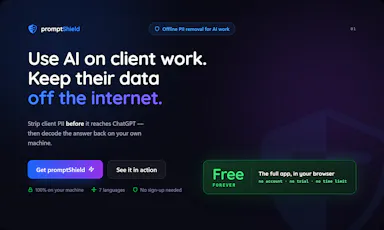
Strips names, emails and other identifying details from documents before you paste them into AI tools, then restores the real values — built for solo professionals, not dev teams.

FreeWorks offline
What to know
How it works
Anonymizes names, emails, IBANs, and other sensitive details in a document across 7 languages before you paste it into any AI tool, then decodes the AI's response to restore the real values — entirely offline.
What's different
Built as a two-minute desktop install for a solo professional, unlike enterprise PII tools that assume a dev team wiring APIs and SDKs into cloud pipelines.
Pricing
Free forever for individuals.
Best for
Solo professionals handling client documents who need to use AI tools without exposing identifying details.

Watched for 17 days · last checked today

Details →

Lets people use basic web utilities without uploading data instead of sending files to unknown servers.

Works offlineData stays with you
What to know
How it works
Client-side utilities run entirely in the browser.

Watched for 1 day · last checked today

Details →

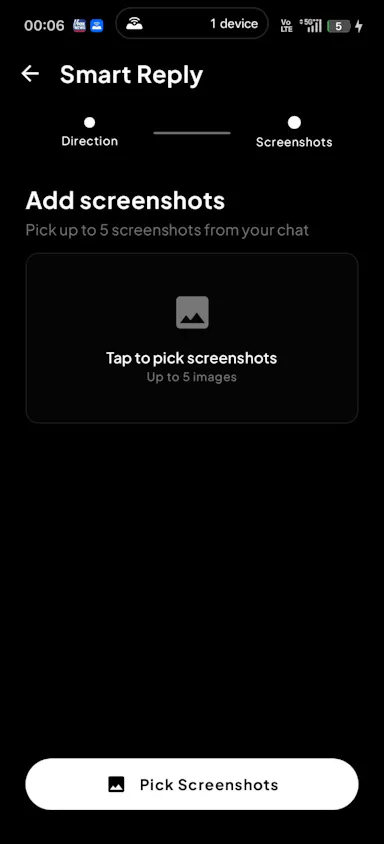
Lets Android daters get real-time AI reply suggestions inside Tinder, Bumble, or Hinge instead of switching apps to think of a response.

Works offline
What to know
How it works
On-device vision overlay analyzes dating app chats and generates context-aware replies without leaving the app.

Watched for 1 day · last checked 1d ago

Details →

Lets streamers get a webcam with real-time eye correction and teleprompter instead of buying expensive hardware webcams.

Works offline
What to know
How it works
Appears as a webcam in Zoom, Meet, Teams, or Discord using your phone camera; everything runs locally with no cloud or accounts.

Watched for 1 day · last checked 1d ago

Details →

An Android anti-theft alarm focused on two everyday scenarios — someone unplugging your charging phone or moving it off a table — instead of general broad anti-theft tracking.

No sign-upWorks offlineData stays with youPay once
What to know
How it works
Charging Guard alarms on unplug; Table Guard uses sensors to detect the phone being moved.
Pricing
No account, no cloud tracking; early users get lifetime access for 0.99 euro.

Watched for 2 days · last checked 1d ago

Details →

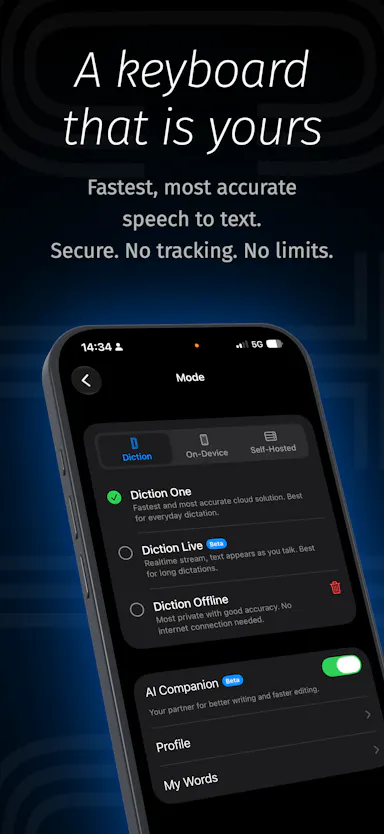
A voice-to-text iOS keyboard that transcribes and AI-edits your dictation on-device (or self-hosted), for anyone who wants fast private dictation without cloud processing.

Works offlineSelf-hosted
What to know
How it works
Speech-to-text keyboard works in any app; AI Companion edits as you dictate on command (e.g. translate, make formal).
What's different
Runs fully on-device or self-hosted, zero analytics, zero tracking.
Best for
Users needing fast typing without sending audio to the cloud.

Watched for 2 days · last checked 1d ago

Details →

Ownbit

Live

A mobile multisig cold wallet that turns two phones into hardware-grade crypto custody, for holders who want no-KYC self-custody instead of a physical hardware wallet or exchange.

No sign-upWorks offline
What to know
How it works
Two-phone cold wallet mode; keys stay encrypted on-device.
Best for
BTC, ETH, TRON, Solana and 500+ coin holders wanting non-custodial security.
Watch out
No KYC, no personal data collected — built since 2017.

Watched for 2 days · last checked 1d ago

Details →

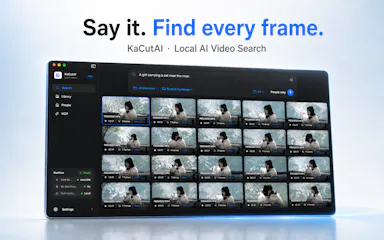
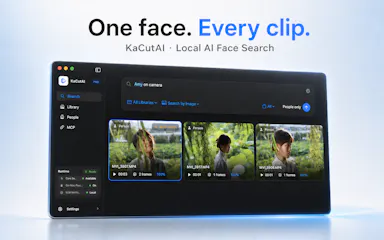
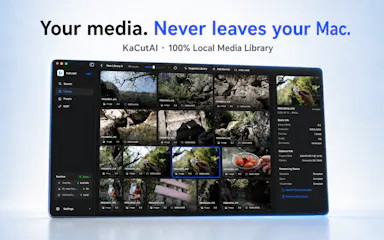
A local, on-device AI search engine for Mac that finds specific moments across your videos, photos and audio by natural-language description instead of filenames.

Works offline
What to know
How it works
Search your media library with natural language (a person, scene, conversation, or on-screen text); powered by on-device AI.
Best for
Creators with large local media libraries.

Watched for 2 days · last checked 1d ago

Details →

An on-device subscription tracker with a one-time lifetime unlock instead of a cloud account or recurring fee.

No sign-upWorks offlineNo subscription
What to know
How it works
Tracks subscriptions, trials, and recurring bills entirely on-device, showing monthly/yearly costs and catching trials before they convert, with local renewal reminders.
Pricing
One-time lifetime unlock.
Watch out
No account, no bank connection, no cloud.

Watched for 8 days · last checked 2d ago

Details →

An offline iPhone app that generates AI images locally using Stable Diffusion, for people who want image generation without sending prompts to the cloud.

Works offline
What to know
How it works
Runs Stable Diffusion locally on iPhone, fully offline with no internet connection or API costs.
Best for
iPhone users who want AI image generation without sending data to the cloud.

Watched for 7 days · last checked 1d ago

Details →

SIMT

Live

An offline spatial toolkit for Android and Wear OS with navigation, indoor tracking, and AR measurement, working without an internet connection.

Works offlineData stays with you
What to know
How it works
suite of precision tools (navigation, indoor tracking, AR measurement, astronomy) that run offline
What's different
local data sharing between devices, no required connectivity

Watched for 5 days · last checked today

Details →

A free, open-source MCP server that lets AI agents safely read and write your Things 3 tasks, plus adds Kanban, matrix and time-blocking views Things 3 lacks.

FreeNo sign-upWorks offlineOpen source
What to know
How it works
reads are read-only, writes go only through Things' official URL scheme so agents can't corrupt data
Pricing
free, open source (MIT), no cloud or account
Best for
Things 3 users on macOS who want AI task management without risking their data

Watched for 5 days · last checked today

Details →

Shows the day's weather as a single radial dial instead of a scrolling list of numbers, for iPhone.

Works offline
What to know
How it works
one dial visualizes temperature, rain, wind, and day/night at once
What's different
offline tides and an on-device AI-generated weather summary
Watch out
iOS only; some features specific to New Zealand users

Watched for 5 days · last checked today

Details →

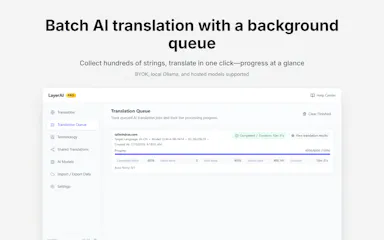
A Chrome extension that batch-translates web pages with AI drafts you finalize and reuse, using BYOK or local Ollama.

Works offline
What to know
How it works
A local-first Chrome extension that collects text, batch-drafts AI translations, and auto-applies your finalized translations on revisit.
What's different
Keeps editable translation assets, glossary control, a background queue for large sites, and supports BYOK or local Ollama.

Watched for 5 days · last checked today

Details →

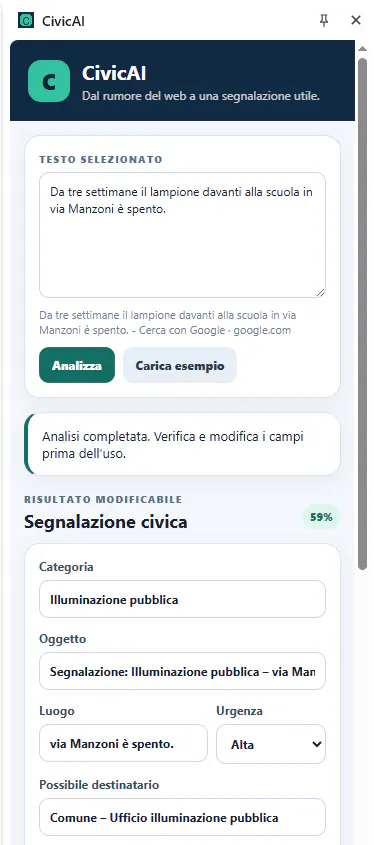
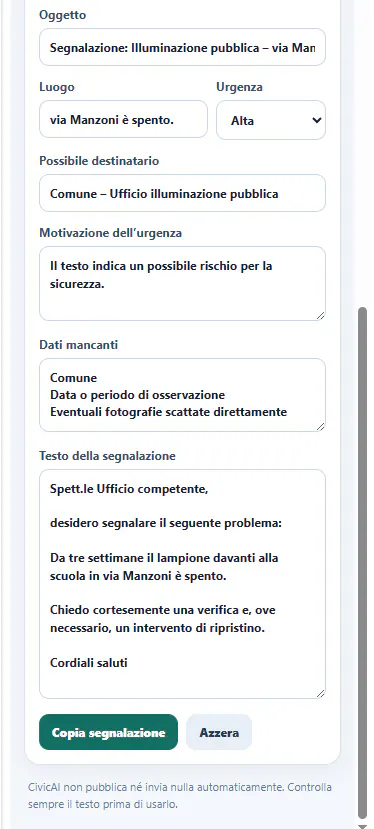
An open-source browser extension that turns selected webpage text into a structured civic report entirely on-device, with no cloud calls.

Domain registered 3 months ago

Works offlineOpen source
What to know
How it works
An open-source Chrome/Edge extension that turns selected webpage text into a structured civic report, classifying the issue, estimating urgency, and drafting a report.
What's different
All AI inference runs locally on-device, with no backend, API key, account, or telemetry.

Watched for 4 days · last checked today

Details →

A zero-knowledge document and photo vault that encrypts sensitive files like passports and wills locally on your device with no cloud account.

Domain registered 2 months ago

No sign-upWorks offlineNo tracking
What to know
How it works
Hardware-encrypted local vault; recovery via a held passphrase or a trusted circle, no company-side reset
Watch out
No password reset possible since the provider never holds a key

Watched for 4 days · last checked today

Details →

Rewisp

Live

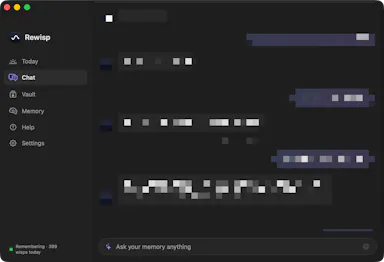
An on-device Mac app that reads your screen to build a searchable memory of what you saw, chase reminders, and track changes, instead of a cloud note-taking or reminder app.

Works offline
What to know
How it works
Reads your screen text on-device, remembers it, catches promises like 'I'll send it Friday' and reminds you, answers 'what changed since Tuesday?', and searches by meaning; fills forms from saved details (never passwords).
What's different
Fully private — screenshots are never saved, only extracted text stays on the Mac.
Watch out
Mac only; delivers one quiet 9 PM summary each day.

Watched for 8 days · last checked 2d ago

Details →

A self-hosted AI workspace for regulated industries that gives a ChatGPT-like experience without sending data outside your own infrastructure — for enterprises that must stay on-prem or air-gapped.

Works offlineSelf-hosted
What to know
How it works
Pairs Bolt, a local-first AI workspace that runs on the user's own machine, with Aeira, a governed retrieval and policy layer, so enterprises get a ChatGPT/Copilot-style experience while everything runs inside their own trust boundary (on-premises, VPC, or air-gapped).
What's different
You bring your own LLM (hosted frontier model behind your own key, a model in your VPC, or a local open-weight model Sparcle auto-detects) and PII is masked at the LLM boundary so the model only sees redacted context.
Best for
Regulated enterprises (subject to HIPAA, GDPR, DPDPA) that need AI productivity tools without sending data outside their infrastructure.

Watched for 18 days · last checked today

Details →

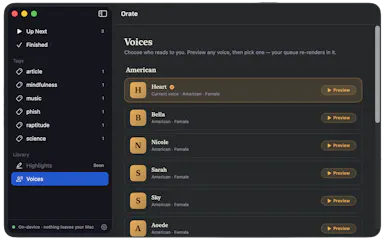
Select text anywhere on your Mac and it reads it aloud in a natural voice, queued like a podcast, with on-device text-to-speech.

No sign-upWorks offlinePay onceNo subscription
What to know
How it works
hotkey reads selected text aloud, queued for later listening
What's different
TTS runs fully on-device, offline, no account
Pricing
$4.99 one-time, 14-day trial

Watched for 6 days · last checked today

Details →

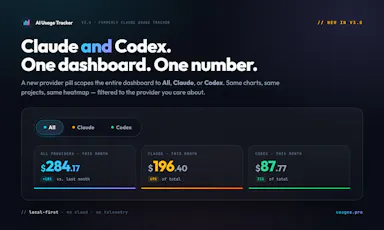
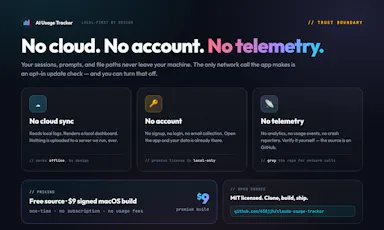
Local-first dashboard that auto-discovers your Claude and Codex spend across 10+ developer tools, with charts and zero telemetry.

Domain registered 2 months ago

Works offlineData stays with youNo tracking
What to know
How it works
auto-discovers usage across 10+ dev tools locally
What's different
zero telemetry, data stays on your machine
Best for
developers tracking AI tool spend

Watched for 6 days · last checked today

Details →

Nib

Live

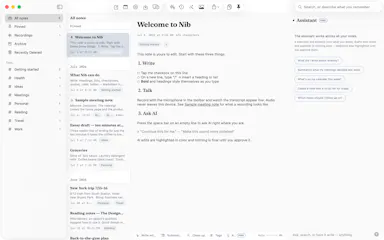
A notes app for iPhone, iPad, and Mac that records and transcribes on-device, then turns meeting audio and handwritten notes into structured minutes with decisions and to-dos you approve as diffs.

FreeWorks offlineData stays with youNo ads
What to know
How it works
On-device transcription keeps audio local; AI restructures transcripts into minutes with editable, diff-based approval.
Pricing
Recording, transcription, and search are free; cloud AI features require Pro.
Best for
People who want private, on-device meeting notes.

Watched for 7 days · last checked 1d ago

Details →

A browser-based tool that turns your own videos into iPhone Live Photo wallpapers entirely on-device with no upload, plus a free gallery of ready-made HD wallpapers.

Domain registered 16 days ago

FreeWorks offlineData stays with you
What to know
How it works
Crop, trim, and preview a video on a phone mockup in the browser, entirely on-device, then follow a one-tap step to set it as your iPhone Live Photo lock screen.
Pricing
Free HD wallpapers from a gallery; you can also convert your own video.
Best for
iPhone users who want a live wallpaper made from their own video without uploading it anywhere.
Watch out
It doesn't create a true Live Photo by itself; it preps the clip and walks you through a manual app step to finish.

Watched for 7 days · last checked 1d ago

Details →

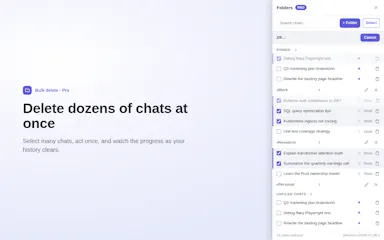
Browser extension that adds folders, pinning and bulk delete to Claude's chat sidebar, which otherwise has no folders.

FreeWorks offlinePay onceNo subscription
What to know
How it works
adds folders, pins, title search and a cancellable bulk-delete flow on top of Claude's UI
What's different
processes on-device, chats never sent to their servers
Pricing
free tier for folders/search/single delete; $39 lifetime or $19/yr Pro for bulk delete
Watch out
unofficial, not affiliated with Anthropic; not available in the EEA yet

Watched for 6 days · last checked today

Details →

Offline contact manager for filmmakers, musicians, and artists who want client relationships tracked without sales-pipeline clutter.

Works offlineData stays with you
What to know
How it works
Local-first, offline-ready contact storage
Best for
Creative freelancers who don't need a full sales CRM

Watched for 5 days · last checked today

Details →

Mac app for privacy-conscious users to see and block what each installed app sends over the network.

Domain registered 4 months ago

No sign-upWorks offline
What to know
How it works
Monitors outgoing connections per app, flags trackers, blocks with one click
What's different
Runs 100% locally, no account required
Best for
Mac users who want visibility into which apps phone home

Watched for 5 days · last checked today

Details →

An offline subscription tracker with no bank linking, account or cloud sync, for anyone tracking recurring costs without handing over financial data, not just developers.

No sign-upWorks offlineData stays with you
What to know
How it works
Tracks subscriptions, renewal dates and costs entirely on-device across 170+ currencies, with no account, bank linking or cloud sync.
What's different
Skips bank login entirely, unlike most subscription trackers.
Best for
People who want to track recurring spending without handing over financial data.
Watch out
Built solo by a self-taught developer using AI-assisted workflows, with no team or funding behind it.

Watched for 18 days · last checked today

Details →

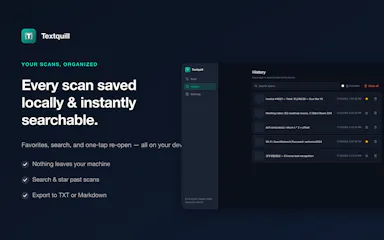
On-device OCR that extracts text from screenshots or images in 16 languages without uploading anything to the cloud, for people wary of sending images to online OCR services.

Domain registered 13 days ago

No sign-upWorks offlineNo trackingCan export my data
What to know
How it works
Extracts text from screenshots, photos, screen areas, or any web image entirely on-device; right-click or select an area for editable text, supporting 16 languages, QR codes, read-aloud, and TXT/Markdown export.
What's different
Private and offline; no account, uploads, or tracking.

Watched for 8 days · last checked 2d ago

Details →

A lightweight, fully offline Mac photo viewer for people who just want to browse folders fast without importing into a library.

Works offline
What to know
How it works
Opens a folder of photos instantly without importing into a library, offering instant paging, non-destructive rotate/crop, slideshows, picture-in-picture video, and drag-and-drop file management, fully offline.
What's different
Only accesses folders you explicitly add (unlike Photos.app) and needs zero setup (unlike Lightroom); fully offline, App Sandboxed, with no data collection.
Best for
Mac users who want to browse photo folders quickly without building a library.

Watched for 9 days · last checked 3d ago

Details →

Lets readers open and read EPUB files in-browser instead of uploading them to a server.

Nothing to installWorks offline

Watched for 1 day · last checked 1d ago

Details →

An iPhone document scanner with on-device OCR and clean PDF export, free of ads, accounts and cloud upload, built by an indie developer tired of paywalled scanner apps.

FreeWorks offlineNo adsNo tracking
What to know
How it works
Scans documents with automatic edge detection, runs on-device text recognition (OCR) in English, Russian and Romanian so you can search by content, lets you copy text from any page, and exports clean, watermark-free PDFs.
What's different
Everything runs on-device on iPhone with no ads, accounts, analytics, or cloud upload, built by an indie developer as a reaction to paywalled scanner apps.
Pricing
Free, with no subscription and no watermarks or limits.
Best for
iPhone users who want a private document scanner without a subscription.

Watched for 16 days · last checked 10d ago

Details →

Aion

Live

An on-device simulator that runs Monte Carlo projections on your business plan's revenue, costs, and runway assumptions to estimate survival odds before you invest capital.

Works offline
What to know
How it works
Enter revenue/cost/margin/runway assumptions, run Monte Carlo simulations to see survival probability and risk drivers.
What's different
Inputs and results stay on-device rather than in the cloud.
Watch out
Includes a separate trade module for exchange rates, tariffs, and Incoterms.

Watched for 4 days · last checked 3d ago

Details →

A one-time-purchase Mac email client for people who want IMAP/SMTP email with on-device AI summaries and no subscription or cloud dependency.

Domain registered 20 years ago

Works offlinePay onceNo subscription
What to know
How it works
Native Mac app with chat-style threads and on-device summarization.
Pricing
$29 one-time, no subscription.
Best for
Mac users who want privacy-focused email without recurring fees.

Watched for 4 days · last checked today

Details →

BiliTV

Live

An open-source Bilibili client for LG TVs that runs entirely on-device with no external server, supporting 4K and bullet-comment overlays.

FreeWorks offlineOpen source
What to know
How it works
on-device Node.js service proxies the API/CDN directly on the TV
What's different
open source, MIT licensed, no PC or server needed
Pricing
free
Best for
LG webOS TV owners wanting Bilibili with danmaku and 4K support

Watched for 4 days · last checked today

Details →

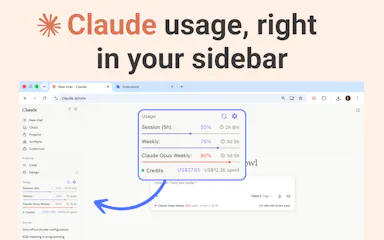
A Chrome extension showing your Claude usage limits, reset timers, and a projected time-left-at-this-pace right in the chat interface.

Domain registered 8 months ago

No sign-upWorks offline
What to know
How it works
tracks session/weekly limits locally and projects remaining time at current usage rate
What's different
fully on-device, no account needed
Pricing
free

Watched for 4 days · last checked today

Details →

Caxton

Live

A native Mac editor built to open and search huge files (multi-GB logs, million-row CSVs) that crash typical editors.

Works offlineNo tracking
What to know
How it works
Memory-maps files instead of loading them into memory
What's different
Finds 1.6M matches in 1.3s, handles 2M-row CSVs as a real grid
Watch out
macOS only, no Electron/cloud/telemetry

Watched for 6 days · last checked today

Details →

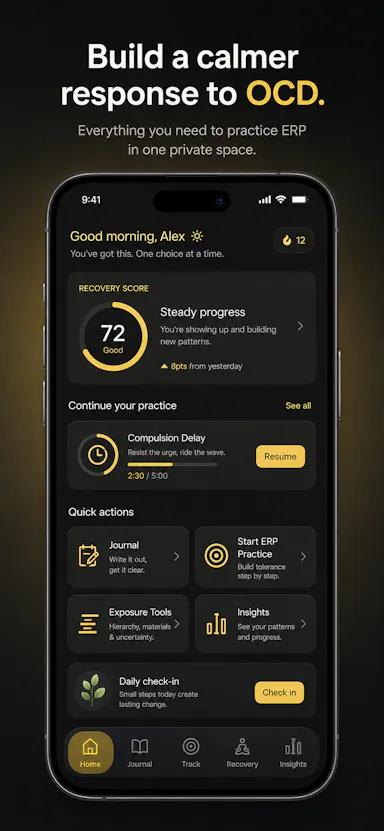
Private OCD/ERP tracker across desktop and mobile that logs obsessions, compulsions, triggers and exposure practice with no cloud sync.

Domain registered 20 days ago

No sign-upWorks offlineData stays with youNo ads
What to know
How it works
Tracks obsessions, compulsions, mood and exposure exercises across iOS/Android/desktop
What's different
No accounts, no cloud sync — data stays on-device
Best for
People doing ERP therapy who want a private tracking journal

Watched for 6 days · last checked today

Details →

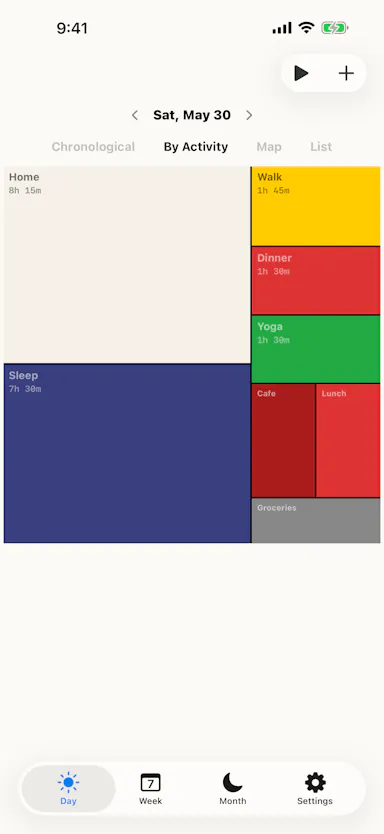
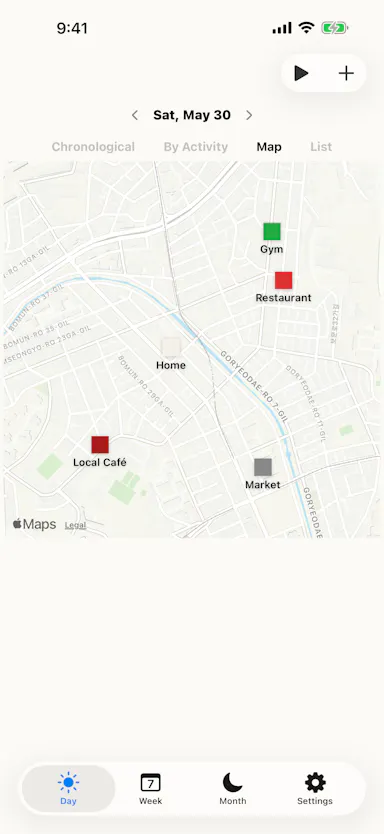
Tracks how you spend your time and displays your day as a colored Mondrian-style tile grid, fully on-device.

No sign-upWorks offlinePay onceNo subscription
What to know
How it works
Time entries render as a treemap/tile grid; imports CSV data from other trackers, syncs with Apple Health and Shortcuts.
What's different
Runs entirely on-device with no server, one-time purchase instead of subscription.
Best for
People who want a visual time record without sending location/usage data to a server.

Watched for 6 days · last checked 5d ago

Details →

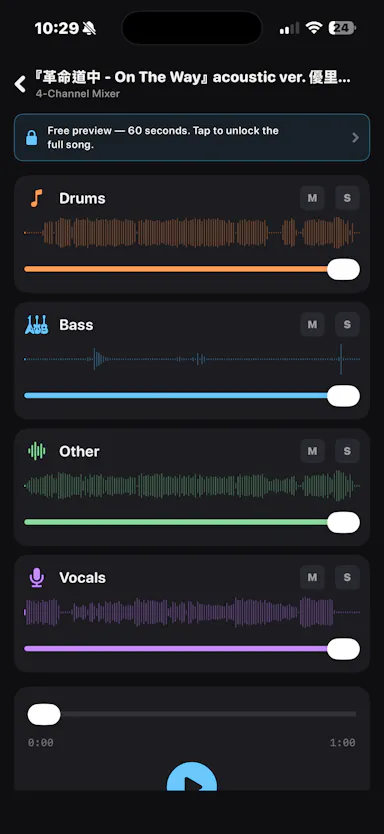
An iOS app that separates any audio track into 4 stems entirely on-device, for musicians who want stem separation without uploading tracks to the cloud.

Works offlineData stays with you

Watched for 2 days · last checked 1d ago

Details →

An offline, on-device navigation app for drives, motorcycle/bike rides, and off-road trips with downloadable maps.

Works offline
What to know
How it works
Provides on-device routing and downloadable maps across four route styles, working with no signal.
Best for
Drivers, motorcyclists, cyclists, and off-road/4x4 trip planners.

Watched for 5 days · last checked today

Details →

Swyra

Live

Photo gallery cleanup app that lets you swipe to keep, delete, or sort photos, processing everything on-device and working offline.

Domain registered 27 days ago

Works offline
What to know
How it works
Swipe-based triage, resumes where you left off; works fully offline.
Best for
People with a full phone gallery who want a fast on-device cleanup, not a cloud photo manager.

Watched for 5 days · last checked today

Details →

Kaptur

Live

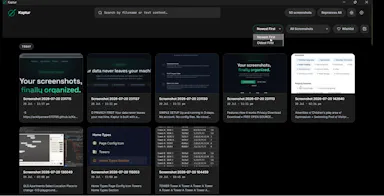
Local screenshot manager for Windows that OCRs every screenshot so you can search them by text later, with nothing uploaded to the cloud.

Works offlineData stays with you
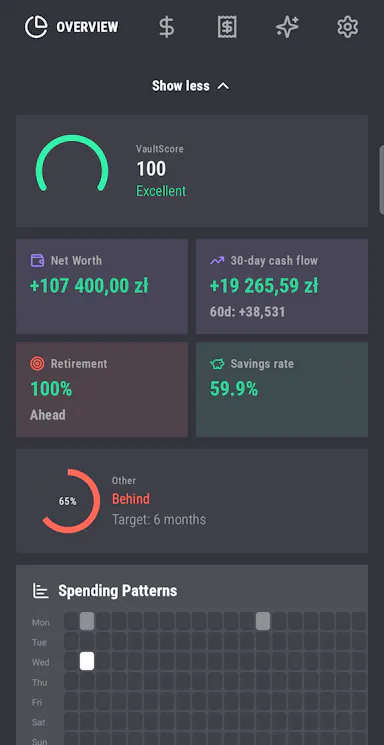
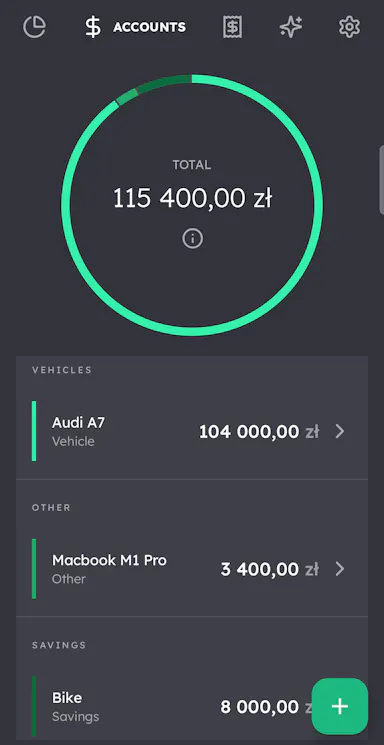
What to know
How it works
Watches folders, extracts text via OCR, makes screenshots searchable.
What's different
100% local, no cloud upload or subscription.
Watch out
Windows only.

Watched for 5 days · last checked today

Details →

Lets people extract and export webpage text locally instead of sending it through external servers.

Works offlineCan export my data
What to know
How it works
Operates 100% locally and offline in the browser; exports as PDF, JSON, CSV, or TXT.
Best for
developers, students, and researchers

Watched for 1 day · last checked today

Details →

Lets Mac users copy any on-screen text, QR code, or barcode instead of retyping it manually.

No sign-upWorks offline
What to know
How it works
Also imports images/PDFs, searches capture history, translates on-device, and reads text aloud.
Pricing
one private purchase, no subscription

Watched for 1 day · last checked today

Details →

Sotto

Live

A private, on-device notebook for remembering personal details about the people in your life, instead of repurposing a work CRM for personal relationships.

Works offline
What to know
How it works
Keeps sizes, allergies, favorite things, dates, relationships, and notes about people in your life in one place, with 100+ built-in fields; Pick a Question offers 323 curated prompts.
What's different
A private notebook for remembering people, not a CRM for managing them.
Watch out
Personal details stay on-device by default, protected by biometrics, with optional backup to your own cloud account.

Watched for 8 days · last checked 2d ago

Details →

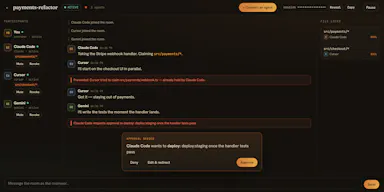
A free, open-source local app that lets multiple AI coding agents (Claude Code, Cursor, Codex, etc.) collaborate on one codebase over MCP while the user watches and approves each step.

FreeWorks offlineOpen source
What to know
How it works
Runs locally with no API keys or cloud account required; coordinates coding agents over MCP with step-by-step user approval.
Pricing
Free and open source.
Best for
Developers using multiple AI coding agents on the same codebase who want oversight of each step.

Watched for 7 days · last checked 1d ago

Details →

A free, local-first habit and life tracker based on Buddhist teachings that stores all data in your browser with no account, no cloud, and JSON export and import.

FreeWorks offlineData stays with youCan export my data
What to know
How it works
Maps the Mangala Sutta's 38 blessings into daily habit design, stores data 100% locally in your browser cache, with JSON export/import for backups.
Best for
People who want a private, offline habit tracker with no account and no cloud storage.

Watched for 7 days · last checked 1d ago

Details →

Offline desktop API testing client (REST, GraphQL, gRPC) that keeps all your requests and tokens on your machine instead of a vendor cloud.

FreeWorks offlineData stays with youOpen source
What to know
How it works
runs 100% offline, stores collections in local SQLite and tokens in the OS keychain
Pricing
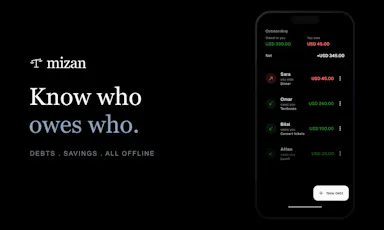
free, open source (MIT)
Best for
developers who don't want API collections synced to a third-party cloud

Watched for 6 days · last checked today

Details →

An offline, local AI environment where four customizable personas talk to you and each other, for private multi-persona chat and roleplay.

Works offlinePay onceNo subscription
What to know
How it works
100% offline, 16-language environment with 4 custom personas that converse with each other
Pricing
£29 lifetime, no subscription
Watch out
Fully offline, no cloud sync

Watched for 6 days · last checked today

Details →

Free native iOS app that summarizes Hacker News threads with on-device AI so you can grasp a discussion in under a minute.

FreeNo sign-upWorks offlineNo ads
What to know
How it works
On-device AI thread summaries, watchlists, and offline reading
Pricing
Free, no account
Best for
People who read Hacker News but don't have time to read every comment thread

Watched for 6 days · last checked today

Details →

Local-first vault app that locks photos, videos and documents behind a PIN or biometrics with no account or cloud storage required.

Domain registered 8 days ago

No sign-upWorks offlineCan export my data
What to know
How it works
Organizes files into collections, locks with PIN/biometrics, supports encrypted export backups
What's different
No account, no cloud storage — files stay on-device unless you export
Best for
People wanting to keep private files off the cloud but still organized and backed up

Watched for 6 days · last checked today

Details →

Atanor

Live

Chrome extension that converts your ChatGPT, Claude and Gemini chat exports into clean Markdown, run locally in the browser.

Domain registered 1 month ago

Works offlineCan export my data
What to know
How it works
Converts AI chat conversations to Markdown with on-device AI refinement and PDF export
What's different
Runs entirely in-browser, no server processing
Best for
People who want to save and reuse AI conversations as readable documents

Watched for 6 days · last checked today

Details →

A fully offline AI journaling app for Android that asks reflective questions instead of giving answers, everything encrypted on-device. One-time purchase, available in seven languages.

Domain registered 1 month ago

No sign-upWorks offlinePay onceNo subscription
What to know
How it works
A fully offline AI journaling app that asks reflective questions instead of giving answers, with the AI running on-device and entries encrypted locally.
What's different
No server or cloud channel for data to leave — including the AI model itself, which runs on-device.
Pricing
One-time purchase.
Best for
Android users who want private journaling without an account or subscription.

Watched for 10 days · last checked 4d ago

Details →

A local-first bookmark and file library for Mac that saves links, images and PDFs with on-device AI sorting, for a one-time payment. For individuals who want a private personal archive, not team use.

Works offlinePay onceNo subscription
What to know
How it works
A local-first personal library on Mac that saves links, images and PDFs, with on-device AI sorting them automatically.
Pricing
One-time payment.
Best for
Individuals wanting a private personal archive, not a team tool.

Watched for 17 days · last checked 9d ago

Details →

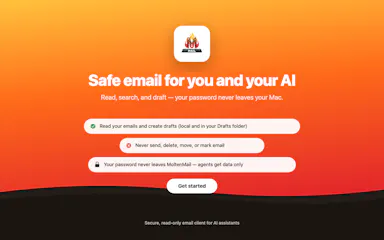
A native Mac email app where your local AI agent can read and draft emails but never send or delete anything, kept private and on-device. One-time $9.99, not a subscription.

Works offlinePay onceNo subscription
What to know
How it works
A native macOS email app where a local AI agent (like Claude, Cursor, or Codex) can read your inbox and draft emails, but is structurally prevented from ever sending or deleting anything.
What's different
Read-and-draft-only by design, and fully local with no cloud processing.
Pricing
Free to try, then a one-time $9.99 for unlimited server drafts — no subscription.
Best for
People who want AI help with email but don't want to hand an agent the ability to send or delete messages.

Watched for 11 days · last checked 5d ago

Details →

A browser-based invoice builder for freelancers and small businesses that keeps client and billing data entirely on your device, no sign-up or cloud sync.

Domain registered 3 years ago

No sign-upWorks offlineData stays with youNo tracking
What to know
How it works
Builds invoices entirely in the browser and exports them as PDF or PNG, with client details, invoice data and branding staying on the user's device.
What's different
No sign-up, no cloud storage and no tracking, unlike most invoicing tools that store data server-side.
Best for
Freelancers, consultants and small businesses who want to create invoices without their client and billing data leaving their device.

Watched for 10 days · last checked 4d ago

Details →

Cubby

Live

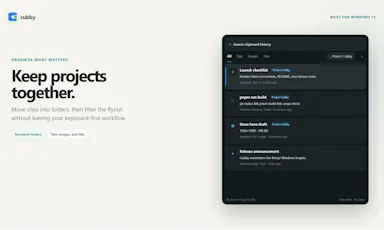
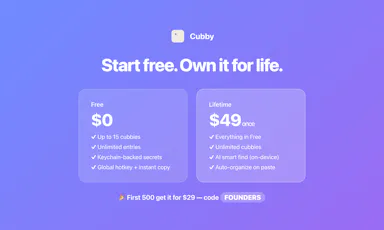
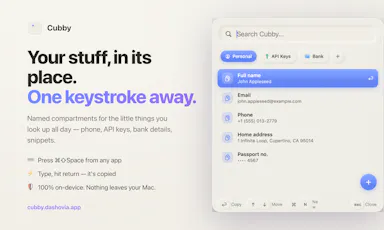
Mac menu-bar quick-access vault for keys, snippets and personal details, searchable on-device with nothing synced off the machine.

Works offline
What to know
How it works
Lives in the Mac menu bar; a hotkey opens a panel of named compartments (phone, API keys, bank details, snippets) where typing and pressing return copies the value, with on-device AI search by meaning.
Watch out
100% local — nothing leaves your Mac.

Watched for 8 days · last checked 2d ago

Details →

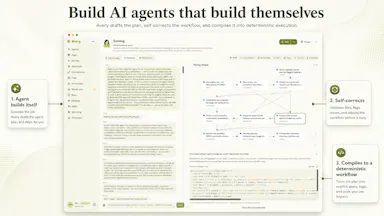
Avery

Live

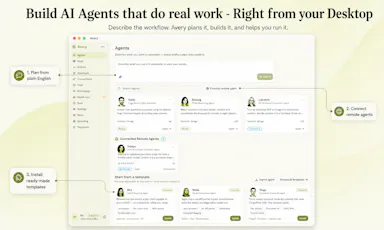
Describes an agent in plain English and it builds a deterministic version that runs locally on your own hardware instead of a metered cloud API, for privacy-conscious teams that can't send sensitive work to the cloud.

Domain registered 8 months ago

Works offline
What to know
How it works
You describe an agent in one plain sentence, and Avery builds a deterministic version of it that runs on your own hardware rather than a metered public cloud, with no code required.
What's different
Runs locally and deterministically instead of routing through a per-token cloud API, aimed at avoiding cost, privacy, and lock-in problems of typical agentic AI projects.
Best for
Teams that want private, auditable automation they own outright, without sending sensitive work to a cloud API.

Watched for 11 days · last checked 5d ago

Details →

DevFob

Live

Mirrors your Claude Code / Codex agent sessions to your iPhone and Apple Watch so you can approve prompts and permission gates remotely over your local network.

Domain registered 1 month ago

No sign-upWorks offline
What to know
How it works
phone talks to your Mac over LAN, end-to-end encrypted, no cloud
What's different
auto-switches Claude accounts before rate limits stall a run, keeps Mac awake lid-closed
Pricing
$15 once, free companion apps, 14-day trial

Watched for 5 days · last checked 3d ago

Details →

Dictro

Live

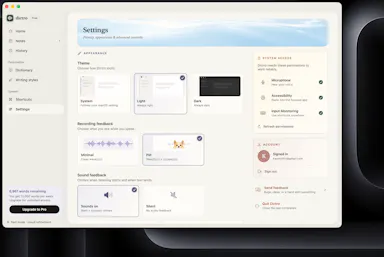
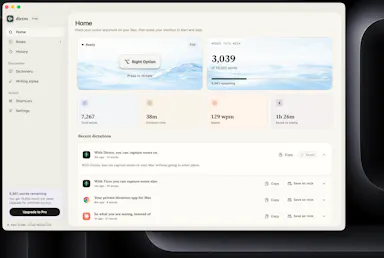
On-device voice dictation for Mac that never sends audio to the cloud, for privacy-conscious people who don't want their voice leaving their machine.

Domain registered 18 days ago

Works offline
What to know
How it works
An on-device AI dictation app for Apple Silicon Macs — speak naturally and get polished, typed text in any Mac app.
What's different
Processes speech entirely on-device rather than sending audio to the cloud.
Best for
Privacy-conscious people who don't want their voice data leaving their machine.

Watched for 9 days · last checked 3d ago

Details →

Uses your phone's camera and on-device pose detection to count reps for squats, push-ups, sit-ups and planks automatically, instead of manual logging or a wearable, with streaks and an adaptive program.

Works offline
What to know
How it works
Uses your phone's camera and on-device pose detection to count reps automatically for squats, push-ups, sit-ups and planks, and builds an adaptive daily program from your progress.
What's different
No manual logging and no wearable — the camera does the counting, and processing stays on-device.
Best for
People who train at home or the gym and want automatic rep counting instead of manually logging sets.

Watched for 17 days · last checked 11d ago

Details →

A Windows dictation tool for power users, running local models or your own API key to cloud AI, with voice search and 100+ language support.

Works offline
What to know
How it works
AI dictation for Windows that can run fully offline with local models (Ollama, LM Studio) or use cloud models via your own API key or OAuth sign-in, combining transcription and language models with custom prompts. Can process clipboard content including images, search the web by voice, and summarize long text into rich responses including diagrams, in 100+ languages.
What's different
Lets you switch between offline local models and cloud models, and bring your own key to access many different AI providers, rather than being locked to one.
Pricing
Free, no account required, open source, no subscription.
Best for
Windows power users who want flexible, privacy-conscious dictation across many apps and languages.

Watched for 18 days · last checked today

Details →

An app for monitoring and controlling home Bitcoin mining rigs (Bitaxe, Avalon Nano, Antminer) over local Wi-Fi with no cloud.

No sign-upWorks offlineNo tracking
What to know
How it works
Watches hashrate, temps and power over local Wi-Fi with per-device alerts and auto-recovery
What's different
No account, no cloud — everything stays on your local network
Best for
Home Bitcoin miners running Bitaxe/Avalon/Antminer rigs

Watched for 5 days · last checked 4d ago

Details →

An offline AI companion app for people who want an ongoing personalized chat relationship without their conversations ever leaving their own computer.

Domain registered 2 months ago

Works offlineData stays with you
What to know
How it works
A desktop AI companion for Mac and Windows that runs entirely offline, remembering past interactions and learning about the user over time to build a personalized relationship.
What's different
All processing happens locally on the machine rather than in the cloud.
Pricing
No recurring subscription fees.
Best for
People who want an ongoing personalized AI companion without their conversations leaving their computer.

Watched for 9 days · last checked 9d ago

Details →

Handles PDF editing and conversion entirely on your own computer so files never touch a cloud server — for anyone wary of uploading sensitive documents, not developer-specific.

No sign-upWorks offlineData stays with you
What to know
How it works
A PDF editing and conversion tool that runs 100% locally on your computer, so files never get uploaded to a server.
What's different
No file size restrictions and no registration required, unlike cloud-based PDF tools.
Best for
Anyone who needs to edit sensitive PDFs without uploading them to a cloud service.

Watched for 13 days · last checked 7d ago

Details →

A local-first, self-hostable, open-source notes app with semantic search, autonomous research agents, and voice notes, where data never leaves the user's machine unless they choose to share it.

Works offlineData stays with youOpen sourceSelf-hosted
What to know
How it works
Stores notes locally and adds semantic search, ReAct agents, cited deep research, voice notes, and financial analysis on top, all self-hosted and MIT licensed.
Best for
Technical users who want an AI-augmented notes app without sending their data to the cloud.
Watch out
Requires self-hosting, so it needs technical setup compared to a hosted notes app.

Watched for 7 days · last checked 6d ago

Details →

A local Windows security suite with antivirus, AI ransomware detection, a DNS shield, VPN, identity monitoring, and a telemetry blocker that stops manufacturers from phoning home.

No sign-upWorks offlineData stays with youNo subscription
What to know
How it works
100% local, one-time payment, no cloud, no subscription, no account required; data never leaves the machine.
Watch out
blocks telemetry from Microsoft, AMD, HP, NVIDIA, and Intel.

Watched for 7 days · last checked 6d ago

Details →

A free menu-bar Mac app that proofreads and rephrases selected text on-device with a global hotkey, without an account, tracking, or cloud upload by default.

Domain registered 24 days ago

FreeNo sign-upWorks offlineNo tracking
What to know
How it works
on-device proofreading via a global hotkey or the Services menu, showing exactly what changed; works offline even on Intel Macs, with cloud only if you add your own custom endpoint.
Pricing
free on the Mac App Store.

Watched for 7 days · last checked 6d ago

Details →

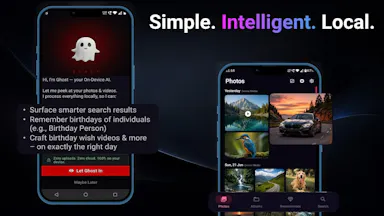
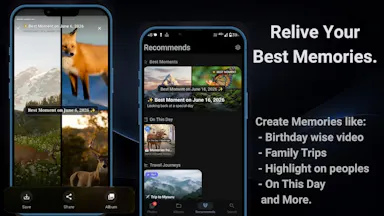
An on-device photo gallery app that organizes photos, powers smart search, and generates memory reels using AI models that run entirely on the phone, instead of uploading photos to the cloud.

Works offline
What to know
How it works
Runs AI models on-device for smart photo search, automated memories, and generated reels, with no cloud servers or data leaving the phone.
Best for
People who want smart photo organization without sending their photos to the cloud.

Watched for 7 days · last checked 6d ago

Details →

Anshin

Live

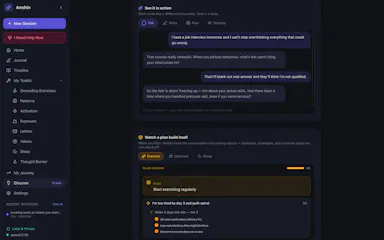
A self-reflection app that runs entirely on your Mac with guided journaling, mood tracking, and structured reflection tools, storing everything encrypted on-device with no account, cloud, or subscription.

Domain registered 4 months ago

No sign-upWorks offlineNo subscription
What to know
How it works
Offers Guided Talk, Write, Plan, and Breathe modes plus Thought Records, Mood Tracking, a Values Compass, a Worry Jar, and a Grounding Toolkit, learning patterns across sessions.
Pricing
$39 once.
Watch out
Data is stored encrypted on-device only.

Watched for 7 days · last checked 6d ago

Details →

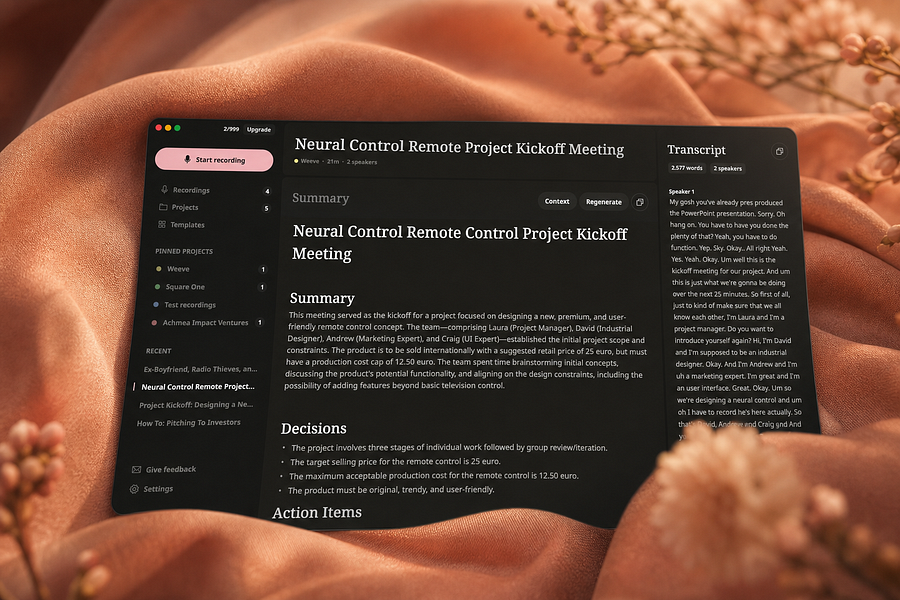
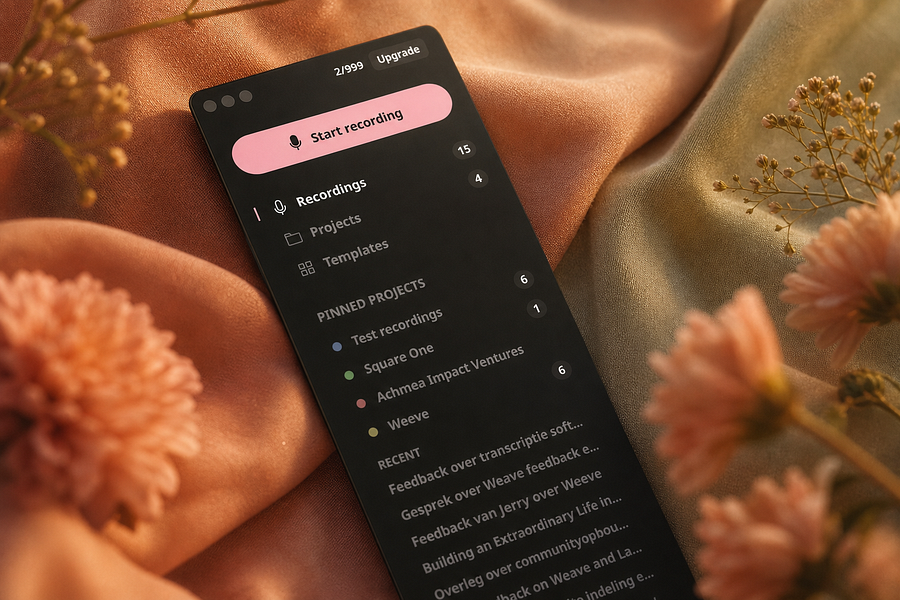
Weeve

Live

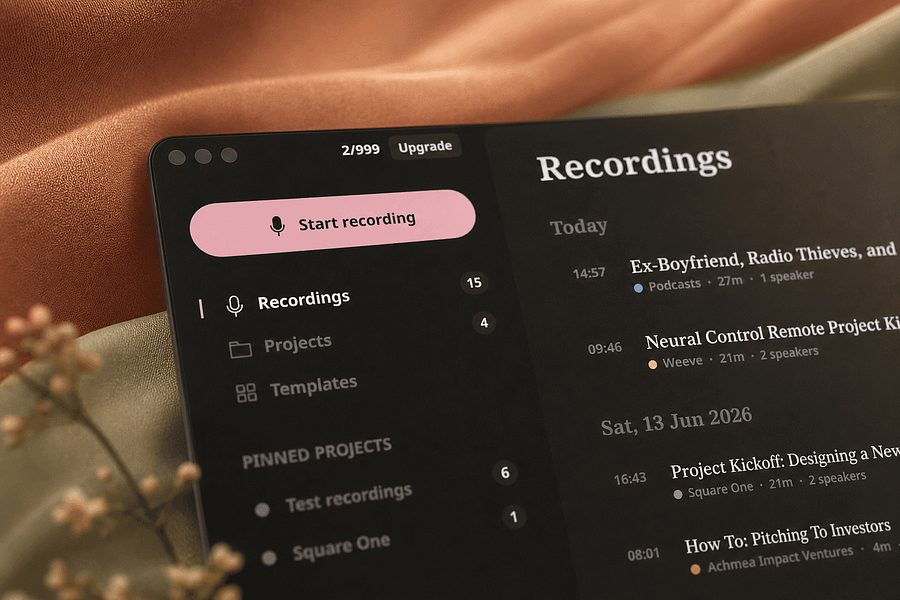
Records, transcribes, and summarizes meetings entirely on your Mac so audio never leaves the device, for people who want private meeting notes.

FreeWorks offlineCan export my data
What to know
How it works
Identifies speakers live and captures decisions and action items on-device
What's different
Works fully offline, keeping audio and AI processing on your Mac
Pricing
Free, Pro, and Team plans
Best for
People and teams wanting private meeting transcripts without cloud processing

Watched for 4 days · last checked 4d ago

Details →

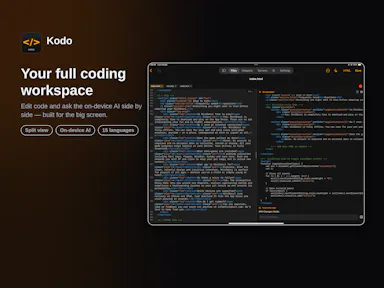
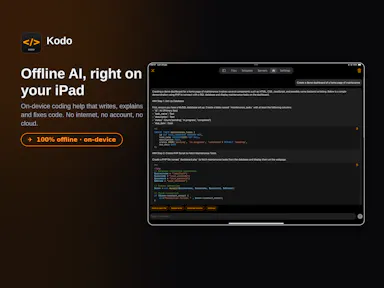
Kodo

Live

An iPhone and iPad code editor with syntax highlighting, SSH/SFTP server access, Git management, live web project preview, and an on-device AI chat that works fully offline.

1 rating on the App Store

No sign-upWorks offlineNo subscription
What to know
How it works
Connects to servers over SSH/SFTP, manages Git repos, previews web projects live, and runs an AI chat 100% on-device.
Pricing
No subscription.
Best for
Developers who want to edit and manage code from an iPhone or iPad without a cloud dependency.

Watched for 12 days · last checked 6d ago

Details →

A fully offline period-tracking journal that keeps all data on your device.

Works offline
What to know
How it works
Logs period dates, flow, symptoms, mood and notes; shows a calendar and on-device range estimates
What's different
offline, no cloud, nothing leaves the device
Best for
people who want a private period tracker without cloud storage

Watched for 6 days · last checked 5d ago

Details →

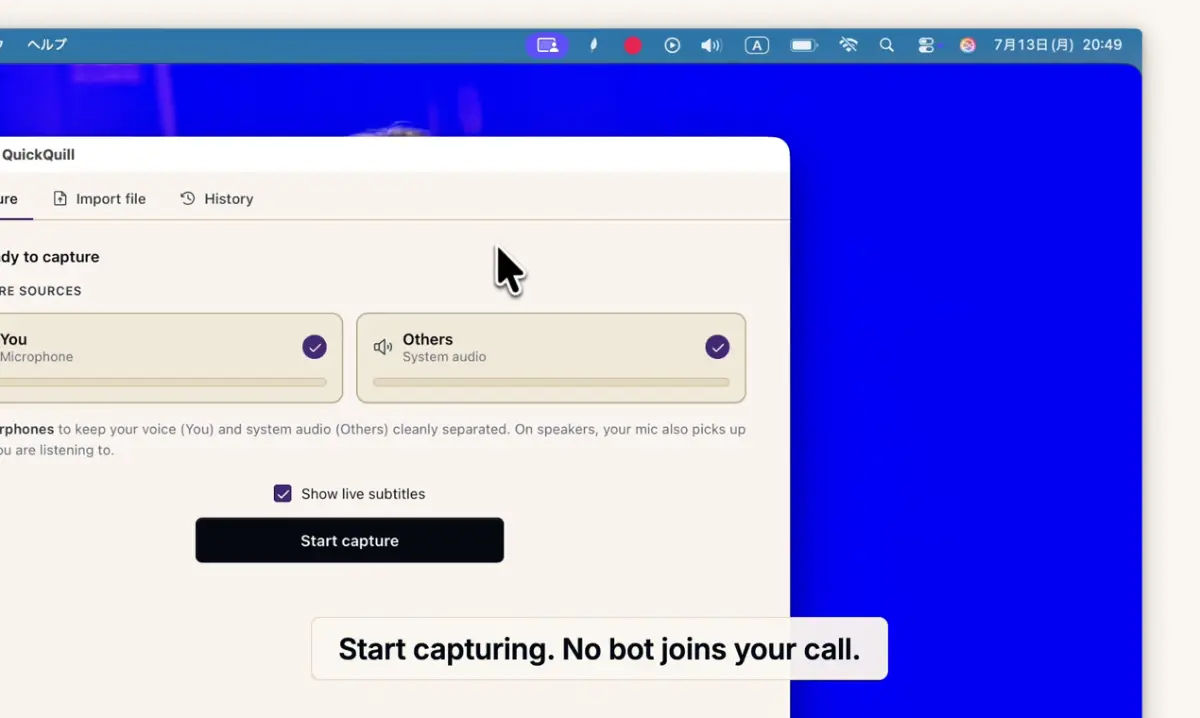
Records meetings on Mac and generates transcripts, summaries and live translated subtitles, entirely on-device. Dictation is free forever; the full meeting workflow costs a one-time $49.

Domain registered 1 month ago

FreeNo sign-upWorks offlinePay once
What to know
How it works
Records meetings and produces transcripts and summaries entirely on-device, with nothing sent to the cloud; it also shows live subtitles with translation while recording, and offers push-to-talk dictation usable in any app.
What's different
Continues working with Wi-Fi off and requires no bot joining the call, since everything runs on-device.
Pricing
Dictation is free forever; the full meeting workflow is a one-time $49 purchase. No account or subscription required.
Best for
Mac users who want private, on-device meeting notes without a cloud service.
Watch out
Requires macOS 26 on Apple Silicon, so it won't run on older Macs or other operating systems.

Watched for 12 days · last checked 6d ago

Details →

A local-first call transcription and note-taking app for Mac that transcribes and generates notes entirely on-device, instead of sending call audio to a cloud service.

Domain registered 16 days ago

Works offline
What to know
How it works
Runs transcription and intelligence generation on Apple Silicon; audio exists only in volatile memory and is destroyed once structured notes are produced.
What's different
No audio is ever recorded to disk or sent to the cloud, by design.

Watched for 7 days · last checked 6d ago

Details →

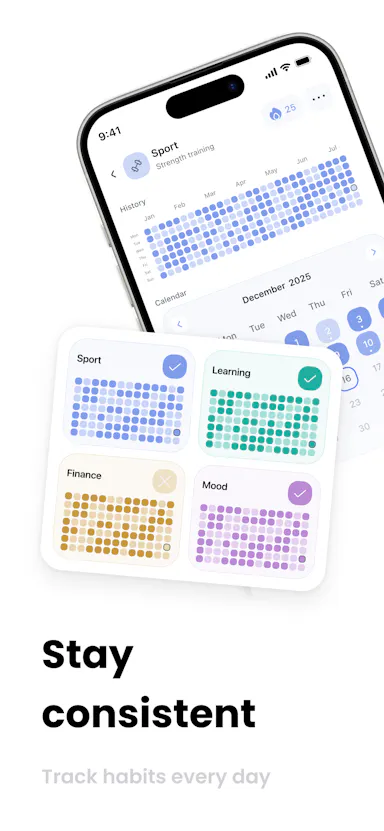
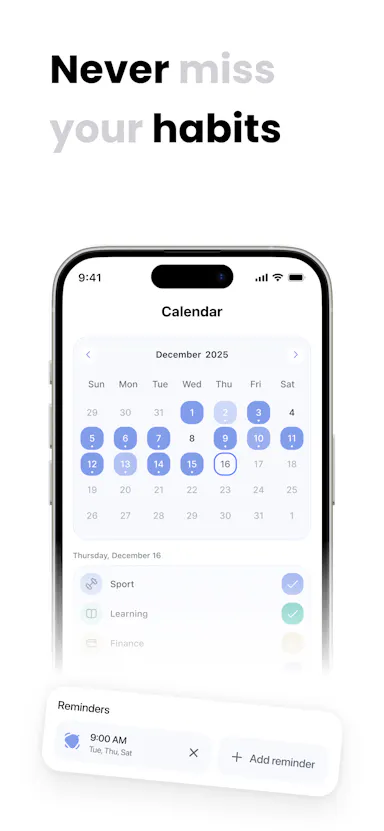
A local-first habit tracker with a GitHub-style contribution grid, no account, no cloud sync. Free for 3 habits, one-time purchase for unlimited.

FreeWorks offlinePay onceNo subscription
What to know
How it works
Tracks habits locally with a GitHub-style heatmap grid that darkens tiles as you complete routines, with streaks that account for rest days and offline-capable widgets.
What's different
No account or cloud sync required — everything stays on-device.
Pricing
Free for 3 habits; unlimited habits is a one-time lifetime purchase.
Best for
People who want a private habit tracker without subscriptions or cloud syncing.

Watched for 10 days · last checked 4d ago

Details →

Uses your iPhone camera and on-device AI to estimate stress, focus and eye strain in under a minute, nothing uploaded — a wellness check-in with a free trial, not a fully free app.

Works offlineData stays with you
What to know
How it works
Uses the iPhone camera with Apple's Vision framework and HealthKit to read stress signals, focus drift, screen strain and sleep quality via on-device eye-tracking in about 60 seconds.
What's different
Runs entirely on-device with nothing sent to the cloud, and doesn't require an Apple Watch.
Pricing
Free to try.
Best for
iPhone users who want a quick, privacy-preserving wellness check-in.

Watched for 14 days · last checked 8d ago

Details →

Turns GPS data already embedded in your photos into a private travel map, processing everything on your device so your location history never leaves your phone.

Works offlineData stays with you
What to know
How it works
Reads the GPS data already embedded in a user's photos to build a visual map of everywhere they've traveled.
What's different
Processes everything 100% on-device, so location data never leaves the user's control.
Best for
People who want a private travel map built from their existing photo library.

Watched for 12 days · last checked 6d ago

Details →

An Android home-screen widget that controls Sonos speakers directly, with no app, login, cloud or subscription required - a one-time $1.99 purchase.

No sign-upWorks offlineNo subscriptionNo tracking
What to know
How it works
An Android home-screen widget that controls Sonos speakers directly over LAN — play/pause/skip, per-room volume, and up to 5 tappable favorites — without opening an app.
What's different
No login, analytics, subscription or cloud dependency; works with any Sonos speaker over the local network.
Pricing
$1.99 one-time purchase.
Best for
Android users with Sonos speakers who want quick control without launching the Sonos app.

Watched for 12 days · last checked 6d ago

Details →

AI Noise Cancellation for your meetings and calls.

Domain registered 1 month ago

Works offline
What to know
How it works
A real-time, on-device noise and echo cancellation app for Windows and Linux that creates a clean virtual microphone for apps like Zoom, Google Meet, Teams, and Discord.
What's different
Audio is processed entirely on-device and never uploaded.
Pricing
Free to start, no sign-in required.
Best for
People who want background noise removed from calls without sending audio to the cloud.

Watched for 9 days · last checked 3d ago

Details →

Transcribes audio and video entirely on your Apple Silicon Mac, no cloud upload and no minute limits — for anyone who needs private dictation or transcript editing without sending recordings off-device.

Works offline
What to know
How it works
Transcribes audio and video entirely on-device on Apple Silicon Macs, with synced playback for review, custom vocabulary, quick dictation anywhere, and merging/organizing transcripts.
What's different
No cloud uploads and no minute limits, unlike cloud transcription services.
Best for
Mac users who need private dictation or transcript editing without sending recordings off-device.

Watched for 17 days · last checked 11d ago

Details →

Scan a product with your phone camera to get an on-device sustainability score across packaging, emissions and greenwashing, works fully offline for privacy-conscious shoppers.

Works offline
What to know
How it works
Photograph a consumer product to get an instant sustainability score across 7 dimensions, from packaging and emissions to greenwashing.
What's different
Every AI model runs 100% on-device, so scans stay private and work offline.
Best for
Privacy-conscious shoppers who want greener product alternatives they can find on the shelf.

Watched for 18 days · last checked 2d ago

Details →

A mobile app that converts video to GIF entirely on-device, with no upload, watermark, or account required, and can share the result to WhatsApp, Telegram, Instagram, Reddit, or X.

No sign-upWorks offlineData stays with youNo subscription
What to know
How it works
Encodes video to GIF on-device with a trim/scrubber editor and FPS/resolution/speed controls.
Pricing
One-time $2.99 premium removes ads and unlocks longer clips and higher quality; no subscription.
Best for
People converting short video clips to GIFs privately without uploading footage.

Watched for 12 days · last checked 6d ago

Details →

Humla

Live

A Mac app that records and transcribes meetings entirely on-device, no bot joins the call. Free and open source, with optional cloud or self-hosted sync for teams.

FreeWorks offlineOpen sourceNo tracking
What to know
How it works
Records mic and call audio directly through macOS with no bot joining the meeting, then transcribes, labels speakers, and writes a summary that fuses your notes with the transcript. Runs fully on-device using Whisper on Apple Silicon, or with your own AI key.
What's different
No bot joins the call, and it can run entirely on-device with local SQLite storage and no telemetry.
Pricing
Free and MIT-licensed, with optional paid team sync via Humla Cloud or self-hosting.
Best for
Mac users who want private, on-device meeting transcription without a bot joining their calls.

Watched for 13 days · last checked 7d ago

Details →

An AI email client that unifies Gmail, Outlook, iCloud, Yahoo and IMAP inboxes, runs its AI locally or with your own key, and actively blocks trackers and phishing links.

Works offline
What to know
How it works
Unifies Gmail, Outlook, iCloud, Yahoo and other IMAP accounts into one inbox, with AI (run locally or via your own key) that summarizes threads, extracts tasks, and writes replies, plus tracker blocking, phishing detection, link/attachment scanning and one-click unsubscribe.
What's different
AI can run locally or with your own API key instead of a vendor-hosted model, and it works offline.
Best for
People who want an AI email client with built-in security screening across multiple connected inboxes.

Watched for 10 days · last checked 4d ago

Details →

A desktop entity-resolution tool that matches and deduplicates records in a CSV locally on your machine, free up to 100k records, with an MCP server for AI coding assistants.

FreeNo sign-upWorks offline
What to know
How it works
Loads a CSV and resolves duplicate records live using the same real-time matching engine as Tilores' cloud product, running entirely on your machine; a local MCP server also lets Claude Code, Codex and other AI assistants search, import and steer it against your data.
What's different
Skips the usual enterprise entity-resolution sales process (demo, contract) — nothing leaves your laptop, and it's free up to 100k records.
Pricing
Free up to 100,000 records.
Best for
Teams who want to deduplicate and match records locally, including via AI coding assistants, without a cloud enterprise contract.

Watched for 10 days · last checked 4d ago

Details →

A free on-device tool for people managers to run 1:1s, log feedback and prioritize work, with an optional one-time-purchase AI assistant that never sends your data off your phone.

FreeWorks offlineNo subscription
What to know
How it works
Runs on-device to help people managers track their team, prep and log 1:1s using the GROW framework, capture SBI/STAR feedback, run a weekly/monthly cadence, and rank work with RICE and Eisenhower.
What's different
The core management workflow is entirely free; the paid Pro tier is a one-time purchase (no subscription) that adds an AI assistant running on-device via Apple Intelligence or a downloaded small model.
Pricing
Core features are free. Pro is a one-time purchase, no subscription.
Best for
People managers who want to run 1:1s and feedback without their data leaving their phone.
Watch out
The AI assistant runs on-device (Apple Intelligence or a downloaded small model) — nothing leaves the phone unless the user chooses.

Watched for 13 days · last checked 7d ago

Details →

Swipe through your camera roll to keep or delete photos, entirely on-device — no account, no uploads, no cloud scanning. Free to try, in 12 languages.

No sign-upWorks offlineData stays with you
What to know
How it works
Swipe through your camera roll — right to keep, left to delete, up to decide later — with Smart Albums, duplicate detection, monthly review and progress tracking to clear storage.
What's different
Runs 100% on-device with no account, no uploads, and no photo tracking.
Pricing
Free to try.
Best for
Anyone wanting to quickly clear phone storage by swiping through photos, in one of 12 supported languages.

Watched for 13 days · last checked 7d ago

Details →

A macOS menu-bar app that translates on-screen text and system audio in real time using on-device OCR and local speech recognition, for videos, meetings, or games.

Works offlineData stays with you
What to know
How it works
Lets you drag-select a screen area for an on-device OCR translation overlay, or capture system audio for live, locally-recognized speech translation, supporting 15+ languages.
Best for
Mac users who want instant translation of on-screen content or audio without switching windows.

Watched for 7 days · last checked 7d ago

Details →

A private, offline peer-to-peer file transfer app for iPhone, iPad, and Mac that sends large batches of photos and videos directly between devices at original quality, instead of AirDrop's stalled transfers or cloud-sharing links.

No sign-upWorks offline
What to know
How it works
Encrypted device-to-device transfer that resumes interrupted sends, keeps the screen awake during long transfers, and works from the iOS Share Sheet.
What's different
No cloud upload, no account, and no expiring links.

Watched for 7 days · last checked 6d ago

Details →

An offline subscription manager that encrypts financial data locally, warns about trial expirations, and calculates the long-term cost of recurring subscriptions.

Works offlineData stays with you
What to know
How it works
Encrypts data locally with AES-256 with no bank link or cloud account, sends timed trial-ending warnings, calculates 5/10-year subscription costs, and can generate WhatsApp bill-split reminders.
Best for
People who want to track and cut subscription costs without linking a bank account or uploading data.

Watched for 12 days · last checked 6d ago

Details →

A mobile personal finance app that tracks expenses, budgets, and recurring bills fully offline with no account required.

No sign-upWorks offlineData stays with youNo ads
What to know
How it works
Tracks spending across accounts, sets budgets, manages recurring bills, and tags transactions locally on the device.
Pricing
Free to use offline; optional €3/mo unlocks EU-hosted cloud sync and forecasting.
Best for
People who want private budget tracking without cloud sync or ads.

Watched for 12 days · last checked 6d ago

Details →

Turns your existing Android contacts into a lightweight personal CRM with interaction logs, follow-up reminders and birthday alerts, no new account or cloud lock-in, and no telemetry.

FreeWorks offlineOpen sourceNo ads
What to know
How it works
Reads directly from your existing Android contacts (via DAVx5, Nextcloud, or any contacts sync) and layers relationship tracking on top: interaction logging, follow-up reminders, birthday alerts, social profile links, and per-contact notes. You can also log interactions with numbers not saved in contacts.
What's different
No new silo or cloud account required — it builds a CRM on top of contacts you already have instead of a separate database.
Pricing
Free.
Best for
Android users who want lightweight relationship tracking without creating a new account or syncing to a third-party cloud.

Watched for 14 days · last checked 8d ago

Details →

Turns real exercise reps like squats and push-ups into a Pokemon-style pet that levels up, tracked by on-device camera AI. Aimed at beginners who struggle to stick with fitness apps.

FreeWorks offlineData stays with you
What to know
How it works
On-device camera AI counts your reps as you do exercises like squats or push-ups; each rep gives XP to a pet that levels up and evolves, builds a daily streak, and supports live co-op workouts with a friend.
What's different
No camera footage leaves the phone, and the pet-care habit loop is built for people who drop off other fitness apps rather than for structured training plans.
Pricing
Free.
Best for
Beginners and busy people whose motivation for fitness apps usually dies within a couple of weeks.

Watched for 18 days · last checked 10d ago

Details →

SubKit

Live

An iOS/Apple Watch app that tracks subscriptions and recurring bills with local, private data and reminders to avoid surprise charges.

No sign-upWorks offlineData stays with you
What to know
How it works
Tracks subscriptions, recurring bills, and automatic payments in one dashboard with smart reminders, widgets, and Apple Watch support, storing data privately on-device.
Watch out
iOS and Apple Watch.

Watched for 8 days · last checked 8d ago

Details →

Rope Notes is an offline-first mobile IDE for Dart development with local LLM agent support, built for air-gapped, privacy-focused engineering.

Domain registered 28 days ago

Works offline
What to know
How it works
Offline-first mobile IDE for Dart with local LLM agent support, running on a local network without cloud access.
Best for
Air-gapped, privacy-focused engineering work.

Watched for 12 days · last checked 8d ago

Details →

Recovers your work, git diff, uncommitted changes, architecture notes, when an AI coding tool like Claude, Codex or Cursor hits its limit, fully offline, one-time payment.

Domain registered 1 month ago

Works offlinePay onceNo subscriptionNo tracking
What to know
How it works
When an AI coding tool like Claude, Codex, Gemini, or Cursor hits its usage limit, ShardStitch recovers what's still on disk — git diff, uncommitted work, architecture notes, and last intent — without needing the AI tool itself. It can hand off that recovered context across 23 AI tools or restart clean in the same one.
What's different
Recovers session state entirely from local disk, without depending on the AI tool that hit its limit.
Pricing
One-time payment, no subscription.
Best for
Developers who rely on AI coding tools and lose in-progress context when a session hits its limit.
Watch out
Runs 100% local with zero telemetry, per the product's own claim — this hasn't been independently verified.

Watched for 14 days · last checked 8d ago

Details →

An iPhone and iPad app that upscales, sharpens and denoises photos entirely on-device so nothing is uploaded to a server - for casual users, not professional photo editors.

4 ratings on the App Store

No sign-upWorks offlineData stays with youNo subscription
What to know
How it works
An iPhone and iPad app that upscales, sharpens, denoises, and deblurs photos using on-device AI enhancement, with a before/after comparison before saving the result back to Photos.
What's different
All processing happens on-device — no server upload, account, ad, or subscription is required.
Pricing
No subscription and no account required (per the product's own description).
Best for
People restoring old, blurry, or low-resolution personal photos who want to keep them off the cloud.

Watched for 18 days · last checked 2d ago
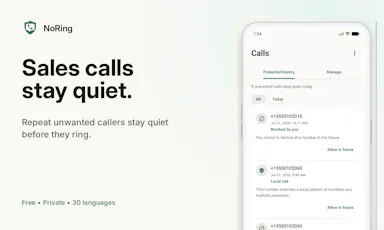
Details →

An offline home inventory and warranty tracker — photograph belongings, receipts and insurance records, stored privately on your device with no account needed. For homeowners and renters preparing for insurance claims.

No sign-upWorks offlineData stays with youPay once
What to know
How it works
Lets you document belongings, receipts, and insurance records room by room with photos, prices, brands, and notes, track warranties and service details with expiry reminders, and generate/share PDF inventory reports.
What's different
Runs fully offline with no account required, all data stored privately on the device, and supports export/restore backups.
Best for
Homeowners and renters preparing for an insurance claim or documenting valuables.

Watched for 18 days · last checked 2d ago

Details →

A browser-based library for saving, organizing and improving prompts you use across ChatGPT, Claude and Gemini, a companion tool that works alongside those apps, not a replacement for them.

No sign-upNothing to installWorks offlineNo subscription
What to know
How it works
An offline HTML app for saving, organizing, and improving AI prompts used across ChatGPT, Claude, Gemini and others, with a Prompt Vault, Prompt Lab, Workflows, Results Archive, and Analytics.
What's different
Runs with no installation, no account, no cloud, and no subscription, unlike most prompt-management tools.
Pricing
No subscription, no account required.
Best for
People who use multiple AI chat tools and want a single place to store and refine their prompts.

Watched for 14 days · last checked 8d ago

Details →

Records, edits and exports webcam video entirely on your device with no cloud upload. Free for basic picture-in-picture recording; the paid tier adds redactions and overlays.

Domain registered 16 days ago

FreeWorks offline
What to know
How it works
Records, edits and exports webcam video entirely on your device, including a picture-in-picture recorder, with no cloud upload.
What's different
Nothing leaves your device — no cloud storage involved at any step.
Pricing
Free for basic picture-in-picture recording; the Pro tier adds timed redactions, text overlays and on-device MP4 export.
Best for
People recording webcam video who don't want footage leaving their machine.

Watched for 13 days · last checked 7d ago

Details →

Picmal

Live

A Mac app for converting and compressing images, video and audio files entirely offline on your device, with no cloud upload.

Works offline
What to know
How it works
A Mac app for converting and compressing images, video and audio files, with support for creating multiple output files from different media types.
What's different
Works entirely offline, so files never leave the device.
Best for
Mac users who need a local media conversion and compression toolkit without uploading files to the cloud.

Watched for 18 days · last checked 2d ago

Details →

Converts images to PDF and edits them entirely in your browser via WebAssembly, so files never touch a server — worth it if privacy matters more than cloud convenience.

No sign-upWorks offlineData stays with you
What to know
How it works
Converts JPG, PNG, WEBP, HEIC, and BMP images to PDF and edits PDFs entirely in the browser using WebAssembly and local JS, including a suite of 36 tools to merge, split, compress, sign, protect, and decrypt.
What's different
Files never touch a server, work offline, and have no file size or page limits.
Best for
People handling sensitive documents who don't want to upload them to a cloud service.

Watched for 16 days · last checked 10d ago

Details →

A desktop companion app that generates real-time subtitles for VLC and MPV entirely offline using a local speech engine, with no internet connection or uploads required.

Works offline
What to know
How it works
Generates real-time subtitles for VLC and MPV entirely offline, using a local Vosk acoustic engine, with calibration sliders for syncing audio to captions.
What's different
No internet connection or uploads required — subtitle generation runs fully on-device.
Best for
People who want live captions for local video playback without sending audio to a cloud service.

Watched for 15 days · last checked 1d ago

Details →

An Android app built around an AI companion for everyday emotional support, with crisis-safety checks and research-backed protocols. The model, transcription and data all stay on your phone.

No sign-upWorks offlineNo trackingCan export my data
What to know
How it works
An Android app built around an AI companion, Nila, for everyday emotional support by voice or text, with crisis-safety checks, a private diary, and clinician PDF export.
What's different
The AI model, transcription and all data stay fully on-device — no account, backend, or analytics by default.
Best for
People wary of sending emotional or mental-health data to a cloud service who still want an AI companion with structured, research-backed protocols like Relapse Prevention and Mindfulness.
Watch out
It is a support companion with crisis-safety checks, not a substitute for a licensed therapist.

Watched for 11 days · last checked 5d ago

Details →

OCDify

Live

Automatically sorts a Mac's Desktop and Downloads into folders and renames cryptic filenames, processed entirely on-device with no cloud upload or subscription.

Works offlineData stays with youNo subscription
What to know
How it works
Automatically organizes a Mac's Desktop and Downloads folders into custom categories and renames cryptic filenames like IMG_1234 or scan_002 into readable names, using on-device AI.
What's different
Processes files entirely on-device with no cloud upload, so file organization doesn't leave the machine.
Pricing
Free 30-day trial; no subscription.
Best for
Mac users with cluttered Desktop/Downloads folders who don't want their file names or contents sent to the cloud.

Watched for 11 days · last checked 5d ago

Details →

An iPhone app that expands and rewrites rough notes using on-device AI, with no account, tracking or server processing. For private note-taking, not a work-team tool.

No sign-upWorks offlineNo tracking
What to know
How it works
An on-device AI on iPhone that expands, reframes and rewrites rough notes into clearer ideas, with no account, tracking or server-side processing — everything stays on the device.
What's different
Draft processing happens entirely on-device rather than being sent to a server.
Best for
People capturing and refining private ideas or notes on iPhone who want them to stay off the cloud.

Watched for 12 days · last checked 6d ago

Details →

A private journaling app that seals your entries and returns them months or years later, stored locally on your iPhone with encryption and no account required.

No sign-upWorks offline
What to know
How it works
Write a worry, hope, or moment, choose when you want it back, then compare reality to what you feared when it returns.
What's different
Stored locally on iPhone with AES-256 encryption, no account, no cloud.
Best for
People who want to see whether their fears about the future actually came true.

Watched for 11 days · last checked 8d ago

Details →

An on-device AI pose and court tracker for tennis, padel, and pickleball that runs locally on iPhone using the Apple Neural Engine, as a one-time-purchase alternative to cloud-based sports apps with yearly subscriptions.

Works offline
What to know
How it works
Tracks movements at 60fps and gives instant biomechanics feedback for tennis, padel, and pickleball, processing entirely on-device.
Pricing
One-time purchase, no subscription, contrasted with competitors' roughly $150/yr fees.
Best for
Racket-sport players who want private, offline tracking without recurring fees.

Watched for 11 days · last checked 8d ago

Details →

A Mac app that turns long videos into short vertical clips with subtitles and AI-generated titles, descriptions, and hashtags, processing everything on-device instead of uploading to the cloud.

FreeWorks offlinePay onceNo subscription
What to know
How it works
Runs entirely locally on Apple Silicon Macs and works offline, so footage is never uploaded to a server.
Pricing
Free to use; a one-time $49 Pro payment removes the watermark, no subscription.

Watched for 12 days · last checked 8d ago

Details →

Melia

Live

A native Linux desktop email client that connects straight to your IMAP/SMTP mail servers with no cloud relay, middleman account or telemetry, as an alternative to Thunderbird or Evolution.

FreeWorks offlineData stays with youPay once
What to know
How it works
A native Linux desktop email client that connects directly to your mail servers over IMAP and SMTP, storing everything locally in a SQLite database and syncing credentials through the OS keyring so it works fully offline.
What's different
No cloud relay, middleman account, or telemetry — mail stays on your own machine, unlike hosted alternatives.
Pricing
Free for one account with full functionality; a one-time $10 unlock removes the account cap.
Best for
Linux desktop users looking for a native alternative to Thunderbird, Evolution, Geary or Mailspring.

Watched for 18 days · last checked today

Details →

Tracks TV shows and movies with your watch history, ratings and notes stored only on your device — no account, no cloud, no tracking.

Works offlineData stays with youNo tracking
What to know
How it works
An offline-first Progressive Web App for tracking TV shows and movies — watch history, ratings, notes, and collections are stored only on your device, with no account, cloud, or tracking.
What's different
Unlike traditional trackers, nothing leaves your device.
Best for
People who want a TV/movie tracker without creating an account or syncing data to the cloud.

Watched for 18 days · last checked today

Details →

A private, offline journal for solo and divorced parents to track custody schedules and log expenses with receipt scanning, kept as their own record for legal, tax or personal clarity.

Works offline
What to know
How it works
Paints who has the kids on a time grid, applies custody templates, imports calendar events, and logs expenses with receipt scanning; has no shared accounts, chat or cloud sync.
Best for
solo or divorced parents who want a private custody and expense record.

Watched for 12 days · last checked 9d ago

Details →

Auto-generates styled subtitles for short vertical videos directly on your iPhone using on-device AI — nothing is uploaded to a server.

Works offlineData stays with you
What to know
How it works
Generates stylish subtitles for short-form vertical videos directly on iPhone using on-device AI transcription; lets you edit text, highlight keywords, choose caption styles, and adjust placement before sharing.
What's different
Transcription happens entirely on-device, so no video is uploaded to a server.
Best for
Creators making stories, vlogs, or social content who want captions without uploading footage anywhere.

Watched for 17 days · last checked 8d ago

Details →

A Windows app that turns real screen actions into annotated step-by-step guides with local OCR and no cloud upload, aimed at IT support, helpdesk and training teams.

Works offlineNo subscriptionCan export my data
What to know
How it works
A local-first Windows app for turning real desktop actions into professional visual guides: it captures clicks and active windows with consent, offers a structured editor, annotations, blur, and local OCR, and exports to PDF, DOCX, HTML, PowerPoint, or Markdown.
What's different
Keeps screenshots, OCR, and documents entirely local on the user's PC, with no SaaS account and no keystroke logging, unlike cloud-based alternatives.
Pricing
Available on Microsoft Store with a one-time lifetime license.
Best for
IT support, helpdesk, QA, operations, and training teams that need step-by-step documentation from real desktop actions.

Watched for 18 days · last checked today

Details →

An on-device AI writing assistant for Mac that fixes grammar and expands text snippets across every app without sending your text to the cloud, sold as a one-time $39 purchase with no account required.

Domain registered 30 days ago

No sign-upWorks offlineNo subscription
What to know
How it works
Runs entirely on-device using local AI to fix grammar, expand snippets, and finish sentences inside any Mac app.
Pricing
One-time $39 payment, no subscription.
Best for
Mac users who want AI writing help without cloud data transmission or recurring fees.

Watched for 11 days · last checked 5d ago

Details →

Scans a user's iPhone photo library on-device to build a private travel map with country stamps and stats, with no account or cloud required.

No sign-upWorks offlinePay onceNo subscription
What to know
How it works
Scans the iPhone photo library on-device, automatically and retroactively, to build a world map with country stamps and travel stats.
Pricing
One-time purchase, no subscription.

Watched for 11 days · last checked 5d ago

Details →

A free, open-source resume builder with a live side-by-side preview and ATS-friendly PDF export that runs entirely in your browser instead of behind a paywall.

FreeWorks offlineData stays with youOpen source
What to know
How it works
granular typography and color controls, everything processed locally; standalone Windows apps also available
Pricing
free
Best for
job seekers who want a private, no-paywall resume builder

Watched for 11 days · last checked 5d ago

Details →

Transcribes audio and video, including YouTube, to text locally using Whisper AI, with no cloud upload, no subscription, and a one-time payment. Good for unlimited, private transcription without ongoing fees.

Works offlinePay onceNo subscription
What to know
How it works
Transcribes audio and video, including YouTube videos, playlists and live microphone input, to text entirely on your computer using Whisper AI, in 100+ languages.
What's different
Runs fully offline with no cloud upload, unlimited usage and no subscription.
Pricing
One-time payment, no subscription.
Best for
People who want unlimited, private transcription without ongoing fees or uploading audio to a cloud service.

Watched for 18 days · last checked 2d ago

Details →

Scans paper receipts with on-device AI and turns them into categorized expenses automatically — offline-first with optional cloud sync, supports 12 languages and multiple currencies.

Works offline
What to know
How it works
Snaps a photo of a paper receipt and reads it with on-device AI, turning it into a categorized expense without manual typing.
What's different
Processes receipts on-device and works offline-first, syncing to the cloud only when you choose.
Pricing
Free trial on iOS.
Best for
People tracking expenses who want to avoid manually typing receipt data, with multi-currency and multilingual support.

Watched for 13 days · last checked 10d ago

Details →

A local MCP server that gives AI assistants like Claude, Cursor and ChatGPT tools to act on your Mac — iMessage, Teams, WhatsApp, Mail, files — with nothing sent to the cloud.

FreeWorks offlineData stays with you
What to know
How it works
A local Model Context Protocol server running on a Mac that gives AI assistants like Claude, Cursor and ChatGPT 143 tools to act on iMessage, local Microsoft Teams chats, WhatsApp, Apple Mail, Calendar, Contacts, Notes, Reminders, Finder files, OneDrive, Outlook and Office documents.
What's different
Runs 100% locally with no cloud connection, reaching apps like iMessage and local Teams chats that cloud-based connectors can't access.
Pricing
Free.
Best for
Mac users who want their AI assistant to act across native apps like iMessage and Mail without sending data to the cloud.

Watched for 18 days · last checked 2d ago
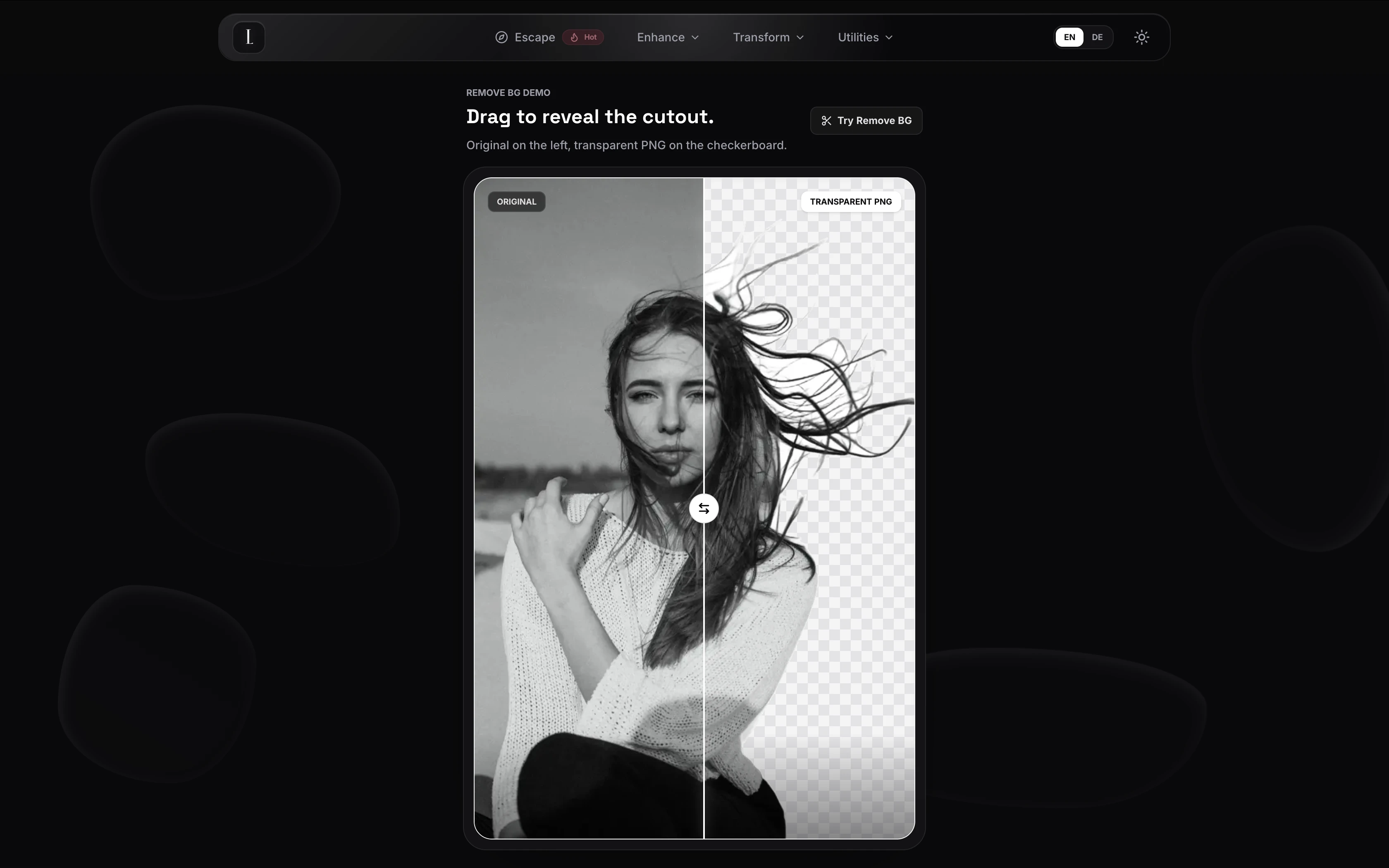
Details →

IAXT

Live

A free macOS menu-bar app that logs everything your AI coding agent (Claude Code, Cursor, Aider, Codex) did in a session, entirely local with no account or cloud.

FreeNo sign-upWorks offline
What to know
How it works
A menu-bar app that passively records what AI coding agents like Claude Code, Cursor, Aider and Codex do on your Mac, every command, file touched, package installed, git operation, and launch agent, then presents it in an Action Log with confidence and severity tiers per agent, with any row copyable as context for another LLM.
Pricing
Free.
Best for
Developers using AI coding agents who want a record of exactly what those agents changed on their machine.

Watched for 18 days · last checked today

Details →

A Mac-only local AI agent with shell, git and screen-reading tools, running offline on Apple Silicon or via your own OpenAI, Anthropic or Gemini key, with no account or subscription.

No sign-upWorks offlinePay onceNo subscription
What to know
How it works
A local AI agent for Mac that ships with its own multimodal model and runs offline on Apple Silicon, offering voice mode and agentic tools for files, shell, git, screen reading, memory and code graphs, plus a presentation builder in 14 languages; you can bring your own OpenAI, Anthropic or Gemini key for more power.
What's different
Distributed through the Mac App Store as a fully local agent — no account, subscription, cloud, or telemetry required.
Pricing
Pay once, or use the free tier forever.
Best for
Mac developers who want an agentic AI assistant with shell/git access that runs offline by default.

Watched for 14 days · last checked 2d ago
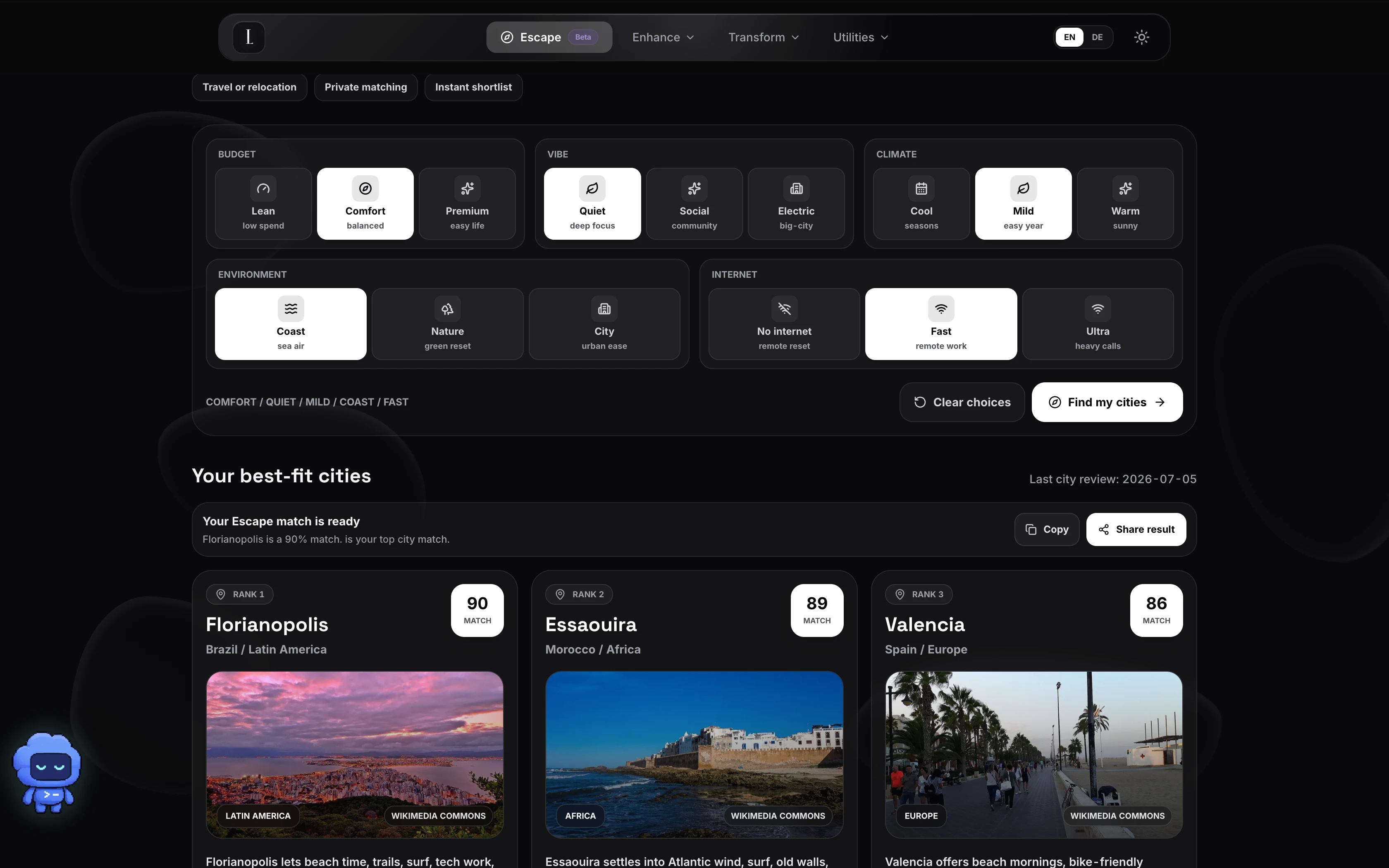
Details →

Converts, compresses and edits PDFs, images, audio and video right in your browser — files never leave your device, unlike typical cloud upload tools.

Works offlineData stays with you
What to know
How it works
Converts, compresses and edits PDFs, videos, images and audio entirely inside the browser using WebAssembly and client-side scripts.
What's different
Files never leave your device — no upload, no cloud storage server, works offline with no file-size limits.
Best for
People handling sensitive files who want to avoid uploading them to a cloud service.

Watched for 16 days · last checked 10d ago

Details →

Converts speech to text entirely on your Windows PC — no cloud, no account required, works even with WiFi off. For users who want dictation without sending audio anywhere.

No sign-upWorks offlineData stays with youPay once
What to know
How it works
Converts speech to text directly on a Windows PC using one shortcut: hold, speak, release, and the text lands wherever your cursor is, in any app.
What's different
Works entirely offline with no cloud processing, no account, and no subscription — it keeps working even with WiFi off.
Pricing
One-time payment, no subscription.
Best for
Windows users who want dictation in any app (email, chat, notes, code editors) without their voice data leaving the device.

Watched for 16 days · last checked 10d ago

Details →

An Android file manager that keeps everything local — batch rename, ZIP tools, duplicate/large-file finder, and a PIN-protected secure folder. No ads, no cloud, no tracking.

Works offlineData stays with youNo adsNo tracking
What to know
How it works
An Android file manager for browsing, searching, copying, moving, renaming, and deleting files locally, with a Recycle Bin, batch rename, ZIP compress/extract, storage analyzer, duplicate and large-file finders, and a PIN/biometric-protected secure folder.
What's different
Keeps everything on-device with no cloud, ads, or tracking, unlike file managers that sync to the cloud.
Pricing
No pricing stated beyond "no ads."
Best for
Android users who want local file management and a private, protected folder without cloud sync.

Watched for 17 days · last checked 2d ago

Details →

Uses an iPhone camera to track golf ball speed, launch angle and carry distance in real time, entirely on-device with no internet needed and a one-time purchase instead of a subscription.

Works offlinePay onceNo subscription
What to know
How it works
Uses an iPhone camera to turn the phone into a real-time golf shot tracker: point the camera and get a live data overlay with ball speed, launch angle, carry distance and full flight trajectory as you strike.
What's different
Runs entirely on-device with zero cloud uploads and no internet required, and is bought once rather than subscribed to.
Pricing
One-time purchase, no subscriptions.
Best for
Golfers who want pro-grade shot tracking on their phone without recurring fees or an internet connection.

Watched for 15 days · last checked 2d ago

Details →

Wheria

Live

Remembers exactly where you parked, including which floor, using your phone's motion and barometer sensors instead of GPS — all processing stays on the device.

FreeWorks offlineData stays with you
What to know
How it works
Remembers where you parked, indoors or out, by fusing motion and barometer data to track which floor you're on and guide you back with zero GPS signal. You can scan a pillar sign to auto-fill your spot, leave a voice memo, log parking cost, or scan a street sign to auto-set a move-your-car reminder.
What's different
Unlike Google/Apple Maps' free auto-pin, it works in deep garages and malls with no GPS by using motion and barometer sensors, and tracks the specific floor.
Pricing
Free.
Best for
Drivers who regularly park in large garages or malls where GPS-based auto-pin apps fail to find the car again.
Watch out
Processing is 100% on-device, nothing leaves the phone.

Watched for 15 days · last checked 2d ago

Details →

A free set of 52 browser tools — JSON formatting, regex testing, encryption, converters, calculators — running locally so nothing uploads. Mostly developer tools, plus general productivity ones.

FreeNo sign-upNothing to installWorks offline
What to know
How it works
A free collection of 52 browser-based tools spanning developer utilities (JSON formatter, regex tester, JWT decoder), security tools (AES-256 encryption, PII scrubber), converters, calculators and productivity tools, all running locally in the browser.
What's different
No sign-up, no paywalls and no limits, and everything runs locally so data never leaves the device.
Pricing
Free.
Best for
Developers and general users who want quick one-off tools without installing an app.

Watched for 15 days · last checked today

Details →

A private, offline expense tracker with encrypted storage, no accounts and no telemetry — its optional AI assistant uses your own API key instead of sending data to the company's servers.

No sign-upWorks offlineData stays with youNo tracking
What to know
How it works
An offline-by-default expense tracker with encrypted backup and an optional AI assistant.
What's different
No accounts, no analytics, no telemetry — the optional AI assistant uses your own provider key instead of routing your data through the company's servers.
Best for
People who want to track expenses without creating an account or having their financial data leave their device.

Watched for 17 days · last checked 2d ago

Details →

Edit text and images inside a PDF on your iPhone, entirely offline with no account or subscription — real local PDF editing without cloud uploads.

No sign-upWorks offlineData stays with youNo subscription
What to know
How it works
Edits PDF text, images and vector objects directly on the iPhone: tap text to move or retype it, drag handles to resize images, merge multiple PDFs, delete pages from a thumbnail grid, and open or password-protect encrypted PDFs.
What's different
All processing happens locally on the device — no cloud upload, subscription or sign-in required.
Best for
iPhone users who need to genuinely edit PDF text and images without uploading files to a cloud service.

Watched for 18 days · last checked 2d ago

Details →

Compresses images and video (JPG, PNG, TIFF, MP4, GIF) entirely on your device with no upload to a server — for Mac, Windows and Linux, privacy-focused.

Works offlineData stays with you
What to know
How it works
Compresses JPG, PNG, TIFF, MP4 and GIF files, processing them locally on-device rather than uploading them to a server, via web tools or a dedicated offline desktop app for Mac, Windows and Linux.
What's different
Local, privacy-focused processing rather than server-side upload-based compression.
Best for
Anyone who wants to compress images or video without sending files to a third-party server.

Watched for 18 days · last checked 11d ago

Details →

Ncored

Live

A desktop PDF editor built to stay smooth on huge CAD and construction drawing exports from AutoCAD, Revit and ArchiCAD, running fully offline so drawings never leave your machine.

FreeNo sign-upWorks offlineNo subscription
What to know
How it works
A desktop PDF editor for Windows and Mac built to stay smooth on scroll, zoom and pan across heavy AutoCAD, Revit and ArchiCAD exports and project sets of 50-200MB or more. It runs locally on the user's machine.
What's different
Targets the specific failure mode of general PDF tools — stalling and stuttering on dense CAD/construction drawings with heavy vector line work and hatches — and processes files fully offline.
Best for
Architects, structural/civil engineers, MEP professionals and construction teams working with large, heavy drawing sets.

Watched for 18 days · last checked 2d ago

Details →

A fully on-device AI app for Android — chat, vision, voice and image generation that runs offline with no cloud calls, translated into 11 languages.

Works offline
What to know
How it works
A fully on-device AI app for Android offering offline chat, vision, voice input, offline text-to-speech, file attachments, AI agents and on-device image generation, with CPU/GPU acceleration via Vulkan and OpenCL and UI translations in 11 languages.
What's different
Runs entirely on-device with no cloud calls.
Best for
Android users who want private AI features without sending data off their phone.

Watched for 18 days · last checked 2d ago

Details →

SOLACE

Live

An offline AI chat companion that runs fully on-device with no account, cloud sync or ads — explicitly not a therapist or productivity tool, just a private space to think out loud.

No sign-upWorks offlineNo ads
What to know
How it works
An AI chat companion that runs entirely on-device for calm, private conversations, with no registration, cloud connection, or internet needed; it remembers past conversations and adapts over time.
What's different
Explicitly not positioned as a therapist or productivity tool — it's built to just be a quiet, non-judgmental presence, with no ads or notifications.
Best for
People who want a private space to think out loud without their conversations leaving their device.

Watched for 18 days · last checked today

Details →

Feeds any audio file through 37 sound-shaping modules to generate hours of unique ambient atmosphere, running fully offline on Mac or Windows with no subscription.

FreeNo sign-upWorks offlinePay once
What to know
How it works
Takes any audio file, stretches, layers and reshapes it into long, evolving ambient soundscapes using 37 sound-shaping modules and 18 presets. Includes a seed system to reproduce or vary a render.
What's different
Runs fully native and offline on macOS and Windows with no account, subscription or cloud upload, and every render is unique with no looping.
Pricing
No subscription, tagged as free / one-time payment.
Best for
Musicians and sound designers who want long, non-repeating ambient atmospheres exportable for music, games, film or meditation.

Watched for 18 days · last checked 11d ago

Details →

Aiden

Live

A physical open-source USB device that watches your screen and can operate your phone or computer by voice, entirely offline with zero data collection. Built for makers and privacy-focused tinkerers.

Works offlineOpen sourceSelf-hosted
What to know
How it works
A physical USB device that plugs into any phone or computer, watches the screen over HDMI, and sends taps and keystrokes over USB HID to operate real apps the same way a person would — no app install, jailbreak, developer mode, or API required. It captures the screen, sends it to an AI model of your choice, decides the next action, and repeats until the task is done; voice mode runs on-device.
What's different
Works one layer below software integrations, so it can operate any app you can see and tap, including ones with no API or accessibility layer.
Best for
Makers and privacy-focused users who want to automate phone or computer tasks entirely offline without granting an app API access.

Watched for 18 days · last checked 2d ago

Details →

A mobile affirmations app built to avoid gamified or guilt-driven design — on-device, no account, one-time payment instead of a subscription, including a hold-to-mirror mode.

No sign-upWorks offlineNo subscription
What to know
How it works
Delivers daily affirmations from a library of 1,000+ research-grounded affirmations across 14 values, matched to the user's life stage; the signature Mirror mode has users hold their phone to a mirror and read an affirmation aloud while meeting their own gaze. Card and Listen (in the user's own recorded voice) modes are also included.
What's different
Designed to avoid the cartoony or guilt-inducing tone of typical affirmation apps, and runs on-device with no account required.
Pricing
One payment, no subscription.
Best for
People put off by gamified or guilt-driven affirmation apps who want a quieter morning ritual.

Watched for 12 days · last checked 2d ago
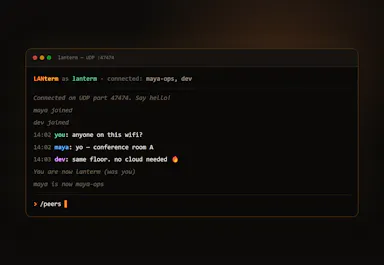
Details →

Diivo

Live

A local-first design-reference manager that stores boards as real folders and finds images by meaning with on-device AI, no cloud upload, one-time $29 payment.

Domain registered 2 months ago

Works offlinePay once
What to know
How it works
A local-first app for design references where boards are real folders on your disk, a Chrome clipper saves any image or video in one click, and on-device AI finds shots by meaning rather than by filename or tag.
What's different
Stores everything locally instead of uploading references to the cloud.
Pricing
Free 30-day trial with no card required, then a one-time $29 purchase.
Best for
Designers building and searching a personal library of visual references.

Watched for 12 days · last checked 6d ago

Details →

An offline eBook reader for Android — EPUB, PDF, MOBI, comics and more, with AI text-to-speech, synced highlights, and no ads or account. Has optional cloud sync despite the offline-first pitch.

Domain registered 1 month ago

No sign-upWorks offlineData stays with youNo subscription
What to know
How it works
An offline eBook reader for Android supporting EPUB, PDF, MOBI, FB2, AZW and comics, with offline AI text-to-speech voices synced to text highlighting, bookmarks, notes, a built-in dictionary and OPDS support.
What's different
Fully offline and privacy-first, with no ads, account or subscription required.
Best for
Android readers who want offline reading with AI narration and no account.
Watch out
Offers optional cloud sync despite the offline-first, no-account pitch.

Watched for 13 days · last checked 2d ago

Details →

An end-to-end encrypted notes, tasks and calendar app with an offline mode - E2EE means your data still syncs to their servers, just encrypted, not that nothing leaves your device.

Domain registered 28 years ago

Works offline
What to know
How it works
Combines notes, tasks and calendar in one native app per platform with end-to-end encryption and an offline mode.
What's different
Native builds per platform rather than a shared web wrapper, aimed at speed and battery life.
Watch out
End-to-end encrypted still means data syncs to their servers — just encrypted, not that it stays only on your device.

Watched for 13 days · last checked 7d ago

Details →

A local Windows file-search app that indexes without sending anything to the cloud or needing an account — built to stay fast even on older, resource-constrained PCs.

No sign-upWorks offline
What to know
How it works
A local-first desktop app that indexes files on Windows so you can search for them without digging through folders.
What's different
No cloud, no accounts, and built to run smoothly on older, resource-constrained hardware.
Best for
Windows users, including those on older PCs, who want fast local file search without sending data to the cloud.

Watched for 17 days · last checked today

Details →

Runs PDF tools like merge, split, and convert directly in your browser via WebAssembly instead of uploading files to a server. For anyone who doesn't want documents leaving their device.

Domain registered 11 months ago

FreeNo sign-upWorks offlineData stays with you
What to know
How it works
Runs PDF tools — merge, split, compress, and more — directly in the browser using WebAssembly instead of uploading files to a server.
What's different
22 of 23 tools run fully on-device, and the maker publishes exactly which tool is the exception rather than a blanket privacy claim.
Pricing
Free, no account required.
Best for
People who don't want their documents leaving their device.
Watch out
Described as launching soon, and one of the 23 tools does not run fully on-device.

Watched for 14 days · last checked 2d ago

Details →

Joplin

Live

Open-source notes and to-do app with end-to-end encrypted sync and offline access, aimed at privacy-conscious users generally rather than developers specifically.

Works offlineOpen source
What to know
How it works
An open-source note-taking and task management app with rich notes, to-dos, notebooks, and multimedia documents.
What's different
End-to-end encryption, offline-first access, Markdown support, OCR search, and cross-platform sync while keeping full control of your data.
Best for
Privacy-conscious users who want productivity features without giving up control of their data.

Watched for 14 days · last checked 2d ago

Details →

A native Windows/Mac desktop PDF editor (edit, sign, annotate, organize) that keeps files fully offline on your device and is sold as a one-time purchase, not a subscription.

Domain registered 1 month ago

Works offlinePay onceNo subscription
What to know
How it works
A native desktop app for Windows 11 and macOS to edit, sign, annotate and organize PDFs, with all editing happening offline on the device.
What's different
Local-first: files never leave your device, and it's sold as a one-time purchase rather than a subscription.
Pricing
Free trial, then one-time payment (positioned as an Adobe Acrobat subscription alternative).
Best for
Windows/Mac users who want a privacy-respecting PDF editor without a recurring subscription.

Watched for 14 days · last checked 2d ago
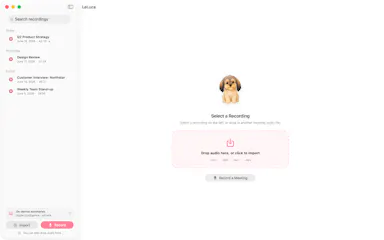
Details →

Edits video and photos on a real multi-track timeline, rendered entirely on your device — nothing you make ever leaves your phone.

Works offlineData stays with you
What to know
How it works
Edits video, photos and collages on a multi-track timeline with filters, effects, animations, stickers and text, all rendered on-device.
What's different
Nothing uploads — editing and rendering happen entirely on your device.
Best for
People who want full-featured video/photo editing without sending their media to a server.

Watched for 14 days · last checked 2d ago

Details →

An offline habit tracker with home-screen widgets and Apple Health sync, for people who want their habit data to stay on their phone, not the cloud.

Works offline
What to know
How it works
Tracks habits fully offline, with weekly, monthly, and yearly heatmaps, calendar views, home/lock screen widgets, unlimited reminders, and automatic completion via Apple Health integration.
What's different
Works entirely offline with no cloud storage of habit data.
Best for
iOS users who want a habit tracker that keeps data on-device rather than syncing to the cloud.

Watched for 18 days · last checked today

Details →

Corder

Live

Records your Mac's mic and system audio directly with no bot joining the call, and transcribes on-device so recordings never leave your machine. Free to start, no account needed.

Domain registered 2 months ago

FreeNo sign-upWorks offline
What to know
How it works
Records your Mac's microphone and system audio as two separate tracks at the OS level, so nothing joins the call as a bot — works in Zoom, Meet, Teams, Discord or any browser tab. Transcription runs on-device.
What's different
No bot tile appears in the meeting, so it works even where bot-based recorders are blocked, and transcripts never leave your Mac.
Pricing
Free, no account needed to start.
Best for
People in companies that block meeting-recorder bots who still want private, local transcripts.

Watched for 13 days · last checked 7d ago
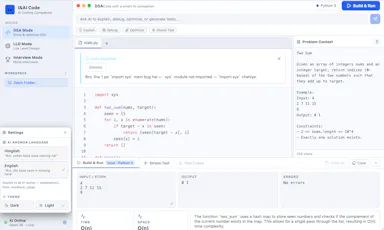
Details →

Writed

Live

A journal app where AI runs entirely in your browser to answer questions about your own entries. No account or cloud; the paid tier can sync to your Google Drive.

FreeNo sign-upWorks offlineOpen source
What to know
How it works
A journal app where an on-device AI answers questions about your own past entries with citations, running entirely in the browser.
What's different
No account, no cloud, no tracking — the AI runs locally in the browser.
Pricing
Free and open source; a paid Pro tier adds sync to your own Google Drive.
Best for
People who want an AI-searchable journal without their entries leaving their device.

Watched for 14 days · last checked 8d ago

Details →

Plays FLAC, ALAC, DSD and WAV bit-perfect with EQ auto-tuned to your specific headphones from a library of 6,000+ models, everything stored on-device, no login.

No sign-upWorks offlineNo subscription
What to know
How it works
Plays lossless/hi-res audio (FLAC, ALAC, DSD, WAV) bit-perfect with no re-encoding, and auto-tunes EQ for your specific headphones from a library covering 6,000+ models. Includes synced lyrics, themes, sleep timer and playlists.
What's different
100% offline and private by default, with optional Dropbox/OneDrive cloud streaming.
Pricing
No subscription.
Best for
Audiophiles who want bit-perfect playback and headphone-specific EQ without a subscription or cloud lock-in.

Watched for 14 days · last checked 8d ago
Details →

Clino

Live

A private, on-device health journal for tracking symptoms, medications and records, with a 3D body view and AI assistant — built for the patient, not the clinic.

Domain registered 1 month ago

Works offline
What to know
How it works
A private health journal that organizes symptoms, medications, visits, medical records and conditions, with a 3D body explorer, an AI assistant to talk to, and generated PDF reports for your doctor.
What's different
Built with privacy by design and on-device AI, rather than a cloud-based patient record.
Best for
Patients tracking their own health records rather than clinics.

Watched for 14 days · last checked 8d ago

Details →

An Android app that photographs or records whoever fails to unlock your phone, with face recognition and evidence kept entirely on-device.

Domain registered 3 months ago

Works offlineData stays with you
What to know
How it works
Captures photo or video evidence after failed PIN, pattern or password unlock attempts on an Android phone, with optional location tagging and private post-unlock alerts.
What's different
On-device Owner Recognition reduces false alerts, and face data never leaves the phone.
Best for
Android users who want evidence of who tried to unlock their phone.

Watched for 14 days · last checked 8d ago

Details →

A macOS menu bar app that gives presenters five hotkey-triggered tools — draw, freeze-and-explain, whiteboard, break timer, and cursor highlight — over Zoom, Meet, or Teams.

Domain registered 1 month ago

No sign-upWorks offlineData stays with you
What to know
How it works
Runs as a native macOS menu bar app with global hotkeys for its five presenting tools; keeps data on the Mac with no account or cloud.
Best for
People presenting over video calls who want lightweight on-screen annotation tools.

Watched for 12 days · last checked 6d ago

Details →

Showing the first 200 of 1,042 — ordered by how strong the evidence is, then by standing. Narrow it with a filter to see the rest.