Tools that work offline, on your own deviceEmail

18 match your filters — 18 of them answered our check today.

Watching this group for 20 days · how we check

This week5 new arrivals

Narrow it down

Skim

Live

Free, open-source, minimal, local-first email client for Windows with a native Rust core and optional bring-your-own-key AI drafting.

FreeWorks offlineOpen sourceNo tracking
What to know
How it works
native Rust/Tauri core, ~5MB installer, instant full-text search
What's different
minimal by design, zero telemetry, bring your own AI key
Pricing
free (MIT)
Best for
Windows users wanting a fast local email client

Watched for 6 days · last checked today

Details →

A one-time-purchase Mac email client for people who want IMAP/SMTP email with on-device AI summaries and no subscription or cloud dependency.

Domain registered 20 years ago

Works offlinePay onceNo subscription
What to know
How it works
Native Mac app with chat-style threads and on-device summarization.
Pricing
$29 one-time, no subscription.
Best for
Mac users who want privacy-focused email without recurring fees.

Watched for 4 days · last checked today

Details →

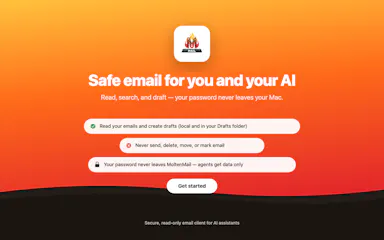
A native Mac email app where your local AI agent can read and draft emails but never send or delete anything, kept private and on-device. One-time $9.99, not a subscription.

Works offlinePay onceNo subscription
What to know
How it works
A native macOS email app where a local AI agent (like Claude, Cursor, or Codex) can read your inbox and draft emails, but is structurally prevented from ever sending or deleting anything.
What's different
Read-and-draft-only by design, and fully local with no cloud processing.
Pricing
Free to try, then a one-time $9.99 for unlimited server drafts — no subscription.
Best for
People who want AI help with email but don't want to hand an agent the ability to send or delete messages.

Watched for 11 days · last checked 5d ago

Details →

An AI email client that unifies Gmail, Outlook, iCloud, Yahoo and IMAP inboxes, runs its AI locally or with your own key, and actively blocks trackers and phishing links.

Works offline
What to know
How it works
Unifies Gmail, Outlook, iCloud, Yahoo and other IMAP accounts into one inbox, with AI (run locally or via your own key) that summarizes threads, extracts tasks, and writes replies, plus tracker blocking, phishing detection, link/attachment scanning and one-click unsubscribe.
What's different
AI can run locally or with your own API key instead of a vendor-hosted model, and it works offline.
Best for
People who want an AI email client with built-in security screening across multiple connected inboxes.

Watched for 10 days · last checked 4d ago

Details →

Melia

Live

A native Linux desktop email client that connects straight to your IMAP/SMTP mail servers with no cloud relay, middleman account or telemetry, as an alternative to Thunderbird or Evolution.

FreeWorks offlineData stays with youPay once
What to know
How it works
A native Linux desktop email client that connects directly to your mail servers over IMAP and SMTP, storing everything locally in a SQLite database and syncing credentials through the OS keyring so it works fully offline.
What's different
No cloud relay, middleman account, or telemetry — mail stays on your own machine, unlike hosted alternatives.
Pricing
Free for one account with full functionality; a one-time $10 unlock removes the account cap.
Best for
Linux desktop users looking for a native alternative to Thunderbird, Evolution, Geary or Mailspring.

Watched for 18 days · last checked today

Details →

A local MCP server that gives AI assistants like Claude, Cursor and ChatGPT tools to act on your Mac — iMessage, Teams, WhatsApp, Mail, files — with nothing sent to the cloud.

FreeWorks offlineData stays with you
What to know
How it works
A local Model Context Protocol server running on a Mac that gives AI assistants like Claude, Cursor and ChatGPT 143 tools to act on iMessage, local Microsoft Teams chats, WhatsApp, Apple Mail, Calendar, Contacts, Notes, Reminders, Finder files, OneDrive, Outlook and Office documents.
What's different
Runs 100% locally with no cloud connection, reaching apps like iMessage and local Teams chats that cloud-based connectors can't access.
Pricing
Free.
Best for
Mac users who want their AI assistant to act across native apps like iMessage and Mail without sending data to the cloud.

Watched for 18 days · last checked 2d ago

Details →

Lets Outlook users recover OST mailbox data into PST format instead of losing access to corrupted files.

Works offlineCan export my data

Watched for 1 day · last checked 1d ago

Details →

A 1.2GB AI model that runs fully offline on your laptop and claims to beat GPT-5 on coding benchmarks. Open source with no subscription, built for developers wanting a local coding assistant.

Works offlineOpen sourceNo subscription
What to know
How it works
A 1.2GB AI model that runs fully offline on a laptop, using a neuro-symbolic architecture combining neural pattern recognition with symbolic logic for software engineering tasks.
Pricing
Open-source, no subscription.
Best for
Developers wanting a local, offline coding assistant without cloud dependence.
Watch out
The listing claims it beats GPT-5 on coding benchmarks and cites a 68.4% SWE-bench Lite score — an unverified vendor claim.

Watched for 18 days · last checked 2d ago

Details →

Kutula

Live

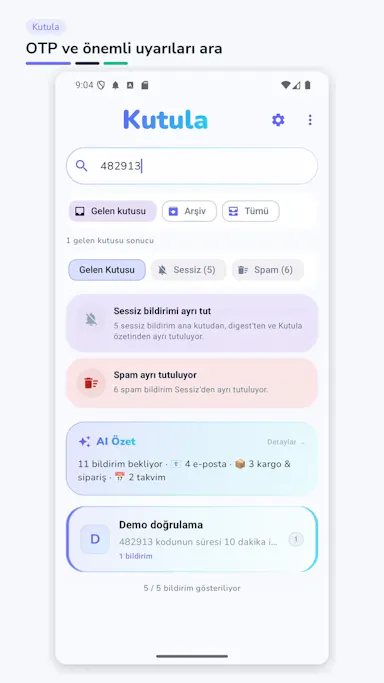
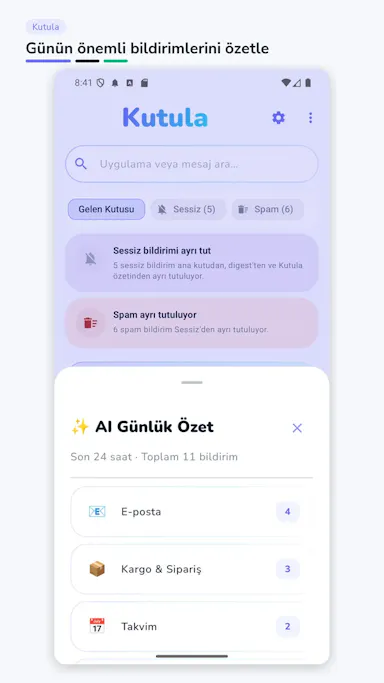
A local-first Android app that captures and lets you search your notification history, so OTPs, delivery and bank alerts you dismissed too fast aren't lost.

Works offline
What to know
How it works
Captures notifications on-device and makes them searchable later
What's different
Processed entirely on-device, not sent to Kutula's servers

Watched for 5 days · last checked 4d ago

Details →

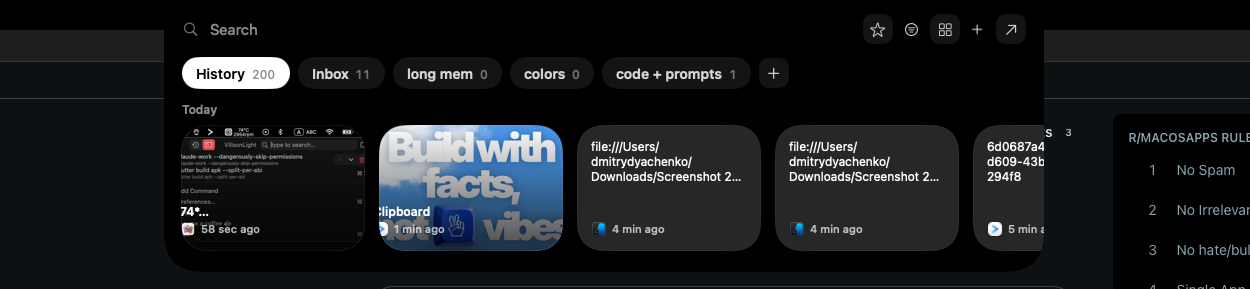
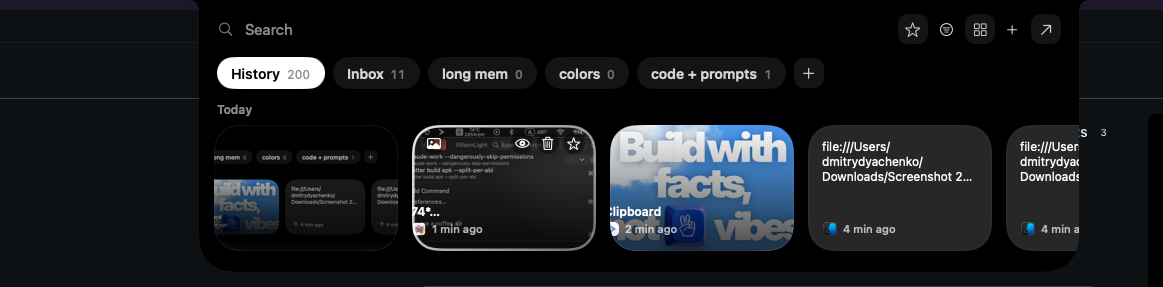
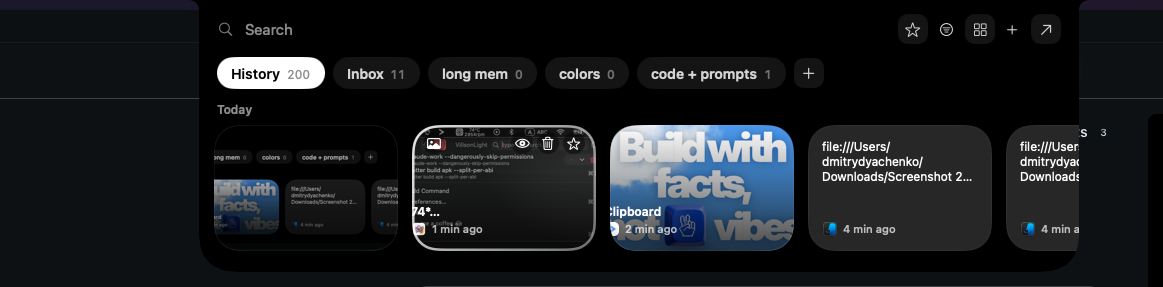
A local-first clipboard and screenshot manager for Mac that keeps a searchable visual history of everything you copy, tagged by source app and time.

Domain registered 9 months ago

Works offlinePay onceNo subscription
What to know
How it works
A local-first clipboard and screenshot manager for Mac that keeps a searchable visual history of everything copied, tagged by source app and time, accessible from a menu-bar dropdown. Colors show as live swatches, screenshots are searchable by the text inside them, and sensitive items like passwords are detected and skipped.
What's different
Fully offline with nothing synced to a server, versus clipboard tools that rely on cloud sync.
Pricing
One-time purchase with lifetime updates, no subscription.
Best for
Mac users who want quick access to clipboard and screenshot history without cloud storage.

Watched for 10 days · last checked 10d ago

Details →

Scores potential clients on how well your editing style fits their content, then drafts a cold email. A $29 one-time tool, not free, that runs locally with your own AI API keys.

Works offlinePay onceNo subscription
What to know
How it works
You drop in a screenshot or screen recording of a potential client's content, and it scores how well your editing style fits, then drafts a cold email if it's a real match.
What's different
Runs 100% locally using your own free Groq or Gemini API keys instead of a hosted subscription service.
Pricing
$29 one-time, no subscription; described as a genuine beta.
Best for
Video editors doing cold outreach to creators who want to stop sending generic templates with low reply rates.

Watched for 13 days · last checked 10d ago

Details →

Replaces your browser's new-tab page with a private local dashboard for tasks, a kanban board, quick links and a calendar, works offline and exports your data anytime.

No sign-upWorks offlineData stays with youNo tracking
What to know
How it works
Replaces your browser's new-tab page with a dashboard for tasks, a kanban board, a job tracker, content planners, a screenshot inbox, quick links and a calendar; searchable with Cmd/Ctrl+K and exportable to Markdown, CSV, JSON, or a full backup.
What's different
100% local-first — no account, no cloud, no tracking, works offline, with everything stored on your device.
Best for
People who want a private productivity dashboard on every new tab without creating an account or sending data anywhere.

Watched for 18 days · last checked 2d ago

Details →

A dead-simple iPhone scanner app that works entirely offline with no account or cloud, and nothing leaving your device. Free with ads; one-time purchase removes them.

FreeNo sign-upWorks offlineData stays with you
What to know
How it works
Scans documents on iPhone by snapping a photo or importing one, then produces a clean PDF that can be sent by email, WhatsApp or printed. Runs entirely offline with no account and no cloud upload.
What's different
Designed with big buttons and plain language for people who don't live on their phone, and everything stays on-device.
Pricing
Free with ads; a one-time purchase removes ads, no subscription.
Best for
iPhone users who want a simple, private document scanner without setting up an account.

Watched for 17 days · last checked 8d ago

Details →

A GTD task manager that keeps every task on your device only, no account, no cloud sync — for people who want the full method without their data leaving their control.

No sign-upWorks offlineData stays with you
What to know
How it works
Implements the full Getting Things Done method while keeping all tasks entirely on the user's local device, with no account and no cloud storage.
What's different
Full GTD method implementation with no account, no cloud sync and no upload — data never leaves the device.
Best for
GTD practitioners who want the full method but don't want their task data stored in the cloud.

Watched for 18 days · last checked 11d ago

Details →

Prizmi

Live

An AI assistant that drafts messages, organizes files, and fills out forms and flight check-ins on its own, installed on your computer for everyday tasks.

Works offlineData stays with you
What to know
How it works
You message Prizmi in plain language and it acts on your phone or computer — drafting texts and emails, organizing files, filling out web forms and flight check-ins, and running scheduled tasks — while proactively reaching out when it notices something matters.
What's different
Takes action directly on your connected devices rather than just answering questions, but never clicks Submit or Pay itself, keeping the user in control of final actions.
Best for
Anyone wanting a proactive assistant that runs tasks on their own Mac, Windows or Linux machine, described as built for grandparents through developers.

Watched for 18 days · last checked today

Details →

Tokenizes PII and secrets before they reach an LLM in n8n workflows, reversing it only at a trusted sink.

Domain registered 4 months ago

Works offline
What to know
How it works
Tokenizes PII and secrets before they reach an LLM in n8n workflows, then reverses the tokenization safely at a trusted sink.
What's different
Unlike n8n's own Guardrails redaction, the original data can come back.
Watch out
Official n8n Integration Partner; a local mode runs fully offline.

Watched for 3 days · last checked 3d ago

Details →

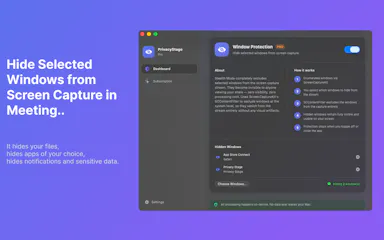
A Mac app that lets you hide specific windows from screen shares while still using them.

Works offline
What to know
How it works
A Mac app that lets you hide specific windows from screen shares while still using them, with a clean presentation desktop and notification guard, working via virtual camera with any meeting app.
Watch out
Everything runs locally on the Mac.

Watched for 10 days · last checked 4d ago

Details →

Offline on-device speech to text for Mac and Windows

No sign-upWorks offlineData stays with you

First seen today · last checked today

Details →