Tools that work offline, on your own devicePhotos

74 match your filters — 69 of them answered our check today.

Watching this group for 20 days · how we check

This week35 new arrivals1 stopped answering

Lumli

Live

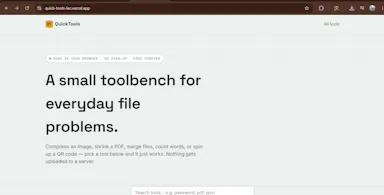
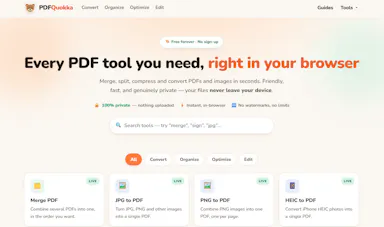
A browser-based privacy-first toolkit for editing images and PDFs entirely on your device, with no cloud uploads or accounts required.

Works offlineData stays with you
What to know
How it works
local, zero-server processing for image compression, upscaling, and background removal plus PDF editing
Best for
people who want to edit sensitive photos or PDFs without sending files to a server

Watched for 7 days · last checked today

Details →

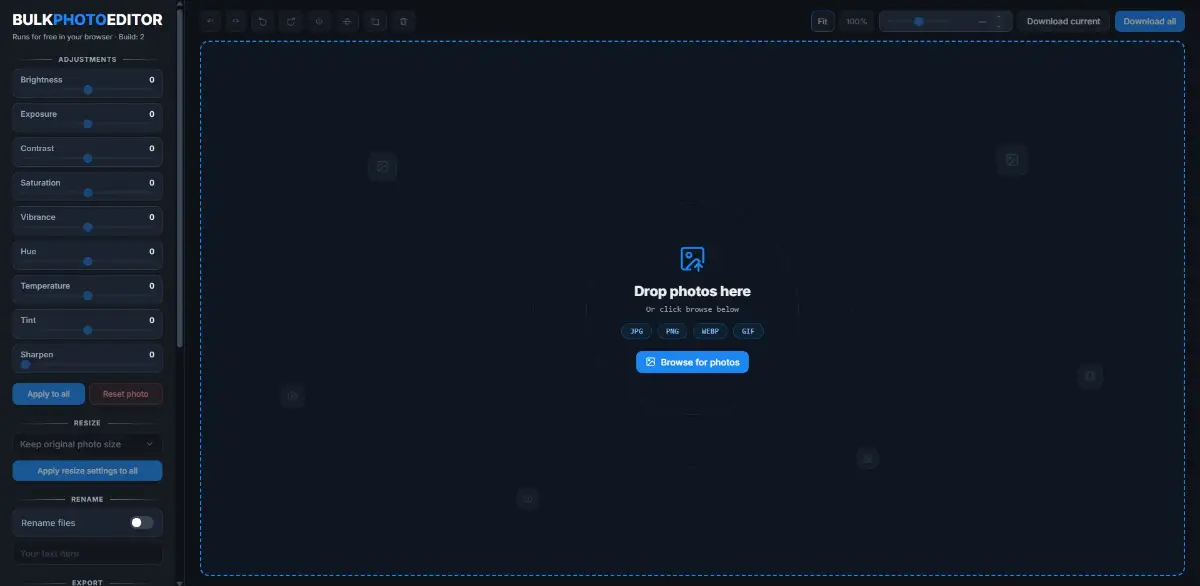
A free, local, no-account browser tool for bulk color-editing, resizing, cropping, and renaming large batches of photos at once.

FreeNo sign-upNothing to installWorks offline
What to know
How it works
Adjusts brightness, contrast, saturation, vibrance, and sharpness in bulk; crops, rotates, and resizes with one photo applied to all then fine-tuned individually; batch-renames with auto-numbering and downloads as a zip.
Pricing
100% free, all local, no upload or account.

Watched for 8 days · last checked today

Details →

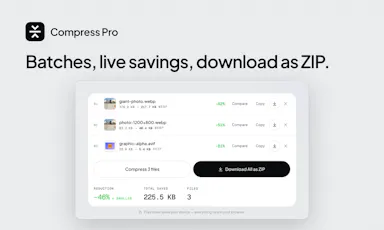
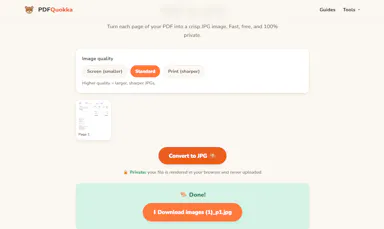
A free, browser-based bulk image compressor and format converter that processes files entirely on your device without uploading them to any server.

FreeNothing to installWorks offlineData stays with you
What to know
How it works
compresses and converts images client-side in the browser with no server upload, using lossless optimization
Pricing
completely free
Best for
developers, designers, and creators who need to shrink or convert large batches of images without giving up file privacy

Watched for 7 days · last checked 1d ago

Details →

A desktop image upscaler that reconstructs existing detail instead of using generative AI, running fully offline for a one-time payment instead of a subscription.

Domain registered 4 months ago

FreeNo sign-upWorks offlinePay once
What to know
How it works
Runs offline after activation (under 150 MB with models included), CPU-optimized for Apple Silicon and also works on Windows, with batch processing and no per-image limits.
What's different
Positions itself against generative AI upscalers by avoiding hallucinated detail and producing the same result every run.
Pricing
10 free images, no signup, no watermark; early-bird one-time price $39/€39.
Best for
people who want consistent image upscaling without uploading photos to the cloud.

Watched for 12 days · last checked today

Details →

Browser tool that converts animated GIFs to WebP entirely offline with no uploads or accounts.

Works offline
What to know
How it works
Runs conversion locally in the browser
Pricing
free
Best for
People wanting to convert GIFs without uploading files anywhere

Watched for 5 days · last checked today

Details →

Free online file converter that runs entirely in your browser so files never get uploaded to a server.

Domain registered 1 month ago

FreeNo sign-upWorks offlineData stays with you
What to know
How it works
converts PDFs, images, docs, audio and video locally via WebAssembly
What's different
no upload, works offline, no daily limits
Pricing
free

Watched for 6 days · last checked today

Details →

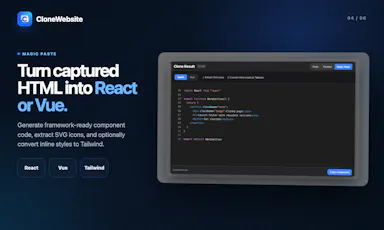
A Chrome extension that clones any webpage's HTML/CSS and converts it into React or Vue components, for developers who want a starting point from an existing design.

Domain registered 8 months ago

FreeWorks offline
What to know
How it works
Extracts HTML, CSS, images, fonts, and converts to React/Vue via Magic Paste
What's different
works offline, bring-your-own-key AI, no data leaves the browser
Pricing
free

Watched for 6 days · last checked today

Details →

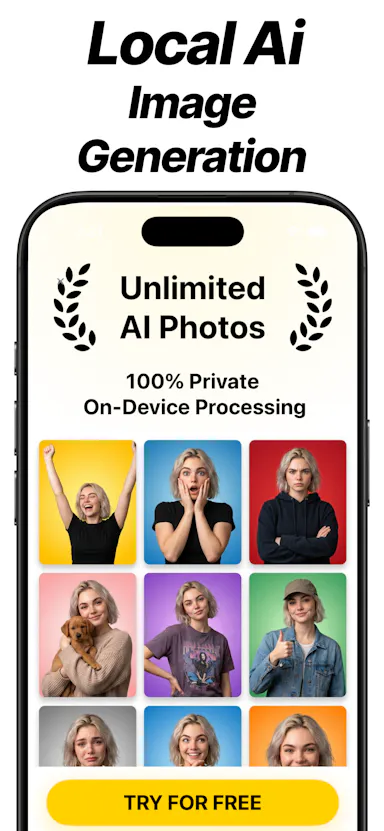
An offline iPhone app that generates AI images locally using Stable Diffusion, for people who want image generation without sending prompts to the cloud.

Works offline
What to know
How it works
Runs Stable Diffusion locally on iPhone, fully offline with no internet connection or API costs.
Best for
iPhone users who want AI image generation without sending data to the cloud.

Watched for 7 days · last checked 1d ago

Details →

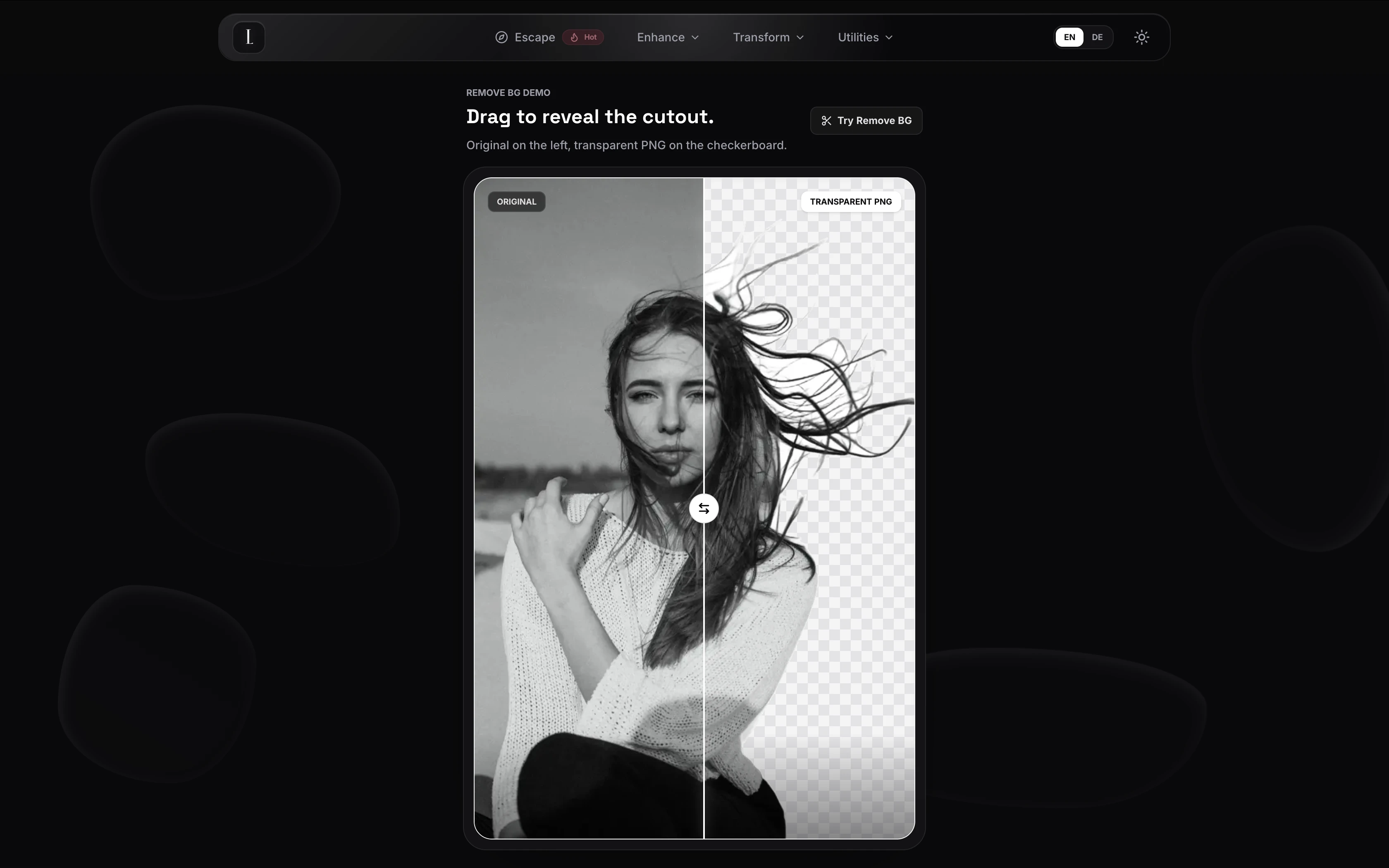
Removes photo backgrounds entirely in the browser with no upload to a server, for people who want a free private background remover.

FreeWorks offline
What to know
What's different
runs locally, nothing leaves the browser
Pricing
free

Watched for 4 days · last checked today

Details →

On-device OCR that extracts text from screenshots or images in 16 languages without uploading anything to the cloud, for people wary of sending images to online OCR services.

Domain registered 13 days ago

No sign-upWorks offlineNo trackingCan export my data
What to know
How it works
Extracts text from screenshots, photos, screen areas, or any web image entirely on-device; right-click or select an area for editable text, supporting 16 languages, QR codes, read-aloud, and TXT/Markdown export.
What's different
Private and offline; no account, uploads, or tracking.

Watched for 8 days · last checked 2d ago

Details →

An offline clinical assistant for homeopaths that maps patient symptoms to remedies using local, private AI models.

Works offlineOpen source
What to know
How it works
Uses local LLMs to repertorize cases and extract clinical rubrics from voice dictation and images
Pricing
Open source
Watch out
100% offline, no cloud data sharing

Watched for 6 days · last checked today

Details →

Lets Mac users copy any on-screen text, QR code, or barcode instead of retyping it manually.

No sign-upWorks offline
What to know
How it works
Also imports images/PDFs, searches capture history, translates on-device, and reads text aloud.
Pricing
one private purchase, no subscription

Watched for 1 day · last checked today

Details →

Ohata

Live

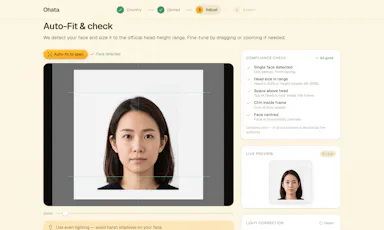
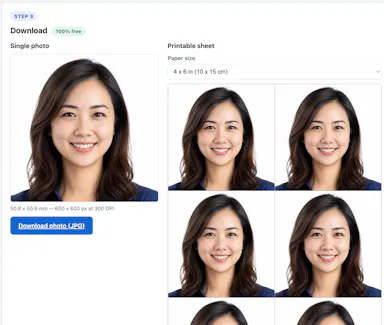
Free browser tool that generates compliant passport/visa photos for 100+ countries without uploading your photo anywhere.

Domain registered 12 days ago

FreeWorks offlineData stays with youCan export my data
What to know
How it works
Auto-fits your photo to official spec and exports a print-ready sheet, entirely in-browser
Pricing
Free
Best for
People needing a compliant passport photo without a photo studio

Watched for 6 days · last checked today

Details →

Generates a 3D model from a single image entirely on-device using WebGPU, with no server uploads or accounts needed — an open-source tool for developers experimenting with local image-to-3D generation.

Works offlineData stays with youOpen source
What to know
How it works
Generates a 3D model from a single image entirely on-device using WebGPU compute in the browser, with no server uploads or accounts.
What's different
Open source and runs locally via WebGPU rather than requiring cloud GPU processing, also deployable on Vercel for instant testing.
Best for
Developers experimenting with local, private image-to-3D generation.

Watched for 10 days · last checked 4d ago

Details →

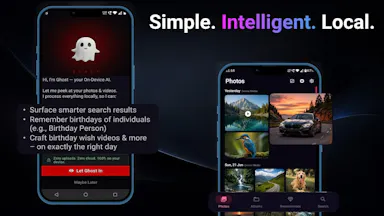
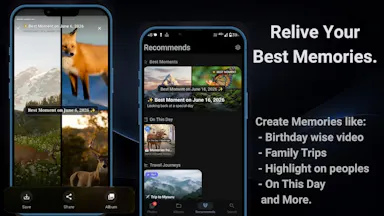
An on-device photo gallery app that organizes photos, powers smart search, and generates memory reels using AI models that run entirely on the phone, instead of uploading photos to the cloud.

Works offline
What to know
How it works
Runs AI models on-device for smart photo search, automated memories, and generated reels, with no cloud servers or data leaving the phone.
Best for
People who want smart photo organization without sending their photos to the cloud.

Watched for 7 days · last checked 6d ago

Details →

Turns GPS data already embedded in your photos into a private travel map, processing everything on your device so your location history never leaves your phone.

Works offlineData stays with you
What to know
How it works
Reads the GPS data already embedded in a user's photos to build a visual map of everywhere they've traveled.
What's different
Processes everything 100% on-device, so location data never leaves the user's control.
Best for
People who want a private travel map built from their existing photo library.

Watched for 12 days · last checked 6d ago

Details →

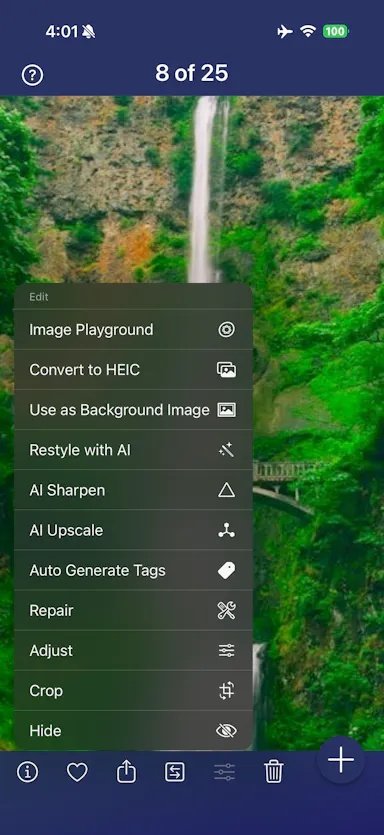
An iPhone and iPad app that upscales, sharpens and denoises photos entirely on-device so nothing is uploaded to a server - for casual users, not professional photo editors.

4 ratings on the App Store

No sign-upWorks offlineData stays with youNo subscription
What to know
How it works
An iPhone and iPad app that upscales, sharpens, denoises, and deblurs photos using on-device AI enhancement, with a before/after comparison before saving the result back to Photos.
What's different
All processing happens on-device — no server upload, account, ad, or subscription is required.
Pricing
No subscription and no account required (per the product's own description).
Best for
People restoring old, blurry, or low-resolution personal photos who want to keep them off the cloud.

Watched for 18 days · last checked 2d ago

Details →

An offline home inventory and warranty tracker — photograph belongings, receipts and insurance records, stored privately on your device with no account needed. For homeowners and renters preparing for insurance claims.

No sign-upWorks offlineData stays with youPay once
What to know
How it works
Lets you document belongings, receipts, and insurance records room by room with photos, prices, brands, and notes, track warranties and service details with expiry reminders, and generate/share PDF inventory reports.
What's different
Runs fully offline with no account required, all data stored privately on the device, and supports export/restore backups.
Best for
Homeowners and renters preparing for an insurance claim or documenting valuables.

Watched for 18 days · last checked 2d ago

Details →

A free, in-browser suite of over 250 file tools — image, video, audio, SVG, developer, SEO, QR, document and PDF — that processes everything locally so files never leave the device.

FreeWorks offline
What to know
How it works
Runs client-side in the browser (e.g. ffmpeg.wasm for video, an on-device AI model for background removal, native Web Audio for audio editing); no accounts or daily limits.
Pricing
Free.
Best for
Developers and anyone needing quick file conversion/editing tools without uploading files to a server.

Watched for 11 days · last checked 8d ago

Details →

Scans a user's iPhone photo library on-device to build a private travel map with country stamps and stats, with no account or cloud required.

No sign-upWorks offlinePay onceNo subscription
What to know
How it works
Scans the iPhone photo library on-device, automatically and retroactively, to build a world map with country stamps and travel stats.
Pricing
One-time purchase, no subscription.

Watched for 11 days · last checked 5d ago

Details →

Converts, compresses and edits PDFs, images, audio and video right in your browser — files never leave your device, unlike typical cloud upload tools.

Works offlineData stays with you
What to know
How it works
Converts, compresses and edits PDFs, videos, images and audio entirely inside the browser using WebAssembly and client-side scripts.
What's different
Files never leave your device — no upload, no cloud storage server, works offline with no file-size limits.
Best for
People handling sensitive files who want to avoid uploading them to a cloud service.

Watched for 16 days · last checked 10d ago

Details →

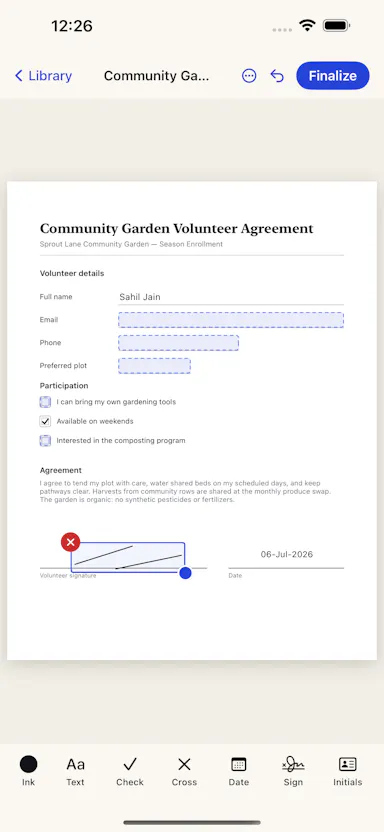
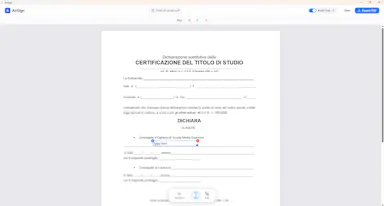
Edit text and images inside a PDF on your iPhone, entirely offline with no account or subscription — real local PDF editing without cloud uploads.

No sign-upWorks offlineData stays with youNo subscription
What to know
How it works
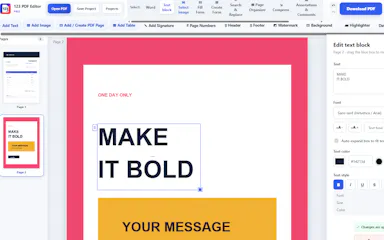
Edits PDF text, images and vector objects directly on the iPhone: tap text to move or retype it, drag handles to resize images, merge multiple PDFs, delete pages from a thumbnail grid, and open or password-protect encrypted PDFs.
What's different
All processing happens locally on the device — no cloud upload, subscription or sign-in required.
Best for
iPhone users who need to genuinely edit PDF text and images without uploading files to a cloud service.

Watched for 18 days · last checked 2d ago

Details →

Compresses images and video (JPG, PNG, TIFF, MP4, GIF) entirely on your device with no upload to a server — for Mac, Windows and Linux, privacy-focused.

Works offlineData stays with you
What to know
How it works
Compresses JPG, PNG, TIFF, MP4 and GIF files, processing them locally on-device rather than uploading them to a server, via web tools or a dedicated offline desktop app for Mac, Windows and Linux.
What's different
Local, privacy-focused processing rather than server-side upload-based compression.
Best for
Anyone who wants to compress images or video without sending files to a third-party server.

Watched for 18 days · last checked 11d ago

Details →

Ncored

Live

A desktop PDF editor built to stay smooth on huge CAD and construction drawing exports from AutoCAD, Revit and ArchiCAD, running fully offline so drawings never leave your machine.

FreeNo sign-upWorks offlineNo subscription
What to know
How it works
A desktop PDF editor for Windows and Mac built to stay smooth on scroll, zoom and pan across heavy AutoCAD, Revit and ArchiCAD exports and project sets of 50-200MB or more. It runs locally on the user's machine.
What's different
Targets the specific failure mode of general PDF tools — stalling and stuttering on dense CAD/construction drawings with heavy vector line work and hatches — and processes files fully offline.
Best for
Architects, structural/civil engineers, MEP professionals and construction teams working with large, heavy drawing sets.

Watched for 18 days · last checked 2d ago

Details →

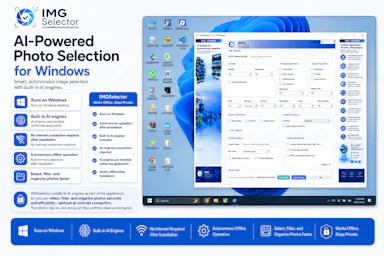
A Windows desktop app that uses offline AI to sort, filter and de-duplicate large photo batches, for photographers, designers and other creators — no cloud needed after install.

Works offline
What to know
How it works
A Windows desktop tool that uses built-in offline AI filters to detect faces, blurry or dark photos, duplicates, people, elements and landscapes, letting photographers and creators sort large photo collections without internet after install.
Pricing
Free 7-day trial.
Best for
Photographers, designers and creators sorting large photo batches who want to keep files off the cloud.

Watched for 18 days · last checked 2d ago

Details →

A fully on-device AI app for Android — chat, vision, voice and image generation that runs offline with no cloud calls, translated into 11 languages.

Works offline
What to know
How it works
A fully on-device AI app for Android offering offline chat, vision, voice input, offline text-to-speech, file attachments, AI agents and on-device image generation, with CPU/GPU acceleration via Vulkan and OpenCL and UI translations in 11 languages.
What's different
Runs entirely on-device with no cloud calls.
Best for
Android users who want private AI features without sending data off their phone.

Watched for 18 days · last checked 2d ago

Details →

A free, open-source browser tool that compresses and converts images, video, audio and PDFs entirely on your device with no uploads or ads — a general utility, not developer-specific.

Domain registered 17 days ago

FreeWorks offlineData stays with youOpen source
What to know
How it works
An open-source app with 47 tools for compressing and converting images, video, audio and PDFs, with all processing happening on-device so files never leave your computer, including offline use.
What's different
No upload step at all — compression runs entirely locally, works offline, with no ads, accounts or size limits.
Pricing
Free forever.
Best for
Anyone who wants to compress or convert media files without uploading them to a server.

Watched for 14 days · last checked 2d ago

Details →

Edits video and photos on a real multi-track timeline, rendered entirely on your device — nothing you make ever leaves your phone.

Works offlineData stays with you
What to know
How it works
Edits video, photos and collages on a multi-track timeline with filters, effects, animations, stickers and text, all rendered on-device.
What's different
Nothing uploads — editing and rendering happen entirely on your device.
Best for
People who want full-featured video/photo editing without sending their media to a server.

Watched for 14 days · last checked 2d ago

Details →

Eleven free image converters, such as HEIC to JPG, WebP to PNG, and AVIF, that run entirely in the browser so photos never get uploaded, and work offline.

Domain registered 1 month ago

FreeNo sign-upWorks offline
What to know
How it works
Converts formats client-side, with no sign-up, watermarks, or limits.
Pricing
Free.

Watched for 12 days · last checked 9d ago

Details →

Lets anyone edit PDFs and images entirely in-browser instead of uploading files to a server.

FreeNo sign-upWorks offline

Watched for 1 day · last checked 1d ago

Details →

Lets people compress images and PDFs and generate QR codes in the browser instead of uploading files to a server.

FreeWorks offline
What to know
Pricing
free, no sign-up

Watched for 1 day · last checked today

Details →

Lets people turn their photo location data into a private travel history instead of sharing it with a cloud service.

No sign-upWorks offlineOpen source
What to know
How it works
100% on-device, uses location data already in photos

Watched for 1 day · last checked today

Details →

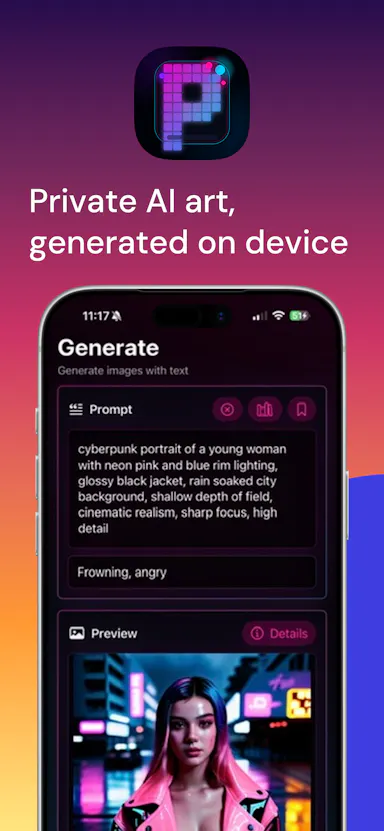
Generates AI art directly on your iPhone/iPad instead of sending prompts and images to a cloud service, keeping them private.

Works offline
What to know
What's different
On-device generation instead of cloud-based alternatives.

Watched for 2 days · last checked 1d ago

Details →

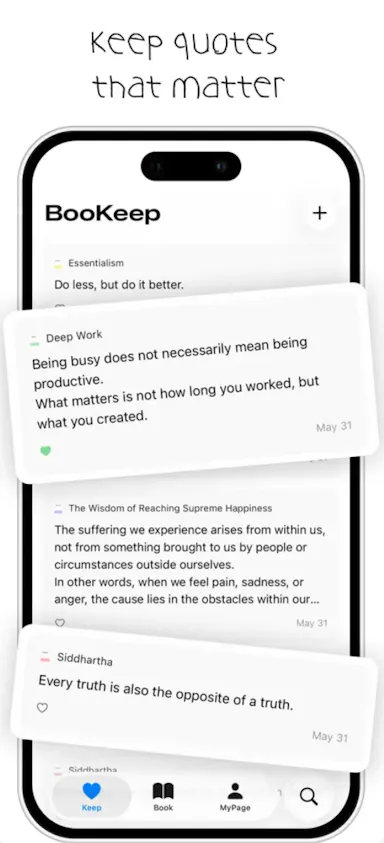
Turns a photographed book page into a saved highlight with an on-device AI reflection, keeping everything local to the device and iCloud instead of a server.

Works offline
What to know
How it works
Photograph a page, OCR extracts it, and an on-device AI (Murphy) writes a reflection on the saved sentence.
What's different
Nothing touches external servers; backup is to the user's own iCloud only.
Best for
iOS 26 users who want quiet, private reading highlights.

Watched for 2 days · last checked 1d ago

Details →

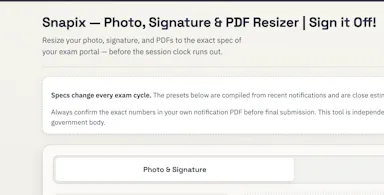
A free browser-based tool that resizes photos and signatures and compresses PDFs to exact specs for Indian exam portals.

FreeNothing to installWorks offline
What to know
How it works
Resizes photos and signatures and compresses PDFs to UPSC, SSC, IBPS, NEET, and other Indian exam portal specs using built-in presets, entirely in the browser.
Pricing
Free.
Best for
Indian exam applicants preparing documents to spec.
Watch out
Nothing is uploaded — processing runs locally in the browser.

Watched for 15 days · last checked 9d ago

Details →

A private, local-only app that turns a daily photo habit into a time-lapse of visible change, like fitness or a renovation.

Domain registered 22 days ago

No sign-upWorks offline
What to know
How it works
Take one photo a day; app compiles a calendar view and exportable MP4 time-lapse
What's different
Local-first — photos stay on your phone, no account or cloud
Best for
People tracking a slow visible change (body, plant, renovation, child) privately

Watched for 4 days · last checked 2d ago

Details →

A suite of 26 browser-based PDF and image utilities (resizing, compiling, encrypting, signing) that run entirely locally with no uploads.

Domain registered 11 days ago

Works offline
What to know
How it works
runs 100% in browser memory, works fully offline with zero server uploads
Best for
anyone needing quick file edits without uploading documents anywhere

Watched for 4 days · last checked 3d ago

Details →

Turns a still image into a wobbly animated GIF or video by letting you paint which area should move, entirely in your browser without uploading the image.

Works offlineCan export my data
What to know
How it works
Paint the area to animate, pick a motion style, export as GIF/MP4/WebM
What's different
Runs fully locally, no image upload

Watched for 5 days · last checked 4d ago

Details →

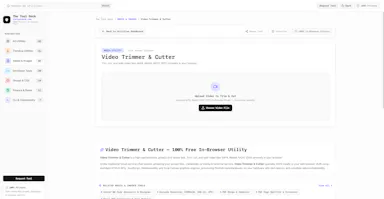
A free suite of in-browser tools (background remover, video trimmer, PDF merger, JSON/regex tools) that process files locally with no uploads.

Domain registered 8 days ago

FreeWorks offlineNo tracking
What to know
How it works
Processing runs entirely client-side in the browser
What's different
Zero server uploads, latency or tracking versus cloud converters
Pricing
free

Watched for 5 days · last checked 4d ago

Details →

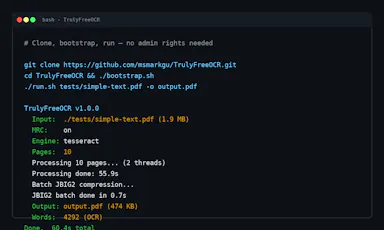
A self-contained CLI tool that OCRs scanned PDFs and images into compressed, searchable PDFs with no cloud calls.

Works offline
What to know
How it works
A self-contained Java CLI that OCRs PDFs/images and applies MRC compression, bundling Tesseract with no external dependencies.
What's different
Requires no Ghostscript, Python runtime, or cloud APIs; Apache 2.0 licensed.

Watched for 5 days · last checked 3d ago

Details →

A bundle of 15 browser-based creative and dev tools (regex tester, image compressor, kanban board, SVG builder) that run locally with zero cloud servers or subscription fees.

Works offlineNo subscription
What to know
How it works
A bundle of 15 browser-based creative and developer tools — including a regex sandbox, image compressor, kanban tracker, and SVG-to-React builder — that run locally via IndexedDB, plus browser extensions to extract typography and colors from pages.
What's different
Zero cloud servers across all 15 tools, replacing fragmented workflows and separate online converters.
Pricing
No subscription — everything runs locally in the browser.
Best for
Developers, designers, and creators who want to replace a fragmented set of separate online tools with one local suite.

Watched for 17 days · last checked 11d ago

Details →

A Windows desktop app for signing PDFs by hand, entirely offline, so sensitive documents never touch the cloud.

Domain registered 7 days ago

Works offlineData stays with youPay onceNo subscription
What to know
How it works
Drag and drop a PDF/image, draw a signature, add text — all processed locally
What's different
Zero cloud upload, one-time purchase instead of subscription
Pricing
One-time purchase
Best for
Professionals who don't want to upload contracts to third-party e-signature sites

Watched for 6 days · last checked 5d ago

Details →

FuaHub

Live

230+ free tools for PDFs, images, text, and code that run entirely in the browser via WebAssembly, so files never touch a server.

FreeWorks offlineData stays with youNo tracking
What to know
How it works
local browser processing via WebAssembly and Canvas API
What's different
no file uploads to servers
Pricing
free

Watched for 6 days · last checked 5d ago

Details →

A fast file manager for macOS and Windows with built-in media previews and local compression/conversion tools.

Works offline
What to know
How it works
Preview images, PSDs, and videos instantly; compress/convert/edit media in the explorer
What's different
Everything runs locally, no extra apps needed
Best for
People juggling media files who want previews and edits without opening separate apps

Watched for 6 days · last checked 5d ago

Details →

A browser tool that blurs the background of a photo automatically, without uploading the image anywhere.

No sign-upWorks offlineData stays with you
What to know
How it works
Detects the subject and blurs the background locally in-browser
What's different
processing stays on-device, nothing uploaded to a server
Pricing
free, no account

Watched for 6 days · last checked 4d ago

Details →

A free, browser-based collection of file utilities, image compression, video trimming, PDF manipulation, that runs entirely in the browser via WebAssembly so files never leave the device, instead of uploading to cloud tools.

FreeNothing to installWorks offlineData stays with you
What to know
How it works
Uses WebAssembly and multi-threaded Web Workers, including ffmpeg.wasm, to process images, video, and PDFs locally inside the browser tab.
Pricing
Free.

Watched for 7 days · last checked 7d ago

Details →

A browser tool that converts uploaded videos and photos into exportable ASCII art, for designers and video editors making retro-style visuals.

Works offlineCan export my data
What to know
How it works
Upload a video or image, convert it to ASCII, adjust character size, crop, colors, overlays, and effects, then export.
What's different
Runs entirely locally in the browser.
Best for
Creators, designers, and video editors who want retro-futuristic visuals without a full editing stack.

Watched for 11 days · last checked 8d ago

Details →

A free set of 17 browser-based PDF tools to merge, split, compress, convert and sign PDFs and images, for people who don't want to upload their files to a server.

Domain registered 1 month ago

FreeNo sign-upWorks offline
What to know
How it works
Runs entirely in the browser so files never leave the device; works offline, has no sign-up and no watermarks.
Best for
quick PDF and image edits without creating an account or uploading files.

Watched for 12 days · last checked 9d ago

Details →

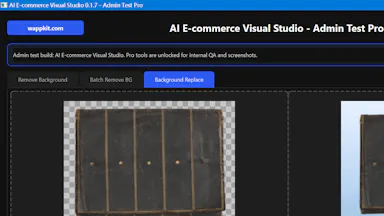
Batch-removes backgrounds from product photos entirely offline, sized for Amazon, Shopify, Instagram or Facebook. Free trial covers 100 images; unlimited use is $6/year.

Works offlineCan export my data
What to know
How it works
Batch-removes backgrounds from 100+ product photos entirely offline, with background replacement and export presets sized for Amazon, Shopify, Instagram or Facebook.
What's different
Runs offline with no per-image fee, unlike per-image services like remove.bg.
Pricing
Free trial covers single-image cleanup plus 100 batch removals; Pro license is $6/year for unlimited batch processing.
Best for
E-commerce sellers who need to batch-process product photo backgrounds without paying per image.

Watched for 13 days · last checked 11d ago

Details →

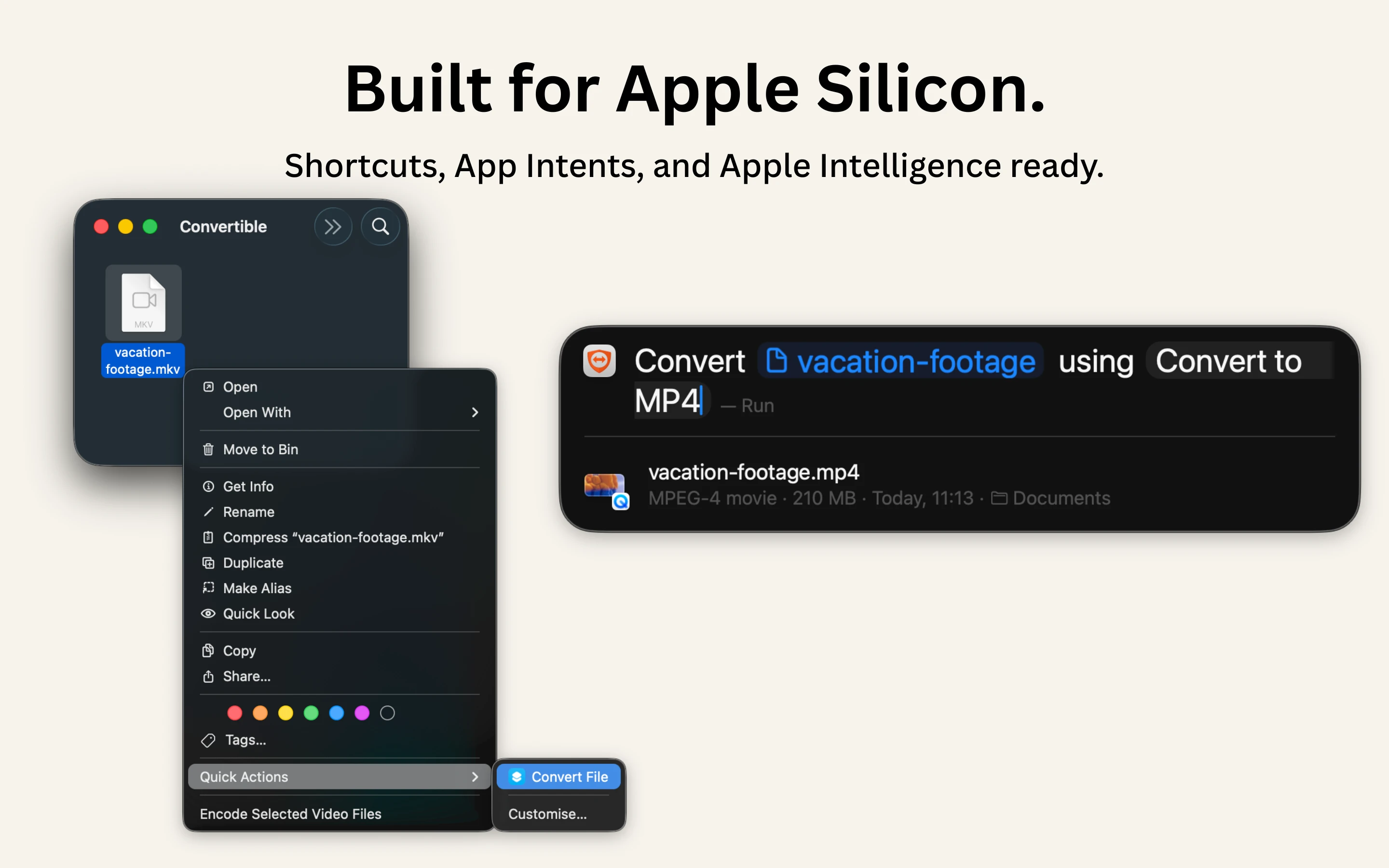
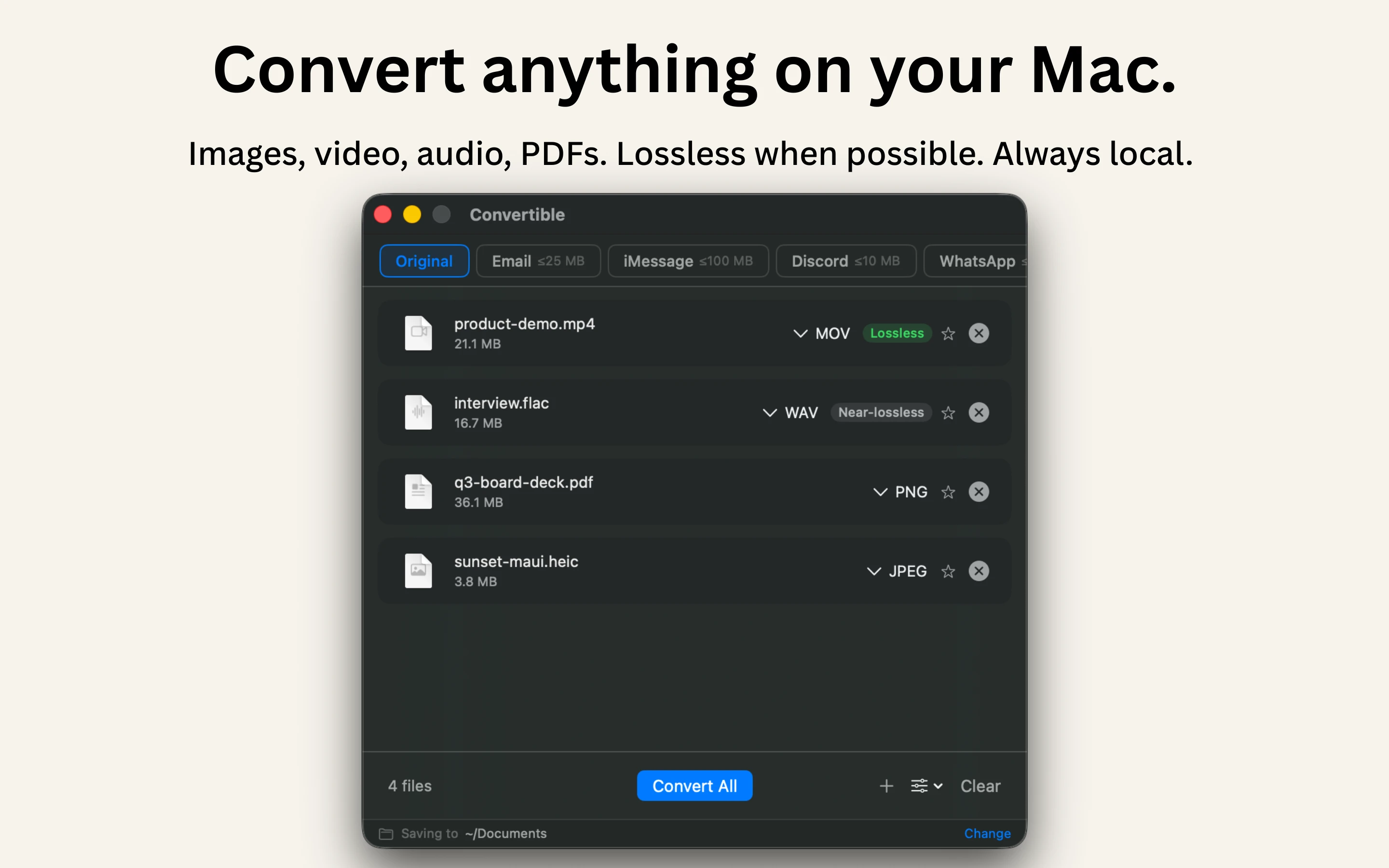
A native Mac file converter that compresses images, video, audio and PDFs entirely on-device with Shortcuts and Finder integration, for people who don't want files touching the cloud.

Works offlineData stays with youPay onceNo subscription
What to know
How it works
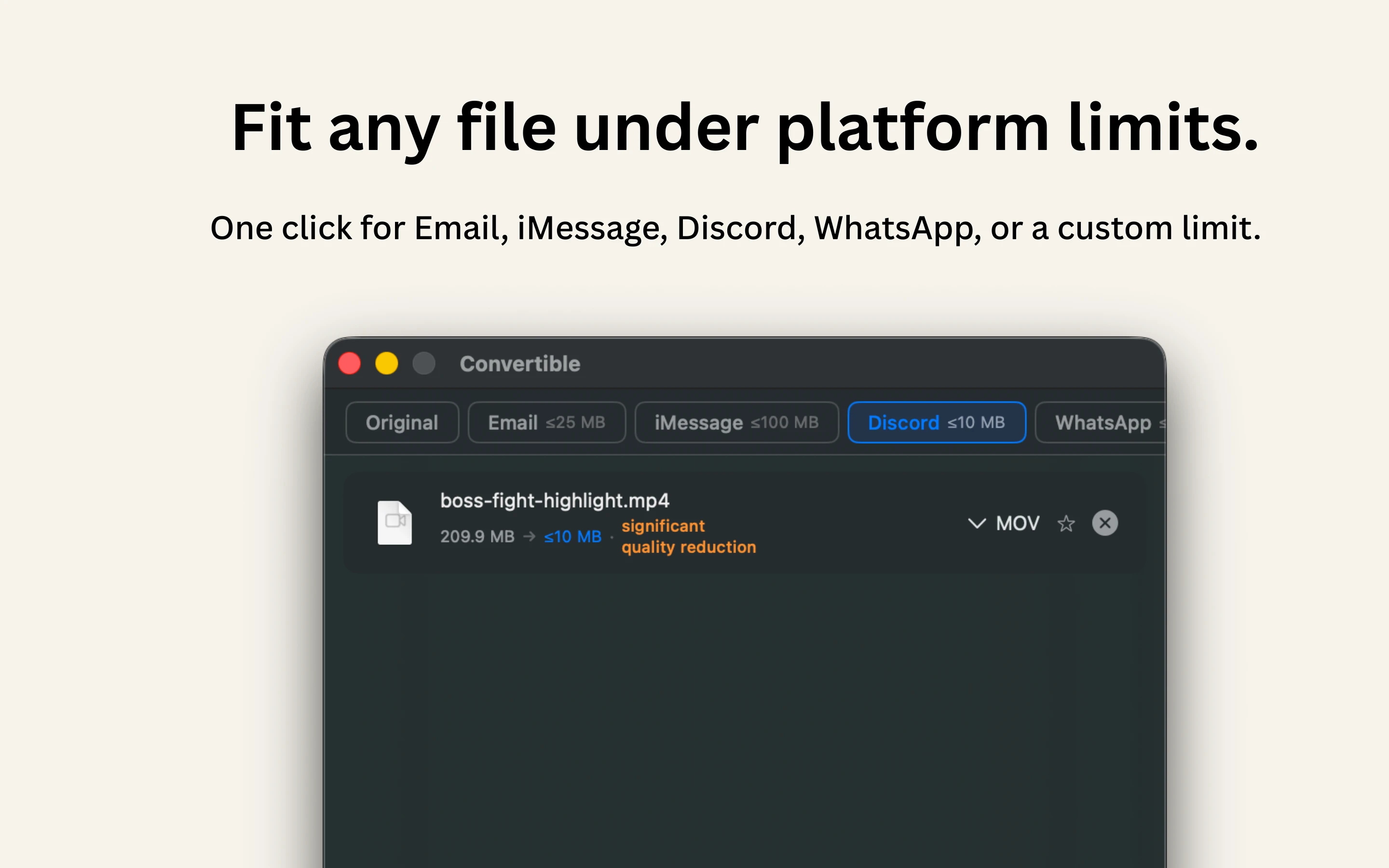
Converts and compresses images, video, audio and PDFs entirely on-device on Mac, including hard-to-open formats like MKV, WebM and HEIC, and can shrink files to a target size limit in one click.
What's different
Runs 100% locally with no cloud upload or telemetry, and integrates with Shortcuts, Finder's right-click menu, Spotlight and scheduled automations.
Pricing
One-time purchase, no subscription.
Best for
Mac users who want to convert or compress files without sending them to the cloud.

Watched for 15 days · last checked 2d ago

Details →

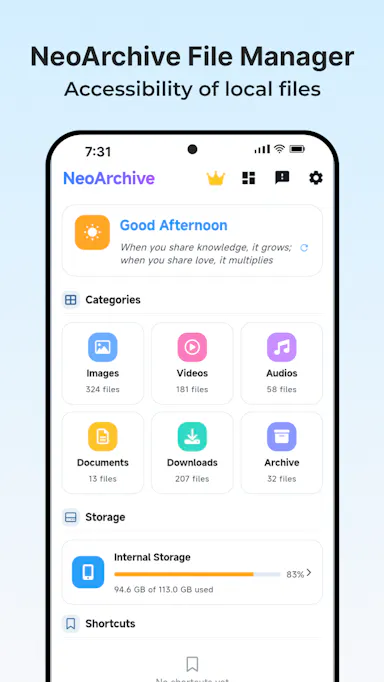
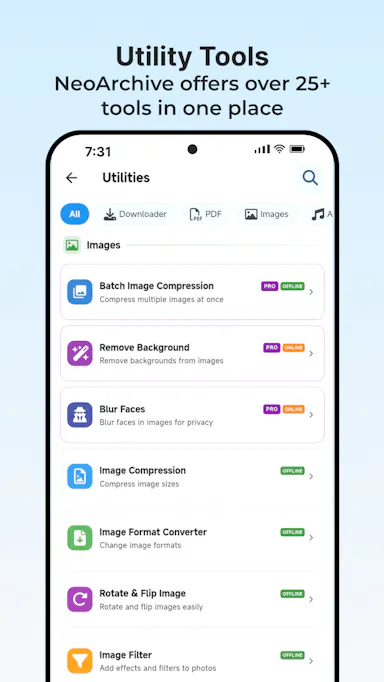
An Android app bundling 50+ file, PDF, video, audio and image tools in one place, with most tools running offline and a private vault for sensitive files.

FreeWorks offlineNo subscription
What to know
How it works
Bundles 50+ file, PDF, video, audio and image tools into one Android app, with most tools running fully offline and a private Vault plus Recycle Bin for sensitive files.
What's different
Packs dozens of single-purpose tools into one lightweight app that mostly works offline, instead of installing separate apps for each task.
Pricing
Free core app with a one-time premium purchase — no subscription.
Best for
Android users who want file, PDF, and media tools without their files leaving the device.

Watched for 17 days · last checked 8d ago

Details →

Over 168 small utilities — converters, calculators, dev tools — running client-side in your browser with nothing uploaded, no account needed, and offline support once loaded.

FreeNo sign-upNothing to installWorks offline
What to know
How it works
A collection of 168+ browser-based utilities — developer tools, image converters, text analytics, calculators, network utilities and more — that run entirely client-side.
What's different
Every tool runs in your browser so your data never leaves your device, works offline once loaded, and there's no account, paywall or ads on the tools themselves.
Pricing
Free.
Best for
Developers and everyday users who want quick one-off utilities without uploading data or creating an account.

Watched for 17 days · last checked 8d ago

Details →

Turns a selfie into a passport or ID photo checked against each country's official spec before you submit, processed entirely on your phone with nothing uploaded. Useful for avoiding a rejected application.

FreeNo sign-upWorks offlineCan export my data
What to know
How it works
Turns a selfie into a passport, visa or ID photo and validates it against each country's published official spec before submission, covering 35 document specs across 14 countries. Detection and processing run entirely on-device.
What's different
Checks compliance (dimensions, face ratio, head position, background, expression, sharpness, lighting) against each issuing authority's published rule before submission, runs fully on-device with nothing uploaded and no AI retouching of the face — background-only cleanup keeps the photo a true likeness, which matters since the US State Department rejects AI-retouched passport photos from January 1, 2026.
Pricing
Capture and validation are free; a watermark-free export is around $0.99 on mobile and $2.99 in the browser, per photo, no subscription.
Best for
Anyone who needs a passport, visa or ID photo and wants to avoid a rejected application from an out-of-spec photo.


Watched for 18 days · last checked 11d ago

Details →

A free browser-based image and document utility (compress/convert, resize) that runs entirely locally without uploading files.

FreeNo sign-upWorks offline
What to know
How it works
Runs 100% locally in the browser to compress and resize images and adjust document dimensions.
What's different
Files never leave the browser or touch external cloud servers.
Pricing
Free.

Watched for 5 days · last checked 4d ago

Details →

A browser-based batch image converter and compressor (HEIC/PNG/JPG/WEBP/AVIF) that processes files locally.

FreeWorks offline
What to know
How it works
Converts and compresses images (HEIC, PNG, JPG, WEBP, AVIF) entirely client-side in the browser, with unlimited batches.
What's different
Files never leave the device, with zero server latency.

Watched for 3 days · last checked 2d ago

Details →

Turn photos of your belongings into a shareable home or work inventory with exportable PDF or Excel lists — handy for insurance, moving, or tracking what you've lent out.

Domain registered 11 months ago

No sign-upWorks offlineNo adsCan export my data
What to know
How it works
Snap photos of your belongings, group them into projects (rooms, collections, jobs), then export a polished PDF or XLSX file to share with movers, insurers, family, or colleagues.
What's different
No account, no ads.
Best for
Documenting a home or work inventory for insurance, moving, or tracking items lent out.

Watched for 11 days · last checked 5d ago

Details →

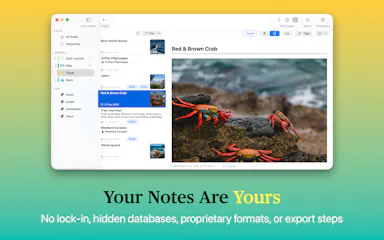
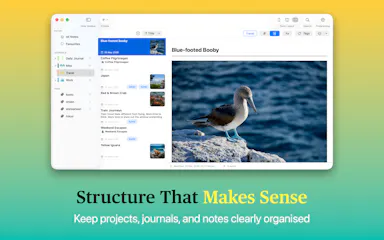
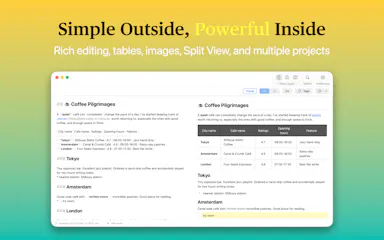
Private native macOS notes and journal app built on local plain-Markdown files, no account or database.

No sign-upWorks offline
What to know
How it works
A native macOS notes and journal app built on plain Markdown files, with projects, journals, tags, fast search, and automatic image organization.
Watch out
No database, no account, no vendor lock-in.

Watched for 3 days · last checked 3d ago

Details →

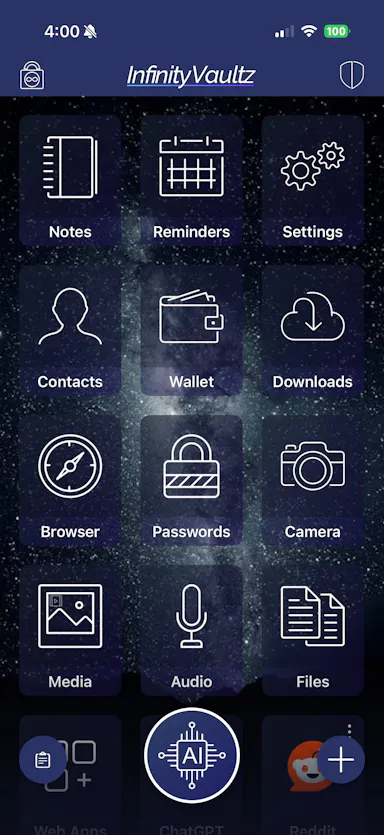
Encrypted vault app with a fully on-device AI assistant, private browser and camera that saves directly into the vault.

FreeWorks offline
What to know
How it works
Encrypted vault with a fully on-device AI assistant for chat, summarizing, and image generation with zero internet; combines private storage, a tracker-blocking browser, and a camera that saves straight into the vault.
What's different
AES-256 encryption with no vendor key or backdoor; optional cloud AI (OpenAI/Gemini/Anthropic) is off by default.
Pricing
Free on iOS.
Watch out
Version 2.0 launches on the App Store July 30th; currently available via TestFlight.

Watched for 3 days · last checked 1d ago

Details →

Free browser tool that crops a photo to official passport/ID photo sizes for 40+ countries and lets you print at home or a pharmacy kiosk.

FreeNo sign-upNothing to installWorks offline
What to know
How it works
on-device AI segmentation replaces the background client-side, no upload to a server
Pricing
free, no signup, no watermark
Best for
anyone needing a passport or visa photo without a photo studio

Watched for 6 days · last checked today

Details →

A local-first app combining document scanning, PDF tools, notes, expense tracking, and reminders that mostly works offline without an account.

Works offlineData stays with you
What to know
How it works
Combines document scanning, PDF tools, multi-format document reading, notes, expense tracking, reminders, weather, QR generation, and photo compression, with most features working offline and no account required.
What's different
Built to replace multiple everyday apps with one experience.

Watched for 9 days · last checked 3d ago

Details →

A browser tool that converts AVIF images to PNG locally using the Canvas API, without uploading files.

Nothing to installWorks offline
What to know
How it works
Converts AVIF images to PNG entirely in the browser using the Canvas API — files are never uploaded or stored.
Pricing
Free, no installation, account, or subscription.
Watch out
Once loaded, it can work offline.

Watched for 8 days · last checked 6d ago

Details →

A collection of 400+ free browser-based calculators, converters, and file tools that run locally without uploading your files.

Domain registered 20 days ago

FreeWorks offline
What to know
How it works
Provides 400+ calculators, converters, device and screen tests, text, image, and PDF tools, and generators, all running locally in the browser.
What's different
Files never leave your device.
Pricing
Free.

Watched for 10 days · last checked 4d ago

Details →

A plant photo management app with AI identification, plant care diary, and disease diagnosis.

Domain registered 5 months ago

FreeWorks offlineNo ads
What to know
How it works
On-device plant photo indexing with semantic search, identifies multiple plants in a photo, calculates sun/shade hours in your yard using 3D maps of nearby buildings and terrain, and includes a digital plant diary and Plant Doctor for disease info.
Pricing
Now free with no ads.

Watched for 9 days · last checked 6d ago

Details →

A free tool that compresses JPG, PNG, GIF, AVIF, and WebP images locally in your browser without uploading them.

Domain registered 11 months ago

FreeNo sign-upWorks offline
What to know
How it works
Compresses JPG, PNG, GIF, AVIF, and WebP images locally in your browser without uploading them, with batch compression and quality adjustment.
Pricing
Free, no signup or watermarks.

Watched for 10 days · last checked 7d ago

Details →

Splits an image into a grid or social-media tile set entirely inside your browser, so nothing gets uploaded to a server — useful if you don't want to share the file.

Domain registered 23 days ago

No sign-upWorks offlineData stays with you
What to know
How it works
Splits an image into grids, rows, columns or social-media tiles entirely in the browser, with preview per cut and export as PNG, JPG or WebP, individually or as a ZIP.
What's different
Runs locally with no uploads, so image data never leaves the device.
Best for
People who want to make grid/tile posts from an image without uploading it to a server.

Watched for 14 days · last checked 2d ago

Details →

Cuts you out of a photo or video and drops you into a new scene with captions and stickers, processed on your own device rather than uploaded to a server.

No sign-upWorks offline
What to know
How it works
Cuts you out of a photo or video and drops you into a new scene, then lets you add captions and stickers before sharing.
What's different
Processing happens on-device rather than uploading photos to a server, and no login is required.
Best for
People who want to make reaction-style photo or video edits without creating an account.

Watched for 17 days · last checked 11d ago

Details →

Offline AI photo upscaler that increases resolution and reduces pixelation without cloud uploads.

Works offline
What to know
How it works
Increases image resolution and reduces pixelation using AI processing that runs entirely on-device, with 2x and 4x upscaling.
What's different
No cloud uploads, so images stay private.
Best for
People enhancing old photos, wallpapers or low-resolution pictures.

Watched for 3 days · last checked 2d ago

Details →

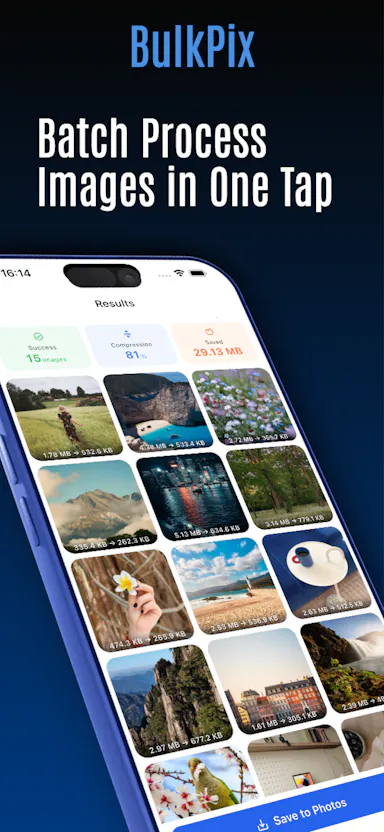
On-device batch photo compressor/resizer and HEIC-to-JPG converter, one-time purchase, no cloud upload.

FreeWorks offlinePay onceNo subscription
What to know
How it works
Batch-processes photos entirely on-device for compression, resizing, and HEIC-to-JPG conversion, with nothing uploaded to the cloud.
Pricing
One-time purchase, no subscription, free updates.

Watched for 3 days · last checked 1d ago

Details →

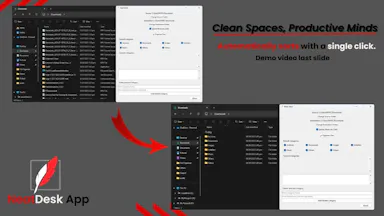
One-click Windows app that automatically sorts a messy Downloads folder into organized categories, fully offline.

Works offline
What to know
How it works
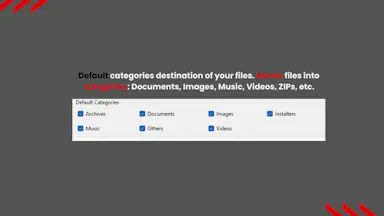
One click automatically sorts a Windows Downloads folder into organized folders by file type — documents, images, videos, music, ZIPs.
Pricing
Offline.
Best for
Students, office workers, virtual assistants, and freelancers.

Watched for 3 days · last checked 2d ago

Details →

100+ free offline browser tools spanning PDF, image, developer, finance and niche calculators, no ads or signup.

FreeNo sign-upWorks offlineNo ads
What to know
How it works
100+ free offline tools spanning PDF, image, developer, finance, and niche categories, including a Zakat calculator, Pakistani electricity bill calculator, CNIC validator, cricket run rate calculator, and QR clipboard sync.
What's different
Works offline as a PWA, available in 5 languages.
Pricing
Free, no ads, no signup.

Watched for 3 days · last checked 1d ago

Details →

Open, organize, and explore almost any file

Works offline

First seen today

Details →

An offline AI photo editor for upscaling, colorizing, and background removal, all processed on-device.

No sign-upWorks offline
What to know
How it works
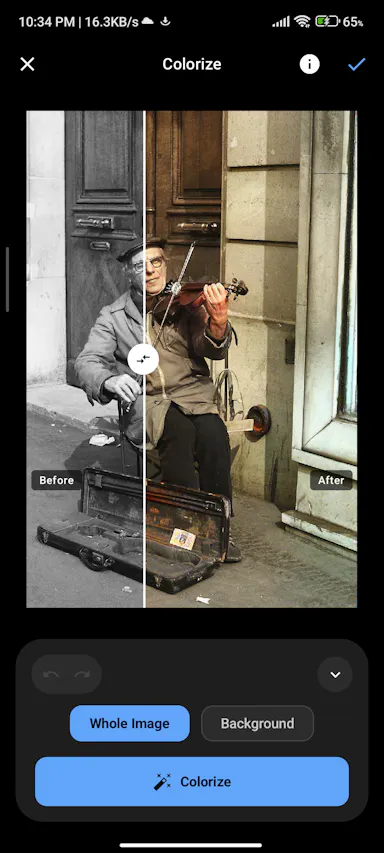
Edits photos completely offline using on-device AI: upscaling, colorizing black-and-white photos, removing backgrounds and unwanted objects, plus crop, resize, filters, text, drawing, batch conversion, PDF/ZIP creation, and QR scan/generate.
What's different
All processing happens locally on the device with no account and no cloud uploads.
Best for
People who want AI photo editing without sending images to the cloud.

Watched for 11 days · last checked today

Details →