Tools that work offline, on your own deviceVideo

58 match your filters — 52 of them answered our check today.

Watching this group for 20 days · how we check

This week20 new arrivals1 stopped answering

Narrow it down

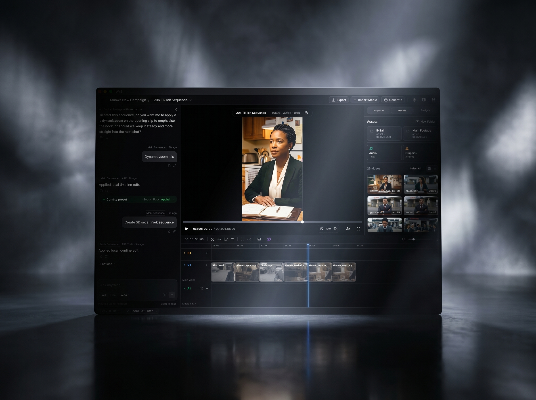
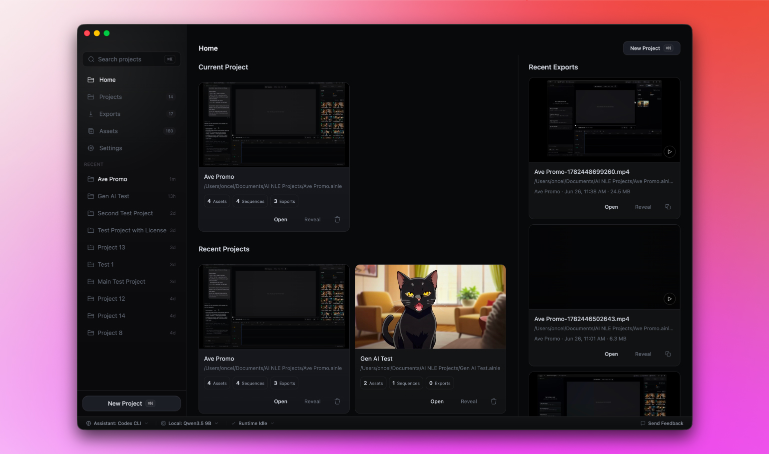
Open-source, local-first AI video editor with a real multitrack timeline where Codex, Claude, and MCP agents edit alongside you.

FreeWorks offlineOpen source
What to know
How it works
AI agents work on a real multitrack timeline locally
What's different
local-first, editable exports, open alternative to ChatCut
Pricing
free (AGPL)

Watched for 6 days · last checked today

Details →

Adds live captions and offline subtitle generation for meetings, calls, and local videos in one macOS app.

Domain registered 10 months ago

Works offline
What to know
How it works
captions system audio live and generates/exports subtitles for local video files
What's different
timecode lookup jumps back to the relevant moment instead of replaying the whole session

Watched for 4 days · last checked today

Details →

A voice-following teleprompter for live calls/webinars that adapts scroll speed to your actual speech instead of a fixed rate or foot pedal.

Works offlinePay onceNo subscription
What to know
How it works
Listens to your voice and scrolls to match, works live inside Zoom/Meet/Teams/OBS and stays hidden during screen-share.
What's different
On-device processing, one-time price instead of subscription.
Pricing
One-time price, no subscription.

Watched for 2 days · last checked 2d ago

Details →

A macOS menu-bar app that turns your own local video files into live wallpapers, fully offline and open-source with no account or cloud step.

No sign-upWorks offlineOpen sourceNo tracking
What to know
How it works
A macOS menu bar app that turns local video files into live desktop wallpapers, and converts/patches videos for macOS's native lock screen wallpaper support.
What's different
Fully open-source, offline and private — no accounts, cloud or telemetry — unlike commercial live-wallpaper alternatives.
Best for
macOS users who want live wallpapers from their own video files without sending anything to the cloud.

Watched for 13 days · last checked 2d ago

Details →

AVE

Live

Local-first AI video editor for Mac that searches footage by what's shown or said and assembles it into a timeline.

Domain registered 2 months ago

Works offline
What to know
How it works
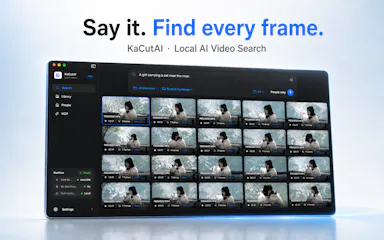
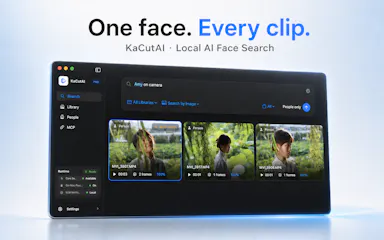
Imports footage, analyzes transcripts and visual notes, and lets you search clips by what appears or is said, then assemble them into a timeline.
What's different
Local-first — the project stays on your Mac by default.

Watched for 4 days · last checked today

Details →

Free online file converter that runs entirely in your browser so files never get uploaded to a server.

Domain registered 1 month ago

FreeNo sign-upWorks offlineData stays with you
What to know
How it works
converts PDFs, images, docs, audio and video locally via WebAssembly
What's different
no upload, works offline, no daily limits
Pricing
free

Watched for 6 days · last checked today

Details →

Lets streamers get a webcam with real-time eye correction and teleprompter instead of buying expensive hardware webcams.

Works offline
What to know
How it works
Appears as a webcam in Zoom, Meet, Teams, or Discord using your phone camera; everything runs locally with no cloud or accounts.

Watched for 1 day · last checked 1d ago

Details →

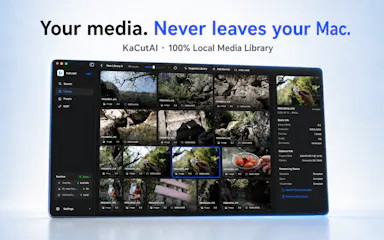
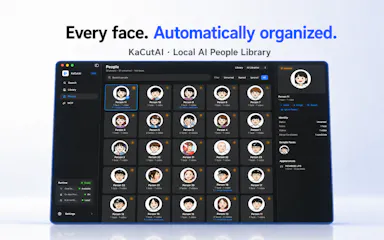
A local, on-device AI search engine for Mac that finds specific moments across your videos, photos and audio by natural-language description instead of filenames.

Works offline
What to know
How it works
Search your media library with natural language (a person, scene, conversation, or on-screen text); powered by on-device AI.
Best for
Creators with large local media libraries.

Watched for 2 days · last checked 1d ago

Details →

Organizes and plays a local movie library in a Netflix-style interface with zero cloud tracking, instead of using cloud streaming apps for personal media.

Works offline
What to know
How it works
Hardware-accelerated playback, HDR10, native subtitle rendering, 100% offline.
What's different
0ms seeking, zero cloud tracking.

Watched for 2 days · last checked 1d ago

Details →

A Mac dictation app that turns your voice, screenshots, and screen recordings into a clean AI-ready Markdown prompt for Claude Code, Cursor, or ChatGPT, running fully offline via local Whisper.

Domain registered 2 months ago

Works offline
What to know
How it works
Local Whisper and open models on a Mac turn voice, screenshots, and screen recordings into a clean Markdown prompt.
Best for
Developers using Claude Code, Cursor, or ChatGPT who want offline, private dictation without per-token billing.

Watched for 7 days · last checked 1d ago

Details →

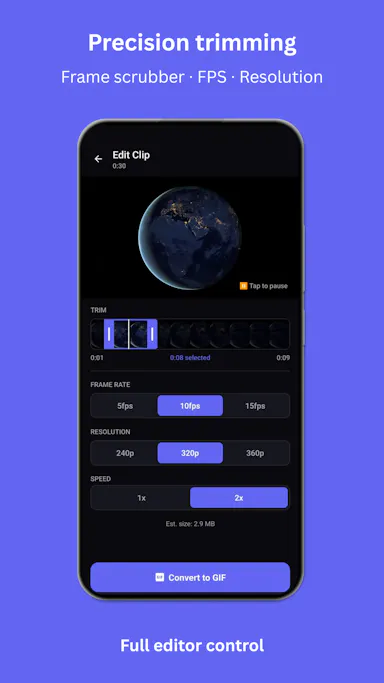
A mobile app that converts video to GIF entirely on-device, with no upload, watermark, or account required, and can share the result to WhatsApp, Telegram, Instagram, Reddit, or X.

No sign-upWorks offlineData stays with youNo subscription
What to know
How it works
Encodes video to GIF on-device with a trim/scrubber editor and FPS/resolution/speed controls.
Pricing
One-time $2.99 premium removes ads and unlocks longer clips and higher quality; no subscription.
Best for
People converting short video clips to GIFs privately without uploading footage.

Watched for 12 days · last checked 6d ago

Details →

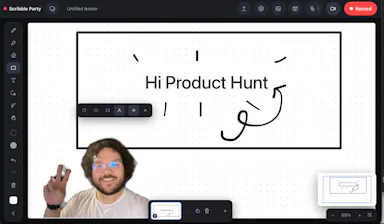
A browser-based whiteboard you can draw on, record yourself over with a live camera bubble, and save straight to your device — nothing uploaded, no account. Built for teachers making lesson recordings, and other creators.

No sign-upNothing to installWorks offline
What to know
How it works
Runs in the browser as an infinite-canvas whiteboard where you draw, place a live camera bubble of yourself with the background cut out, and record the session with your voice; recordings save to your device as you go and it also works offline as an installed app.
What's different
Nothing is ever uploaded and no account or install is required, unlike lesson recorders that require signup and send video to the cloud.
Best for
Teachers making lesson recordings, and other creators who want a local-first whiteboard studio.

Watched for 10 days · last checked 4d ago

Details →

Records, edits and exports webcam video entirely on your device with no cloud upload. Free for basic picture-in-picture recording; the paid tier adds redactions and overlays.

Domain registered 16 days ago

FreeWorks offline
What to know
How it works
Records, edits and exports webcam video entirely on your device, including a picture-in-picture recorder, with no cloud upload.
What's different
Nothing leaves your device — no cloud storage involved at any step.
Pricing
Free for basic picture-in-picture recording; the Pro tier adds timed redactions, text overlays and on-device MP4 export.
Best for
People recording webcam video who don't want footage leaving their machine.

Watched for 13 days · last checked 7d ago

Details →

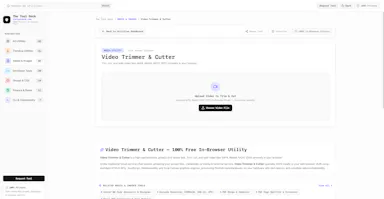
A free, in-browser suite of over 250 file tools — image, video, audio, SVG, developer, SEO, QR, document and PDF — that processes everything locally so files never leave the device.

FreeWorks offline
What to know
How it works
Runs client-side in the browser (e.g. ffmpeg.wasm for video, an on-device AI model for background removal, native Web Audio for audio editing); no accounts or daily limits.
Pricing
Free.
Best for
Developers and anyone needing quick file conversion/editing tools without uploading files to a server.

Watched for 11 days · last checked 8d ago

Details →

A desktop companion app that generates real-time subtitles for VLC and MPV entirely offline using a local speech engine, with no internet connection or uploads required.

Works offline
What to know
How it works
Generates real-time subtitles for VLC and MPV entirely offline, using a local Vosk acoustic engine, with calibration sliders for syncing audio to captions.
What's different
No internet connection or uploads required — subtitle generation runs fully on-device.
Best for
People who want live captions for local video playback without sending audio to a cloud service.

Watched for 15 days · last checked 1d ago

Details →

A Mac app that turns long videos into short vertical clips with subtitles and AI-generated titles, descriptions, and hashtags, processing everything on-device instead of uploading to the cloud.

FreeWorks offlinePay onceNo subscription
What to know
How it works
Runs entirely locally on Apple Silicon Macs and works offline, so footage is never uploaded to a server.
Pricing
Free to use; a one-time $49 Pro payment removes the watermark, no subscription.

Watched for 12 days · last checked 8d ago

Details →

Auto-generates styled subtitles for short vertical videos directly on your iPhone using on-device AI — nothing is uploaded to a server.

Works offlineData stays with you
What to know
How it works
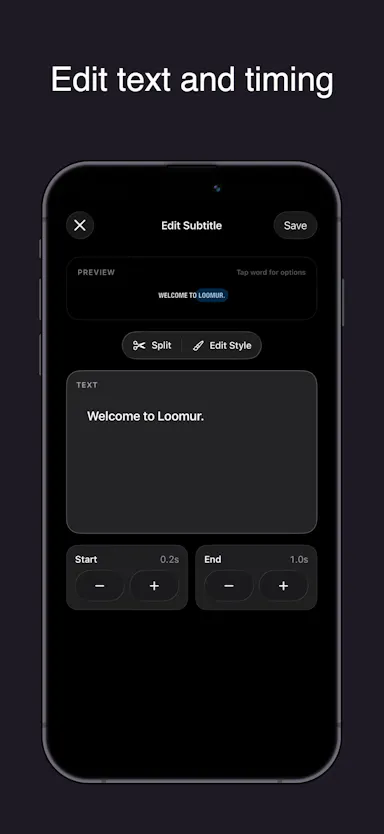
Generates stylish subtitles for short-form vertical videos directly on iPhone using on-device AI transcription; lets you edit text, highlight keywords, choose caption styles, and adjust placement before sharing.
What's different
Transcription happens entirely on-device, so no video is uploaded to a server.
Best for
Creators making stories, vlogs, or social content who want captions without uploading footage anywhere.

Watched for 17 days · last checked 8d ago

Details →

Transcribes audio and video, including YouTube, to text locally using Whisper AI, with no cloud upload, no subscription, and a one-time payment. Good for unlimited, private transcription without ongoing fees.

Works offlinePay onceNo subscription
What to know
How it works
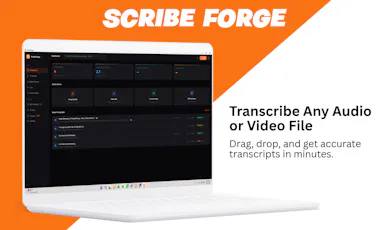
Transcribes audio and video, including YouTube videos, playlists and live microphone input, to text entirely on your computer using Whisper AI, in 100+ languages.
What's different
Runs fully offline with no cloud upload, unlimited usage and no subscription.
Pricing
One-time payment, no subscription.
Best for
People who want unlimited, private transcription without ongoing fees or uploading audio to a cloud service.

Watched for 18 days · last checked 2d ago

Details →

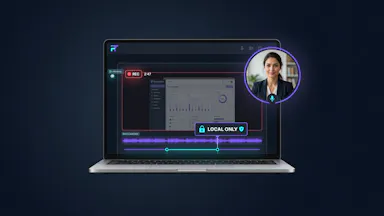
A local-first desktop video editor for recording screen, camera and remote podcasts and editing by transcript, sold as a one-time license instead of a subscription.

Works offlinePay once
What to know
How it works
A local-first desktop video editor for recording screen, camera and remote podcasts, with editing by transcript, captions, and direct publishing.
What's different
Runs locally rather than in the cloud, and follows a one-time license model instead of a subscription.
Pricing
One-time license instead of a subscription.
Best for
Creators who want a local, transcript-based video editor without a recurring subscription.

Watched for 15 days · last checked 2d ago

Details →

Converts, compresses and edits PDFs, images, audio and video right in your browser — files never leave your device, unlike typical cloud upload tools.

Works offlineData stays with you
What to know
How it works
Converts, compresses and edits PDFs, videos, images and audio entirely inside the browser using WebAssembly and client-side scripts.
What's different
Files never leave your device — no upload, no cloud storage server, works offline with no file-size limits.
Best for
People handling sensitive files who want to avoid uploading them to a cloud service.

Watched for 16 days · last checked 10d ago

Details →

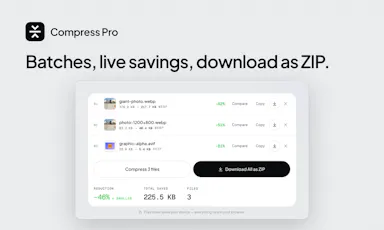
Compresses images and video (JPG, PNG, TIFF, MP4, GIF) entirely on your device with no upload to a server — for Mac, Windows and Linux, privacy-focused.

Works offlineData stays with you
What to know
How it works
Compresses JPG, PNG, TIFF, MP4 and GIF files, processing them locally on-device rather than uploading them to a server, via web tools or a dedicated offline desktop app for Mac, Windows and Linux.
What's different
Local, privacy-focused processing rather than server-side upload-based compression.
Best for
Anyone who wants to compress images or video without sending files to a third-party server.

Watched for 18 days · last checked 11d ago

Details →

Diivo

Live

A local-first design-reference manager that stores boards as real folders and finds images by meaning with on-device AI, no cloud upload, one-time $29 payment.

Domain registered 2 months ago

Works offlinePay once
What to know
How it works
A local-first app for design references where boards are real folders on your disk, a Chrome clipper saves any image or video in one click, and on-device AI finds shots by meaning rather than by filename or tag.
What's different
Stores everything locally instead of uploading references to the cloud.
Pricing
Free 30-day trial with no card required, then a one-time $29 purchase.
Best for
Designers building and searching a personal library of visual references.

Watched for 12 days · last checked 6d ago

Details →

A free, open-source browser tool that compresses and converts images, video, audio and PDFs entirely on your device with no uploads or ads — a general utility, not developer-specific.

Domain registered 17 days ago

FreeWorks offlineData stays with youOpen source
What to know
How it works
An open-source app with 47 tools for compressing and converting images, video, audio and PDFs, with all processing happening on-device so files never leave your computer, including offline use.
What's different
No upload step at all — compression runs entirely locally, works offline, with no ads, accounts or size limits.
Pricing
Free forever.
Best for
Anyone who wants to compress or convert media files without uploading them to a server.

Watched for 14 days · last checked 2d ago

Details →

Edits video and photos on a real multi-track timeline, rendered entirely on your device — nothing you make ever leaves your phone.

Works offlineData stays with you
What to know
How it works
Edits video, photos and collages on a multi-track timeline with filters, effects, animations, stickers and text, all rendered on-device.
What's different
Nothing uploads — editing and rendering happen entirely on your device.
Best for
People who want full-featured video/photo editing without sending their media to a server.

Watched for 14 days · last checked 2d ago

Details →

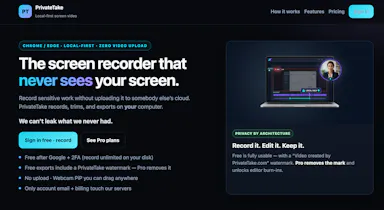
A free screen recording app for Windows, macOS, Linux, and web that automatically zooms the cursor on clicks, processing everything on-device without upload.

FreeNo sign-upWorks offlineData stays with you
What to know
How it works
Highlights the cursor and auto-zooms on clicks during recording, with no upload or account required to start.
Pricing
Free.
Best for
People who want a directed-looking screen recording without manual editing or cloud upload.

Watched for 12 days · last checked 6d ago

Details →

A free reading-based language-learning platform with click-to-translate text and imported material (YouTube videos, books, articles) instead of siloed course content.

FreeWorks offline
What to know
How it works
Reading section with click-to-translate, synced audio, vocabulary-sorted course of ~150 topics
Pricing
Free

Watched for 2 days · last checked 2d ago

Details →

A local-only teleprompter and selfie video recorder for TikTok and Reels with no account or cloud sync — everything stays on your phone.

No sign-upWorks offline
What to know
How it works
A local-first teleprompter and selfie recorder: write or choose a saved script, set text size and speed, preview the read, then record over your selfie camera for TikTok, Reels, Shorts or talking-head videos.
What's different
No account, no backend, no cloud sync — scripts, settings and clips stay on your device.
Best for
Creators recording short-form talking-head videos who want a teleprompter without giving up an account or cloud data.

Watched for 15 days · last checked 9d ago

Details →

Sanala

Live


A local-first AI Finnish tutor app with a YouTube extension that turns any video into an interactive lesson.

Works offline
What to know
How it works
Builds a learning route from your level and interests; Chrome extension adds dual subtitles and word-tap lookup to YouTube
What's different
Local progress tracking, no data exposure, live speaking practice
Best for
people learning Finnish

Watched for 4 days · last checked 2d ago

Details →

Tool that converts screen-recording videos of a workflow into interactive click-by-click practice exercises for training staff, with usage evidence exports.

FreeWorks offlineCan export my data
What to know
How it works
turns an MP4 recording into offline browser-based practice, tracks anonymous baseline/follow-up rounds, exports CSV/report
Pricing
public demo free, $1,500 Founding Pilot for 3 workflows/50 learners/30-day cycle

Watched for 4 days · last checked 3d ago

Details →

A free suite of in-browser tools (background remover, video trimmer, PDF merger, JSON/regex tools) that process files locally with no uploads.

Domain registered 8 days ago

FreeWorks offlineNo tracking
What to know
How it works
Processing runs entirely client-side in the browser
What's different
Zero server uploads, latency or tracking versus cloud converters
Pricing
free

Watched for 5 days · last checked 4d ago

Details →

A fast file manager for macOS and Windows with built-in media previews and local compression/conversion tools.

Works offline
What to know
How it works
Preview images, PSDs, and videos instantly; compress/convert/edit media in the explorer
What's different
Everything runs locally, no extra apps needed
Best for
People juggling media files who want previews and edits without opening separate apps

Watched for 6 days · last checked 5d ago

Details →

A free, browser-based collection of file utilities, image compression, video trimming, PDF manipulation, that runs entirely in the browser via WebAssembly so files never leave the device, instead of uploading to cloud tools.

FreeNothing to installWorks offlineData stays with you
What to know
How it works
Uses WebAssembly and multi-threaded Web Workers, including ffmpeg.wasm, to process images, video, and PDFs locally inside the browser tab.
Pricing
Free.

Watched for 7 days · last checked 7d ago

Details →

A browser tool that converts uploaded videos and photos into exportable ASCII art, for designers and video editors making retro-style visuals.

Works offlineCan export my data
What to know
How it works
Upload a video or image, convert it to ASCII, adjust character size, crop, colors, overlays, and effects, then export.
What's different
Runs entirely locally in the browser.
Best for
Creators, designers, and video editors who want retro-futuristic visuals without a full editing stack.

Watched for 11 days · last checked 8d ago

Details →

A free, offline-first PDF suite with standard annotation tools plus offline TXT/Word/Excel conversion, smart form/table filling, photo albums with perspective correction, and embedded interactive MP4 video.

FreeWorks offlineNo ads
What to know
How it works
Handles standard PDF annotation alongside offline document conversion, form/table filling, photo albums, and interactive video embeds (SerVideoPlayer).
Pricing
Free, no ads.

Watched for 11 days · last checked 8d ago

Details →

Vinode

Live

Turns real estate developments into photorealistic, interactive 3D walkthroughs that stream in any browser, for residential property developers and their sales teams instead of a downloadable app.

Works offline
What to know
How it works
The 3D is pre-rendered and streamed as video, so pages load in about two seconds and work on low-powered phones and offline.

Watched for 13 days · last checked 9d ago

Details →

Scores potential clients on how well your editing style fits their content, then drafts a cold email. A $29 one-time tool, not free, that runs locally with your own AI API keys.

Works offlinePay onceNo subscription
What to know
How it works
You drop in a screenshot or screen recording of a potential client's content, and it scores how well your editing style fits, then drafts a cold email if it's a real match.
What's different
Runs 100% locally using your own free Groq or Gemini API keys instead of a hosted subscription service.
Pricing
$29 one-time, no subscription; described as a genuine beta.
Best for
Video editors doing cold outreach to creators who want to stop sending generic templates with low reply rates.

Watched for 13 days · last checked 10d ago

Details →

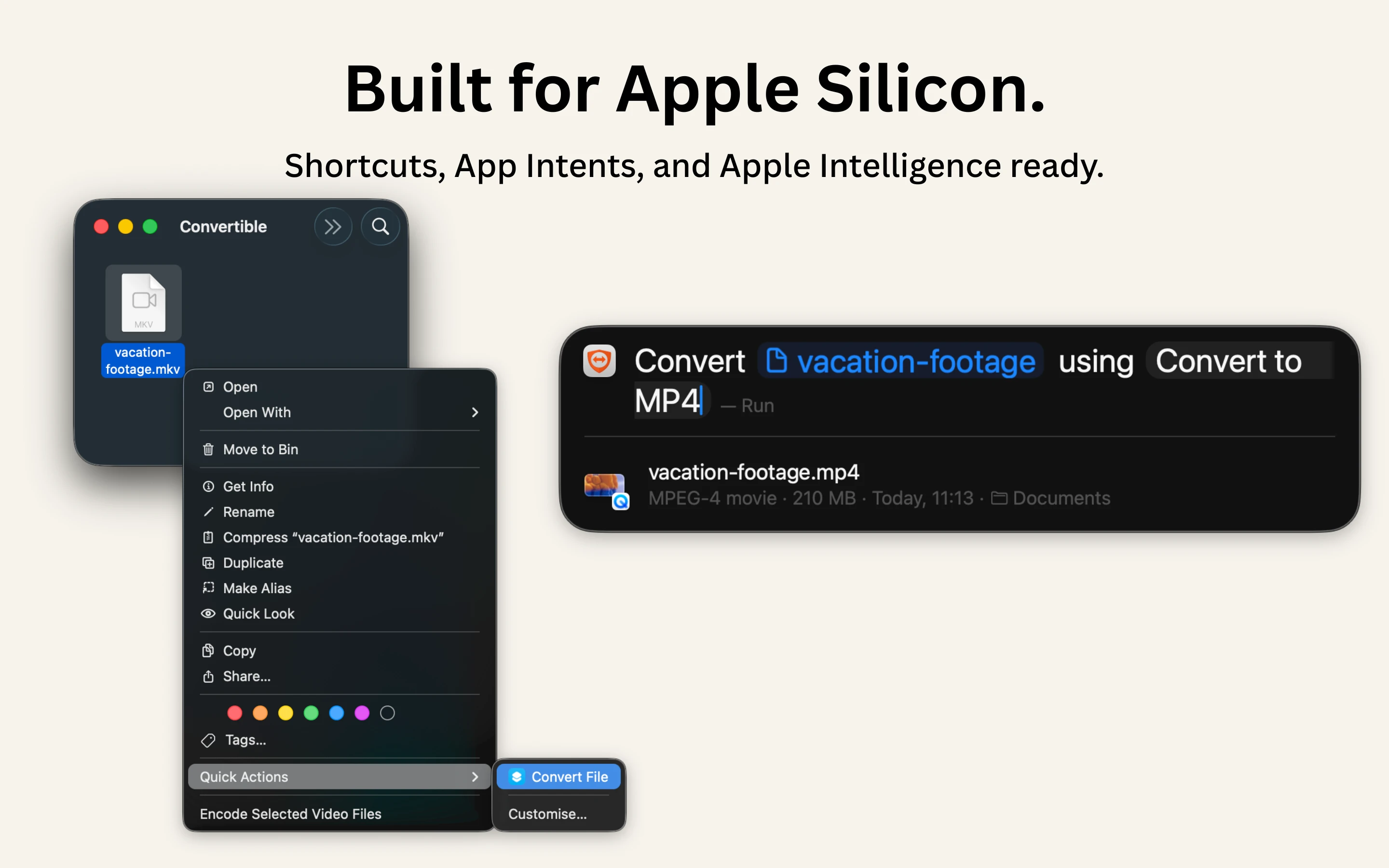
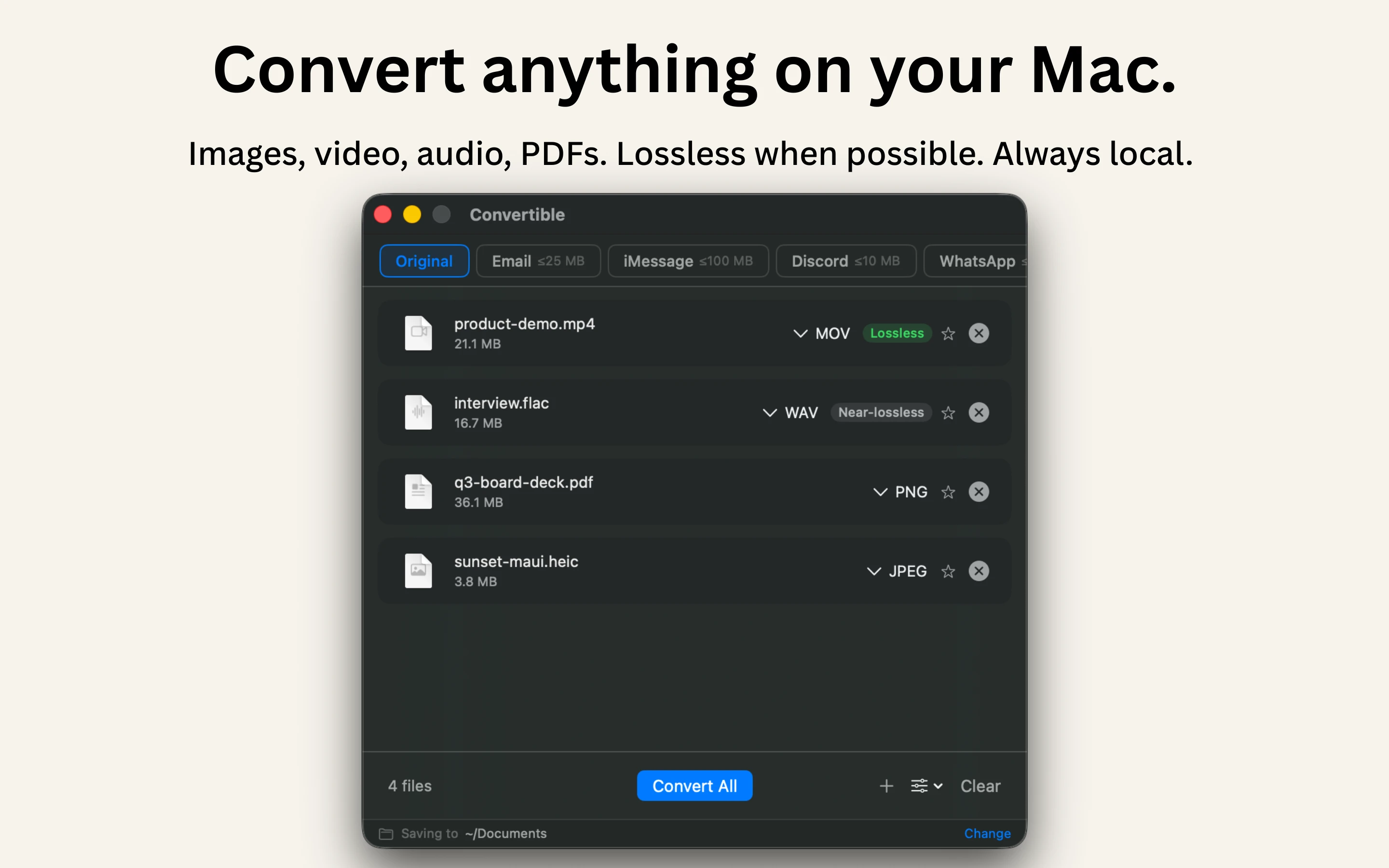
A native Mac file converter that compresses images, video, audio and PDFs entirely on-device with Shortcuts and Finder integration, for people who don't want files touching the cloud.

Works offlineData stays with youPay onceNo subscription
What to know
How it works
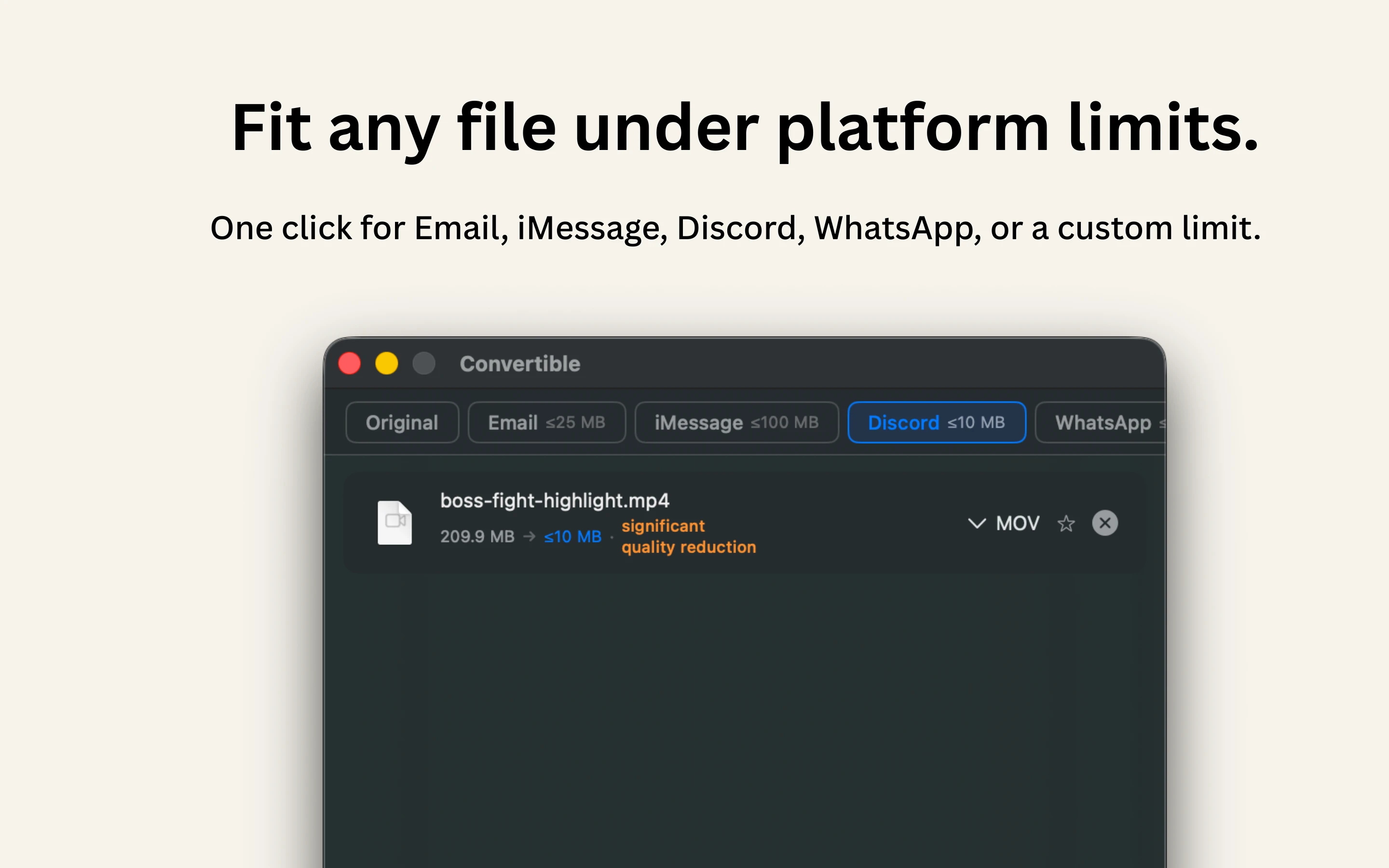
Converts and compresses images, video, audio and PDFs entirely on-device on Mac, including hard-to-open formats like MKV, WebM and HEIC, and can shrink files to a target size limit in one click.
What's different
Runs 100% locally with no cloud upload or telemetry, and integrates with Shortcuts, Finder's right-click menu, Spotlight and scheduled automations.
Pricing
One-time purchase, no subscription.
Best for
Mac users who want to convert or compress files without sending them to the cloud.

Watched for 15 days · last checked 2d ago

Details →

A free, open-source Windows app that auto-generates styled subtitles for your videos using offline Whisper or the cloud Groq API — aimed at YouTube Shorts, TikTok and Reels creators, not developers.

FreeWorks offlineOpen sourceCan export my data
What to know
How it works
A Windows desktop app that automatically transcribes videos into word-level subtitles using either offline OpenAI Whisper or the cloud-based Groq API, then burns captions into the video or exports as SRT/VTT.
What's different
Free and open-source, with styling presets built for YouTube Shorts, TikTok, and Instagram Reels formats.
Pricing
Free.
Best for
YouTube Shorts, TikTok, and Instagram Reels creators who need styled captions on their videos.
Watch out
Windows-only desktop app; cloud transcription option (Groq) requires sending video data off-device, unlike the offline Whisper option.

Watched for 17 days · last checked 2d ago

Details →

A tool that downloads Kajabi course lesson videos for offline viewing, for students studying without an internet connection instead of streaming lessons every time.

Works offline
What to know
How it works
Downloads Kajabi lesson videos locally instead of streaming them from the cloud.

Watched for 18 days · last checked 2d ago

Details →

Reminds solo Mac users on-device to take real breaks instead of generic timers that ignore meetings and calls.

Works offlineNo subscription
What to know
What's different
waits through meetings/calls/screen recordings and never requests Accessibility permission
Pricing
7-day free trial, then $3.99 one-time

Watched for 1 day · last checked 1d ago

Details →

A fully offline desktop video editor for cutting, compressing, captioning, and merging video files.

Domain registered 3 months ago

Works offlineCan export my data
What to know
How it works
Cut, compress, caption, merge, and adjust playback speed of video files, operating entirely offline.
Pricing
Free trial available; no subscription model for exports.
Watch out
Desktop download required.

Watched for 9 days · last checked 3d ago

Details →

Native, fully offline macOS video editor for trimming, joining and blurring clips, with no cloud or network access.

No sign-upWorks offlineCan export my data
What to know
How it works
A native macOS editor to trim, join, and blur clips and export up to 4K, with no account, cloud, or network access at all.
What's different
Deliberately focused on four things — trim, join, blur, export — instead of being a cloud tool or bloated suite.

Watched for 3 days · last checked 1d ago

Details →

Windows music-video editor that auto-cuts footage to the beat with lyric captions and stem separation, fully offline, $49 one-time.

Works offlineNo subscriptionCan export my data
What to know
How it works
Cuts footage to the beat automatically, generates word-by-word karaoke auto-lyrics, separates vocal and drum stems, and adds audio visualizers and lo-fi atmosphere effects.
Pricing
Free demo has a watermark and 60s export cap; $49 one-time unlocks clean exports with no subscription.
Watch out
Runs on PC, offline.

Watched for 3 days · last checked 2d ago

Details →

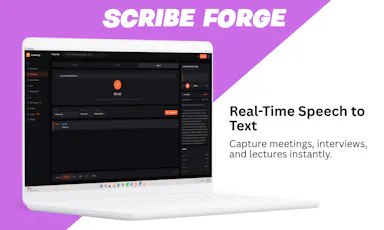
Transcribes meetings, interviews, and recordings on-device using local Whisper models, with speaker labels and a local AI summarizer.

FreeWorks offlineCan export my data
What to know
How it works
Records or imports audio/video and transcribes it on-device using local Whisper models, with speaker labels, editing, export, and a local AI assistant for summaries and action items.
Pricing
Free to download, with optional Pro access.
Best for
Sensitive, privacy-conscious meeting or interview transcription.

Watched for 8 days · last checked 6d ago

Details →

A free, open source, Descript alternative. Runs in-browser.

FreeWorks offlineOpen source

First seen today · last checked today

Details →

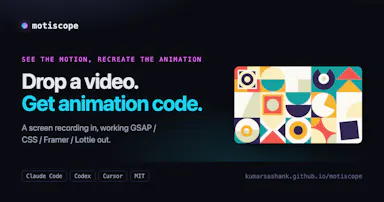
Screen record any animation, get the code

FreeWorks offlineOpen source

First seen today · last checked today

Details →

Cutsio

Live

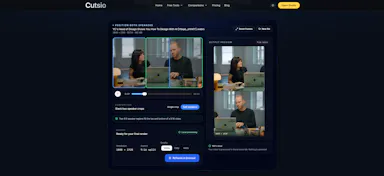
Convert horizontal videos to vertical. 100% Local & Free

FreeWorks offline

First seen today · last checked today

Details →

An Android app that hard-blocks Instagram Reels, TikTok and YouTube Shorts once your daily time limit is hit, with no snooze or override to talk yourself out of it.

FreeWorks offlineNo tracking
What to know
How it works
Lets you set a hard daily time limit on Instagram Reels, TikTok and YouTube Shorts; once the limit is hit, the feed is blocked for the rest of the day with no override or snooze button. Also supports scheduled app blocking, quick focus sessions, and custom block lists.
What's different
Positioned against blockers that let you snooze or override the block — here the block holds, with tamper protection against quietly uninstalling.
Pricing
Free.
Best for
Android users, including students, who want to stop short-form video scrolling and have found softer blockers easy to bypass.

Watched for 18 days · last checked 2d ago

Details →

A Windows desktop app that automatically detects and blurs faces across video frames, processing entirely offline with no upload.

No sign-upWorks offlineData stays with you
What to know
How it works
Drop in one video or fifty; AI detects and blurs every face across all frames, with tracking to keep faces covered when they turn or leave and re-enter frame, without keyframing or masks.
What's different
Runs entirely locally on Windows with no upload, cloud, or account.
Watch out
Windows only.

Watched for 10 days · last checked 7d ago

Details →

Records Google Meet calls locally on your computer, with no bot joining the call and nothing sent to a cloud server; the recording and transcript stay on your own PC and Drive.

Works offline
What to know
How it works
Records Google Meet calls entirely on your own machine, with no bot joining the call and nothing uploaded to a cloud server; video and transcript stay on your PC and your own Google Drive.
What's different
No bot in the call and no cloud upload, versus recorders that join as a participant and store recordings remotely.
Best for
People who want Google Meet recordings kept locally instead of sent to a third-party cloud.

Watched for 12 days · last checked 6d ago

Details →

A free Chrome extension that downloads videos, photos, and files from your Telegram chats for offline saving.

Domain registered 2 months ago

FreeNo sign-upWorks offlineCan export my data
What to know
How it works
batch-downloads Telegram media with ZIP export
Pricing
free, 5 downloads/day, no account required

Watched for 4 days · last checked 3d ago

Details →

Suite of client-side browser tools, including a teleprompter and EXIF stripper, that run entirely offline.

Domain registered 2 months ago

Works offlineData stays with you
What to know
How it works
A suite of web utilities (e.g. an auto-scrolling teleprompter, an EXIF metadata stripper) that run entirely offline in the browser using HTML5 and JS APIs.
What's different
100% client-side — no backend uploads or delays.
Best for
Developers and creators wanting privacy-first tools.

Watched for 10 days · last checked 7d ago

Details →

Opus Clip| Turn videos into viral TikToks, Reels & Shorts

FreeWorks offlineNo subscriptionCan export my data

First seen today

Details →

Turn any movie into YouTube Shorts, TikTok with AI - free

FreeWorks offlineOpen source

First seen today

Details →

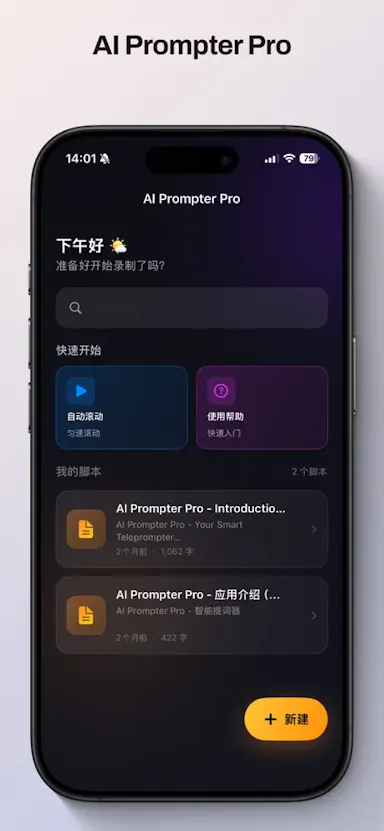
Offline AI teleprompter that auto-scrolls a script by listening to your voice, with English/Chinese support.

Works offline
What to know
How it works
Uses on-device voice recognition to auto-scroll a teleprompter script as you speak, with no cloud upload or internet required, plus adjustable text size/speed, reading guide, and mirror modes.
What's different
Supports English and Simplified Chinese scripts.
Best for
Creators, presenters, streamers, and broadcasters needing an offline teleprompter.

Watched for 3 days · last checked 1d ago

Details →

Generates YouTube chapter timestamps by analyzing both video transcript and visual scene changes.

FreeWorks offline
What to know
How it works
Upload a video, SRT, or YouTube link; dual text and visual verification cross-checks topic boundaries against real scene changes to generate accurate chapter timestamps, with editable titles and one-click copy to YouTube.
What's different
Unlike tools that only read subtitles, this analyzes the actual video using Whisper and CLIP.
Pricing
Free, offline, zero API.

Watched for 13 days · last checked today

Details →