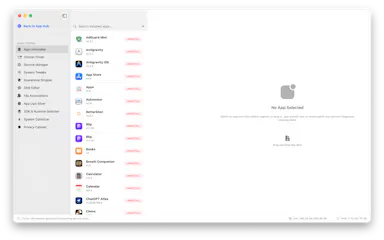
Open-source toolsRuns on Mac

67 match your filters — 66 of them answered our check today.

Watching this group for 20 days · how we check

This week29 new arrivals

Narrow it down

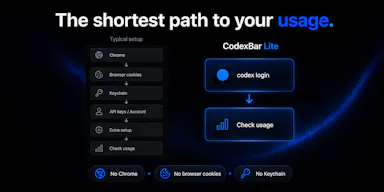
A free, open-source macOS menu bar app that tracks your ChatGPT Codex usage limits in real time for developers.

Domain registered 9 days ago

FreeOpen source
What to know
How it works
Lives in the macOS menu bar and shows current Codex usage at a glance.
Pricing
Free and open-source.

Watched for 7 days · last checked today

Details →

A free, open-source macOS menu-bar app that keeps your Mac awake during downloads, renders or AI agent runs, with smart triggers and closed-display mode.

FreeOpen source
What to know
How it works
A native macOS menu-bar app that keeps your Mac awake during downloads, renders, or AI agent runs using smart triggers, timed sessions, and a closed-display mode.
Pricing
Free and open source.
Best for
Mac users running long downloads, renders, or agent tasks that need the machine to stay awake.

Watched for 12 days · last checked today
Details →

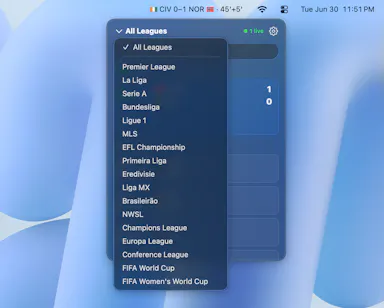
A macOS menu bar app that shows live football scores and match events without opening a browser.

Open source
What to know
How it works
Follows major leagues and competitions with favorite teams and live notifications in the Mac menu bar.
Pricing
Open source.
Best for
Football fans who spend their day at their computer.

Watched for 11 days · last checked 2d ago

Details →

A macOS menu-bar app that turns your own local video files into live wallpapers, fully offline and open-source with no account or cloud step.

No sign-upWorks offlineOpen sourceNo tracking
What to know
How it works
A macOS menu bar app that turns local video files into live desktop wallpapers, and converts/patches videos for macOS's native lock screen wallpaper support.
What's different
Fully open-source, offline and private — no accounts, cloud or telemetry — unlike commercial live-wallpaper alternatives.
Best for
macOS users who want live wallpapers from their own video files without sending anything to the cloud.

Watched for 13 days · last checked 2d ago

Details →

Pandia

Live

Native desktop app for opening and editing multi-gigabyte JSON files instantly, for developers who hit size limits in browser-based JSON viewers.

FreeWorks offlineData stays with youOpen source
What to know
How it works
Opens huge files with no upload, shows JSON as Tree, Code, Grid, Graph, or Compare views, generates types for 9 languages.
What's different
Handles multi-gigabyte files offline where most JSON tools choke or require upload.
Pricing
Free
Watch out
Desktop-only (macOS, Windows, Linux).

Watched for 5 days · last checked today

Details →

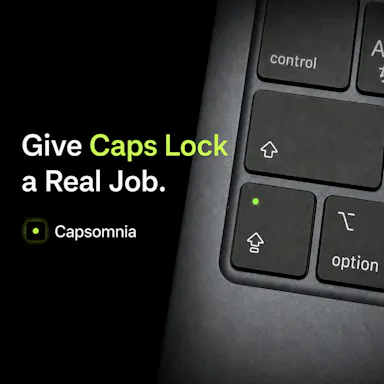
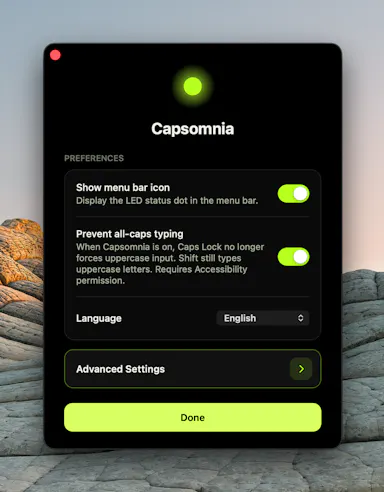
Repurposes the Caps Lock key as a physical sleep-prevention switch so long-running builds, agents, or SSH sessions survive a closed MacBook lid.

FreeNo sign-upOpen source
What to know
How it works
Turns Caps Lock into a physical switch that keeps your MacBook awake; light shows active state.
Pricing
Free and open source.
Watch out
Requires Caps Lock not already assigned to something else.

Watched for 2 days · last checked 2d ago

Details →

Lets developers monitor their OpenAI Codex usage from the macOS menu bar instead of checking a web dashboard, using only their existing CLI session.

Data stays with youOpen source

Watched for 1 day · last checked 1d ago

Details →

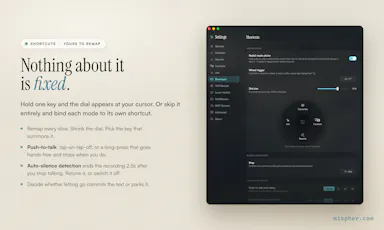
Free open-source Mac dictation app that types cleaned-up text into any app entirely on-device, no account needed.

FreeNo sign-upWorks offlineOpen source
What to know
How it works
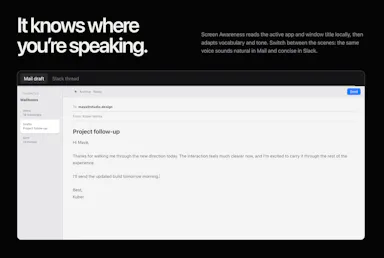
Hold a key, speak, on-device model transcribes and cleans up fillers/self-corrections
What's different
100% on-device, no account or server required
Pricing
Free, MIT-licensed

Watched for 4 days · last checked today

Details →

Lets people encrypt files with PGP without a GnuPG install instead of using command-line-only tools.

Works offlineOpen sourceNo tracking
What to know
What's different
compatible with GPG, Kleopatra, and Thunderbird
Pricing
free, MIT license

Watched for 1 day · last checked 1d ago

Details →

Chimlo

Live

Free open-source macOS app that shows Codex and Claude Code agent status in the MacBook notch so you don't have to hunt through terminals.

FreeOpen source
What to know
How it works
Notch UI shows working/waiting/finished/failed agent states, lets you answer prompts inline
Pricing
Free, open source
Best for
Developers running multiple coding-agent sessions at once

Watched for 4 days · last checked today

Details →

A native macOS menu bar monitor showing CPU, RAM, network, and temperature at a glance, for Mac users who want lightweight system stats.

Open source
What to know
How it works
Pure Swift menu bar app, no Xcode project or dependencies
What's different
filters system daemons, rolls helper processes into their parent app
Pricing
open source, MIT licensed
Best for
macOS users wanting a lightweight system monitor

Watched for 6 days · last checked today

Details →

A free, open-source MCP server that lets AI agents safely read and write your Things 3 tasks, plus adds Kanban, matrix and time-blocking views Things 3 lacks.

FreeNo sign-upWorks offlineOpen source
What to know
How it works
reads are read-only, writes go only through Things' official URL scheme so agents can't corrupt data
Pricing
free, open source (MIT), no cloud or account
Best for
Things 3 users on macOS who want AI task management without risking their data

Watched for 5 days · last checked today

Details →

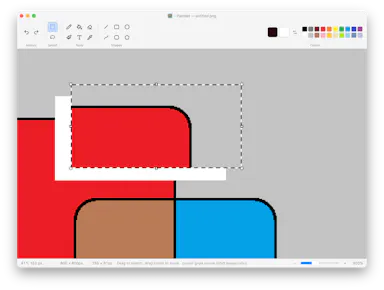
An open-source native macOS paint app that reproduces Windows 11 Paint's classic toolset, with no AI features.

Open source
What to know
How it works
Reproduces Windows 11 Paint's classic toolset — pencil, brush, shapes, curve, flood fill, text — as a native macOS app.
Pricing
MIT license, open source.
Watch out
No AI features; macOS only.

Watched for 8 days · last checked 2d ago

Details →

Generates a 3D model from a single image entirely on-device using WebGPU, with no server uploads or accounts needed — an open-source tool for developers experimenting with local image-to-3D generation.

Works offlineData stays with youOpen source
What to know
How it works
Generates a 3D model from a single image entirely on-device using WebGPU compute in the browser, with no server uploads or accounts.
What's different
Open source and runs locally via WebGPU rather than requiring cloud GPU processing, also deployable on Vercel for instant testing.
Best for
Developers experimenting with local, private image-to-3D generation.

Watched for 10 days · last checked 4d ago

Details →

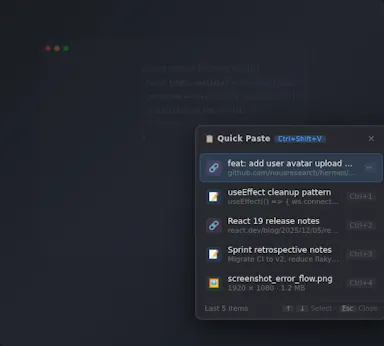
A free, open-source clipboard history manager for Windows with image previews and a double-tap-Ctrl shortcut - a general utility despite being open source.

FreeOpen source
What to know
How it works
An open-source clipboard history manager for Windows 10/11 built with Rust and Tauri 2, showing text and image previews and letting you paste history with a double-tap of Ctrl.
What's different
Positioned against Windows' built-in Win+V (text-only, no image preview) and Ditto (not modernized), filling the gap for a free, actively developed Windows clipboard manager.
Pricing
Free.
Best for
Windows users who want a fast, private clipboard history tool with image support.

Watched for 14 days · last checked today

Details →

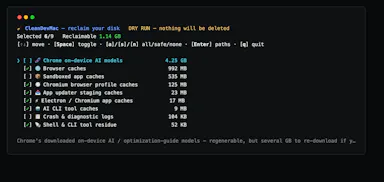
Open-source CLI for developers to find and safely delete dev caches and build junk eating up Mac disk space.

Open sourceNo tracking
What to know
How it works
An open-source macOS CLI that scans for developer caches, build artifacts, Electron junk, and orphaned app data, showing an itemized list before deleting anything.
What's different
Never deletes without showing the itemized list first; pure bash, zero telemetry.
Pricing
Open source, MIT licensed.
Best for
macOS developers whose disk is being eaten by accumulated dev caches and build junk.

Watched for 9 days · last checked 3d ago

Details →

An open-source, template-based design tool for building App Store and Play Store screenshots, feature graphics, and preview videos entirely in your browser or desktop app, with no account or upload required.

Domain registered 13 days ago

FreeNo sign-upData stays with youOpen source
What to know
How it works
pick a template, drop in your app screens, and export every required store size, including MP4 previews
What's different
an optional AI agent can build the whole listing from raw screenshots
Best for
app developers and designers preparing store listings

Watched for 7 days · last checked 6d ago

Details →

A native, open-source desktop GUI for managing NATS messaging — connecting, publishing and subscribing, and managing JetStream, Key-Value, and Object Store — for developers on Windows, macOS, or Linux.

Open source
What to know
How it works
Cross-platform native desktop app for connecting to NATS servers and managing JetStream, Key-Value, and Object Store.

Watched for 7 days · last checked 5d ago

Details →

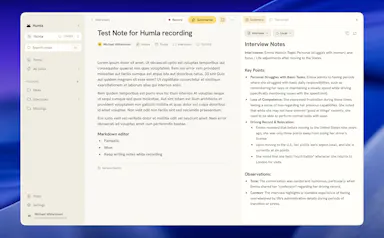
Humla

Live

A Mac app that records and transcribes meetings entirely on-device, no bot joins the call. Free and open source, with optional cloud or self-hosted sync for teams.

FreeWorks offlineOpen sourceNo tracking
What to know
How it works
Records mic and call audio directly through macOS with no bot joining the meeting, then transcribes, labels speakers, and writes a summary that fuses your notes with the transcript. Runs fully on-device using Whisper on Apple Silicon, or with your own AI key.
What's different
No bot joins the call, and it can run entirely on-device with local SQLite storage and no telemetry.
Pricing
Free and MIT-licensed, with optional paid team sync via Humla Cloud or self-hosting.
Best for
Mac users who want private, on-device meeting transcription without a bot joining their calls.

Watched for 13 days · last checked 7d ago

Details →

See which apps are hammering your Mac's disk

FreeOpen source
What to know
How it works
İşlem başına disk okuma/yazma, CPU/ağ etkinliğini ve SMART/NVMe sağlığını canlı izler.
Pricing
Tamamen ücretsiz ve açık kaynak.

First seen today · last checked today

Details →

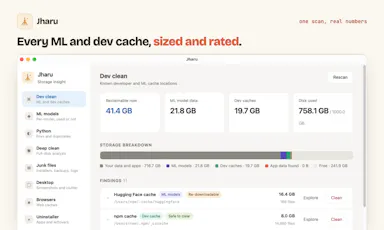
Free disk cleaner for your AI model and dev caches

FreeOpen sourceNo tracking
What to know
How it works
AI model önbellekleri ve geliştirici çöplerini tanıyıp gigabaytlarca yer açar; telemetri yok, kalıcı silme yok.
What's different
Ücretli CleanMyMac'e karşı ücretsiz alternatif.

First seen today · last checked today

Details →

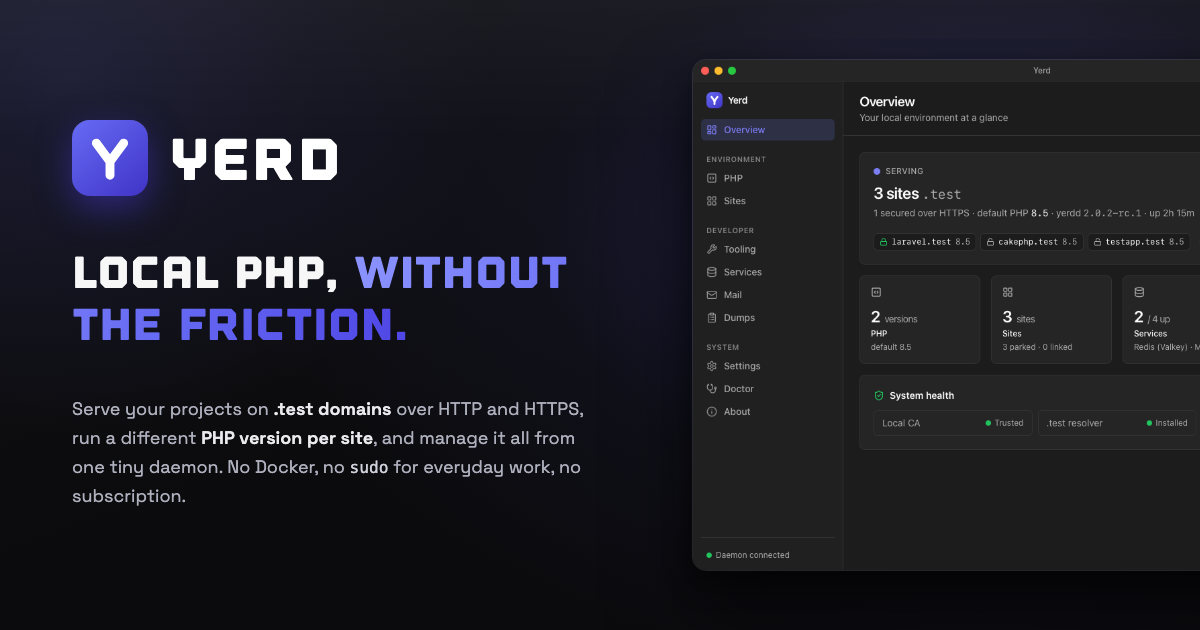
Yerd

Live

An open-source, Docker-free local PHP environment for macOS and Linux — automatic HTTPS, per-site PHP versions, zero-config sites. A direct alternative to Laravel Herd for developers.

Open sourceNo subscription
What to know
How it works
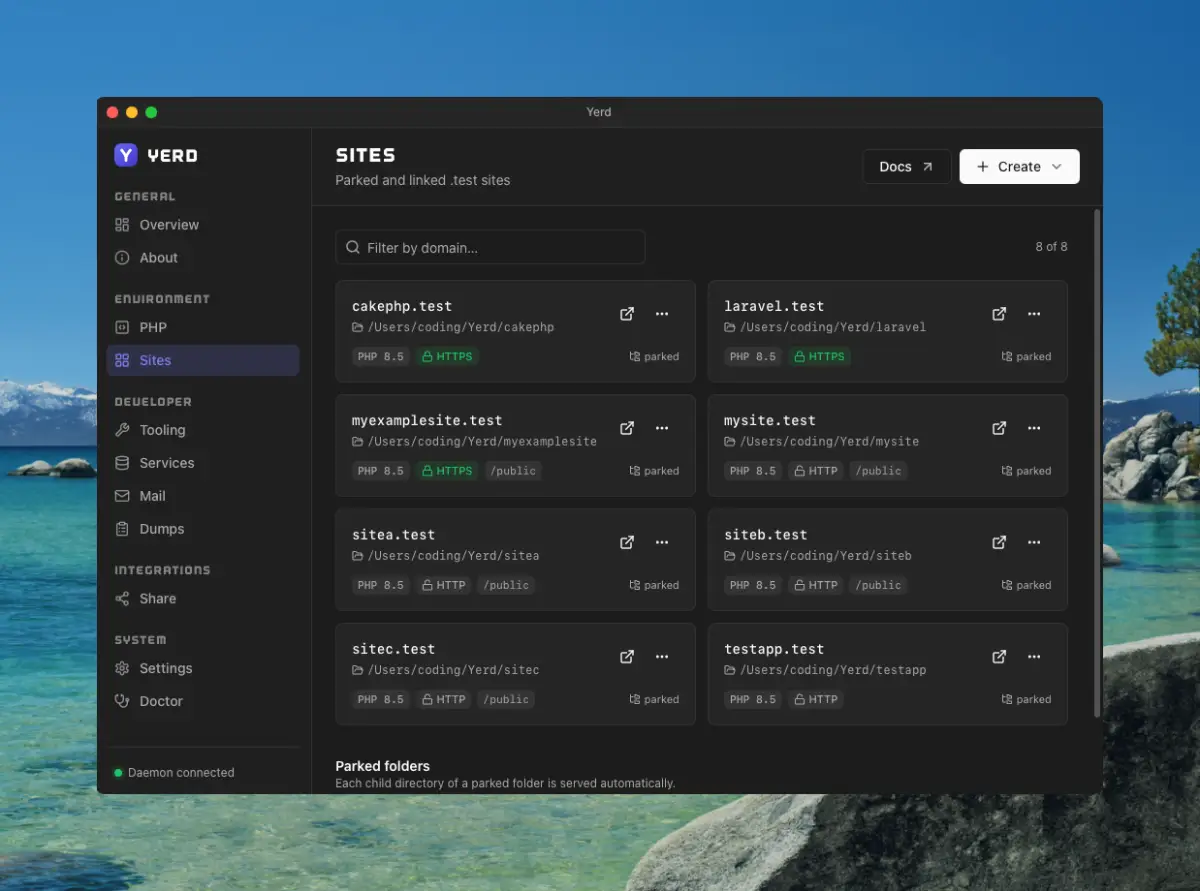
A local PHP development environment: park a folder and every project inside becomes instantly live at .test; issues per-site HTTPS certificates automatically; installs multiple PHP versions side by side, pinned per site; runs MySQL, MariaDB, PostgreSQL, Redis and an SMTP catcher as native processes supervised by one daemon; streams Laravel dump()/dd(), queries, jobs and requests to a dedicated window.
What's different
Open-source, rootless and Docker-free — a direct alternative to Laravel Herd, MIT licensed with every feature included.
Pricing
Open-source, no subscription.
Best for
macOS and Linux developers running local PHP/Laravel projects who want to avoid Docker.

Watched for 18 days · last checked 2d ago

Details →

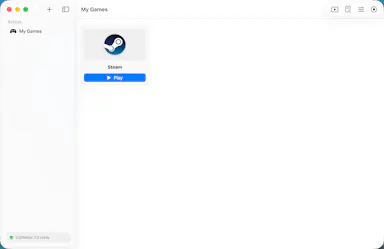
A free, open-source macOS app that runs Windows games like Steam titles and CS2 on Apple Silicon without command-line hacks. Built for Mac gamers, not developers.

FreeOpen source
What to know
How it works
A macOS app that runs Windows games, including Steam titles and CS2, on Apple Silicon using Metal-accelerated Direct3D (DXMT and Apple's Game Porting Toolkit), with per-game bottles and automatic performance tuning.
What's different
Free and open-source, with one-click Steam install and no command line or hacks required.
Pricing
Free, open-source.
Best for
Mac gamers on Apple Silicon who want to play Windows games like CS2 without manual setup.

Watched for 13 days · last checked 2d ago

Details →

A free, open-source Mac app for developers that lists every open port and its process, lets you kill busy ports, and fix 'address already in use' errors.

FreeOpen source
What to know
How it works
A free, open-source Mac app that lists every open port and the process behind it, lets you kill processes on busy ports, and can block ports via the built-in macOS firewall.
Pricing
Free and open source.
Best for
Developers on macOS troubleshooting 'address already in use' errors or checking what's listening on their ports.

Watched for 13 days · last checked 7d ago

Details →

A free, open-source desktop app for AI character chat, roleplay and long-form writing, where your data stays in a local database even with a cloud AI backend.

FreeWorks offlineOpen source
What to know
How it works
A desktop AI workspace for character chat, multi-character roleplay, and long-form writing with RAG, LoreBooks, and MCP tools and plugins; you bring your own backend, such as OpenAI-compatible APIs, OpenRouter, LM Studio, Ollama, or KoboldCpp, while chats, characters, projects, and knowledge are stored in a local SQLite database.
What's different
Keeps your data in a local database even when you connect a cloud AI backend, and is free and open source.
Pricing
Free and open source.
Best for
Writers and roleplayers who want to choose their own AI backend while keeping their data local. Native builds are available for macOS, Windows, and Linux.

Watched for 14 days · last checked 2d ago

Details →

A native macOS app for running AI agents fully offline with persistent memory and cryptographic identity — open-source infrastructure for developers building local agents, not a consumer chat app.

Works offlineOpen source
What to know
How it works
A native macOS harness for running AI agents fully offline, with persistent memory, autonomous execution and cryptographic identity, built in Swift.
What's different
Fully offline and open source, unlike cloud-based agent harnesses.
Pricing
Open source.
Best for
Developers building local AI agents on Mac who want offline execution and no cloud dependency.

Watched for 14 days · last checked 8d ago

Details →

Purge

Live

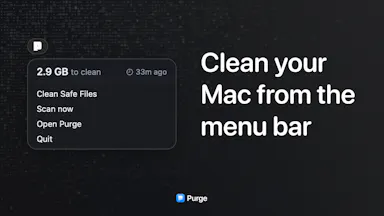
A free, open-source Mac utility that finds cache files and forgotten junk eating your disk space and moves them to the trash.

FreeOpen source
What to know
How it works
Scans your Mac for cache files and forgotten junk eating disk space and moves them to the trash rather than deleting permanently.
What's different
Open source and free, with nothing removed outside the trash until you empty it yourself.
Pricing
Free, open source.
Best for
Mac users who want to reclaim disk space without risking permanent deletion of something they needed.

Watched for 13 days · last checked 7d ago

Details →

Ortu

Live

A cross-platform clipboard manager with full history, search and secret masking for anyone who copy-pastes constantly - handy for developers managing API keys, but useful for any heavy copy-paste workflow.

No sign-upWorks offlineOpen source
What to know
How it works
Remembers everything you copy - text, images, files - across macOS, Windows and Linux, with full-text search, a paste stack, secret masking with encryption, and smart auto-grouping.
What's different
Runs 100% locally with no account, and is open source.
Pricing
Not stated beyond being open source.
Best for
Developers and anyone who copy-pastes constantly, including people managing API keys via clipboard.

Watched for 16 days · last checked 10d ago

Details →

An on-device dictation, rewriting, translation and local AI agent tool for Apple Silicon Macs - free and open-source (MIT), with no cloud, no accounts, and MCP support.

FreeWorks offlineOpen source
What to know
How it works
Runs on-device dictation, rewriting, and translation using multiple transcription models (Parakeet, CTC, Nemotron, Qwen3-ASR), plus a local agent that plans and calls tools like Apple Notes, clipboard, files, and MCP.
What's different
Fully local processing with no cloud and no accounts, and lets you swap or customize any underlying model or prompt.
Pricing
Free and open-source (MIT license).
Best for
Apple Silicon Mac users who want dictation and an AI agent without sending data to the cloud.
Watch out
Requires Apple Silicon and macOS 26; some listed models (Gemma 4, Qwen3.6, Ornith 1.0) are described as coming next, not yet available.

Watched for 17 days · last checked 11d ago

Details →

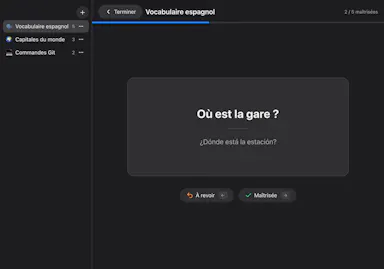
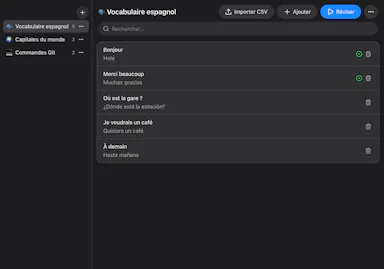
A free, open-source Mac flashcard app modeled on Anki but with zero setup — no account or cloud, cards stay on your Mac, fully keyboard-driven review.

FreeNo sign-upWorks offlineOpen source
What to know
How it works
Brings spaced-repetition flashcards to macOS with fully keyboard-driven review (Space to reveal, arrows to grade) and CSV import.
What's different
Zero setup compared to Anki — no account, no cloud, no scheduler to configure; cards stay on your Mac.
Pricing
Free and open source (MIT).
Best for
Mac users who want Anki's spaced-repetition power without its setup complexity.

Watched for 16 days · last checked 10d ago

Details →

naden

Live

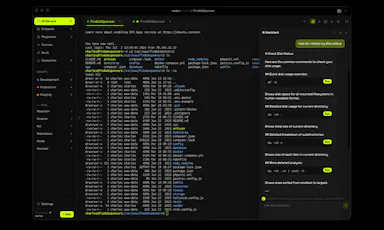
A free, open-source desktop SSH client for macOS with a built-in terminal, SFTP browser, jump host support, and an encrypted credential vault.

Domain registered 1 month ago

FreeOpen source
What to know
How it works
Provides SSH terminal access, SFTP file browsing, jump host chaining, and an encrypted vault for credentials.
Pricing
Free and open source.
Best for
Developers and IT professionals managing remote servers from a Mac.

Watched for 12 days · last checked 9d ago

Details →

Scans your Mac for node_modules folders and package caches eating disk space, with one-click cleanup to Trash. Scanning is free; cleanup needs a one-time fee.

FreeOpen sourcePay onceNo subscription
What to know
How it works
Lives in the macOS menu bar and shows what dev projects cost in disk space: every node_modules folder, the pnpm store, and every installed package with versions and security advisories. One-click cleanup always moves files to Trash rather than deleting with rm -rf.
Pricing
Scanning is free forever; one-click cleanup is a one-time 19 euro lifetime license at the founding price.
Best for
Developers whose Mac disk is filling up with node_modules and package caches across projects.

Watched for 18 days · last checked 2d ago

Details →

RDB

Live

A free open-source desktop client for editing multiple database engines, instead of separate GUI tools per database.

FreeOpen source
What to know
How it works
One native Rust binary for macOS, Windows, and Linux supporting six database engines.
Best for
Developers who work across multiple database types.

Watched for 2 days · last checked 1d ago

Details →

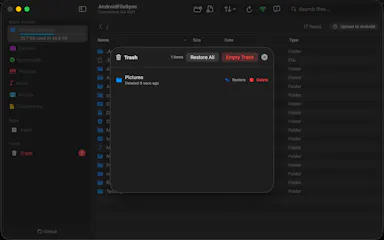
A native macOS app that lets you browse and manage your Android phone's files like Finder, transfer files and sideload apps over USB or Wi-Fi — for any Mac owner, not developers specifically.

FreeOpen source
What to know
How it works
A native macOS file manager that lets you browse and manage an Android phone's files the way Finder handles local files, transfer files, preview media with the spacebar, and sideload apps over USB or Wi-Fi.
What's different
Runs completely locally and privately, with no subscription, unlike some Android-to-Mac file tools.
Pricing
Free and open-source.
Best for
Mac owners who use an Android phone and want Finder-style file browsing instead of a clunkier transfer tool.

Watched for 15 days · last checked 9d ago

Details →

A free, open-source macOS app and CLI letting teams share and steer a local Codex coding session together in real time.

Domain registered 16 days ago

FreeOpen sourceSelf-hosted
What to know
How it works
Shared local Codex session with Monaco editor, terminals, web previews, Git/PR review, and encrypted relay
What's different
Encrypted with RFC 9420 MLS; free hosted relay or self-host option
Pricing
Free, open source
Best for
Small trusted dev teams pairing on AI-assisted coding sessions
Watch out
Requires an existing Codex account; encryption is unaudited

Watched for 4 days · last checked 2d ago

Details →

A free Mac menu bar app that keeps the screen off while running Docker, Plex, or SSH servers 24/7 without burn-in.

FreeOpen source
What to know
How it works
Turns off the display while keeping the CPU awake, toggled by global hotkey
Pricing
free and open source
Best for
turning a Mac Mini or MacBook into an always-on home server

Watched for 4 days · last checked 2d ago

Details →

A macOS utility that fixes Cmd+Tab so it restores minimized and closed windows instead of skipping them.

Domain registered 4 months ago

Open source
What to know
How it works
patches Cmd+Tab behavior to include minimized/closed windows
What's different
open source, no system permissions needed
Pricing
2-day free trial on Mac App Store

Watched for 5 days · last checked 4d ago

Details →

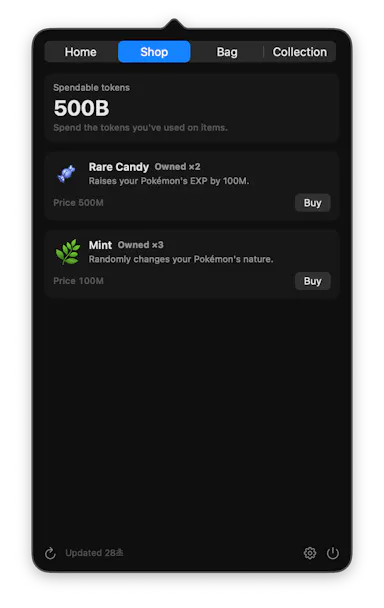
A menu-bar app that turns your Claude Code/Codex/Gemini CLI token usage into a Pokémon-collecting game while tracking usage limits.

FreeWorks offlineOpen source
What to know
How it works
Reads local usage logs and hatches/evolves a Pokémon as you spend tokens
What's different
Runs entirely on-device, nothing sent anywhere
Pricing
free
Best for
Developers who want a fun way to watch their AI token usage

Watched for 5 days · last checked 4d ago

Details →

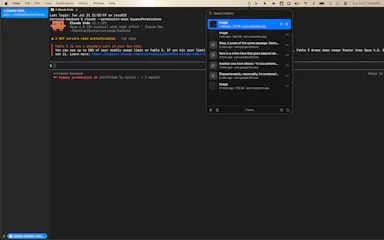
An open-source local clipboard history manager for macOS.

Open source
What to know
Pricing
Open source

Watched for 5 days · last checked 3d ago

Details →

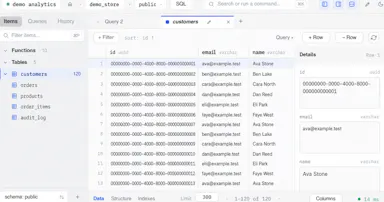
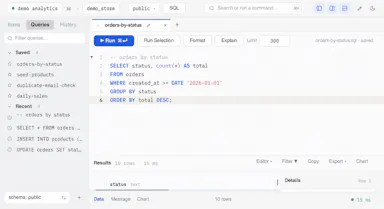
A native macOS PostgreSQL client for writing SQL, browsing schemas, and viewing explain plans locally.

Domain registered 2 months ago

Works offlineOpen source
What to know
How it works
Local-first SQL drafting with schema navigator, explain plans, and exports; supports Neon
Pricing
Open source

Watched for 5 days · last checked 4d ago

Details →

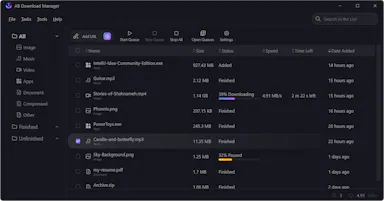
A free open-source download manager for Windows, Linux, Mac and Android with multi-threaded downloads and browser integration.

Domain registered 2 years ago

FreeOpen source
What to know
How it works
Splits downloads into threads for faster speeds, queues and schedules them
Pricing
Free, open source

Watched for 6 days · last checked 5d ago

Details →

Ainto

Live

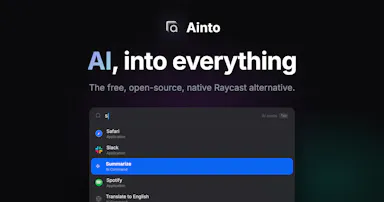
An open-source, offline-first macOS launcher for app search, clipboard history, snippets, and AI text commands billed to your own Claude Code plan.

Domain registered 3 months ago

No sign-upWorks offlineOpen sourceNo tracking
What to know
How it works
A native macOS launcher offering app search, clipboard history, snippets, and AI commands for selected text.
What's different
No telemetry, no accounts, and works offline except for AI commands.
Pricing
AI runs through an agent CLI (Claude Code) already on your Mac, billed to your own plan, no API key stored.
Watch out
AI commands require an agent CLI like Claude Code to be installed; macOS only.

Watched for 6 days · last checked 4d ago

Details →

An open-source, self-hostable desktop workbench for scientific research that logs experiment data, agent sessions, and provenance locally.

Works offlineOpen sourceSelf-hosted
What to know
How it works
Local-first desktop app for macOS/Windows/Linux storing experiment runs and provenance
What's different
Self-hosted alternative to Claude Science, extensible via Skills and MCP
Pricing
Open source
Best for
Researchers wanting to keep experiment data and computation local

Watched for 6 days · last checked 5d ago

Details →

A free, open-source macOS menu bar app showing live CPU, GPU, memory, storage, network, and battery stats in one glance.

FreeNo sign-upOpen sourceNo tracking
What to know
How it works
Menu bar panel with real-time system vitals
What's different
Balances instant awareness without overwhelming detail or hidden menus
Pricing
Free and open source
Watch out
Requires macOS 26+

Watched for 6 days · last checked 5d ago

Details →

A macOS/Windows menu-bar app that runs multiple Claude Desktop (or other AI app) accounts simultaneously in isolated sessions.

Open source
What to know
How it works
Runs each account in a fully isolated copy with separate sessions, data and MCP servers
What's different
open source; solves the one-login-per-app limitation
Best for
people juggling work, personal, and client AI desktop accounts

Watched for 6 days · last checked 4d ago

Details →

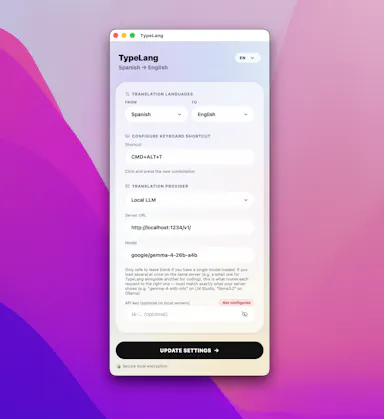
A free, open-source macOS menu-bar app that translates whatever you're typing into natural, professional language and pastes it back at your cursor.

FreeNo sign-upOpen sourceNo subscription
What to know
How it works
Type in your own language, press a shortcut, and the fluent translation is auto-pasted; use your own API key (Claude, GPT, Gemini) or run fully local via LM Studio.
Pricing
Free and open source, no subscription.
Best for
People writing in a non-native language across any macOS app.

Watched for 11 days · last checked 8d ago

Details →

An open-source desktop app that scans OpenAPI/Swagger APIs against 49+ OWASP security rules and generates vulnerability reports.

Open source
What to know
How it works
Applies YAML-based OWASP API Security rules to OpenAPI 3.1, Swagger 2.0, and Postman specs, producing PDF/HTML reports; also runnable via CLI/Docker for CI/CD.
Best for
Developers and security engineers scanning APIs as part of a CI/CD pipeline.

Watched for 12 days · last checked 9d ago

Details →

A free, open-source native macOS Gmail client built in Swift, pitched as a no-cost alternative to the $50/year Gmail client many people recommend.

FreeOpen source
What to know
How it works
A native Gmail client for macOS built in Swift.
What's different
Free and open-source, positioned as an alternative to a commonly recommended $50/year native Gmail client.
Pricing
Free (compared to a $50/year paid alternative).
Best for
Mac users who want a native Gmail app without paying an annual subscription.

Watched for 15 days · last checked 2d ago

Details →

A macOS Quick Look and desktop viewer for molecular file formats like PDB and SDF, with built-in 3D and cheminformatics tools. Aimed at computational chemists doing research, not general software developers.

Works offlineOpen source
What to know
How it works
Adds Finder Quick Look previews on macOS for molecular file formats (PDB, mmCIF, SDF, MOL, XYZ) — press Space to preview — plus a desktop app with Mol* 3D viewing, RDKit grids and Ketcher for computational chemistry workflows.
What's different
Integrates directly into macOS Finder's Quick Look instead of requiring a separate viewer app to open each file.
Best for
Computational chemists doing research, not general software developers.

Watched for 15 days · last checked 2d ago

Details →

A macOS menu-bar tracker for Claude and Codex AI usage limits that warns you before you hit the cap. Built for developers using Claude Code or Codex CLI.

Open sourceNo tracking
What to know
How it works
A macOS menu-bar app showing live session/weekly/monthly usage windows for Claude and OpenAI Codex, with reset countdowns, a 90% redline warning, and a forecast of when you'll run out at your current pace. It reads the CLI logins you already have.
What's different
One-click switch between providers, 9 themes, 5 layouts, self-updating via GitHub releases, native Swift, essentially one source file, zero telemetry.
Pricing
Open source, MIT licensed.
Best for
Developers using Claude Code or Codex CLI who want to avoid hitting a surprise usage limit mid-task.

Watched for 15 days · last checked 2d ago

Details →

A free, open-source desktop app for opening and searching multi-gigabyte JSON files on macOS and Windows in seconds - a free alternative to paid tools like Dadroit.

FreeOpen sourceCan export my data
What to know
How it works
Opens and searches multi-gigabyte (2-3 GB) JSON files on macOS and Windows, with a tree viewer, regex search over keys and values, subtree extraction, export to CSV/XML, and multi-file union.
What's different
Free, open-source alternative to paid large-JSON viewers like Dadroit, with no cost or usage limits, including for commercial use.
Pricing
Free.
Best for
Developers who regularly need to open and search very large JSON files.

Watched for 15 days · last checked 2d ago

Details →

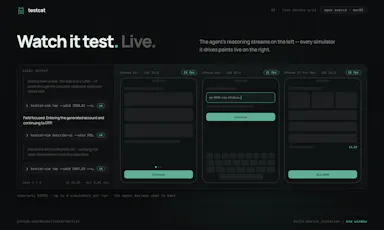
An open-source macOS app where AI agents drive iOS simulators or your iPhone to run tests you describe in plain language and report a verdict live. For iOS developers.

Open source
What to know
How it works
An open-source macOS app where you describe a test for an iOS app in plain language, and an AI agent drives real iOS simulators or a connected iPhone to run it, returning an evidence-backed pass/fail verdict while you watch live.
What's different
Open source and shows the test running live rather than just returning a final report.
Best for
iOS developers who want AI-driven UI testing without scripting test steps by hand.

Watched for 17 days · last checked 2d ago

Details →

A free, open-source macOS app for editing your $PATH, aliases and environment variables through a drag-and-drop UI instead of hand-editing shell config files.

Open source
What to know
How it works
A macOS app with a drag-and-drop dashboard for editing your $PATH, toggling shell aliases, and managing environment variables, with sensitive keys secured behind Touch ID.
What's different
Replaces hand-editing shell config files with a visual UI, and is under 1.4MB, open source, built in SwiftUI.
Pricing
Open source.
Best for
Developers on macOS who are tired of manually editing dotfiles to manage PATH, aliases and env variables.

Watched for 17 days · last checked 9d ago

Details →

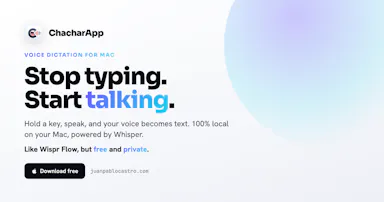
A free, open-source, on-device dictation app for Mac — hold a key, speak, text appears in any app. No cloud, no accounts, no tracking; a private alternative to Wispr Flow.

FreeNo sign-upWorks offlineOpen source
What to know
How it works
A voice dictation app for macOS: hold a key, speak, and the words appear in any app, running entirely on the Apple Neural Engine (every Mac since the M1, 2020).
What's different
No cloud, no tracking, no accounts and no weekly limits, positioned as a private, on-device alternative to Wispr Flow. Supports custom vocabulary for jargon, names and technical terms.
Pricing
Free and open-source.
Best for
Mac users who want fast voice dictation without their speech leaving the device.

Watched for 18 days · last checked 9d ago

Details →

A free, open-source macOS menu-bar app that gives haptic trackpad feedback whenever your cursor passes over any clickable button, link or menu, system-wide.

FreeOpen source
What to know
How it works
Runs in the Mac menu bar and taps the trackpad's haptic engine whenever the cursor passes over any clickable element — buttons, links, menus, tabs — system-wide across any app.
What's different
Works system-wide in any app rather than requiring per-app integration; open source.
Pricing
Free and open-source.
Best for
Mac users who want physical feedback when navigating the interface, not just visual cues.

Watched for 18 days · last checked 2d ago

Details →

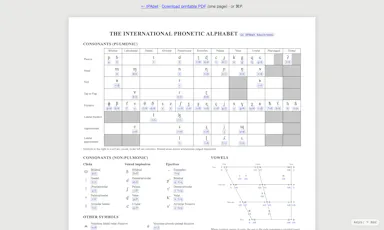
A better keyboard for the International Phonetic Alphabet

FreeWorks offlineOpen source
What to know
How it works
Her sembol bir veya iki tuş vuruşuyla yazılır; macOS'ta native, tarayıcıda da çalışır.

First seen today

Details →

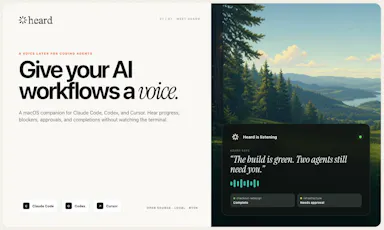
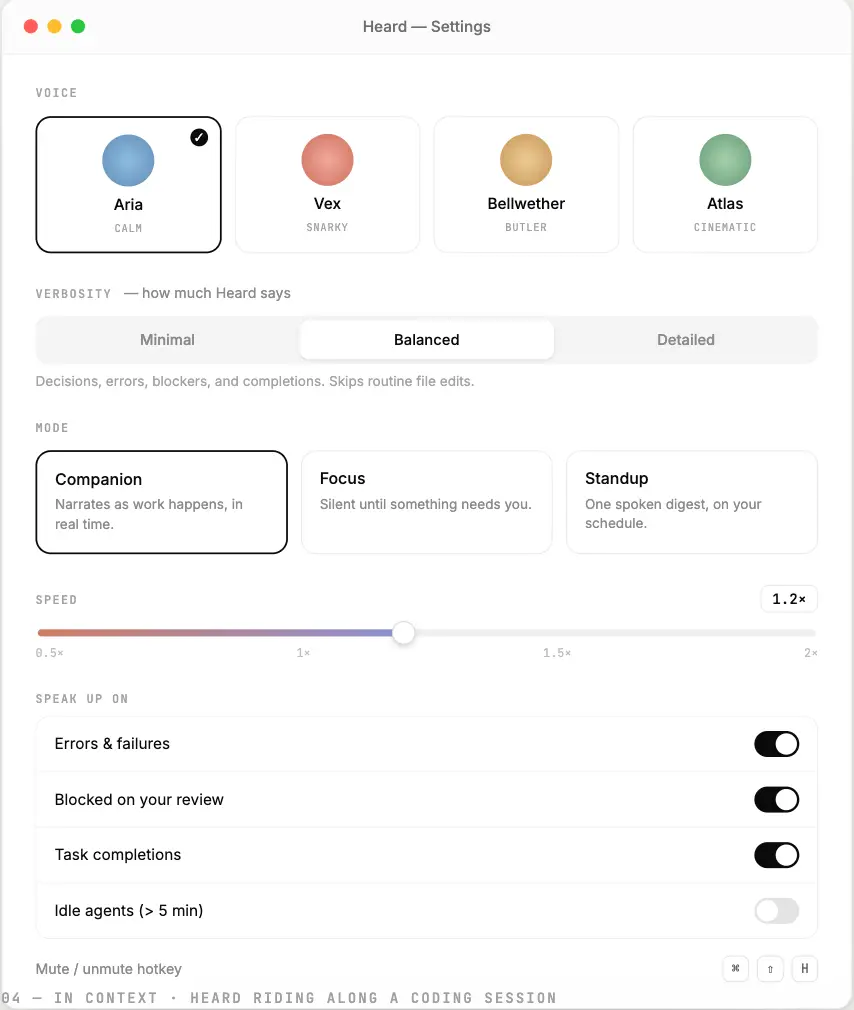
Heard

Live

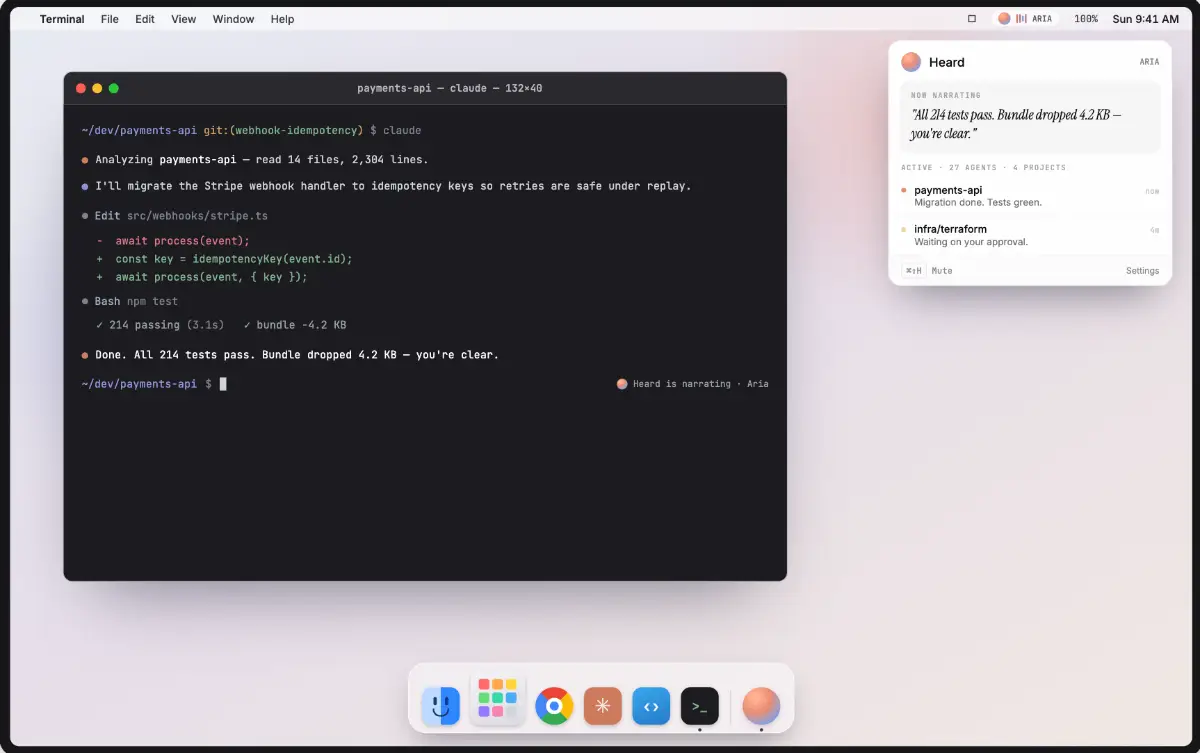
Adds a voice/audio output to AI coding agents, instead of only reading their activity as text logs.

FreeOpen source
What to know
How it works
Gives coding agents spoken audio output.

Watched for 15 days · last checked today

Details →

Open-source control plane that detects your hardware and configures/runs the right local LLM engine automatically.

Open source
What to know
How it works
Detects your RAM and VRAM, recommends models that fit, applies hardware-tuned settings, downloads weights, and starts an OpenAI-compatible server via llama.cpp, MLX-LM, or vLLM.
What's different
Coordinates proven runtimes rather than building another inference engine, and shows the launch plan before executing.

Watched for 3 days · last checked 2d ago

Details →

A lightweight network scanner with persistent device labeling and Tailscale integration.

Domain registered 6 days ago

FreeNothing to installOpen sourceSelf-hosted
What to know
How it works
A lightweight network scanner with persistent device labeling and Tailscale integration.

Watched for 4 days · last checked 3d ago

Details →

A free, open-source tool that applies custom visual skins to Codex Desktop without modifying the app's official bundle.

FreeOpen source
What to know
How it works
Applies immersive backgrounds and visual styling to Codex Desktop through a local CDP session, without modifying the official app bundle or code signature; restores stock appearance with one click.
Pricing
Free, open source.
Watch out
macOS and Windows.

Watched for 10 days · last checked today

Details →

Rekody

Live

Free on-device macOS dictation app that types text at the cursor via a hold-to-talk hotkey.

Domain registered 3 months ago

FreeNo sign-upWorks offlineOpen source
What to know
How it works
Hold Option + Space and speak, and text lands at your cursor in any app, with a personal dictionary that learns your words.
Pricing
Free.
Watch out
On-device by default, no account or subscription; the CLI is open source (MIT).

Watched for 3 days · last checked 3d ago

Details →

A Raycast-style launchbar that groups your tabs, apps, links and notes into project workspaces instead of one generic list, for people juggling several projects through their full lifecycle.

Domain registered 11 months ago

No sign-upOpen source
What to know
How it works
A launchbar for browser and desktop that organizes tabs, apps, links and notes into project workspaces, with AI Spotlight Search to jump to anything instantly.
What's different
Organizes around project lifecycle rather than being a generic launcher like Raycast, and pulls native desktop apps into the same workspaces via a companion app.
Best for
People juggling several projects who want their tabs, apps and notes grouped by project instead of scattered.

Watched for 13 days · last checked 7d ago

Details →

An open-source Mac app that runs local AI mini-apps, including a private finance analyzer that redacts data before AI sees it.

FreeOpen source
What to know
How it works
Runs AI mini-apps locally on Mac; the lead app is a private CFO that turns bank/card CSV or PDF exports into spend reports (trends, subscriptions, duplicate charges) with account numbers redacted before any AI sees them. Also includes a music DJ with karaoke, a Mac health scanner, and cross-agent memory shared with Claude Code and Codex.
Pricing
Open source; free hosted tier, or bring your own OpenAI-compatible/Ollama model.
Watch out
macOS only.

Watched for 8 days · last checked 6d ago

Details →

A free, open-source macOS ghost-text autocomplete tool powered by an on-device local LLM.

FreeNo sign-upWorks offlineOpen source
What to know
How it works
Adds Cotypist-style ghost-text autocomplete to every Mac app using a local MLX-based LLM that runs 100% on-device.
Pricing
Free and MIT-licensed.
Watch out
macOS only; no cloud, no account, no keystroke leaves the machine.

Watched for 8 days · last checked 6d ago

Details →

An open-source desktop AI app that works inside document editing, mail merge, and receipt reading, running fully locally on Mac and Linux.

Domain registered 1 month ago

Works offlineOpen source
What to know
How it works
Brings AI into everyday tools like document editing, mail merge, and receipt reading, running fully locally so files never leave your machine.
What's different
Open source (AGPL-3.0), fully forkable, built with Tauri, Rust, React, and SQLite.
Watch out
Runs on Mac and Linux only.

Watched for 10 days · last checked 4d ago

Details →

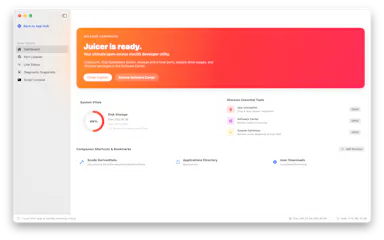
Juicer

Live

An open-source native macOS utility bundling an app uninstaller, cache cleaner, DNS manager, and Homebrew software center.

Works offlineOpen source
What to know
How it works
An open-source native macOS utility bundling an app uninstaller, Brew Cask Store, developer cache cleaner, launchd editor, DNS host manager, and Homebrew Software Center.

Watched for 10 days · last checked 7d ago

Details →

Cross-platform hardware monitoring with real-time stats, history and benchmarking for Windows, Linux, macOS and Android, with all data processed locally and no telemetry upload.

Works offlineOpen source
What to know
How it works
Monitors CPU, GPU, memory, disk and network in real time, with historical analytics, process management, local benchmarking, and gaming session detection, across Windows, Linux, macOS (Apple Silicon), and Android.
What's different
All monitoring data is processed on-device with local SQLite storage; no telemetry or benchmark results are uploaded.
Best for
Users who want cross-platform hardware monitoring without sending data to the cloud.

Watched for 12 days · last checked 2d ago

Details →