Open-source toolsRuns on Windows

39 match your filters — 39 of them answered our check today.

Watching this group for 20 days · how we check

This week15 new arrivals

Skim

Live

Free, open-source, minimal, local-first email client for Windows with a native Rust core and optional bring-your-own-key AI drafting.

FreeWorks offlineOpen sourceNo tracking
What to know
How it works
native Rust/Tauri core, ~5MB installer, instant full-text search
What's different
minimal by design, zero telemetry, bring your own AI key
Pricing
free (MIT)
Best for
Windows users wanting a fast local email client

Watched for 6 days · last checked today

Details →

Pandia

Live

Native desktop app for opening and editing multi-gigabyte JSON files instantly, for developers who hit size limits in browser-based JSON viewers.

FreeWorks offlineData stays with youOpen source
What to know
How it works
Opens huge files with no upload, shows JSON as Tree, Code, Grid, Graph, or Compare views, generates types for 9 languages.
What's different
Handles multi-gigabyte files offline where most JSON tools choke or require upload.
Pricing
Free
Watch out
Desktop-only (macOS, Windows, Linux).

Watched for 5 days · last checked today

Details →

Lets people encrypt files with PGP without a GnuPG install instead of using command-line-only tools.

Works offlineOpen sourceNo tracking
What to know
What's different
compatible with GPG, Kleopatra, and Thunderbird
Pricing
free, MIT license

Watched for 1 day · last checked 1d ago

Details →

Chimlo

Live

Free open-source macOS app that shows Codex and Claude Code agent status in the MacBook notch so you don't have to hunt through terminals.

FreeOpen source
What to know
How it works
Notch UI shows working/waiting/finished/failed agent states, lets you answer prompts inline
Pricing
Free, open source
Best for
Developers running multiple coding-agent sessions at once

Watched for 4 days · last checked today

Details →

A personal AI assistant that runs fully on your own machine via local models, chatting through Telegram with Gmail/Calendar access.

Open sourceNo subscription
What to know
How it works
local models handle chat, memory and web search; cloud used only as a fallback
What's different
requires human approval for actions and runs in a Docker sandbox
Pricing
no subscription, open source (Apache 2.0)
Best for
Windows users wanting a private, local AI assistant

Watched for 5 days · last checked today

Details →

A free open-source Windows dashboard that shows your Codex usage quota, reset timers, and token counts at a glance.

FreeOpen sourceNo subscription
What to know
How it works
Displays weekly quota, reset time, reset-credit cards, and lifetime token usage for Codex
Pricing
Free and open-source

Watched for 4 days · last checked today

Details →

An open-source, self-hostable memory layer for AI agents that keeps episodic and semantic context within LLM token limits across sessions. For developers, not an end-user app.

Domain registered 3 months ago

Open sourceSelf-hosted
What to know
How it works
An open-source, self-hostable memory runtime for AI agents providing durable episodic and semantic memory, with ranked retrieval and token-bounded context bundles designed for LLM applications.
What's different
Treats memory as a first-class primitive that persists across sessions rather than an afterthought within a single conversation.
Best for
AI/ML engineers building autonomous agents with frameworks like LangChain, CrewAI or AutoGen.

Watched for 13 days · last checked 7d ago

Details →

Lets Windows gamers speed up or slow down single-player games in real time instead of needing a kernel driver.

FreeOpen source
What to know
How it works
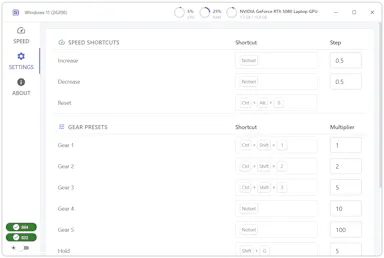
Customizable hotkeys, five gear presets, and a hold-to-speed mode.
Pricing
free and open source

Watched for 1 day · last checked today

Details →

A free, open-source clipboard history manager for Windows with image previews and a double-tap-Ctrl shortcut - a general utility despite being open source.

FreeOpen source
What to know
How it works
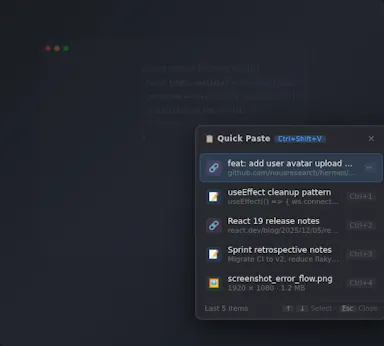
An open-source clipboard history manager for Windows 10/11 built with Rust and Tauri 2, showing text and image previews and letting you paste history with a double-tap of Ctrl.
What's different
Positioned against Windows' built-in Win+V (text-only, no image preview) and Ditto (not modernized), filling the gap for a free, actively developed Windows clipboard manager.
Pricing
Free.
Best for
Windows users who want a fast, private clipboard history tool with image support.

Watched for 14 days · last checked today

Details →

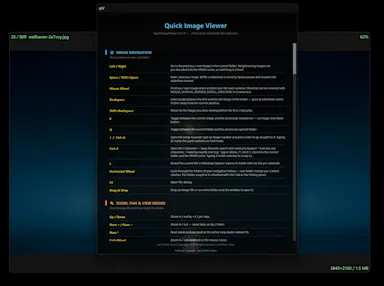
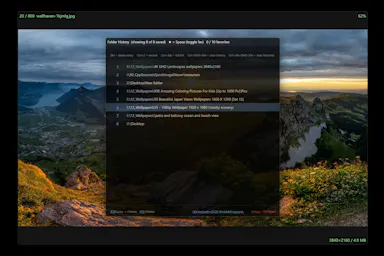
A tiny, fast native image viewer for Windows built as a lightweight, open-source alternative to bloated legacy viewers — portable, no install needed.

Nothing to installOpen source
What to know
How it works
A portable, sub-10 MB image viewer for Windows built with native C++ and Win32 APIs, supporting modern formats like WebP and JPEG XL, with self-healing registry integration.
What's different
Positioned as a lightweight, hardware-aware alternative to bloated legacy image viewers, with no install required.
Best for
Windows users who want a fast, minimal image viewer instead of a heavier default app.

Watched for 12 days · last checked 6d ago

Details →

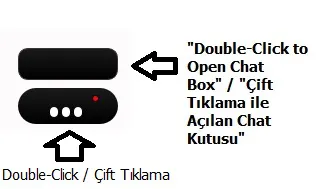
A floating always-on-top Windows window that runs Claude Code with screen awareness, so developers can ask about what's on screen and have it edit files or run commands.

Open source
What to know
How it works
A frameless, always-on-top Windows chat window for Claude Code, summoned by hotkey, that captures and reads your monitors before answering, then can edit files and run commands using your own Claude Code subscription.
What's different
Runs the full Claude Code agent on your existing subscription rather than requiring a separate API key, and has screen awareness rather than just chat.
Pricing
Open source (MIT).
Best for
Developers on Windows who want a floating Claude Code assistant that can see their screen while they work.

Watched for 13 days · last checked 7d ago

Details →

An open-source, template-based design tool for building App Store and Play Store screenshots, feature graphics, and preview videos entirely in your browser or desktop app, with no account or upload required.

Domain registered 13 days ago

FreeNo sign-upData stays with youOpen source
What to know
How it works
pick a template, drop in your app screens, and export every required store size, including MP4 previews
What's different
an optional AI agent can build the whole listing from raw screenshots
Best for
app developers and designers preparing store listings

Watched for 7 days · last checked 6d ago

Details →

A native, open-source desktop GUI for managing NATS messaging — connecting, publishing and subscribing, and managing JetStream, Key-Value, and Object Store — for developers on Windows, macOS, or Linux.

Open source
What to know
How it works
Cross-platform native desktop app for connecting to NATS servers and managing JetStream, Key-Value, and Object Store.

Watched for 7 days · last checked 5d ago

Details →

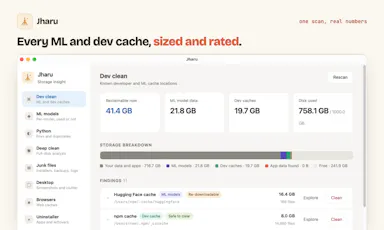
Free disk cleaner for your AI model and dev caches

FreeOpen sourceNo tracking
What to know
How it works
AI model önbellekleri ve geliştirici çöplerini tanıyıp gigabaytlarca yer açar; telemetri yok, kalıcı silme yok.
What's different
Ücretli CleanMyMac'e karşı ücretsiz alternatif.

First seen today · last checked today

Details →

A free, open-source resume builder with a live side-by-side preview and ATS-friendly PDF export that runs entirely in your browser instead of behind a paywall.

FreeWorks offlineData stays with youOpen source
What to know
How it works
granular typography and color controls, everything processed locally; standalone Windows apps also available
Pricing
free
Best for
job seekers who want a private, no-paywall resume builder

Watched for 11 days · last checked 5d ago

Details →

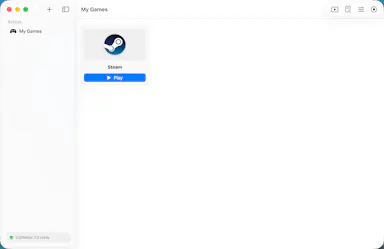
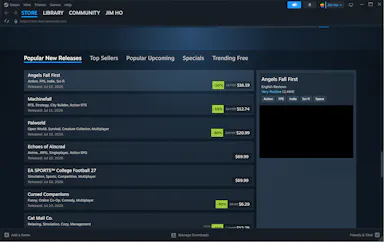
A free, open-source macOS app that runs Windows games like Steam titles and CS2 on Apple Silicon without command-line hacks. Built for Mac gamers, not developers.

FreeOpen source
What to know
How it works
A macOS app that runs Windows games, including Steam titles and CS2, on Apple Silicon using Metal-accelerated Direct3D (DXMT and Apple's Game Porting Toolkit), with per-game bottles and automatic performance tuning.
What's different
Free and open-source, with one-click Steam install and no command line or hacks required.
Pricing
Free, open-source.
Best for
Mac gamers on Apple Silicon who want to play Windows games like CS2 without manual setup.

Watched for 13 days · last checked 2d ago

Details →

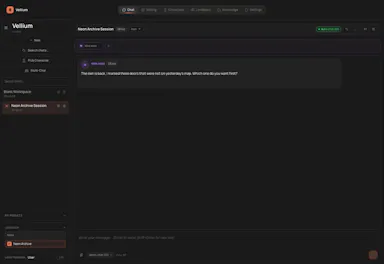
A free, open-source desktop app for AI character chat, roleplay and long-form writing, where your data stays in a local database even with a cloud AI backend.

FreeWorks offlineOpen source
What to know
How it works
A desktop AI workspace for character chat, multi-character roleplay, and long-form writing with RAG, LoreBooks, and MCP tools and plugins; you bring your own backend, such as OpenAI-compatible APIs, OpenRouter, LM Studio, Ollama, or KoboldCpp, while chats, characters, projects, and knowledge are stored in a local SQLite database.
What's different
Keeps your data in a local database even when you connect a cloud AI backend, and is free and open source.
Pricing
Free and open source.
Best for
Writers and roleplayers who want to choose their own AI backend while keeping their data local. Native builds are available for macOS, Windows, and Linux.

Watched for 14 days · last checked 2d ago

Details →

A free, open-source Windows tray app that nudges you to stand up and move every hour -- a general workplace wellness reminder, not developer-specific software.

FreeOpen source
What to know
How it works
A tiny Windows tray app that reminds you to stand up and move every round hour, on your own schedule.
Pricing
Free and open source.
Best for
Windows users who sit at a desk and want a general movement reminder, not a developer-specific tool.

Watched for 17 days · last checked today

Details →

Ortu

Live

A cross-platform clipboard manager with full history, search and secret masking for anyone who copy-pastes constantly - handy for developers managing API keys, but useful for any heavy copy-paste workflow.

No sign-upWorks offlineOpen source
What to know
How it works
Remembers everything you copy - text, images, files - across macOS, Windows and Linux, with full-text search, a paste stack, secret masking with encryption, and smart auto-grouping.
What's different
Runs 100% locally with no account, and is open source.
Pricing
Not stated beyond being open source.
Best for
Developers and anyone who copy-pastes constantly, including people managing API keys via clipboard.

Watched for 16 days · last checked 10d ago

Details →

A lightweight, open-source Windows voice assistant that runs in the system tray and lets you talk to Google's Gemini Live API and hear its responses.

Open source
What to know
How it works
Speak to Gemini through a system tray app and hear the response in real time; built with Python.

Watched for 12 days · last checked 8d ago

Details →

A local-first AI platform bundling chat, a coding agent, a terminal and uncensored open models, with no cloud or accounts. For technical users, not really a mobile app despite the Android companion.

No sign-upWorks offlineOpen sourceNo subscription
What to know
How it works
A local-first AI platform bundling end-to-end encrypted P2P chat, a bare-metal terminal with real PTY shell access, autonomous coding agents, hybrid RAG, and bundled uncensored Qwen/Gemma models, with a native Android companion app for LAN discovery.
What's different
Runs fully offline with no cloud, accounts, or subscriptions, and ships uncensored model variants with no filters.
Pricing
Open-source (AGPL-3.0).
Best for
Technical users on Linux or Windows who want a self-hosted AI toolkit with no cloud dependency.
Watch out
Ships uncensored models with zero filters — outputs are not moderated.

Watched for 18 days · last checked 2d ago

Details →

RDB

Live

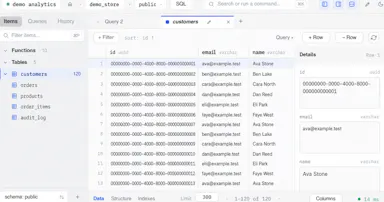
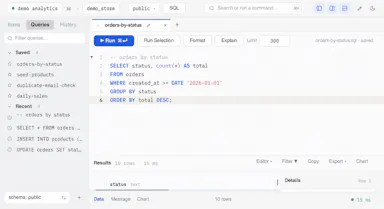
A free open-source desktop client for editing multiple database engines, instead of separate GUI tools per database.

FreeOpen source
What to know
How it works
One native Rust binary for macOS, Windows, and Linux supporting six database engines.
Best for
Developers who work across multiple database types.

Watched for 2 days · last checked 1d ago

Details →

A local version-history safety net for chosen Windows folders that undoes accidental deletes, renames, and bad saves, without any cloud backup service.

FreeNo sign-upWorks offlineOpen source
What to know
How it works
Continuous version history for folders you choose, running fully locally.
Pricing
Free, open source.
Best for
Any Windows user worried about accidental file loss, not just developers.

Watched for 2 days · last checked 1d ago

Details →

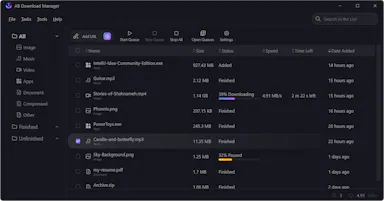
A free open-source download manager for Windows, Linux, Mac and Android with multi-threaded downloads and browser integration.

Domain registered 2 years ago

FreeOpen source
What to know
How it works
Splits downloads into threads for faster speeds, queues and schedules them
Pricing
Free, open source

Watched for 6 days · last checked 5d ago

Details →

An open-source, self-hostable desktop workbench for scientific research that logs experiment data, agent sessions, and provenance locally.

Works offlineOpen sourceSelf-hosted
What to know
How it works
Local-first desktop app for macOS/Windows/Linux storing experiment runs and provenance
What's different
Self-hosted alternative to Claude Science, extensible via Skills and MCP
Pricing
Open source
Best for
Researchers wanting to keep experiment data and computation local

Watched for 6 days · last checked 5d ago

Details →

A macOS/Windows menu-bar app that runs multiple Claude Desktop (or other AI app) accounts simultaneously in isolated sessions.

Open source
What to know
How it works
Runs each account in a fully isolated copy with separate sessions, data and MCP servers
What's different
open source; solves the one-login-per-app limitation
Best for
people juggling work, personal, and client AI desktop accounts

Watched for 6 days · last checked 4d ago

Details →

An open-source Layer 1 blockchain signed with post-quantum ML-DSA-65 cryptography, with a non-custodial browser wallet and mining clients for Linux and Windows, instead of the quantum-vulnerable signatures used by Bitcoin and Ethereum.

Open source
What to know
How it works
Uses NIST FIPS 204 ML-DSA-65 signatures throughout, with proof-of-work mining, a WASM browser wallet with client-side signing, and a public explorer.
What's different
Publishes a Security & Transparency page with reproducible cryptographic test vectors.
Pricing
Open source, Apache 2.0 licensed.

Watched for 13 days · last checked 9d ago

Details →

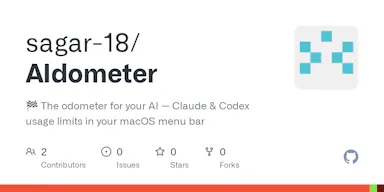
A macOS menu-bar tracker for Claude and Codex AI usage limits that warns you before you hit the cap. Built for developers using Claude Code or Codex CLI.

Open sourceNo tracking
What to know
How it works
A macOS menu-bar app showing live session/weekly/monthly usage windows for Claude and OpenAI Codex, with reset countdowns, a 90% redline warning, and a forecast of when you'll run out at your current pace. It reads the CLI logins you already have.
What's different
One-click switch between providers, 9 themes, 5 layouts, self-updating via GitHub releases, native Swift, essentially one source file, zero telemetry.
Pricing
Open source, MIT licensed.
Best for
Developers using Claude Code or Codex CLI who want to avoid hitting a surprise usage limit mid-task.

Watched for 15 days · last checked 2d ago

Details →

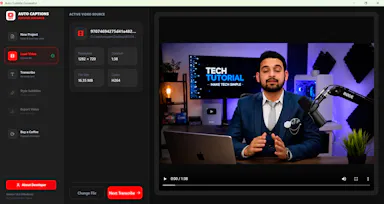
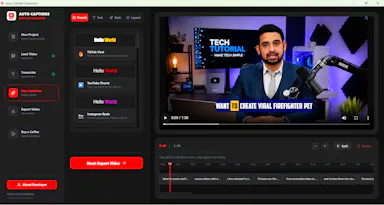
A free, open-source Windows app that auto-generates styled subtitles for your videos using offline Whisper or the cloud Groq API — aimed at YouTube Shorts, TikTok and Reels creators, not developers.

FreeWorks offlineOpen sourceCan export my data
What to know
How it works
A Windows desktop app that automatically transcribes videos into word-level subtitles using either offline OpenAI Whisper or the cloud-based Groq API, then burns captions into the video or exports as SRT/VTT.
What's different
Free and open-source, with styling presets built for YouTube Shorts, TikTok, and Instagram Reels formats.
Pricing
Free.
Best for
YouTube Shorts, TikTok, and Instagram Reels creators who need styled captions on their videos.
Watch out
Windows-only desktop app; cloud transcription option (Groq) requires sending video data off-device, unlike the offline Whisper option.

Watched for 17 days · last checked 2d ago

Details →

A free, open-source desktop app for opening and searching multi-gigabyte JSON files on macOS and Windows in seconds - a free alternative to paid tools like Dadroit.

FreeOpen sourceCan export my data
What to know
How it works
Opens and searches multi-gigabyte (2-3 GB) JSON files on macOS and Windows, with a tree viewer, regex search over keys and values, subtree extraction, export to CSV/XML, and multi-file union.
What's different
Free, open-source alternative to paid large-JSON viewers like Dadroit, with no cost or usage limits, including for commercial use.
Pricing
Free.
Best for
Developers who regularly need to open and search very large JSON files.

Watched for 15 days · last checked 2d ago

Details →

A free, open-source Windows utility that shows real battery health, automatically switches power-saver mode, and adds playful alerts — for any Windows laptop owner, not just developers.

FreeWorks offlineOpen sourceNo tracking
What to know
How it works
A Windows battery companion that shows real battery health (design capacity vs. current capacity), automatically switches power-saver mode, and adds emoji alerts.
What's different
Open-source, runs 100% locally with no tracking.
Pricing
Free forever.
Best for
Any Windows laptop owner who wants to see actual battery health, not just charge percentage.

Watched for 18 days · last checked 9d ago

Details →

An open-source, lightweight network monitor for Windows and Mac; the listing gives no further detail beyond that, so treat it as an early or barebones tool.

Open source
What to know
How it works
An open-source, lightweight network monitor for Windows and Mac.
What's different
Positioned as lightweight and open source rather than a heavier enterprise monitoring suite.
Best for
Developers and admins who want a simple network monitor without heavier tooling.

Watched for 18 days · last checked 2d ago

Details →

A lightweight network scanner with persistent device labeling and Tailscale integration.

Domain registered 6 days ago

FreeNothing to installOpen sourceSelf-hosted
What to know
How it works
A lightweight network scanner with persistent device labeling and Tailscale integration.

Watched for 4 days · last checked 3d ago

Details →

A free, open-source tool that applies custom visual skins to Codex Desktop without modifying the app's official bundle.

FreeOpen source
What to know
How it works
Applies immersive backgrounds and visual styling to Codex Desktop through a local CDP session, without modifying the official app bundle or code signature; restores stock appearance with one click.
Pricing
Free, open source.
Watch out
macOS and Windows.

Watched for 10 days · last checked today

Details →

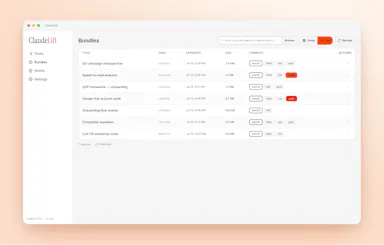
Exports, archives, and migrates Claude Cowork chat history so users retain ownership of their conversation data.
FreeOpen sourceCan export my data
What to know
How it works
Exports a Claude Cowork chat into a bundle you own, with a built-in MCP server to resume it anywhere.
What's different
Solves Claude Cowork chats being lost (uploads, files, context) when the app closes.
Pricing
Free, open source.
Watch out
Windows only.

Watched for 8 days · last checked 2d ago

Details →

A Raycast-style launchbar that groups your tabs, apps, links and notes into project workspaces instead of one generic list, for people juggling several projects through their full lifecycle.

Domain registered 11 months ago

No sign-upOpen source
What to know
How it works
A launchbar for browser and desktop that organizes tabs, apps, links and notes into project workspaces, with AI Spotlight Search to jump to anything instantly.
What's different
Organizes around project lifecycle rather than being a generic launcher like Raycast, and pulls native desktop apps into the same workspaces via a companion app.
Best for
People juggling several projects who want their tabs, apps and notes grouped by project instead of scattered.

Watched for 13 days · last checked 7d ago

Details →

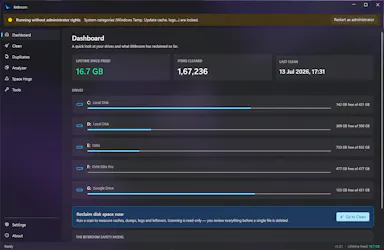
A free, open-source Windows disk cleaner designed to find reclaimable space (old drivers, duplicate files, WSL/Docker disks) without deleting things you need.

Domain registered 14 days ago

FreeOpen sourceNo adsNo tracking
What to know
How it works
Finds reclaimable disk space including WSL/Docker disks, old drivers, and duplicate files, with Recycle Bin safety and a full audit log.
What's different
Engineered so it can't delete what you care about.
Pricing
Free, no ads, no telemetry, no Pro tier.

Watched for 9 days · last checked 3d ago

Details →

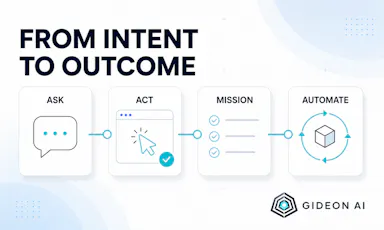
An open-source Windows desktop AI agent that performs approved computer actions and automations while keeping data and model choice under the user's control.

Works offlineOpen source
What to know
How it works
An open-source Windows desktop agent for secure conversations, approved computer actions, durable missions, and reusable automation, letting users bring their own model provider.
What's different
Keeps credentials, data, and control in the user's hands, open source.

Watched for 10 days · last checked 7d ago

Details →

Cross-platform hardware monitoring with real-time stats, history and benchmarking for Windows, Linux, macOS and Android, with all data processed locally and no telemetry upload.

Works offlineOpen source
What to know
How it works
Monitors CPU, GPU, memory, disk and network in real time, with historical analytics, process management, local benchmarking, and gaming session detection, across Windows, Linux, macOS (Apple Silicon), and Android.
What's different
All monitoring data is processed on-device with local SQLite storage; no telemetry or benchmark results are uploaded.
Best for
Users who want cross-platform hardware monitoring without sending data to the cloud.

Watched for 12 days · last checked 2d ago

Details →