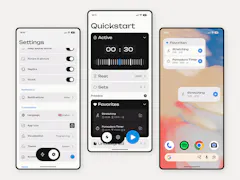
- Kind
- desktop
- Runs on
- macOS
- Open source
- yes
- AI
- a side feature
“Remarc - The feedback layer between you and your coding agent”its own headline
⚿ 8 contact fields stay closed. Everything it says about itself is open; how to reach it needs an account. Open them →
What it says it will not do
“Remarc stores your comments in a local file on your Mac and has no accounts, telemetry, or cloud backend for comments.”Cloud hosted
“There are no accounts, no subscriptions, and no paid tiers - just download it and start commenting.”Free plan
“There are no accounts, no subscriptions, and no paid tiers - just download it and start commenting.”Instant signup
How it runs4
“Your feedback layer for AI collaboration.”
“Download for macOS”
“Remarc stores your comments in a local file on your Mac and has no accounts, telemetry, or cloud backend for comments.”
“FREE and Open Source · Requires macOS 14.0 or later”
What it offers as proof1
“There are no accounts, no subscriptions, and no paid tiers - just download it and start commenting.”
What it names2
“The Remarc Chrome extension lets you leave comments directly on web pages and automatically attaches web context”
“Claude Code and Codex connect through the Remarc plugin, and Cursor is set up directly from the app's preferences.”
What it calls itself2
“Remarc is a contextual feedback layer for AI agents.”
⚿ Value and quote open with an account.
How to reach it2
⚿ Value and quote open with an account.
“Why I made Remarc”
About
Remarc is the feedback layer between you and your coding agent. Point at anything on your Mac - text, screenshots, web elements, voice - and your agent reads and resolves your comments over MCP. Free and open source.