Desktop windows

We're tracking 7 of these, and 7 are still live today.

Watching this group for 14 days · how we check

This weekno new arrivals

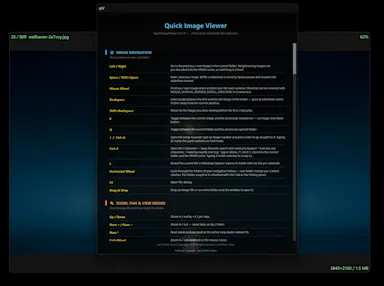
A tiny, fast native image viewer for Windows built as a lightweight, open-source alternative to bloated legacy viewers — portable, no install needed.

Nothing to installOpen source
What to know
How it works
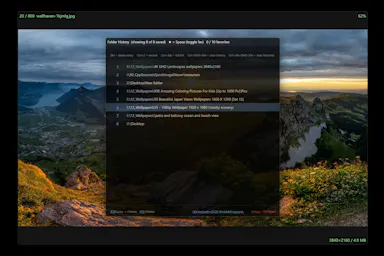
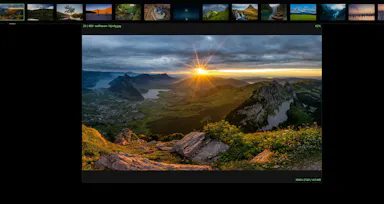
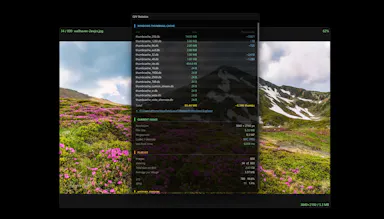
A portable, sub-10 MB image viewer for Windows built with native C++ and Win32 APIs, supporting modern formats like WebP and JPEG XL, with self-healing registry integration.
What's different
Positioned as a lightweight, hardware-aware alternative to bloated legacy image viewers, with no install required.
Best for
Windows users who want a fast, minimal image viewer instead of a heavier default app.

Watched for 14 days · last checked 8d ago
Details →

Local-first data recovery software for Windows and macOS that scans internal, external, USB, and SD drives and previews recoverable files before restoring.

Domain registered 4 months ago

FreeWorks offline
What to know
How it works
Scans drives across NTFS, FAT32, exFAT, and APFS filesystems and lets you preview files before recovering them.
Pricing
Free to restore up to 500 MB before paying.
Best for
People recovering lost files from a drive without sending data to a cloud service.

Watched for 14 days · last checked 8d ago
Details →

Rivlet

Live

A free Windows download manager that splits files across connections for faster downloads, with no ads, telemetry or subscription. Pitches itself as a modern, better-looking alternative to IDM.

FreeNo subscriptionNo adsNo tracking
What to know
How it works
Splits each download across multiple connections to finish large files faster, and connects to Chrome or Edge to grab downloads including full-res video in one click, with control over quality and save location.
What's different
No ads, telemetry or subscription, and a modern light/dark interface, positioned against older download managers like IDM.
Pricing
Free.
Best for
Windows 11 users who want faster downloads without ads or a subscription.

Watched for 14 days · last checked 8d ago
Details →

A free Pashto typing test and practice tool, available online or as an offline Windows app, for improving Pashto keyboard speed and accuracy.

FreeWorks offline
What to know
How it works
Offers a browser-based typing test and a downloadable Windows typing trainer that works without internet.
Pricing
Free.
Best for
People learning or practicing Pashto-language typing.

Watched for 14 days · last checked 8d ago
Details →

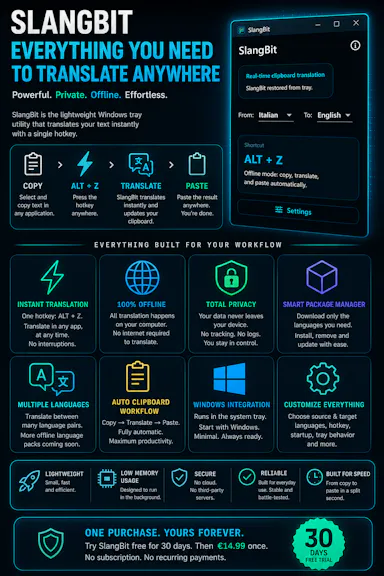
Select text in any Windows app, press Alt+Z, and get it translated using local AI models — nothing leaves your device. No subscription; 30-day free trial.

Domain registered 1 month ago

Works offlineData stays with youNo subscription
What to know
How it works
Select text in any Windows app and press Alt+Z to have it translated locally and pasted back automatically.
What's different
Runs entirely offline using local AI models, so text never leaves the device.
Pricing
No subscriptions; includes a 30-day free trial.
Best for
Windows users who want in-place translation without switching apps or sending text to the cloud.

Watched for 14 days · last checked 8d ago

Details →

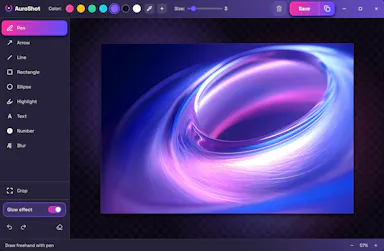
A lightweight Windows screenshot tool with fast capture, 10+ annotation tools and local-only storage, built for a clean everyday screenshot flow rather than heavy workflows.

Works offlineData stays with you
What to know
How it works
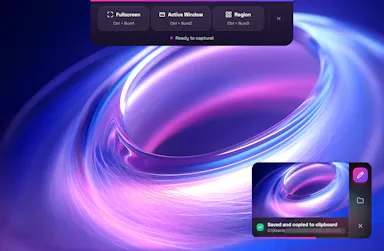
A Windows screenshot tool with fast capture modes for screen, window or selected area, plus 10+ annotation tools, automatic clipboard copy and local saving.
What's different
A floating capture panel designed not to steal focus from work or games, with local-first storage — screenshots stay on the device.
Best for
Windows users who want a clean, everyday screenshot flow without a heavy or noisy tool.

Watched for 14 days · last checked 8d ago

Details →

A lightweight, open-source Windows voice assistant that runs in the system tray and lets you talk to Google's Gemini Live API and hear its responses.

Open source
What to know
How it works
Speak to Gemini through a system tray app and hear the response in real time; built with Python.

Watched for 14 days · last checked 11d ago

Details →

Desktop windows — the short answers

Every number here comes from our own daily check — not from a vendor list.

Desktop windows — how many are there?
Tablif is tracking 7 of them. 7 answered our check today.
Which ones are still maintained?
Tablif knocks on every door once a day and records the answer. 7 of these 7 responded on the latest run, so that number is what "still here" means on this page — not a review score.
Are any of them free?
3 of the live ones say so in their own words. Tablif records the claim the product makes; we don't verify pricing.
Any open-source options?
2 of the live ones on Tablif mention being open source.
What's the newest one?
Seminay — Tablif first saw it 14 days ago.
Did a person actually look at these?
7 of them Tablif opened and read, then wrote a one-line summary in our own words instead of reusing the founder's tagline. The rest carry keyword labels we haven't confirmed by reading yet — and we say so rather than hiding it.