Filter by what founders actually say

We read 638 product pages ourselves and only recorded a claim when the page said it in its own words, with the sentence quoted. This is a small, growing slice of the full catalog, not a replacement for it.

89 contact criteria (public email, LinkedIn, country, registered company) are only available to signed-in members.

Clear all filters

6 products match every selected criterion

A browser-based JSON formatter, converter, repair and compare tool from mackan.eu's toolset; sibling tools in the same suite run entirely client-side with no upload or signup required.

No sign-upData stays with you
What to know
How it works
A browser-based tool for formatting, converting, repairing and comparing JSON.
What's different
Part of a client-side toolset where tools run in the browser with no upload or signup required.
Best for
Developers who need to quickly clean up or compare JSON without installing anything.

Watched for 28 days · last checked 19d ago

Details →

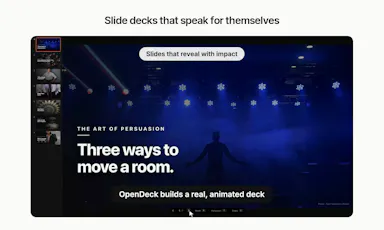
Describe your idea and it generates an animated, narrated slide deck with interactive reveals, playable on web, Mac, Windows, iOS and Android - free, and clearly AI-built.

FreeOpen source
What to know
How it works
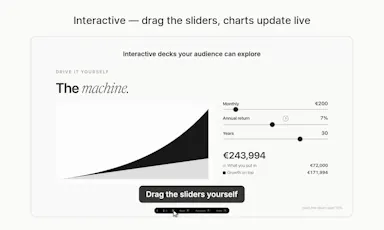
You describe your idea and it builds an animated deck with reveals timed to your talking points; slides are interactive (clickable, draggable sliders, live-updating charts) and each deck can generate a spoken narration to walk through it on its own.
What's different
One file plays across web, Mac, iPhone, iPad, Windows and Android, and decks can narrate themselves.
Pricing
Free and fully open.
Best for
Anyone who wants an interactive, narratable deck instead of a static slide file.

Watched for 28 days · last checked 12d ago

Details →

A hosted console that runs Nmap, Nuclei and OWASP ZAP vulnerability scans with client-ready reports, aimed at MSPs, pentesters and security teams.

Nothing to install
What to know
How it works
A hosted console that runs Nmap, Nuclei and OWASP ZAP vulnerability scans with no local install, producing client-ready reports; credits don't expire.
Best for
MSPs, pentesters and security teams who need to run scans and hand clients a report.

Watched for 28 days · last checked 12d ago

Details →

ACTRA

Live

An open-source platform for building custom study exercises (image hotspots, drawing, text checks) with spaced repetition — a study tool for students and self-learners, not a developer tool.

Open source
What to know
How it works
An open-source platform for creating custom study tasks — image hotspots, drawing, text checks — bundling them into complexes, practicing with spaced repetition, and tracking retention progress.
Best for
Students and self-learners who want to build custom active-recall exercises.

Watched for 28 days · last checked 12d ago

Details →

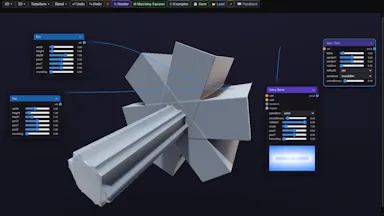
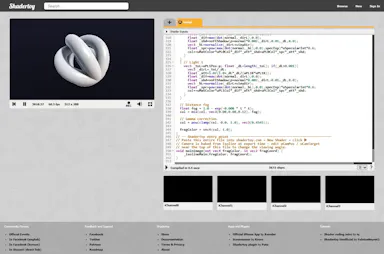
A free, open-source, browser-based node editor for building procedural 2D/3D geometry with SDFs instead of polygon meshes, exporting to GLSL, PNG or STL — no install needed.

FreeNothing to installOpen source
What to know
How it works
A browser-based node editor for building procedural 2D/3D geometry from primitives, transforms and smooth boolean operations, rendered as CPU contours, GPU GLSL, or ray-marched scenes.
What's different
Uses SDFs instead of polygon meshes — you compose mathematical operations rather than editing vertices.
Pricing
Free and open source, no installation required.
Best for
Developers and designers building procedural geometry for shaders or 3D printing.

Watched for 28 days · last checked 12d ago

Details →

Dim0

Live

An open-source infinite canvas that combines notes, diagrams and an AI agent that writes results directly onto the board — built to replace juggling Notion, Excalidraw and a chat window.

Open sourceSelf-hosted
What to know
How it works
An open-source, real-time collaborative canvas. Notes, hand-drawn diagrams and interactive mini-apps live as nodes on one board; an AI agent reads the board, searches the web, and writes results back as new nodes instead of a chat reply.
What's different
Replaces switching between Notion for notes, Excalidraw for diagrams and a separate AI chat window — everything, including the agent's output, lands on the same canvas.
Best for
Teams and individuals who think visually and want an AI agent's output to live alongside their own notes and diagrams, not in a separate chat log.

Watched for 30 days · last checked 1d ago

Details →