Tools for developersNo cloud

60 match your filters — 59 of them answered our check today.

Watching this group for 20 days · how we check

This week18 new arrivals

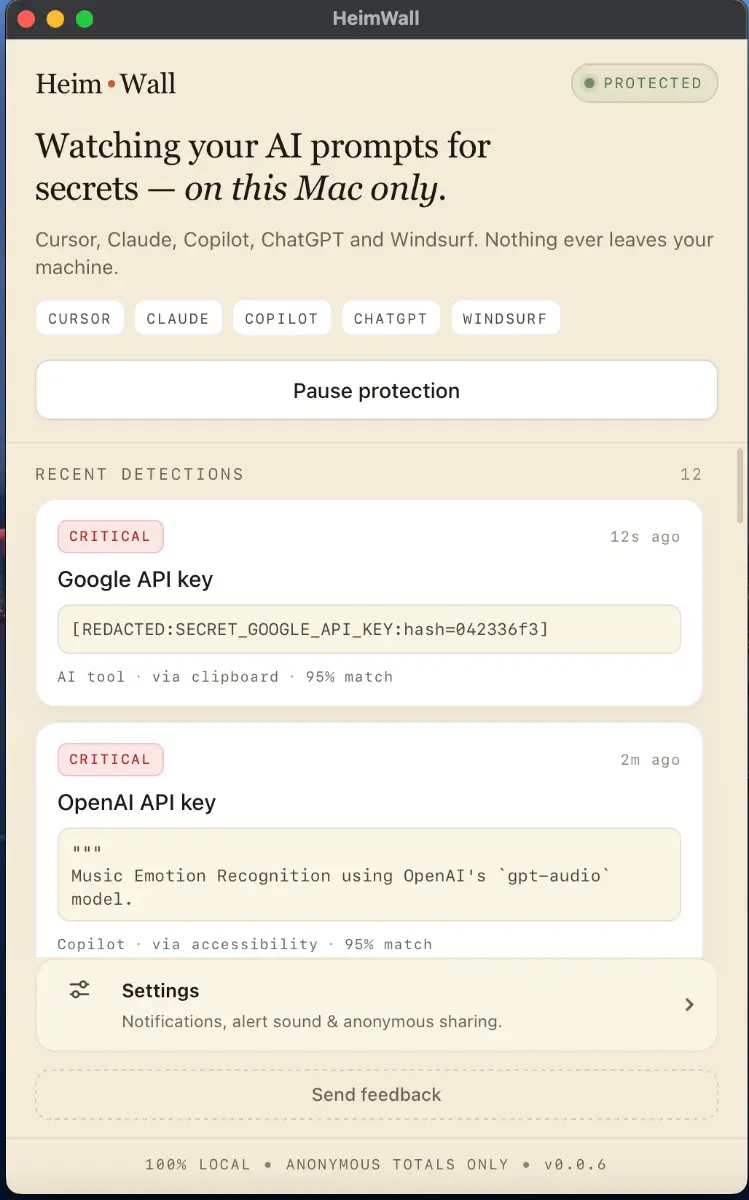
Local macOS scanner that blocks secrets and PII from leaking into AI coding-tool prompts, for engineers who don't want to rely on cloud DLP.

Domain registered 4 months ago

FreeWorks offline
What to know
How it works
A macOS app that scans prompts in real time before they reach AI coding tools like Cursor, Claude Code, and Copilot, flagging leaked API keys, credentials, and PII using 47 local detection rules in under 50ms.
What's different
Detection happens on-device before data leaves the machine, and uses soft notifications instead of hard blocks so it doesn't interrupt the coding flow.
Pricing
Free 15MB macOS application for engineers; an early-access dashboard is offered separately for organizations.
Best for
Engineers using AI coding assistants who want to avoid pasting live secrets into prompts.

Watched for 9 days · last checked 2d ago

Details →

A macOS menu-bar app that watches your AI coding usage on Codex or Claude Code and forecasts whether you'll hit your limit before it resets, all processed locally.

What to know
How it works
A macOS menu-bar app that forecasts your remaining usage for AI coding tools like Codex and Claude Code and flags whether your current pace will last until the next limit reset.
What's different
Processes usage data locally on-device rather than sending it to a server.
Best for
Developers on usage-limited AI coding plans who want to avoid unexpectedly hitting their limit.

Watched for 14 days · last checked today

Details →

A free, browser-based bulk image compressor and format converter that processes files entirely on your device without uploading them to any server.

FreeNothing to installWorks offlineData stays with you
What to know
How it works
compresses and converts images client-side in the browser with no server upload, using lossless optimization
Pricing
completely free
Best for
developers, designers, and creators who need to shrink or convert large batches of images without giving up file privacy

Watched for 7 days · last checked 1d ago

Details →

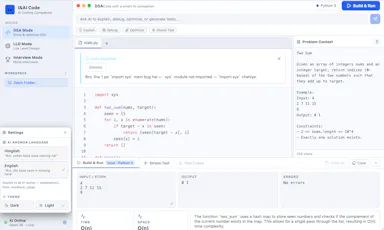
An offline AI coach for coding interviews — DSA, system design and mock interviews — running locally via llama.cpp/Qwen with no API keys, cloud or subscription.

Works offlineNo subscription
What to know
How it works
An offline AI coach for coding interviews covering DSA, low-level design, and mock interviews, running locally via llama.cpp and Qwen.
What's different
Runs fully offline with no API keys or cloud dependency, unlike most AI interview-prep tools.
Pricing
No subscription; runs locally with no API keys required.
Best for
Developers preparing for coding interviews who want a local, private practice tool.

Watched for 14 days · last checked today

Details →

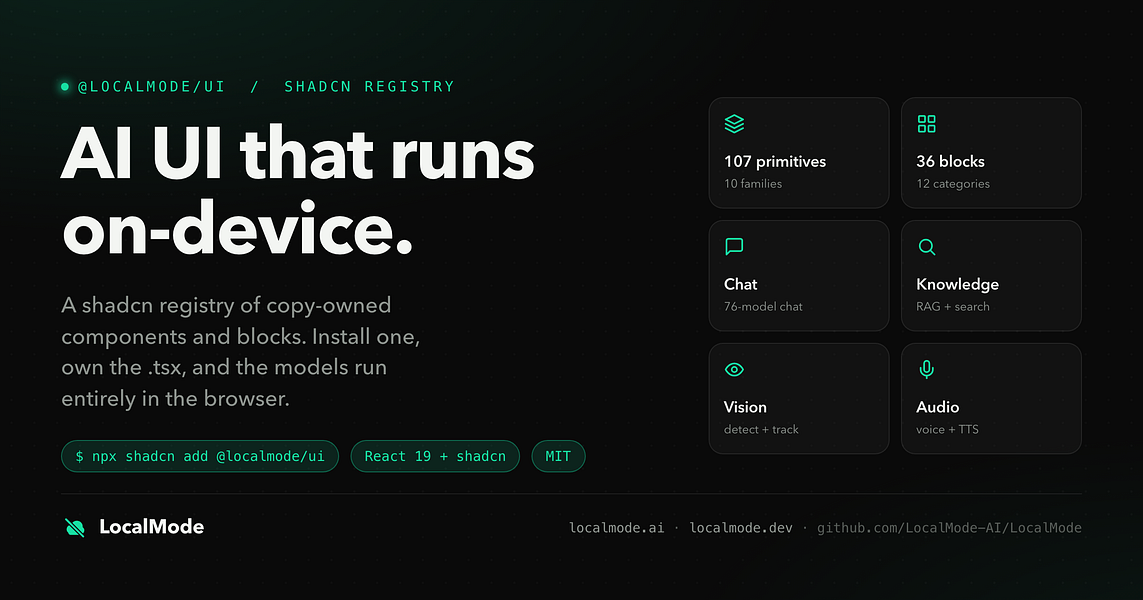
An open-source toolkit for building AI features — chat, RAG, speech, vision — that runs entirely in the browser with no servers and no data leaving the device. Built for developers.

Domain registered 7 months ago

Works offlineData stays with youOpen source
What to know
How it works
An open-source toolkit for running AI entirely in the browser: LLM chat across 76 models, RAG and vector search, Whisper and Kokoro speech, and vision, with no server or API key required. Runs on WebGPU with a WebAssembly fallback.
What's different
Data never leaves the device, and it ships a zero-dependency core plus a shadcn UI registry of 107 components and 36 installable blocks for building on top of it.
Pricing
Open source (MIT license).
Best for
Developers building browser-based AI features without standing up servers or managing API keys.

Watched for 12 days · last checked 1d ago

Details →

A native (non-Electron) Git GUI for Mac and Windows built for speed and low memory use, positioned against GitKraken, SourceTree, Fork and Tower for developers who find those apps sluggish.

Domain registered 2 months ago

No sign-upWorks offline
What to know
How it works
A native Git GUI for macOS and Windows with a color-coded, virtualized commit graph and infinite scroll. Works fully offline and locally, with no account or cloud dependency.
What's different
Roughly 12 MB and launches in a fraction of a second, versus the 300–500 MB idle RAM and multi-second cold starts of Electron-based clients like GitKraken, SourceTree, Fork, and Tower.
Best for
Developers frustrated with the resource overhead of Electron-based Git clients.

Watched for 11 days · last checked 2d ago

Details →

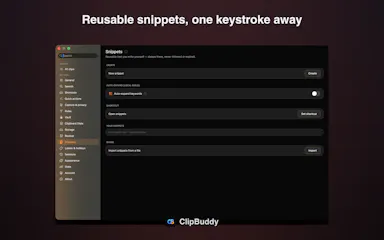
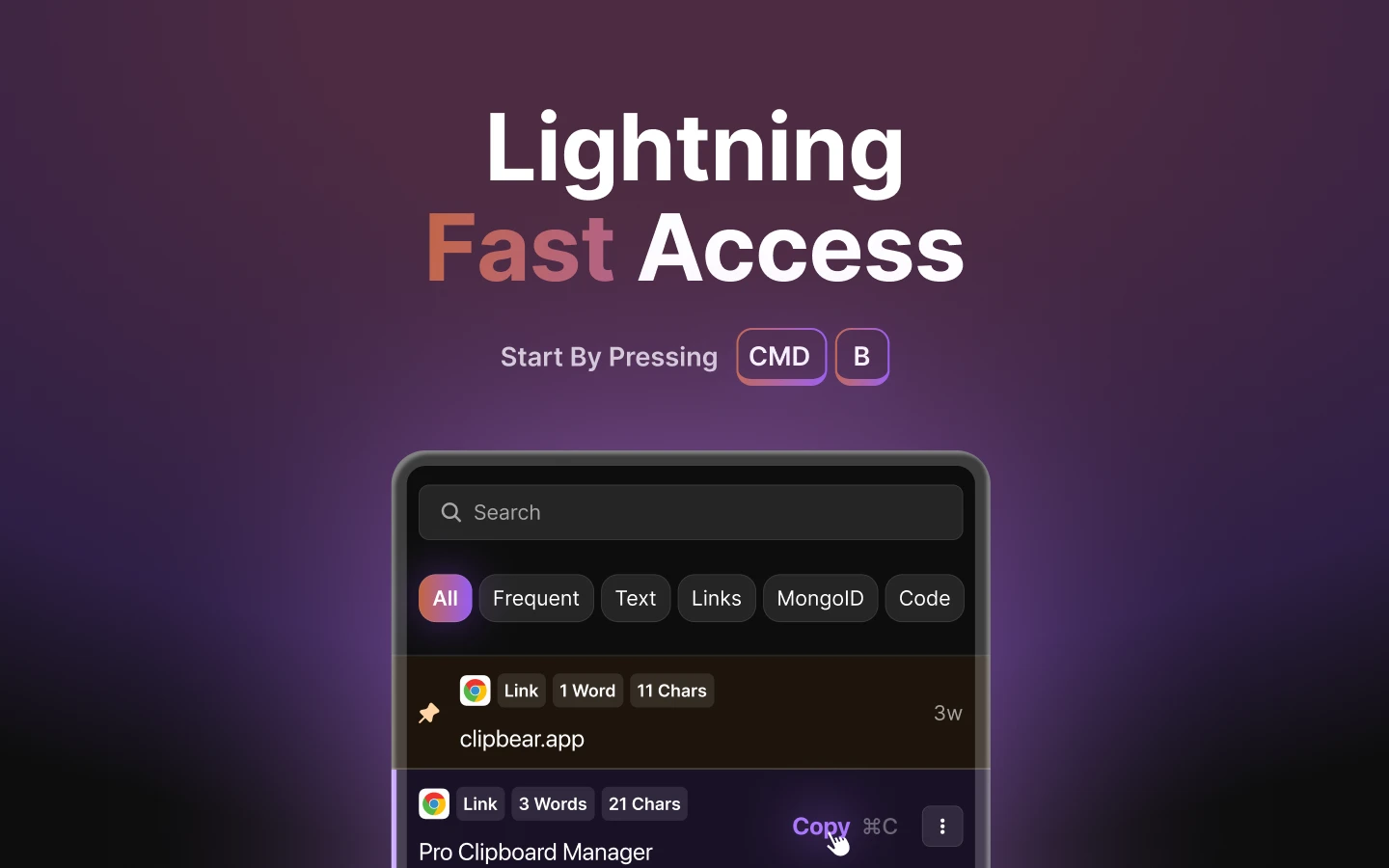
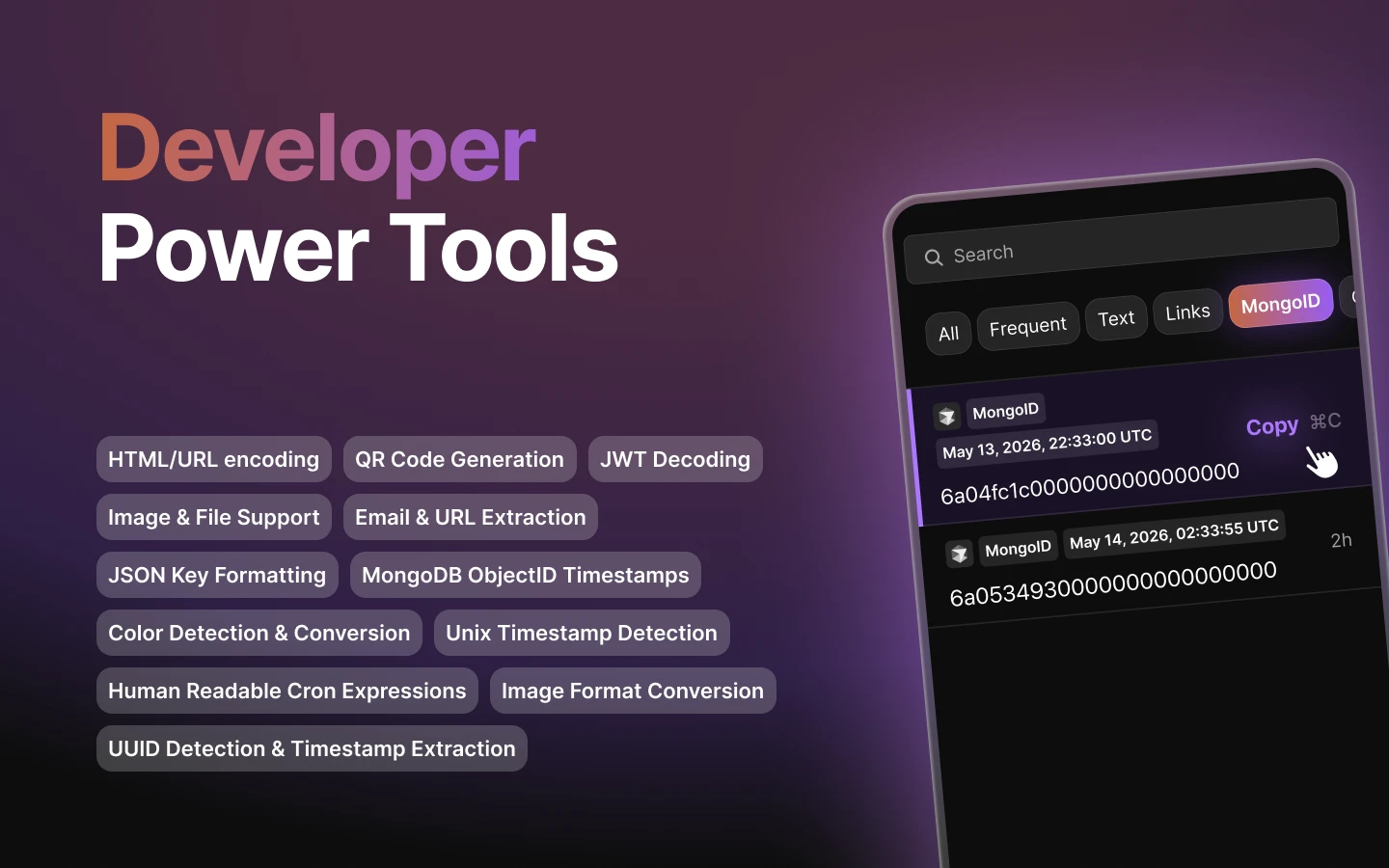
Mac clipboard manager tuned for developer content such as code snippets.

FreeNo sign-upWorks offline
What to know
How it works
Mac clipboard manager tuned for developer content such as code snippets.
Best for
Developers.

Watched for 8 days · last checked 2d ago

Details →

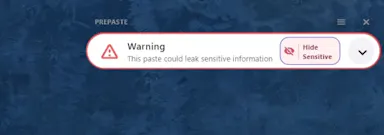
An offline clipboard tool that automatically redacts PII and API keys before you paste into ChatGPT, coding assistants, or anywhere else.

Works offlineOpen source
What to know
How it works
detects and redacts secrets/PII from clipboard content before paste
What's different
fully local processing, open source
Best for
developers who paste code or data into LLMs and AI tools

Watched for 4 days · last checked today

Details →

An offline scanner that checks Python projects for known CVE vulnerabilities using local AST analysis, instead of a cloud-based dependency scanner.

Works offlineOpen source
What to know
How it works
Static AST analysis run entirely locally, with no internet connection or external dependencies required.
Pricing
Open source, published on PyPI.
Best for
Developers who want fast vulnerability scanning without sending code to a cloud service.

Watched for 7 days · last checked 1d ago

Details →

A Mac dictation app that turns your voice, screenshots, and screen recordings into a clean AI-ready Markdown prompt for Claude Code, Cursor, or ChatGPT, running fully offline via local Whisper.

Domain registered 2 months ago

Works offline
What to know
How it works
Local Whisper and open models on a Mac turn voice, screenshots, and screen recordings into a clean Markdown prompt.
Best for
Developers using Claude Code, Cursor, or ChatGPT who want offline, private dictation without per-token billing.

Watched for 7 days · last checked 1d ago

Details →


A single-binary CI test runner for LLM apps and agents that defines test cases in YAML and replays model or judge calls offline at no cost.

Domain registered 8 days ago

Works offline
What to know
How it works
Defines test cases and scorers in YAML, runs local targets on every pull request via REST or shell, with baselines, trials, model comparisons, and OTel traces.
Pricing
Replays offline for $0.
Best for
Teams that need CI regression testing for LLM apps and agents.

Watched for 7 days · last checked 1d ago

Details →

Offline desktop API testing client (REST, GraphQL, gRPC) that keeps all your requests and tokens on your machine instead of a vendor cloud.

FreeWorks offlineData stays with youOpen source
What to know
How it works
runs 100% offline, stores collections in local SQLite and tokens in the OS keychain
Pricing
free, open source (MIT)
Best for
developers who don't want API collections synced to a third-party cloud

Watched for 6 days · last checked today

Details →

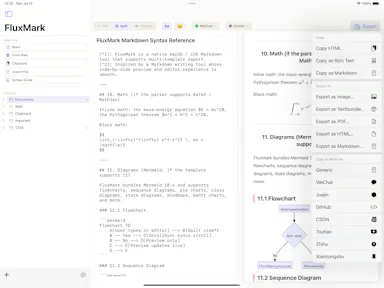
A Markdown editor that writes once and publishes the same piece to eight different platforms.

Works offlineCan export my data
What to know
How it works
live preview markdown editor with platform-specific templates and one-tap multi-platform publishing
What's different
20 themes, exports to HTML/PDF/PNG/Markdown, works offline
Best for
content teams, developers writing docs, and personal writers on iPhone/iPad/Mac

Watched for 4 days · last checked 3d ago

Details →

A floating clipboard that lets you copy and paste text line-by-line without switching apps, handy for reading OTPs, copying data entries or working through long text files.

FreeWorks offlineData stays with you
What to know
How it works
A draggable, resizable floating window that sits over any app for copying, viewing and managing text line-by-line from the clipboard, with one-tap copy and auto-advance.
What's different
Works as an overlay across any app rather than requiring you to switch windows to copy or view data.
Pricing
Free.
Best for
Students, developers, content writers and support teams who repeatedly copy data like OTPs or entries without switching apps.

Watched for 14 days · last checked 9d ago

Details →

A free Chrome extension that catches API keys, tokens and credit-card numbers before they get pasted into an LLM chat — for developers and vibe coders who copy-paste into AI tools daily.

Free
What to know
How it works
A Chrome extension that catches API keys, tokens, and 16-digit credit card numbers before they're pasted into an LLM, removing them locally and restoring them safely when needed.
What's different
A 'zero retention' architecture — the data is never stored or logged and only ever sits in local RAM.
Pricing
Free.
Best for
Developers and vibe coders who regularly paste code or text into AI chat tools.
Watch out
The zero-retention, local-only architecture is a vendor claim and not described as independently verified.

Watched for 18 days · last checked 10d ago

Details →

An offline tool for validating Saudi e-invoice QR codes, UBL XML files, and PDF/A-3 invoices, with VAT calculation, on-device.

Works offlineData stays with you
What to know
How it works
Validates invoice QR codes, UBL 2.1 XML files, and PDF/A-3 e-invoices, scanning QR codes, inspecting invoice data, and calculating VAT directly on-device with no cloud uploads.
Best for
Businesses, accountants, auditors, and developers handling Saudi e-invoices.
Watch out
Independent application, not affiliated with or endorsed by ZATCA or any government authority.

Watched for 8 days · last checked 6d ago

Details →

Turns your Android phone into a self-hosted MCP server so AI assistants like Claude, Cursor or Perplexity can pull your personal memory without sending data to the cloud. Aimed at developers already using MCP-compatible tools.

Works offlineData stays with youOpen sourceNo subscription
What to know
How it works
Turns an Android phone into a self-hosted MCP (Model Context Protocol) server by installing a Python MCP server inside Termux, with a secure tunnel giving the phone a stable public HTTPS URL that AI clients like Claude, Cursor or Perplexity can connect to for persistent memory.
What's different
Data is stored locally on the user's own phone instead of a vendor's cloud, with no subscription or vendor lock-in.
Pricing
No subscription.
Best for
Developers already using MCP-compatible AI tools who want to own their memory data instead of storing it in the cloud.
Watch out
Relies on a relay tunnel (relay.memplato.com) and requires Termux running on the phone, with a watchdog to restart the server if the phone reboots or Termux closes.

Watched for 10 days · last checked 4d ago

Details →

A free, in-browser suite of over 250 file tools — image, video, audio, SVG, developer, SEO, QR, document and PDF — that processes everything locally so files never leave the device.

FreeWorks offline
What to know
How it works
Runs client-side in the browser (e.g. ffmpeg.wasm for video, an on-device AI model for background removal, native Web Audio for audio editing); no accounts or daily limits.
Pricing
Free.
Best for
Developers and anyone needing quick file conversion/editing tools without uploading files to a server.

Watched for 11 days · last checked 8d ago

Details →

A desktop coding harness built specifically around open-weight models like DeepSeek, Qwen and Kimi, instead of bolting them onto a Claude or GPT-first interface as an afterthought.

FreeWorks offline
What to know
How it works
A desktop AI coding harness built around open-weight models (DeepSeek, Qwen, Kimi, MiniMax) instead of Claude/GPT, using a structural + lexical code-retrieval engine (Blueprint) that builds a real dependency graph of the codebase rather than embeddings or a vector DB.
What's different
Built specifically for open-weight models' weaker context discipline, instead of treating them as an afterthought behind a Claude/GPT-first interface.
Pricing
Free.
Best for
Developers who want to use open-weight models like DeepSeek, Qwen, or Kimi for coding with retrieval built for their limitations.
Watch out
Depends on local tools like Ollama and MCP — offline/no-cloud setup requires configuring those dependencies yourself.

Watched for 18 days · last checked 2d ago
Details →

Converts YAML to JSON and back entirely in your browser, including multi-document Kubernetes manifests, with line-numbered parse errors, your config never leaves the browser.

Domain registered 21 days ago

FreeNo sign-upWorks offlineData stays with you
What to know
How it works
Converts YAML to JSON and back entirely in the browser, including multi-document files like Kubernetes manifests, with line-numbered parse errors.
What's different
Runs offline once loaded and your config never leaves the browser; the conversion core is open source.
Pricing
Free, no signup.
Best for
Developers who need to convert Kubernetes manifests or other YAML/JSON files without uploading them anywhere.

Watched for 14 days · last checked 8d ago

Details →

A desktop HTTP testing and automation tool for developers, with request chaining, OpenAPI support and cURL generation. Runs fully offline, free, with no ads or subscription.

FreeWorks offlineNo subscriptionNo ads
What to know
How it works
A desktop HTTP testing environment for creating, automating and validating HTTP workflows, with OpenAPI support, request chaining, dynamic parameters, advanced response validation, and cURL generation.
What's different
Completely free and offline, with no ads, subscriptions, or feature restrictions, plus native ARM support.
Pricing
Free, with no ads, subscriptions, or feature restrictions.
Best for
Developers building and validating HTTP request workflows and APIs.

Watched for 13 days · last checked 7d ago

Details →

Arbor

Live

A terminal-first API client and test runner that stores requests as version-controlled YAML in Git — for developers who want CLI workflows, not a hosted API product itself.

What to know
How it works
A keyboard-first terminal UI for defining API requests, environments, collections and test scenarios as readable YAML, runnable from the interactive TUI, CLI, or CI.
What's different
Everything is stored as version-controlled YAML in Git rather than a hosted/proprietary format, with k9s-style keyboard navigation.
Best for
Developers who prefer terminal-based, Git-native workflows over GUI API clients.

Watched for 13 days · last checked 7d ago

Details →

76 separate browser-based, offline, pay-once workspaces built for specific roles like real estate agents, fitness coaches and developers, pitched as an escape from stacked SaaS subscriptions.

Nothing to installWorks offlineData stays with youPay once
What to know
How it works
76 self-contained, browser-based workspaces, each with 8-10 purpose-built modules for a specific role or niche (real estate, fitness coaching, cybersecurity, development, etc.), running 100% offline and locally.
What's different
Data never touches a server (local-first architecture) and it's a one-time purchase instead of a stack of monthly SaaS subscriptions.
Pricing
Pay once, own forever (one-time payment, no subscription).
Best for
Professionals in specific niches who want purpose-built tools without recurring SaaS fees or sending business data to the cloud.

Watched for 14 days · last checked 8d ago

Details →

A real SSH client with full PTY support that works the same way in the browser, on desktop and on mobile, so engineers stop juggling PuTTY on one device and a separate mobile app.

What to know
How it works
A real SSH client with full PTY support, resize and keepalive handling, that works the same way in the browser, on desktop (Electron), and on Android/iOS, connecting via WebSocket relay or direct connection.
What's different
Host credentials and identity keys are encrypted at rest with XChaCha20-Poly1305 (libsodium) rather than stored in plaintext, and it replaces juggling separate tools (PuTTY plus a mobile app) with one client.
Best for
Engineers who connect to remote servers from more than one device and want the same SSH experience everywhere.

Watched for 18 days · last checked 2d ago

Details →

Auxly

Live

An open-source, local-first memory and task layer for AI coding agents, built around MCP. Developer infrastructure, not a consumer product.

Works offlineOpen source
What to know
How it works
An open-source, local-first memory layer for AI coding agents, with an MCP-powered task manager for tracking agentic workflows.
What's different
Runs locally rather than storing agent memory in the cloud, and is built specifically around MCP for AI code editors.
Best for
Developers building or using AI coding agents who want persistent, local memory and task tracking instead of ephemeral context.

Watched for 18 days · last checked 11d ago

Details →

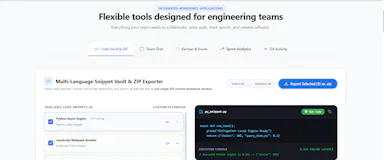
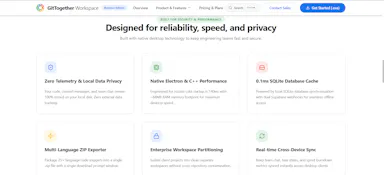
Gives engineering teams git tracking, chat, and kanban boards in one offline desktop app instead of juggling separate tools.

Works offlineNo trackingCan export my data

Watched for 1 day · last checked today

Details →

A 1.2GB AI model that runs fully offline on your laptop and claims to beat GPT-5 on coding benchmarks. Open source with no subscription, built for developers wanting a local coding assistant.

Works offlineOpen sourceNo subscription
What to know
How it works
A 1.2GB AI model that runs fully offline on a laptop, using a neuro-symbolic architecture combining neural pattern recognition with symbolic logic for software engineering tasks.
Pricing
Open-source, no subscription.
Best for
Developers wanting a local, offline coding assistant without cloud dependence.
Watch out
The listing claims it beats GPT-5 on coding benchmarks and cites a 68.4% SWE-bench Lite score — an unverified vendor claim.

Watched for 18 days · last checked 2d ago

Details →

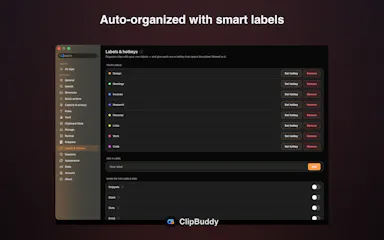
A native macOS clipboard manager that lets you search your entire copy history by meaning and OCR text out of screenshots, instead of cloud clipboard tools that leave your Mac.

No sign-upWorks offline
What to know
How it works
Search by meaning, OCR screenshots, reusable snippets, Stack & Slots organization, built-in dev tools.
Pricing
Free to start; Pro unlocks full toolkit.

Watched for 2 days · last checked 1d ago

Details →

Offline, privacy-focused distraction-free Markdown writing app for Windows storing files locally.

Works offline
What to know
How it works
works offline, local file storage, Markdown support

Watched for 2 days · last checked 1d ago

Details →

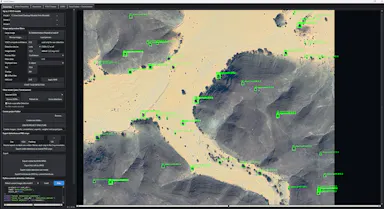
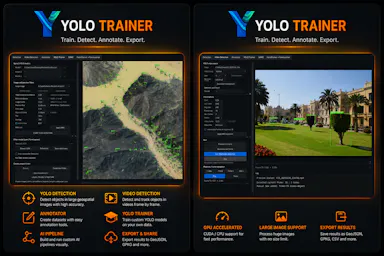
A Windows desktop app for training and running YOLO object-detection models entirely on your own machine, no cloud required - built for developers and ML researchers.

What to know
How it works
A Windows desktop app for local object detection: prepare datasets, and train, test and run YOLO detection models on images and video directly on your own machine, with CUDA support and project-based workflows.
What's different
Runs entirely locally without relying on cloud services.
Best for
Researchers, developers and creators who need a focused computer-vision training workflow on their own device.

Watched for 15 days · last checked 9d ago

Details →

A free suite of calculators (financial, health, math, unit conversion) that runs offline in the browser with step-by-step answers.

FreeWorks offline
What to know
How it works
offline-capable browser calculators with step-by-step solutions
Pricing
free
Best for
students, developers and professionals doing quick everyday calculations

Watched for 4 days · last checked 3d ago

Details →

Free self-hosted Windows tool that backs up network device configs and monitors SNMP/syslog for network engineers managing multi-vendor hardware.

Domain registered 8 months ago

FreeWorks offlineNo subscriptionSelf-hosted
What to know
How it works
backs up configs for 30+ device types across 7 vendors, SNMP monitoring, built-in syslog server, LLDP-based topology mapping
Pricing
free forever, no cloud or subscription
Best for
network engineers managing Cisco/Juniper/HP/Dell/Arista gear
Watch out
provided as-is with no warranty

Watched for 5 days · last checked 3d ago

Details →

A bundle of 15 browser-based creative and dev tools (regex tester, image compressor, kanban board, SVG builder) that run locally with zero cloud servers or subscription fees.

Works offlineNo subscription
What to know
How it works
A bundle of 15 browser-based creative and developer tools — including a regex sandbox, image compressor, kanban tracker, and SVG-to-React builder — that run locally via IndexedDB, plus browser extensions to extract typography and colors from pages.
What's different
Zero cloud servers across all 15 tools, replacing fragmented workflows and separate online converters.
Pricing
No subscription — everything runs locally in the browser.
Best for
Developers, designers, and creators who want to replace a fragmented set of separate online tools with one local suite.

Watched for 17 days · last checked 11d ago

Details →

DevTab

Live

110+ browser-based dev utilities — JSON, JWT, regex and SQL formatting and more — that run entirely client-side with no signup, uploads or server calls.

FreeNo sign-upData stays with you
What to know
How it works
A collection of 110+ developer utilities — JSON formatter, JWT decoder, regex tester, base64, diff checker, SQL formatter and more — that run entirely in the browser.
What's different
No uploads, no server calls, and no signup, unlike tools that process input server-side.
Pricing
Free.
Best for
Developers who want quick one-off formatting or decoding tools without sending data to a server.

Watched for 17 days · last checked 11d ago

Details →

A free, open-source code snippet manager that stores snippets locally and syncs across devices, with optional GitHub backup.

Domain registered 3 months ago

FreeWorks offlineOpen source
What to know
How it works
Local-first storage with nested folders, pinning, and syntax highlighting for 25+ languages; optional GitHub cloud sync.
Pricing
Free, open-source.
Best for
Developers who want a snippet manager that works offline by default.

Watched for 6 days · last checked 5d ago

Details →

A browser-based toolkit for formatting, validating, and converting JSON and other developer file formats, entirely client-side.

Data stays with youNo tracking
What to know
How it works
Runs 100% in the browser with no backend.
What's different
No uploads, tracking, or server-side processing.
Best for
Developers who want quick JSON/data utilities without sending data to a server.

Watched for 6 days · last checked 5d ago

Details →

A local-first productivity app for developers that tracks projects, tasks, meetings, and notes with no cloud and no subscription, instead of handing that data to a hosted service.

Works offline
What to know
How it works
Markdown notes with tags and full-text search, a command palette, meeting scripts with templates, and full source code (Vue 3 + Express + SQLite) so you own the tool.
What's different
Single-user local app with no sync or cloud account — data lives in a local SQLite database.

Watched for 7 days · last checked 5d ago

Details →

A browser-based developer toolkit of 18 utilities (JSON, JWT, CSV, XML, Base64, Regex and more) that run entirely client-side, for developers who don't want to paste sensitive data into a tool that logs it.

Domain registered 19 days ago

FreeNo sign-upWorks offline
What to know
How it works
Runs 100% in the browser with zero data sent to any server; works offline, no signup, no account.
What's different
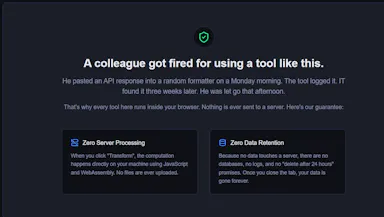
Built after a developer was fired for pasting an API response into a JSON formatter that logged everything.

Watched for 12 days · last checked 8d ago

Details →

An offline, browser-local toolbox of 114 developer utilities plus a gallery of AI-generated HTML5 games, for developers wanting privacy-safe tools without uploading data.

Domain registered 22 days ago

FreeWorks offline
What to know
How it works
Runs 114 developer utilities (JSON formatter, JWT decoder, PDF merger, GPT tokenizer) entirely in-browser, plus a gallery of AI-generated HTML5 games.
Best for
Developers who want offline, privacy-safe utility tools.
Watch out
Markets itself as involving open source, but the text only states the game prompts are open source, not the toolbox itself.

Watched for 12 days · last checked 8d ago

Details →

A 46+ tool suite (JSON formatter, JWT decoder, RSA key generator, RegEx tester) that runs entirely in your browser with zero server calls - free and offline, for developers.

FreeWorks offline
What to know
How it works
Runs 46+ developer utilities — JSON formatter, JWT decoder, RSA key generator, RegEx tester — entirely in your browser with zero server communication.
What's different
100% offline and client-side, installable as a PWA, with no logs or data leaks.
Pricing
Free.
Best for
Developers who want common dev tools without sending code or data to a server.

Watched for 14 days · last checked 2d ago

Details →

Gives AI coding tools like Cursor and VS Code persistent local memory of your codebase, running on your own machine - priced at $25/year, not one-time, apart from a limited beta deal.

Works offline
What to know
How it works
Gives AI coding assistants persistent memory: it indexes your codebase with vector search, saves every conversation, and connects to Zed, Cursor, VS Code and other MCP-compatible tools, running on embedded PostgreSQL + pgvector.
What's different
100% local-first with no cloud required, unlike most AI memory tools.
Pricing
$25/year, no tiers; beta testers get lifetime access for a $25 one-time payment.
Best for
Developers using AI coding assistants who want persistent, local memory of their codebase across sessions and team members.

Watched for 15 days · last checked 2d ago

Details →

A browser-based JSON toolkit (format, validate, diff, convert, visualize) that runs entirely client-side with zero uploads and no servers, for developers who don't want their data leaving the browser.

Works offlineData stays with youOpen source
What to know
How it works
A browser-based JSON toolkit — format, validate, beautify, diff, convert, visualize, and generate code from JSON — running entirely client-side.
What's different
Zero uploads, works offline, and is installable as a PWA, with no server or API keys involved.
Best for
Developers who don't want their JSON data leaving the browser.

Watched for 15 days · last checked 2d ago

Details →

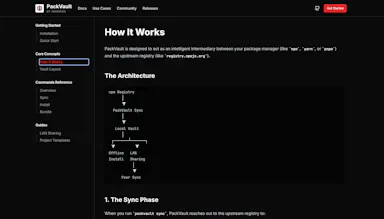
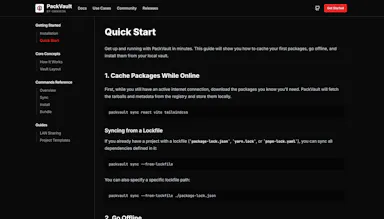
An open-source, offline-first cache for package manager downloads, install once and reuse everywhere without re-fetching, built for CI pipelines, classrooms and low-bandwidth teams.

Works offlineOpen source
What to know
How it works
An open-source, offline-first cache that stores package manager dependencies locally so they're downloaded once and reused on subsequent installs, including without an internet connection.
What's different
Open source and works fully offline once dependencies are cached, unlike hosted package registries that require a live connection.
Best for
Developers, CI pipelines, classrooms, and teams working in low-bandwidth environments who repeatedly reinstall the same dependencies.

Watched for 16 days · last checked 2d ago

Details →

Records a visual test once and replays it across desktop, tablet and mobile to catch UI regressions against your design baselines — runs locally so credentials never leave your machine.

What to know
How it works
Records a visual test once against Figma, a design system, or approved baselines, then replays it across desktop, tablet and mobile to catch UI regressions.
What's different
Runs on your machine so credentials never leave it.
Best for
Developers or QA teams wanting automated visual regression testing without sending credentials to the cloud.

Watched for 17 days · last checked 8d ago

Details →

A free collection of browser-only utilities — JSON formatter, regex tester, password generator, QR generator and more — for developers and quick technical tasks, with nothing ever uploaded to a server.

FreeData stays with you
What to know
How it works
A collection of browser-only tools - JSON formatter, password generator, regex tester, unit converter, QR generator and more - that run entirely client-side.
What's different
Nothing ever leaves the browser to a server.
Pricing
Free.
Best for
Developers needing quick technical utilities without uploading data.

Watched for 17 days · last checked 2d ago

Details →

Over 168 small utilities — converters, calculators, dev tools — running client-side in your browser with nothing uploaded, no account needed, and offline support once loaded.

FreeNo sign-upNothing to installWorks offline
What to know
How it works
A collection of 168+ browser-based utilities — developer tools, image converters, text analytics, calculators, network utilities and more — that run entirely client-side.
What's different
Every tool runs in your browser so your data never leaves your device, works offline once loaded, and there's no account, paywall or ads on the tools themselves.
Pricing
Free.
Best for
Developers and everyday users who want quick one-off utilities without uploading data or creating an account.

Watched for 17 days · last checked 8d ago

Details →

License and entitlement infrastructure for Apple apps: a Swift SDK with offline verification, device limits, trials and Stripe-based license minting, for developers who don't want to build licensing from scratch.

Works offline
What to know
How it works
Licensing and entitlement infrastructure for Apple apps: drop in a Swift SDK and verify entitlements locally using offline-ready Ed25519 leases, with device limits, trials and feature flags built in. Connect Stripe and licenses mint automatically from payments.
What's different
Offline-capable local entitlement verification plus automatic Stripe-driven license minting, rather than needing to build licensing infrastructure from scratch.
Best for
Developers of Apple apps who need licensing, trials and device limits without building that infrastructure themselves.

Watched for 18 days · last checked 11d ago

Details →

React Native developer tool for inspecting and editing MMKV, AsyncStorage and SQLite storage in real time.

Works offlineNo tracking
What to know
How it works
First module, Storage Inspector, lets you inspect and edit MMKV, AsyncStorage, and SQLite in real time for React Native apps.
What's different
Runs entirely locally with no cloud or telemetry; works with Expo, iOS, and Android.
Best for
React Native developers.

Watched for 3 days · last checked 2d ago
Details →

Pluks

Live

A clipboard manager for macOS and Windows that copies text the instant you select it, no Ctrl+C needed, plus a searchable history of your last 200 clips.

FreeNo sign-upWorks offline
What to know
How it works
A clipboard manager for macOS and Windows (beta) that copies text the instant you select it — no Ctrl+C/Cmd+C needed — then long-press to paste, or press Cmd/Ctrl+Shift+V to open a searchable history of your last 200 clips.
What's different
Brings the select-to-copy behavior Linux users know from PRIMARY selection to Mac and Windows; traditional clipboard managers only store history after you explicitly press copy.
Pricing
Free.
Best for
macOS and Windows users who want copy-paste without the extra keystroke.
Watch out
The Windows version is in beta.

Watched for 18 days · last checked 2d ago
Details →

A native Windows overlay app that combines clipboard history, encrypted clips, and other utilities in one hotkey-accessible tool, aimed at power users who want to stop juggling separate apps.

FreeNo sign-upWorks offlineNo tracking
What to know
How it works
A native Windows overlay app that bundles five tools into one hotkey-accessible panel: clipboard history search, text-expansion snippets, screen capture with OCR, and others.
What's different
Combines multiple utilities (clipboard manager, text expander, screen capture) into one unified overlay instead of running them as separate apps.
Pricing
Free.
Best for
Windows power users who currently juggle separate clipboard, snippet, and screenshot tools.
Watch out
Runs locally with no cloud sync — clips stay on one machine unless the app supports cross-device sync elsewhere.

Watched for 18 days · last checked 2d ago

Details →

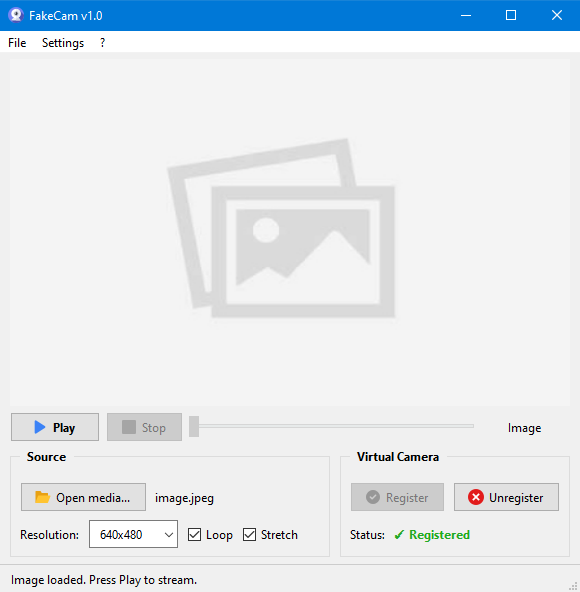
A lightweight Windows app that streams a video or image file as your webcam feed into Zoom, Teams, Skype, Discord or Telegram, running fully offline with no account or tracking.

FreeNo sign-upWorks offlineNo subscription
What to know
How it works
A lightweight virtual webcam app for Windows that streams a video or image file as your camera feed into apps like Zoom, Teams, Skype, Discord and Telegram.
What's different
Runs entirely locally with no account, subscription, ads or tracking — download and run, 25MB portable, works offline.
Pricing
Free for Windows.
Best for
Windows users who want a virtual webcam feed for video call apps without an account or bloatware.

Watched for 18 days · last checked 2d ago

Details →

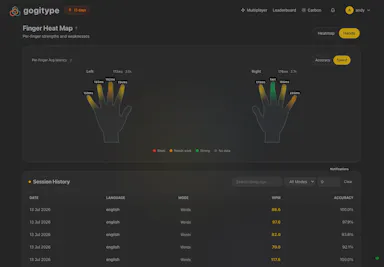
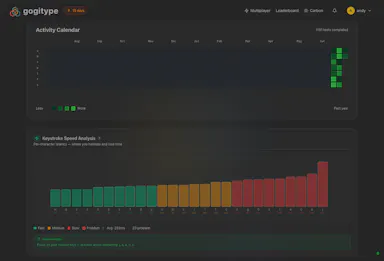
A typing practice tool that analyzes per-keystroke timing to find and drill your specific weak key patterns, for typists who want targeted improvement instead of a generic speed test.

Domain registered 1 month ago

FreeNo sign-upWorks offlineNo ads
What to know
How it works
Analyzes context-dependent weak spots (e.g. being slow at one letter only after another), builds drills from real words containing your problem patterns, and retires each drill once you've fixed it. Includes finger heatmaps, metronome rhythm training, multiplayer races, and a co-op arcade mode.
Pricing
Free, no ads, works offline, no account needed to try.

Watched for 13 days · last checked 10d ago

Details →

Offline on-device speech to text for Mac and Windows

No sign-upWorks offlineData stays with you

First seen today · last checked today

Details →

A Chrome extension for saving and one-click switching between multiple login sessions on the same site.

Data stays with youNo tracking
What to know
How it works
Saves and restores multiple login sessions for the same website, letting you switch accounts with one click, stored locally with no cloud sync.
Best for
Developers, freelancers, marketers and QA engineers managing multiple accounts on the same site.

Watched for 3 days · last checked 2d ago
Details →

100+ free offline browser tools spanning PDF, image, developer, finance and niche calculators, no ads or signup.

FreeNo sign-upWorks offlineNo ads
What to know
How it works
100+ free offline tools spanning PDF, image, developer, finance, and niche categories, including a Zakat calculator, Pakistani electricity bill calculator, CNIC validator, cricket run rate calculator, and QR clipboard sync.
What's different
Works offline as a PWA, available in 5 languages.
Pricing
Free, no ads, no signup.

Watched for 3 days · last checked 1d ago

Details →

A collection of 30+ offline browser-based developer tools that never send data off your machine.

Works offlineNo tracking
What to know
How it works
Provides 30+ developer tools that run locally in the browser with no accounts, tracking, or internet required.
Pricing
Offline, no data leaves the machine.

Watched for 9 days · last checked 6d ago

Details →

SQLKit

Live

A local-first desktop SQL workbench for connecting to MySQL, PostgreSQL, and SQLite with autocomplete.

Domain registered 9 years ago

Works offline
What to know
How it works
Connect to MySQL, PostgreSQL, and SQLite; write SQL with autocomplete and formatting, and view results instantly.
What's different
Local-first desktop tool with no cloud dependency, unlike bloated platforms.
Best for
Developers who want a fast, minimal SQL editor.
Watch out
More databases are noted as coming.

Watched for 9 days · last checked 7d ago

Details →

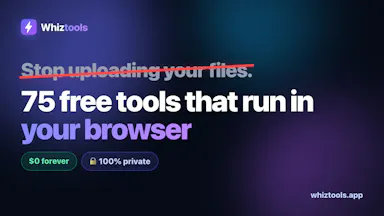
Collection of 75+ free browser-based, offline tools for PDFs, images, text, and developer utilities with no uploads.
FreeNothing to installWorks offline
What to know
How it works
75+ browser-based tools for PDFs, images, text, developers, QR codes, and passwords that run locally, work offline, and never upload files.
Pricing
Free.

Watched for 9 days · last checked 6d ago

Details →

Suite of client-side browser tools, including a teleprompter and EXIF stripper, that run entirely offline.

Domain registered 2 months ago

Works offlineData stays with you
What to know
How it works
A suite of web utilities (e.g. an auto-scrolling teleprompter, an EXIF metadata stripper) that run entirely offline in the browser using HTML5 and JS APIs.
What's different
100% client-side — no backend uploads or delays.
Best for
Developers and creators wanting privacy-first tools.

Watched for 10 days · last checked 7d ago

Details →

The private GLP-1 tracker. No account, all on-device.

No sign-upWorks offlineNo adsCan export my data

First seen today

Details →