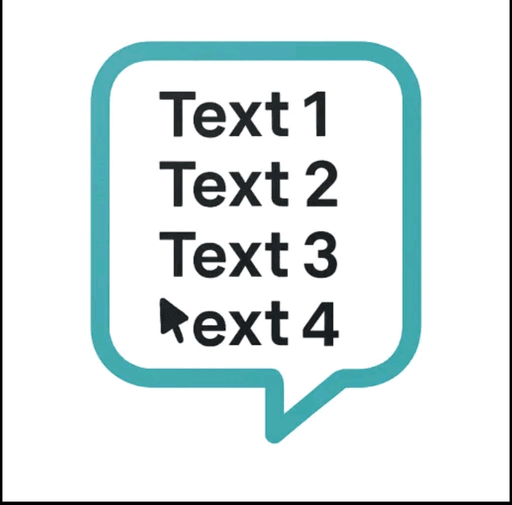
Float text copy paste texts in floating
Copy paste texts without switching apps in floating by line
What this is
A floating clipboard that lets you copy and paste text line-by-line without switching apps, handy for reading OTPs, copying data entries or working through long text files.
Our one-line summary — not the founder’s tagline.
- How it works
- A draggable, resizable floating window that sits over any app for copying, viewing and managing text line-by-line from the clipboard, with one-tap copy and auto-advance.
- What's different
- Works as an overlay across any app rather than requiring you to switch windows to copy or view data.
- Pricing
- Free.
- Best for
- Students, developers, content writers and support teams who repeatedly copy data like OTPs or entries without switching apps.
What we measured
Nobody else publishes this — it comes from knocking on the door every day.
- Watched by us
- 14 days
- Last checked
- 9d ago
Where it shows up
Every group here is a page of its own — each one checked daily.
The numbersIs it still shipping, is it overpriced, where did it land — and what the price is built from.
League price & chart
No money. No seat. It goes on your record — and in 28 days reality settles it.
Calls are closed while we rebuild accounts. You can still read every one of them.



Other. Launched 14d ago on PeerPush, where it placed #505. Today, it's been quiet for 8 days and the price has started to bleed.
Already bleeding a little every day, and it accelerates the longer it stays quiet.
We check this site every day, ourselves. A founder can post “still working on it” — a claim like that doesn't price. What we price is what we can verify from the outside: evidence, not announcements. The real question isn't “will this be huge?” — it's “will they still be moving in four weeks?”
The market viewHow this launch is priced and ranked in our league — the investor side of the page.
ranked by the reality anchor, not the market price
It placed #505 on PeerPush with 37 votes.
No matter how much money goes in. There is no pump here — you can't make yourself right by buying more. The line only moves on things that actually happened: an award, revenue that grew, a new platform, code that shipped — or silence.
3 quiet days in between are left out — nothing happened on them. A launch that goes quiet eases down a little at a time — never a cliff you could have run from the night before.
How the launch is moving on its own board, day by day — the crowd's attention.
A flat line is normal: votes stop within a day or two of launch, on every board. What's unusual — and what actually counts — is a launch that keeps pulling votes long after its day is over.
About
Floating tool to copy, manage, and view text line-by-line with ease (clipboard) FloatText is your personal floating clipboard and text assistant designed to make copying and managing text smarter, faster, and hands-free. Whether you're reading OTPs, copying data entries, or navigating long text files — FloatText simplifies everything in a draggable, resizable floating window that works over any app. Designed for productivity and ease, FloatText helps students, developers, content writers, and support teams streamline their workflow. No more switching between apps to copy or view data. Just float it and work on top of any screen! 🚀 Key Features at a Glance 🔹 Floating Window with Resizable Controls Stay productive with a floating popup that works over other apps. Resize it to suit your screen size or task — from compact to full window. 🔹 One-Tap Copy and Auto-Advance Press COPY to instantly copy the current line and auto-move to the next. No need to tap “Next” manually. Perfect for copying multiple lines quickly (like usernames, OTPs, or list items). 🔹 Line Tracking (1/100 Format) Always know where you are in your data. If your file has 100 lines, FloatText will show 1/100, 2/100, and so on. This is great for referencing and organization. 🔹 Previous/Next Navigation Manually go back or forward in your text. Useful if you need to re-copy a previous line or skip ahead. 🔹 Minimize to Icon Mode Turn the full floating window into a tiny bubble icon when not needed. Tap it again to restore — retaining its position and current data. 🔹 Night Mode Support Toggle dark mode for low-light environments and reduce eye strain. 🔹 Upload or Paste Text Paste any text directly or upload a .txt file to load content. Works great for checklists, data scripts, instructions, and templates. 🔹 Persistent Session Your data stays active until you reset it, so you can minimize the app and return without losing your place. 💡 Perfect For: ✔️ Copy-paste tasks ✔️ Data entry professionals ✔️ Freelancers & developers ✔️ Note viewing while multitasking ✔️ Studying or memorizing line-by-line content ✔️ Text-based task automation ✔️ Repeated OTP or access code copying ✔️ Rewriting scripts or command lines one step at a time 🔐 Privacy & Performance First All features work offline No personal data is collected No background battery drain Lightweight and fast (under 5MB depending on build) 📲 How It Works Upload or paste your text (even long ones with 100+ lines) Open the floating popup Tap “COPY” — the app copies the current line and moves to the next Navigate manually if needed Minimize to bubble when not in use It’s that easy — and it works anywhere, over any app! 📦 App Highlights Easy-to-use UI Clean animations Supports both light and dark modes Works great for multitasking Doesn’t require login or internet Helpful for power users and casual users alike 📚 Keywords floating text, floating copy, text assistant, clipboard manager, productivity tool, multitasking window, floating bubble, text navigation, text line manager, smart clipboard, minimal UI, copy tool floating clipboard clipboard app copy paste app text copy tool floating notes floating text editor clipboard manager free text manager quick copy copy bubble smart clipboard text shortcut tool floating text bubble overlay clipboard text multitasking floating window tool quick notes app text navigator bubble clipboard minimal clipboard clipboard for multitasking easy copy paste tool floating clipboard manager quick copy & paste app overlay text clipboard smart copy manager bubble text manager floating copy paste notes clipboard for productivity floating text organizer
Where it launched
1 platform| Platform | Votes | Counts toward price | Link |
|---|---|---|---|
| PeerPush | 37 | sets the price | ↗ |
The board it did best on sets the price. Every other board only adds to it if the launch also placed high on that board too — because just showing up somewhere isn't an achievement. Listing on twelve directories is free; placing well on them isn't.
Discussion (0)
No thesis posted yet. Be the first.