Tools for musicians and producersWorks with YouTube

8 match your filters — 8 of them answered our check today.

Watching this group for 18 days · how we check

This week4 new arrivals

An iOS app that generates original songs, singing videos and karaoke from your voice or a photo. Aimed at musicians, creators and storytellers making clips for TikTok and Instagram.

1 rating on the App Store

What to know
How it works
Generates original songs in your own voice and turns photos into singing music videos or karaoke clips, for sharing on TikTok, Instagram Reels or YouTube Shorts.
Pricing
Free signup and your first song is free.
Best for
Creators and musicians who want short-form singing or music content for social platforms without producing it themselves.

Watched for 13 days · last checked 11d ago

Details →

Detect music genre, BPM, and key instantly from any audio

What to know
How it works
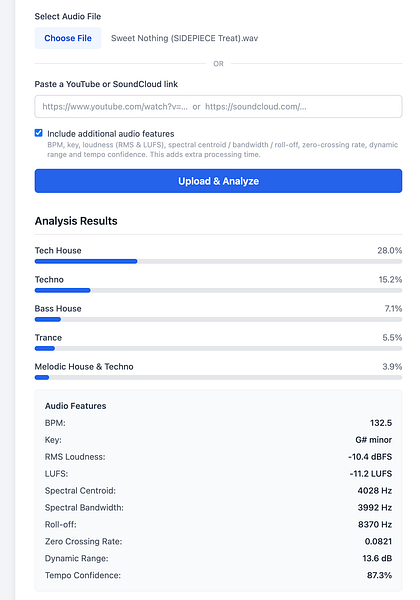
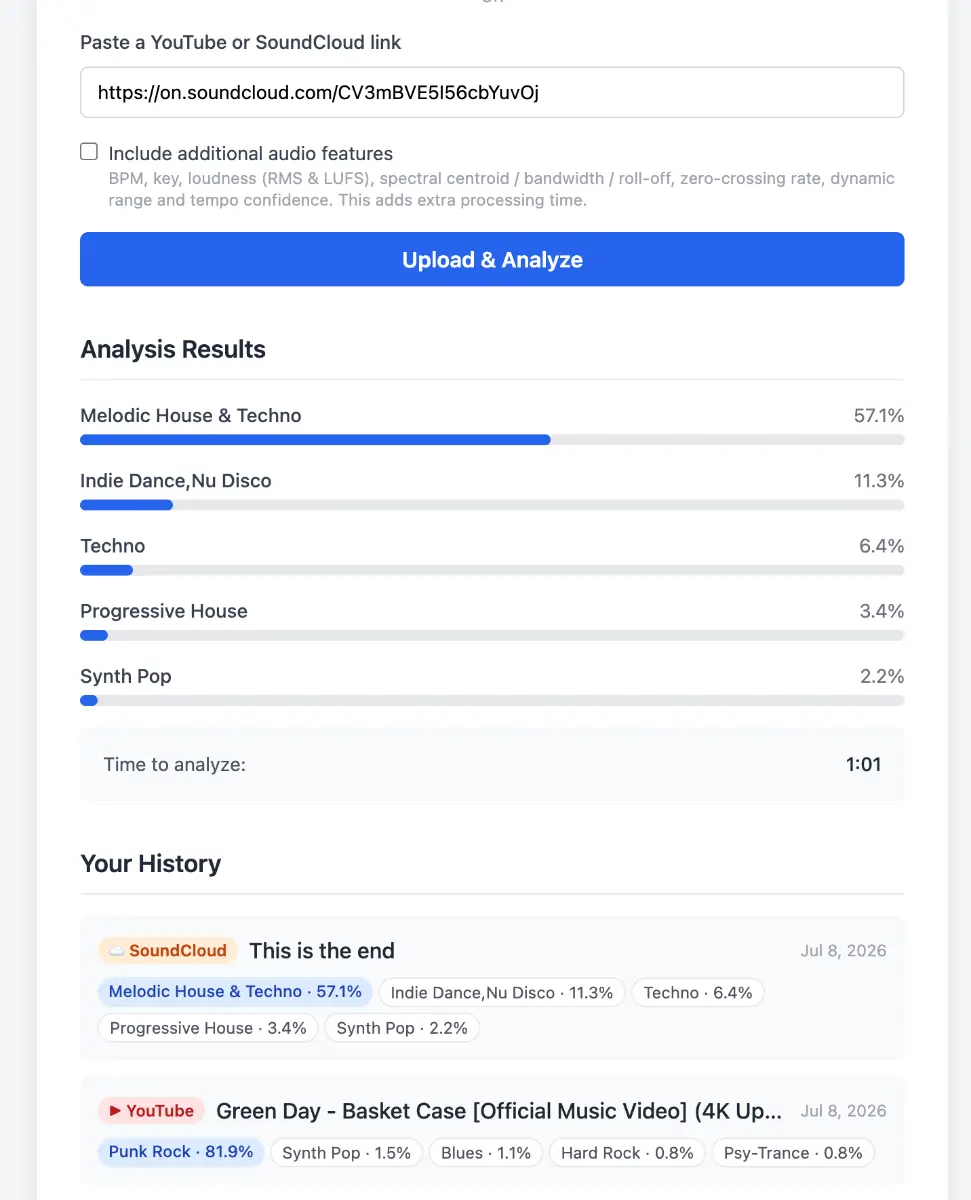
Uses AI to identify a track's genre from an audio upload or a YouTube/SoundCloud link, returning a genre prediction with a confidence score. It's particularly tuned to distinguish closely related electronic subgenres like Melodic Techno, Progressive House, Tech House and Trance, as well as rock subgenres.
Best for
Musicians and DJs who want an automated genre tag for a track, especially within electronic music.

Watched for 18 days · last checked 2d ago

Details →

Windows desktop app that automates rendering and scheduled YouTube uploads for music producers from a watched folder.

What to know
How it works
Watches a folder for a dropped WAV/MP3, renders the video locally with FFmpeg with no watermark, schedules uploads on a monthly calendar, and uploads through the user's own YouTube account via OAuth, with per-project analytics.
Pricing
Flat $8/$12/$15 per month with a 14-day free trial.
Best for
Music producers automating their YouTube release schedule.
Watch out
Windows desktop app only.

Watched for 3 days · last checked 1d ago

Details →

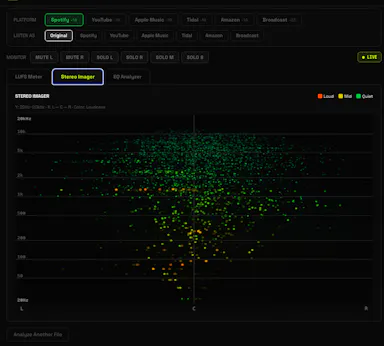
A free browser-based LUFS meter, stereo imager and EQ analyzer that processes audio locally with no upload or account, plus a preview mode simulating Spotify or YouTube playback. Built for musicians, not developers.

FreeNo sign-upNothing to installWorks offline
What to know
How it works
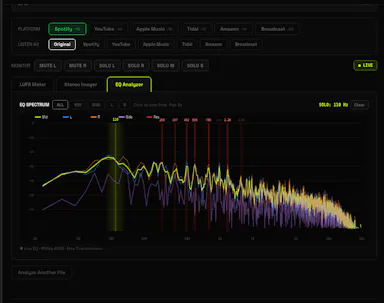
A browser-based audio mastering analyzer with real-time LUFS metering, stereo imaging, and EQ analysis with resonance detection, plus a preview mode that simulates how a track sounds on Spotify, YouTube, or Apple Music.
What's different
Processes audio 100% locally via the Web Audio API — no upload, account, or server involved.
Pricing
Free.
Best for
Musicians mastering tracks who want quick loudness and EQ checks without uploading audio anywhere.

Watched for 17 days · last checked 11d ago

Details →

A tool that splits songs (or YouTube/SoundCloud/Spotify links) into separate vocal, drum, bass and other stems for custom backing tracks.

Domain registered 2 months ago

FreeNo sign-upCan export my data
What to know
How it works
Separates audio into stems with a waveform editor to mute/solo parts, exports WAV/MP3/FLAC
Pricing
free 5-minute trial, no signup or card
Best for
musicians wanting backing tracks or remixes from existing songs

Watched for 6 days · last checked 5d ago

Details →

Paste a YouTube DJ set link and get a timestamped tracklist with links to Spotify, Apple Music, and Beatport — for listeners hunting down songs, not a browser extension.

Domain registered 1 month ago

What to know
How it works
Paste a YouTube DJ set URL and it identifies every track, returning a timestamped tracklist with links to Spotify, Apple Music and Beatport, sourced from video descriptions, pinned comments, community comments and YouTube's own music data, then cross-checked against major music services.
What's different
Uses existing crowd-sourced tracklist data rather than audio fingerprinting.
Best for
Listeners trying to find the name of a track played in a DJ mix.

Watched for 10 days · last checked 4d ago

Details →

A tool that identifies whether the artist currently playing on your music app is likely AI-generated and can auto-skip those tracks.

What to know
How it works
Tracks what's playing on Spotify, Deezer, YouTube Music, Apple Music, Tidal, SoundCloud, or Amazon Music, cross-references music-industry sources, and labels the artist Probably Human, Probably AI, or Inconclusive, auto-skipping AI tracks by default. Can also use Last.fm history for after-the-fact verdicts.
Pricing
No password (magic-link sign-in); no paid tier.
Watch out
Verdicts are estimates, not definitive — can miss.

Watched for 3 days · last checked 3d ago

Details →